Lenovo Product Expert
Lenovo Product Expert's Stats
Reviews
- Review Count0
- Helpfulness Votes0
- First ReviewNone
- Last ReviewNone
- Featured Reviews0
- Average Rating0
Reviews Comments
- Review Comment Count0
- Helpfulness Votes0
- First Review CommentNone
- Last Review CommentNone
- Featured Review Comments0
Questions
- Question Count0
- Helpfulness Votes0
- First QuestionNone
- Last QuestionNone
- Featured Questions0
- Answer Count37779
- Helpfulness Votes24,805
- First AnswerApril 21, 2014
- Last AnswerOctober 6, 2026
- Featured Answers0
- Best Answers2824
Lenovo Product Expert's Reviews
Lenovo Product Expert has not submitted any reviews.
Lenovo Product Expert's Questions
Lenovo Product Expert has not submitted any questions.
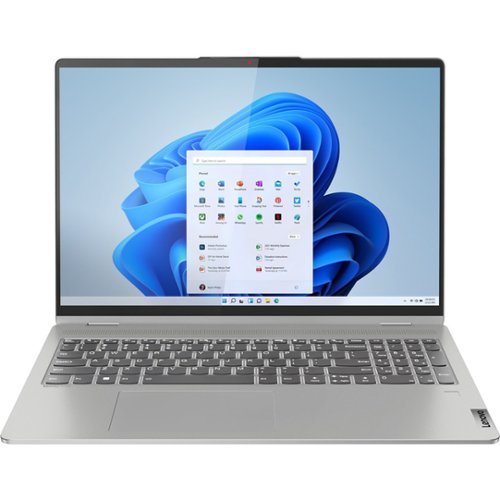
Lenovo - IdeaPad Flex 5 16ALC7 2-in1 16" Laptop - AMD Ryzen 7 5700U - 16GB Memory, 512GB SSD - Windows 11 Home
IdeaPad Flex Series Laptops. Where performance and connectivity meet productivity and entertainment. Portable multimode laptops with next-gen performance, all-day battery life, and built-in versatility. For life on the go.
Are the keys backlit

Yes. This Lenovo IdeaPad Flex 5 16, model number 82RA000DUS, ships with a Backlit, English (US) Version, standard QWERTY keyboard, with 10 Key Numeric Pad included.
3 years, 10 months ago
by
Posted by:
Lenovo Product Expert
Lenovo - IdeaPad Flex 5 16ALC7 2-in1 16" Laptop - AMD Ryzen 7 5700U - 16GB Memory, 512GB SSD - Windows 11 Home
IdeaPad Flex Series Laptops. Where performance and connectivity meet productivity and entertainment. Portable multimode laptops with next-gen performance, all-day battery life, and built-in versatility. For life on the go.
Can u use an external keyboard and monitor with this computer
Yes. This Lenovo IdeaPad Flex 5 16, model number 82RA000DUS, ships with these ports: 1x USB 3.2 Gen 1, 1x USB 3.2 Gen 1 (Always On), 1x USB-C 3.2 Gen 2 (support data transfer, Power Delivery 3.0 and DisplayPort 1.4) with video out, 1x HDMI 1.4b, 1x Card reader, 1x Headphone / microphone combo jack (3.5mm), 1x Power connector. This Lenovo Flex 5 16 supports up to 3 independent displays (native display and 2 external monitors via HDMI and USB-C). • HDMI supports up to 3840x2160@30Hz. • USB-C supports up to 4K@60Hz.
3 years, 10 months ago
by
Posted by:
Lenovo Product Expert

Lenovo - Chromebook 3 11.6" HD Laptop - Celeron N4020 - 4GB Memory - 64GB eMMC - Onyx Black
Fast, flexible, and fun, the Lenovo IdeaPad 3 Chromebook 11" brings everyone~s favorite Chromebook features, housed in a slim chassis, running on the lightning-fast Chrome OS that boots up in seconds, updates automatically, and is protected by built-in virus protection. Powered by Intel Celeron processor offers up to 10 hours of battery life, to seamlessly run all of your favorite apps at the same time.
Does this have windows 11?
No. This Lenovo Chromebook 3 11 ships with the Chrome Operating System installed and is not compatible with Windows. This Lenovo Chromebook 3 11 is compatible with Google Play Store APPs. Not all Google Play Store APPs are optimized for the Chrome OS. We always recommend you check the requirements and compatibility of any software/games you will be installing on your new Chromebook, before you invest in any Chromebook. Be sure your new Chromebook can support the software you will need to use and your workload.
3 years, 10 months ago
by
Posted by:
Lenovo Product Expert
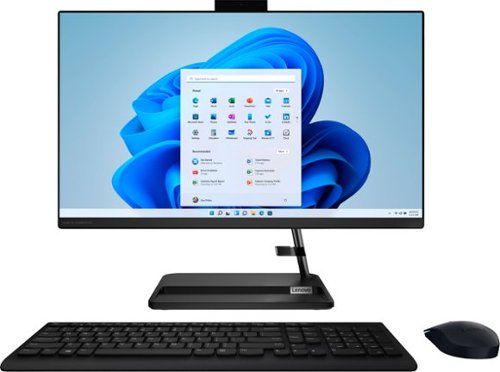
Lenovo - IdeaCentre AIO 3 AMD 24" All-In-One - AMD Ryzen 5 - 8GB Memory - 256GB Solid State Drive - Black
The clean lines and compact frame of the Lenovo IdeaCentre AIO 3 encases a singularly performance-driven machine, with AMD Ryzen 5 5500U Processors for raw power and ultra-fast performance. And the tiny desk footprint of this quintessential family PC belies its entertainment features, with a wide three-narrow-bezel FHD display and powerful Harman-certified stereo speakers.
How many USB ports on this system?
This Lenovo IdeaCentre 3 24 All-In-One System, model number F0G100NLUS, ships with these ports: 2x USB 2.0, 2x USB 3.2 Gen 1, 1x HDMI 1.4, 1x Ethernet (RJ-45), 1x power connector.
3 years, 10 months ago
by
Posted by:
Lenovo Product Expert
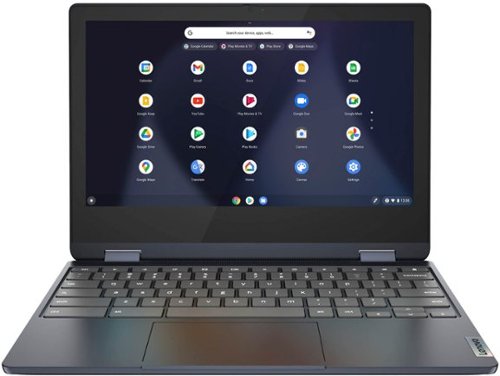
Lenovo - Flex 3 Chromebook 11.6" HD Touch-screen Laptop - Mediatek MT8183 - 4GB - 64GB eMMC - Abyss Blue
Packs what makes Chromebook so amazing into one svelte 360-degree convertible. Versatile and portable, the IdeaPad Flex 3 Chromebook measures just 19.6 mm thick and weighs 1.2 kg with a full keyboard and spacious trackpad, and can be viewed in tent, tablet, laptop or stand modes. Watch crisp visuals in high definition with its 10-point touchscreen on the 11.6" IPS display while being more productive with help from Google. Just say ~Hey Google,~ to manage tasks, enjoy your entertainment, get answers, or control smart home devices.
Can you download other programs or games to the laptop?
This Lenovo Flex 3 11 Chromebook ships with the Chrome Operating System installed and is compatible with Google Play Store APPs. Not all Google Play Store APPs are optimized for the Chrome OS. We recommend you check with the specific APP's software publisher's web sites, of the specific APPs you want to download and install, for their compatibility with the Chrome operating system and the minimum/recommended hardware requirements (Is a Graphics card required, the processor speed and the minimum required system RAM and the minimum available hard drive space) to run their program, then compare those requirements to this Chromebook's configuration.
3 years, 10 months ago
by
Posted by:
Lenovo Product Expert
Lenovo - Chromebook 3 11.6" HD Laptop - Celeron N4020 - 4GB Memory - 64GB eMMC - Onyx Black
Fast, flexible, and fun, the Lenovo IdeaPad 3 Chromebook 11" brings everyone~s favorite Chromebook features, housed in a slim chassis, running on the lightning-fast Chrome OS that boots up in seconds, updates automatically, and is protected by built-in virus protection. Powered by Intel Celeron processor offers up to 10 hours of battery life, to seamlessly run all of your favorite apps at the same time.
Can this Chromebook flex all the way to tablet mode? I'm asking because the images don't show this feature.
No, This Lenovo Chromebook 3 11, model number 82BA001FUS, is a traditional laptop configuration. It can only be used in Laptop Mode.
3 years, 10 months ago
by
Posted by:
Lenovo Product Expert
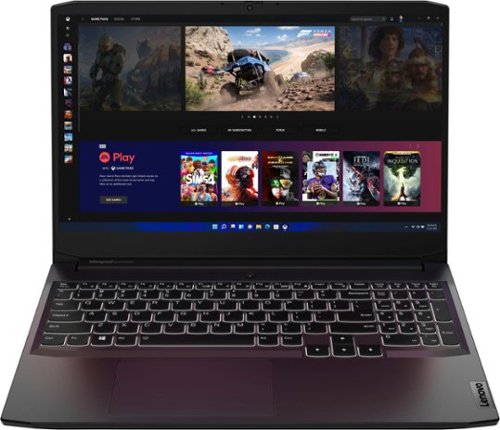
Lenovo - Ideapad Gaming 3 15.6" FHD Laptop - Ryzen 5 5600H - 8GB Memory - NVIDIA GeForce RTX 3050 Ti - 256GB SSD - Shadow Black
Time to elevate your game and esports experience beyond the realm of the ~just acceptable." Engineered with the latest generation AMD Ryzen processor and NVIDIA GeForce graphics, DDR4 memory and SSD storage options, the Lenovo IdeaPad Gaming 3 stays cool with a reengineered high-performance thermal system.
Does the laptop only have white backlight or it has more colours on the keyboard?
This Lenovo IdeaPad 3 15 Gaming Laptop, model number 82K201XCUS, ships with a White ONLY Backlit, English (US) Version, standard QWERTY keyboard, with 10 Key Numeric Pad included.
3 years, 10 months ago
by
Posted by:
Lenovo Product Expert
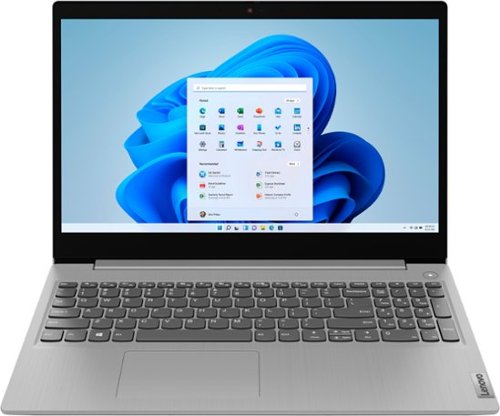
Lenovo - Ideapad 3i 15.6" HD Touch Laptop - Core i3-1115G4 - 8GB Memory - 256GB SSD - Platinum Grey
Engineered for long-lasting performance, the Lenovo IdeaPad 3i with an 11th Gen Intel Core Processor is the perfect laptop for your everyday tasks with dependable features. Dolby Audio delivers crystal-clear sound whether you~re watching a video, streaming music, or video-chatting, you~re sure to love what you hear on the IdeaPad 3i.
Can I cast from this PC to my Raku 4K TV?
This Lenovo IdeaPad 3i 15 Laptop ships with Windows 11 S-Mode, 64-bit Operating System installed which supports the Miracast standard. You can access the Cast menu directly by pressing the Windows + K keys on your keyboard. Windows 11 shows all the nearby wireless displays it detects, that support the Miracast standard. To connect to your TV (if it supports Miracast), click or tap its name from the list.
3 years, 10 months ago
by
Posted by:
Lenovo Product Expert
Lenovo - Ideapad 3i 15.6" HD Touch Laptop - Core i3-1115G4 - 8GB Memory - 256GB SSD - Platinum Grey
Engineered for long-lasting performance, the Lenovo IdeaPad 3i with an 11th Gen Intel Core Processor is the perfect laptop for your everyday tasks with dependable features. Dolby Audio delivers crystal-clear sound whether you~re watching a video, streaming music, or video-chatting, you~re sure to love what you hear on the IdeaPad 3i.
Can you use a mouse on the model computer
Yes. You can use any mouse that is compatible with Windows 11 Operating System. There is a built in touchpad on this Lenovo IdeaPad 3i 15 Laptop that functions as a external mouse would. The external mouse is sold separately.
3 years, 10 months ago
by
Posted by:
Lenovo Product Expert
Lenovo - Chromebook 3 11.6" HD Laptop - Celeron N4020 - 4GB Memory - 64GB eMMC - Onyx Black
Fast, flexible, and fun, the Lenovo IdeaPad 3 Chromebook 11" brings everyone~s favorite Chromebook features, housed in a slim chassis, running on the lightning-fast Chrome OS that boots up in seconds, updates automatically, and is protected by built-in virus protection. Powered by Intel Celeron processor offers up to 10 hours of battery life, to seamlessly run all of your favorite apps at the same time.
Can you download & use Cricut Design Studio?
That will depend on the requirements and compatibility of the software APP you want to use. This Lenovo Chromebook 3 11 ships with the Chrome Operating System installed and is compatible with Google Play Store APPs. Not all Google Play Store APPs are optimized for the Chrome OS. We recommend you check with the specific APP's software publisher's web site, of the specific version of the APP you want to use, for their compatibility with the Chrome operating system and the minimum/recommended hardware requirements (Is a Graphics card required, the processor speed and the minimum required system RAM and the minimum available hard drive space) to run their program, then compare those requirements to this Chromebook's configuration.
3 years, 10 months ago
by
Posted by:
Lenovo Product Expert