Lenovo Product Expert
Lenovo Product Expert's Stats
Reviews
- Review Count0
- Helpfulness Votes0
- First ReviewNone
- Last ReviewNone
- Featured Reviews0
- Average Rating0
Reviews Comments
- Review Comment Count0
- Helpfulness Votes0
- First Review CommentNone
- Last Review CommentNone
- Featured Review Comments0
Questions
- Question Count0
- Helpfulness Votes0
- First QuestionNone
- Last QuestionNone
- Featured Questions0
- Answer Count37779
- Helpfulness Votes24,805
- First AnswerApril 21, 2014
- Last AnswerOctober 6, 2026
- Featured Answers0
- Best Answers2824
Lenovo Product Expert's Reviews
Lenovo Product Expert has not submitted any reviews.
Lenovo Product Expert's Questions
Lenovo Product Expert has not submitted any questions.
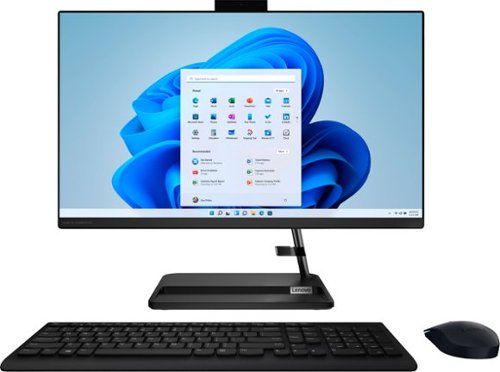
Lenovo - IdeaCentre AIO 3 AMD 24" All-In-One - AMD Ryzen 5 - 8GB Memory - 256GB Solid State Drive - Black
The clean lines and compact frame of the Lenovo IdeaCentre AIO 3 encases a singularly performance-driven machine, with AMD Ryzen 5 5500U Processors for raw power and ultra-fast performance. And the tiny desk footprint of this quintessential family PC belies its entertainment features, with a wide three-narrow-bezel FHD display and powerful Harman-certified stereo speakers.
Can you connect a printer to this? Not a wireless printer but one with a cord?

This Lenovo IdeaCentre 3 24 All-In-One System, model number F0G100NLUS, is compatible with any wired printer that this compatible with Windows 11 Home, 64-bit Operating System. We recommend you check with your printer manufacturer's web site for the compatibility and requirements of your specific model printer.
3 years, 10 months ago
by
Posted by:
Lenovo Product Expert
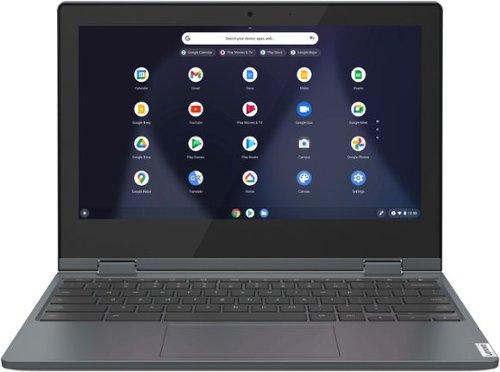
Lenovo - Flex 3 Chromebook 11.6" HD Touch-screen Laptop - Celeron N4020 - 4GB - 64GB eMMC - Abyss Blue
Fast, flexible, and fun, the Lenovo~ IdeaPad~ Flex 3 Chromebook 11" brings everyone~s favorite Chromebook features, housed in a slim 2-in-1 chassis, running on the lightning-fast Chrome OS that boots up in seconds, updates automatically, and is protected by built-in virus protection. Smaller than a piece of A4 paper, the IdeaPad Flex 3 Chromebook 11" features an Intel processor with up to 10 hours battery life. IdeaPad Flex 3 Chromebook 11" is your best companion from day to night.
What’s the difference between this celery and the similar model with mediatech with 8 core ? Which will be faster?
This model configuration of the Lenovo Flex 3 11 Chromebook, model number 82BB000AUS, ships with the 2-Core Intel Celeron N4020 Processor, with a base speed of 1.1GHz and a boost speed of up to 2.8GHz.
3 years, 10 months ago
by
Posted by:
Lenovo Product Expert
Lenovo - Flex 3 Chromebook 11.6" HD Touch-screen Laptop - Celeron N4020 - 4GB - 64GB eMMC - Abyss Blue
Fast, flexible, and fun, the Lenovo~ IdeaPad~ Flex 3 Chromebook 11" brings everyone~s favorite Chromebook features, housed in a slim 2-in-1 chassis, running on the lightning-fast Chrome OS that boots up in seconds, updates automatically, and is protected by built-in virus protection. Smaller than a piece of A4 paper, the IdeaPad Flex 3 Chromebook 11" features an Intel processor with up to 10 hours battery life. IdeaPad Flex 3 Chromebook 11" is your best companion from day to night.
Will I be able to stream the standard TV broadcasters (abc, cbs, nbc, pbs, cnn, etc.?
That will depend on the requirements and compatibility of the specific streaming APPs you want to use. This Lenovo Flex 3 11 Chromebook, model number 82BB000AUS, ships with the Chrome Operating System installed and is compatible with Google Play Store APPs. Not all Google Play Store APPs are optimized for the Chrome OS. We recommend you check with the specific streaming APP's software publisher's web sites, of the specific version of the streaming APPs you want to use, for their compatibility with the Chrome operating system and the minimum/recommended hardware requirements (Is a Graphics card required, the processor speed and the minimum required system RAM and the minimum available hard drive space) to run their program, then compare those requirements to this Chromebook's configuration.
3 years, 10 months ago
by
Posted by:
Lenovo Product Expert
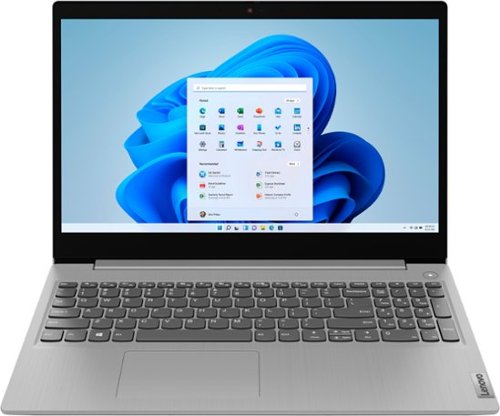
Lenovo - Ideapad 3i 15.6" HD Touch Laptop - Core i3-1115G4 - 8GB Memory - 256GB SSD - Platinum Grey
Engineered for long-lasting performance, the Lenovo IdeaPad 3i with an 11th Gen Intel Core Processor is the perfect laptop for your everyday tasks with dependable features. Dolby Audio delivers crystal-clear sound whether you~re watching a video, streaming music, or video-chatting, you~re sure to love what you hear on the IdeaPad 3i.
Is this one considered a chromebook
No. This Lenovo IdeaPad 3i 15 Laptop, model number 81X800MCUS, ships with the Windows 11 S-Mode, 64-bit Operating System installed. Windows 11 S-Mode provides added security by only allowing APPs available ( and therefore certified by Microsoft) at the Microsoft Store. If you don't need the added security or you need to install APPs not available at the Microsoft Store, you can switch to standard Windows 11 Home 64-bit Operating System, at no additional cost.
3 years, 10 months ago
by
Posted by:
Lenovo Product Expert
Lenovo - Ideapad 3i 15.6" HD Touch Laptop - Core i3-1115G4 - 8GB Memory - 256GB SSD - Platinum Grey
Engineered for long-lasting performance, the Lenovo IdeaPad 3i with an 11th Gen Intel Core Processor is the perfect laptop for your everyday tasks with dependable features. Dolby Audio delivers crystal-clear sound whether you~re watching a video, streaming music, or video-chatting, you~re sure to love what you hear on the IdeaPad 3i.
Is this a touch screen.......?
Yes. This Lenovo IdeaPad 3i 15 Laptop, model number 81X800MCUS, ships with a 10-point Multi-touch screen, which is: 15.6 inches (screen size measured diagonally) TN - HD (1366x768) 10-point Multi-touch screen, with a brightness level of 220 nits and has an Anti-glare Coating. This screen provides 67 Percent of the sRGB (45 Percent NTSC) color gamut.
3 years, 10 months ago
by
Posted by:
Lenovo Product Expert
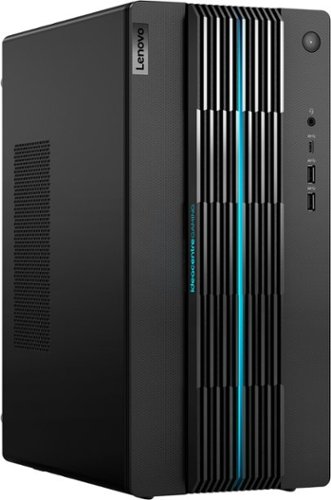
Lenovo - IdeaCentre Gaming 5i Gaming Desktop - Intel Core i7-12700 - 16GB Memory - NVIDIA GeForce RTX 3060 LHR - 512GB SSD - Raven Black
Fast-track your entry into gaming and esports with the Lenovo IdeaCentre Gaming 5i, powered by the latest 12th Generation Intel Core i7 processors, a seriously powerful, future-proof machine that keeps pace with top games for years to come, with the upgradeability to go even further. Complement your home office or elite battlestation with the functional aesthetics of the generous 17L chassis accented by blue lighting along the bezels and 2D/3D striped patterns across the front, enhancing ventilation and looking cool.
Does this come with the keyboard and mouse?
Yes. This Lenovo IdeaCentre 5i Gaming Desktop Computer, model number 90T00007US, ships with a standard wired, USB Calliope Keyboard, Black, English and a standard wired USB Calliope Mouse, Black, included.
3 years, 10 months ago
by
Posted by:
Lenovo Product Expert
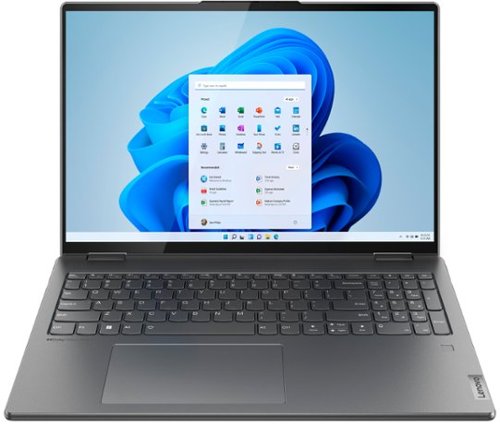
Lenovo - Yoga 7i 16" 2.5K Touch 2-in-1 Laptop - Intel Evo Platform - Core i5-1240P - 8GB Memory - 256GB SSD - Storm Grey
The Lenovo Yoga 7i combines versatile portability and enhanced productivity, thanks to the boundary-breaking performance and responsiveness of 12th generation Intel Core processors and vibrant WQXGA clarity with Intel Iris Xe graphics. Go anywhere with a sleek 2-in-1 metal chassis featuring thoughtful details including a webcam privacy shutter.
Can i use apple pencil 2 ?
That will depend on the compatibility of the specific active/digital pen you want to use. This Intel Evo-Certified, Lenovo Yoga 7i 16, model number 82QG0001US, is compatible with an AES Protocol active/digital pen. We recommend you check with the manufacturer's web site of the specific model digital/active pen you want to use for the compatibility of the specific active/digital pen you want to use.
3 years, 10 months ago
by
Posted by:
Lenovo Product Expert

Lenovo - IdeaPad Duet 3 Chromebook 2-in-1 Laptop - 11" 2K Touchscreen - Snapdragon 7cG2 - 4G RAM - 128G eMMC - Keyboard - Misty Blue
Fast, flexible, and fun, the Lenovo Duet 3 Chromebook 11" laptop brings everyone~s favorite Chromebook features, housed in a slim chassis, running on the lightning-fast Chrome OS that boots up in seconds, updates automatically, and is protected by built-in virus protection. Powered by Snapdragon SC7180 processor offers up to 10 hours of battery life, to seamlessly run all of your favorite apps at the same time.
Is this laptop able to play Roblox?
That will depend on the requirements and compatibility of the specific game you want to play. This Lenovo IdeaPad Duet 3 Chromebook ships with the Chrome Operating System installed and is compatible with Google Play Store APPs. Not all Google Play Store APPs are optimized for the Chrome OS. We recommend you check with the specific game's software publisher's web site for their compatibility with the Chrome operating system and the minimum/recommended hardware requirements (Is a Graphics card required, the processor speed and the minimum required system RAM and the minimum available hard drive space) to run their program, then compare those requirements to this Chromebook's configuration.
3 years, 10 months ago
by
Posted by:
Lenovo Product Expert
Lenovo - Yoga 7i 16" 2.5K Touch 2-in-1 Laptop - Intel Evo Platform - Core i5-1240P - 8GB Memory - 256GB SSD - Storm Grey
The Lenovo Yoga 7i combines versatile portability and enhanced productivity, thanks to the boundary-breaking performance and responsiveness of 12th generation Intel Core processors and vibrant WQXGA clarity with Intel Iris Xe graphics. Go anywhere with a sleek 2-in-1 metal chassis featuring thoughtful details including a webcam privacy shutter.
Is there a second slot available for Ram? Thank you
No. This Intel Evo-Certified, Lenovo Yoga 7i 16, model number 82QG0001US, ships with 8GB Soldered LPDDR5-4800MHz RAM Memory soldered to systemboard, no slots, dual-channel and is not upgradeable.
3 years, 10 months ago
by
Posted by:
Lenovo Product Expert
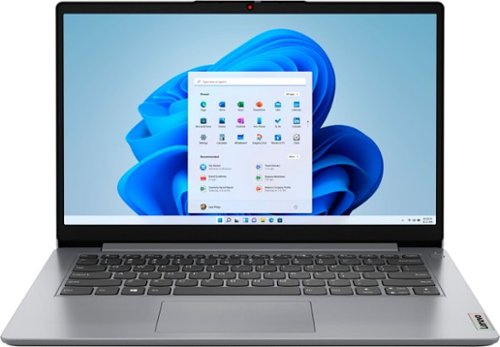
Lenovo - Ideapad 1i 14.0" HD Laptop - Celeron N4020 - 4GB Memory - 64GB eMMC - Cloud Grey
The IdeaPad 1i raises the bar on every affordable laptop with a super-efficient Intel Celeron N4020 processor in a thin and compact 17.9 mm chassis with up-to-10 hours of battery life and rapid charge. Get more value with four-sided narrow bezels for maximum screen, Dolby Audio speakers and Flip to Start for instant bootup.
Does this unit have any type of word processing that won't cost any extra money?
This entry level Lenovo IdeaPad 1i 14 Laptop model number 82V6S00000, ships with a free 1-year subscription to Microsoft Office 365, which includes Microsoft Word. Once again, this Lenovo IdeaPad 1i 14 Laptop is an entry-level, light workload configuration. We always recommend you check the requirements and compatibility of any software you will be installing on your new computer, before you invest in any computer. Be sure your new computer can support the software you will need to use and your workload.
3 years, 10 months ago
by
Posted by:
Lenovo Product Expert