Lenovo Product Expert
Lenovo Product Expert's Stats
Reviews
- Review Count0
- Helpfulness Votes0
- First ReviewNone
- Last ReviewNone
- Featured Reviews0
- Average Rating0
Reviews Comments
- Review Comment Count0
- Helpfulness Votes0
- First Review CommentNone
- Last Review CommentNone
- Featured Review Comments0
Questions
- Question Count0
- Helpfulness Votes0
- First QuestionNone
- Last QuestionNone
- Featured Questions0
- Answer Count37785
- Helpfulness Votes24,805
- First AnswerApril 21, 2014
- Last AnswerOctober 6, 2026
- Featured Answers0
- Best Answers2824
Lenovo Product Expert's Reviews
Lenovo Product Expert has not submitted any reviews.
Lenovo Product Expert's Questions
Lenovo Product Expert has not submitted any questions.
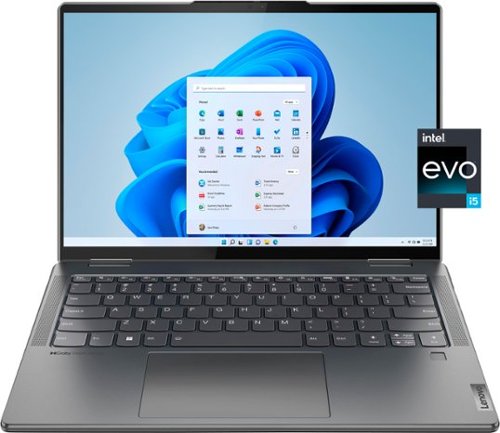
Lenovo - Yoga 7i 14" 2.2K Touch 2-in-1 Laptop - Intel Evo Platform - Core i5-1235U - 8GB Memory - 512GB SSD - Storm Grey
The Lenovo Yoga 7i combines versatile portability and enhanced productivity, thanks to the boundary-breaking performance and responsiveness of 12th generation Intel Core processors and vibrant 2.2K clarity with Intel Iris Xe graphics. Go anywhere with a sleek 2-in-1 metal chassis featuring thoughtful details including a webcam privacy shutter.
I am not clear about the network connectivity. it states Wireless Networking This device can connect via Wi-Fi to other devices without using cables or cords. Does that mean that it does not have wifi? Does it have bluetooth? Thanks

This Intel Evo-Certified, Lenovo Yoga 7i 14, model number 82QE000LUS, ships with both the latest Intel WiFi-6E 2x2 802.11ax frequency WiFi, which is also backward compatible to older, a/b/g/n/ac frequency WiFi as well as having Bluetooth 5.1 Version capability built in.
3 years, 10 months ago
by
Posted by:
Lenovo Product Expert
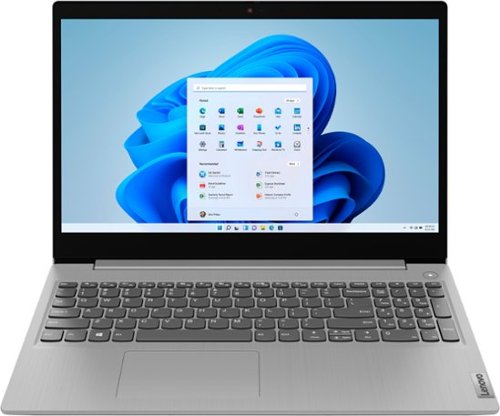
Lenovo - Ideapad 3i 15.6" HD Touch Laptop - Core i3-1115G4 - 8GB Memory - 256GB SSD - Platinum Grey
Engineered for long-lasting performance, the Lenovo IdeaPad 3i with an 11th Gen Intel Core Processor is the perfect laptop for your everyday tasks with dependable features. Dolby Audio delivers crystal-clear sound whether you~re watching a video, streaming music, or video-chatting, you~re sure to love what you hear on the IdeaPad 3i.
Are the bracket and adapter cable for installation of an internal hard drive included? If not, where can i get them?
This Lenovo IdeaPad 3i 15 Laptop, model number 81X800MCUS, ships with a 256GB M.2 2242 PCIe 3.0x4 NVMe solid state hard drive installed. The maximum storage capacity that this model configuration can support is: up to two drives, 1x 2.5 inch HDD + 1x M.2 SSD: • 2.5 inch HDD up to 1TB plus • M.2 2242 SSD up to 512GB or • M.2 2280 SSD up to 1TB. There are no included parts accessories. We recommend you consult with your certified technician and/or 3rd party hard drive supplier about your storage upgrade options.
3 years, 10 months ago
by
Posted by:
Lenovo Product Expert
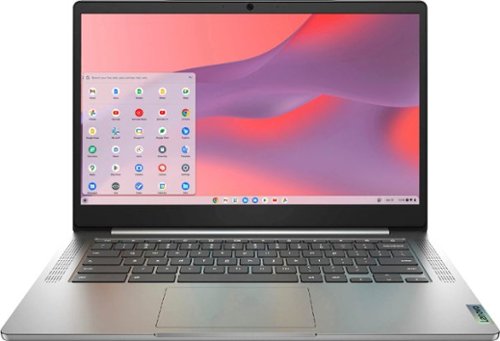
Fast, flexible, and fun, the Chromebook 3-14" brings everyone~s favorite Chromebook features, running on the lightning-fast Chrome OS that boots up in seconds, updates automatically, and is protected by built-in virus protection. Powered by a MediaTek processor and up to 10 hours of battery life, it~ll seamlessly run all of your favorite apps at the same time. Get Minecraft and 3 months of Realms Plus at no cost* with purchase of a new Chromebook. Terms Apply. *Offer valid for qualifying Chromebooks purchased on or after July 1st, 2023 through September 30th, 2023 while supplies last.
Can I use a 1tb microsd card in this Chromebook?
This Lenovo Chromebook 3 14 model number 82KN0001US, ships with a microSD Card Reader Slot, built in and is compatible with any capacity microSD Card that is compatible with the Chrome Operating System. The microSD Card is sold separately.
3 years, 10 months ago
by
Posted by:
Lenovo Product Expert
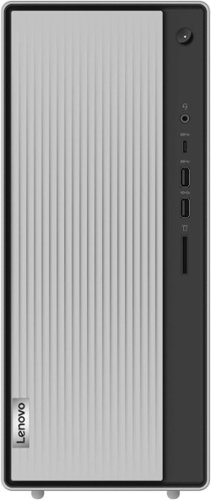
Lenovo - IdeaCentre 5i Desktop - Intel Core i5 - 12GB Memory - 512GB SSD - Mineral Grey
Lenovo IdeaCentre 5i is a powerful, contemporary desktop powered by the latest Intel Core processors. Featuring gaming-grade graphics, fast DDR4 memory, and plenty ofstorage, it~s up to the task of having fun and will immerse you in it~and looks great in your home.
Does this tower have plug in ports in the back? You can’t see the back in the pictures
Yes. This Lenovo IdeaCentre 5i Desktop Computer, model number 90RJ009GUS, ships with these ports: Front Ports - x USB 3.2 Gen 1, 1x USB 3.2 Gen 2, 1x USB-C 3.2 Gen 1 (support data transfer and 5V@3A charging), 1x headphone / microphone combo jack (3.5mm), 1x card reader. Rear Ports - 4x USB 2.0, 1x VGA, 1x HDMI 2.0, 1x Ethernet (RJ-45), 1x headphone (3.5mm). This model configuration also has a 9.0mm CD?DVD±RW drive that his located behind the sliding front panel. Slide the front panel to the right to access the 9.0mm CD/DVD±RW drive tray.
3 years, 10 months ago
by
Posted by:
Lenovo Product Expert
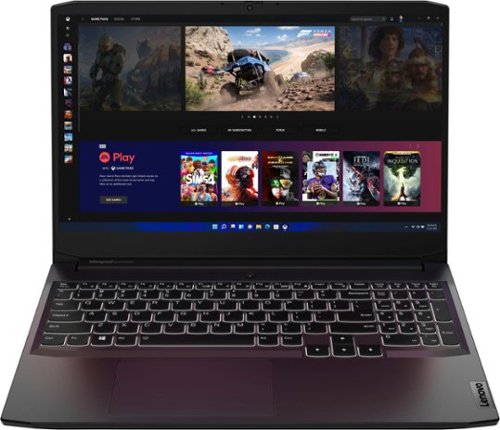
Lenovo - Ideapad Gaming 3 15.6" FHD Laptop - Ryzen 5 5600H - 8GB Memory - NVIDIA GeForce RTX 3050 Ti - 256GB SSD - Shadow Black
Time to elevate your game and esports experience beyond the realm of the ~just acceptable." Engineered with the latest generation AMD Ryzen processor and NVIDIA GeForce graphics, DDR4 memory and SSD storage options, the Lenovo IdeaPad Gaming 3 stays cool with a reengineered high-performance thermal system.
Is the 45wh battery upgradable?
This Lenovo IdeaPad 3 15 Gaming Laptop, model number 82K201XCUS, ships with a Integrated Li-Polymer 45Wh battery, supports Rapid Charge Pro (charge up to 50% in 30min), installed. There is a Integrated Li-Polymer 60Wh battery, supports Rapid Charge Pro (charge up to 50% in 30min) available for this model configuration. The integrated 45Wh battery is not user upgradeable and can only be replaced at the factory.
3 years, 10 months ago
by
Posted by:
Lenovo Product Expert
Lenovo - IdeaCentre 5i Desktop - Intel Core i5 - 12GB Memory - 512GB SSD - Mineral Grey
Lenovo IdeaCentre 5i is a powerful, contemporary desktop powered by the latest Intel Core processors. Featuring gaming-grade graphics, fast DDR4 memory, and plenty ofstorage, it~s up to the task of having fun and will immerse you in it~and looks great in your home.
Is the Lenovo - IdeaCentre 5i Desktop - Intel Core i5 - 12GB Memory - 512GB SSD - Mineral Grey Model:90RJ009GUS compatible with an HP printer and an HP monitor?
This Lenovo IdeaCentre 5i Desktop Computer is compatible with any printer and monitor that is compatible with Windows 11 Home, 64-bit Operating System. We recommend you check with the manufacturer's web sites of your specific model printer and monitor for compatibility and requirements.
3 years, 10 months ago
by
Posted by:
Lenovo Product Expert
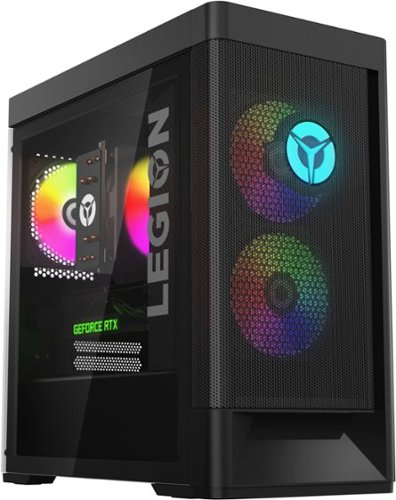
Lenovo - Legion Tower 5i Gaming Desktop - Intel Core i5-12400 - 16GB Memory - NVIDIA GeForce RTX 3050 - 256GB SSD + 1TB HDD - Black
Dominate your competition with the savage power and blistering speeds of your essential battlestation: the Lenovo Legion Tower 5i. 12th Generation Intel Core processors and the latest NVIDIA GeForce graphics cards deliver a stunning show of force with speed-barrier-breaking refresh rates at 4K, along with cool and quiet performance in a compact casing marked by a clean design and build.
Does it come with keyboard and mouse?
Yes. This Lenovo Legion Tower 5i Gaming Desktop Computer, model number 90SU000RUS, ships with a standard, wired USB Calliope Keyboard, Black, English and a standard, wired USB Calliope Mouse, Black.
3 years, 10 months ago
by
Posted by:
Lenovo Product Expert
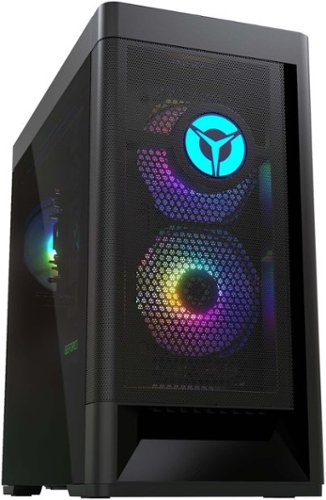
Lenovo - Legion Tower 5 AMD Gaming Desktop - AMD Ryzen 5-5600G - 8GB Memory - AMD Radeon RX 6500XT - 512GB SSD - Raven Black
Engineered out of a passion for savage power and unmatched speed, the Lenovo Legion Tower 5 AMD delivers mind-blowing performance that combines AMD Ryzen processors and AMD Radeon graphics cards for blazing-fast frame rates at up to 4K resolution. Pushing far beyond the upper bounds of smaller rig configurations while keeping things cool and whisper quiet, the Legion Tower 5 is a marvel of build and design, accentuated by its illuminated blue LED logo and lighting, as well a transparent side panel that can properly showcase your internals.
Can this computer edit 5.3k videos from a gopro 10?
That will depend on the requirements and compatibility of the specific video editing software you will be using. This Lenovo Legion Tower 5 AMD Gaming Desktop, model number 90RB0027US, ships with Windows 11 Home, 64-bit Operating System installed. We recommend you check with the specific editing software publisher's web site, of the specific version of the editing software you will be using, for their compatibility with Windows 11 Home 64-bit operating system and the minimum/recommended hardware requirements (Is a Graphics card required, the processor speed and the minimum required system RAM and the minimum available hard drive space) to run their program, then compare those requirements to this system's configuration.
3 years, 10 months ago
by
Posted by:
Lenovo Product Expert
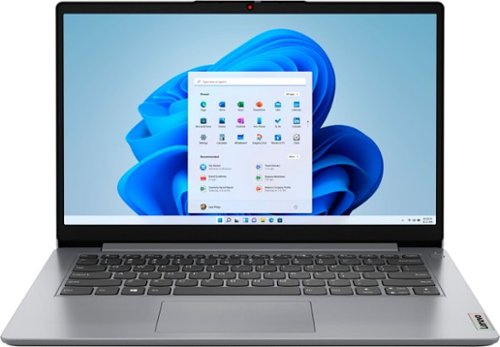
Lenovo - Ideapad 1i 14.0" HD Laptop - Celeron N4020 - 4GB Memory - 64GB eMMC - Cloud Grey
The IdeaPad 1i raises the bar on every affordable laptop with a super-efficient Intel Celeron N4020 processor in a thin and compact 17.9 mm chassis with up-to-10 hours of battery life and rapid charge. Get more value with four-sided narrow bezels for maximum screen, Dolby Audio speakers and Flip to Start for instant bootup.
USB 2.0 device plug does not fit in the USB 3.2 port; which type of adapter is required?
This entry-level, IdeaPad 1i 14 laptop, ships with these ports: 1x USB 2.0, 1x USB 3.2 Gen 1, 1x USB-C 3.2 Gen 1 (support data transfer only), 1x HDMI 1.4b, 1x Card reader, 1x Headphone / microphone combo jack (3.5mm), 1x Power connector. The USB 2.0 port is on the right side of the laptop.
3 years, 10 months ago
by
Posted by:
Lenovo Product Expert
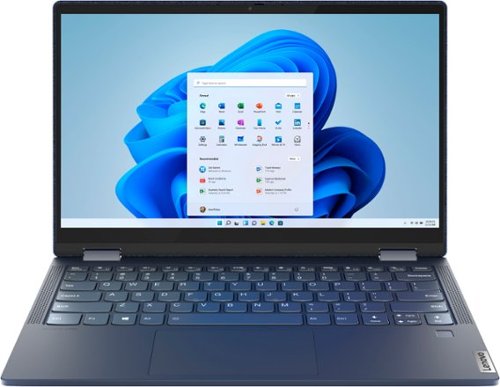
Lenovo - Yoga 6 13 2-in-1 13.3" Touch Screen Laptop - AMD Ryzen 5 - 8GB Memory - 256GB SSD - Abyss Blue with Fabric Cover
The Lenovo~ Yoga~ 6 is an ultra-portable 2-in-1 that combines unique style with the powerful responsiveness of an AMD Ryzen~ 5000 Series Mobile Processor, abundant memory and SSD storage. Enjoy a rich multimedia experience with the clarity of a 13.3" FHD touchscreen display, and enveloping sound with Dolby Atmos~-optimized stereo speakers.
can you upgrade my lenovo yoga 6 ryzen 4500u even tho its soldered to the motherboard. im trying to play rust(the video game) and i dont think it will run very well. or should i just go get a new laptop for gaming?
This Lenovo Yoga 6 13, model number 82ND006YUS, ships with 8GB Soldered DDR4-3200MHz RAM
Memory soldered to systemboard, no slots, dual-channel and is not upgradeable.
Memory soldered to systemboard, no slots, dual-channel and is not upgradeable.
3 years, 10 months ago
by
Posted by:
Lenovo Product Expert