MrSamsung
MrSamsung's Stats
Reviews
- Review Count0
- Helpfulness Votes0
- First ReviewNone
- Last ReviewNone
- Featured Reviews0
- Average Rating0
Reviews Comments
- Review Comment Count0
- Helpfulness Votes0
- First Review CommentNone
- Last Review CommentNone
- Featured Review Comments0
Questions
- Question Count0
- Helpfulness Votes0
- First QuestionNone
- Last QuestionNone
- Featured Questions0
- Answer Count869
- Helpfulness Votes508
- First AnswerJune 2, 2009
- Last AnswerApril 22, 2013
- Featured Answers0
- Best Answers67
MrSamsung's Reviews
MrSamsung has not submitted any reviews.
MrSamsung's Questions
MrSamsung has not submitted any questions.

Desktop Dock for Select Samsung Galaxy Tab Models - Black
Display and charge your 2011 or 2012 Samsung Galaxy Tab with this Samsung desktop dock that features 1-handed docking and release for ease of use. The 3.5mm audio line-out makes it easy to listen to your favorite tracks.
Samsung - 46" Class (45-9/10" Diag.) - LED - 1080p - 60Hz - Smart - HDTV
Samsung UN46EH5300F LED HDTV: Featuring a 1080p resolution screen for a stunning high-definition viewing experience, this Samsung LED HDTV allows you to enjoy your favorite movies, TV shows and smart content with remarkable clarity and enhanced color detail.
Samsung - 40" Class (40" Diag.) - LED - 1080p - 60Hz - Smart - HDTV
Samsung UN40EH5300FXZA LED HDTV:Enjoy Samsung's advanced smart TV features on a 1080p LED display. The size is right for a living room or large bedroom TV.
Samsung - 55" Class - LED - 1080p - 120Hz - Smart - 3D - HDTV
This Samsung TV features Wi-Fi capability. To build a complete 3D home theater system, we recommend you purchase a 3D Blu-ray player, high-speed HDMI cable and an A/V receiver that is compatible with 3D products. Smart TVGet a world of instant entertainment on this smart TV. Connect to the Internet and stream movies, listen to music and access a wide variety of other content on your HDTV.Learn more about smart products.Netflix Pandora Facebook TwitterFlickr
Cloudy bleeding issue
Is there a fix to the led bleeding on the screen. The left side of my screen constantly has a white cloudy look on black and dark tones. It is more prominent in the corners. Also when changing channels the dark tones pop on and off a lot.
I’m sorry you are having an issue with your device. Although with the information you have provided I do not have a solution for you; contacting the Geek Squad or Samsung Support (refer to your device's manual for more information or visit Samsung's website) would be your best next course of action.
-MrSamsung
-MrSamsung
13 years, 11 months ago
by
Posted by:
MrSamsung
from
SamsungHQ
Samsung - 40" Class (40" Diag.) - LED - 1080p - 60Hz - Smart - HDTV
Samsung UN40EH5300FXZA LED HDTV:Enjoy Samsung's advanced smart TV features on a 1080p LED display. The size is right for a living room or large bedroom TV.
Easy/Quick Fix For "Offset" Pixels?
I just finished setting up this TV and there is a small cluster of pixels pretty much dead center on screen that seem off. They aren't dead, just not in line with the pixels around it, color-wise. Example, if the scene is a simple blue sky, this cluster of pixels will be a much darker shade of blue. I've viewed movies & TV with all possible inputs (coax, all 3 HDMIs using a BR player & DVD player, USB) & the cluster is present.
Basically I want to know if there is a way to fix this without the hassle of returning the TV & being without for another 2 weeks or longer (the amount of time it took for this set to arrive).
Basically I want to know if there is a way to fix this without the hassle of returning the TV & being without for another 2 weeks or longer (the amount of time it took for this set to arrive).
Images for this Question
(click to see full-size image)


We're sorry to hear that you're having this problem.
At this time, there isn't a way, setting or function that would fix this symptom. While we regret that shipping may not have been fast, we don't have a troubleshooting option for this.
Please contact the Best Buy Geek Squad or your salespereson for further assistance. If you'd like, we can always have a technician dispatched to your house (in the U.S.) by calling 800-SAMSUNG, too.
--Mr.Samsung
At this time, there isn't a way, setting or function that would fix this symptom. While we regret that shipping may not have been fast, we don't have a troubleshooting option for this.
Please contact the Best Buy Geek Squad or your salespereson for further assistance. If you'd like, we can always have a technician dispatched to your house (in the U.S.) by calling 800-SAMSUNG, too.
--Mr.Samsung
13 years, 11 months ago
by
Posted by:
MrSamsung
from
SamsungHQ

Samsung - Refurbished Wi-Fi Built-In Blu-ray Player
This Blu-ray player delivers enhanced picture quality for an amazing entertainment experience when watching your favorite movies. Dolby Digital, Dolby Digital Plus and DTS decoders provide a lush soundscape.Smart Blu-ray PlayerGet a world of instant entertainment with this smart Blu-ray player. Connect to the Internet and stream movies, listen to music and access a wide variety of other content on your HDTV.Learn more about smart products.NetflixPandoraFacebookYouTubeThis product has been refurbished. Learn more. Refurbished Wi-Fi Built-In Blu-ray Player
Can you add other apps
Samsung Apps lets you download for pay or freeof- charge applications and services to your Bluray Disc player and view or use them on your TV. These applications and services include videos, music, photos, games, news, sports, etc. Widgets for the new apps appear in My Applications. Additional applications and services are added regularly.
Thanks for your interest in Samsung products.
--Mr.Samsung
Thanks for your interest in Samsung products.
--Mr.Samsung
14 years ago
by
Posted by:
MrSamsung
from
SamsungHQ

Samsung - 3D Wi-Fi Built-In Blu-ray Player
Learn moreabout Magnolia PremiumInstallation Enjoy arresting visuals with this Samsung BD-E6500ZA Blu-ray player with built-in Wi-Fi that features 3D technology for an immersive home entertainment experience. The 7.1-channel audio output delivers brilliant audio. Smart Blu-ray PlayerGet a world of instant entertainment with this smart Blu-ray player. Connect to the Internet and stream movies, listen to music and access a wide variety of other content on your HDTV.Learn more about smart products.Pandora>YouTube 3D Wi-Fi Built-In Blu-ray Player
Does this have a full web browser in it?
Samsung - 55" Class - LED - 1080p - 120Hz - Smart - HDTV
This Samsung 55" LED HDTV features 1080p resolution and Clear Motion Rate 240 technology, so you can enjoy your favorite movies and more in stunning detail. Two 10W speakers provide a lush soundscape. Smart TVGet a world of instant entertainment on this smart TV. Connect to the Internet and stream movies, listen to music and access a wide variety of other content on your HDTV.Learn more about smart products.Netflix Pandora Facebook Twitter Flickr
when using external adapter for headphones with RCA jack plugs how do you shut the speaker off on the TV? I don't want to wake my husband up at night
Samsung - 65" Class (64-1/2" Diag.) - LED - 1080p - 120Hz - HDTV
Samsung UN65EH6000FXZA LED HDTV: This expansive HDTV will display your movies, TV shows, video games and more in resolutions up to 1080p.
does tv have pip
From the available information, the EH6000 will not offer Picture in Picture.
-MrSamsung
-MrSamsung
14 years ago
by
Posted by:
MrSamsung
from
SamsungHQ
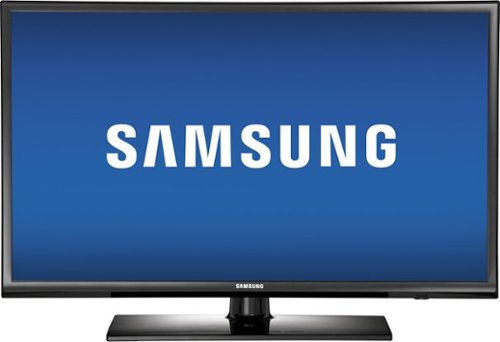
Samsung - 32" Class (31-1/2" Diag.) - LED - 720p - HDTV
Samsung UN32EH4003FXZA LED HDTV: Enjoy your favorite movies with a crisp, clear picture on this Samsung LED HDTV's 720p display. Wide Color Enhancer Plus delivers rich, vibrant hues, while ConnectShare Movie technology makes it easy to play back photos, music and videos from compatible USB devices.
longer power cord.
Need a longer power cord than supplied. Where do I purchase this??
Thank you for your interest in this Samsung product. Although I cannot provide any additional information on store policies, pricing, availability or provide any sort of service or parts inquiries; a dedicated Best Buy representative may be able to assist you better with this question. Please click on the customer service link for more details.
-MrSamsung
-MrSamsung
14 years ago
by
Posted by:
MrSamsung
from
SamsungHQ