


lambda100's stats
- Review count110
- Helpfulness votes1,314
- First reviewDecember 20, 2014
- Last reviewSeptember 25, 2026
- Featured reviews0
- Average rating4.7
Reviews comments
- Review comment count0
- Helpfulness votes0
- First review commentNone
- Last review commentNone
- Featured review comments0
Questions
- Question count0
- Helpfulness votes0
- First questionNone
- Last questionNone
- Featured questions0
- Answer count18
- Helpfulness votes115
- First answerNovember 24, 2016
- Last answerDecember 1, 2021
- Featured answers0
- Best answers3
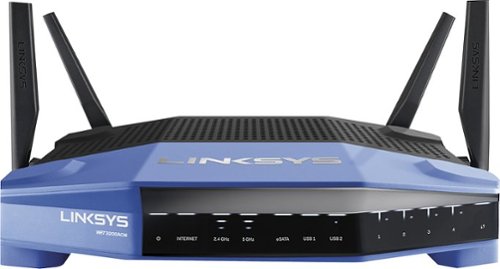
Connect your external wireless devices to the internet with this Linksys dual-band router. Two 5Ghz bands support both high-end gaming and low-end applications without compromising speed, and remote management lets you make adjustments from any location. This Linksys dual-band router has a sleek design that integrates easily into most workspaces.
Customer Rating

5
Fast and Easy Setup, and Blazing Wifi
on October 22, 2016
Posted by: lambda100
Up to this point I have been using a six year old wireless router which only provided the wireless stream to only a single user at a time. In those six years, my family went from a household having only one laptop to one that has over ten devices connected simultaneously to the wireless router. Needless to say, the old router could not keep up.
Enter the Linksys WRT 3200 ACM MU-MIMO wifi router. This machine freed up my wifi bottleneck. Wi-fi is now really fast. My family no longer complains about how slow the wifi is. Video streams are uninterrupted and web pages load noticeably faster. With MU-MIMO technology, the Linksys wireless router is able to simultaneously stream to my devices all at once. Also with dual band 2.4GHz and 5GHz wifi support, it eliminates the interference that is often experienced when too many devices are on the 2.4GHz spectrum. All of my newer devices connect wirelessly through the newer 802.11ac standard and I put them on the 5GHz band. I leave only my older devices on the crowded 2.4GHz band where my bluetooth devices sometimes cause interference.
Linksys also really made the router easy to set up with its Smart Wifi app. I followed the automatic set up wizard and was up and running in ten minutes. Wow, I never was able to set up a router that fast before! So for those of us average folks out there who are intimidated by difficult set ups or are not tech savvy, have no fear, because the Linksys Smart Wifi app will make setting up a breeze.
I also want to comment on the fact that the router really emits a strong wifi signal. My previous wireless router left parts of my home with very spotty to non-existent wifi coverage. The Linksys WRT 3200 was able to cover my entire home with no problem. I now have strong, robust wifi coverage.
Finally, I want to bring attention to the Smart Wifi app. With this app, you can customize your router's settings remotely. This means you can be half-way across the country, log-in to a computer, and access your router's settings. The app has a well laid out graphical user interface that allows you to see all the devices that are connected through your router, add guest accounts, and set parental controls.
In summary, the ease of setting up the router, the improved efficiency at delivering wifi with MU-MIMO technology, greater wifi coverage, and the ability to configure the router remotely make the Linksys WRT 3200 ACM MU-MIMO wireless router an easy choice when considering your next router.
My Best Buy number: 3451666665
I would recommend this to a friend!
Share this review:


0points
0of 0voted this as helpful.
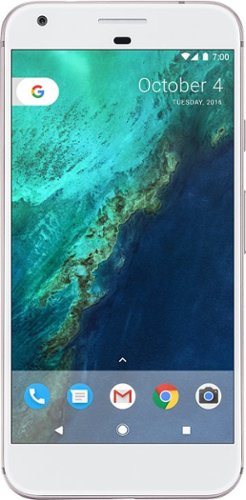
Add high-end performance to your everyday life with the Google Pixel XL. A quad-core processor, a 5.5-inch LED screen and 32GB of memory ensure this phone is able to handle daily life, and Corning Gorilla Glass 4 protects the screen. Easy cloud storage ensures you never run out of space on the Google Pixel XL.
Customer Rating
5
Impressive Phone
on October 22, 2016
Posted by: lambda100
The Google Pixel XL phone looks ordinary and bland on the outside. The thick white front bezel resembles the famous white phones from another well known phone maker. The back of the phone is smooth except for the upper third which has a glass plate. Within the confines of the glass plate are the fingerprint reader, the rear facing camera lens, flash, and sensors. The right edge has a nicely textured power button to differentiate it from the volume up and down buttons located along the same edge. Google retains the headphone jack along the top edge for those of us who still haven’t gone totally wireless yet. The usb-c charge port and the speaker are located along the bottom edge.
However, the phone’s interior hardware belies the pedestrian exterior. Inside the phone is some serious muscle: Qualcomm Snapdragon 821, 4GB of RAM, 12mp rear/8mp front-facing cameras, dual band wifi supporting 802.11 a/b/g/n/ac, Bluetooth v4.2, and more. See the product specs for more details of what can be found under the hood. Internal storage is limited to either the 32gb, or 128gb if you are willing to pony up the extra cash. I find it disappointing that Google continues to omit the micro-sd storage on its phones. While I understand Google is encouraging us to use its Cloud, I do not feel totally comfortable having my precious memories and private digital information stored in Google's servers.
Performance wise the Pixel XL is a champ. The Snapdragon 821 chip makes everything fly at lightning speed on the phone. Swipes are very fluid and responsive. Apps open nearly instantaneously. And with 4GB of RAM, the phone can handle a number of apps simultaneously without slowing down. However, I noticed that when the phone was downloading files or when the camera app was being used, the phone would get very warm. I figure the processor was generating the heat which was being dissipated through the back of the phone. Not a big deal, but something to take note of.
The Google Pixel's defining feature, besides the pure android experience, is the Google Assistant, a virtual assistant that will respond to your questions and commands. I'm still experimenting and learning to use it, but in the limited time I had with it, I can tell you the Google Assistant is quite advanced and impressive. It got most of my queries correct, and I can have a conversation with it. As a sample of things I had the Assistant perform which included opening apps, dictating and sending e-mails, looking up restaurants and driving directions, and inquiring on the weather forecast.
I found the camera on the phone to be very good. The camera handled outdoor daylight pictures well. Pictures are vibrant, sharp, and vivid. The HDR mode is good at balancing the exposure to control highlights and dark shadow areas. The camera also performed well indoors with low lighting. Keep in mind that the camera does not have image stabilization so when taking those indoor, low light photos, keep your hand steady to reduce motion blur. The camera's burst rate is very fast. I held the button down for burst mode for ten seconds and was able to take 90 pictures. In another trial run, I was able to take 84 photos. I am guessing from my simple testing, that the camera can take between 8-9 photos per second in burst mode. While you can use the burst mode to take action shots, this camera neither tracks the subject nor re-focuses between frames. Keep your expectations in check and don't expect dslr quality burst action shots. I briefly shot some videos, and they were also very good. The phone can shoot video in 4K.
In my testing, I used the phone to browse the web, take pictures, watch some youtube videos, and listen to music with bluetooth connection. I was able to use the phone pretty much all day without needing to re-charge. Of course battery drain will be different for each user since this will be dependent on how bright you adjust the screen, whether you're downloading and watching videos, and using processor intensive apps. So if you are planning to use the phone like I do, then you should be good to go for the day with a re-charge overnight.
In summary, besides the bland exterior, this is one of the best phones, if not the best one, available on the market today. Combined with the latest state-of-the-art hardware and the pure android experience, Google pulls ahead of its competition, at least for the time being. The latest Android 7.1 is a joy to use and the Google Assistant proves to be a promising addition to the Google line up which will one day be as essential as Gmail and Google Maps are today.
Finally, I compiled a brief list of what I thought are the Pros/Cons of the phone:
Pros
+Very responsive; blazing fast
+No lag opening apps
+Even though it is Verizon, it is unlocked and can be used with other carriers
+Headphone jack (I am glad that Google did not eliminate the headphone jack)
+Effortless pairing and connection of Bluetooth v4.2
+Textured power button
+Very good camera
+Night Light – tints screen red to make it easier to read in dim light.
+Very responsive; blazing fast
+No lag opening apps
+Even though it is Verizon, it is unlocked and can be used with other carriers
+Headphone jack (I am glad that Google did not eliminate the headphone jack)
+Effortless pairing and connection of Bluetooth v4.2
+Textured power button
+Very good camera
+Night Light – tints screen red to make it easier to read in dim light.
Cons
-Large bezel
-Ordinary design
-Gets warm when downloading files and using camera
-No micro sd slot
-Not water resistant
-Large bezel
-Ordinary design
-Gets warm when downloading files and using camera
-No micro sd slot
-Not water resistant
My Best Buy number: 3451666665
I would recommend this to a friend!
Share this review:


0points
0of 0voted this as helpful.
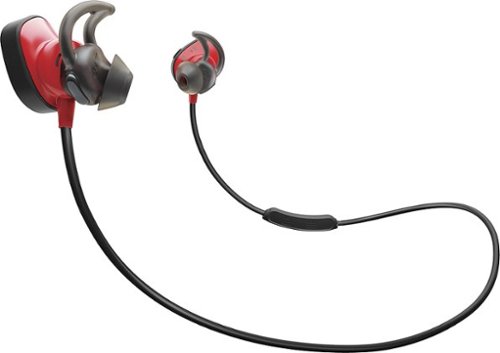
Push your workout to the next level with Bose~ SoundSport~ Pulse wireless headphones. Designed with a built-in heart rate sensor, these in-ear headphones make it easy to track your performance without missing a beat of your music. Bose SoundSport Pulse wireless headphones stay secure with StayHear~+ Pulse tips designed for stability even during intense workouts. Connect to your device easily with Bluetooth~ and NFC pairing, and use the inline mic and remote to control volume, skip tracks and take calls. Volume-optimized EQ gives you balanced audio performance at any volume. SoundSport Pulse wireless headphones are sweat and weather resistant to hold up to rigorous activity, and the lithium-ion battery provides up to 5 hours per charge. The Bose Connect app helps you manage your paired devices and gives you real-time heart rate readings. SoundSport Pulse wireless headphones can also be used with many popular fitness apps. Available in Power Red.
Customer Rating
5
Excellent Audio Quality and Comfort
on October 3, 2016
Posted by: lambda100
I love to listen to music while jogging and working out. I've always used wired earbuds where the wire would get in the way or the earpiece would not stay put from the sweat. Needless to say I was eager to ditch the wires, and I could not wait to see what the Bose Soundsport Pulse Wireless headphones had to offer.
The headphones come packaged very nicely with an outer cover that slides off to reveal a hard black protective box with the headphones inside. In addition to the wireless headphones, the other contents include a usb charging cable, a zippered pouch to store the headphones, a total of three sizes of ear tips (the medium size tips are attached to the headphones, while the large and small tips come in its own plastic packaging), and supporting documents (warranty information, safety instructions, user manual). With three different sizes of ear tips you will hopefully find the one that fits.
The headphones are secured to the ear with the combined action of the wing tip that attach to the ridge in the ear and the oval shaped part that is inserted into the outer ear canal. The material of the earpiece is silicone. I was surprised at how comfortable and light the headphones felt, almost forgetting that I was still wearing them after several hours of having them on. Bose is known for comfort and these definitely do not disappoint. Upon putting on the headphones you will notice how much of the environment you still hear through the earpiece. The earpiece fits snugly in your ear, but without forming a really tight seal. These headphones are not designed to isolate ambient/background noise, only slightly muffling your surroundings. However, this is an advantage not a disadvantage as someone who exercises outdoors will tell you. While exercising outdoors you will want to be able to hear your surroundings especially being able to hear vehicles when crossing streets or if someone engages you in conversation. If you are interested in active noise canceling wireless earbuds, Bose has the QuietControl 30 earbuds.
The headphones have an inline remote with microphone and buttons for playing/pausing/skipping tracks and adjusting volume. The buttons are stiff, so you will have to press with a bit of force to get the button to respond. The mic works well. People on the other line heard my voice clearly.
The audio quality of the Soundsport Pulse wireless headphone is impressive for a bluetooth headphone, given the inherent data compression and sound quality losses of bluetooth compared to a wired set of headphones. There is a good balance of high, mid, and low frequencies. Bass is powerful and tight without being overpowering. Overall sound quality is crisp. I'm sure there is some quality loss, but I was unable to discern any appreciable loss in sound quality compared to a wired set.
The lithium ion battery lasted me a little over 5 hours of listening pleasure. This is right in line with the spec of 5 hours per charge. The remaining battery life is indicated by a computerized female voice upon powering up the headphones, or alternately by a battery meter in the Bose Connect app, which can be downloaded for free from the app store.
Now to get to the 'Pulse' part of the headphone. These headphones are distinguished from the Bose Soundsport Wireless headphones by the 'Pulse' in their title. There is a heart rate sensor that is embedded in the left earpiece. It works with many fitness apps, but I tried it with the Bose Connect app. Your heart rate is conveniently displayed on your smartphone or tablet and you can monitor it during or after your workouts. It a nice feature to have for your workouts.
With respect to wirelessly pairing the headphones via bluetooth or NFC, I found no issues when pairing to my android tablets and smartphones. The headphones paired seamlessly with no drops in connections. You will hear a computerized female voice when pairing and connecting the headphones with your host devices. With the Bose Connect app, the voice can also be programmed to one of several different languages.
Okay, so how did these headphones actually do in practice during my jogging and workout routines? They work very well. Through sweaty jogging sessions and workout routines, they stayed securely on my ears. I was able to listen to my music, while being able to hear my surroundings. The headphones are comfortable; I did not have to make much adjustment when exercising. And best of all, the audio quality is superb and the fact that it is wireless, made the workouts that more enjoyable.
In summary, the Bose Soundsport Pulse wireless headphones set a very high bar in terms of audio quality and comfort. They are priced at the higher end of the market, but for those willing to accept no compromises in audio quality and comfort, and desire a set of wireless headphones that can deliver through demanding workouts, these headphones should be at the top of your list or already in your shopping cart!
My Best Buy number: 3451666665
I would recommend this to a friend!

Share this review:


+4points
4of 4voted this as helpful.
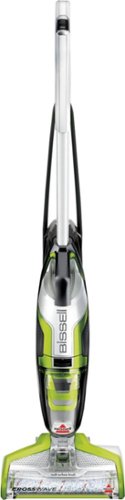
Tackle the biggest messes with this Bissell Crosswave all-in-one multi-surface cleaner. A dual-action roller scrubs and picks up debris at the same time to reduce the number of passes you need to make, and the convenient fingertip controls let you switch functions quickly and easily. This Bissell Crosswave all-in-one multi-surface cleaner has swivel steering for increased control.
Customer Rating
5
Bissell CrossWave Makes Cleaning Floors a Snap!
on September 17, 2016
Posted by: lambda100
I was eager to put the Bissell CrossWave to the test. I have white tile floors in the kitchen and bathrooms, an area rug in the living room, and laminate flooring throughout my home. Dirt, debris, hair, food stains, and water marks easily show through the white tile floors of my kitchen. Ordinarily this job would require me to use a broom and dust pan to pick up the debris, dirt, and hair, and then bring out the pail and mop to clean up the food stains. This would take at least twenty minutes. However, all of that was easily taken care of by the CrossWave in a matter of two minutes. The dual action mop and vacuum turned a chore into an enjoyable experience. The cleaning solution that came with the CrossWave did an excellent job removing the tough stains and left a fresh lemon scent. Cleaning the area rug was also a cinch and the stains were no match for the CrossWave.
The remainder of flooring in my house is laminate flooring, and I was curious to see how much dust, dirt, and hair the CrossWave would remove compared to my usual tried and true method of using the dry, disposable and refillable cleaning cloths from a certain name brand product. Setting the CrossWave on the hard floor mode, I let the vacuum and multi-floor roller brush work its magic. Once the laminate flooring was cleaned with the CrossWave, I took the dry cleaning cloths from a competitor floor cleaning product and proceeded to go over the same areas where I used the CrossWave. I was pleasantly surprised at how well the CrossWave cleaned my laminate floors. The dry cleaning cloths did not pick up much more dirt. The cloths remained clean and white. However, on corners and edges, the dry cloths did a slightly better job of getting into those harder to reach areas and picked up the remaining dust and hair.
The CrossWave is also very easy to use. Buttons are conveniently located on the handle to select between rugs and hard floors, and mopping action. Measuring the proportion of cleaning solution and water is also quickly done using the fill container with markings that clearly indicate how much water and solution to add. The CrossWave comes with a good length electrical cord. I measured it to be around 25 feet in length.
The dual mop and vacuum action of the CrossWave is pretty much a winner for cleaning hard floors. The warranty is 2 years. However, there are things to be mindful of. First, even though using the CrossWave is quick and easy, you will need to spend some time cleaning up the machine after each use. The brush roller, brush chamber, filter, and the float need to be rinsed and cleaned off to maintain optimal performance. The items will then need to be air dried. Second is the cost of the supplies. Purchasing the Bissell multi-surface floor cleaning formula will naturally increase the overall cost of ownership, especially if you plan to use the mop action often. The Bissell brand multi-surface floor cleaning formula may be more expensive compared to other off-the-shelf floor cleaning formulas. Competitor floor cleaning formulas may not be compatible with the CrossWave and may even void the warranty. So, just keep that in mind. Finally, another item to add to the cost of ownership is that the brush roller will also need to be replaced when it is worn out.
My Best Buy number: 3451666665
I would recommend this to a friend!
Share this review:


+17points
17of 17voted this as helpful.
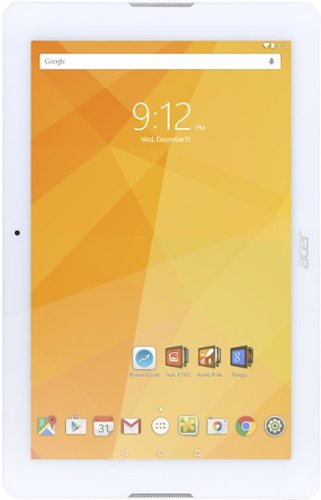
Take your work and entertainment with you with this Acer Iconia One 10-inch tablet. The large screen is powered by 1GB of RAM and a quad-core 1.3 GHz processor for high efficiency, and 32GB of flash memory gives you plenty of file storage. The 5-megapixel rear camera lets you take photos using this Acer Iconia One 10-inch tablet anywhere.
Customer Rating
5
Solid Performing Value Tablet
on May 19, 2016
Posted by: lambda100
Vying to grab some market share from the major tablet manufacturers, Acer produced the Iconia One 10” 32gb (B3-A20) at a low price point to attract users who do not need the bells and whistles of the top tier tablets, but still require some minimum baseline performance. The Acer Iconia One 10” does not disappoint. In fact it is surprisingly a very capable tablet for the everyday user looking for a tablet for light duty use such as browsing the web, checking e-mails, watching videos, streaming music, and playing the occasional non-graphic intensive games.
Locations of Buttons, Weight, and Finish
The tablet has a matte finish to the back which helps with gripping and preventing it from slipping easily from your hand. The power button, volume button, microphone, micro SD card slot are all located along the top edge of the tablet when holding it in landscape mode. Along the left edge there is the micro usb connection and the standard 3.5mm audio jack. The tablet also has right and left speakers.
The tablet has a matte finish to the back which helps with gripping and preventing it from slipping easily from your hand. The power button, volume button, microphone, micro SD card slot are all located along the top edge of the tablet when holding it in landscape mode. Along the left edge there is the micro usb connection and the standard 3.5mm audio jack. The tablet also has right and left speakers.
The specs state that the tablet weighs 1.2 lbs. but it really does not feel that heavy. The weight is evenly distributed and I did not feel tired from holding it for extended periods.
Hardware and Operating System
Under the hood the tablet has a 1.3ghz Mediatek MTK MT8163 chip, 32gb of storage, 1gb of RAM, a 10.1” IPS 1280x800 screen, a 5MP rear camera/2MP front camera, a micro SD slot for up to 128gb card, bluetooth 4.0, wi-fi 802.11 a/b/g/n, and a 6.1 milliamp-hr battery. It runs on Android 5.1 Lollipop operating system.
Under the hood the tablet has a 1.3ghz Mediatek MTK MT8163 chip, 32gb of storage, 1gb of RAM, a 10.1” IPS 1280x800 screen, a 5MP rear camera/2MP front camera, a micro SD slot for up to 128gb card, bluetooth 4.0, wi-fi 802.11 a/b/g/n, and a 6.1 milliamp-hr battery. It runs on Android 5.1 Lollipop operating system.
Available Storage and RAM
One of the first things I did after going through all the initial set up menus was to go to the system settings and check how much actual storage and RAM are available. The operating system, pre-installed apps, and system apps consume around 8gb of storage. Although marketed as having 32 gb of storage, there is only 24.35gb of available storage for the user. Additionally, out of the 1gb of RAM, only 549mb was available for use.
One of the first things I did after going through all the initial set up menus was to go to the system settings and check how much actual storage and RAM are available. The operating system, pre-installed apps, and system apps consume around 8gb of storage. Although marketed as having 32 gb of storage, there is only 24.35gb of available storage for the user. Additionally, out of the 1gb of RAM, only 549mb was available for use.
Screen
The 1280x800 IPS screen produces clear, clean, crisp images and sharp text. Also, I was able to clearly view the screen from various angles. It would be no problem for more than one person to be huddled around the tablet and still be able to enjoy watching a movie or viewing pictures together. Colors and skin tones are reproduced accurately, neither too cool (blue) nor too warm (yellow/orange).
The 1280x800 IPS screen produces clear, clean, crisp images and sharp text. Also, I was able to clearly view the screen from various angles. It would be no problem for more than one person to be huddled around the tablet and still be able to enjoy watching a movie or viewing pictures together. Colors and skin tones are reproduced accurately, neither too cool (blue) nor too warm (yellow/orange).
For those who are unsatisfied with the default image settings, Acer has nicely equipped the tablet with MiraVision which is a set of display tuning engines which allows you to dynamically adjust the image settings such as contrast, saturation, brightness, sharpness, color temperature, and contrast. Tune it to your liking and kudos to Acer for making these options available on a budget tablet.
Finally I would like to mention that my tablet also has no edge light bleeding or dead pixels.
Preloaded Apps
The Acer preloaded suite of apps include (1) Acer’s Building Your Own Cloud (BYOC) suite of apps for managing, storing, and interaction with the cloud, and (2) Iconia Suite which includes useful tools such as EZ WakeUp for waking up the tablet from sleep mode and opening a default app by touching the screen, EZ Snap for simplifying screen captures, EZ Tasking for allowing two running apps to be displayed on the screen simultaneously similar to a Windows desktop environment, and EZ Note for easy note taking and managing your collections of images and thoughts.
The Acer preloaded suite of apps include (1) Acer’s Building Your Own Cloud (BYOC) suite of apps for managing, storing, and interaction with the cloud, and (2) Iconia Suite which includes useful tools such as EZ WakeUp for waking up the tablet from sleep mode and opening a default app by touching the screen, EZ Snap for simplifying screen captures, EZ Tasking for allowing two running apps to be displayed on the screen simultaneously similar to a Windows desktop environment, and EZ Note for easy note taking and managing your collections of images and thoughts.
I enjoy using the EZ Tasking app the most since it allows me to have two apps open simultaneously on the screen. I can have YouTube playing on one part of the screen while I browse the web on Chrome. The screens can also be resized. Note, however, only supported apps will be able to use the EZ Tasking feature.
Acer also pre-installed an app called System Doctor which is more annoying than it is useful which constantly provides notification when the tablet is low on RAM. I have simply learned to just ignore it.
Also pre-loaded is the standard Google framework of apps such as Chrome, Gmail, Calendar, Google Play Store, Play Movies & TV, Hangouts, Youtube, etc.
Finally, there is a Kid Center app which features filtered content and apps which are designed for young kids.
Performance
The tablet is very responsive to the touch. Scrolling and swiping are fluid. There is very little delay when entering text using the on-screen keyboard. Wifi connects without any issues. Web content loads fast. Apps load instantly or with only a second of delay. However, the tablet does begin to lag when multiple apps are opened simultaneously or when many tabs are opened on the browser. There were times when I had Pandora playing in the background, while using the EZ Tasking windows with five tabs opened on chrome and g-mail opened on the other portion of the screen. This overloaded the tablet resulting in the system resources automatically shutting down the Pandora music app. So to get the most optimal experience out of the tablet have no more than a few apps opened.
The tablet is very responsive to the touch. Scrolling and swiping are fluid. There is very little delay when entering text using the on-screen keyboard. Wifi connects without any issues. Web content loads fast. Apps load instantly or with only a second of delay. However, the tablet does begin to lag when multiple apps are opened simultaneously or when many tabs are opened on the browser. There were times when I had Pandora playing in the background, while using the EZ Tasking windows with five tabs opened on chrome and g-mail opened on the other portion of the screen. This overloaded the tablet resulting in the system resources automatically shutting down the Pandora music app. So to get the most optimal experience out of the tablet have no more than a few apps opened.
The Bluetooth connection is robust. I had three devices connected via Bluetooth simultaneously: mouse, keyboard, and external speakers. I did not experience any disconnection while they were in use.
I was pleasantly surprised at how smooth the movie streaming was. Video was crisp and clear.
One of the shortcomings of this tablet is the internal speakers. The sound is tinny so only use it when you have to. On this device, audio is best experienced when using headphones or external speakers.
The tablet can last me approximately 9 plus hours with a combination of web browsing and music and video streaming.
There is not much to be said for the performance of the 2mp front facing and 5mp rear facing camera. They clearly lag behind the competition in image quality and feature set. Photos are grainy with excessive noise. Use your smartphone instead for taking selfies and videos. You wouldn’t normally use a 10” tablet to take photos anyways with today’s highly powerful smartphone cameras.
Conclusion
I think this is a great value tablet with solid performance. You get a lot of features on a full size 10” tablet for a very reasonable price. It’s a no brainer. Just don’t overtax the tablet with too many open apps and you’ll be fine. The mediocre speakers, cameras, and annoying System Doctor app are minor issues and other than that, there isn’t much more to criticize. Acer did a very good job with the tablet. I would definitely recommend giving the Acer Iconia One 10” tablet some serious consideration when shopping for your next 10” tablet. In fact I think I will be purchasing a few of these to give as gifts.
Conclusion
I think this is a great value tablet with solid performance. You get a lot of features on a full size 10” tablet for a very reasonable price. It’s a no brainer. Just don’t overtax the tablet with too many open apps and you’ll be fine. The mediocre speakers, cameras, and annoying System Doctor app are minor issues and other than that, there isn’t much more to criticize. Acer did a very good job with the tablet. I would definitely recommend giving the Acer Iconia One 10” tablet some serious consideration when shopping for your next 10” tablet. In fact I think I will be purchasing a few of these to give as gifts.
My Best Buy number: 3451666665
I would recommend this to a friend!
Share this review:


+2points
2of 2voted this as helpful.
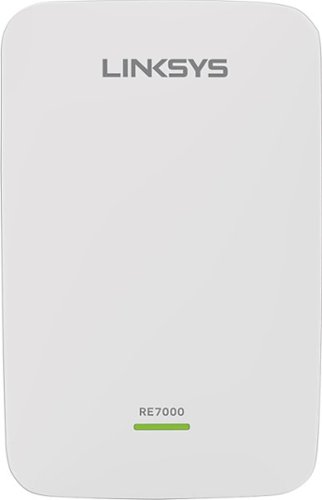
Prevent dead zones around your home with the help of this Linksys Wi-Fi range extender. It works with all types of Wi-Fi routers, and it uses multi-user MIMO for speed and efficiency. This Linksys Wi-Fi range extender can be used to create a different access point or to extend the field of the router~s connection.
Customer Rating
5
Great Wifi Range Extender
on May 12, 2016
Posted by: lambda100
The Linksys Max Stream AC1900 Wifi Range Extender is a winner.
It was easy to perform the initial set up using the Quick Start Guide. There are two ways to set up the wifi range extender wirelessly. The first way is to use Wifi Protected Setup (WPS). The second way is to connect via your internet browser. It can also be set up as a wired range extender with an ethernet cable. It only took me a few minutes to have it set up.
I tested the range for the wifi extender. According to the box, it has a range of 10,000 square feet. The acceptable range for me would be to still have two signal bars. I was able to walk approximately 60 feet away before it dropped down to two bars. I was in an open space, so there were no physical obstructions that you would find in a house such as walls, metallic objects, etc. In my house, there were some dead spots where my wireless router could never get to. Strategically placing the Linksys wifi range extender eliminated the dead spots. Problem solved.
Wireless speed using the range extender is identical as using my wireless router. The range extender is set up to use dual band 2.4 Ghz + 5 Ghz. As an added bonus it has MU-MIMO technology which as the name suggests allows multi-user wireless data packets to be sent simultaneously as opposed to single user SU-MIMO. Without detracting from the review of the Linksys Wifi Range Extender, let's just say that MU-MIMO is the next generation wifi standard. It is definitely nice to have, but you will need your other hardware to also support MU-MIMO to really get the benefits from it.
The unit plugs right into any wall electrical socket. During use it gets very warm and has what appear to be ventilation holes around all four sides.
The unit is designed to be continuously plugged in and connected to your router wirelessly (or wired if using the ethernet cable) 24/7. However, I was curious as to whether or not the wifi extender would re-establish the wireless communication with my router if I turned off the wifi extender by removing it from the wall outlet and re-plugging it back in. Note there is no on or off button. It is continually on when plugged in. It turns out when I did this, most of the time the wifi extender would not re-establish connection. It would continue to blink orange indefinitely, signaling that the connection with my wireless router was not re-established. Re-booting of the router did not solve the issue. The connection still did not re-establish itself. I had to do a full re-set of the wifi extender, and enter set up mode again before it would re-connect with the router. On occasion, it would re-establish the connection to the wireless router. I tested this many times, and with the wifi extender only several feet away from my router. This is a minor issue, though as I intend to keep it plugged in all the time. Maybe it is an isolated problem with the unit I received or perhaps a future firmware update will solve this.
Overall, I would not hesitate to recommend the Linksys Max Stream AC1900 Wifi Range Extender with MU-MIMO technology. I think it is a great wifi extender. Easily 4.5 stars from me, with the half star reduction for the issue I mentioned above.
My Best Buy number: 3451666665
I would recommend this to a friend!
Share this review:


0points
0of 0voted this as helpful.
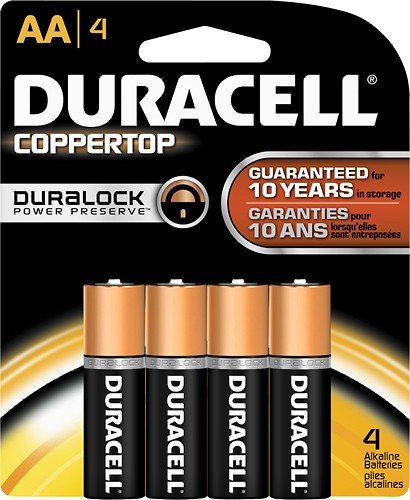
Get long-lasting energy for your toys, clocks, radios, games, remotes, PDAs and other battery-powered devices with this convenient 4-pack of AA 1.5V alkaline CopperTop batteries.
Customer Rating
5
Long lasting batteries!
on December 11, 2015
Posted by: lambda100
Verified Purchase:Yes
These duracell AA batteries are champs. They're one of the longest lasting batteries I've owned.
My Best Buy number: 3451666665
My Best Buy number: 3451666665
I would recommend this to a friend!
Share this review:


0points
0of 0voted this as helpful.
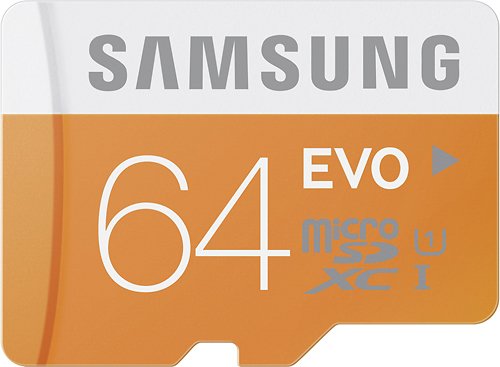
Save up to 64GB of media files and other data on this Samsung MB-MP64DA/BBY microSD memory card, which features a Class 10 UHS-1 design for rapid transfer speeds.
Customer Rating
5
Awesome microSD card
on November 2, 2015
Posted by: lambda100
Verified Purchase:Yes
I use this card with adapter in my dslr and it writes to the camera fast! I'm able to record HD movies with no problem. Great card!
My Best Buy number: 3451666665
My Best Buy number: 3451666665
I would recommend this to a friend!
Share this review:


0points
0of 0voted this as helpful.
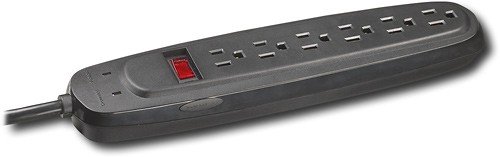
Protect your home theater components from damage with this 6-outlet surge protector that features a 900-joule rating and 43dB EMI/RFI noise filter to shield your equipment from interference.
Customer Rating
5
Great surge protector
on August 7, 2015
Posted by: lambda100
Verified Purchase:Yes
This surge protector works well. It is just what I needed to connect my household electronic devices.
My Best Buy number: 3451666665
My Best Buy number: 3451666665
I would recommend this to a friend!
Share this review:


0points
0of 0voted this as helpful.
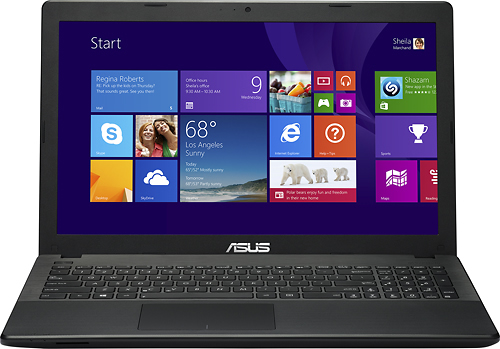
Stream Web-based media on this Asus X551CA-BI30804C laptop's 15.6" high-definition display via the built-in wireless LAN, which lets you quickly access the Internet while you're on the go. The 500GB hard drive provides ample storage space.Learn more about the New Windows
Customer Rating

3
Decent Entry Level Laptop
on December 20, 2014
Posted by: lambda100
Verified Purchase:Yes
This is a great laptop for users who simply desire to check e-mail, browse the web, watch videos, chat using webcam, stream movies and music, and work on office documents. The i3 processor and 4 gb of RAM are sufficient to perform those tasks. The laptop boots up quickly and wakes instantly from sleep mode. It comes installed with Windows 8, with a free upgrade to Windows 8.1. There isn't much bloatware that comes with the laptop, and the ones that come pre-installed are easy to uninstall. Audio/speaker quality is average. Even at maximum volume, it doesn't get too loud. Purchasing separate external speakers such as a 2.1 system will definitely enhance the audio experience.
Here are some of the cons:
Battery life is short, somewhere on the order of 2 to 3 hrs depending on your use. RAM cannot be upgraded.
Here are some of the cons:
Battery life is short, somewhere on the order of 2 to 3 hrs depending on your use. RAM cannot be upgraded.
My Best Buy number: 3451666665
My Best Buy number: 3451666665
I would recommend this to a friend!
Share this review:


+1point
1of 1voted this as helpful.
lambda100's Review Comments
lambda100 has not submitted comments on any reviews.
lambda100's Questions
lambda100 has not submitted any questions.
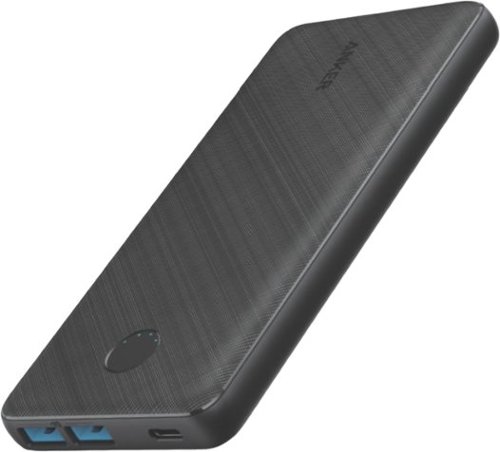
PowerCore III 20K is a slim and powerful portable 20000mAh battery. With two USB-A port outputs and one USB-C PD input, this is all you need as your charging companion.
Is this battery allowed on an airplane?
The Anker PowerCore III 20K is rated at 72 Whr, which is within the FAA limit of 100 Whr. It is allowed on an airplane. I took it on an airplane without issue.
4 years, 9 months ago
by
lambda100
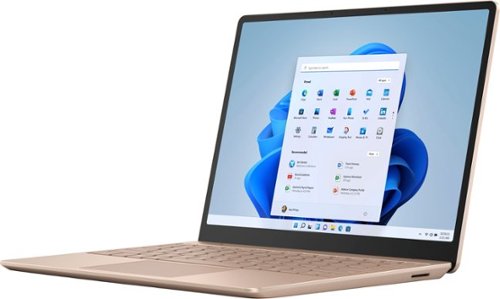
Make the most of every day with the sleek style, performance, and all-day battery life~ you need in the lightest Surface Laptop, all at an exceptional value. Ultra-light and portable profile, the apps* you use every day, premium materials, and a choice of must-have colors will make this your go-to laptop. ~Up to 13 hours of battery life based on typical Surface device usage. Testing conducted by Microsoft in September 2020 using preproduction software and preproduction configurations of Surface Laptop Go Testing consisted of full battery discharge with a mixture of active use and modern standby. The active use portion consists of (1) a web browsing test accessing 8 popular websites over multiple open tabs, (2) a productivity test utilizing Microsoft Word, PowerPoint, Excel and Outlook, and (3) a portion of time with the device in use with idle applications. All settings were default except screen brightness was set to 150nits with Auto-Brightness disabled. Wi-Fi was connected to a network. Battery life varies significantly with settings, usage and other factors.
What version of Windows does Surface Laptop Go ship with?
Make the most of every day with the sleek style, performance, and all-day battery life~ you need in the lightest Surface Laptop, all at an exceptional value. Ultra-light and portable profile, the apps* you use every day, premium materials, and a choice of must-have colors will make this your go-to laptop. ~Up to 13 hours of battery life based on typical Surface device usage. Testing conducted by Microsoft in September 2020 using preproduction software and preproduction configurations of Surface Laptop Go Testing consisted of full battery discharge with a mixture of active use and modern standby. The active use portion consists of (1) a web browsing test accessing 8 popular websites over multiple open tabs, (2) a productivity test utilizing Microsoft Word, PowerPoint, Excel and Outlook, and (3) a portion of time with the device in use with idle applications. All settings were default except screen brightness was set to 150nits with Auto-Brightness disabled. Wi-Fi was connected to a network. Battery life varies significantly with settings, usage and other factors.
Does this computer have USB ports
The Surface Laptop Go has 1 usb-c port and 1 usb-a port.
5 years, 11 months ago
by
lambda100
Make the most of every day with the sleek style, performance, and all-day battery life~ you need in the lightest Surface Laptop, all at an exceptional value. Ultra-light and portable profile, the apps* you use every day, premium materials, and a choice of must-have colors will make this your go-to laptop. ~Up to 13 hours of battery life based on typical Surface device usage. Testing conducted by Microsoft in September 2020 using preproduction software and preproduction configurations of Surface Laptop Go Testing consisted of full battery discharge with a mixture of active use and modern standby. The active use portion consists of (1) a web browsing test accessing 8 popular websites over multiple open tabs, (2) a productivity test utilizing Microsoft Word, PowerPoint, Excel and Outlook, and (3) a portion of time with the device in use with idle applications. All settings were default except screen brightness was set to 150nits with Auto-Brightness disabled. Wi-Fi was connected to a network. Battery life varies significantly with settings, usage and other factors.
Does the screen detach
The screen does not detach on the Surface Laptop Go.
5 years, 11 months ago
by
lambda100
Make the most of every day with the sleek style, performance, and all-day battery life~ you need in the lightest Surface Laptop, all at an exceptional value. Ultra-light and portable profile, the apps* you use every day, premium materials, and a choice of must-have colors will make this your go-to laptop. ~Up to 13 hours of battery life based on typical Surface device usage. Testing conducted by Microsoft in September 2020 using preproduction software and preproduction configurations of Surface Laptop Go Testing consisted of full battery discharge with a mixture of active use and modern standby. The active use portion consists of (1) a web browsing test accessing 8 popular websites over multiple open tabs, (2) a productivity test utilizing Microsoft Word, PowerPoint, Excel and Outlook, and (3) a portion of time with the device in use with idle applications. All settings were default except screen brightness was set to 150nits with Auto-Brightness disabled. Wi-Fi was connected to a network. Battery life varies significantly with settings, usage and other factors.
Can you switch out of S mode on Surface Laptop Go?
Yes, Microsoft allows you to switch out of S mode to Windows 10 Home. Once you switch out, it is permanent and you will not be able to revert back to Windows in S Mode.
5 years, 11 months ago
by
lambda100

Get work done with this Dell Inspiron Chromebook laptop. The 14-inch Ultra HD touch screen supports EMR pens, and the Intel Core i3 processor powers system tasks smoothly with the 4GB of RAM. The 128GB of eMMC storage lets you store documents and media files on this Dell Inspiron Chromebook laptop.
I know this thing isn't light. But how much does it weigh? I don't see that in specs
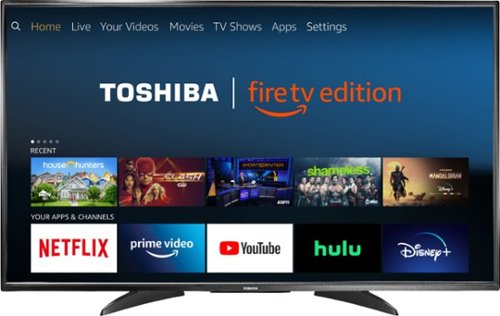
Toshiba 4K UHD Fire TV Edition is a new generation of smart TVs featuring the Fire TV experience built-in and including a Voice Remote with Alexa. With true-to-life 4K Ultra HD picture quality and access to all the movies and TV shows you love, Toshiba Fire TV Edition delivers a superior TV experience that gets smarter every day. The Voice Remote with Alexa lets you do everything you'd expect from a remote~plus, easily launch apps, search for TV shows, play music, switch inputs, control smart home devices and more, using just your voice.
Can it be wall mounted? I don't see any mounting screw holes from the back picture.
Yes, the Toshiba Fire TV Edition can be wall mounted.
Here are the VESA Mounting Patterns for the different size Toshiba Fire TVs:
43" 200 x 300 - M6 x25mm type screws
50" 400 x 200 - M6 x25mm type screws
55" 200 x 300 - M6 x20mm type screws
Here are the VESA Mounting Patterns for the different size Toshiba Fire TVs:
43" 200 x 300 - M6 x25mm type screws
50" 400 x 200 - M6 x25mm type screws
55" 200 x 300 - M6 x20mm type screws
8 years, 3 months ago
by
lambda100
Toshiba 4K UHD Fire TV Edition is a new generation of smart TVs featuring the Fire TV experience built-in and including a Voice Remote with Alexa. With true-to-life 4K Ultra HD picture quality and access to all the movies and TV shows you love, Toshiba Fire TV Edition delivers a superior TV experience that gets smarter every day. The Voice Remote with Alexa lets you do everything you'd expect from a remote~plus, easily launch apps, search for TV shows, play music, switch inputs, control smart home devices and more, using just your voice.
Can you mira cast or screen cast from your phone/tablet/laptop wirelessly?
No. The Toshiba Fire TV Edition is not equipped with the wireless screen casting feature.
8 years, 3 months ago
by
lambda100
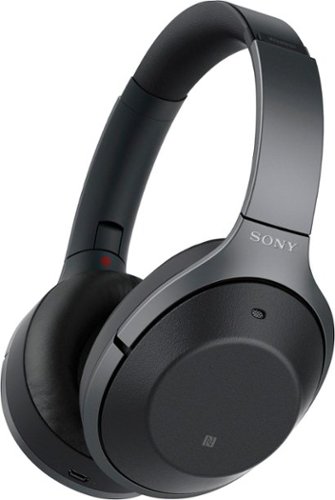
Listen to your playlist in peace with these Sony headphones. They have a 40mm dome driver to deliver the full depth of audio, and the noise cancelling feature minimizes outside disturbances for a better listening experience. These Sony headphones have a battery life of up to 30 hours for extended jam sessions.
Can anyone who has used these AND the Bose QC35 comment on the overall comfort for long trips? The QC35s are good, but I can't wear them for more than 3-4 hours before my outer ears start to hurt from the pressure from the cups.
I have both the QC35 and the 1000XM2. The QC35 is more comfortable on long trips. The 1000XM2 headband forces the earcups to press more firmly against my ears and is less comfortable.
8 years, 11 months ago
by
lambda100
Listen to your playlist in peace with these Sony headphones. They have a 40mm dome driver to deliver the full depth of audio, and the noise cancelling feature minimizes outside disturbances for a better listening experience. These Sony headphones have a battery life of up to 30 hours for extended jam sessions.
Does the cable come with a built in remote? This includes, volume, play pause and microphone.
The audio cable does NOT have a built in remote with in-line mic.
8 years, 11 months ago
by
lambda100