


lambda100's stats
- Review count110
- Helpfulness votes1,314
- First reviewDecember 20, 2014
- Last reviewSeptember 25, 2026
- Featured reviews0
- Average rating4.7
Reviews comments
- Review comment count0
- Helpfulness votes0
- First review commentNone
- Last review commentNone
- Featured review comments0
Questions
- Question count0
- Helpfulness votes0
- First questionNone
- Last questionNone
- Featured questions0
- Answer count18
- Helpfulness votes115
- First answerNovember 24, 2016
- Last answerDecember 1, 2021
- Featured answers0
- Best answers3
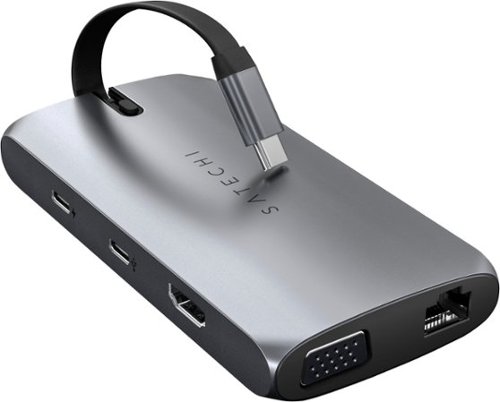
The Satechi USB-C On-the-Go Multiport Adapter helps make productivity portable. Designed for portability and convenience, the Adapter features USB-C PD charging, HDMI and VGA display ports, USB-A data ports, SD card slots, and Gigabit Ethernet, with two detachable USB-C cables - perfect for on-the-go or docked at your desk. With its sleek aluminum finish and plug and play design, the On-the-go Multiport Adapter enables you to work at your best wherever you are.
Customer Rating

5
Expand the Ports on Your Ultraportable Laptop
on October 5, 2021
Posted by: lambda100
**What’s In the Box**
User Manual
9-in-1 Multiport Adapter
4” usb-c cable
39.5” usb-c cable
User Manual
9-in-1 Multiport Adapter
4” usb-c cable
39.5” usb-c cable
**Ports**
1 HDMI 4K at 60Hz
1 VGA 1080p
1 usb-c PD (up to 100 watts)
1 usb-c data (does not support charging or video)
2 usb-A 3.0
1 SD slot
1 micro SD slot
1 Ethernet
1 HDMI 4K at 60Hz
1 VGA 1080p
1 usb-c PD (up to 100 watts)
1 usb-c data (does not support charging or video)
2 usb-A 3.0
1 SD slot
1 micro SD slot
1 Ethernet
**My Thoughts**
I have a Dell XPS 13” laptop. While I like it’s ultra portability, it only has two usb-c ports, one of which is a thunderbolt 3 port. The Satechi usb-c On-the-Go Multiport adapter provides the expansion ports that I need to connect peripherals. I’ve been using the Satechi multiport for the past several days, putting it through its paces on 9 hour workdays connected to the ethernet, a portable scanner, an external monitor, and a thumb drive all the while being powered through the laptop’s power charger connected via the usb-c PD port. I don’t have any complaints. It works as designed. It has performed nearly flawlessly. There was only one hiccup that I experienced in all the days I was using it. It failed to communicate with my external monitor which was connected via the hdmi port. I simply unplugged the hdmi cable from the multiport and re-plugged it back in and it worked again. Again, it only happened one time, so I’m not sure if the problem was with the multiport adapter or my laptop.
I have a Dell XPS 13” laptop. While I like it’s ultra portability, it only has two usb-c ports, one of which is a thunderbolt 3 port. The Satechi usb-c On-the-Go Multiport adapter provides the expansion ports that I need to connect peripherals. I’ve been using the Satechi multiport for the past several days, putting it through its paces on 9 hour workdays connected to the ethernet, a portable scanner, an external monitor, and a thumb drive all the while being powered through the laptop’s power charger connected via the usb-c PD port. I don’t have any complaints. It works as designed. It has performed nearly flawlessly. There was only one hiccup that I experienced in all the days I was using it. It failed to communicate with my external monitor which was connected via the hdmi port. I simply unplugged the hdmi cable from the multiport and re-plugged it back in and it worked again. Again, it only happened one time, so I’m not sure if the problem was with the multiport adapter or my laptop.
Here are some of the other things I like about the Satechi adapter:
+Compact Design: As you can see in the photograph, it fits in the palm of my hand.
+Well Thought Out Cable Management: The short 4” usb-c cable tucks away entirely within the chassis of the adapter.
+Quality usb-c cable: The 39” long cable is thick and sturdy
+Well Thought Out Cable Management: The short 4” usb-c cable tucks away entirely within the chassis of the adapter.
+Quality usb-c cable: The 39” long cable is thick and sturdy
And some of the things I didn’t like:
-It gets very warm, but I suppose that is expected since it is drawing power through the device
-It can only support one external display at a time. If you have two external monitors connected, one with the VGA port and the other with the hdmi port, it will only mirror content.
-It gets very warm, but I suppose that is expected since it is drawing power through the device
-It can only support one external display at a time. If you have two external monitors connected, one with the VGA port and the other with the hdmi port, it will only mirror content.
**Do I recommend it?**
If you’re using an ultra portable laptop like me and have peripherals to connect to, then it is necessary to purchase a multiport adapter like this Satechi adapter. The online marketplace is saturated with these adapters. At the price point the Satechi adapter is being sold for at msrp, it is an expensive proposition. However, if you can get it on sale at Best Buy, then it is worth considering.
If you’re using an ultra portable laptop like me and have peripherals to connect to, then it is necessary to purchase a multiport adapter like this Satechi adapter. The online marketplace is saturated with these adapters. At the price point the Satechi adapter is being sold for at msrp, it is an expensive proposition. However, if you can get it on sale at Best Buy, then it is worth considering.
Mobile Submission: False
I would recommend this to a friend!


Share this review:


+2points
2of 2voted this as helpful.
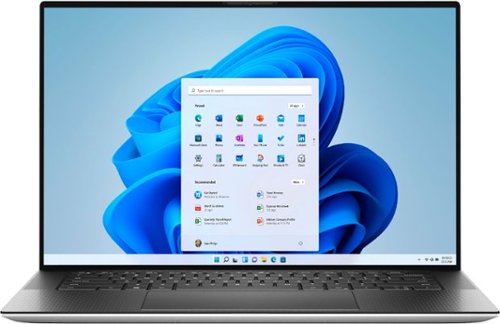
The Dell XPS 15 laptop features a stunning, new 4-sided InfinityEdge FHD+ display that shows off a 5% larger 16:10 screen and 92.9% screen to body ratio. All the power and features to maximize prodcutivity - Core i7 processor, 16GB of RAM, a 512GB solid state drive, and NVIDIA GeForce GTX 3050 Ti graphics. A premium 15" touch laptop with a thin and light design.
Customer Rating
5
Textbook XPS Winning Formula
on July 22, 2021
Posted by: lambda100
The Dell XPS 9510 is a beautifully crafted machine offering a winning combination of excellent build quality, high performance, and exceptional user experience. There are many configurations for the XPS line. The one I received has the following configuration: 15” non-touchscreen with a 1920x1200 FHD+ with an anti-glare matte screen, 512 gb m.2 NVMe SSD, 16gb of RAM, 11th gen Intel Core i7-11800H, with a dedicated NVDIA GeForce 3050Ti graphics card.
The XPS line is renowned for its excellent build quality and Dell continues this tradition on the 9510. It has a CNC machined smooth aluminum body with carbon fiber palm rests. The structural frame is solid with no flexing.
Performance on the XPS 9510 is also one of its strong points. In my line of work, I use CAD software to perform modeling and renderings and also dabble in video and photo editing software. Having the dedicated graphics makes the workflow so much smoother and reduces processing time. This is a great laptop for those types of use cases.
The user experience is simply steller. The lid can be opened with one hand. The keyboard has the right feedback and travel, allowing long and speedy typing without fatigue. I’m also loving the touchpad. The glass surface precision touchpad is one of the best I have used. For one thing, the touchpad is huge, plenty of area to maneuver around! It is smooth, responsive, and on point. The backlit keyboard has two brightness levels with illumination levels that won’t become a distraction.
The connection ports consist of two thunderbolt 4 (USB Type C) with display port and power delivery along the left edge. Along the right edge, there is 1 USB 3.2 Gen 2 Type C with display port and power delivery, a 3.5 headphone jack, and a slot for a full sized SD card. Dell also provides a USB Type C adapter to USB-A 3.0 and HDMI 2.0 for additional connectivity.
The 1920 x 1200 resolution is plenty sharp on a 15.6” screen. It has wide viewing angles without losing any of the display colors and brightness. Speaking of brightness the display can achieve up to 500 nits of brightness. I love the bright display as this allows me to easily view the display outdoors. The matte screen prevents glare and reflection, great to eliminate all that light when sitting next to windows and bright concentrated lighting. The disadvantage though of having the matte screen over a glossy screen is that with the matte screen, the images don’t have the vividness and have less contrast than on a glossy screen. Finally, the bezels on this laptop are super thin, what Dell calls InfinityEdge.
I’m usually not impressed with the speakers from laptops. In general, I have to resort to using external speakers for some quality audio. However, the XPS 9510 has some decent quality to them. Dell was able to squeeze in 2.5Wx2 woofers and 1.5Wx2 tweeters for a total of 8 watts of peak power. And it sounds pretty good! There is some depth to the audio and a little bit of punch to the bass.
The laptop can get pretty warm when the processor or graphics card is working hard. I guess this is to be expected since the processors would need more power to crunch all that data for renderings and video output. It can get uncomfortably warm when I have it on my lap, and the fans kick in and become kind of loud. However, I found out that Dell does allow the user to modify four thermal profiles (Optimized, Cool, Quiet, and Ultra Performance) on the laptop to manage the amount of heat dissipation and noise from the fans. So, on those occasions when you’re mobile and have the laptop on your lap, then you’ll want to use the ‘Cool’ setting. And for those times when you’re in an environment where you don’t want the fan noise to become a distraction, you can select the ‘Quiet’ setting.
How long the laptop battery can run before needing a recharge will be highly dependent on the power settings, display brightness, and how you use the laptop. For me, a typical day would be a nine hour work day running office software, web meetings, web browsing, running rendering and video software with one-quarter to one-half brightness. I was able to get through a full work day without reaching for the charger.
The only thing I didn’t like about the laptop is the 720p built-in webcam. It’s good when there is plenty of uniform ambient lighting, but becomes grainy and loses contrast in more challenging lighting conditions. You would think that with so many of us on video conferencing, we should not have to resort to having to purchase a dedicated webcam for a better experience. Maybe in the next iteration, Dell can offer a higher quality built-in webcam.
Should you purchase the XPS 9510? Well, it’s got plenty of horsepower for business and creative applications, and I think for the majority of users other than serious gamers, the Dell XPS 9510 is a great choice and you will be pleased with what you get. The XPS is Dell’s premium line and it doesn’t come cheap, but I think it is worth it if you can afford it for the reasons I mentioned at the beginning: excellent build quality, high performance, and exceptional user experience. And that's their textbook winning formula. Dell seems to understand these three pillars in the premium laptop market and I think that’s why the XPS, including the current XPS 9510, will remain popular.
Mobile Submission: False
I would recommend this to a friend!


Share this review:


+5points
5of 5voted this as helpful.
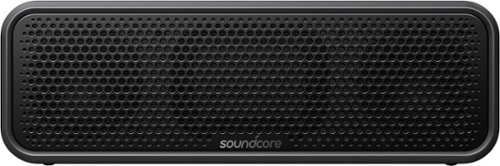
Soundcore by Anker Select 2 is the perfect crystal-clear portable Bluetooth speaker. Using our exclusive partycast technology, you can link over 100 partycast speakers together for synchronized music and lights. A 20-hour playtime paired with IPX7 waterproof technology that makes it the ideal outdoor speaker. You can also customize the sound and lighting using the Soundcore app to create the perfect mood. A detachable strap keeps it from falling off during more rugged adventures.
Customer Rating
5
Audio Quality Above Its Price Point!
on May 28, 2021
Posted by: lambda100
What’s In the Box
*Soundcore Select 2
*usb-c cable
*detachable shoestring strap
*quickstart guide
*Soundcore Select 2
*usb-c cable
*detachable shoestring strap
*quickstart guide
Anker doesn’t need an introduction. The company is well known in the consumer electronics world for its high quality portable phone chargers and computer peripherals. Among them are their bluetooth speakers. The latest offering from Anker, the Soundcore Select 2, shows that a good quality bluetooth speaker can be had without spending a small fortune.
You can tell that Anker didn’t spend much R&D money on aesthetic design. The Soundcore Select 2’s design is mundane, in fact rather downright unattractive. You could easily overlook it on a retail display, next to all the sexy, flashy speakers. For all intents and purposes, it is a black colored 17.8 oz. brick with a speaker grille in front to protect the 16 watt dual drivers and dual passive radiators.. The exterior is wrapped in a thick, high grade rubber material that can stand drops, scrapes, and bumps. It is well sealed to give it an IPX7 waterproof rating. The Soundcore Select 2 is well prepared to go on all your silly selfie adventures, be it the swimming pool party or a hot and humid hike through the rainforest.
Up on top of the speaker are all the buttons you’ll need. Power on/off, volume +/-, Bluetooth connection/NFC, and the multi-function button. The buttons themselves are rather large that it’s hard to miss. It has a single usb-c charge port to one side and a place to attach the shoestring strap on the other side. It sits atop a non-slip rubber base.
Enough on how it looks. You’re more interested in how it sounds, right? Well, the audio quality has exceptional presentation especially coming from a budget bluetooth speaker by a company without a well established history in audio products. Let’s start with the dual passive bass radiators. Anker’s BassUp Technology is at work here. The bass is tight and punchy; there when you need it without dragging down the audio spectrum. The dual drivers put the mids and vocals front and center, and are able to produce enough high end notes. You’ll need to download the Soundcore App to get to the 9 band equalizer which allows you to create and save different equalizer profile settings for the different types of music you listen to. Or you can simply use one of the Soundcore’s preselected audio profiles. Equipped with 16 watts of power, the Soundcore Select 2 can get loud and easily fills a room.
I also compared the audio from the Soundcore Select 2 to some of the higher end wireless bluetooth speakers (which shall remain nameless) that I own just for a comparison of audio quality. The Soundcore Select 2 came close in audio quality to those speakers costing twice as much or more. However, the Soundcore Select 2 did lack some detail and clarity that some of the more expensive bluetooth speakers are able to achieve. When listening to music, there was definitely less separation between the vocals and instruments from the Soundcore Select 2. When there are several instruments playing simultaneously on the audio track, the Soundcore Select 2 is a little muddy. I am not complaining, however. For the price point of the Soundcore Select 2, this thing sounds fantastic!
Other things I really like about the Soundcore Select 2 is that it has a usb-c connector for the charger. Type C is pretty much standard today, but you’d be amazed that some companies are still using the micro-usb for its connection. I also like that the speaker has a 20 hr playtime, which easily gets me through the day without having to anchor it to a wall outlet.
What I find gimmicky about the speaker is the Party Cast feature which allows you to link more than 100 speakers for synchronized music. I don’t think most folks would buy multiple Soundcore speakers so that they can play music in sync. I think they would rather be able to purchase one additional Soundcore speaker for a wireless stereo pair. The Soundcore Select 2 sadly does NOT have stereo pairing capability. This is where I feel the engineers at Anker missed an opportunity to capitalize, and consequently this is a major disadvantage of purchasing the speaker.
It is best to install the Soundcore app to get the most functionality out of the speaker. From the app, you’ll be able to download the latest firmware, adjust the audio with the equalizers, use the app to turn off the speaker, turn off the annoying musical jingle whenever the speaker powers on/of or makes a bluetooth connection, and set an auto timer to power off the speaker automatically when not in use.
I also tested the speaker with video content. There is imperceptible audio/video lag. Audio is in sync with the video.
The speaker has a built-in microphone enabling it to be used as a speakerphone. Folks on the other end of the call heard my voice clearly.
Should you buy this speaker? The Soundcore Select 2 pumps out excellent audio well above its price point. It is safe to say that this is a value speaker, you definitely get more audio quality than what you pay for! Apart from its mediocre design and inability to pair two speakers for stereo sound, the Soundcore Select 2 is one that you should give a try.
Should you buy this speaker? The Soundcore Select 2 pumps out excellent audio well above its price point. It is safe to say that this is a value speaker, you definitely get more audio quality than what you pay for! Apart from its mediocre design and inability to pair two speakers for stereo sound, the Soundcore Select 2 is one that you should give a try.
Mobile Submission: False
I would recommend this to a friend!


Share this review:


+3points
3of 3voted this as helpful.
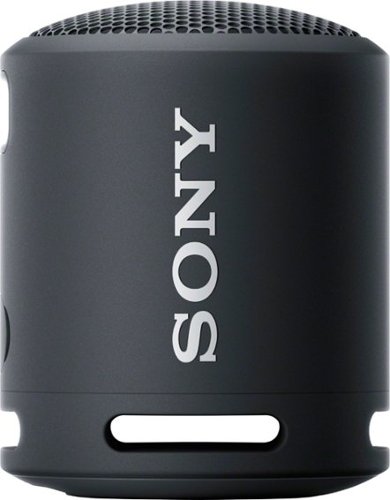
Enjoy big sound with the super-compact SRS-XB13 wireless speaker, featuring EXTRA BASS, a waterproof and dustproof design and up to 16 hours of battery life.
Customer Rating

4
Small, Ultraportable, and Sounds Good!
on May 26, 2021
Posted by: lambda100
The Sony SRSXB13 bluetooth speaker is super portable, simple to use, and sounds good. This is a very small cylindrically shaped speaker with a small footprint that almost looks like a small coffee mug. It has a single speaker at the top and a passive radiator at the bottom. The buttons are located along the side and provide controls such as power on/off, bluetooth/stereo connection, play/pause, and volume up/down. It comes with a strap to allow you to hang the speaker. In the box you’ll also find a usb-c charging cable and the instruction manual.
This speaker easily fits in a bag and is very lightweight. I hung it on my bicycle handlebars and listened to tunes while riding around town. Then I hung it on the shower caddy while I showered. With an IP67 rating, you can take it anywhere with you without worrying about moisture and dust.
What I like about this speaker is that it is simple to use, without needing to connect to an app. In fact, there is no app to connect this speaker with. You just pair it via bluetooth and you’re done. No app to fiddle with.
This speaker sounds good for its size. The small mono speaker at the top combined with the equally small passive radiator manage to squeeze as much sound out as they possibly could. The bass is decent without being overly emphasized. The mids are clear. At max volume, it is fairly loud, but not loud enough to use for a larger setting when there are many people speaking in a room such as during a party. It is better used in a smaller gathering. Even running my table fan, the speaker at max volume had difficulty overcoming the noise. If you want more volume and separation, you can purchase another SRSXB13 speaker for a wireless stereo pair.
Battery life is rated at 16 hours, which is plenty for a day of listening. It takes up to 4.5 hours to fully recharge the battery which is quite long considering such a small speaker.
When watching video, I noticed a very slight audio/video lag.
The speaker has a microphone and can be used as a speakerphone. I tried this out and folks on the other end told me that I sounded far away, like my voice was coming from the background somewhere.
In summary, the Sony SRSXB13 is great for those who want a bluetooth speaker that is lightweight, ultraportable, easy to use, and still sounds good. It’s a capable speaker for small gatherings, but can easily get drowned out since its max volume doesn’t get very loud.
Mobile Submission: False
I would recommend this to a friend!


Share this review:


0points
1of 2voted this as helpful.
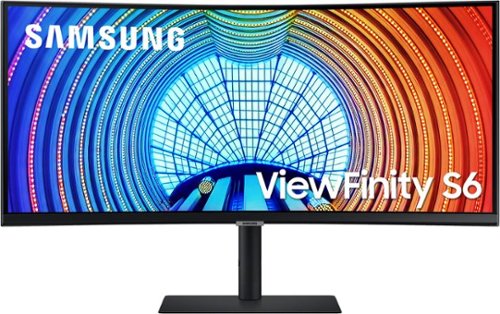
The latest in curved screen technology, the A650 ultra QHD monitor showcases ultimate user comfort and productivity. The A650 monitor provides 1000R curvature, 21:9 aspect ratio, and USB Type-C port with 90W charging power. With HDR10 technology, colors will look vivid and lifelike while the TUV-certified eye comfort care will reduce eye fatigue and keep you productive. The minimalistic, virtually borderless design, clean cable management and slim, sleek stand gives you an optimized clutter-free workstation.
Customer Rating
5
The Samsung A650 is Ahead of the Curve
on May 13, 2021
Posted by: lambda100
The Samsung A650 34” ultra wide curved monitor has been beautifully crafted and engineered to give you more screen without adding to the desktop clutter. With the A650, I eliminated a docking station and a pair of aging 23” monitors from my desktop.
First of all, this monitor has excellent build quality. It is a heavy monitor, requiring an all metal base and metal stem to support it. I love that there are three degrees of freedom to make physical adjustments to the monitor. The monitor slides smoothly along its stem to allow vertical height adjustment. This means I no longer have to resort to stacking old textbooks to adjust the height of the monitor. It also tilts up and down and can also swivel left and right.
The monitor has plenty of choices for input connections: HDMI, Display Port, and USB Type C. It also has a standard headphone jack, 3 USB Type-A ports, and a LAN interface. With this many connections, it basically turns the monitor into a docking station. I’m using a Dell XPS which lacks ports of any kind except the usb-c thunderbolt connector. Now I only have a single cable running to the monitor. No need to have a separate power charger to the laptop when I have it docked and charged to the monitor. The monitor provides up to 90 watts of power. I have access to all my portable external hard drives which are connected to the usb ports on the monitor. What a clean setup! It made my desktop literally clutter free. Another welcome sight is that the power cord for the monitor is simply a regular cord. There is no bulky power brick attached to the cord like you would find on many monitors in the market today.
The 34”curved screen is nothing short of amazing. It has very thin bezels. It is bright with excellent contrast, sharpness, and vivid colors. The screen is anti-glare and non-glossy. You can set it up anywhere in your room without worrying about having too much reflection. It also has wide viewing angles. The screen has a 21:9 aspect ratio. Using Windows Snap features, I am able to mimic a dual monitor setup and use half the screen for my e-mail browser while the other half is reserved for working on documents and spreadsheets. Beside the standard screen adjustments to color, brightness, contrast, etc., the Samsung A650 has a feature to change the warmth of the display to make it easier on your eyes and reduce fatigue. The monitor also features Picture In Picture (PIP) and Picture By Picture (PBP). Both PIP and PBP allow you to view contents on the monitor simultaneously from two different input sources. PIP basically places the second display as an inset to the larger display. I find PBP to be the more useful of the two since it splits the display in half with the left side from one input device and the right side from another device.
Another bonus with this monitor is that it has VESA mounts. The mount spacing is 100mm x 100mm.
I can’t find anything negative to say about the Samsung A650. I use it solely for office productivity and watching videos, and I am very happy with it. In fact I am even contemplating purchasing another one for a super ultra wide dual curved monitor setup, but that would defeat the purpose of having a clutter free desktop. So much for clearing up my desktop, I’m in...I’m getting another A650 monitor!
Mobile Submission: False
I would recommend this to a friend!


Share this review:


+1point
1of 1voted this as helpful.
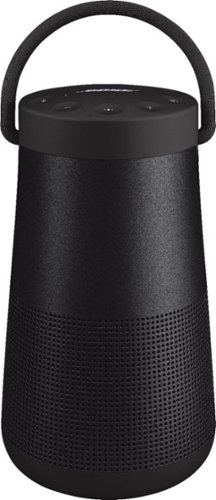
SoundLink Revolve+ II, the best-performing portable Bluetooth speaker from Bose, is engineered to spread deep, jaw-dropping sound in every direction. Place it in the center of the room to give everyone the same experience. Or set it near a wall and sound will radiate and reflect around the room, immersing you in that same feeling you felt at your favorite show. The tapered cylindrical shape with a flexible handle makes this wireless speaker easy to grab and go, while a durable aluminum body provides worry-free protection. And it~s water and dust resistant so you can keep the party going, even if it starts to rain. The rechargeable, lithium-ion battery plays up to 17 hours ~ for full-day listening. Voice prompts talk you through Bluetooth pairing, and there~s a built-in speakerphone for calls. Use the Bose Connect app to pair two SoundLink speakers for Stereo or Party Mode. The app also helps you manage your devices, unlock features, and access future updates. Available in Triple Black or Luxe Silver.
Customer Rating
4
Bose Hits the Sonic Sweet Spot
on March 24, 2021
Posted by: lambda100
I’ve been using my trusty Bose Soundlink Mini II since 2015. I’ve always enjoyed the sound from this speaker, but lately I’ve been itching to see what else is out there. When I heard that Bose released the Soundlink Revolve+ II, I simply had to give it a shot.
Here are the things I thought Bose got right with the Revolve+ II:
+Sound Quality in a small package - Bose continues to deliver on precision audio quality, delivering big sounds from small devices. The 360 degree sound radiating from the speaker is nothing short of awesome. Place it next to the corner of a room, and the audio sounds more spatial, adding more dimension, and fullness. The speaker is well balanced across the audio spectrum. Bass thumps are powerful without being obtrusively overbearing. Mids are clear and prominent. Dialogue and voices have such clarity that when you’re listening to a program or podcast, it almost sounds like the person is present in the room with you. And what I enjoy most of all is the crispness and sparkle at the treble frequencies (which my mini II lacks).
I think this speaker sounds so good that it can substitute as a soundbar for watching movies. I have tested the speaker with videos and the audio/video latency is minimal. So go ahead and use this speaker to watch your favorite movies.
And all of this splendid audio is coming from a tapered cylinder that is only 7” tall, weighing only 2 lbs that you can easily carry in one hand with the rope handle.
+Battery Life - Bose claims 17 hours of use on a fully charged battery. I don’t know how they tested the battery, but most of the time I don’t listen to music at full volume. I listen more at mid-volume. I’ve been going for over 20 hours, and there is still 30% battery left. Basically, battery life is excellent!
+AUX jack - So many bluetooth speakers have eliminated the 3.5 mm aux jack. I am so glad Bose kept it for the Revolve+ II since I sometimes have the need to plug it into legacy audio equipment.
+Tripod Mount - For those times when I’m outdoors doing gardening work and don’t have a stable surface to place my speaker and don’t want to place it on the grass or dirt, I can bring out my tripod and attach it to the receiving tripod mount on the bottom of the Revolve+ II. It takes the standard tripod screw mount.
+Not a smart speaker - I have plenty of smart speakers in my home already. I don’t need another one listening in on all my private conversations. I’m glad this is a good ole bluetooth speaker. With that said, however, you can still use it with the voice assistant on your phone if you need it. The speaker’s microphone becomes an extension of the microphone on your phone. You’ll just need to press the multi-function button on the speaker to activate the assistant from your phone. Then you’ll be able to make or take calls, check the news and weather, play music, etc.
+Speaker Phone - Audio quality is super clear using the speaker as a speaker phone. The speaker’s microphone works well, too. Callers on the other end of the line heard me clearly.
While I love singing the praises of the Revolve+ II, I think Bose could have done some things better:
-This speaker is still using the Micro-USB port to charge the battery. I don’t know why Bose doesn’t switch to the USB-c charge port, other than to save a few cents in using the older usb standard.
-The Bose Connect app is okay, but could be better. You can control voice prompts, check the battery meter, add another speaker for party/stereo, change the name of the speaker, connect to a new bluetooth source, set an auto timer to turn off the speaker, and of course update the firmware. What this app lacks is treble/bass controls or equalizers. As much as I enjoy Bose’s signature sound, there are times when I might want to turn up or down the bass/treble to suit the specific audio I am listening to. If Bose could add this feature in a future firmware update, then this app would be super useful!
-Powering off the speaker doesn’t really power it down. You would think that if you pressed the power button on the speaker to turn it off, the speaker would power down completely, right? Well, it doesn’t power it down completely. The speaker’s bluetooth antenna still draws power continuously, draining the battery. Someone at Bose thought it would be a good idea to include a feature where the speaker can be turned on directly from the Bose Connect app. So if your speaker is in the off position, you can simply turn it on from the app. I personally do not like this feature because it continues to draw power and deplete the battery. That means you could have the speaker turned off for a few weeks, and when you turn it on, you may find out that there is not much battery charge remaining. I would recommend that Bose provide a firmware update to allow the user an option to decide whether or not to have the speaker power up from the app.
-IP55 - The first digit describes the resistance to intrusion from solids such as dust, while the second digit is for resistance to intrusion from liquids. The Revolve+ II can be sprayed with a low pressure water jet, but don’t submerge it in water, otherwise this expensive speaker is toast. There are a number of bluetooth speakers on the market that have a higher IP rating allowing them to be submerged in water. If being able to take your speaker to the pool party and dunk it in water is important to you, then this speaker isn’t for you.
-Lower bumper quality is questionable. On my Revolve+ II, the top protective bumper appears to be made of a high quality rubber material that can take some abuse. However, the lower bumper doesn’t feel as thick as the rubber material at the top of the speaker. It appears to be hard plastic and lacks the resiliency of the top bumper. In fact, there are already a few light permanent scratches on the lower bumper of my speaker, and it hasn’t even been taken outdoors yet. Take a look at the picture I took showing the scratches.
Should you buy the speaker? This speaker is expensive, but the audio quality is superb! I would recommend the speaker based on audio quality alone. Since audio is highly subjective and based on individual experiences, I would recommend that you audition the Revolve+ II with other speakers. Other than audio quality, this speaker does not compete well with other more rugged speakers from competitors that could survive being submerged in water.
Mobile Submission: False
I would recommend this to a friend!


Share this review:


+30points
30of 30voted this as helpful.
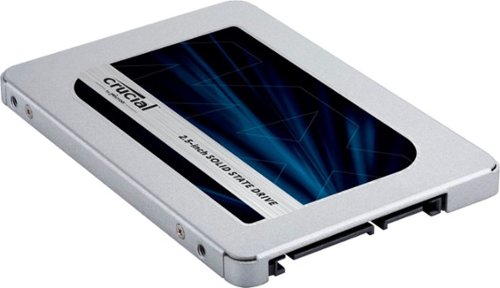
Start your system in seconds, store up to 2TB of your irreplaceable files, and upgrade with a drive you can count on. Improve your system with the Crucial~ MX500 1TB 3D NAND SATA 2.5 Inch Internal SSD, an SSD built on quality, speed, and security that~s all backed by helpful service and support. It~s worth it.
Customer Rating
5
Fast Drive and Easy to Install
on January 28, 2021
Posted by: lambda100
Boot up time and software load times were just sluggish on my seven year old laptop with a spinner drive. I decided to finally swap out the spinner drive with a Crucial MX500 2.5” internal SSD. Now that I have an SSD, I wished I had changed out my spinner years ago. The boot time with my old spinning drive was nearly a minute. With the Crucial MX500, the boot time went down to ten seconds. Programs also loaded much faster. It was like the SSD breathed new life into my aging laptop. Upgrading to an SSD made this laptop fun to use again!
Crucial makes the process of installing the SSD drive as easy and painless as possible. Recognizing that there are some of us who are new to this, the Crucial website: crucial.com/support/ssd provides the step-by-step guide to install the drive. What is nice is that it basically holds your hand every step of the way. Crucial partnered with Acronis to provide the cloning software needed to migrate all the data and operating system from your old spinning drive to the MX500. The only additional cable you’ll need to purchase, if you don’t already have it, is a SATA-to-USB cable to perform the migration of data during the cloning process. Once you have your SSD up and running, Crucial also provides an additional free software to download called the Storage Executive which helps optimize the performance of the MX500. With the Storage Executive, it can monitor the drive’s temperature, download the latest firmware, provide diagnostic data such as the number of hours the drive has been used, and even enable a performance boost to the drive via Crucial’s Momentum Cache feature. Additionally, Crucial stands behind its drive with a five year limited warranty.
This is really an excellent SSD to get. It’s got plenty of storage at 1tb and the reduction in boot time and program load times will astound you. Without a doubt, I highly recommend the MX500.
Mobile Submission: False
I would recommend this to a friend!
Share this review:


0points
0of 0voted this as helpful.
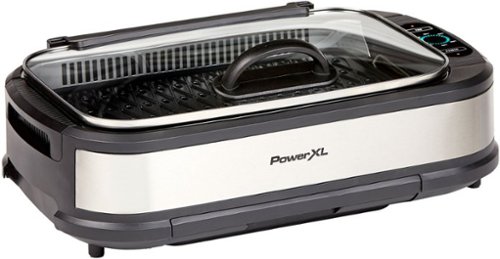
The same BBQ taste and authentic char-grilled flavor on steaks, chicken, ribs, veggies and much more right on your countertop with this electric smokeless indoor grill by PowerXL.
Customer Rating
5
Great Grill Flavor, None of the Smoke, Easy to Use
on November 25, 2020
Posted by: lambda100
I love grilling, the only problem is that I live in a condo with absolutely zero outdoor space. I’ve always been envious of all my friends in their single family homes with a backyard sporting those fancy outdoor grills. I didn’t need anything fancy, I just wanted to be able to experience the sumptuous grill flavor indoors. When I heard that the Power XL Smokeless Grill Pro allowed me to do just that, I knew I had to try it out for myself.
The Power XL Smokeless Grill delivers on everything that is great about grilling, but without the smoke filled air. Over the course of the week that I tried the grill, I grilled hot dogs, burgers, salmon, steak, and veggies. They all tasted great with the same great grill flavor as if they were cooked on an outdoor grill. And the food even has the grill marks to show for it! All the oil is collected in a container below the grill. The actual grill plate measures approximately 13” x 8”. Measuring in food quantity, you’ll be able to grill 6 burger patties at once, an 8” salmon filet, or 8-12 chicken drumsticks depending on size.
The grill is also very easy to use. You just pour 2 cups of water in the water tray, turn on the grill, set the temperature, and you’re ready to grill. Can’t get any easier than that. No propane or charcoal to deal with.
I enjoy using the grill, but like all kitchen appliances, I did not like cleaning up the grill. The easiest thing to clean is the grill plate since it is coated with a non-stick surface. You’ll also need to wash the glass lid, drip tray, and water tray, and also wipe around the grill for oil splatter.
Here are some other things about the grill. The power cord is about 40” in length. You’ll need to position the grill close to an outlet. I just wished the cord was closer to 6’ to allow me greater freedom to place the grill on the kitchen countertop. The grill is also kind of heavy, weighing in about 13 pounds. It’s not something you’ll want to be moving around much.
All in all, I think this is a fantastic grill. It does what it claims. It gives you the same great grill flavor without the smoke. Definitely thumbs up from me!
Mobile Submission: False
I would recommend this to a friend!
Share this review:


+1point
1of 1voted this as helpful.
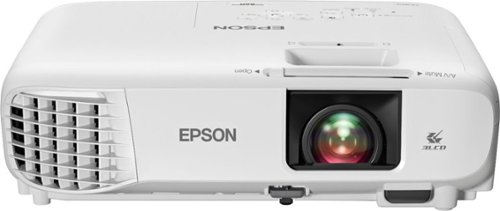
Sit back, relax and watch movies with this Epson video projector. It offers 3,300 lumens of color & white brightness to ensure vibrant, accurate colors, and its HD resolution delivers crisp image quality at 1080p. This Epson video projector lets you connect a Blu-ray player or gaming console via an HDMI input for smooth streaming of your favorite media.
Customer Rating
5
An Excellent Projector Without the High Price Tag!
on November 21, 2020
Posted by: lambda100
I love going to the movie theater, but that is no longer a viable option lately with the pandemic. When I heard Epson was releasing its latest entry level 1080p projector, I jumped at the opportunity to bring the cinema experience to the comfort and safety of my living room.
The Epson Home Cinema (HC) 880 is simply awesome! It has just enough of the big features you’d want in a projector without the hefty price tag, and that makes this a value winning projector. I love the fact that it is rated at 3,300 lumens of color and white brightness. What that means for me is that I can watch my favorite movies without turning out the lights. I tried the projector during the day with the blinds and curtains open, letting in plenty of ambient natural light, and the projector image was still bright and sharp without any washout. And during the night I had my living room lights on, the Epson 880 continued to display a bright and clear image. The projector’s lamp brightness is a little dimmer in ECO mode when compared to Normal mode, but both modes still work well in ambient lighting.
I use a large white wall in my living as the projector screen. The projector’s image colors are true to life, sharp, bright, and have plenty of contrast. I was only able to project up to 8’ before I ran out of wall space, but Epson claims that the projector can display up to 386”.
Another feature I like is that the Epson HC 880 comes with an audio jack. I know in the past Epson did not include an audio jack for its older model entry level projectors, but I’m glad Epson finally included this feature. I can now connect my external speakers for a better home cinema audio experience. However, the built in 2 watt mono speaker works well, too. It gets plenty loud to overcome the projector’s fan noise. Speaking of fan noise, the Epson HC 880 isn’t too loud. In ECO mode, the fan barely makes a noise. Once you turn it to Normal mode, the fan does become more audible, but nothing to the point that it becomes a distraction.
One of the best things about this projector is that it is so easy to set up and use. You could mount it on the ceiling, but I simply set it on a table, plugged it in, leveled it by adjusting the height of the rear feet and front foot, adjusted the image for squareness, plugged my laptop into the hdmi connection, focused the image, and I was ready to enjoy a good movie with some popcorn in less than five minutes. The projector allows you to easily adjust for image squareness with the automatic vertical keystone correction, manual horizontal keystone correction, and Quick Corner setting. And there are plenty of image settings just like you would find on a television such as adjustments to color saturation, brightness, contrast, sharpness, tint, and so on. The remote control is easy to use and the onscreen menus are intuitive.
Although it is marketed as a home cinema projector, the HC 800 can also perform well as a business projector. After all, it can reach 3,300 lumens of brightness which is plenty to overcome the ambient lighting of a conference room. And it weighs only 6 lbs which is considered lightweight for a full size projector, making it easy to tote around.
I couldn’t find anything bad to nit pick with the projector. Some folks might be turned off by the limited number of connections. It only has 1 hdmi, 1 usb-type a, 1 usb-type b, and an audio jack as its interfaces. I don’t mind though, because I only use the hdmi connection. I can connect my google chromecast to the hdmi and power it with the usb-type a connection on the projector. This turns the HC 880 into a streaming machine.
Things that I wished were featured on the HC 880 would be a backlit remote control for the times when I’m using the projector in the dark, and also if Epson could include a soft carrying case for the projector. Other than that, for the value price and extraordinary image quality and features, the Epson HC 880 is a perfect entry level projector meeting the needs for a fun family movie night. I totally recommend this projector!
Mobile Submission: False
I would recommend this to a friend!


Share this review:


+25points
31of 37voted this as helpful.
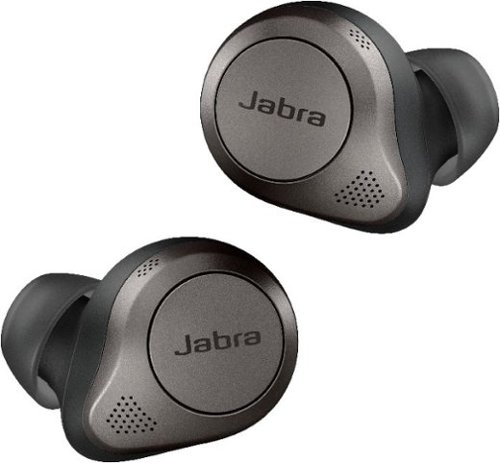
Jabra Elite 85t true wireless earbuds have been engineered for a calls and music experience like never before, with fully adjustable Jabra advanced Active Noise Cancellation~, 12mm speakers for big sound, up to 25 hours of battery (ANC on), and 6-mic technology with wind protection for amazing calls. And because it~s Jabra tech, it~s all crammed into a really tiny body. Because ANC doesn~t only stand for Active Noise Cancellation~ Jabra Elite 85t: Accept No Compromise.
Customer Rating
5
Big Features in Such a Small Package
on November 6, 2020
Posted by: lambda100
The Jabra Elite 85t proves that good things indeed come in small packages. With a lightweight comfortable fit, good audio quality, a splendidly useful app, and strong active noise cancellation, the audio engineers crafted truly wireless earbuds that are a joy to experience.
What you get in the Box.
-Elite 85t wireless earbuds
-Charging case
-Type C to Type A charging cable
-3 different size pairs of ear gels
-warranty sheet
-Elite 85t wireless earbuds
-Charging case
-Type C to Type A charging cable
-3 different size pairs of ear gels
-warranty sheet
Here are some of the things that I really like about the Elite 85t:
**Comfortable Earbuds**
The Jabra Elite 85t is by far the most comfortable earbuds I have used. A lot of the earbuds are uncomfortable and put a lot of pressure on my ear, much like how ear plugs feel. With the open design of the Elite 85t, I don’t feel any of the pressure. In fact they feel very lightweight and after leaving them in my ears for several hours, I didn’t feel any ear fatigue. The oval ear gels are also soft and provide just the right amount of seal without feeling tight. They also never once felt like they were going to fall off. Even vigorously shaking my head back and off, the earbuds stayed firmly in my ears.
**Excellent Sound+ app**
I recommend that you download the Sound+ app before you do anything else. Jabra developed a feature rich, highly useful app making it an essential complement to the user experience. Once you download the app and take the earbuds out of the magnetic case, the app will initiate the MySound feature to optimize the audio experience based on your personal hearing profile. Much like a hearing test, the app will have you put an earbud in each ear one at a time and play tones of various volumes to gather your hearing profile. The Sound+ app is the brains of the earbuds. Using the app, you’ll be able to perform a number of customizations such as adjusting the intensity of active noise cancellation (ANC), adjusting the amount of ambient sound that comes through the earbuds (Jabra calls this Hear Through), adjusting the user customizable five band equalizer, configuring the buttons on the earbuds to your specific liking, adjusting the Soundtone feature to allow you to hear your own voice while on calls, saving three different listening profiles (My Moment, Commute, Focus), and even playing sounds to mask the noise around you such as white noise and nature sounds.
The Jabra Elite 85t is by far the most comfortable earbuds I have used. A lot of the earbuds are uncomfortable and put a lot of pressure on my ear, much like how ear plugs feel. With the open design of the Elite 85t, I don’t feel any of the pressure. In fact they feel very lightweight and after leaving them in my ears for several hours, I didn’t feel any ear fatigue. The oval ear gels are also soft and provide just the right amount of seal without feeling tight. They also never once felt like they were going to fall off. Even vigorously shaking my head back and off, the earbuds stayed firmly in my ears.
**Excellent Sound+ app**
I recommend that you download the Sound+ app before you do anything else. Jabra developed a feature rich, highly useful app making it an essential complement to the user experience. Once you download the app and take the earbuds out of the magnetic case, the app will initiate the MySound feature to optimize the audio experience based on your personal hearing profile. Much like a hearing test, the app will have you put an earbud in each ear one at a time and play tones of various volumes to gather your hearing profile. The Sound+ app is the brains of the earbuds. Using the app, you’ll be able to perform a number of customizations such as adjusting the intensity of active noise cancellation (ANC), adjusting the amount of ambient sound that comes through the earbuds (Jabra calls this Hear Through), adjusting the user customizable five band equalizer, configuring the buttons on the earbuds to your specific liking, adjusting the Soundtone feature to allow you to hear your own voice while on calls, saving three different listening profiles (My Moment, Commute, Focus), and even playing sounds to mask the noise around you such as white noise and nature sounds.
**Splendid ANC**
I’ve tried various ANC truly wireless earbuds from various manufacturers and I have to say that the ANC on the Jabra Elite 85t is remarkably good. The noisy humming of my bedroom fan disappeared and my family’s dialogue became nothing more than a whisper and sounded distantly far away. The ANC does its job best with lower frequency sounds and ambient sounds become significantly muted at mid and higher frequencies. In other words, the Jabra Elite 85t does a darn good job at keeping unwanted noise out. You can vary the intensity of the ANC through five levels with a slider via the app.
I’ve tried various ANC truly wireless earbuds from various manufacturers and I have to say that the ANC on the Jabra Elite 85t is remarkably good. The noisy humming of my bedroom fan disappeared and my family’s dialogue became nothing more than a whisper and sounded distantly far away. The ANC does its job best with lower frequency sounds and ambient sounds become significantly muted at mid and higher frequencies. In other words, the Jabra Elite 85t does a darn good job at keeping unwanted noise out. You can vary the intensity of the ANC through five levels with a slider via the app.
On the opposite end, sometimes it is not desirable to have ANC, and you may want to allow some ambient noise to come through the earbuds such as when you need to be aware of your surroundings. Well, the Elite 85t has you covered here with its Here Through feature. The microphones pick up the ambient noises allowing them to be heard and amplified through the earbuds. Just like the ANC feature, there is a five point slider that varies the intensity of the ambient noise to be heard.
**Great Audio Quality**
The audio experience is highly subjective. It’s a good thing the app has a five band equalizer to enable customization of the audio to each individual’s specific audio taste. The audio from the earbuds sound pretty good to me. I think it is well balanced. However, I would have liked to have a little bit more crispness and sparkle and a wider soundstage. It has plenty of low end energy when needed, without bringing down the rest of the audio spectrum. I listened to several bass test audio on youtube and was surprised at the amount of bass that rumbled through the earbuds.
The audio experience is highly subjective. It’s a good thing the app has a five band equalizer to enable customization of the audio to each individual’s specific audio taste. The audio from the earbuds sound pretty good to me. I think it is well balanced. However, I would have liked to have a little bit more crispness and sparkle and a wider soundstage. It has plenty of low end energy when needed, without bringing down the rest of the audio spectrum. I listened to several bass test audio on youtube and was surprised at the amount of bass that rumbled through the earbuds.
**Negligible Audio Latency**
I love watching videos on my phone and pc while using bluetooth headphones but just hate it when there is a visible lag in audio compared to the video. The Elite 85t did not show any noticeable audio latency. Big thumbs up from me.
I love watching videos on my phone and pc while using bluetooth headphones but just hate it when there is a visible lag in audio compared to the video. The Elite 85t did not show any noticeable audio latency. Big thumbs up from me.
**Robust Bluetooth Connection**
With the Elite 85t I did not experience any dropouts, stuttering, or loss of connection between the right and left earbuds. The wireless connection was robust whether I was 30 feet away from my phone or had my phone in my pants back pocket.
With the Elite 85t I did not experience any dropouts, stuttering, or loss of connection between the right and left earbuds. The wireless connection was robust whether I was 30 feet away from my phone or had my phone in my pants back pocket.
**Crystal Clear Call Quality**
The folks on the other side of my business phone calls have told me that my voice sounds clear.
The folks on the other side of my business phone calls have told me that my voice sounds clear.
**Ability to Connect to Two Bluetooth Sources Simultaneously**
Jabra calls it Multi-connect, the ability to be paired to two devices at once. So if you happen to have two mobile phones for instance, you’ll be able to accept calls from either device.
Jabra calls it Multi-connect, the ability to be paired to two devices at once. So if you happen to have two mobile phones for instance, you’ll be able to accept calls from either device.
**Wireless Qi Charging or Wired Charging. It’s up to you.**
When you need to recharge the earbuds, just place them in the case and either charge them wirelessly with a Qi-certified charger or use the included USB-C cable.
When you need to recharge the earbuds, just place them in the case and either charge them wirelessly with a Qi-certified charger or use the included USB-C cable.
The Elite 85t are a great set of wireless earbuds. They’re not perfect though, and there were some things which I wished they could improve upon.
--Battery Life is Ok--
According to Jabra, the battery will last up to 5.5 hrs with ANC (up to 25 hrs with charging case) and 7 hrs with ANC off (up to 31 hrs with charging case). That’s decent but I’ve seen other truly wireless earbuds that will last longer than 7 hrs between charges.
According to Jabra, the battery will last up to 5.5 hrs with ANC (up to 25 hrs with charging case) and 7 hrs with ANC off (up to 31 hrs with charging case). That’s decent but I’ve seen other truly wireless earbuds that will last longer than 7 hrs between charges.
The Sound+ app shows three different battery meters. One each for the left and right ear buds and one for the charging case. It bothered me that the right ear bud drained between 10%-15% faster than the left earbud. I guess it makes sense that the right ear bud drains faster since it is the master earbud that receives the bluetooth signal from the source device and also must route the signal over to the left earbud. Nevertheless, I wished the two earbuds would drain more uniformly.
--Mono Earbud Mode: Right earbud Only--
The left earbud won’t work on its own for music or for calls. Only the right earbud will.
The left earbud won’t work on its own for music or for calls. Only the right earbud will.
Conclusion:
The Elite 85t just seems like the right choice. There’s a lot to like about these earbuds from the comfortable fit to the excellent ANC and the really good audio and voice quality. If anything, it should be on your short list of truly wireless earbuds to audition.
The Elite 85t just seems like the right choice. There’s a lot to like about these earbuds from the comfortable fit to the excellent ANC and the really good audio and voice quality. If anything, it should be on your short list of truly wireless earbuds to audition.
Mobile Submission: False
I would recommend this to a friend!


Share this review:


-2points
6of 14voted this as helpful.
lambda100's Review Comments
lambda100 has not submitted comments on any reviews.
lambda100's Questions
lambda100 has not submitted any questions.
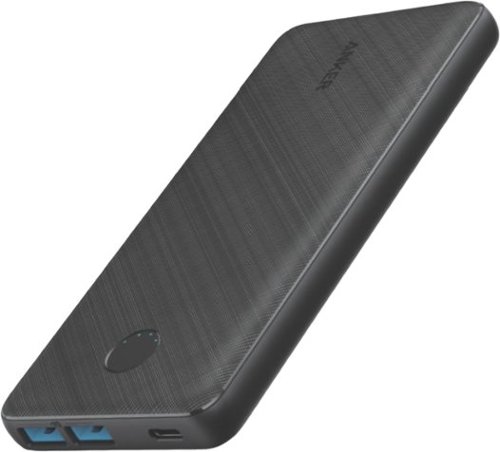
PowerCore III 20K is a slim and powerful portable 20000mAh battery. With two USB-A port outputs and one USB-C PD input, this is all you need as your charging companion.
Is this battery allowed on an airplane?
The Anker PowerCore III 20K is rated at 72 Whr, which is within the FAA limit of 100 Whr. It is allowed on an airplane. I took it on an airplane without issue.
4 years, 9 months ago
by
lambda100
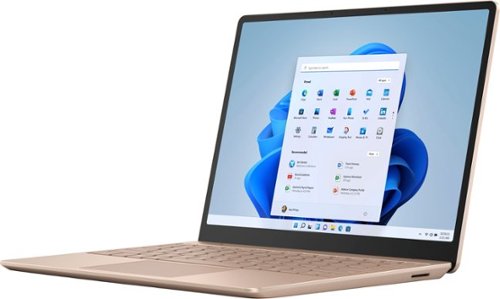
Make the most of every day with the sleek style, performance, and all-day battery life~ you need in the lightest Surface Laptop, all at an exceptional value. Ultra-light and portable profile, the apps* you use every day, premium materials, and a choice of must-have colors will make this your go-to laptop. ~Up to 13 hours of battery life based on typical Surface device usage. Testing conducted by Microsoft in September 2020 using preproduction software and preproduction configurations of Surface Laptop Go Testing consisted of full battery discharge with a mixture of active use and modern standby. The active use portion consists of (1) a web browsing test accessing 8 popular websites over multiple open tabs, (2) a productivity test utilizing Microsoft Word, PowerPoint, Excel and Outlook, and (3) a portion of time with the device in use with idle applications. All settings were default except screen brightness was set to 150nits with Auto-Brightness disabled. Wi-Fi was connected to a network. Battery life varies significantly with settings, usage and other factors.
What version of Windows does Surface Laptop Go ship with?
Make the most of every day with the sleek style, performance, and all-day battery life~ you need in the lightest Surface Laptop, all at an exceptional value. Ultra-light and portable profile, the apps* you use every day, premium materials, and a choice of must-have colors will make this your go-to laptop. ~Up to 13 hours of battery life based on typical Surface device usage. Testing conducted by Microsoft in September 2020 using preproduction software and preproduction configurations of Surface Laptop Go Testing consisted of full battery discharge with a mixture of active use and modern standby. The active use portion consists of (1) a web browsing test accessing 8 popular websites over multiple open tabs, (2) a productivity test utilizing Microsoft Word, PowerPoint, Excel and Outlook, and (3) a portion of time with the device in use with idle applications. All settings were default except screen brightness was set to 150nits with Auto-Brightness disabled. Wi-Fi was connected to a network. Battery life varies significantly with settings, usage and other factors.
Does this computer have USB ports
The Surface Laptop Go has 1 usb-c port and 1 usb-a port.
5 years, 11 months ago
by
lambda100
Make the most of every day with the sleek style, performance, and all-day battery life~ you need in the lightest Surface Laptop, all at an exceptional value. Ultra-light and portable profile, the apps* you use every day, premium materials, and a choice of must-have colors will make this your go-to laptop. ~Up to 13 hours of battery life based on typical Surface device usage. Testing conducted by Microsoft in September 2020 using preproduction software and preproduction configurations of Surface Laptop Go Testing consisted of full battery discharge with a mixture of active use and modern standby. The active use portion consists of (1) a web browsing test accessing 8 popular websites over multiple open tabs, (2) a productivity test utilizing Microsoft Word, PowerPoint, Excel and Outlook, and (3) a portion of time with the device in use with idle applications. All settings were default except screen brightness was set to 150nits with Auto-Brightness disabled. Wi-Fi was connected to a network. Battery life varies significantly with settings, usage and other factors.
Does the screen detach
The screen does not detach on the Surface Laptop Go.
5 years, 11 months ago
by
lambda100
Make the most of every day with the sleek style, performance, and all-day battery life~ you need in the lightest Surface Laptop, all at an exceptional value. Ultra-light and portable profile, the apps* you use every day, premium materials, and a choice of must-have colors will make this your go-to laptop. ~Up to 13 hours of battery life based on typical Surface device usage. Testing conducted by Microsoft in September 2020 using preproduction software and preproduction configurations of Surface Laptop Go Testing consisted of full battery discharge with a mixture of active use and modern standby. The active use portion consists of (1) a web browsing test accessing 8 popular websites over multiple open tabs, (2) a productivity test utilizing Microsoft Word, PowerPoint, Excel and Outlook, and (3) a portion of time with the device in use with idle applications. All settings were default except screen brightness was set to 150nits with Auto-Brightness disabled. Wi-Fi was connected to a network. Battery life varies significantly with settings, usage and other factors.
Can you switch out of S mode on Surface Laptop Go?
Yes, Microsoft allows you to switch out of S mode to Windows 10 Home. Once you switch out, it is permanent and you will not be able to revert back to Windows in S Mode.
5 years, 11 months ago
by
lambda100

Get work done with this Dell Inspiron Chromebook laptop. The 14-inch Ultra HD touch screen supports EMR pens, and the Intel Core i3 processor powers system tasks smoothly with the 4GB of RAM. The 128GB of eMMC storage lets you store documents and media files on this Dell Inspiron Chromebook laptop.
I know this thing isn't light. But how much does it weigh? I don't see that in specs
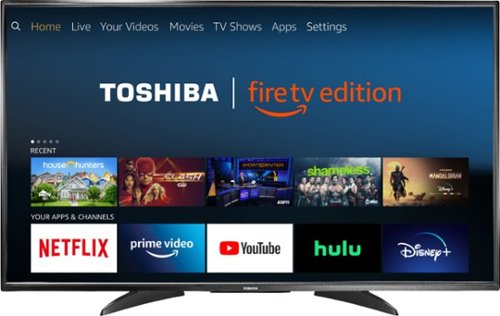
Toshiba 4K UHD Fire TV Edition is a new generation of smart TVs featuring the Fire TV experience built-in and including a Voice Remote with Alexa. With true-to-life 4K Ultra HD picture quality and access to all the movies and TV shows you love, Toshiba Fire TV Edition delivers a superior TV experience that gets smarter every day. The Voice Remote with Alexa lets you do everything you'd expect from a remote~plus, easily launch apps, search for TV shows, play music, switch inputs, control smart home devices and more, using just your voice.
Can it be wall mounted? I don't see any mounting screw holes from the back picture.
Yes, the Toshiba Fire TV Edition can be wall mounted.
Here are the VESA Mounting Patterns for the different size Toshiba Fire TVs:
43" 200 x 300 - M6 x25mm type screws
50" 400 x 200 - M6 x25mm type screws
55" 200 x 300 - M6 x20mm type screws
Here are the VESA Mounting Patterns for the different size Toshiba Fire TVs:
43" 200 x 300 - M6 x25mm type screws
50" 400 x 200 - M6 x25mm type screws
55" 200 x 300 - M6 x20mm type screws
8 years, 3 months ago
by
lambda100
Toshiba 4K UHD Fire TV Edition is a new generation of smart TVs featuring the Fire TV experience built-in and including a Voice Remote with Alexa. With true-to-life 4K Ultra HD picture quality and access to all the movies and TV shows you love, Toshiba Fire TV Edition delivers a superior TV experience that gets smarter every day. The Voice Remote with Alexa lets you do everything you'd expect from a remote~plus, easily launch apps, search for TV shows, play music, switch inputs, control smart home devices and more, using just your voice.
Can you mira cast or screen cast from your phone/tablet/laptop wirelessly?
No. The Toshiba Fire TV Edition is not equipped with the wireless screen casting feature.
8 years, 3 months ago
by
lambda100
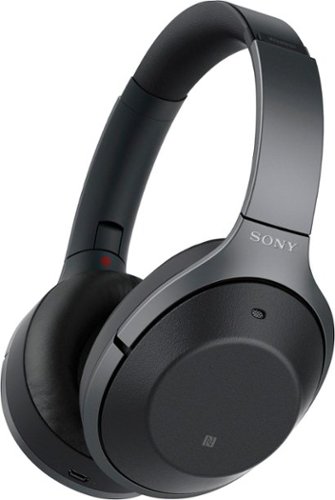
Listen to your playlist in peace with these Sony headphones. They have a 40mm dome driver to deliver the full depth of audio, and the noise cancelling feature minimizes outside disturbances for a better listening experience. These Sony headphones have a battery life of up to 30 hours for extended jam sessions.
Can anyone who has used these AND the Bose QC35 comment on the overall comfort for long trips? The QC35s are good, but I can't wear them for more than 3-4 hours before my outer ears start to hurt from the pressure from the cups.
I have both the QC35 and the 1000XM2. The QC35 is more comfortable on long trips. The 1000XM2 headband forces the earcups to press more firmly against my ears and is less comfortable.
8 years, 11 months ago
by
lambda100
Listen to your playlist in peace with these Sony headphones. They have a 40mm dome driver to deliver the full depth of audio, and the noise cancelling feature minimizes outside disturbances for a better listening experience. These Sony headphones have a battery life of up to 30 hours for extended jam sessions.
Does the cable come with a built in remote? This includes, volume, play pause and microphone.
The audio cable does NOT have a built in remote with in-line mic.
8 years, 11 months ago
by
lambda100