


lambda100's stats
- Review count110
- Helpfulness votes1,314
- First reviewDecember 20, 2014
- Last reviewSeptember 25, 2026
- Featured reviews0
- Average rating4.7
Reviews comments
- Review comment count0
- Helpfulness votes0
- First review commentNone
- Last review commentNone
- Featured review comments0
Questions
- Question count0
- Helpfulness votes0
- First questionNone
- Last questionNone
- Featured questions0
- Answer count18
- Helpfulness votes115
- First answerNovember 24, 2016
- Last answerDecember 1, 2021
- Featured answers0
- Best answers3
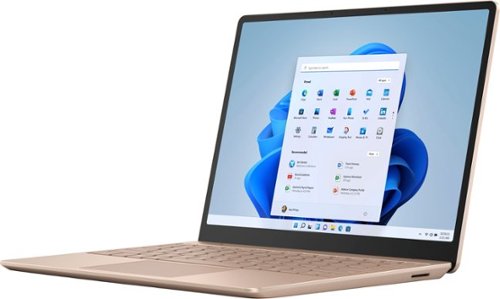
Make the most of every day with the sleek style, performance, and all-day battery life~ you need in the lightest Surface Laptop, all at an exceptional value. Ultra-light and portable profile, the apps* you use every day, premium materials, and a choice of must-have colors will make this your go-to laptop. ~Up to 13 hours of battery life based on typical Surface device usage. Testing conducted by Microsoft in September 2020 using preproduction software and preproduction configurations of Surface Laptop Go Testing consisted of full battery discharge with a mixture of active use and modern standby. The active use portion consists of (1) a web browsing test accessing 8 popular websites over multiple open tabs, (2) a productivity test utilizing Microsoft Word, PowerPoint, Excel and Outlook, and (3) a portion of time with the device in use with idle applications. All settings were default except screen brightness was set to 150nits with Auto-Brightness disabled. Wi-Fi was connected to a network. Battery life varies significantly with settings, usage and other factors.
Customer Rating

4
A Good Ultraportable Laptop
on October 24, 2020
Posted by: lambda100
Microsoft broadened its line up of Surface computers with the latest Surface Laptop Go designed with form, function, and value in mind. It’s biggest features are its portability and modern style that eschews the traditional ultrabook widescreen for a more boxy 3:2 aspect ratio that works to separate itself from the crowded field of ultrabooks. The Surface Go succeeds in its sleek looks, attractive new colors, and its featherweight body, but gives up some to its competition in terms of features.
Before I continue further, I would like to state that I am part of the Best Buy Tech Insider Network program and received the Microsoft Surface Laptop Go from Best Buy in exchange for my honest, unbiased, review of the product. All the opinions and experiences are my own.
Here are some of the positive features of the Surface Laptop Go:
+Attractive Style and Colors: If this was a beauty contest, the Surface Laptop Go would win. Microsoft crafted the laptop with a smooth aluminum frame at the top and the edges, and soft curves at the corners and edges that feel comfortable to hold. The bottom of the laptop is plastic, but it doesn’t feel out of place and blends in nicely with the overall appeal of the laptop. It comes in three different color options Ice blue, Platinum, and Sandstone. I received the Sandstone colored one which has a hint of pink to it and attract a lot of positive attention.
+Featherweight and Portable: The Surface Laptop Go seems to almost defy gravity, weighing in at a mere 2.45 lbs. This is lighter than many ultraportables. Not only that, it measures only 8.10”x10.95” in width and length, smaller dimensions than a letter sized paper. The laptop is only around ⅝” in thickness. It is easy to throw in a bag and take it with you wherever you want.
+Good, but not outstanding battery life: Microsoft touts a single fully charged battery can power the laptop up to 13 hours of use. I never believe these claims and neither should you. 13 hours of battery is only achieved under certain conditions, settings, and usage. If you’re like me who uses the laptop continuously during a full 9 hour plus work or school day where you’re browsing the web with multiple tabs opened, conducting online meetings using the webcam and audio, using word processing documents and spreadsheets, and maybe even connected to a bluetooth device, then expect anywhere from 6-8 hour maximum of usage because that is what I got out of the battery depending on how I used the laptop. Keep that ac adapter close by.
+Quick boot up time: Goes without saying that laptops with solid state drives boot up fairly fast. It took less than 15 seconds for the Surface Laptop Go to boot up.
+Windows Hello Fingerprint reader on the power button: I really like signing into the laptop using the fingerprint reader which is ingeniously placed on the power button. You can register more than one fingerprint, say for example you want to log into the laptop using both the left or right index fingerprints.
+Screen is plenty bright: I couldn’t find on Microsoft’s technical specs how many nits of brightness the screen can get, so I did the next best thing and took the laptop outside in the bright midday sunlight and qualitatively tested it for everybody who read this far in the review. I turned the laptop to the brightest display setting and was relieved that I was able to still see the contents on the display clearly and with plenty of color in the bright sunlight. So for those of you who like to work with the laptop outdoors, rest assured you’ll be able to still see the contents on the display. It’s not the brightness that should concern you. It’s the amount of glare that will be reflecting off of the Surface Laptop Go’s glossy screen that you need to worry about when working outdoors.
+Touchscreen: Good to see that the Surface Laptop Go is equipped with a touchscreen for those times when I feel like I need to leave my fingerprints on it.
+10th gen Intel i5 processor, 8GB of RAM, integrated graphics: This is plenty for office type work, web browsing, and video streaming. Folks who are into gaming, do a lot of video or photo editing shouldn’t be looking at this laptop for those exclusive uses, but it doesn’t hurt for this community to consider this as a second laptop for the other uses when they don’t want to lug around a monster gaming machine.
+Fully dockable: Although it is marketed as a ultraportable laptop, don’t forget that you can also hook it up to a docking station with dual monitors. That is what I did, and the Surface Laptop Go runs perfectly fine. Increased my productivity and the laptop didn’t even slow down a bit running dual monitors, external keyboard/mouse, and other peripherals attached to the docking station.
+keyboard and trackpad: The keys are well spaced and have just the right amount of travel and feedback. I type a lot and didn’t get any fatigue from long hours of typing using the Surface Laptop Go keyboard. Same goes with the trackpad. The trackpad is large enough that I never felt like I needed more space, and my fingers glided smoothly across the trackpad surface. Tapping is also very responsive.
+720p webcam: I never bothered with webcams until the pandemic hit. Now having a webcam is essential for all those online video meetings. The webcam on the Surface Laptop Go is plenty clear and bright. The indicator lights up when the webcam is in use.
+720p webcam: I never bothered with webcams until the pandemic hit. Now having a webcam is essential for all those online video meetings. The webcam on the Surface Laptop Go is plenty clear and bright. The indicator lights up when the webcam is in use.
Here are some Cons of the Surface Laptop Go:
-Windows 10 in S Mode: The laptop is shipped with Windows 10 in S mode. I did not want to be tied down to using apps available only from the Microsoft Apps Store. The first thing I did was switch to Windows 10 Home. This is a personal choice.
-When the laptop is turned off and charging, there is no way to tell when it is fully charged. On many laptops there is usually an indicator light along the edge that either turns off or changes color when the laptop is fully charged. There is no battery charge indicator light on the Surface Laptop Go to notify me that it is fully charged. I don’t know whether to leave the laptop connected to the ac adapter or not.
-No back lit keyboard
-Screen resolution is less than 1080p.
-Proprietary Surface Connect charge port. Microsoft should use usb-c port for charging.
-The only available ports are 1 usb-c and 1 usb-a.
-No micro SD card slot.
-No path for upgrading the laptop. You’re stuck with 256gb of storage and 8GB of RAM. But, to be fair, most ultraportables these days are not upgradeable.
-Bottom of laptop gets very warm when the processor is performing intensive tasks. The fan will also kick in to cool the laptop internals. Just a warning, if you have the Surface Laptop Go resting on your lap, you may be bothered by the heat generated from the bottom of the laptop.
-When the laptop is turned off and charging, there is no way to tell when it is fully charged. On many laptops there is usually an indicator light along the edge that either turns off or changes color when the laptop is fully charged. There is no battery charge indicator light on the Surface Laptop Go to notify me that it is fully charged. I don’t know whether to leave the laptop connected to the ac adapter or not.
-No back lit keyboard
-Screen resolution is less than 1080p.
-Proprietary Surface Connect charge port. Microsoft should use usb-c port for charging.
-The only available ports are 1 usb-c and 1 usb-a.
-No micro SD card slot.
-No path for upgrading the laptop. You’re stuck with 256gb of storage and 8GB of RAM. But, to be fair, most ultraportables these days are not upgradeable.
-Bottom of laptop gets very warm when the processor is performing intensive tasks. The fan will also kick in to cool the laptop internals. Just a warning, if you have the Surface Laptop Go resting on your lap, you may be bothered by the heat generated from the bottom of the laptop.
Do I recommend the Surface Laptop Go? This laptop is a solid performer for your everyday office, web, and video streaming needs. On one hand, its ultra portability, lightweight, and good looks make it an easy choice for consideration for those who only scratch the surface. On the other hand, Microsoft omitted features I listed in the Cons section of my review such as not having a backlit keyboard, no micro SD slot, no additional ports beyond one usb-c and one usb-a, and less than full HD screen which are included features in competitor models within the same price point. So, while the aesthetics makes it a clear choice, a closer look from a value perspective makes it more difficult to give a full recommendation. Overall, I would give it a lukewarm recommendation.
Mobile Submission: False
I would recommend this to a friend!
Share this review:


+6points
6of 6voted this as helpful.
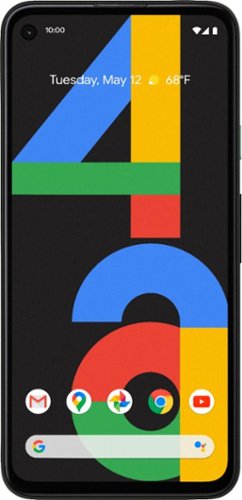
Meet Pixel 4a, the helpful Google phone at a helpful price. It comes packed with all the things you want in a phone, for a lot less than you~d expect.
Customer Rating

5
The Pixel 4a Delivers Without Draining Your Wallet
on August 26, 2020
Posted by: lambda100
With the Pixel 4a, Google proves you can get a lot of phone without having to buy the top of the line flagships. Sure it’s not as sleek as the premium phones and doesn’t include features such as waterproofing, 5G, and wireless charging, but at the mid-range price that Google is charging for this phone, it still packs a ton of features and is the perfect phone for the value conscious consumer.
Having used so many larger, heavier phones that stuck out of my back pocket, I have forgotten how well a small 5.8” screen phone feels in one hand. The phone is very light, but the weight is well balanced and it is easy to steady and touch the screen on one hand. The screen itself is bright and the colors on the display are vibrant. At its brightest setting, I was easily able to see the contents of the screen in bright sunlight.
I really enjoy the Google line of phones, such as this Pixel 4a, because of the pure android experience. No third party bloatware apps and no third party user interfaces to bog down the system. It doesn’t have the powerful processors like the more expensive phones, but I don’t feel the average consumer needs it. This phone handles all the typical tasks with ease. Apps open nearly instantaneously and swiping is smooth and dynamic. I also love the fingerprint sensor to unlock the phone. The sensor does a fantastic job recognizing my fingerprint and unlocks quickly.
Perhaps the best feature of the pixel 4a is the camera. What google has done with the combination of camera hardware and software is nothing short of astonishing. Pictures in daylight and low light are just gorgeous and sharp. Even when zooming into the photo and pixel peeping, you are able to see details. Photos are bright, with plenty of contrast, natural color, and dynamic range. With Portrait mode, you can adjust the background blur as though you had taken the picture with a DSLR with an expensive lens. The camera also handles challenging lighting conditions with ease. I love the Night Sight feature on the camera. It basically allows you to take a photo with very little available light and makes it look like it was taken in a more well lit environment. It’s just amazing what the software can do. Adding to that is the astrophotography feature within Night Sight which allows pictures to be taken of the stars by taking long exposure shots. You’ll need to mount the camera on a tripod to do this though. For video, the camera can shoot in 1080p (30fps, 60fps) and also in 4k. It also features slow motion, time lapse, panorama shots, and photo sphere. The camera on the pixel 4a shows you that you can get some impressive pictures and videos without having to resort to using a DSLR.
And let us not forget about the Google Assistant on the phone. This is a new Google Assistant which allows it to have more interaction with your apps such as sending texts, searching photos, and getting directions.
I fiddled with apps, streamed movies and music, browsed the web, and made phone calls throughout the day and the battery kept up with me. Unless you are a heavy user, I don’t see why the phone shouldn’t be able to last a day between charges.
One feature that brought a smile to my face is that Google kept the 3.5 mm headphone jack on the pixel 4a for those times we still need a wired connection to our legacy audio devices.
In summary, you’d be hard pressed not to consider the pixel 4a on your short list of mid-range phones. It is comfortable to hold with one hand, performs exceptionally well, has a battery that can last the day, has a top of the line camera, and even retains the headphone jack! With the pixel 4a you also get a guaranteed minimum three years of operating system and security updates. A lot of phone manufacturers won’t update beyond the installed OS, so there is real value here with the pixel 4a. I highly recommend the phone.
Mobile Submission: False
I would recommend this to a friend!
Share this review:


+2points
3of 4voted this as helpful.
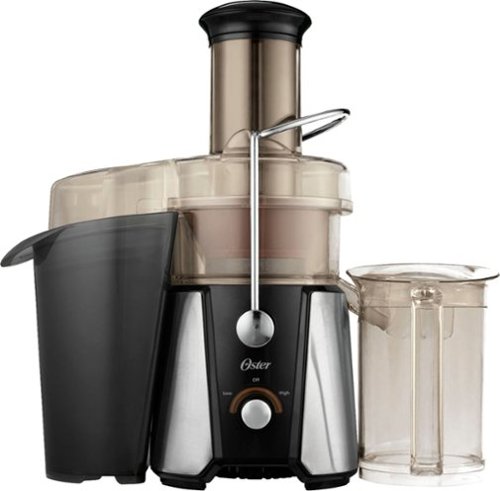
Make vegetable and fruit juices with this Oster JusSimple easy juicer. The wide feeding chute fits vgetables and whole fruits, while the two-speed juicer lets you prepare fresh juice quickly. This Oster JusSimple easy juicer features a Rinse 'n Ready filter and a detachable, dishwasher-safe blade for easy cleanup.
Customer Rating
5
Skip the Store Bought Juice; Buy this Instead
on May 9, 2020
Posted by: lambda100
The Oster Juice Extractor is an easy to use, no frills juicer that does a fantastic job getting every last drop of juice out of the pulp. Using the juice extractor, I juiced carrots, apples, pineapples, pears, grapes, spinach,and kale. The juicer performed flawlessly.
Here are some of the things I like about it.
Pros:
Easy assembly: Once you get the hang of it, it’ll take less than a minute to put all the pieces back together after cleaning.
Easy assembly: Once you get the hang of it, it’ll take less than a minute to put all the pieces back together after cleaning.
Simple to Use: A single knob controls the juicer. Turn the knob to the right and it spins at high speed; turn it to the left and it spins at low speed; and turn it back to the neutral position switches the juicer off. Can’t get any easier to use than that. You only have two speed options: high and low, nothing in between. High speed for hard fruits and veggies and low speed for soft fruits and veggies.
Efficient: I expected the pulp that was collected in the pulp container to be wet with residual juice, but was pleasantly surprised by how dry the pulp was. The juicer does a fantastic job extracting as much of the juice as possible. To get any more juice from the pulp, you would need to upgrade to the pricier masticating juicers.
Large 32 oz pitcher: The container is large enough to hold 4 cups of juice. You can even put your own glass underneath the spout by attaching the juice nozzle to prevent splashing.
Con:
The only thing I did not enjoy about the juicer is the clean up. I washed the parts by hand, but they are dishwasher safe. There are six pieces to wash. That’s a lot to clean. However, they all wash off very quickly except for the filter basket. I wash all the parts immediately after juicing so that nothing sticks to the juicer parts. Cleaning the filter basket is not as easy as the “Rinse N’ Ready” that the Oster marketing claims it to be. Pulp is clinging to the fine mesh filter basket and must be dislodged. You can’t simply run it under the faucet to remove the pulp. What makes this a bit precarious is that the cutting blade sits at the bottom of the filter basket, so you will have to be extra careful not to cut your fingers as you’re washing the filter basket. What worked for me when cleaning the filter basket was to use a soft bristle toothbrush. The bristles easily dislodged the pulp from the filter under running water and I did not have to risk cutting my fingers on the cutting blade.
The only thing I did not enjoy about the juicer is the clean up. I washed the parts by hand, but they are dishwasher safe. There are six pieces to wash. That’s a lot to clean. However, they all wash off very quickly except for the filter basket. I wash all the parts immediately after juicing so that nothing sticks to the juicer parts. Cleaning the filter basket is not as easy as the “Rinse N’ Ready” that the Oster marketing claims it to be. Pulp is clinging to the fine mesh filter basket and must be dislodged. You can’t simply run it under the faucet to remove the pulp. What makes this a bit precarious is that the cutting blade sits at the bottom of the filter basket, so you will have to be extra careful not to cut your fingers as you’re washing the filter basket. What worked for me when cleaning the filter basket was to use a soft bristle toothbrush. The bristles easily dislodged the pulp from the filter under running water and I did not have to risk cutting my fingers on the cutting blade.
Finally, I want to mention the Extra Wide Food Chute. Oster claims that the Food Chute fits whole fruits and veggies, even a whole apple. Well, the truth is that the diameter of the food chute is just a hair over 2.75”. Most apples, pears, and oranges are larger than 2.75.” Therefore, plan on cutting the fruits down to size before feeding it into the chute.
Verdict: The juicer works so well and is so simple to use that I can forgive Oster for the marketing claims. I would definitely recommend the Oster Juice Extractor for those looking to promote healthy living.
Mobile Submission: False
I would recommend this to a friend!

Share this review:


+8points
9of 10voted this as helpful.
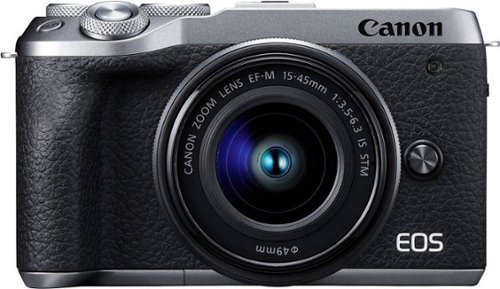
Catch memorable moments in 4K quality with this Canon M6 EOS Mark II camera kit. Built-in Wi-Fi and Bluetooth functionality enable easy sharing of your 32.5MP photos, while the 14 fps burst mode and AF/AE tracking keep up with the demands of high-speed shooting. This Canon EOS M6 Mark II camera kit includes a 15-45mm lens for stunning close-ups..
Customer Rating
5
This is the Canon Mirrorless to Get
on December 23, 2019
Posted by: lambda100
**Summary**
Equipped with a class leading 32.5 Megapixel CMOS APS-C sensor, excellent image quality, a precise and accurate dual pixel auto focusing (AF) system, and high speed continuous shooting all crammed into a compact, lightweight body, Canon engineered a remarkably high performing mirrorless camera to capture life’s precious moments and test your creativity . That in a nutshell are the Canon M6 mark II’s (M6ii) hallmark features and what it aims to deliver; And boy does this camera deliver!
Equipped with a class leading 32.5 Megapixel CMOS APS-C sensor, excellent image quality, a precise and accurate dual pixel auto focusing (AF) system, and high speed continuous shooting all crammed into a compact, lightweight body, Canon engineered a remarkably high performing mirrorless camera to capture life’s precious moments and test your creativity . That in a nutshell are the Canon M6 mark II’s (M6ii) hallmark features and what it aims to deliver; And boy does this camera deliver!
**Styling**
The M6ii I received is the graphite black capped with a silver top and bottom. This gives the camera a classic, vintage-retro look which I just adore. I was taking some photos the other day with it and a friend was wondering why I was still using an old film camera. Really liking the look of this camera!
The M6ii I received is the graphite black capped with a silver top and bottom. This gives the camera a classic, vintage-retro look which I just adore. I was taking some photos the other day with it and a friend was wondering why I was still using an old film camera. Really liking the look of this camera!
**Touchscreen**
The 3 inch touchscreen can be tilted 180 degrees up for vlogging and selfies, and 45 degrees downward to get some of those above the head shots. While the tilt screen is good, I wished the M6ii had the more familiar vari-angle flip screen allowing for greater flexibility for those tough angle compositions.
The 3 inch touchscreen can be tilted 180 degrees up for vlogging and selfies, and 45 degrees downward to get some of those above the head shots. While the tilt screen is good, I wished the M6ii had the more familiar vari-angle flip screen allowing for greater flexibility for those tough angle compositions.
**Performance**
The M6ii is an amazing performer limited only by the lens you put on it. The dual pixel CMOS AF system is lightning quick, precise, and accurate. Enabling continuous AF with face and eye detection, I was able to take sharp portraits of my kids who have a hard time standing or sitting still. With AI Servo AF tracking turned on, the camera captures action shots with ease and with a high percentage of keepers. Add to that a 14 frames per second (fps) high speed continuous shooting with AF and auto exposure (AE) tracking and you won’t be missing any of the action. Canon also boasts RAW mode shooting of up to 30 fps with 0.5 seconds of pre-shooting images to capture the perfect moment. I was amazed at the sharpness of the photos and the speed of the AF system after reviewing the photos I took of my kids running around.
The M6ii is an amazing performer limited only by the lens you put on it. The dual pixel CMOS AF system is lightning quick, precise, and accurate. Enabling continuous AF with face and eye detection, I was able to take sharp portraits of my kids who have a hard time standing or sitting still. With AI Servo AF tracking turned on, the camera captures action shots with ease and with a high percentage of keepers. Add to that a 14 frames per second (fps) high speed continuous shooting with AF and auto exposure (AE) tracking and you won’t be missing any of the action. Canon also boasts RAW mode shooting of up to 30 fps with 0.5 seconds of pre-shooting images to capture the perfect moment. I was amazed at the sharpness of the photos and the speed of the AF system after reviewing the photos I took of my kids running around.
**The Kit Lens is Forgettable**
Of course how the camera performs and the quality of images you get depend on the lens you outfit with the camera. And this brings me to the weak link of the package - the included 15-45mm f/3.5-6.3 IS STM kit lens. The kit lens is a good introduction to the M6ii, but that’s about it. It’ll give you acceptable image quality for static subjects and may work for moving subjects in good lighting conditions, but will not showcase the outstanding DIGIC 8 image processor or the CMOS sensor. For this you’ll want some of Canon’s native fast primes for its EF-M mirrorless mount system such as the 22mm f/2 STM and the 32 mm f/1.4 STM. (Sigma, a third party manufacturer has come up with their f/1.4 “mirrorless trio” of fast glass that should be on any serious shooter’s wish list.).
Of course how the camera performs and the quality of images you get depend on the lens you outfit with the camera. And this brings me to the weak link of the package - the included 15-45mm f/3.5-6.3 IS STM kit lens. The kit lens is a good introduction to the M6ii, but that’s about it. It’ll give you acceptable image quality for static subjects and may work for moving subjects in good lighting conditions, but will not showcase the outstanding DIGIC 8 image processor or the CMOS sensor. For this you’ll want some of Canon’s native fast primes for its EF-M mirrorless mount system such as the 22mm f/2 STM and the 32 mm f/1.4 STM. (Sigma, a third party manufacturer has come up with their f/1.4 “mirrorless trio” of fast glass that should be on any serious shooter’s wish list.).
Even Canon thinks the 15-45mm kit lens is forgettable. On Canon’s own product webpage for the M6ii with kit lens, it provides three sample pictures taken with the camera, none of which were taken with the 15-45mm kit lens. Tells you how much Canon thinks about the image quality of this lens.
**Get the EF EOS M Mount Adapter**
You’ll also be able to take advantage of Canon’s entire universe of EF and EF-S lenses with the EF EOS M Mount Adapter. I purchased this separately and am glad I did. I have a small collection of Canon EF-S and EF lenses along with several third party Sigma lenses. The lenses I attached to the M6ii via the M Mount adapter are as follows: Canon EF 50mm f/1.8 II (non STM version), Canon 18-135mm IS nano USM, Canon 55-250mm IS STM, Sigma 70-200 f/2.8 OS (the generation right before the release of the Sport badge), Sigma 17-50 f/2.8 OS, Sigma 30mm f/1.4 (the generation before the Art badge), and Sigma 10-20mm f/3.5. And guess what the results were when I tested all these lenses? They all performed flawlessly on the M6ii as though they are natively EF/EF-S mounted. Autofocus speed, accuracy, precision, focus tracking, and image stabilization are just the same as if they performed on my Canon 70D. Didn’t matter if it is a Sigma lens. Nothing was lost in the communication between the Sigma lens to the Canon M6ii. And on the M6ii with its 32.5 megapixel CMOS sensor, DIGIC 8 image processor, and ultra accurate and lightning auto focus, I had a larger percentage of action shot keepers. As a bonus, the sensor and processor of the M6ii resolved the image with more detail, clarity, and sharpness than on my 70D. I am sure that if you have the Canon L series lenses attached to the M6ii via the EF EOS M Mount Adapter, you’ll be even more pleased with the results.
You’ll also be able to take advantage of Canon’s entire universe of EF and EF-S lenses with the EF EOS M Mount Adapter. I purchased this separately and am glad I did. I have a small collection of Canon EF-S and EF lenses along with several third party Sigma lenses. The lenses I attached to the M6ii via the M Mount adapter are as follows: Canon EF 50mm f/1.8 II (non STM version), Canon 18-135mm IS nano USM, Canon 55-250mm IS STM, Sigma 70-200 f/2.8 OS (the generation right before the release of the Sport badge), Sigma 17-50 f/2.8 OS, Sigma 30mm f/1.4 (the generation before the Art badge), and Sigma 10-20mm f/3.5. And guess what the results were when I tested all these lenses? They all performed flawlessly on the M6ii as though they are natively EF/EF-S mounted. Autofocus speed, accuracy, precision, focus tracking, and image stabilization are just the same as if they performed on my Canon 70D. Didn’t matter if it is a Sigma lens. Nothing was lost in the communication between the Sigma lens to the Canon M6ii. And on the M6ii with its 32.5 megapixel CMOS sensor, DIGIC 8 image processor, and ultra accurate and lightning auto focus, I had a larger percentage of action shot keepers. As a bonus, the sensor and processor of the M6ii resolved the image with more detail, clarity, and sharpness than on my 70D. I am sure that if you have the Canon L series lenses attached to the M6ii via the EF EOS M Mount Adapter, you’ll be even more pleased with the results.
**Video**
And let’s not forget about motion pictures. The Canon M6ii is a competent video camera. Vloggers and content creators have the option to record in uncropped 4K UHD 30fps, FHD at 30fps or 60fps, and HD at 60fps. The camera can also produce slow motion capture in FHD at 120fps. It can also create some neat time lapse video as well. There is a microphone jack to attach an external mic. Perhaps the only disappointment observed by the video community is that the M6ii lacks recording at 24fps which is the standard for cinematographers. Canon has issued a response via its web product page stating that there will be a firmware update in 2020 to include 24fps.
And let’s not forget about motion pictures. The Canon M6ii is a competent video camera. Vloggers and content creators have the option to record in uncropped 4K UHD 30fps, FHD at 30fps or 60fps, and HD at 60fps. The camera can also produce slow motion capture in FHD at 120fps. It can also create some neat time lapse video as well. There is a microphone jack to attach an external mic. Perhaps the only disappointment observed by the video community is that the M6ii lacks recording at 24fps which is the standard for cinematographers. Canon has issued a response via its web product page stating that there will be a firmware update in 2020 to include 24fps.
**Other Notable Features**
+Even at 12,800 ISO, images are surprisingly acceptable when the noise reduction is turned to the High setting.
+The camera comes with the detachable electronic viewfinder (EVF), which is a great addition to have when you’re out in bright sunlight or if you’re so used to a viewfinder like myself that you cannot live without it. You can view everything in the EVF as though you were looking at the touchscreen.
+Touch and drag AF is a great feature. With it enabled, while peering through the EVF, the touch screen turns into a touch pad where you can use your finger to move the auto focus point to the desired location, and you can see it move in the EVF.
+The mechanical shutter is limited up to 1/4000 sec, but the electronic shutter can shoot up to 1/16000 sec.
+The electronic shutter is a silent shutter. This means you can shoot discreetly during a performance or event that cannot be disturbed (e.g. music recital)
+It’s a compact and discreet camera. People on the streets are often times turned off by a big dslr with an equally big lens. However, with the M6ii paired with an EOS M fast prime, it is perfect for street photography.
+With the included bulb mode, you can shoot some awesome star trail shots just like the pros.
+Interval shooting is a nice feature if you want to piece together your own time lapse using other video software.
+Button customization. Canon makes it easy to reassign the physical buttons and dials on the camera to the way you like to use your camera. One thing I always do is to assign a back button focus and eliminate the half press shutter focus.
+Take advantage and take the time to learn to connect the M6ii wirelessly via bluetooth and wifi. You will be glad you did. I tried it, and I don’t think I’ll ever go back to taking the memory card out of my camera to insert into the computer. You’ll be able to magically transfer photos directly to your smartphone, PC/laptop, or to a cloud service. If you have a studio set up with a PC, you can control the camera functions and take photos with the Canon EOS Utilities software. Install the Camera Connect app on your smartphone and view and download all the pictures and videos from your M6ii to your phone. Better yet, use this same app connected via bluetooth/wifi to remotely activate the shutter for that perfect group shot with yourself included. No need to have a 10 sec or 2 sec timer tripping over the tripod to get yourself into that group shot.
+Even at 12,800 ISO, images are surprisingly acceptable when the noise reduction is turned to the High setting.
+The camera comes with the detachable electronic viewfinder (EVF), which is a great addition to have when you’re out in bright sunlight or if you’re so used to a viewfinder like myself that you cannot live without it. You can view everything in the EVF as though you were looking at the touchscreen.
+Touch and drag AF is a great feature. With it enabled, while peering through the EVF, the touch screen turns into a touch pad where you can use your finger to move the auto focus point to the desired location, and you can see it move in the EVF.
+The mechanical shutter is limited up to 1/4000 sec, but the electronic shutter can shoot up to 1/16000 sec.
+The electronic shutter is a silent shutter. This means you can shoot discreetly during a performance or event that cannot be disturbed (e.g. music recital)
+It’s a compact and discreet camera. People on the streets are often times turned off by a big dslr with an equally big lens. However, with the M6ii paired with an EOS M fast prime, it is perfect for street photography.
+With the included bulb mode, you can shoot some awesome star trail shots just like the pros.
+Interval shooting is a nice feature if you want to piece together your own time lapse using other video software.
+Button customization. Canon makes it easy to reassign the physical buttons and dials on the camera to the way you like to use your camera. One thing I always do is to assign a back button focus and eliminate the half press shutter focus.
+Take advantage and take the time to learn to connect the M6ii wirelessly via bluetooth and wifi. You will be glad you did. I tried it, and I don’t think I’ll ever go back to taking the memory card out of my camera to insert into the computer. You’ll be able to magically transfer photos directly to your smartphone, PC/laptop, or to a cloud service. If you have a studio set up with a PC, you can control the camera functions and take photos with the Canon EOS Utilities software. Install the Camera Connect app on your smartphone and view and download all the pictures and videos from your M6ii to your phone. Better yet, use this same app connected via bluetooth/wifi to remotely activate the shutter for that perfect group shot with yourself included. No need to have a 10 sec or 2 sec timer tripping over the tripod to get yourself into that group shot.
**Some Minor Gripes**
-The EVF attaches to the hot shoe. For someone like myself who likes using a viewfinder to compose shots and also use an external flash for indoor flash bounce, this becomes a problem. I cannot use the EVF and external flash simultaneously.
-Similar scenario for videographers who like to attach an external microphone to the hot shoe. You won’t be able to use the EVF simultaneously.
-Because the EVF is detachable, it can easily be misplaced.
-Mediocre battery life. According to the specs, the battery lasts for approximately 305 shots using the touchscreen, 250 shots thru the EVF, and around 410 when in ECO mode. That’s not much. Plan on getting an extra battery if you plan to shoot a lot for the day.
-The camera body is not weather sealed (but neither are the lenses I own). Don’t take the camera out in the rain.
-The EVF attaches to the hot shoe. For someone like myself who likes using a viewfinder to compose shots and also use an external flash for indoor flash bounce, this becomes a problem. I cannot use the EVF and external flash simultaneously.
-Similar scenario for videographers who like to attach an external microphone to the hot shoe. You won’t be able to use the EVF simultaneously.
-Because the EVF is detachable, it can easily be misplaced.
-Mediocre battery life. According to the specs, the battery lasts for approximately 305 shots using the touchscreen, 250 shots thru the EVF, and around 410 when in ECO mode. That’s not much. Plan on getting an extra battery if you plan to shoot a lot for the day.
-The camera body is not weather sealed (but neither are the lenses I own). Don’t take the camera out in the rain.
**Conclusion**
The M6ii is a compelling camera that is compact and lightweight, but is big on features, rivaling some of the best enthusiast cameras on the market today. It takes excellent photos, focuses quickly to capture the most fleeting action shots, and has very high speed continuous shooting. With all the advanced features built into the camera, one would think it is geared for advanced amateurs to enthusiasts. That is not totally the case since Canon integrates fully automatic and scene modes to aid beginners. This is definitely a camera that a novice can grow with. As for the advanced amateurs and enthusiasts, they will feel at home with the advanced feature set in the M6ii. Even professional photographers will find some interest in the M6ii as a secondary camera when they don’t need to carry around the bulk.
The M6ii is a compelling camera that is compact and lightweight, but is big on features, rivaling some of the best enthusiast cameras on the market today. It takes excellent photos, focuses quickly to capture the most fleeting action shots, and has very high speed continuous shooting. With all the advanced features built into the camera, one would think it is geared for advanced amateurs to enthusiasts. That is not totally the case since Canon integrates fully automatic and scene modes to aid beginners. This is definitely a camera that a novice can grow with. As for the advanced amateurs and enthusiasts, they will feel at home with the advanced feature set in the M6ii. Even professional photographers will find some interest in the M6ii as a secondary camera when they don’t need to carry around the bulk.
I have decided to retire my 70D after using the M6ii.
I highly recommend that you put the M6ii on your short list of cameras to consider.
Mobile Submission: False
I would recommend this to a friend!


Share this review:


0points
0of 0voted this as helpful.
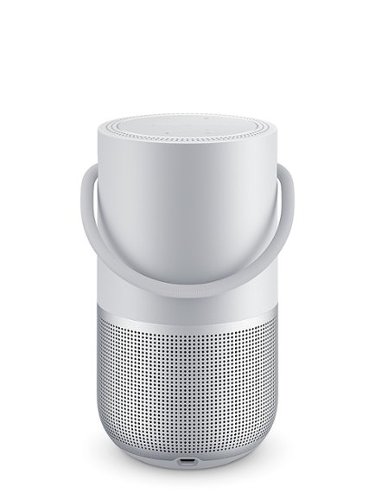
Smart. Portable. Powerful. The Bose portable smart speaker is a wireless home speaker, a portable Bluetooth speaker, and a voice-controlled speaker, all in one. And no matter what you listen to or where, you'll hear it all in 360 degrees of astonishing Bose sound.
Customer Rating
5
Alexa, Buy the Bose Portable Home Speaker
on October 3, 2019
Posted by: lambda100
Featuring a combination of excellent audio quality with integrated voice assistant, Bose has crafted an incredible smart speaker that’s ready to get out of the home and provide the soundtrack to your life wherever you go.
~~Pros~~
+360 degree rich, lively, immersive audio. The audio is well balanced. There is even crispness and sparkle in the treble frequencies which is a pleasant surprise since Bose’s signature sound is known for its richness and warmth. The speaker spreads sound evenly in all directions with no dead spots. Placing it near the corner of walls allows the audio to reflect off the walls to create a wider spatial feel to the sound. The bass is powerful and punches deep. (For comparison, the bass competes well against my Sony XB41, and that is one bassy speaker.) Audio from this speaker can easily fill a mid size room with no distortion when turning up the volume.
+360 degree rich, lively, immersive audio. The audio is well balanced. There is even crispness and sparkle in the treble frequencies which is a pleasant surprise since Bose’s signature sound is known for its richness and warmth. The speaker spreads sound evenly in all directions with no dead spots. Placing it near the corner of walls allows the audio to reflect off the walls to create a wider spatial feel to the sound. The bass is powerful and punches deep. (For comparison, the bass competes well against my Sony XB41, and that is one bassy speaker.) Audio from this speaker can easily fill a mid size room with no distortion when turning up the volume.
Not enough bass or treble? Feel free to adjust both the bass and the treble via the Bose Music app. You can go from -100 to +100 in increments of 10. Bose didn’t used to allow the user to custom adjust the Bose signature sound, figuring that the factory tuned audio quality was good enough for all types of music. How wrong that was. Some music genres benefit with more bass, others with less. And similarly, some can use more or less treble. Bose seems to now recognize this with the series of smart home audio products (e.g. bose 700 soundbar) that the company is introducing as of late with the ability to adjust both bass and treble.
+Choice of Alexa or the Google assistant with the option to switch between the two whenever you feel like it. Some days you want to listen to Alexa’s voice and other days you might want to converse with the Google Assistant. At least now you can have two virtual friends to talk to, but you can’t get them to both work simultaneously. Simply switch between voice assistants in the Bose Music app. I think it’s great that Bose was able to get both assistants on a single smart speaker. Other smart speaker manufacturers only offer Alexa or Google Assistant, but not both. Kudos to Bose for allowing the option to switch. This obviously helps to increase sales.
The microphones work well. Even with music playing loudly, the mics are able to pick up my voice from across the room to activate the voice assistant.
+wifi audio streaming using pandora, iheart radio, amazon music, spotify, siriusXM, tune in, and deezer. Wifi streaming quality is superior to bluetooth. So whenever, wifi audio streaming is available, you should choose that option.
+Wifi or bluetooth, its up to you. It’s a wifi and bluetooth speaker all in one. When you are away from wifi, simply connect and listen to music thru bluetooth.
+Bose Music app - Easy to use and feature rich. Save preset stations, adjust bass and treble, group Bose’s smart home audio speakers, adjust volume, select one of the aforementioned wifi streaming services. You’ll need to install the Bose Music app and create an account to perform the initial set up for the speaker.
+usb c charging. I list it as a pro, even though many devices today have already shifted to the usb c charging as a standard.
The Bose portable home speaker isn’t perfect by any means though. Some wonderful features from the good ole dumb bluetooth speaker days didn’t make the cut into the latest modern smart speaker devices. These notable omissions as well as other things are listed here as Cons.
~~Cons~~
-The Bose portable home speaker does not come with the charging cradle which allows you to simply place the speaker on top of it without having to plug it in to charge. It is available to purchase separately for another $30. For the price Bose is charging for the speaker, you would think they could throw in the charging cradle.
-The Bose portable home speaker does not come with the charging cradle which allows you to simply place the speaker on top of it without having to plug it in to charge. It is available to purchase separately for another $30. For the price Bose is charging for the speaker, you would think they could throw in the charging cradle.
-The 3.5mm audio jack has gone the way of the dodo bird. Bose has simply done away with it. Most of us probably wouldn’t use it anymore, but it would have been nice to include just for completeness sake so you can tell this generation of youth that in the old days (errr..last year) you had to use a wire to connect to audio devices.
-No speakerphone ability. It’s a smart home speaker, but not smart enough to allow you to use it as a speakerphone. It has sophisticated microphones that pick up your voice from across a room only to allow you to speak commands to your voice assistant, but not speak with a real person. Go figure. For this reason, I can’t part with my Bose Soundlink Mini II which, even though it is a dumb speaker, is smart enough to allow me to use it as a speakerphone.
-Portable is relative. Sure this Bose smart speaker is portable, but it’s bigger and heftier than, say the Bose Revolve Plus, Bose Revolve, or my favorite Bose Soundlink Mini II. If you’ve ever had the pleasure of owning or using the Bose Soundlink Mini I or II, you will know how compact and low profile the speaker is. It’s always advertised with a photo of the speaker sitting on the palm of your hand. That is a portable speaker that I can easily throw into a bag. Not so much with the Bose portable home speaker. It is portable, but you’ll need a bigger bag.
-You can take it out of the home, but it’s not as rugged as other portable bluetooth speakers. The Bose portable home speaker shares the same cylindrical lantern design as the Bose Revolve speakers, but those have rubber bumpers at the top and bottom of the speakers to protect them during an impact. Bose clearly designed the portable home speaker to have a more aesthetic appeal to blend with indoor furnishing rather than for the outdoor ruggedness.
With an IPx4 rating, the Bose portable home speaker is water resistant, meaning it can withstand splashes of water, but can’t be submerged like other portable speakers rated with IPx7 waterproof ratings.
Here are some other observations:
*You can only use the voice assistant as long as the speaker is connected through wifi. The voice controls will not work when you’re no longer within wifi range.
*You can only use the voice assistant as long as the speaker is connected through wifi. The voice controls will not work when you’re no longer within wifi range.
*For the occasions when you don’t want Amazon or Google listening to your conversation, you can simply turn off the microphone by pushing the mic on/off button at the top of the speaker.
*Although they look physically similar, the Bose portable home speaker does not have a tripod mount like the Bose Revolve speakers.
*It takes approximately 4 hrs to fully recharge the battery. Bose states the speaker can play up to 12 hrs. I was using the speaker at 50% volume and it has lasted well over 12 hrs.
~~Should you buy it?~~
This is one of those products where I would not hesitate recommending. The cons I listed are minor niggles that should not discourage you from putting the Bose portable home speaker at the top of your list to audition. Although it is on the pricier side, Bose has engineered an outstanding speaker with superb audio qualities that will bring a smile to your face when you listen to it.
This is one of those products where I would not hesitate recommending. The cons I listed are minor niggles that should not discourage you from putting the Bose portable home speaker at the top of your list to audition. Although it is on the pricier side, Bose has engineered an outstanding speaker with superb audio qualities that will bring a smile to your face when you listen to it.
Mobile Submission: False
I would recommend this to a friend!


Share this review:


+26points
34of 42voted this as helpful.
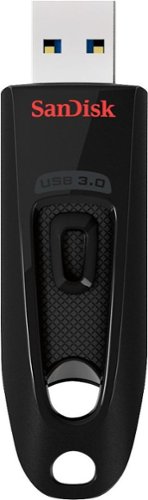
Step up to high-speed USB 3.0 speeds and transfer your videos, photos and files up to ten times faster than standard USB 2.0 drives. SanDisk Ultra USB 3.0 Flash Drive takes the wait out of moving, sharing or backing up big files - now you can transfer a full length movie from your laptop to your flash drive in less than a minute. Password protection lets you keep your private files private, while still allowing you to share generously with family and friends. And with a sleek, sturdy SanDisk Ultra USB 3.0 Flash Drive in your pocket, you won~t need an internet connection to access those photos and videos anyplace and anytime you want. For more than 25 years, SanDisk has been known for quality and reliability all around the world.
Customer Rating
4
A Flash Drive with Cloud BackUp
on March 20, 2019
Posted by: lambda100
I really like that the Sandisk USB 3.0 256gb flash drive has plenty of space for all of my music files, videos, and documents. Even though it is stated as 256gb drive, actual available storage space is 233gb. Build quality on the drive is poor. The all plastic enclosure is loose and wobbly and it gives the impression that it can break off if inserted or removed with force. You’ll need to handle this drive with care.
I performed a non-scientific test of write speed. I transferred 27 gb of music files to the flash drive and it took 27 minutes, so 1gb/min. The drive does become warm during file transfer, but the amount of heat generated appears normal.
The flash drive comes with two useful software to enable file security and access. The first is Sandisk’s Secure Access Vault which is a file encryption software. You simply create a password and encrypt your files by dropping them into the Sandisk Vault. They are then electronically locked or encrypted. Nobody will be able to access your files without the decryption password. The only way to access the files is to enter your password in the Vault.
The flash drive comes with two useful software to enable file security and access. The first is Sandisk’s Secure Access Vault which is a file encryption software. You simply create a password and encrypt your files by dropping them into the Sandisk Vault. They are then electronically locked or encrypted. Nobody will be able to access your files without the decryption password. The only way to access the files is to enter your password in the Vault.
Another handy tool is Sandisk Flashback. Flashback automates the backup process by transferring the entire contents in the flash drive to Sandisk’s Cloud. You’ll be able to view and download the contents in the flash drive online without having the flash drive physically present. This becomes handy if you either left your flash drive at home or, worse, lost your flash drive entirely. You can recover all of your backed up content online. You can also share files with anyone by simply sending them a link to access the files in your Sandisk Cloud without having to attach large files onto an e-mail.
In order for all of this to function, Flashback software needs to be installed locally on your desktop or laptop computer to upload files to Sandisk’s Cloud server. You’ll also need to create an account on the Sandisk Flashback website to access your files in Sandisk’s Cloud server. Flashback is free for the 1st year, after that you’ll need to pay an annual subscription fee to continue access to your backed up files in the Sandisk Cloud. I’ve attached a picture showing the subscription pricing at the time of my review.
One limitation of the cloud backup feature is that backing up to the Sandisk cloud only works if you have the flash drive connected to a computer that has the Flashback software installed. In practice, there are numerous instances where you’ll be using the drive at a workstation, say at work computer or a friend’s computer, where the Flashback software isn’t installed. The flash drive becomes a regular, run of the mill storage drive. There’s nothing wrong with this, you just simply need to be aware that no Cloud back up is being performed until you plug the flash drive back into your computer that has the Flashback software installed.
Another limitation is that if you have files encrypted in the Sandisk Vault, those encrypted files will naturally remain encrypted, as they should, when backed up to the Sandisk Cloud. However, there is no way for you to access the encrypted files online in the Sandisk Cloud website since you won’t be able to decrypt the files without the Sandisk Vault. The encrypted files can only be decrypted locally from within the flashdrive.
All in all, this is a decent high capacity flash drive with some extra bonus features for securing your files and automatically backing up your flash drive to the cloud. I would recommend the flash drive.
Mobile Submission: False
I would recommend this to a friend!

Share this review:


+24points
32of 40voted this as helpful.
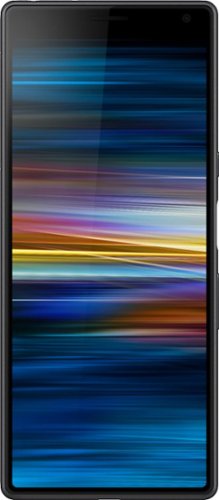
Enjoy mobile communications with this Sony Xperia 10 smartphone. A Qualcomm Snapdragon 2.2GHz octa-core processor and 3GB of RAM facilitate multitasking and smooth running of applications, while the 6-inch Full HD display lets you watch high-quality videos. This Sony Xperia 10 smartphone features 64GB of internal storage for music tracks, videos and documents and supports microSD cards of up to 512GB.
Customer Rating
4
Feature Packed Without Breaking the Bank
on March 16, 2019
Posted by: lambda100
**Summary**
With its uniquely long and narrow 21:9 aspect ratio, the new mid-range Sony Xperia 10 caters to users who consume cinematic content and multi-task using split screen. Combining premium build quality, smooth performance, feature rich front and rear cameras, and a nearly stock android operating system, Sony shows us that it can offer great value without too many compromises.
With its uniquely long and narrow 21:9 aspect ratio, the new mid-range Sony Xperia 10 caters to users who consume cinematic content and multi-task using split screen. Combining premium build quality, smooth performance, feature rich front and rear cameras, and a nearly stock android operating system, Sony shows us that it can offer great value without too many compromises.
**Performance**
The Sony Xperia performs very well for a mid-range phone. It is easy to hold with one hand, no matter if you have large or small hands. The phone feels centrally balanced with a smooth back and a nicely finished full HD 1080 x 2560, 6” screen constructed with Corning Gorilla Glass 5 material. It comes pre-installed with Android 9 Pie, and Sony doesn’t deviate much from stock Android. There isn’t much bloatware that comes with it other than Sony’s own Xperia Lounge app and an FM Radio app. Netflix and Facebook come pre-installed and baked into the OS as well, but I would have much rather it not come prepackaged since it doesn’t give us any flexibility to uninstall these apps. After all, how hard is it to download these apps from the Google Play Store?
The Sony Xperia performs very well for a mid-range phone. It is easy to hold with one hand, no matter if you have large or small hands. The phone feels centrally balanced with a smooth back and a nicely finished full HD 1080 x 2560, 6” screen constructed with Corning Gorilla Glass 5 material. It comes pre-installed with Android 9 Pie, and Sony doesn’t deviate much from stock Android. There isn’t much bloatware that comes with it other than Sony’s own Xperia Lounge app and an FM Radio app. Netflix and Facebook come pre-installed and baked into the OS as well, but I would have much rather it not come prepackaged since it doesn’t give us any flexibility to uninstall these apps. After all, how hard is it to download these apps from the Google Play Store?
**Swiping: Swiping and scrolling across the screen are smooth, fast, and instantaneous.
**Unique Sony Features: Sony adds two new very useful features to the Android user interface to facilitate navigation with one hand: 1. One Handed Mode and 2. Side Sense. I think that Sony acknowledges that this is a tall phone where some folks with smaller hands may find it difficult to reach all the way to the top of the screen while holding it with one hand. To solve this, Sony introduces One Handed Mode in which you can double tap the home button to reduce the display size of the screen that you are viewing. The smaller screen can be resized to your choosing. The reduced screen can now be easier to navigate with one hand. Think of this as Sony’s version of resizing a screen for Android similar to how you would reduce the screen size on a Windows PC environment. The second feature is Side Sense. By double tapping a sensor area bar to the right edge of the screen, it will bring up your frequently used apps. I think both of these features should be implemented on all smartphones. I applaud Sony with my free hand (while holding my Sony phone with the other hand) for coming up with them.
**Camera: The dual rear camera comes with a 13MP f/2.0 and 5MP f/2.4 cameras. The front camera is an 8MP, f/2.0 shooter. The camera performs very well under sufficient lighting. The HDR feature on the camera does a fantastic job balancing out a high contrast scene. Pictures come out sharp, detailed, and colors are accurately reproduced. In my experience, even low light photos are acceptable with the Sony Xperia. You’ll need to expect some graininess, artifacts from high iso, and softness in your pictures under low light using the Sony Xperia’s camera. After all, the camera’s tiny image sensor and software post processing can only do so much. The built in flash will help with some of these situations. Apart from this, the camera comes with various modes to improve your experience: Portrait Selfie, Bokeh, Slow Motion, Manual, Creative Effect, and Panorama Modes are all available to explore.
**Video: The Sony Xperia does a fine job recording video. You have a choice in recording in 4K (16:9)(I assume it’s 30fps), 4K (21:9)(again, 30fps?), Full HD (30fps), Full HD (60fps), HD, VGA, and MMS. Sony offers Steady Shot to stabilize the video images.
**21:9 Aspect Ratio: I don’t think any other smartphone manufacturer on the market right now offers a 21:9 aspect ratio other than Sony. Sony purposely chose the 21:9 aspect ratio to enable users to watch cinematic content on its smartphones without the top and bottom black bars that you frequently find when watching movies on screens that do not have the native 21:9 aspect ratio that cinema is shot in. It definitely works well when watching movies. The entire smartphone screen, every pixel in fact, was used when I watched movies using the phone. However, keep in mind that this only works for content that was produced in the 21:9 aspect ratio. Sony’s marketing department conveniently forgets to mention that for all other video content, you’ll see not only the top and bottom bars, but perhaps some left and right black bars as well as they were not originally recorded in the 21:9 aspect ratio. I found this out while watching some youtube content when I maximized the video screen only to find out that I had a video bordered on all sides by thick black frames. I heard these black bars will show up for some shows on Netflix as well. So much for the 21:9 marketing. Sigh.
To Sony’s credit, however, the 21:9 aspect ratio does work well for split screen usage. It provides plenty of usable real estate when using two apps such as browsing with the Chrome web browser simultaneously while reading Gmail. I found split screen particularly useful when listening to music off of YouTube. We’ve all been there where we’re listening to music on Youtube, and tried placing the app in the background only to find out that the music turns off. Well, with split screen, this provides a workaround where you simultaneously have the Youtube app open on half the display while using your other app, e.g. Gmail or Chrome browser, on the other half of the display.
**What else should you know about the Sony Xperia 10?**
+Let’s not forget about call quality, after all this is a cell phone first and an entertainment center second. Call voices come through clearly and the speaker can get plenty loud. I’m on T-mobile, and the phone works well with this carrier.
+The phone has a 3.5mm aux jack to connect headphones. Kudos to Sony for not following other manufacturers in abandoning the 3.5mm jack.
+The internal speaker sounds surprisingly good. Great clarity for dialogue and music from a small speaker, but I still recommend connecting a bluetooth speaker or using headphones.
+Battery: It’s a 2,870 mAh capacity battery. I got around 7 hours running on 50% brightness and playing movies continuously. On standby, with only wifi on, the battery percentage dropped approximately 5% in 10 hours. I believe that with moderate use, you’ll have no problem getting through a whole day without charging. Sony also includes a Stamina mode that kicks in to conserve battery when the battery percentage drops to a certain number of your choosing.
+The first thing you should do after powering on the phone and connecting to your network is to update the phone to Sony’s latest version of the OS. It has been reported that the phone may experience some performance hiccups with the factory shipped OS out of the box.
+If you remove the compartment that houses the nano Sim card while the phone is on, it will automatically power down and reboot. Don’t be alarmed. This is normal for the Sony Xperia 10.
+The tray for the micro SD card will require you to have some length to your fingernails in order to pry it out to insert your micro SD card.
+You can use a micro SD Card with up 512Mb of storage.
+The phone is spec’d with 64 gb of internal storage, however, there’s actually only around 49 gb that’s available for use. The operating system took out a large chunk of storage.
+I don’t know how many nits of screen brightness the display can be at its brightest, but I was quite happy that I was able to still view the content on the screen outside in bright sunlight without having to shade the phone. Even my Google Pixel XL (1st Gen) couldn’t get to such brightness levels and had difficulty viewing under sunlight. And that’s considered a premium phone.
+The phone comes with bluetooth v5.0, but if all of your connecting devices are v 4.x and below, you won’t be able to take advantage of what v5.0 has to offer.
+The Sony Xperia 10 has the Google Assistant built in. Once you teach it to recognize your voice, the phone’s microphone easily pick up your “Hey Google” or “Okay Google” command and responds.
+Let’s not forget about call quality, after all this is a cell phone first and an entertainment center second. Call voices come through clearly and the speaker can get plenty loud. I’m on T-mobile, and the phone works well with this carrier.
+The phone has a 3.5mm aux jack to connect headphones. Kudos to Sony for not following other manufacturers in abandoning the 3.5mm jack.
+The internal speaker sounds surprisingly good. Great clarity for dialogue and music from a small speaker, but I still recommend connecting a bluetooth speaker or using headphones.
+Battery: It’s a 2,870 mAh capacity battery. I got around 7 hours running on 50% brightness and playing movies continuously. On standby, with only wifi on, the battery percentage dropped approximately 5% in 10 hours. I believe that with moderate use, you’ll have no problem getting through a whole day without charging. Sony also includes a Stamina mode that kicks in to conserve battery when the battery percentage drops to a certain number of your choosing.
+The first thing you should do after powering on the phone and connecting to your network is to update the phone to Sony’s latest version of the OS. It has been reported that the phone may experience some performance hiccups with the factory shipped OS out of the box.
+If you remove the compartment that houses the nano Sim card while the phone is on, it will automatically power down and reboot. Don’t be alarmed. This is normal for the Sony Xperia 10.
+The tray for the micro SD card will require you to have some length to your fingernails in order to pry it out to insert your micro SD card.
+You can use a micro SD Card with up 512Mb of storage.
+The phone is spec’d with 64 gb of internal storage, however, there’s actually only around 49 gb that’s available for use. The operating system took out a large chunk of storage.
+I don’t know how many nits of screen brightness the display can be at its brightest, but I was quite happy that I was able to still view the content on the screen outside in bright sunlight without having to shade the phone. Even my Google Pixel XL (1st Gen) couldn’t get to such brightness levels and had difficulty viewing under sunlight. And that’s considered a premium phone.
+The phone comes with bluetooth v5.0, but if all of your connecting devices are v 4.x and below, you won’t be able to take advantage of what v5.0 has to offer.
+The Sony Xperia 10 has the Google Assistant built in. Once you teach it to recognize your voice, the phone’s microphone easily pick up your “Hey Google” or “Okay Google” command and responds.
**Should you buy it?**
The Xperia 10 has plenty of noteworthy features packed into a mid-range phone. It’ll definitely suit most users’ needs whose concerns are mainly focused around speedy performance, a very capable camera, and a beautiful bright screen. And as an added benefit, it won’t break the bank. If you consider the Xperia 10 by itself, it’s definitely worthy to be considered at its price point. However, the decision becomes hazy when you begin to consider competing mid-range phones. Under the hood, the Sony Xperia 10’s processor is a capable, but aging Snapdragon 630 chip with 3 gb of RAM and with an average 2,870 mAh battery. Keen consumers will notice that competing manufacturers are releasing phones with a newer, faster Snapdragon 632 chip, 4 gb of RAM, and batteries having capacities over 3,000mAh at a similar or lower price point.
The Xperia 10 has plenty of noteworthy features packed into a mid-range phone. It’ll definitely suit most users’ needs whose concerns are mainly focused around speedy performance, a very capable camera, and a beautiful bright screen. And as an added benefit, it won’t break the bank. If you consider the Xperia 10 by itself, it’s definitely worthy to be considered at its price point. However, the decision becomes hazy when you begin to consider competing mid-range phones. Under the hood, the Sony Xperia 10’s processor is a capable, but aging Snapdragon 630 chip with 3 gb of RAM and with an average 2,870 mAh battery. Keen consumers will notice that competing manufacturers are releasing phones with a newer, faster Snapdragon 632 chip, 4 gb of RAM, and batteries having capacities over 3,000mAh at a similar or lower price point.
The Xperia 10 keeps up with the mid-range competition, but is quickly at risk of falling behind in terms of technical specs. I think Sony made a misstep here and this is where I decided to deduct a star from my rating. It should have at least offered the faster 632 chip, 4 gb RAM, and a larger capacity battery to lead the competition especially with its 21:9 aspect ratio, which is its biggest selling point.
Technical specs aside though, I still really enjoyed the solid premium build quality, the snappy performance, and the super wide 21:9 very bright screen. This is a worthy phone that should be on your mid-range short list.
Mobile Submission: False
I would recommend this to a friend!

Share this review:


+1point
41of 81voted this as helpful.
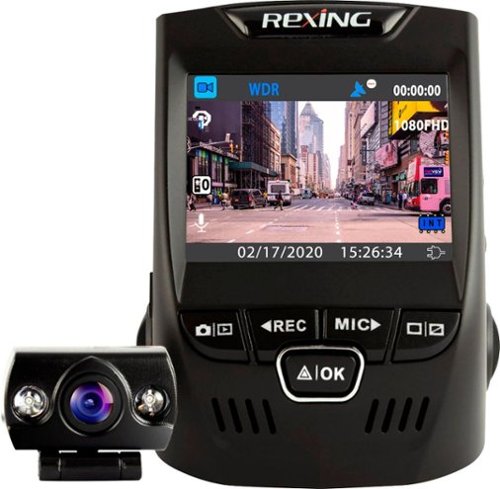
Only at Best BuyKeep track of events that happen on the road with this V1P Plus dash cam. The simple design affixes to your windshield in minutes using the included mounting hardware, and the screen lets you review footage. With a mini USB port, this V1P Plus dash cam connects to your car's charger for a continuous power supply.
Customer Rating
4
Excellent Front Camera; Dismal Rear Camera
on January 1, 2019
Posted by: lambda100
**Summary**
The Rexing V1P+ dash cam is a mixed bag combining a superb 1080p front dash cam with a shamefully mediocre VGA rear camera.
The Rexing V1P+ dash cam is a mixed bag combining a superb 1080p front dash cam with a shamefully mediocre VGA rear camera.
**Installation**
If you’ve never installed a dash cam yourself and feel intimidated, let me reassure you that it is not that difficult. I consider myself an average joe, and it was also my first time installing a dash cam. I gained familiarity and confidence by watching all the installation videos on the rexingusa.com webpage. Then I went onto youtube and watched some more tutorials until I felt comfortable that I could handle the task myself. If you still don’t think you can perform the installation, you can always have the Best Buy geek squad professionally install it for you.
If you’ve never installed a dash cam yourself and feel intimidated, let me reassure you that it is not that difficult. I consider myself an average joe, and it was also my first time installing a dash cam. I gained familiarity and confidence by watching all the installation videos on the rexingusa.com webpage. Then I went onto youtube and watched some more tutorials until I felt comfortable that I could handle the task myself. If you still don’t think you can perform the installation, you can always have the Best Buy geek squad professionally install it for you.
Since I have never done it before, I took my time with the installation. It took me around an hour and a half to hook up both the front and rear cameras and hide all the wires around the car trim.
**The Good**
+Two Options for Installation. The dash cam kit comes with wiring for two types of installations: You can connect the dash cam wiring to your vehicle’s 12V DC power charging outlet or you can hardwire the wires to the vehicle’s fusebox.
+Useful Plastic Trim Tool. The dash cam kit also comes with a plastic trim tool to help with opening the gaps in the vehicle’s trim and hiding the wire. I’m glad Rexing included the trim tool because I didn’t have one of these tools in my toolbox.
+Wires that keep going and going. The wires for both the front and rear cameras are very long. You won’t have any problem with stringing the rear camera to the back of a long suv or minivan. I had plenty of excess wiring left over.
+Wow, That Front Camera. The 1080p front camera has excellent video quality. BOTH daytime and night time images are sharp, clear, colorful and vibrant, and shows plenty of detail. Reviewing the videos on my computer screen, I could clearly read license plates, vehicle makes and models, determine vehicle color, read roadway signage and see signal lights, all of which may be valuable evidence when submitting video to your car insurance company or in cases where there are disputes.
**The Shortcomings**
-Yikes, That Poor Rear Camera Quality. The rear view camera is VGA 640x480p resolution quality. This resolution may have been fine in the late 80s and 90s, but with today’s video resolution advancements, it shouldn’t have cost that much more for Rexing to provide a 1080p rear view camera for the V1P+ dash cam package. Daytime video is washed out, with very little color, with poor contrast, graininess, and pixelation. It’s difficult to make out any details of vehicles, license plates are nearly illegible, and I couldn’t tell what the vehicles’ colors were. It was nearly like a black and white video. Dusk video is okay, a little worse than daytime video. However, when it is time to use the rear cam at night, that’s when the video becomes unacceptable. Bright headlights will overwhelm the rear video camera, creating what looks like blobs of light over where the vehicle should appear in the video. In background areas like sidewalks and edges of roadways where the lighting isn’t directly shining into the camera, the video appears to be better. The night time video would be inadmissible as evidence to an insurance company since it lacks the crucial details (e.g. you’ll only see the blobs of light from the vehicle that rear ends you and speeds away. No license plate will be captured in the video). I spent all this time hooking up and hiding the wires for the rear cam only to find out that the camera video quality is so pitiful. I want to make a note I made sure the rear camera lens was clean and that my rear windshield was clean both on the inside and outside before I made the above observations with the camera.
-The supplied Hardwire Kit is not universal. It will only work in certain vehicles where the fuse box has empty or spare fuse slots. If you have no spare slots in your vehicle’s fuse box, then you’ll need to perform a fuse tap. You will need to purchase a separate hardwire kit for the add-a-circuit/add-on/piggyback fuse tap. Really wish Rexing included the fuse tap hardwiring kit instead of the one that was supplied. A fuse tap is a more universal approach for hardwiring installations.
-The V1P camera uses a lithium ion battery instead of a capacitor to power the camera as it is saving the video file in the last moments when you park the car and turn off the ignition. In extremely hot environments, the interior of a car will sizzle. Heat and batteries just don’t mix. Just imagine what the heat is doing to that lithium ion battery. It will swell, leak, and break the internals in the camera. Capacitors on the other hand are not susceptible to such risks. So if you live in an area where it will be hot and you do decide to purchase the V1P+ dash cam, I recommend that you remove the camera from the windshield mount when parking under the hot sweltering sun. It’s a pain to always be doing so, but it will help prolong the life of your camera battery. Otherwise, just purchase a dash cam with a capacitor instead of a battery.
**Do I recommend the V1P+ Rexing dash cam?**
Yes, but a qualified recommendation. If you plan to use the camera in moderate climates and will not depend on the quality of the VGA rear camera for night time use other than as a novelty item, then this dash cam package will suit your needs, and I say go for it.
For the rest of us, including myself who live in a climate where summer days are typically well above 90 degrees F and even reaching above 100 degrees F, and who would prefer to have a very good video rear camera quality as evidence in a vehicle incident to go along with that excellent front dash cam, then I would not recommend this particular offering from Rexing.
Instead I would recommend you consider the Rexing V1P PRO dash cam package. It addresses all the aforementioned shortcomings of the V1P+. The PRO package comes with 1080p resolution for both front and rear cams, it has a super capacitor instead of a lithium ion battery for those of us who live in hot climates, and also has internal GPS logging and wifi file transfer as added bonuses. At the time of my review, the V1P PRO package at Best Buy is $50 more expensive than the V1P+, but I think it is worth the money. In fact I’ll be buying the Rexing V1P PRO package for my other car.
In the end, I gave the Rexing V1P+ dash cam a total of 4 stars. I had to deduct a star for the poor quality rear camera. I feel that it is important to have good video quality for both cameras. Why short change us on the rear camera?
Mobile Submission: False
I would recommend this to a friend!
Share this review:


+41points
46of 51voted this as helpful.
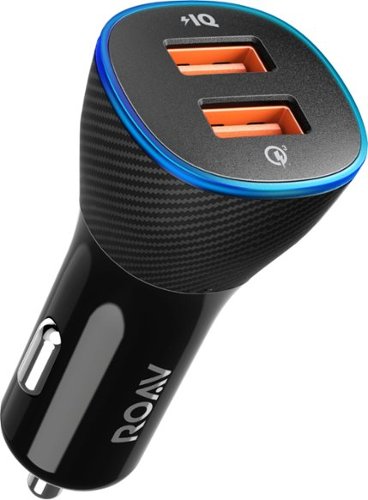
Keep gadgets powered and your vehicle in check with this dual-port ROAV SmartCharge Spectrum car charger. Its built-in car locator and engine battery monitor functions relay important vehicle information on the ROAV app, and the 30W Quick Charge 3.0 and PowerIQ 2.0 USB ports provide efficient performance. Personalize this ROAV SmartCharge Spectrum car charger via its LED lighting.
Customer Rating
5
Excellent Car Charger; Decent Car Locator
on December 27, 2018
Posted by: lambda100
The Roav 2 port car charger does an excellent job recharging both my google pixel xl and samsung galaxy s9 phones simultaneously with lightning speed. I highly recommend this charger for fast charging of your latest gadgets in your vehicle.
The added bonus of the Roav car charger is that it also has a feature that uses your phone’s GPS and bluetooth functions to set the location of your parked car when you turn off the ignition. It then embeds the location of your parked car graphically onto a Google map via the Roav Charger app. Then from your phone’s GPS and a Google map, you can see where you are relative to your parked car. This is supposed to assist you in locating your car if you forgot where you parked it.
From the Roav Charger app you can take a picture to assist you with remembering your vehicle’s parking location and also set a parking timer for those times that you need to remember to move your car or feed a curbside parking meter. This is nothing extraordinary that your phone doesn’t already have. The Roav app simply consolidates your phone’s camera app and the clock/timer app into a bundled package.
In my testing, the Roav car locator app works well as long as the phone’s GPS is working well. However, once I entered a concrete subterranean parking structure where my phone’s GPS could no longer pinpoint my location, the Roav app displayed “Weak GPS Signal. Failed to locate parking spot.”
Finally, the Roav car charger also has a feature that monitors your car battery’s voltage by relaying the voltage reading to the Roav Charger app. This is supposed to help alert you when your car’s battery needs to be checked up by your mechanic. I used a digital multimeter hooked directly to my car battery to cross check the accuracy of the voltage reading from the Roav charger. My mutimeter read 12.6 volts and the Roav app displayed 12.3 volts. The Roav charger is pretty darn accurate. I was impressed.
In summary, I think Anker has developed a great product at a reasonable price. It’s a fast charger with some nice bonuses to help you remember where you parked and to monitor your car’s battery. I have already recommended this device to my friends and coworkers.
Mobile Submission: False
I would recommend this to a friend!
Share this review:


0points
0of 0voted this as helpful.

Create digital copies of paper documents with this Epson WorkForce wireless scanner. It provides fast operation to effortlessly handle a large volume of forms or receipts, and the LCD screen displays the connection and battery level status. Nuance OCR converts outputs from this Epson WorkForce wireless scanner into searchable, editable versions for efficient file management.
Customer Rating
4
A Great Scanner for the Road Warrior
on December 22, 2018
Posted by: lambda100
Summary
The Epson WorkForce ES-60W is an ideal scanning companion for the road warrior, mobile business professional who needs to get the job done when taking a picture with a smartphone and calling it a scanned image is simply not good enough.
The Epson WorkForce ES-60W is an ideal scanning companion for the road warrior, mobile business professional who needs to get the job done when taking a picture with a smartphone and calling it a scanned image is simply not good enough.
Here’s the essentials of what you need to know about the ES-60W to make your purchase decision:
THE GOOD
+Portability - Really ultra portable. This scanner checks all the boxes for for those who need something compact and lightweight. The scanner measures a measly 10.7” x 1.8” x 1.3” (see the photograph) and weighs a featherweight 0.7 lbs. It easily fits in a business briefcase, messenger bag, or a large pocket of a laptop bag.
+Portability - Really ultra portable. This scanner checks all the boxes for for those who need something compact and lightweight. The scanner measures a measly 10.7” x 1.8” x 1.3” (see the photograph) and weighs a featherweight 0.7 lbs. It easily fits in a business briefcase, messenger bag, or a large pocket of a laptop bag.
+Fast Scanning. I tested the scanning speed and can corroborate Epson’s marketing claim that this scanner can complete a single page (8.5”x11”) scan in 4 seconds. Doesn’t matter if its color, black and white, or gray scale. Super fast scans. This is of course using the standard 300 dpi setting. If you needed a super high resolution image of 1200 dpi, which this scanner will do, it will take 8 seconds to complete. That’s still pretty fast in my book.
+Connect Wirelessly or Wired. It’s up to you. The Epson software will automatically detect when it is connected via the supplied usb cable and switch to wired mode. You have choices even for wireless connection: manual wireless connection through your home or office router, automatic connection through Wireless Protected Setup (WPS) if your router has that feature, or Direct WiFi mode where the scanner creates its own wireless access point (AP) and you go to your computer or phone’s wifi settings and locate the Epson scanner SSID. In wireless AP mode, you’ll need to enter in the network security password which is located on the underside of the ES-60W scanner.
+Scans to the Cloud, to your local pc/laptop/mac, and to your smartphone. Send the scan via e-mail or to Google Drive or to Dropbox.
+Epson Smart Scan program has lots of features and adjustments.
+Similarly, the Epson Document Scan app for smartphones is feature rich and easy to use. I love that you can scan directly into the phone with the app. Eliminates the need to take out the laptop.
+Comes with a software plug-in to convert and save your scans directly into Microsoft Word, Excel, and PowerPoint documents for editing.
+The scanner software will create searchable pdfs. Great when you need to search for keywords in a document.
+Scans multiple sheets into a single file. You’ll just need to manually feed the sheets one-by-one into the scanner. Each sheet is displayed immediately on the computer screen while it scans, so you’ll be able to see if the scan was incomplete or coming out warped or excessively skewed and rescan those sheets and delete the incomplete/warped scans before saving the file.
+Battery Meter. There is a battery meter on the scanner that provides an estimate of the amount of battery remaining. In the Epson Scan 2 Utility you can also set up the time intervals where the scanner will go into Power Save Stand-By mode and shut off.
+Comes with a cleaning sheet that will clear the scanner of dust when spots or lines start appearing on the scanned image.
+Comes with a calibration sheet to help fix image quality problems (supposed to fix image blurriness, color inaccuracies, vertical lines on images). Haven’t had to use it yet, but handy to have.
THE NOT SO GOOD
-Feeding the sheet into the scanner will take practice, and even after you think you’ve mastered it, you’ll sometimes still need to support the paper with your hand to ensure that it makes contact with the roller that brings the paper into the scanner. In the ideal scenario, the scanner’s roller is supposed to automatically ‘grab’ the paper so that when you hit the scan button, it will feed the paper through the scanner without your further assistance. However, in actual practice you’ll find out that the scanner’s automatic grab and feed is far from perfect. As I described above, sometimes you’ll need to gently support the sheet with your hand and ensure the paper makes positive contact with the roller (see the photograph). If you do this, you will have a more enjoyable experience with the scanner.
-Simplex (SINGLE SIDED) scanning only. In other words, no duplex scanning. I’m sure Epson could easily include duplex scanning in the ES-60W, but it was probably a marketing decision to leave it out so as not to cannibalize sales of its other portable scanners that do offer duplex scanning.
-The Epson Smart Scan program only saves in PDF, searchable PDF, and JPG. That’s probably enough for the 99% of users out there. For example, it won’t save as a TIFF, BMP, or PNG if that’s what you’re interested in. I’ve used other scanners that save the scans to a wide variety of formats. You’ll just need other software to help with those conversions when using the ES-60W.
-Epson uses micro-usb and usb 2.0 type-A for the cable connections for the ES-60W scanner when usb type-c is becoming ubiquitous. Just saying, that’s all. You can render your own judgement depending on the connections on your pc/mac/laptop.
-Questionable build quality. It’s fine that the scanner is constructed entirely from plastic to cut down on weight. However, do note that the top piece of the scanner has some flex to it. I’m concerned that excess flexing at the top of the scanner may cause some damage to the internals. I just don’t know. I’ll be a bit careful about where and how I place the scanner in my travel bag. Would have been nice if Epson could have designed the top piece with some more reinforcement to prevent flex.
Would I recommend the Epson ES-60W?
The shortcomings I listed above are not enough to prevent me from recommending this scanner. Given its compactness and light weight, the ultra portability alone is enough reason to give this scanner some serious consideration. This little scanner is an excellent performer as I was able to scan documents, business cards, fine paper receipts, and even photographs (using a carrier sheet) with the Epson ES-60W without issue. The feature rich Epson Document Scan app allows you to quickly make image and scanning adjustments without having to reach for your laptop and is a very nice modern convenience to have.
The shortcomings I listed above are not enough to prevent me from recommending this scanner. Given its compactness and light weight, the ultra portability alone is enough reason to give this scanner some serious consideration. This little scanner is an excellent performer as I was able to scan documents, business cards, fine paper receipts, and even photographs (using a carrier sheet) with the Epson ES-60W without issue. The feature rich Epson Document Scan app allows you to quickly make image and scanning adjustments without having to reach for your laptop and is a very nice modern convenience to have.
I’ve used many Epson scanners over the years for both work and home. So far I have yet to be disappointed by any of them. They all produce good to very good scanned images. You really can’t go wrong with the ES-60W if you’re a professional who’s always on the go and need a high quality scanner in your business tool box.
Mobile Submission: False
I would recommend this to a friend!


Share this review:


+33points
33of 33voted this as helpful.
lambda100's Review Comments
lambda100 has not submitted comments on any reviews.
lambda100's Questions
lambda100 has not submitted any questions.
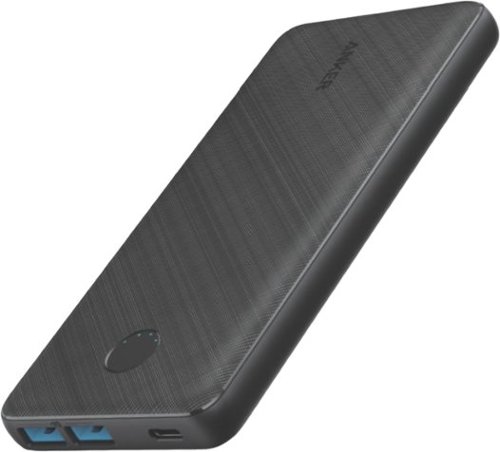
PowerCore III 20K is a slim and powerful portable 20000mAh battery. With two USB-A port outputs and one USB-C PD input, this is all you need as your charging companion.
Is this battery allowed on an airplane?
The Anker PowerCore III 20K is rated at 72 Whr, which is within the FAA limit of 100 Whr. It is allowed on an airplane. I took it on an airplane without issue.
4 years, 9 months ago
by
lambda100
Make the most of every day with the sleek style, performance, and all-day battery life~ you need in the lightest Surface Laptop, all at an exceptional value. Ultra-light and portable profile, the apps* you use every day, premium materials, and a choice of must-have colors will make this your go-to laptop. ~Up to 13 hours of battery life based on typical Surface device usage. Testing conducted by Microsoft in September 2020 using preproduction software and preproduction configurations of Surface Laptop Go Testing consisted of full battery discharge with a mixture of active use and modern standby. The active use portion consists of (1) a web browsing test accessing 8 popular websites over multiple open tabs, (2) a productivity test utilizing Microsoft Word, PowerPoint, Excel and Outlook, and (3) a portion of time with the device in use with idle applications. All settings were default except screen brightness was set to 150nits with Auto-Brightness disabled. Wi-Fi was connected to a network. Battery life varies significantly with settings, usage and other factors.
What version of Windows does Surface Laptop Go ship with?
Make the most of every day with the sleek style, performance, and all-day battery life~ you need in the lightest Surface Laptop, all at an exceptional value. Ultra-light and portable profile, the apps* you use every day, premium materials, and a choice of must-have colors will make this your go-to laptop. ~Up to 13 hours of battery life based on typical Surface device usage. Testing conducted by Microsoft in September 2020 using preproduction software and preproduction configurations of Surface Laptop Go Testing consisted of full battery discharge with a mixture of active use and modern standby. The active use portion consists of (1) a web browsing test accessing 8 popular websites over multiple open tabs, (2) a productivity test utilizing Microsoft Word, PowerPoint, Excel and Outlook, and (3) a portion of time with the device in use with idle applications. All settings were default except screen brightness was set to 150nits with Auto-Brightness disabled. Wi-Fi was connected to a network. Battery life varies significantly with settings, usage and other factors.
Does this computer have USB ports
The Surface Laptop Go has 1 usb-c port and 1 usb-a port.
5 years, 11 months ago
by
lambda100
Make the most of every day with the sleek style, performance, and all-day battery life~ you need in the lightest Surface Laptop, all at an exceptional value. Ultra-light and portable profile, the apps* you use every day, premium materials, and a choice of must-have colors will make this your go-to laptop. ~Up to 13 hours of battery life based on typical Surface device usage. Testing conducted by Microsoft in September 2020 using preproduction software and preproduction configurations of Surface Laptop Go Testing consisted of full battery discharge with a mixture of active use and modern standby. The active use portion consists of (1) a web browsing test accessing 8 popular websites over multiple open tabs, (2) a productivity test utilizing Microsoft Word, PowerPoint, Excel and Outlook, and (3) a portion of time with the device in use with idle applications. All settings were default except screen brightness was set to 150nits with Auto-Brightness disabled. Wi-Fi was connected to a network. Battery life varies significantly with settings, usage and other factors.
Does the screen detach
The screen does not detach on the Surface Laptop Go.
5 years, 11 months ago
by
lambda100
Make the most of every day with the sleek style, performance, and all-day battery life~ you need in the lightest Surface Laptop, all at an exceptional value. Ultra-light and portable profile, the apps* you use every day, premium materials, and a choice of must-have colors will make this your go-to laptop. ~Up to 13 hours of battery life based on typical Surface device usage. Testing conducted by Microsoft in September 2020 using preproduction software and preproduction configurations of Surface Laptop Go Testing consisted of full battery discharge with a mixture of active use and modern standby. The active use portion consists of (1) a web browsing test accessing 8 popular websites over multiple open tabs, (2) a productivity test utilizing Microsoft Word, PowerPoint, Excel and Outlook, and (3) a portion of time with the device in use with idle applications. All settings were default except screen brightness was set to 150nits with Auto-Brightness disabled. Wi-Fi was connected to a network. Battery life varies significantly with settings, usage and other factors.
Can you switch out of S mode on Surface Laptop Go?
Yes, Microsoft allows you to switch out of S mode to Windows 10 Home. Once you switch out, it is permanent and you will not be able to revert back to Windows in S Mode.
5 years, 11 months ago
by
lambda100

Get work done with this Dell Inspiron Chromebook laptop. The 14-inch Ultra HD touch screen supports EMR pens, and the Intel Core i3 processor powers system tasks smoothly with the 4GB of RAM. The 128GB of eMMC storage lets you store documents and media files on this Dell Inspiron Chromebook laptop.
I know this thing isn't light. But how much does it weigh? I don't see that in specs
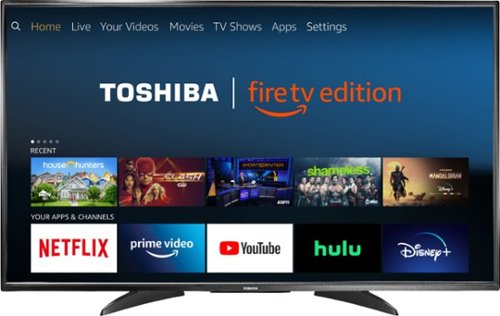
Toshiba 4K UHD Fire TV Edition is a new generation of smart TVs featuring the Fire TV experience built-in and including a Voice Remote with Alexa. With true-to-life 4K Ultra HD picture quality and access to all the movies and TV shows you love, Toshiba Fire TV Edition delivers a superior TV experience that gets smarter every day. The Voice Remote with Alexa lets you do everything you'd expect from a remote~plus, easily launch apps, search for TV shows, play music, switch inputs, control smart home devices and more, using just your voice.
Can it be wall mounted? I don't see any mounting screw holes from the back picture.
Yes, the Toshiba Fire TV Edition can be wall mounted.
Here are the VESA Mounting Patterns for the different size Toshiba Fire TVs:
43" 200 x 300 - M6 x25mm type screws
50" 400 x 200 - M6 x25mm type screws
55" 200 x 300 - M6 x20mm type screws
Here are the VESA Mounting Patterns for the different size Toshiba Fire TVs:
43" 200 x 300 - M6 x25mm type screws
50" 400 x 200 - M6 x25mm type screws
55" 200 x 300 - M6 x20mm type screws
8 years, 3 months ago
by
lambda100
Toshiba 4K UHD Fire TV Edition is a new generation of smart TVs featuring the Fire TV experience built-in and including a Voice Remote with Alexa. With true-to-life 4K Ultra HD picture quality and access to all the movies and TV shows you love, Toshiba Fire TV Edition delivers a superior TV experience that gets smarter every day. The Voice Remote with Alexa lets you do everything you'd expect from a remote~plus, easily launch apps, search for TV shows, play music, switch inputs, control smart home devices and more, using just your voice.
Can you mira cast or screen cast from your phone/tablet/laptop wirelessly?
No. The Toshiba Fire TV Edition is not equipped with the wireless screen casting feature.
8 years, 3 months ago
by
lambda100
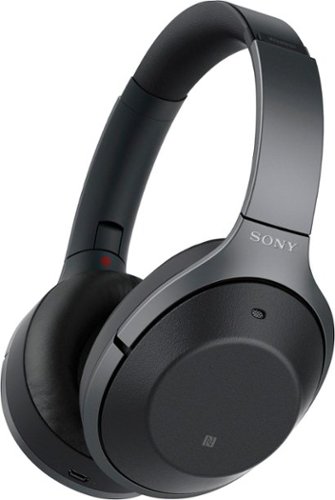
Listen to your playlist in peace with these Sony headphones. They have a 40mm dome driver to deliver the full depth of audio, and the noise cancelling feature minimizes outside disturbances for a better listening experience. These Sony headphones have a battery life of up to 30 hours for extended jam sessions.
Can anyone who has used these AND the Bose QC35 comment on the overall comfort for long trips? The QC35s are good, but I can't wear them for more than 3-4 hours before my outer ears start to hurt from the pressure from the cups.
I have both the QC35 and the 1000XM2. The QC35 is more comfortable on long trips. The 1000XM2 headband forces the earcups to press more firmly against my ears and is less comfortable.
8 years, 11 months ago
by
lambda100
Listen to your playlist in peace with these Sony headphones. They have a 40mm dome driver to deliver the full depth of audio, and the noise cancelling feature minimizes outside disturbances for a better listening experience. These Sony headphones have a battery life of up to 30 hours for extended jam sessions.
Does the cable come with a built in remote? This includes, volume, play pause and microphone.
The audio cable does NOT have a built in remote with in-line mic.
8 years, 11 months ago
by
lambda100