


blah's stats
- Review count106
- Helpfulness votes723
- First reviewFebruary 27, 2015
- Last reviewJuly 21, 2026
- Featured reviews0
- Average rating4.4
Reviews comments
- Review comment count0
- Helpfulness votes0
- First review commentNone
- Last review commentNone
- Featured review comments0
Questions
- Question count0
- Helpfulness votes0
- First questionNone
- Last questionNone
- Featured questions0
- Answer count4
- Helpfulness votes0
- First answerMarch 21, 2019
- Last answerMarch 21, 2019
- Featured answers0
- Best answers0

Feel all the emotion of your music. MOMENTUM 5 Wireless combines our best-ever noise cancellation with brilliant, exceptionally detailed sound. Advanced codecs and a meticulously tuned driver make instruments feel like they~re right there, playing just for you. The new ANC uses twice as many microphones (8) for three times better midrange noise cancellation than MOMENTUM 4 Wireless. The (replaceable) battery provides up to 57 hours of playtime with ANC on. You also get clear calls, gaming mode, and Bluetooth 6.0*. But features don~t define MOMENTUM 5. It~s how effortlessly they disappear, leaving nothing behind but emotion and music.
Customer Rating

5
Best wireless headphones for music and comfort.
on July 21, 2026
Posted by: blah
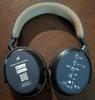
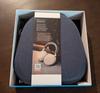
I have had Momentum 3 and Momentum 4 headphones in the past. Both are great. The Momentum 5s continue in that tradition and even better.
The new Momentum 5s are the most comfortable yet. I think the earcups are a bit more comfortable than the previous generation Momentum 4s. The ANC while improved from the previous Momentum 4 headphones, it still is not the best out there. I also own the Sony WH-1000XM6 which is hands down the ANC king, however the Sony XM6 apply so much pressure to my head I cannot wear them for more than 2 hours before I need to take them off for a while. I do not have this issue at all with the Momentum 5s. I can wear them for hours listening to music with no tight pressure on my head and ears.
The Momentum 5s now also introduce user replaceable batteries! This is how all electronics with batteries should be. With just removing one of the earcups and using a small screw driver you can actually replace the battery yourself. If there is one area where all rechargeable batteries will fail, it is that those batteries will one day fail to hold a charge or last as long on a charge. Being able to do this on your own, even years down the line, I think is a huge step forward and I wish more manufacturers would do this. Props to Sennheiser here!!
The sound quality with these headphones is really great. Especially if you like bass in music and tv shows / movies. You can customize the 8 band equalizer to your liking with the Smart Control Plus app, and even layer on more extra bass with a bass boost on and off option. I am using it on my Google Pixel 8 and a Microsoft Surface tablet with no issues with its multipoint connection option in the app. I also have it paired to my soundbar for watching movies and shows and it really shines here too.
Battery life is listed as being 57 hours on a full charge. I lost track of how long I was on before my second full charge, but this sounds like it is correct.
Overall, these are now my official favorite headphones in the last two years. They sound great, are super comfortable, have a user replaceable battery(!!!), and have solid build quality. They also look really nice too. Sennheiser did a really great job here.
I would recommend this to a friend!




Share this review:


+1point
1of 1voted this as helpful.

The Hisense UR8 RGB Mini-LED Series brings next-generation RGB MiniLED to more homes, delivering impressive color, clarity, and performance for everyday viewing. Powered by Chromagic Technology, it uses pure red, green, and blue light instead of a filtered backlight for more natural, lifelike color. With True 100% BT.2020 coverage* and Pantone Validated accuracy, you~ll see richer detail and more realistic tones. Designed for real-world use, RGB MiniLED reduces blue light exposure by up to 50%* while improving energy efficiency. The Hi-View AI Engine RGB automatically optimizes color and brightness for a consistently clear picture. An Ultra-Low Reflection Obsidian Panel maintains deep contrast in any lighting, while a Native 180Hz Refresh Rate keeps motion smooth. A 2.1.2 Multi-Channel Surround Sound system tuned by Devialet delivers immersive audio-bringing the full RGB MiniLED experience to everyday entertainment.
Customer Rating
5
Best bang for your buck for a RGB MiniLED TV!
on June 29, 2026
Posted by: blah
I am coming from owning an LG OLED tv that is about 4 years old. It is a great TV without a doubt. I also own two Sony LCD tvs that were mid tier televisions when I got them. They were just ok. They had much better brightness than my LG OLED, however they lacked dark inky blacks. All LCD / LED tvs for the last few years have never quite gotten to the same “inky black” levels as my LG OLED tv. That is until now. I won’t quite say this UR8 tv, the first year Hisense has moved to its new RGB MiniLED technology, is as deep a black, but it is VERY, VERY CLOSE!! This TV is actually going to actually replace my LG OLED in my living room that has windows on two sides. The OLED always struggled with brightness in this room. This Hisense UR8 does not, while giving me near “inky blacks”. Top that off with this TV gets very bright. Much brighter than my OLED could ever, or even my other Sony T. The brightness helps overcome reflections from the windows and light in my living room.
This TV is actually one step down from the UR9 TV Hisense released just a few months ago. That TV is better in that it has a higher peak brightness, however it is much more expensive, and lacks 4 HDMI 2.1 ports. This TV has 4 HDMI 2.1 ports, and while it does not match the peak brightness of the UR9, I cannot imagine it being much brighter than this UR8 in my bright living room.
The TV OS on GoogleTV which is so much better than the LG OLED OS by leaps and bounds. It is actually pretty snappy, and much faster than the processor in my LG. I no longer feel I need a separate streaming box. Most people can just use all of the built OS apps with no need for an AppleTV or other streaming box. Even apps like KODI can be installed, as the OS is GoogleTV.
This is a big 75” TV, and it is hard to take out and set up for just one person. Make sure you have one other person to help you pull it out of the box. The included stand is very nice and heavy.
Included are a remote, batteries, power cord, TV stand made of a very heavy metal and the hardware for attaching it. There are different levels you can attach the stand to on the back of the TV in case you need room to fit a soundbar underneath it.
The UR8 has 4 HDMI 2.1 ports with one of them being a eARC port. Make sure you use the HDMI port labeled eARC so that you get proper surround sound passthru if you are using a soundbar. The WiFi protocol is Wifi 6E. My WiFi router is right next to my TV, and I got my full bandwidth across WiFi.
This TVs picture quality is fantastic. I really do think it is overall better than my OLED tv given how bright it gets. Even contrast is great for HDR and DV content. I tried playing 4K Blu-Rays on it and all looked great. The motion handling is great, and there are several preset motion handling and picture modes. I also played Xbox Series X and PlayStation 5, and all displayed everything at least as good as my OLED with no fear of ever getting burn-in on this TV. When gaming there is also a separate gaming mode that will show you frame rates, HDR modes, and VRR settings. Within that game mode, there are also other interface “themes” you can choose from, that can change the screen interface to match which type of console you have connected. AMD FreeSync Premium Pro supported too for no screen tearing. That is great as this TV can display up to 180hz!
One thing that has always concerned me with LED/LCD tvs is dimming zones. Even when watching movies that have black bars on the top and bottom, in HDR or Dolby Vision, I could not really notice any white glow in those areas like I would with my other LCD tvs. This is also considering that this tv has less local dimming lights than the step up model in the UR9. The more dimming zones you have the less likely you will be able to see that glowing. I was surprised to see how good this was, especially as I have been used to watching content on an OLED for a few years now where this excels.
Color reproduction is also very good if not great on 4K Blu-Ray content. The Mad Max Fury Road 4K Blu-Ray is my go to for checking color and contrast. This TV surpassed even what I think my OLED delivered in terms of color. I would also say that contrast is nearly the same as what I see on my OLED on the same films, possibly even better on this TV as it reaches a higher level of brightness. It is certainly much better than my Sony LCD TV which looked pretty good at the time I bought it also. The color saturation is just so good with the RGB MiniLED on this TV.
The sound on this TV is also very good. It won’t be replacing a soundbar or surround sound receiver with speakers, however this is one of the best sounding TVs I have ever heard. It has a built in subwoofer on the back of the TV, along with two stereo speakers on either side facing the back as well.
The remote is pretty basic but has everything you would need on it, including a button for Google Assistant, and a few other apps that are built in to the GoogleTV OS.
All in all, this TV is probably the best bang for your buck of all the RGBMini LED tvs to come out this year, including Hisense's own UR9 TVs. Highly recommended!!!
I would recommend this to a friend!

Share this review:


+14points
14of 14voted this as helpful.
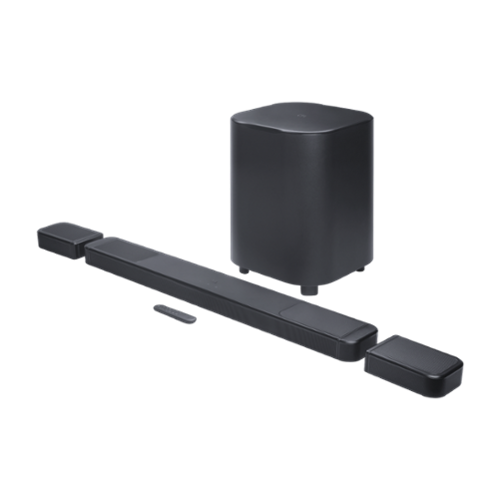
Get ultimate 3D spatial sound in seconds ~ without the wires. You can get a cinematic sound experience in seconds. One that fills your entire room with true Dolby Atmos and DTS:X for vivid, immersive 3D spatial audio that you can customize to fit any moment. Just pick up the detachable wireless speakers from either end of the JBL BAR 1300MK2 soundbar and put them behind where you~re sitting. Far apart for family movie night with the new superhero hit or closer for a cozy romantic playlist~ chosen from hundreds of available streaming services. Feel deep, punchy bass from a mighty 12~ subwoofer and enjoy the widest, most cinematic soundstage with MultiBeam 3.0. When you~re not watching TV, pair one or both of the detachable speakers to any Bluetooth device for portable and powerful sound anywhere in your home. And all of this works seamlessly with your TV. Your TV just can~t offer the rich, powerful sound you deserve, but JBL has meant great sound for cinemas, recording studios, and concert halls for nearly a century. Bring our level of craft to your own home.
Customer Rating

4
Great soundbar for those that like bass!
on April 15, 2026
Posted by: blah
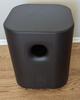
This soundbar sounds better than my Bravia Theater Bar 9 with its own subwoofer. Better bass response from the JBL subwoofer! The JBL subwoofer is HUGE!
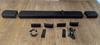
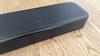
The biggest innovation with the JBL BAR1300XMK2 is that this soundbar has 2 rear wireless channel speakers that connect to the main soundbar physically, but can be removed and placed behind you. Having them directly connected to the soundbar charges them, as these detachable speakers are completely wireless. That is a great thing for me, as my previous setup had rear surround speakers, paired wirelessly to the soundbar, but still required a power cord connection for each speaker to an electrical outlet. It made for a bit of a mess of two power cords that had to be fed under my couch and to an outlet at a not very convenient location in my living room. I made it work, however this setup, the two rear channels are powered by rechargeable batteries!! I just charge them up when not using them directly on the soundbar itself, and detach them and position them right behind my couch. No trying to hide my power cords to the outlet. Each of these speakers can also be charged via a USB cable with a phone charger if you prefer as well. Not only that, but these rear speakers can also be taken away with you and used on their own as a separate bluetooth speaker. I think the rears sound pretty good as rear surround speakers, but there is no deep bass on the speakers when they are used on their own. They aren’t as good as dedicated bluetooth speakers made for something like music. However these are great for listening to podcasts and audiobooks for me as I am in the kitchen.
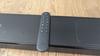
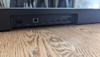
The soundbar itself has 3 HDMI inputs for video sources (more details on that later for gamers), 1 HDMI in that you need to be sure to run to your tv’s “eARC” HDMI port to receive true surround sound signal. There is also an ethernet port, an optical (toslink) input port, a USB port, and of course the electrical port. All of these are on the back of the soundbar. Also included is a physical remote. Most of the setup is actually done via app on your phone. I set mine up via the JBL One app on my android phone. This soundbar will also directly support Dolby ATMOS and DTS-X. Although most streaming content is some flavor of Dolby these days, true home theater enthusiasts will be playing from 4K Blu-Ray discs for the best audio ever. Many of these physical discs will be mixed for DTS-X, which is as good, or in some cases a superior format than Dolby ATMOS. If your soundbar does not support both formats your soundtrack will not play back as intended. I personally would never get any surround sound set-up that does not support both Dolby ATMOS and DTS-X formats.
The only downside here with this soundbar is that I wish JBL would clearly state this is not a soundbar capable of HDMI 2.1 / 4k 120hz. This would really only be an issue should your TV not have a HDMI 2.1k 4K 120hz port on it directly for xbox series, PlayStation or PC gamers. The Xbox Series X has a test option to tell you what your setup is capable of, and when I connect directly from my xbox series x to the JBL soundbar, it will not do 120hz or VRR (variable refresh rate). You are limited to 60hz - that means you will not be able to have frame rates higher than 60 frames per second if your game can actually play faster than that. For me, this was not an issue on a LG C1 OLED tv, where I have 2 dedicated HDMI 2.1 ports. I have a Xbox Series X and PlayStation 5 directly connected there, and the HDMI from the TV to the soundbar. No issues, and it even passes through the surround sound over to the soundbar as true “bitstream” audio. This will also sometimes be called “pass-through” audio.
For testing the soundbar, I have my NVIDIA Shield directly connected to the JBL soundbar. I also made sure that my NVIDIA Shield also is set to only “bitstream” audio out, so that the soundbar correctly recognizes all supported surround formats. I have test video files that I play out of a video player for the major formats, Dolby Digital, Dolby ATMOS and DTS-X. All properly showed they were bitstreaming the audio directly to the soundbar. I then played a 4K Blu-Ray of one of the best surround sound movies ever, DUNE (2021). This is one of the most amazing surround sound mixes for an action/sci-fi move, and really highlights how great this soundbar is. The bass is incredible!! The rear wireless surrounds sound great when the mix uses them (it is a lot in a movie like this). If anything with this JBL soundbar, you will actually want to lower the bass down a little bit, as at it’s default settings it is pretty deep as it is. This JBL soundbar in my opinion sounds better than a soundbar I have had for about 2 years that was far more expensive and also sounded fantastic.
Overall, this is a really impressive setup that I think sounds better than other soundbars that cost much more. I could not recommend it more, however keep in mind if you are a gamer that wants or needs 4K 120HZ with VRR, it will not work if you connect HDM from the console or PC directly to the inputs directly to the soundbar. This might be an issue for some that may not have enough HDMI 2.1 ports directly on their TVs.
I would recommend this to a friend!
Share this review:


+4points
4of 4voted this as helpful.
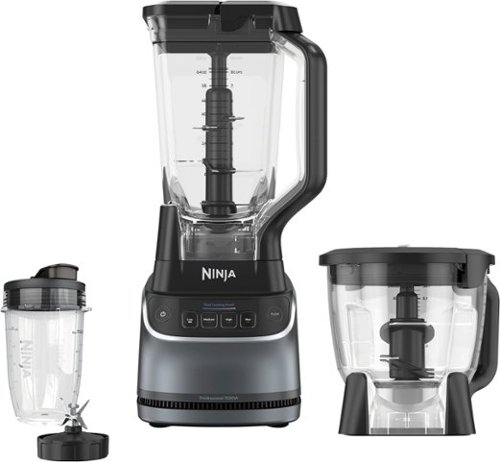
The Ninja UltraCrush Professional Kitchen System delivers 1500-watts of professional power and versatility. Effortlessly crush ice to snow in seconds with Total Crushing Technology in the XL 72-oz.* pitcher, blend nutrient-rich smoothies in the 18-oz. single-serve cup or evenly chop and puree in the 8-cup food processor bowl. Designed to handle tough ingredients, this system delivers power and precision with every blend. Four manual speeds ensure smooth, consistent results every time ~ perfect for your favorite drinks and recipes (*64 oz. max liquid capacity)
Customer Rating
5
Great blender that can do a lot more!
on March 24, 2026
Posted by: blah
Great blender that can blend, crush and process food. It has 1500 watts of power, which for my use seems to be more than enough for making fruit smoothies with strawberries, blueberries and bananas.
The largest attachment holds about 8 cups / 64oz of liquid. There is also a single serve size cup and a medium sized cup between the others. There are 3 power setting buttons on the front of the unit, in addition to a pulse button. The pulse button is useful when processing thicker items with liquid. I wouldn’t quite say this blender can completely replace a true food processor because it does lack some of the attachments that a standalone food processor has, however I have found it can take on just about every food processor job I have tried so far, including nuts and some puréeing of other foods. I mostly will use this as a blender so adding in that it can save me kitchen counter space without needing to have a much larger food processor is fantastic for me.
My most used of the three containers is the smaller single served cup for a quick post workout smoothie. A great blender that can also do a lot more!
I would recommend this to a friend!


Share this review:


+2points
2of 2voted this as helpful.
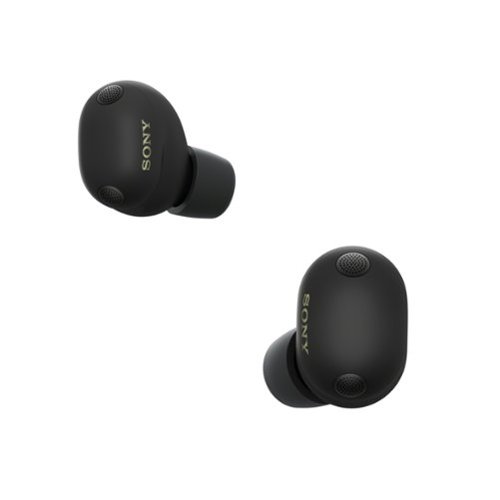
Experience next-generation noise cancellation and studio-level sound, co-created with mastering audio engineers. WF-1000XM6 earbuds deliver our best call-quality, a secure and comfortable fit, and long battery life. Powered by advanced QN3e and V2 processors, you~ll enjoy pure, uninterrupted listening and crystal-clear conversations all day, wherever you go.
Customer Rating
4
Great sounding earbuds for music!
on February 21, 2026
Posted by: blah
Great sounding earbuds that both kill at music reproduction and noise cancelling! Just be aware you have to use the right sized foam tips to get there.
Comfort, sound and ANC (active noise cancellation):
The buds come with foam tips. While foam tips give you great sound, giving you great bass reproduction especially, and help tremendously with the active noise cancelling, for me it comes at the cost of giving me a bit of fatigue on my ears because of the pressure of the foam. While there are 4 total sizes of eartips, S, M (installed right out of the box), L, XL. For me, M was the best size for them to not fall out of my ears and give me best sound quality. I found the S size the buds would fall out. I wish there was one size in between the S and the M. The M fatigued my ears a little bit after about that time. For my use cases this is just fine, as I really only use these earbuds for workouts while listening to music, going for walks, and just around the house. I also use these for calls, but I don’t tend to have calls that are very long anyway. My primary use case for using these is for music. Hip-Hop, electronic, indie, metal and electronic music all sound phenomenal with these earbuds, the best earbuds I have ever had for music hands down! The Sony Sound Connect app allows you to customize not only all the noise cancelling and passthru sound options, but gives you presets for sound, but most importantly a 10 band equalizer. This is really where you can get these to sound how you like.
The buds come with foam tips. While foam tips give you great sound, giving you great bass reproduction especially, and help tremendously with the active noise cancelling, for me it comes at the cost of giving me a bit of fatigue on my ears because of the pressure of the foam. While there are 4 total sizes of eartips, S, M (installed right out of the box), L, XL. For me, M was the best size for them to not fall out of my ears and give me best sound quality. I found the S size the buds would fall out. I wish there was one size in between the S and the M. The M fatigued my ears a little bit after about that time. For my use cases this is just fine, as I really only use these earbuds for workouts while listening to music, going for walks, and just around the house. I also use these for calls, but I don’t tend to have calls that are very long anyway. My primary use case for using these is for music. Hip-Hop, electronic, indie, metal and electronic music all sound phenomenal with these earbuds, the best earbuds I have ever had for music hands down! The Sony Sound Connect app allows you to customize not only all the noise cancelling and passthru sound options, but gives you presets for sound, but most importantly a 10 band equalizer. This is really where you can get these to sound how you like.
Also included is a very short USB-A to USB-C cable that you will need to provide your own charger for. Battery life is really good considering how good these sound and how well they cancel out noise with ANC (active noise cancellation turned up to max).
I was a little concerned about the pill shape design of the earbuds, but for me they didn’t bother me at all. The Sony Sound Connect app also has a function that can check you are getting a good seal from the foam tips on both ears for the best sound and noise cancelling performance. The app uses your phone's camera to help determine this along with another section of the app that seems to measure the sound in your ear canal.
The ANC on these buds are just fantastic. These are the best ANC earbuds, hands down. My previous WF-1000XM4 earbuds I had were very good too, but noises that were not just low humming, or “steady” sounds used to kind of get through. I don’t know what Sony exactly did here, but now even other more random kinds of environmental noises seem to get tampered down quite a bit to my ears. If ANC is your top priority, look no further, these are great!
Phone calls:
The noise cancelling for me with these earbuds, as with music is great, especially when I would be outdoors. The people I spoke to seemed to think I sounded pretty good too, even when I was on a somewhat windy road.
The noise cancelling for me with these earbuds, as with music is great, especially when I would be outdoors. The people I spoke to seemed to think I sounded pretty good too, even when I was on a somewhat windy road.
Charging case and earbud material:
I actually really like how simple this charging case is. I have had other earbuds that were more rounded shapes in the past, and while they certainly look nice, I so much prefer the matte finish on this case along with a flat top, bottom and back and front. They are harder to go flying around on a surface while charging, or just laying around. The earbuds are also, THANKFULLY not a slick surface too. That can be an issue with the earbuds slipping out of your hands while handling them, an issue you do not want to have when outside or somewhere crowded.
I actually really like how simple this charging case is. I have had other earbuds that were more rounded shapes in the past, and while they certainly look nice, I so much prefer the matte finish on this case along with a flat top, bottom and back and front. They are harder to go flying around on a surface while charging, or just laying around. The earbuds are also, THANKFULLY not a slick surface too. That can be an issue with the earbuds slipping out of your hands while handling them, an issue you do not want to have when outside or somewhere crowded.
Battery life:
Sony says the earbuds themselves give you about 8 hours on a full charge. I haven’t actually had them on in my ears that long in a single setting, but based on the percentage of battery level I see in the app after having them on for two hours in one sitting that seems to be accurate. Another thing here with the Sony app and the earbud batteries themselves is there is now a battery care mode that limits the charge the earbuds can receive. This helps the earbud battery's lifespan longevity by not charging completely to 100 percent. Since I don’t foresee a time I would actually have these in for more than 2 hours at a time, I am leaving this feature on all the time in the app. Hopefully this helps these earbuds last me longer.
Sony says the earbuds themselves give you about 8 hours on a full charge. I haven’t actually had them on in my ears that long in a single setting, but based on the percentage of battery level I see in the app after having them on for two hours in one sitting that seems to be accurate. Another thing here with the Sony app and the earbud batteries themselves is there is now a battery care mode that limits the charge the earbuds can receive. This helps the earbud battery's lifespan longevity by not charging completely to 100 percent. Since I don’t foresee a time I would actually have these in for more than 2 hours at a time, I am leaving this feature on all the time in the app. Hopefully this helps these earbuds last me longer.
Overall - I will say these earbuds are fantastic, however just keep in mind your comfort level may vary, and people’s ears are not all the same. For me, I wouldn’t be using these in ear for longer than 1.5 - 2 hours in one sitting, and I value music preproduction more than anything else and those foam tips are what help get you that seal that really gives you great sound and especially bass. I just wish there was at least one extra foam tip size, as I think with something right in between the S and M would have made my ear canals feel a little less pressure over longer listening periods.
I would recommend this to a friend!
Share this review:


+2points
2of 2voted this as helpful.
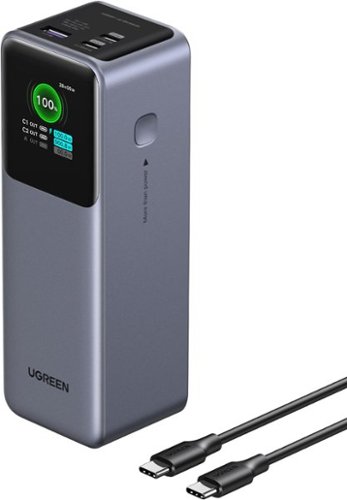
The UGREEN Nexode 200W 25,000mAh Power Bank is a ultra-fast & high-capacity portable charger designed for laptops, tablets, cell phones, and more. The USB-C1 port delivers up to 140W fast charging, perfect for quickly powering up MacBooks and other laptops, while the dual USB-C ports combine for a total output of 200W. Featuring a massive 25,000mAh capacity, it can charge a MacBook Air 13'' 1.3 times, or an iPhone 16 pro 4.7 times. With 65W fast recharging capability, the power bank can be fully recharged in just 2 hours using a 65W+ charger. This compact yet powerful charger is ideal for business travelers, digital nomads, and anyone who needs reliable high-speed charging on the go.
Customer Rating
5
Great power bank for long trips!
on December 25, 2025
Posted by: blah
While this is advertised as a 200 watt power bank, it really can only deliver that much if you have more than one device connected at once. One of the ports is a 140 watt USB-C port. This is the port you should use to charge at the fastest rate. For me, this port charges my Asus ROG Ally X at full speed for the device, which let the device charge and also play at the same time in “TURBO” mode. This is something most other power banks cannot do with the Asus ROG Ally X!
The 25000 mah battery size is big enough to charge a phone several times, but keep in mind this power bank weighs almost 1.4 pounds. It is not something I would carry with me all the time, however this thing is fantastic to have on a long road trip and especially on long flights!! This size power bank is just shy of the maximum allowed by TSA. I took a flight within the USA and into Europe with it with no problems with any of the airline carriers. It can deliver enough power on the 140 watt port to my Asus ROG Ally X that I was able to charge and play with no problems, even while my family member was charging their phone on one of the slower ports. I also was able to charge my Surface Pro 12 with no problem while charging my ROG Ally X, on the secondary USB-C port. There is also an additional third USB-A port that is the slowest port to connect to, but good for devices such as smart watches or even another phone (though it will not charge as fast).
The 25000 mah battery size is big enough to charge a phone several times, but keep in mind this power bank weighs almost 1.4 pounds. It is not something I would carry with me all the time, however this thing is fantastic to have on a long road trip and especially on long flights!! This size power bank is just shy of the maximum allowed by TSA. I took a flight within the USA and into Europe with it with no problems with any of the airline carriers. It can deliver enough power on the 140 watt port to my Asus ROG Ally X that I was able to charge and play with no problems, even while my family member was charging their phone on one of the slower ports. I also was able to charge my Surface Pro 12 with no problem while charging my ROG Ally X, on the secondary USB-C port. There is also an additional third USB-A port that is the slowest port to connect to, but good for devices such as smart watches or even another phone (though it will not charge as fast).
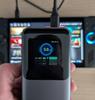
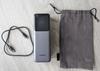
The power bank itself can be charged with a 65 watt “PD” charger, although it will also charge with lower wattage chargers (albeit at a slower rate). I love the LCD display on the charger, as it will show you at what rate you are charging. See my included photos with this review. The LCD display not only shows how much battery percentage you have on the power bank, but shows you how much wattage the connected device is getting. That is awesome, and it confirmed to me that I am receiving the full amount of power to my Asus ROG Ally X.
The only downside of this power bank is that it isn’t very clear that you need to power this thing down fully if you aren’t going to use it for a while. To do that, you have to hold down the single button on it for what I think is about 8 seconds or so. Otherwise the power bank seems to be in some kind of low power draw state to wake up the LCD screen.
I would recommend this to a friend!




Share this review:


+1point
1of 1voted this as helpful.
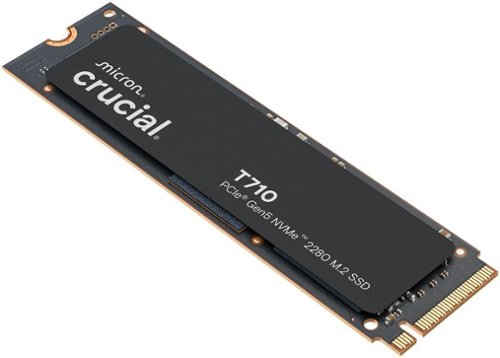
Make every microsecond count with the Crucial T710 Gen5 NVMe SSD. Built for serious gaming and professional creative applications, the T710 speeds up your experience with up to 14,900/13,800MB/s sequential and 2.2M/2.3M random reads/writes. The T710 is based on Micron G9 TLC NAND and features an optional integrated heatsink for unthrottled use. Its single-sided and low-power design makes it ideal for use on PCs and laptops.
Customer Rating
5
One of the fastest and coolest Gen5 SSDs!
on September 4, 2025
Posted by: blah
This is a 2TB - PCIe Gen5 drive. It is still backwards compatible with Gen4 m.2 slots, however because Gen5 is still relatively new, these are much more expensive than Gen4 SSD counterparts. If you do not have a Gen5 motherboard, you will not get the fastest reported speed, it will max out at Gen4 speeds. This is also a single sided SSD drive.
Performance:
If all you are doing is gaming with this drive, I don’t think most people will see much of a difference between this drive, and other gen4 SSDs. It is not worth the price jump. However, if you are doing video editing, or moving a lot of data between drives, I would say this drive is absolutely worth it. I work with both DaVinci Resolve and Adobe Premiere Pro and After Effects. Setting your scratch disk to be on this T710 and you will effectively feel those video editing apps respond much faster. Especially in DaVinci Resolve and Premiere Pro! Between those two apps alone and working with huge video files it is worth the bump up in price from Gen4 to a Gen5 drive for me.
If all you are doing is gaming with this drive, I don’t think most people will see much of a difference between this drive, and other gen4 SSDs. It is not worth the price jump. However, if you are doing video editing, or moving a lot of data between drives, I would say this drive is absolutely worth it. I work with both DaVinci Resolve and Adobe Premiere Pro and After Effects. Setting your scratch disk to be on this T710 and you will effectively feel those video editing apps respond much faster. Especially in DaVinci Resolve and Premiere Pro! Between those two apps alone and working with huge video files it is worth the bump up in price from Gen4 to a Gen5 drive for me.
In gaming, you won’t feel much of a difference than any other higher end Gen4 SSD, especially if that SSD already has DRAM for managing file transfers. Speed will be so close between Gen4 and Gen5 it will not matter much for most gamers.
While I didn’t find this drive to run very hot while monitoring in CrystalDiskInfo and Crucial’s own software, I would still recommend buying an aftermarket SSD heatsink, especially if installing into any laptop. If installing into a gaming laptop, just be sure to get a very low profile one.
Cloning:
Crucial comes with a free version of Acronis you can install for Windows. Just a couple tips here if you are cloning your Windows 11 operating drive. Make sure you go into the windows settings and turn off bitlocker encryption. If you do not do this, and attempt to clone your drive to the new one, your clone will not work without your encryption key, but it is just much easier to turn off Windows bitlocker encryption before cloning to this new drive. Once you start your cloning process and put your T710 into the same slot as your original OS drive (I recommend removing the OS drive completely until you are sure your new clone is working, you can add it in and format the drive later to use for storage).
Crucial comes with a free version of Acronis you can install for Windows. Just a couple tips here if you are cloning your Windows 11 operating drive. Make sure you go into the windows settings and turn off bitlocker encryption. If you do not do this, and attempt to clone your drive to the new one, your clone will not work without your encryption key, but it is just much easier to turn off Windows bitlocker encryption before cloning to this new drive. Once you start your cloning process and put your T710 into the same slot as your original OS drive (I recommend removing the OS drive completely until you are sure your new clone is working, you can add it in and format the drive later to use for storage).
Overall:
This is a great drive for those that are looking for the best performance and still run relatively cool.
This is a great drive for those that are looking for the best performance and still run relatively cool.
I would recommend this to a friend!




Share this review:


+2points
2of 2voted this as helpful.
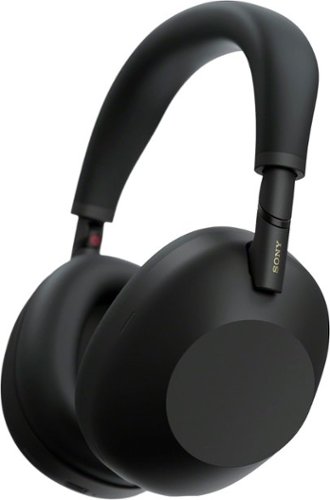
Powered by our next-gen processor and intelligent algorithms, the WH-1000XM6 premium headphones deliver studio-quality sound and our most advanced noise cancellation. Co-created with mastering audio engineers, every detail and note are heard as the artist intended. Enjoy a pure, uninterrupted listening experience anywhere with crystal-clear call quality and pro-level audio.
Customer Rating
4
great noise cancelling headphones overall
on May 22, 2025
Posted by: blah
The Sony WH-1000XM6 headphones are the best noise cancelling headphones yet.
Noise cancelling:
First off, these are fantastic noise cancelling headphones. They block out so much white noise. I own the past 2 versions of these Sony headphones as well (XM4 and XM5). They all did a great job at noise cancelling at the time they all came out. The issue is those headphones are still great at cancelling noise, and still available to buy for far less than these XM6 headphones today. That being said, I think phone calls do seem to have better quality than last generation XM5s.
First off, these are fantastic noise cancelling headphones. They block out so much white noise. I own the past 2 versions of these Sony headphones as well (XM4 and XM5). They all did a great job at noise cancelling at the time they all came out. The issue is those headphones are still great at cancelling noise, and still available to buy for far less than these XM6 headphones today. That being said, I think phone calls do seem to have better quality than last generation XM5s.
Build quality:
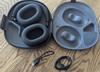
The one thing I will say is that it looks like Sony addressed the previous model XM5 fragile plastic hinge design. The new hinges here have two points of articulation so they can actually fold again like the XM4s did. But on the XM6s there seems to be a metal hinge under the plastic that was not there with the XM5s. I am hoping this holds up long term, but only time will tell.
The one thing I will say is that it looks like Sony addressed the previous model XM5 fragile plastic hinge design. The new hinges here have two points of articulation so they can actually fold again like the XM4s did. But on the XM6s there seems to be a metal hinge under the plastic that was not there with the XM5s. I am hoping this holds up long term, but only time will tell.
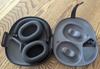
The new case design is awesome. I love the magnetic clamp. No more zippers, and because Sony went back to the foldable headphone design of the XM4s, they take less space in my backpack for trips.
Comfort:
These, like the XM5s, are super comfortable for me. Great for long flights or train bus rides! The earcups could be a little deeper maybe, but they were very comfortable for me.
These, like the XM5s, are super comfortable for me. Great for long flights or train bus rides! The earcups could be a little deeper maybe, but they were very comfortable for me.
Sound Connect App:
Now here is where things get interesting. I loved the way the XM4 models sounded. They had a very good bass response. With the model after that, the XM5s they used smaller drivers which delivered less bass. This new XM6 has the same sized drivers, but thankfully they do deliver a bit more bass and to my ears sound much better than the XM5s. These new XM6s also now have a brand new 10 band equalizer to really dial in your bass and treble in the app on your phone.
Now here is where things get interesting. I loved the way the XM4 models sounded. They had a very good bass response. With the model after that, the XM5s they used smaller drivers which delivered less bass. This new XM6 has the same sized drivers, but thankfully they do deliver a bit more bass and to my ears sound much better than the XM5s. These new XM6s also now have a brand new 10 band equalizer to really dial in your bass and treble in the app on your phone.
Connectivity:
Wireless bluetooth connectivity had no issues on 2 different Google Pixel phones, a Pixel 9 and a Pixel 8. The XM6s also come with a wired 3.5mm audio cable. USB-C connection can only be used for charging. You unfortunately can still not deliver audio connected to a phone. This is a little disappointing as you can do this even on some lower priced headphones in 2025. Not sure why Sony didn’t allow this to happen.
Wireless bluetooth connectivity had no issues on 2 different Google Pixel phones, a Pixel 9 and a Pixel 8. The XM6s also come with a wired 3.5mm audio cable. USB-C connection can only be used for charging. You unfortunately can still not deliver audio connected to a phone. This is a little disappointing as you can do this even on some lower priced headphones in 2025. Not sure why Sony didn’t allow this to happen.
Phone calls:
I think the phone calls in these are definitely better than the last XM5 model. It isn’t night and day better, but it definitely improved.
I think the phone calls in these are definitely better than the last XM5 model. It isn’t night and day better, but it definitely improved.
The app:
You can customize a whole lot through the app for these headphones. There is listening mode that lets you choose a few options now, standard, background music and cinema. Standard is where I leave mine set, however there is the Background music setting which has a sub menu that lets you choose different “background music effects” like “my room”, “living room” or “cafe”. These assign some kind of sound profile to make your music sound like it is happening further away. I didn’t find myself really using this but it does kind of do what it says. The 3rd option is a “cinema” mode which also assigns some kind of spatial audio. I also didn’t really care for this personally.
You can customize a whole lot through the app for these headphones. There is listening mode that lets you choose a few options now, standard, background music and cinema. Standard is where I leave mine set, however there is the Background music setting which has a sub menu that lets you choose different “background music effects” like “my room”, “living room” or “cafe”. These assign some kind of sound profile to make your music sound like it is happening further away. I didn’t find myself really using this but it does kind of do what it says. The 3rd option is a “cinema” mode which also assigns some kind of spatial audio. I also didn’t really care for this personally.
Overall:
These are great wireless noise cancelling headphones overall. They sound great, and are fantastic for calls. I am also so glad Sony put some metal in the hinges! My only issue is these XM6 headphones are very expensive compared to even their own previous flagship noise cancelling headphones, and considering their price I also do wish they could deliver audio over USB-C like other similarly priced and even lower priced competitors have.
These are great wireless noise cancelling headphones overall. They sound great, and are fantastic for calls. I am also so glad Sony put some metal in the hinges! My only issue is these XM6 headphones are very expensive compared to even their own previous flagship noise cancelling headphones, and considering their price I also do wish they could deliver audio over USB-C like other similarly priced and even lower priced competitors have.
I would recommend this to a friend!



Share this review:


+5points
6of 7voted this as helpful.
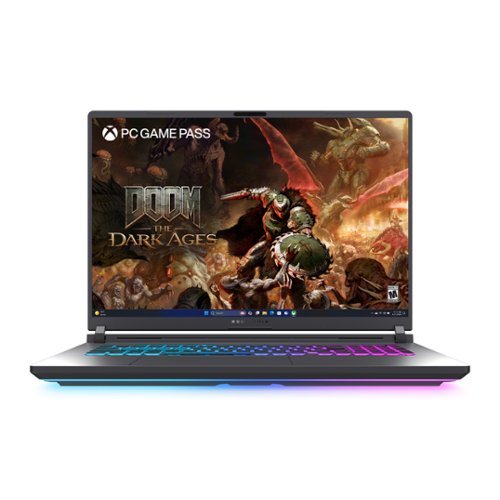
Unlock a next-level gaming experience with the ROG Strix G18. Featuring a 2.5K 240Hz Nebula Display with Pantone-validated color accuracy, it delivers stunning visuals. Powered by an Intel Core processor and NVIDIA GeForce RTX 5080 laptop GPU, enjoy seamless gaming and creative performance. With 32GB LPDDR5 RAM, a 2TB PCIe 4.0 SSD, and advanced ROG Intelligent Cooling, stay at the top of your game. The esports-ready keyboard, Dolby Atmos audio, and customizable RGB Aura Light Bar elevate every moment. Plus, enjoy easy upgrades and 3 months of PC Game Pass for the ultimate gaming experience.
Customer Rating
4
Great specs, and very good performance.
on May 10, 2025
Posted by: blah
Great specs, and very good performance.
Build / Screen:
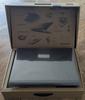
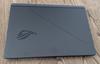
While the build is not terrible by any means, it’s mostly plastic with exception of the lid/back of the display). I personally like the way it looks overall, especially that the back looks a bit more like the Asus ROG Zephyrus line of laptops. It has a really cool LED strip all around the bottom, which looks really nice in a dark room, and it can be customized so you can shut it all off. The hinges on the screen are for me the most critical in the build quality and thankfully this seems to be very sturdy. While I am not totally in love with the plastic parts on the laptop, at least it doesn’t pick up fingerprints on it as much as you would think. I don’t notice them much where I touch the body. This is an 18” screen, but keep in mind this is only an 8-bit panel. My unit didn’t have much backlight bleed. It had some, however it was very minimal, as is the case with virtually all LED IPS screens that are not OLED, and it does get pretty bright for me, but I wish the contrast were a lot more given the cost of this machine. Granted, those are also 16” screens and not 18”. I have this laptop generally set up with a large OLED screen for playing games, and it is great on that screen, and you can still push the resolution to 2.5k and not full 4K to save on performance. I do really wish it had at least a micro-LED screen or at least a 10-bit panel for better color display handling for times when I do want to play directly on the laptop display itself. What the display does do very well is provide a great sweet spot for a laptop screen of this size, 2560 x 1600, and a 240hz screen (which comes in very handy as this video card can do “Frame Generation” - more on that later.
While the build is not terrible by any means, it’s mostly plastic with exception of the lid/back of the display). I personally like the way it looks overall, especially that the back looks a bit more like the Asus ROG Zephyrus line of laptops. It has a really cool LED strip all around the bottom, which looks really nice in a dark room, and it can be customized so you can shut it all off. The hinges on the screen are for me the most critical in the build quality and thankfully this seems to be very sturdy. While I am not totally in love with the plastic parts on the laptop, at least it doesn’t pick up fingerprints on it as much as you would think. I don’t notice them much where I touch the body. This is an 18” screen, but keep in mind this is only an 8-bit panel. My unit didn’t have much backlight bleed. It had some, however it was very minimal, as is the case with virtually all LED IPS screens that are not OLED, and it does get pretty bright for me, but I wish the contrast were a lot more given the cost of this machine. Granted, those are also 16” screens and not 18”. I have this laptop generally set up with a large OLED screen for playing games, and it is great on that screen, and you can still push the resolution to 2.5k and not full 4K to save on performance. I do really wish it had at least a micro-LED screen or at least a 10-bit panel for better color display handling for times when I do want to play directly on the laptop display itself. What the display does do very well is provide a great sweet spot for a laptop screen of this size, 2560 x 1600, and a 240hz screen (which comes in very handy as this video card can do “Frame Generation” - more on that later.
Keyboard and trackpad
The keyboard is pretty good, it feels pretty nice to type on, very little flex on the front. However I personally do not care so much for the transparent “ghost” keys on the ‘QWER ASDF’ and space bar. It is very subjective I know, but I truly would have preferred the same key caps like the rest of the keyboard. You also get a full sized keyboard layout, with a num pad! This is great for me, as I use 3D software where this is critical for me and my workflow, with so many shortcuts for different software I use tied to a NUM pad specifically. The RGB lighting can all be controlled inside the Armory Crate software. Armory Crate will also let you customize the light bar that runs all along the bottom of the laptop too, including turning it all off. I really like the trackpad, I don’t think it is glass, but it is pretty big and responsive to left and right clicks.
The keyboard is pretty good, it feels pretty nice to type on, very little flex on the front. However I personally do not care so much for the transparent “ghost” keys on the ‘QWER ASDF’ and space bar. It is very subjective I know, but I truly would have preferred the same key caps like the rest of the keyboard. You also get a full sized keyboard layout, with a num pad! This is great for me, as I use 3D software where this is critical for me and my workflow, with so many shortcuts for different software I use tied to a NUM pad specifically. The RGB lighting can all be controlled inside the Armory Crate software. Armory Crate will also let you customize the light bar that runs all along the bottom of the laptop too, including turning it all off. I really like the trackpad, I don’t think it is glass, but it is pretty big and responsive to left and right clicks.
Upgrading - this is crazy how easy it is.
A new introduction to the world of laptops is how easy it is to access the internals. Just shut the laptop off, close the screen lid and flip it over. You need ZERO tools! There is a latch, and you can then just take the bottom cover off, where you have access to the SSD slots, there are two, and one is already populated. The other will take a standard 2280 SSD. You also have access to the 2 RAM slots where you can pull the two sticks out and upgrade to more than the included 32GB of RAM size. While most other gaming laptops aren’t that hard to upgrade depending on the model, there is always a bit of a risk with disconnecting the battery from the motherboard, and things that can be a little tricky for some people to do. The latch system seems to actually block the battery power once it is removed so you can’t short anything out on the system (the reason you need to disconnect the battery when upgrading other laptops).
A new introduction to the world of laptops is how easy it is to access the internals. Just shut the laptop off, close the screen lid and flip it over. You need ZERO tools! There is a latch, and you can then just take the bottom cover off, where you have access to the SSD slots, there are two, and one is already populated. The other will take a standard 2280 SSD. You also have access to the 2 RAM slots where you can pull the two sticks out and upgrade to more than the included 32GB of RAM size. While most other gaming laptops aren’t that hard to upgrade depending on the model, there is always a bit of a risk with disconnecting the battery from the motherboard, and things that can be a little tricky for some people to do. The latch system seems to actually block the battery power once it is removed so you can’t short anything out on the system (the reason you need to disconnect the battery when upgrading other laptops).
Processor - plenty fast - even for content creation
The processor is really great on this machine, it is an Intel Ultra 9 275HX, and chewed through a whole bunch of apps I threw at it. Luckily, what does seem to be a whole lot better with this G18 laptop is power efficiency compared to last generation intel chips. It seems to run faster while draining less power, which is good, as it means you can divert more of that power to the GPU. It is definitely faster than my previous laptop, however it is not leaps and bounds faster.
The processor is really great on this machine, it is an Intel Ultra 9 275HX, and chewed through a whole bunch of apps I threw at it. Luckily, what does seem to be a whole lot better with this G18 laptop is power efficiency compared to last generation intel chips. It seems to run faster while draining less power, which is good, as it means you can divert more of that power to the GPU. It is definitely faster than my previous laptop, however it is not leaps and bounds faster.
GPU - RTX 5080 laptop GPU - this laptop can run this GPU up to 175 watts the max amount NVIDIA will let manufacturers go in a laptop.
This is the meat and potatoes for most games, and yes, it runs most games I have tried great. Nvidia finally got most of their driver issues with all the new RTX 5080 series in the last week and half of me writing this, and I had no issues after that last driver update so far. The great thing with having a “larger” sized laptop, is that Asus is able to throw more wattage to both the GPU/CPU because there is more room for cooling in laptops of this size. Of course that comes at the cost of having something that isn’t quite as portable, but I think if you are buying an 18 inch laptop, you mostly are going to have it in one place most of the time. Now here is the thing with this laptop's GPU. While it is really good for a full powered laptop GPU @ 175watts, it isn’t leaps and bounds over my RTX 4080 laptop that also ran at full wattage in 2023. At least that is, not until you turn on some of the new features the RTX 5080 can do that the 4080 could not, and that is frame generation! Yes, it works! On Cyberpunk 2077 with their latest patch and the newest NVIDIA drivers, it definitely looks great, but cranking it up too far, and it introduces a bit too much latency for me. I was a bit on the fence about frame generation, but it really does help, as long as you don’t over-crank settings. You want to at least get your game running at 40-50fps so it has a decent frame rate to begin with so that the DLSS and Frame Generation can have a good source to work from. And the screen is G-Sync compatible, so if your frame rates in games vary up and down you will not get screen tearing, which is a great thing to have on the display.
This is the meat and potatoes for most games, and yes, it runs most games I have tried great. Nvidia finally got most of their driver issues with all the new RTX 5080 series in the last week and half of me writing this, and I had no issues after that last driver update so far. The great thing with having a “larger” sized laptop, is that Asus is able to throw more wattage to both the GPU/CPU because there is more room for cooling in laptops of this size. Of course that comes at the cost of having something that isn’t quite as portable, but I think if you are buying an 18 inch laptop, you mostly are going to have it in one place most of the time. Now here is the thing with this laptop's GPU. While it is really good for a full powered laptop GPU @ 175watts, it isn’t leaps and bounds over my RTX 4080 laptop that also ran at full wattage in 2023. At least that is, not until you turn on some of the new features the RTX 5080 can do that the 4080 could not, and that is frame generation! Yes, it works! On Cyberpunk 2077 with their latest patch and the newest NVIDIA drivers, it definitely looks great, but cranking it up too far, and it introduces a bit too much latency for me. I was a bit on the fence about frame generation, but it really does help, as long as you don’t over-crank settings. You want to at least get your game running at 40-50fps so it has a decent frame rate to begin with so that the DLSS and Frame Generation can have a good source to work from. And the screen is G-Sync compatible, so if your frame rates in games vary up and down you will not get screen tearing, which is a great thing to have on the display.
Speakers
They sound pretty good for a laptop, but if you are gaming, you are going to want to use headphones, as the fans get loud under heavy load. In fact, I am glad those fans kick in that loud, it keeps your system running cool. That is the price you kind of have to pay for having a system with this much wattage and performance, it needs to be cooled off.
They sound pretty good for a laptop, but if you are gaming, you are going to want to use headphones, as the fans get loud under heavy load. In fact, I am glad those fans kick in that loud, it keeps your system running cool. That is the price you kind of have to pay for having a system with this much wattage and performance, it needs to be cooled off.
Portability
Look, this is a big and fairly heavy laptop. It is 18” and it is pretty heavy, especially if you have to carry the charger with you. However if you don’t need it to carry around everyday, and just need to move it around your home you will be good. I would even be ok with taking it here and there on occasion, just not daily. This is not the kind of laptop you want to have on your back everyday.
Look, this is a big and fairly heavy laptop. It is 18” and it is pretty heavy, especially if you have to carry the charger with you. However if you don’t need it to carry around everyday, and just need to move it around your home you will be good. I would even be ok with taking it here and there on occasion, just not daily. This is not the kind of laptop you want to have on your back everyday.
Overall
This is a great spec laptop if you need this large of a screen. My only issue with it is that for the asking price I wish it had a better quality display with at least a 10 bit display panel. Luckily it is 240hz and G-Sync compatible. I am only not giving it a full five star rating because of the display. Otherwise, this is a nearly perfect machine, especially if you are coming from any gaming laptop older than 2 years ago, the RTX 30XX based NVIDIA series GPUs, this will be a MAJOR upgrade.
This is a great spec laptop if you need this large of a screen. My only issue with it is that for the asking price I wish it had a better quality display with at least a 10 bit display panel. Luckily it is 240hz and G-Sync compatible. I am only not giving it a full five star rating because of the display. Otherwise, this is a nearly perfect machine, especially if you are coming from any gaming laptop older than 2 years ago, the RTX 30XX based NVIDIA series GPUs, this will be a MAJOR upgrade.
I would recommend this to a friend!



Share this review:


+6points
6of 6voted this as helpful.

Experience unparalleled gaming freedom with the Turtle Beach Kone II Air wireless ergonomic gaming mouse. Its exceptional battery life lets you play for weeks uninterrupted, lasting up to 350 hours via low-latency Bluetooth or up to 130 hours using high-performance 2.4GHz wireless. Designed with ergonomic precision, it fits comfortably in medium to larger hands, accommodating various grip styles such as claw, palm, or fingertip plus additional grip tape is included for enhanced control. Take command of your gameplay with Easy-Shift [+] duplicator technology, expanding its 7 buttons and 4D scroll wheel into 21 customizable functions. Glide seamlessly through content with the multi-function 4D scroll wheel, offering both free-spinning and tactile scrolling options, along with fully customizable tilt controls. Engineered for speed and durability, its TITAN Optical Switches ensure precise and reliable clicks over a 100 million click life cycle. Equipped with the advanced Owl-Eye 26K optical sensor, enjoy superb tracking performance from 50 DPI up to 26K DPI with 650 IPS (16.5m/s), complemented by pure, heat-treated PTFE glides for smooth mouse movements. Customize your gaming experience with dual-zone RGB illumination and charge effortlessly with the ultra-flexible PhantomFlex charging cable and USB-C-to-A adapter. NVIDIA Reflex compatibility further enhances your gaming prowess, delivering sub-25ms response times for lightning-fast reactions and enhanced aim precision.
Customer Rating
5
Want a heavier mouse? This one is for you!
on April 19, 2025
Posted by: blah
Great mouse for those with larger hands.
The Kona II Air Wireless mouse is a great mouse in my hands. It feels better, and more substantial than most modern “gaming” mice, which mostly try to be lighter weight. For me, I prefer a heavier weight mouse. I use my mice for more than just gaming, I use it for work too, and this just works fantastic on that level as well. It feels great to work on for long periods for my larger sized hands.
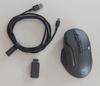
This mouse can be used with an included USB 2.4hz dongle or bluetooth connection. There is a compartment on the bottom of the mouse to hold that dongle so you don’t lose it while possibly on the go. I had no problems using it for gaming or productivity either on bluetooth or on the dongle. I have 2 computers I use this mouse with, so I leave the dongle on one computer, and have it paired via bluetooth on the other. When I move machines, the bottom of the mouse has a switch to change which mode to choose.
Setting up some of the customization features on the mouse, like most other gaming mice, requires you download and install Turtle Beach’s Swarm software. Luckily this software is not heavy on RAM and CPU use like another popular high end gaming mouse software is. You don’t really feel this software running in the background at all. Firmware update out of the box is done thru this software too. All your other setups and customizations on the mouse are done thru here too, including the RGB lights on the mouse. This mouse has 12 mouse buttons, and one of them is an “easy shift” button, allowing you to hold that button down and activate other functions on some of your other buttons. This I think is awesome, as it allows me to then take some buttons and do things like quickly control audio volume via the scroll wheel up / down for example.
Overall, I think this is a great mouse for those that have a bit larger than average hands, and this might be very subjective, but actually appreciate a heavier mouse like me. The only downside, and it isn’t a huge thing for me, is that the black plastic on this mouse is very fingerprint prone.
I would recommend this to a friend!




Share this review:


+1point
1of 1voted this as helpful.
blah's Review Comments
blah has not submitted comments on any reviews.
blah's Questions
blah has not submitted any questions.
blah's Answers

Reach fitness goals with this Samsung Galaxy Watch Active smart watch. Featuring advanced workout tracking, this smart watch helps optimize workouts and monitors your progress by tracking up to 40 exercises. This Samsung Galaxy Watch Active smart watch monitors your heart and sends real-time alerts in the event of irregular activity.
Dose this watch have the SOS mode where if you are in trouble you hit one of the buttons three times and it sends up to four phone calls, and one to the police?
Reach fitness goals with this Samsung Galaxy Watch Active smart watch. Featuring advanced workout tracking, this smart watch helps optimize workouts and monitors your progress by tracking up to 40 exercises. This Samsung Galaxy Watch Active smart watch monitors your heart and sends real-time alerts in the event of irregular activity.
Are the watch bands interchangeable on the Samsung active?
yes, they are standard 20mm watch bands, that are easily swappable.
7 years, 4 months ago
by
blah
Reach fitness goals with this Samsung Galaxy Watch Active smart watch. Featuring advanced workout tracking, this smart watch helps optimize workouts and monitors your progress by tracking up to 40 exercises. This Samsung Galaxy Watch Active smart watch monitors your heart and sends real-time alerts in the event of irregular activity.
Can u make calls from it
Yes.. you can. You can start calls from it, and speak into the microphone. Also you will get texts and emails to it.
7 years, 4 months ago
by
blah
Reach fitness goals with this Samsung Galaxy Watch Active smart watch. Featuring advanced workout tracking, this smart watch helps optimize workouts and monitors your progress by tracking up to 40 exercises. This Samsung Galaxy Watch Active smart watch monitors your heart and sends real-time alerts in the event of irregular activity.
Can you store music on the watch
yes.. you can. Though it will not hold much. It does also come with Spotify app, though you will need either your phone or a wifi connection to use that.
7 years, 4 months ago
by
blah