


blah's stats
- Review count106
- Helpfulness votes723
- First reviewFebruary 27, 2015
- Last reviewJuly 21, 2026
- Featured reviews0
- Average rating4.4
Reviews comments
- Review comment count0
- Helpfulness votes0
- First review commentNone
- Last review commentNone
- Featured review comments0
Questions
- Question count0
- Helpfulness votes0
- First questionNone
- Last questionNone
- Featured questions0
- Answer count4
- Helpfulness votes0
- First answerMarch 21, 2019
- Last answerMarch 21, 2019
- Featured answers0
- Best answers0
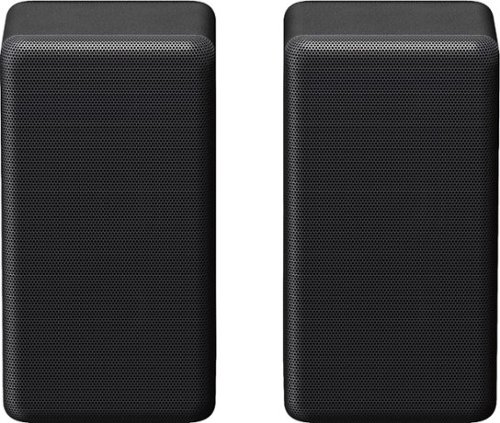
Experience cinematic surround sound taken to a new level with the SA-RS3S wireless rear speakers. These speakers are designed to seamlessly pair with Sony~s HT-A8000/A9000/A9M2/A9/A7000/A5000/A3000 Soundbar to complete your home theater experience.
Customer Rating

5
Great! You need these!!!
on December 1, 2021
Posted by: blah
from Millwood
I have these setup with the Sony HT A5000 soundbar. These are in my opinion even more important to get than the wireless subwoofers. You will truly be immersed, and without wires. Keep in mind each rear channel, left and right, will need to be plugged into the wall outlet. Adding it into the speaker system set on the HT A5000 is easy. As soon as you turn on the soundbar it will see them, and you can calibrate it with the soundbar setup, but even if you do, you can change the sound level. I personally think you should set them much higher. In my case, after changing it to a higher level, it was awesome! I tried a few Dolby Atmos surround shows, and with my PlayStation 5 played Resident Evil Village quite extensively! Talk about being scared of stuff being behind you!!!
These are pretty small speakers, and hide well in a living room! We have ours on a side table by our sofa, on either side.
If you want true surround sound, like action movies or shows, you really need to get these with your A5000 soundbar!
Mobile Submission: False
I would recommend this to a friend!

Share this review:


+3points
3of 3voted this as helpful.

Take your entertainment to a new realm of surround sound audio immersion. The HT-A5000 sound bar envelops you in authentic 5.1.2ch surround sound with up-firing speakers, side beam tweeters, a built-in subwoofer and advanced technologies that bring you Dolby Atmos~ and DTS:X~ audio as well as 8K1 and 4K 1202 video passthrough. Smart features include AirPlay2, Chromecast built-in, Bluetooth audio streaming and works with Alexa and Google Assistant. Adding optional rear speakers adds support for 360 Spatial Sound Mapping12, taking movies, TV and music into a whole new realm.
Posted by: blah
from Millwood
Great soundbar, even for smaller rooms, but beware, the soundbar is quite wide. For my current situation, with a Sony 65” X900H, which I use the TV stands for, on a home theatre piece of furniture, the soundbar is so wide, and my furniture does not have enough room for this soundbar to fit. I am actually about to actually mount my 65” TV on a wall soon, but for now, I put the soundbar directly on the floor in front of the furniture the TV sits on. The soundbar itself measures, 48” wide, 5.5” depth, 2.75” height. Just something to keep in mind.
That being said, even with my temporary soundbar on the floor setup. The soundbar sounds fantastic. I am coming from nearly 20 years of traditional surround sound setups, including my couple year old Sony STR-DH790 surround receiver with Dolby Atmos, and while with the soundbar itself it can’t quite give you true “surround”, it does sound quite amazing. Even without an optional subwoofer, more on that later in this review, in a smaller room, like my 1 bedroom apartment, this thing sounds great. I get decent bass out of the built in subwoofer in the bar itself. I tested this soundbar with apps directly on the Sony X900H, and for everything that was delivering either Dolby Atmos, or other Dolby codecs, the soundbar did indeed detect, those formats directly from the built in android apps. I did however find that with the Android TV built in Sony apps, I could not get it to “bitstream” any kind of DTS formatted audio formats without it being seen as linear PCM tracks. It is supposed to passthrough, aka bitstream to the soundbar, via the eARC port. Further looking into it, and at leasts on the Sony X900H, this is a known issue. In my case, I don’t really use the the TVs built in Android TV apps, but an NVIDIA shield, which does properly pass thru all Dobly Atmos, and all flavors of DTS tracks, with the soundbar lighting up that it sees those tracks, and not converting to linear PCM for DTS. The NVIDIA shield setup I am using is running into the HDMI port into the soundbar directly.
I also have tested this soundbar with both a PlayStation 5, and an Xbox Series X. Both sound great, but have had similar issues if trying to bitstream DTS tracks. However, in this situation, running directly to the single HDMI port also alleviates the issue with DTS tracks. Both PS5 and Xbox Series X, maintain 4K 60fps, and 120fps running thru the soundbar, and if they are hooked up to my TVs HDMI 4 port (only HDMI 3, and HDMI 4 on my TV support full HDMI 2.1 specs). I don’t use DTS on either of my next gen gaming consoles, but this might be something to consider, as this soundbar must be connected to your eARC port. In my situation, I am leaving my NVIDIA Shield directly connected to the soundbar, to get full support for dolby atmos, and the small amount of DTS X content I have. The consoles, I have on the HDMI 4 port, and have a switcher so that they both share that HDMI 2.1 capabilities like 4K 60 / 120 fps gaming. For those that may not want to go that router, I would imagine stepping up to the Sony HT A7000, for not just one HDMI input, but two, plus additional speakers in the bar. For my setup, I am fine with the less expensive HT A5000.
My apartment is fairly small. I have neighbors below me. Even without the wireless subwoofer, you get pretty good bass from the soundbar alone. I was very impressed by the dolby atmos movie tracks I previewed from my Sony 65" X900H tv. I would however, absolutely get the wireless rear channels, even in a smaller living room space. While the soundbar alone is great, and there is definitely some ceiling bounce from the atmos movie I watched directly thru the built in Android TV app, Venom Carnage (great demo movie for Dolby Atmos by the way), you really do need those wireless rear channels for real immersion. I have been a traditional 7.1.2 receiver and wired speaker home theatre guy for many years, and this is the first soundbar I have heard that made me put my 2 year old Sony receiver away, once I added in those rear channels. Oh.. and no more wires!! Finally!! Ahhh… The future.
Ok, so, I would say GREAT soundbar just on it’s own. You might be able to skip the add on SASW5 wireless subwoofer, especially if you have neighbors under you, but do yourselves a favor, get the rear wireless surround speakers, SARS3S, especially if you watch any kind of Dolby ATMOS shows. Most of the bigger streaming services now are either Dolby ATMOS or Dolby Digital +, and if it is anything action related, you will not regret adding in the rear channels!!! If you do add in those rear channels, when you add them into the soundbar setup, the built in Sony setup will try to analyze your room, for how loud it thinks that those rear channels volume should be, based on your room acoustics. In my case, I changed it, so that the rears are at max level. My first movie with the addition of the wireless rear surround speakers, the Venom Carnage movie, I stopped it, changed the rears to max, and it was like being in a movie theatre. Now… with that in mind, I am doing this without having set up the wireless subwoofer, also sold separately, and it is fantastic in my smaller room. But, I then added in the wireless subwoofer I mentioned earlier. Sony makes two of them, the one I added in is the 300 watt version. I had a 150 watt wired subwoofer before this on my previous wired system, and that was on a fully wired Sony 7.1.2 receiver. This subwoofer, O M G . People let me tell you, this thing really drives this whole Sony soundbar out of the park. It sounds like I went to a movie theatre! I actually have to crank this thing down, as this really adds a tremendous bass hit. For those with people living below them, you may not need, or want this, but ohhhh.. It sounds so good! Luckily, the soundbar remote has separate levels, up and down, directly on the remote itself, for both the subwoofer and the rear wireless surrounds. Thank you for thinking of that Sony!!
All in all, yeah this is a fantastic soundbar. But, add in the additional rear channels for sure. You could always just buy the bar on it’s own, and add in later as needed too, but get the rear channels, worth it out of the box day one, unless you just watch non-action oriented content maybe. Now, if you really want to, get that wireless sub, and quite possibly never leave your home for a movie theatre again!
Mobile Submission: False
I would recommend this to a friend!


Share this review:


+14points
16of 18voted this as helpful.
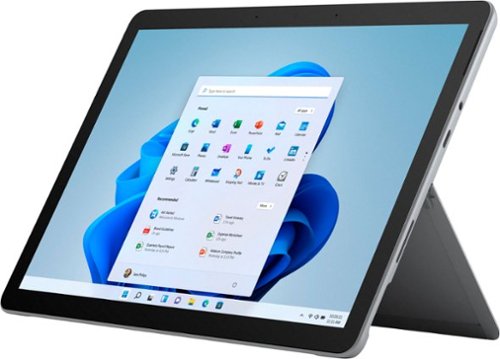
The most portable Surface touchscreen 2-in-1 is perfect for your everyday tasks, homework, and play. Designed to light up the best of Windows 11, Surface Go 3 is optimized for digital pen and touch, with a choice of a faster Intel Pentium or Intel Core i3 processor, plus all-day battery~, tablet-to-laptop versatility, and comprehensive Microsoft security.
Customer Rating

4
Great tablet for basic tasks
on October 30, 2021
Posted by: blah
from Millwood
Great tablet for very basic tasks, but wish it had better battery life, and came with a Surface Type Cover keyboard.
Overall, this is a great tablet. It is a little hard to use Windows 11 on the screen for file management in Windows Explorer, due to the OS making everything so small. But typing via the onscreen keyboard, including swipe to type functionality is really pretty good. While I appreciate that I can use this thing as a functional computer, you are somewhat hampered from doing so without a Microsoft Surface keyboard. Adding that into the cost of this laptop, makes it a lot more expensive. Their keyboard should have come with the Surface Go 3 out of the box.
Windows 11 on this tablet ships in Windows 11 “S” mode. You are told about this during the setup process. “S” mode is essentially a somewhat limited “tablet” mode version of the Windows OS, where Microsoft is trying to limit how much you can do on lower powered CPUs. While in this mode, you cannot install any software that is not from the Microsoft Windows Store, much like iPads app store, and Android’s Google Play Store. The problem with this is, there are not many apps available other than big name streaming services and of course Microsoft made apps themselves. While you can move the tablet out of “S” mode, and info the windows 11 “home”, once you do this, you cannot go back. For my personal usage, web browsing, watching videos, and as an ebook reader, and comic book reader, this isn’t much of an issue, as there happen to be a few apps on the Windows Store that do allow me to do all of those things, and do them very well. But for some, they will have to move into the “home” mode. You cannot even install any other web browsers other than Microsoft’s Edge. Thankfully the MS Edge browser now is a great web browser. You also will be stuck with an antivirus and firewall built into Windows 11, “Windows Defender”. You cannot install anything other than this for protection without leaving “S” mode.
Now, coming from a few years of being in the iPad universe, I do have to say I LOVE this tablet. I read a lot of comic books, and the screen on this tablet is fantastic for that!!! And that is coming from someone who loved their iPad for the same usage for many years. Not only that, but I am able to actually do more with the Surace Go 3 because it is a windows 11 device. I felt a bit more locked down on iPad. I feel I can get more done on this tablet than I ever could on just my iPad. I could say I could get even more done had Microsoft included the keyboard with the tablet. The charger this tablet ships with is a proprietary surace device connector, but I am not too crazy about how much space it takes while plugging into charge, especially if you need to use it while charging. Luckily you can also charge via the USB-C port above the charging port. This also makes it easier to lug around one less charger while on the go, as I am able to use my phone charger to charge up the tablet while on the go.
If there is any one thing I wish was better on this tablet, it is the battery life. Even while just reading comic books, I drop about 12 percent an hour, and that is while in airplane mode, bluetooth shut off, and low screen brightness. Not sure if it is just that windows 11 is a more full fledged OS than iPad and android tablets, but I would get much better battery life on those in my experience so far.
Display is 1920 x 1280 pixels, just a tad taller by 40 pixels on top and 40 on bottom than a HD screen. This is actually a great resolution. I think any higher resolution and the battery life would have been even less. Speaking of which, this tablet makes me question why MS chose to not use a AMD Ryzen mobile chip, over the intel chip. The intel chip in this tablet is a middle of the line one, and if you are solely using it in Windows S mode, I think it would be fine. I had no issues with having Edge open with several tabs, and running a reading app. However, intel chips are known to drain batteries faster than the newest AMD Ryzen mobile CPUs.
Now that I have been on this tablet, I do not think I could ever go back to a non windows based tablet now that I have had time with the Surface Go 3. However, I cannot say the same if this was to be my primary computer. For it to have been my primary computer, would require the Surface Type cover, and would just make this tablet too expensive for what it is. While it does have a bezel around the sides of the screen, I actually like it, because when I use it as a tablet, I am not covering the screen display itself with my fingers while holding it. Did I mention how great this tablet is as a general “e-reader”?!! I love this thing for that alone. Watching videos is also great. Because this is Windows 11, I can access network devices across my home, including video/audio network shares directly hooked up to my router. I can get to those directly, and play movies and shows from them easily using VLC player, (thankfully this app is in the Windows Store!).
Another great feature on this tablet is the built-in kickstand on the back of the tablet. This makes using this thing on my lap so much easier, and even just lying in bed, it is easy to prop up it’s side. Audio for a tablet is very good, and much better than the two iPads I have owned over the years.
Tablet comes with the latest WiFi standard, 802.11AX aka WiFi 6, and I had no problem streaming high resolution video from a drive holding media directly connected to my router.
Good, very basic tablet, but if you add in a Surface Type Cover keyboard, and you start venturing into pricing where some may as well just get a laptop instead. Just wish MS either lowered the price some more, or thrown in their keyboard. If all you need to do are basic tasks, video, web browsing, some email, and do not think you would need that keyboard, this is a good iPad alternative. For me personally, it fits the bill right now for what I need.
Mobile Submission: False
I would recommend this to a friend!


Share this review:


+4points
8of 12voted this as helpful.
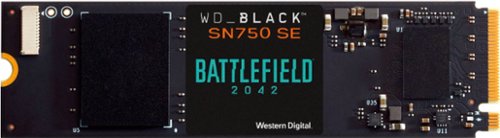
Enhance the performance of your gaming rig with this Western Digital WD_BLACK game code bundle. A NVMe 1TB SSD delivers fast load times and vast storage for all your titles, while the included game code allows access to the full PC game download of Battlefield 2042. This Western Digital WD_BLACK game code bundle boasts backward-compatible PCIe Gen4 technology, providing speedy and reliable performance.
Customer Rating
5
Great m.2 gen. 4 drive from Western Digital.
on October 27, 2021
Posted by: blah
from Millwood
Great m.2 gen. 4 drive from Western Digital.
Initially had some issues installing this m.2 into my MSI motherboard, as the SSD as this one doesn't come with an m.2 screws to lock it down into the socket. This is not Western Digital's fault, different system manufacturers use different size screws.
Once I received that screw, I was in business. I do wish that WD had included some directions on how to go about installing, however there are tons of videos on YouTube that show you how to install and setup. I would also recommend people go to the WD website and download their SSD software to manage and setup this drive.
While this drive is a gen 4, it is only a little slower than a 980 pro m.2 I have on the same game machine for things like loading up games. I probably would not use this drive as a main operating system drive, in my case I do a ton of video editing in Adobe Premiere, and if you do anything like that, you likely would actually feel a difference in performance between a full fledged gen 4 drive than this one. However, most people would never really notice that difference ins speed performance, especially gamers, and are way better off saving money and getting this over another gen 4 drive, especially considering this version of the SN750 comes a code with Battlefield 2042.
I really like the Battlefield 2042 logo printed on the SSD itself too. Looks pretty cool in my PC rig with a glass side panel.
For the 95 percent of gamers out there, save yourself some money, especially of this is a secondary office for game installations, or other media storage, and get the SN750. The performance is close enough for those uses!
Mobile Submission: True
I would recommend this to a friend!


Share this review:


+1point
1of 1voted this as helpful.
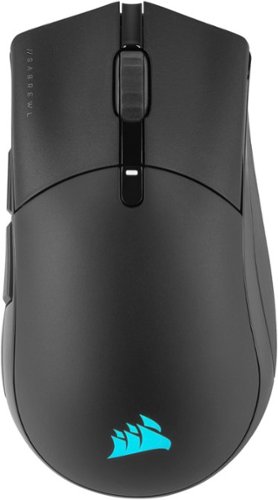
The CORSAIR SABRE RGB PRO WIRELESS Gaming Mouse is designed for and tested by esports pros, weighing an ultra-light 79g and equipped with SLIPSTREAM WIRELESS technology to achieve lightning-fast response times and 2,000Hz hyper-polling. CORSAIR QUICKSTRIKE buttons provide zero gap for fast and responsive clicks, The SABRE RGB PRO WIRELESS boasts a 26,000 DPI MARKSMAN optical sensor customizable in 1 DPI steps, with a dedicated button to cycle through five DPI presets on-the-fly. Finished with high-quality materials such as 50 million click-rated OMRON switches and 100% PTFE glide pads, the SABRE RGB PRO WIRELESS cuts through the competition.
Customer Rating
5
reat wireless mouse overall
on October 24, 2021
Posted by: blah
from Millwood
Great wireless mouse overall.
This is a great wireless mouse, not just for gaming but also for general computer use, including content creation if you use Adobe Creative Cloud software, or any 3D software really. It just feels great in my hand, and looks great with the completely customizable RGB settings, I was a bit surprised at how lightweight the mouse actually is. I have another older one that is significantly heavier. This one is just more comfortable to use. You need to have Corsair’s iCue software installed to set the RGB lighting up on the mouse. There is a button on the mouse to change the polling rate (aka the DPI sensitivity of the mouse). I personally feel the highest DPI setting was way too high for me though you would need to try it to determine what works best on your setup. This mostly will depend on how high resolution a display you have.
Now, about the iCue software… It is a bit too much going on, especially if you just want to setup your mouse, and don’t need access to everything else it has to offer. I wish there was a standalone app that just lets you configure the mouse itself. This app will let you also set up other Corsair iCue RGB products. I don’t have any others, but this is how they handle setup on their RGB keyboards, etc. This app will let you customize things like key assignments, lighting effects, what kind of surface you use as your mouse pad, etc.
So glad that this mouse not only can connect via their wireless USB adapter, but also via a regular bluetooth connection too. I often move from more than one computer, and at times it is easier to just move the mouse switch on the bottom from wireless to bluetooth, and can instantly move from one computer to the next without having to remove that USB adapter. Also of note, the bottom of the mouse itself has USB-C cable for charging. Also nice, as I don’t have to carry an older micro USB charging cable when on the go for charging. There is a button that will flash when you need a charge, but I seem to be getting great battery life when in wireless mode.
Mobile Submission: True
I would recommend this to a friend!

Share this review:


0points
0of 0voted this as helpful.

The Vitamix ONE blender is designed to fit into your kitchen, your routine, and your lifestyle. Enjoy simple operation, streamlined design, and the performance Vitamix is known for. We slimmed down our classic Vitamix to give you more counter space, but left plenty of room to play. It~ll blend tough, fibrous fruits and veggies into smoothies, dressings, sauces, purees, & frozen desserts. It's the perfect starter or second Vitamix with a full 32 oz. Tritan~ BPA-Free Container. The Simple Speed Dial is easy and intuitive to use. The ONE's Powerful Motor makes for Ease of use & versatility, inspiring creativity in the kitchen. The Vitamix ONE makes amazing smoothies, sauces, dips, and frozen treats, but is not intended to be used for hot soups, nut butters, or grinding grains. (Attempting these techniques will void the warranty) The 2 year Full warranty covers parts, performance, labor & two-way shipping.
Customer Rating
4
Solid option, especially for smoothies
on September 29, 2021
Posted by: blah
from Millwood
4/5 stars
The Vitamix One blender is a solid option for most every-day uses. The single knob for blending speed makes it very easy to use and gives it a clean look. The attachment mechanism for the pitcher isn't very secure, so definitely something to be careful about. It's great for sauces, just don't use it on anything hot. At the end of the day, it does everything you would expect a blender to do. It is however great for blending cold smoothies, so if that is mainly what you need it for, this is perfect!
Mobile Submission: False
I would recommend this to a friend!

Share this review:


0points
0of 0voted this as helpful.
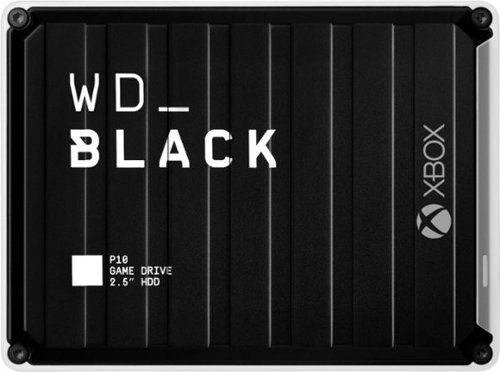
The WD_Black~ P10 Game Drive for Xbox~ gives your Xbox the tools it needs to keep your competitive edge. With up to 5TB* of storage capacity, the WD_Black~ P10 Game Drive for Xbox~ is a top-tier external HDD built specifically for gamers looking to expand the potential of their Xbox so they can drive their game the way they choose. Included with your purchase is a 1-month membership of Xbox Game Pass Ultimate, with access to 100+ games on consoles and PC, plus online console multiplayer.
Customer Rating
4
Great little drive, but only 5400rpm speed
on August 4, 2021
Posted by: blah
from Millwood
Great little drive, but a little disappointed it is only a 5400 rpm drive.
Before connecting to my actual Xbox Series X - I connected it to a windows 10 computer and ran it thru it’s paces in CrystalDiskMark, a hard drive benchmarking software. The drive was already formatted as a NTFS formatted windows drive. CrystalDiskMark revealed the drive to actually be a slower speed 5400 RPM drive. This for general game storage is not too bad, and read and write speeds were actually very good on both Windows 10 and also when tested further on my Xbox Series X - moving games over from the Series X internal SSD.
The drive did hit about 39 degrees celsius when connected to my Windows 10 machine for benchmarking, via copying around 3.5 terabytes of game data to it.
CrystalDiskMark information:
Enclosure : WD Game Drive USB Device (V=1058, P=2638, sa1) - wd
Model : WDC WD40NMZW-59A8NS1
Firmware : 01.01A01
Disk Size : 4000.7 GB (8.4/137.4/4000.7/4000.7)
Buffer Size : Unknown
Queue Depth : 32
# of Sectors : 7813971632
Rotation Rate : 5400 RPM
Interface : USB (Serial ATA)
Major Version : ACS-3
Minor Version : ACS-3 Revision 4
Transfer Mode : SATA/600 | SATA/600
Power On Hours : 12 hours
Power On Count : 4 count
Temperature : 28 C (82 F)
Health Status : Good
Features : S.M.A.R.T., APM, 48bit LBA, NCQ, TRIM
APM Level : 0080h [ON]
Enclosure : WD Game Drive USB Device (V=1058, P=2638, sa1) - wd
Model : WDC WD40NMZW-59A8NS1
Firmware : 01.01A01
Disk Size : 4000.7 GB (8.4/137.4/4000.7/4000.7)
Buffer Size : Unknown
Queue Depth : 32
# of Sectors : 7813971632
Rotation Rate : 5400 RPM
Interface : USB (Serial ATA)
Major Version : ACS-3
Minor Version : ACS-3 Revision 4
Transfer Mode : SATA/600 | SATA/600
Power On Hours : 12 hours
Power On Count : 4 count
Temperature : 28 C (82 F)
Health Status : Good
Features : S.M.A.R.T., APM, 48bit LBA, NCQ, TRIM
APM Level : 0080h [ON]
Now... on to my Xbox Series X part of review. it loads most old games pretty fast for a mechanical 5400rpm drive. However, this drive will absolutely fit the bill holding tons of those older generation games, particularly for those that have access to Xbox Game Pass. The drive itself also comes with a 2 month free game pass Ultimate code in the box. Ultimate, is the version of Xbox Game Pass that also gives Windows 10 gamers access to Windows games. I was already a Game Pass Ultimate member for about a year now, and this is an added bonus, and great way to get your feet wet, with tons of games, on both Xbox consoles, and Windows 10 gaming computers.
I recommend you get this drive if you need to really hold that many games on your xbox library. Even if you just use it to temporarily move games from your Xbox Series X or S, from the SSD, so that you don’t have to re-download huge games. This is a big deal for those in parts of the United States that are on monthly data caps with their internet service provider. It is also just no fun to have to redownload some of these huge games in recent years.
Mobile Submission: False
I would recommend this to a friend!


Share this review:


+1point
1of 1voted this as helpful.
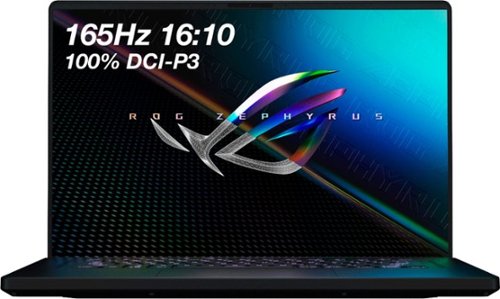
ASUS ROG Gaming Laptop. Enjoy everyday gaming with this ASUS notebook PC. The 11th Gen Intel Core i9 processor and 16GB of RAM let you run graphics-heavy games smoothly, while the potent NVIDIA RTX 3060 graphics produce high-quality visuals on the new fast 16-inch 165hz WQXGA display. This ASUS notebook PC has 1TB SSD that shortens load times and offers ample storage.
Customer Rating
4
A great laptop, with some minor issues
on July 18, 2021
Posted by: blah
from Millwood
A great laptop, with some minor issues that can be addressed by Asus updates!
The screen:
Monitor is fantastic, probably the best I have ever seen in any laptop monitor ever!! 16x10 aspect ratio!! Buys you more screen real estate for apps, especially helpful for programs like Adobe Premier, Adobe After Effects, and 3D software. This screen gets BRIGHT. You almost believe it is an OLED screen!! No screen tearing in games because of it’s high refresh rate. But, that big screen does probably drain your battery charge faster than a 16x9 panel might. The only thing I do not like about this screen is that for whatever reason, they decided to put the exhaust fans pointing directly at the bottom of the screen, and when you game it is blowing hot air directly at the bottom of the screen. Only time will tell if that heat while gaming, will affect the longevity of the screen, however there have been reports saying at full gaming load vs another Asus model released just prior to this, (g15) which shares the same chassis cooling design, but AMD based CPU, that they both have about the same heat at the bottom of the screen. Also, not an issue for me really, but there are 3 LED lights for the power state, drive activity, and network activity that are right under the screen, and reflect on the bottom of the screen. After a while using the laptop, I found it to not really be too noticeable.
Monitor is fantastic, probably the best I have ever seen in any laptop monitor ever!! 16x10 aspect ratio!! Buys you more screen real estate for apps, especially helpful for programs like Adobe Premier, Adobe After Effects, and 3D software. This screen gets BRIGHT. You almost believe it is an OLED screen!! No screen tearing in games because of it’s high refresh rate. But, that big screen does probably drain your battery charge faster than a 16x9 panel might. The only thing I do not like about this screen is that for whatever reason, they decided to put the exhaust fans pointing directly at the bottom of the screen, and when you game it is blowing hot air directly at the bottom of the screen. Only time will tell if that heat while gaming, will affect the longevity of the screen, however there have been reports saying at full gaming load vs another Asus model released just prior to this, (g15) which shares the same chassis cooling design, but AMD based CPU, that they both have about the same heat at the bottom of the screen. Also, not an issue for me really, but there are 3 LED lights for the power state, drive activity, and network activity that are right under the screen, and reflect on the bottom of the screen. After a while using the laptop, I found it to not really be too noticeable.
Gaming:
The 3060 Graphics card is great for running most modern games. Even at native resolution, Doom Eternal and Wolfenstein The Old Blood ran fantastic. Doom Eternal, with most bells and whistles turned on ran at around 140 - 190 FPS.
The 3060 Graphics card is great for running most modern games. Even at native resolution, Doom Eternal and Wolfenstein The Old Blood ran fantastic. Doom Eternal, with most bells and whistles turned on ran at around 140 - 190 FPS.
Keyboard / Trackpad
Great keyboard. It just feels nice in the hand! Very comfortable. Feels premium in the hand. While I do like how this laptop looks, it is a fingerprint magnet, and because of this plastic like coating, I suspect long term this laptop will pick up lint. Same with the trackpad.. Really nice feel to it. One of the best I have ever used.
Great keyboard. It just feels nice in the hand! Very comfortable. Feels premium in the hand. While I do like how this laptop looks, it is a fingerprint magnet, and because of this plastic like coating, I suspect long term this laptop will pick up lint. Same with the trackpad.. Really nice feel to it. One of the best I have ever used.
Ports:
I really wish the power adapter plug in was not on the side of the laptop, and at the back. As it stands, if you work with it plugged in at a desktop, it just gets in the way, and partially blocks vents, and also some of the ports. Not a deal breaker, but if you are going to use this as a desktop replacement, it would just be so much better had the connection just been on the back of the laptop. For those that know what Thunderbolt is, because this is an Intel based laptop, it has Thunderbolt for super fast connections. Most windows people will not make much use of out thunderbolt, but if you are a video content creator, and need to transfer files, thunderbolt provides very fast I/O.
I really wish the power adapter plug in was not on the side of the laptop, and at the back. As it stands, if you work with it plugged in at a desktop, it just gets in the way, and partially blocks vents, and also some of the ports. Not a deal breaker, but if you are going to use this as a desktop replacement, it would just be so much better had the connection just been on the back of the laptop. For those that know what Thunderbolt is, because this is an Intel based laptop, it has Thunderbolt for super fast connections. Most windows people will not make much use of out thunderbolt, but if you are a video content creator, and need to transfer files, thunderbolt provides very fast I/O.
SSD:
While it is great that this laptop does support PCI E 4.0, something only Intel machines in the last few months have supported, the SSD with this laptop is only a PCI E 3.0 SSD. For most people, they will not notice the difference. The SSD is still really fast, and the computer just boots faster than any laptop I have ever used. Read and write speeds are also just really fast.
While it is great that this laptop does support PCI E 4.0, something only Intel machines in the last few months have supported, the SSD with this laptop is only a PCI E 3.0 SSD. For most people, they will not notice the difference. The SSD is still really fast, and the computer just boots faster than any laptop I have ever used. Read and write speeds are also just really fast.
WiFi - I wish this was better, just ok.
MediaTek Wi-Fi 6 Wireless LAMT7921N Card - not good range, slow speeds over same distances compared to intel AX200 card in my Asus ROG G14. I only have full speed if I am very close to my router. I will likely replace the MediaTek Wi-Fi 6 card, with the same intel AX200 card I have in the G14.
MediaTek Wi-Fi 6 Wireless LAMT7921N Card - not good range, slow speeds over same distances compared to intel AX200 card in my Asus ROG G14. I only have full speed if I am very close to my router. I will likely replace the MediaTek Wi-Fi 6 card, with the same intel AX200 card I have in the G14.
Audio issues - related to the WiFi card, only while on battery, and in “silent” mode.
There is some kind of audio crackling that only seems to happen while working on battery only, and while ARMORY CRATE (the asus software for controlling your CPU/GPU performance). It turns out a recent update has introduced audio issues. Users of this laptop have managed to pinpoint the audio crackling issues only happen while in the ARMORY CRATE “silent” mode, and are directly related the crackling (which happens on both the built in speakers, and also during headphone use, to the MediaTek WiFi card being put into a lower power mode, and it is what is creating the audio crackling. Other owner’s of the m16 have managed to fix this by modifying the windows 10 registry settings for the power state of the wifi card while in “silent” mode, however Asus should be able to fix this without owner’s having to do this. - Direct link to subreddit where people have identified audio crackling issues and temporary workarounds can be found at - reddit.com/r/ZephyrusM16/comments/oj2otl/audio_cracklingstatic_but_only_in_silent_mode_on/
There is some kind of audio crackling that only seems to happen while working on battery only, and while ARMORY CRATE (the asus software for controlling your CPU/GPU performance). It turns out a recent update has introduced audio issues. Users of this laptop have managed to pinpoint the audio crackling issues only happen while in the ARMORY CRATE “silent” mode, and are directly related the crackling (which happens on both the built in speakers, and also during headphone use, to the MediaTek WiFi card being put into a lower power mode, and it is what is creating the audio crackling. Other owner’s of the m16 have managed to fix this by modifying the windows 10 registry settings for the power state of the wifi card while in “silent” mode, however Asus should be able to fix this without owner’s having to do this. - Direct link to subreddit where people have identified audio crackling issues and temporary workarounds can be found at - reddit.com/r/ZephyrusM16/comments/oj2otl/audio_cracklingstatic_but_only_in_silent_mode_on/
Asus, please fix the audio issues caused by the mediaTek WiFi card. This is a known issue, and while workarounds exist, this should be easy to fix!
Battery life:
First of all, while Intel has made some strides in this department with the CPU chipset in this laptop, it still uses a lot more power than AMD Ryzen laptops. I would never game with this not plugged into an outlet, but I only get around 5-6 hours surfing the web and very basic computer usage. If you need a longer life battery, any of the new AMD Ryzen laptop models will squeak out more.
First of all, while Intel has made some strides in this department with the CPU chipset in this laptop, it still uses a lot more power than AMD Ryzen laptops. I would never game with this not plugged into an outlet, but I only get around 5-6 hours surfing the web and very basic computer usage. If you need a longer life battery, any of the new AMD Ryzen laptop models will squeak out more.
Overall, this is a great laptop. The single best thing about it is the screen. QHD+, makes is a 16x10 screen, and not the usual 16x9 QHD, and it adds about .6” of vertical versus other QHD laptop models It is a real treat to work, and to game on. Add to that, it weighs less than 4.5lbs and you really have a pretty portable powerhouse.
Mobile Submission: False
I would recommend this to a friend!


Share this review:


+11points
12of 13voted this as helpful.

Take the next step in truly wireless noise canceling performance and exceptional sound quality. The new Integrated Processor V1 delivers unmatched performance while using even less power. Adding in drastically enhanced call quality, IPX4 water resistance and up to 24 hours of battery life with wireless charging.
Customer Rating
5
Great sound!! Questionable fit for some, possibly
on June 15, 2021
Posted by: blah
from Millwood
Great sound!! Questionable fit for some, possibly?
These are my first wireless in-ear headphones. Let me just say, I generally do not like the sound quality on earphones. That is not the case here. For earbuds in general, these sound really fantastic. I would attribute this to the new ear tips included with the xm4s this year. These are a slightly pliable type of material similar in feel to the foam “Comply” brand tips made for various earphones. Any tight seal, will make sound in these better, but whatever tuning Sony has going here is making these sound amazing! I like the amount of bass in these... it gets pretty low, but doesn’t distort the rest of the sound spectrum at all.
ANC, Active Noise Cancelling is very good too, however how good it gets also boils down to how air-tight that seal becomes. Luckily, on board the Sony Headphones app, there is a function to check the “fit” of the earphones in ear. You need to do this in a quiet place, and also stay still for the 10 seconds or so the test runs.
The earphones come with 3 different sizes of tips in the box, but for the price premium we are paying here, I wish there were at least one more size. I had some initial issues getting to the right size, I wound up having to put in the largest of the 3 sizes. It was not so much that they did not fit my ear canal, but rather that with the medium, the rest of the earphone that doesn’t enter my canal would hit the sides of my ears a bit. With the large size, they almost did not fit, but I didn’t realize you can kind of squeeze them down a bit, and they kind of blow back up once they are in over a second or two. If you have ever worn ear plugs for swimming, it is a similar kind of feeling. Once I got that out of the way, I was actually kind of glad I had to do that, as it game me a stellar fit to my canal, and made everything sound great!
Calls are pretty great. My friends and family said I sounded loud and clear, even when I was in windy environments. There is a setting in the headphones app that you can adjust how much it blocks wind and other external noise out.
The earphones are also awesome as they allow me to also listen to music, or podcast, whatever, and if it sense me beginning to speak, it will mute my music, turn what they call “ambient” mode on, and “pipe in” outside sound so that you can hear who you are talking to. Stop talking/moving your jaw, and after about 15 seconds it goes back to whatever mode you originally were set to, “ambient” or “noise cancelling”. This is great as I don’t have to remove these, or touch the side controls on the sides of the earphones to pause the music to speak to someone, or worse, have to pull them out of my ears.
The charging case is pretty good too. It doubles as storage, and portable on the go charging, as the case itself has a battery itself. It only seems to give me about 3 full charges back to the headphones in this “on the go” changing mode, and then I need to use the included USB C charging cable with my own charger from my phone to charge the case / earphones at the same time. It doesn’t seem to charge the case itself without the earphones in the case that I can tell.
The EQ settings are pretty good. If you like bass, I would set it to “BRIGHT”. That is my favorite of the several presets. You can also customize your own.
I have worked out extensively in these now for a few days, and they are not going anywhere. From jumping, jogging, walking, push ups, pull ups… these guys aren’t going anywhere from my ears, and I am glad!! Would hate to lose these while outdoors.
Overall, these may come with a bit of a price tag to them, but the sound quality and noise cancellation cannot be beat. My only concern to buyers is how they fit a person’s ears. I managed to get a good fit, and they sound great because of that. My wife however was not able to get a proper seal from any of the 3 tips. I think she may have needed somewhere between a S - M size one. Just something to keep in mind.
Mobile Submission: False
I would recommend this to a friend!


Share this review:


+4points
7of 10voted this as helpful.
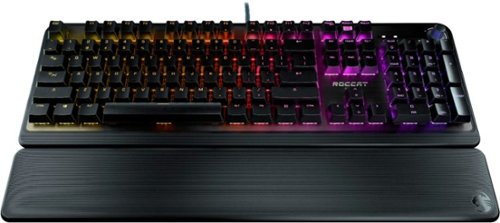
Ready to go mechanical? Look no farther than the The ROCCAT~ Pyro Mechanical (Linear) PC Gaming Keyboard with Per-Key AIMO RGB Lighting, Brushed Aluminum Top Plate and Detachable Palm Rest. Its linear switches boast an optimized 2.0mm actuation point for a keystroke that is both responsive and reliable. Switches are tested to 50 million keystrokes, with a reinforcing brushed aluminum top plate providing added durability. Advanced anti-ghosting technology ensures gamers can press virtually all of the most-used keys simultaneously, with each of them registering and reacting in the heat of battle without fail. The Pyro is equipped with a detachable palm rest to suit both relaxed typing and aggressive gaming styles. Also featured is ROCCAT Easy-Shift[+] technology allowing deep control customization, doubling the function of every button just by holding down the designated modifier key (Caps Lock by default). The Pyro features the AIMO lighting engine, ROCCAT~s proprietary technology, with per-key illumination in 16.8 million RGB colors. AIMO reacts organically to your usage with vivid lighting displays right out of the box ~ without the need for extensive configuration. It also syncs with compatible products with state-of-the-art illumination scenarios flowing from device to device.
Customer Rating
5
Great keyboard!! Feels great!! Fully customizable
on May 27, 2021
Posted by: blah
from Millwood
Great keyboard!! Looks and feels great!! Fully customizable.
If you are a PC gamer, and have not had a mechanical keyboard before, you are in for a treat. This keyboard is just fantastic, and I love the feel of every stroke on WASD as much as I love the way it looks on my PC gaming rig!
Now the only thing is, these keys are quite a bit loud, but they feel oh so good. I game with headphones on so it doesn’t matter to me personally, but might be something to consider if you have another person near you, especially during these work from home times we live in. I have my gaming rig in another room away from others. I also love the volume knob. It just feels NICE!!
Included wrist rest can be attached or removed. I like it attached personally, it is just more comfortable and helps preventing carpal tunnel syndrome, and looks really cool too.
The software you install to control the lighting setup is pretty great too. You can save multiple profiles, and it has something they call AIMO, and it will automatically sense what you are doing and change it’s lighting profile based on what you are doing. It works pretty well too! I don’t have any other ROCCAT AIMO products at the moment, but plan on getting a ROCCAT RGB mouse, and it the AIMO will work across the different devices.
If there is one slight negative, and I would hardly call it a negative, was that there was no mention in the box that you needed to download their software, Pyro Storm, to get full control and customization out of the keyboard. At the time of me receiving my keyboard, it was so new that they did not list it under their “downloads” section for keyboard software. I emailed ROCCAT support, and just an hour later, I received not only a response, but also they added it to the list of keyboards they had this software available for.
Great gaming keyboard!! Looks and feel amazing!! Great support from ROCCAT too!
Mobile Submission: False
I would recommend this to a friend!


Share this review:


+1point
1of 1voted this as helpful.
blah's Review Comments
blah has not submitted comments on any reviews.
blah's Questions
blah has not submitted any questions.
blah's Answers

Reach fitness goals with this Samsung Galaxy Watch Active smart watch. Featuring advanced workout tracking, this smart watch helps optimize workouts and monitors your progress by tracking up to 40 exercises. This Samsung Galaxy Watch Active smart watch monitors your heart and sends real-time alerts in the event of irregular activity.
Dose this watch have the SOS mode where if you are in trouble you hit one of the buttons three times and it sends up to four phone calls, and one to the police?
Reach fitness goals with this Samsung Galaxy Watch Active smart watch. Featuring advanced workout tracking, this smart watch helps optimize workouts and monitors your progress by tracking up to 40 exercises. This Samsung Galaxy Watch Active smart watch monitors your heart and sends real-time alerts in the event of irregular activity.
Are the watch bands interchangeable on the Samsung active?
yes, they are standard 20mm watch bands, that are easily swappable.
7 years, 4 months ago
by
blah
Reach fitness goals with this Samsung Galaxy Watch Active smart watch. Featuring advanced workout tracking, this smart watch helps optimize workouts and monitors your progress by tracking up to 40 exercises. This Samsung Galaxy Watch Active smart watch monitors your heart and sends real-time alerts in the event of irregular activity.
Can u make calls from it
Yes.. you can. You can start calls from it, and speak into the microphone. Also you will get texts and emails to it.
7 years, 4 months ago
by
blah
Reach fitness goals with this Samsung Galaxy Watch Active smart watch. Featuring advanced workout tracking, this smart watch helps optimize workouts and monitors your progress by tracking up to 40 exercises. This Samsung Galaxy Watch Active smart watch monitors your heart and sends real-time alerts in the event of irregular activity.
Can you store music on the watch
yes.. you can. Though it will not hold much. It does also come with Spotify app, though you will need either your phone or a wifi connection to use that.
7 years, 4 months ago
by
blah