


blah's stats
- Review count106
- Helpfulness votes723
- First reviewFebruary 27, 2015
- Last reviewJuly 21, 2026
- Featured reviews0
- Average rating4.4
Reviews comments
- Review comment count0
- Helpfulness votes0
- First review commentNone
- Last review commentNone
- Featured review comments0
Questions
- Question count0
- Helpfulness votes0
- First questionNone
- Last questionNone
- Featured questions0
- Answer count4
- Helpfulness votes0
- First answerMarch 21, 2019
- Last answerMarch 21, 2019
- Featured answers0
- Best answers0
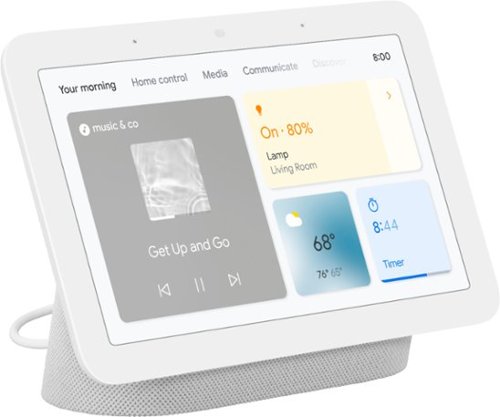
Meet the second-gen Nest Hub from Google,~ the center of your helpful home. Stay entertained in the kitchen with shows, videos, and music. In the living room, control your compatible lights, TVs, and other smart devices with a tap or your voice. And in the bedroom, Nest Hub can help you wake up easier with a Sunrise Alarm.
Customer Rating

5
Love this item for the money!
on April 5, 2021
Posted by: blah
from Millwood
Love this item for the money!
Sleep sensing features:
Ok.. at first I was a bit skeptical, I mean, my smartwatch tracks my sleeping already, and I rarely check to see how I am doing. But this 2nd generation of the Google Nest Hub really is well thought out and implemented. Not only does it sense how I am doing, and yes, it does work if there are two people in the bed, so long as it is about 2-3 feet away from the person whose sleep it is supposed to track, but if you say to it, “Ok Google, Sleep Jar”, when you go to sleep it will offer up several options of background noises to help you drift off. I have a bit of trouble sleeping, and who doesn’t these days. I would get options to have a loop of ocean waves, rain, even crickets. I didn’t find this feature till the 2nd day, and have found that going to sleep to the gentle sound of ocean waves calms me down. Most of the “sleep jar” options on hand only loop for an hour or so that I can tell, and then seem to eventually fade off.
Ok.. at first I was a bit skeptical, I mean, my smartwatch tracks my sleeping already, and I rarely check to see how I am doing. But this 2nd generation of the Google Nest Hub really is well thought out and implemented. Not only does it sense how I am doing, and yes, it does work if there are two people in the bed, so long as it is about 2-3 feet away from the person whose sleep it is supposed to track, but if you say to it, “Ok Google, Sleep Jar”, when you go to sleep it will offer up several options of background noises to help you drift off. I have a bit of trouble sleeping, and who doesn’t these days. I would get options to have a loop of ocean waves, rain, even crickets. I didn’t find this feature till the 2nd day, and have found that going to sleep to the gentle sound of ocean waves calms me down. Most of the “sleep jar” options on hand only loop for an hour or so that I can tell, and then seem to eventually fade off.
Now onto the sleep data itself. When you first tie the Nest together to your google account, it basically asks you a few questions, some of which are what time do you want to go to bed, and wake up everyday. Once you do that, calibrate the system to sense you by lying still in bed a few times. If you get to bed on time, it will basically sense you laying there, and it can tell when you have actually fallen asleep. The next morning, you can actually see how the quality of your sleep was, and it will even give you suggestions on how to get better sleep. In my case, that was how I stumbled upon the “sleep jar” sound options. The first night of sleep sensing, it tracked that it took me a while to fall asleep. In the morning, you can ask, “Ok Google, how did I sleep?”, and it will take you to 3 detailed pages on sleep, see my photos with this review, and will highlight if you snored, if you were actually asleep or just laying in bed, whether you got into bed too early or late, or got up too early or too late.It even sums up how long it took you to actually fall asleep that night.
Now right now how useful any of this is, is really up to the consumer, but I for one can tell you I do have trouble getting quality sleep, and so far I can see this really helping me long term. However, this “sleep sensing” feature, while currently built into the Google Nest 2nd gen, will not be a “free” feature after a year. Google recently purchased FitBit, and google will begin charging for “sleep sensing” at some point in the future. No pricing has been announced.
So just for sleep sensing features, I was pretty impressed, but then there is the rest of the smart display things you can do, almost all of them voice activated. Just say, “Ok Google, play The Clash” and yep it will take you to “Police On My Back”, or any other music you throw at it. It even does this with YouTube videos, or even google podcasts. Want to know the weather? “Ok Google, what’s the weather today”, and it will bring it up on the display, and verbally say it as well. I even said, to it, “Ok Google, holla at y’a boi” and I got quite the funny response back, wishing me well on my day.
I happen to have a YouTube music premium subscription, and it works great with this, but it also allows you to put in Spotify, Apple Music and other streaming music services.
I use the assistant to set timers all the time in my work from home office, for things like making sure things don’t burn in my kitchen… like coffee, etc.. “Ok Google, set a timer for 5 minutes” and boom, I don’t forget while in the midst of my work load. This is really great, and I can do it hands free!
I did not have the 1st generation HUB, but the sound on this is quite decent. I wouldn’t listen to music all day on it, but it is nice to throw on some music while getting ready for the day in the morning, or a podcast, etc.. all while not having to touch a screen.
It also looks pretty nice on my bedroom night stand, and when it senses you are going to bed, it will dim the clock really, really low. With my eyes closed I could not tell it was even on, but if I did open my eyes, I could see the time clearly.
For those that are concerned with privacy, be known that there is no camera on this device. I love this! And, there is a physical slider to shut the MIC off if you want to. It really only listens for things like, “Ok Google”, and for sleep tracking snoring, etc, but it is good to know it is there.
Highly recommended!! Just hoping the subscription pricing for sleep sensing is low enough for me to continue tracking.
Mobile Submission: False
I would recommend this to a friend!


Share this review:


+4points
4of 4voted this as helpful.
This H&R Block Deluxe + State Tax software offers everything homeowners and investors need to easily complete federal taxes. It includes a free online chat with a tax professional, step-by-step guidance on hundreds of credits and deductions, in-person representation in the unlikely event of an audit, and reporting assistance on income from investments, home sales and more.
Posted by: blah
from Millwood
I used the H&R Block tax program to complete my federal and state (NY) tax returns. I found the program easy to install and use. The program asks questions and then determines whether that information should be used in the return. For example there are questions and calculations for deductions and charitable contributions. The program inputs the data from the federal return into the state return. If you have self-employment income the program calculates depreciation and makes suggestions regarding possible deductions. The program also has tools to calculate items such as home office deductions. If you used this program for the prior year's return it automatically inputs information such as carryover depreciation.
In terms of investments it automatically downloads tax information from providers such as Vanguard, Fidelity, etc, which saves a lot of time if you own many funds with capital gains and dividends.
Submitting the returns electronically to the IRS and state office of taxation was also easy, requiring entry of ID information such as a driver's license and bank information for payment/refund purposes. The program will email you when the return is accepted by the IRS and the state (if applicable). The returns can also be saved as .pdf files for your records.
All in all I would definitely use this program again next year because of its ease of use.
In terms of investments it automatically downloads tax information from providers such as Vanguard, Fidelity, etc, which saves a lot of time if you own many funds with capital gains and dividends.
Submitting the returns electronically to the IRS and state office of taxation was also easy, requiring entry of ID information such as a driver's license and bank information for payment/refund purposes. The program will email you when the return is accepted by the IRS and the state (if applicable). The returns can also be saved as .pdf files for your records.
All in all I would definitely use this program again next year because of its ease of use.
Mobile Submission: False
I would recommend this to a friend!
Share this review:


+1point
1of 1voted this as helpful.
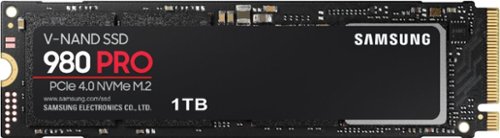
Unleash the power of the Samsung 980 PRO PCIe 4.0 NVMe Gen4 SSD for next-level computing. 980 PRO delivers 2x the data transfer rate of PCIe 3.0, while maintaining compatibility with PCIe 3.0.~ ~The NVM Express~ design mark is a registered trademark of NVM Express, Inc.* Results are based on a comparison with Samsung PCIe 3.0 NVMe SSDs and SATA SSDs.PS5 compatible with heatsink as recommended by Sony; heatsink sold separately.
Customer Rating
5
If you need SPEED in your SSD, look no further
on December 29, 2020
Posted by: blah
from Millwood
I have not upgraded a NVMe M.2 drive in a while, and this 980 Pro M.2 1tb one is replacing an older 500gb SK Hynix one. Although my destination machine is about 2 years old, after transferring over my operating system with the free Samsung Drive Magician software, I definitely can feel the speed increase. Boot time into windows 10 got shaved probably 10-15 seconds for me now, and even things like uncompressing large .rar files sped up quite a bit.
Now the single biggest performance upgrade with this new 980 Pro M.2 drive, is in Adobe Premiere. On my previous drive, it wasn’t too bad, but this new one is the single largest speed upgrade for me in terms of video editing in years!! Things are just much more fluid if my video media is stored directly on this drive!!
The only negative about this drive is that for most people, this is still too high of a price. I would imagine only hard core photo/video pros, and super hard core PC gamers, or those that really want to have the fastest drive on the market, would be willing to pay this much. I know those drives don’t perform as well, but for most people this would be fast enough.
This is a great little NVMe, if you need the speed, and can handle the price.
This is a great little NVMe, if you need the speed, and can handle the price.
Mobile Submission: False
I would recommend this to a friend!
Share this review:


0points
0of 0voted this as helpful.
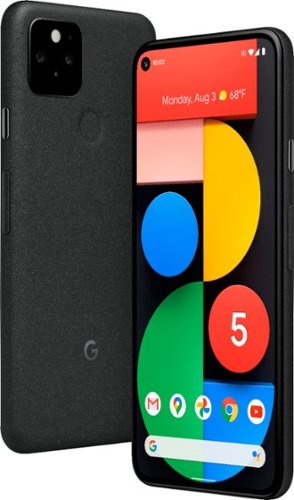
What happens when you bring together the ultimate Google phone and the speed of 5G?* You get Pixel 5. The super fast Google phone at a helpful price.
Customer Rating

4
Great phone, but don't buy just for 5G networks
on November 9, 2020
Posted by: blah
from Millwood
Great phone, but should have been priced lower for specs considering most features are the same on the Pixel 4a 5G, which is sold for a lot less (and adds back in a headphone jack too).
Great phone overall, but for the asking price, and considering that the CPU is slower than last years Pixel 4, this should have been priced lower. Don’t get me wrong, for most people the CPU on this Pixel 5, is very solid, and most people will not notice a difference, especially if they do not play android games. While I am a big gamer, android games themselves are not for me. They do not compare to console game experiences. Luckily we now have Xbox Game Pass on Android which are cloud based streaming game services. I can report that the Google Pixel 5 works and fits the Razer Kishi controller perfectly for those that might be wondering.
I am coming from a nearly 3 year old LG v30 phone, and the Pixel 5 is just way snappier, no doubt due to it having double the amount of RAM, Pixel 5 has 8gb of RAM. I have noticed no lag switching between various apps, and have not even rebooted the phone in the more than 6 days I have been using this phone. While the CPU is a bit slower than other phones in this price-range, it seems Google has done this to conserve battery power. And let me tell you this is the best phone I have owned, ever, in terms of battery power. I can start the day at 100 percent battery charge, and use the phone for calls, texting, even watching videos on youtube, and streaming, and 8 hours later, still have over 50 percent battery life. There is no headphone jack on this phone, but luckily, this phone has Bluetooth 5.0, and defaults to using the excellent quality AptX audio codec if you headphones support it. I also noticed that the bluetooth range with this device is so much better than my LG v30 ever was. With my LG v30, all my smartwatch would always disconnect if I went anywhere more than about 20 feet away from my phone, same with any bluetooth headphones. I now can go more than double that range with my smartwatch.
Probably the best thing about this phone. The operating system!! NO BLOAT!! Pure android 11. This is probably the best version of Android I have seen. Way better than LG and Samsung. Those phones try to do too much, and in the process slow your phone down in my experience. Android 11 will take a little getting used to, it took me a good day to get used to using what they call “gestures”, getting away from using “virtual buttons” like other manufacturers have been doing in the past. The OS is just plain SNAPPY and RESPONSIVE!! Even though it might have a slower CPU than other phones in this price range, you would never know it switching between apps, etc. 8gb or RAM is likely how this is done.
Do not buy this phone if you are looking just to get on the 5G service. I am on T-Mobile with my phone, and in all the testing I have done, it is barely faster than 4G service. Even when I am in sparsely populated areas where I have 5G connectivity, it was hardly different than 4G at all when I measured using speedtest.net.
Screen size, coming from a “larger” LG v30. I was initially not sure about how I would feel coming from a larger phone. Because google has a great design here, and have hidden away the speakers under the screen, and have a “pin-hole” camera, this phone’s screen is just about bezel less. So even though the phone might be physically smaller than a previous “larger” phone, it fits nearly the exact same screen size in smaller physical device. I really am happy with this. Less bulk in my pocket. Oh, and another great thing.. This thing has a beautiful OLED screen. To my eyes, it is better than my LG v30.
Speakers. They are not great, my old phone sounded better, but I cannot complain at all for things like listening to podcasts. Even music isn’t bad. Google went with a “under the screen” speaker, and it works, but it kind of gives you muddy sound for middle and bass tones. Again, it isn’t bad, and as for my personal use, it is fine. Gets just as loud as my old phone speakers.
Phone calls are great with this phone, whether via bluetooth headset, or speaker phone. No one I spoke with via any method of call had any issues hearing me.
“The gap”. Some people have them, and for those that do have a gap, some gaps are larger than others. There have been widespread reports, globally, that people are receiving Pixel 5s, with a slight gap between the screen and the body of the phone, most often, the gap is not uniform, and just in one corner of the phone. I unfortunately received my phone with this small gap in the top left edge corner of the phone. Google has stated that this gap is by “design”, but this more likely is just the result of during manufacturing, the adhesive used to seal the screen to the phone is just not holding down enough. Most people will not even notice the gap, but I was getting lint and dust stuck in that gap, while using the phone for the first couple of days before I moved along to a case for my phone. People on reddit have mentioned that after using the phone in a case for a few days, and the phone heating up, and pressure being applied by the case on to their phone gaps, that the adhesive likely is heating up again, and then applied with a good amount of pressure for the screen to seat down properly, as all phones should have come from the manufacturing line. I have found that this worked for me too! I cleaned out the dust and lint using a small plastic tool, and then put the phone in a case, and a day or two later, took the case off, and my top left corner gap is now gone. I really wish that google had better quality control at their manufacturing company, as this is something that should never have left their factories. After watching some breakdown videos, it seems highly unlikely that water or dust could have entered the internal sections of the phone, but when you are going to spend this much money on a device that is advertised as IP68, it is hard to see how this got back quality control on their assembly lines.
Fingerprint sensor only on this years Pixel 5 model. Face unlock has been removed from last years Pixel 4, and personally, I prefer having a fingerprint sensor. It just works, and due to the current global pandemic and mask wearing, THIS IS A HUGE plus!! You don’t have to fumble around pulling down your mask if you are in public. Pixel 4 did not have a fingerprint sensor at all. The fingerprint sensor generally works fine nearly everytime, but I did notice I had to change how I applied my finger with my third party case. Once I figured that spot out with the case on, it worked pretty much as well as with no case at all, which I would say is near perfect.
Cameras:
These are awesome, and to be expected on any Pixel phone, and this phone is no different. Great photos from this phone, especially it’s night sight mode, and astrophotography modes! Setting photos to “portrait” in the camera app will also allow you to edit the lighting back in google photos on the phone, you can change the lighting, and even the bokeh blur in your photos this way.
These are awesome, and to be expected on any Pixel phone, and this phone is no different. Great photos from this phone, especially it’s night sight mode, and astrophotography modes! Setting photos to “portrait” in the camera app will also allow you to edit the lighting back in google photos on the phone, you can change the lighting, and even the bokeh blur in your photos this way.
Overall:
Again, a great phone. I don’t need the fastest CPU in the world. If you don’t game directly on your phone, you probably don’t either. What you will most likely appreciate more is that slower processor will extend your battery life during the day, something that is more useful if you ask me. I know there were a bit of dings on my review of this phone, but hopefully going forward with future hardware manufacturing runs, google can improve quality control to make sure all phones out of the box do not have a gap. They have publicly said that this “gap” was there by “design”, but given that most people that do have a “gap”, it is not uniform all the way around, I am not so sure this is accurate. So I guess if that is true, by google’s own logic, if you have one with no “gap” you have a defective phone? Most people do not have a gap if you read various threads across the internet, and youtube videos. And even those that do, the gap for most is very small. Mine sealed up after having it in a case for a few days.
Again, a great phone. I don’t need the fastest CPU in the world. If you don’t game directly on your phone, you probably don’t either. What you will most likely appreciate more is that slower processor will extend your battery life during the day, something that is more useful if you ask me. I know there were a bit of dings on my review of this phone, but hopefully going forward with future hardware manufacturing runs, google can improve quality control to make sure all phones out of the box do not have a gap. They have publicly said that this “gap” was there by “design”, but given that most people that do have a “gap”, it is not uniform all the way around, I am not so sure this is accurate. So I guess if that is true, by google’s own logic, if you have one with no “gap” you have a defective phone? Most people do not have a gap if you read various threads across the internet, and youtube videos. And even those that do, the gap for most is very small. Mine sealed up after having it in a case for a few days.
Mobile Submission: False
I would recommend this to a friend!


Share this review:


+31points
33of 35voted this as helpful.
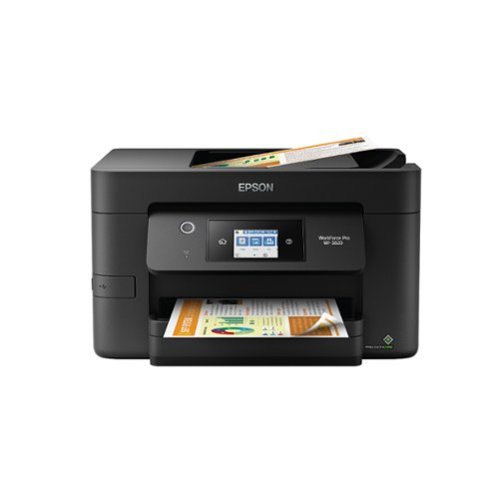
Bring a new level of productivity to your business with the ultra efficient WorkForce Pro WF-3820 all-in-one printer. Designed for high-volume print environments, the WF-3820 delivers precise, professional-quality prints at fast speeds up to 21 (black)/11 (color) ISO ppm~ using vibrant DURABrite Ultra instant-dry pigment inks. A breakthrough in business printing, the WF-3820 features Epson~s innovative PrecisionCore Heat-Free Technology designed for enhanced reliability with minimal downtime. Built with convenience in mind, the WF-3820 offers a variety of user-friendly features to support easy, streamlined printing for small workgroups, including auto 2-sided printing, a large, 250-sheet paper capacity, built-in wireless and a 2.7" color touchscreen for quick navigation and control.
Customer Rating

3
great printer - but cannot use 3rd party ink
on October 20, 2020
Posted by: blah
from Millwood
This is a great printer, perfect for those needing scanning, printing (included 2 sided paper printing), high quality scanning, 150dpi, or 300dpi, photo/document copying, and faxing as well. It has a great little screen for performing just about every function you can think of directly, including maintenance, faxing, copying, emailing .pdf scans, etc. Will also tell you ink capacity, and when there are firmware updates.
Unboxing, and setup is probably at least a 30 minute task. This printer comes with tons of tape, all around different components, no doubt keeping things safe for shipping, but it will take you a while to locate all the blue tape they have in, and some of that blue tape is kind of hidden. While it does come with a very simple set of setup instructions, there were many pieces of tapes that needed to be removed that are hidden, and not mentioned in the very brief included printed setup guide.
Setup onto my wi-fi network was very easy via the touchscreen. It just scans available wi-fi routers, choose yours, and use the touchpad to enter in your home network wi-fi password.
There is also an ethernet port, if you prefer to connect locally to your ethernet home network, and also a USB port if you want to connect directly to a computer.
You can also download and install the Epson iPrint app, if you want to print or scan from your Android or iOS device. Your mobile device needs to be on your home wi-fi network in order to see the printer, and from there you can go about printing documents on your device, or scanning. I have been using this app to scan multi-page documents, via the printer’s top feeding multi-page feeder, called the ADF, autodocument feeder, and it works great. No paper jams so far, and is far faster than using the “flatbed” on the printer if you have to scan loads of pages in. Quality at both 150dpi, and 300dpi is great. Nice color scans!
Print quality seems to be great for my work from home use, as is the 2 sided printing, which is awesome, and the first “home” printer I have ever had that did this.
If there is any one thing that I can say, and this is a big one, is that you cannot use third-pary ink on this printer. The Epson firmware, and the design of their actual ink-tanks, have a chip on it, preventing the use of any third-party ink. The epson ink is very expensive, and the only ink that will work, costs about a third of the actual printer price! If you are a heavy printer, this is something to keep in mind. I repeat, you cannot use third party ink. The firmware and chip on board the ink cartridges will prevent you from using nothing but their own ink.
Mobile Submission: False
No, I would not recommend this to a friend.


Share this review:


+171points
213of 255voted this as helpful.
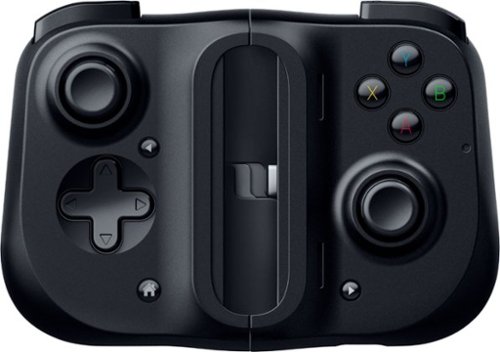
Bring your A-game anytime, anywhere. Introducing a universal mobile gaming controller that fits most smartphone devices, designed to bring console-level control to your on-the-go gaming. With this controller by your side, wherever you go, victory will follow.
Customer Rating
4
Wow. this is way better than I ever thought!
on October 3, 2020
Posted by: blah
from Millwood
I wasn’t too sure how well this controller would work, but this is a pretty well thought out design. Wow.. this is way better than I ever thought!
Basically this thing has an elastic material between the two controller halves. When closed there are two little clasps on the back that keep it locked together. You push on those, and they release. You put your phone in between, and provided you have a phone within the dimensions they say will fit, 145.3 – 163.7 mm x 68.2 - 78.1 mm x 7.0 - 8.8 mm, and one end goes into the USB-C male part on the right side of the Kishi. In my case, I have a fairly large phone, though not a very popular one, the LG v30, and while it does fit just fine, I have a very slim case on it, and it has to be removed every time you want to put the controller on it.
The rear of the controller once on, will also block any rear phone face buttons, like a fingerprint reader. As soon as the controller is on, your android phone will power it. No bluetooth connection here. No worries about charging your controller while on the go. The controller itself has a USB-C pass through on the bottom of it, so you can charge your phone as you play. The only downside I have seen to this is while it will charge your phone, in my case on my LGv30 with QuickCharge 3.0, it just will not charge using the QuickCharger tech. It charges at a slow speed. That was a little disappointing but not a deal breaker. Another nice thing is that there are 2 small speaker holes that let sound get out from your phone, and amplifies it in the process. This actually works pretty well too. Unfortunately, there is no way to get sound to a wired pair of headphones, for phones that still have a headphone jack, while the controller is plugged in. I had to use wireless bluetooth headphones. Most mid-range and higher phones these days don’t have a headphone jack anymore sadly, but I did find that my bluetooth headphones worked great while testing them in conjunction with the controller. In fact, I would imagine most people while playing games on their phone, would want to have headphones on anyway, especially on public transportation, or maybe late night in bed near someone who is sleeping. Just another note here, the USB-C pass thru port will not let you connect a wired USB-C headphone either. It will only allow pass through charging.
I am not really an android mobile gamer, so the rest of my review is based on using it on the new Xbox Game Pass Ultimate - Cloud Gaming system, just launched to the general public several weeks ago. And in my use this controller works great!! Razer Kishi Android controller here, is the same as the more recently released Razer Kishi Xbox edition (that is also more expensive). The only real difference is Xbox branding, and buttons that are labeled the same as they are on an Xbox One.Also the colors of the A and B button are different, than original Xbox one controllers. But everything is functionally exactly the same.
Controller itself works great. While not as good as the original Xbox One controller itself, the buttons are pretty good, and aren’t too stiff. The triggers are better than I thought they would be too. If there is something that could be better here is the d-pad on this controller. They are just a tad to squishy for my tastes personally.
I played a few games on the Xbox game cloud service, and all worked very well with this controller. Games played: BloodStained Ritual of the Night, Halo Reach Master Chief Collection, Forza Horizon 4, and Yakuza 0!
My only other downsides here, and I guess only time will really tell here, is that I feel like I always have to take extreme care while playing. With my LG v30 phone, it stays put while the controller is docked, but I am always afraid it will scratch my phone back, or the screen itself while playing. Putting it on, and taking it off, just make sure you use a bit of caution.
All in all, I do like this controller quite a bit. I wish it did come with some kind of carrying case, I would be a little afraid to carry this loose in a bag, especially given the price tag. Gaming on the-go with this controller is really fun.
Mobile Submission: False
I would recommend this to a friend!


Share this review:


+2points
2of 2voted this as helpful.
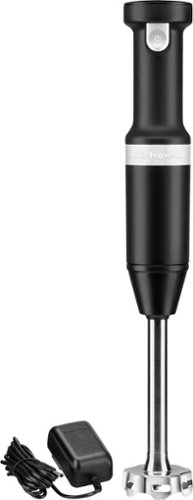
All the power you expect, without the cord. Go where ambition takes you with the cordless hand blender from KitchenAid. Designed with a powerful rechargeable lithium ion battery, the new cordless hand blender delivers optimal runtime and performance, so you can cook wherever, whatever, and however you choose. Blends 25 bowls of soup on a full charge.
Customer Rating
5
Very good buy, recommended!
on July 13, 2020
Posted by: blah
from Millwood
This review is for the variable cordless hand mixer by KitchenAid. It's very convenient not to have a cord as I'm able to use the device anywhere in my kitchen. The device comes with a small plastic cover that you use to store it upright.
The base detaches from the part that holds the blade which is INCREDIBLY convenient for washing it. To use the device you press the button at the top which turns it on and off. It is easy to grasp and pulse manually.The device comes with a measuring cup and lid. I use it to make smoothies. I use frozen fruit and the blades easily and quickly blended all the ingredients. I also use it to blend soups and sauces right in the pot which this device handles with ease. Also I have used this to really easily frothing oat milk for my coffee, and it is great!
The base detaches from the part that holds the blade which is INCREDIBLY convenient for washing it. To use the device you press the button at the top which turns it on and off. It is easy to grasp and pulse manually.The device comes with a measuring cup and lid. I use it to make smoothies. I use frozen fruit and the blades easily and quickly blended all the ingredients. I also use it to blend soups and sauces right in the pot which this device handles with ease. Also I have used this to really easily frothing oat milk for my coffee, and it is great!
Overall, this is a very handy kitchen item. You might just want to double check the space under a kitchen cabinet if you plan on storing it upright, because it might not fit stored vertically. It is a little less than 16.5 inches tall standing vertically.
Very good buy, recommended!
Mobile Submission: False
I would recommend this to a friend!


Share this review:


+2points
2of 2voted this as helpful.
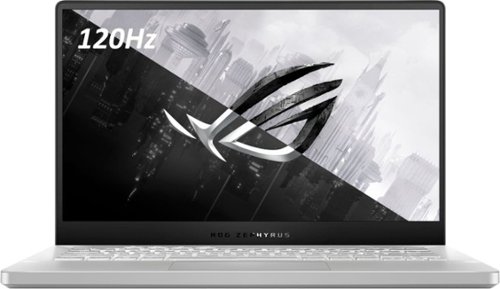
ASUS ROG Zephyrus G14 Gaming Laptop: Enjoy everyday gaming with this ASUS notebook PC. The AMD Ryzen 9 processor and 16GB of RAM let you run graphics-heavy games smoothly, while the potent NVIDIA GeForce RTX 2060 Max-Q graphics produce high-quality visuals on the 14-inch Full HD display. This ASUS notebook PC has 1TD SSD that shortens load times and offers ample storage.
Customer Rating
5
GAME CHANGER FOR GAMING LAPTOP!!
on April 12, 2020
Posted by: blah
from Millwood
Wow.. shockingly powerful CPU for such a small laptop!! GAME CHANGER for gaming laptops on the go!! Not only a fantastic gaming laptop, but also has a really powerful brand new AMD mobile cpu, and compared to an intel based gaming laptop I have, it runs a lot faster. It won’t necessarily help you on most games, but it WILL help you on things like unzipping / unraring files, and anything CPU bound. Not only is it really powerful for a laptop, especially for anything intel based around this price, but the battery life while not gaming is absolutely stellar!! As long as I am not gaming, I am getting about 9 hours or so, just doing things like surfing the web and watching videos.
Oh.. and a great SCREEN!! It is only 1920x1080 resolution, and comes with an NVIDIA GTX 2060 Max-Q. At that resolution, for the 3 games I installed and a few days playing, it sliced thru them like butter!! Sekiro Shadows Die Twice looked amazing, and yeah, it wasn’t running at 4k, but it ran super smooth, and because you don’t need that much resolution for a 14” screen. Most gamers will not realize higher resolution, but you know what they will “feel”? Frame rates that can not only be sustained, but because in this laptop, it has AMD Freesync technology, that eliminates screen tearing if you frame rate goes over 120 frames per second. One of the other games I tried also looked even more amazing, DOOM Eternal! It runs GREAT!
For anyone wondering, I am comparing this laptop to a Alienware laptop that has a RTX 2070 Max-Q, also running on a 1920x1080 panel, and while DOOM seemed to run slightly faster, it was negligible at best. The RTX 2070 max-q was probably too large to fit in this laptop’s form factor, and because of it’s smaller ultraportable size, would have made it get much hotter while gaming. The 2060 Max-Q was a good trade off, and kept the price on this laptop lower.
Ok.. So here is the deal.. I also hooked this laptop up to a 65” Sony HDR TV and surround amp via the HDR port on the right side of the laptop. Was able to get HDR and Dolby Atmos enabled in Windows. Just make sure you select your secondary display as the audio source in the bottom right corner where the sound icon is in windows. So not only was I able to get this all working on my TV, but also managed to change the resolution while gaming to 2560x1440 and still maintain about the same frames per second in both DOOM Eternal, and Sekiro Shadows Die Twice. Both games pushed thru Dolby Atmos surround sound to my amp as well.
The screen itself isn’t too bad. Mine had very good black levels, not amazing OLED level blacks, but really dark, and what was most surprising… pretty good viewing angles for this kind of laptop screen panel. I have had a few other laptops, and move off center from the screen and it washes out pretty quickly. This one you had to really move off angle quite a bit before it started washing out.
Build quality is a step up from previous Asus ROG laptops I have seen, and I just cannot believe that this thing is so small. I absolutely love what Asus has done on this laptop. You open it up, and as you open the screen hinge on the bottom to lift up the back of the laptop off the surface it sits on. This is great, as for the first time, I don’t necessarily have to worry about carrying a laptop cooler with fans under it. Even under full load while gaming, the little lift helped keep it relatively cool for such a small form factor. If you are going for really long sessions, you might want to invest in a cooler, but I don’t think it is necessary as long as it has some air flow while the laptop is open.
I was a little worried about the keyboard, but all in all, it works well for gaming, and most productivity tasks. I do find myself missing the numeric keypad, but the keys feel very good on touch. I am not however a big fan of the backlit keyboard. Because the keyboard is silver, it is really difficult to see any lights come through evenly, and even when they do come through they aren’t very visible except when you are in the dark.
If you happen to have a route that supports WIFI 6, you will not be disappointed with wireless connections speeds. I am getting better speeds and range with the wifi on this laptop than an older laptop I have. I have an Asus gaming router, ROG Rapture GT-AX11000, that happens to have this newer wireless tech, and I am literally getting the same download and upload speeds than a desktop pc that I have ethernet wired in. And, from further distances away too.
The only thing that is also a tiny ding on this laptop, is the port placements on the side. Appreciate 2 USB-A ports for sure, can potentially get in the way for certain desk configurations.
Well, that’s it for now. I am going to finish up some documents for work on this very laptop, and then PLAY SOME GAMES! Also.. I wrote this review on said laptop. =)
Mobile Submission: False
I would recommend this to a friend!


Share this review:


+9points
33of 57voted this as helpful.
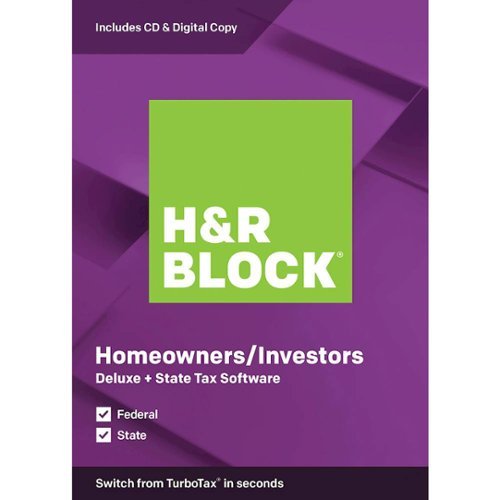
This H&R Block Deluxe + State Tax software is designed for people who want to be in control of their tax preparation experience and feel empowered by completing their own return. It is a perfect solution for homeowners, investors, or both who want to get a big refund.
Customer Rating
5
Highly recommended, and very organized software!
on February 16, 2020
Posted by: blah
from Millwood
Ok… so no one likes to do taxes, but this software makes it at least a little easier than going it alone. This is the fourth year I have used H&R Block Federal and State Deluxe, after having gone to a tax preparer for many years prior.
That tax preparer retired, and I took upon myself to start the journey. Guess what? It wasn’t all that bad. The software keeps all forms organized, and in my household’s case, we have W2 income, schedule C and D, and this version of the software includes that, plus state filings. Also, for schedule D it will also upload the data from your investment websites, saving you quite a bit of time!
The best thing about this software is that it will also import last year’s return from either it’s own software file, or from a .pdf file generated of the previous returns. You can also import from other tax software though I have not tried that option. As a tip, keep both your filed .pdfs, and H&R Blocks saved file returns somewhere other than just your computer. In case you upgrade your computer, or you lose that computer, etc.. the following year, you will have those files on hand to import data that has not changed into your new tax filing.
All in all, this software makes what can be a really tough task, a lot easier. Highly recommended.
Mobile Submission: False
I would recommend this to a friend!
Share this review:


+1point
1of 1voted this as helpful.
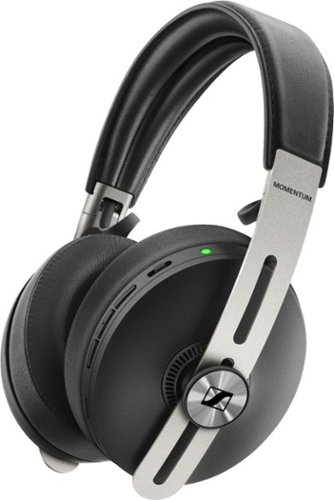
Enjoy the powerful, crisp sound of these Sennheiser MOMENTUM wireless over-the-ear headphones. The sheep leather headband and ear pads conform to the shape of your head, adding comfort for all-day use, and Bluetooth connectivity lets you stream music from various devices easily. These Sennheiser MOMENTUM wireless over-the-ear headphones have active noise cancellation that lets you block or listen in on external sounds.
Customer Rating
5
By far, the best sounding bluetooth headphones!
on November 4, 2019
Posted by: blah
from Millwood
Pros:
By far, the best sounding headphones I have ever heard for wireless bluetooth models of any kind! These things blow the Sony and Bose noise cancelling models out of the water in terms of sound quality. They just sound rich and full of bass. I listen to hip-hop, metal / punk / hardcore, and lots of electronic music. All sound great! Even right out of the box, without using their app on your phone (in my case Android - LG v30), they have a really nice amount of bass. The app lets you control it more, going way overboard on bass if you want, i mean way too much bass, but never quite getting too distorted, the drivers in the earcups can seem to handle it.
They are built solid. I mean these things are built like a tank, and it is a good thing, as the mechanism to fold them also is the only way to easily power them down. Watch out for you fingers though, as the little hinge can cut you if they fold over your fingers. But they are built great!! And they are super comfortable. The ear cups are pretty deep and don’t touch my ears!! I have fairly average sized ears, so your mileage may vary, but this is always an issue with my ears with ear cups that go over my ears. Not with these deep ear cups!
These bad boys also will stay connected to 2 devices at once!! FINALLY!! Love this!! Case in point… I paired these with my Android LV v30 phone… installed app, upgraded the firmware thru the app, and later paired them with my Nvidia Shield media player. Basically you will get a little voice saying, “connected to phone 1” then, “connected to phone 2” (if you are nearby when you turn the headphones on)... I can then watch movies and shows via my Nvidia Shield TV streamer, including KODI stuff with surround tracks, and they sound phenomenal. But, I can also still get notifications on my phone. The only downside of this is, whatever is playing on my other connected device will be “auto-paused” while the notification from the other connected device pairs thru. You can stop this behavior from happening by just setting your phone to vibrate, at least on my Android devices. The sound quality is still pretty stellar for watching movies on my Nvidia Shield TV, and I did not detect any lag between movies/shows and what I was hearing on the headphones, including watching things that had DTS-X, and Dolby Atmos surround sound tracks. I mean these things sound great for watching movies early mornings and late nights! They seem to remember the equalizer settings setup in the app most recently too.
I also found that plugging them in via USB-C cable directly to my USB-C port on my phone would give me slightly better audio quality, but not go as loud, but did however seem to charge my headphones from my phone battery. Was not expecting that, though it is a plus if you need to charge that battery in a pinch. Your touch controls still work while connected via USB-C to your device.
Via wired connection these also sound great, especially if you have a high powered DAC. I happened to have these on my LG v30 phone, and when switching on my phone to that HiFi DAC on it, it sounded great on these headphones. You will not be able to make or receive phone calls, or control the audio via the headphone touch controls however. They unfortunately have a proprietary connector on the headphone side, more on that below in the cons section of this review.
On the couple of phone calls I have made so far, callers said I sounded pretty good, certainly better than included earbuds that I was previously using. I did like that I could change the ANC to transparent mode, so I could talk and still hear the outside world while speaking.
Cons - Now I know I am listing quite a few, but I also want to say, none of these things would detract me personally from not buying these, because the sound quality is so good!!
If you spend $400 on a set of headphones, one would have hoped they would have at least provided a hard case. These headphones come with a pretty flimsy cloth case with zipper. I already have ordered a hard case to hold these, because this fabric/cloth case won’t do anything to protect your headphones in a bag with other things. If they are just in a backpack on their own they might be just fine, but at $400 they should have given this to us.
The noise cancelling seems to only knock out background noise maybe 50-60 percent to my ears. I use these while using a really loud vacuum, and they just don’t cancel my vacuum out more than that. These just don’t knock out sound like the Sony WH-1000XM3, and the Bose QuietComfort 35. But, those don’t sound nearly as good as these Sennheiser, not even close if you like bass especially!
Battery life - I really wish these had better battery life. Both the app and the headphones themselves will tell you how much battery life is left, but apparently only in increments of 20%... either saying “you have over 80% battery life”, or showing it to you via the app. Not sure why they went this route, but I would have preferred an actual percentage like most devices. The other thing is, these are rated for 17 hours of wireless battery life, but I find I am getting around maybe 10-12 hours on a full charge or so with ANC turned on, and forcing my phone to use Apt-X bluetooth codec. Luckily, after your first initial charge, they do charge up to 100 percent quickly, but make sure you use the provided USB-C to USB-C cable (and their provided adapter to USB-A for your charger if needed). At first I used my own USB-C to USB-A cable, and it seemed to charge much slower than using their cable. All in all, it seems to take about 2-3 hours to fully charge from when it is around a 40 percent state. I don’t know for sure, but I get the impression that the reason the battery life is not as good as the Sonny or Bose, is because these pack so much bass on them. They must have their own DAC on board that uses more battery power to deliver that bass.
Folding design -
While I do like how they fold, I don’t particularly like that there is no dedicated on-off button. While it has not happened to me when folding, I can potentially see a time where they either unfold in their case, draining out your battery. They should have just thrown in an extra power button that will override this behavior.
While I do like how they fold, I don’t particularly like that there is no dedicated on-off button. While it has not happened to me when folding, I can potentially see a time where they either unfold in their case, draining out your battery. They should have just thrown in an extra power button that will override this behavior.
Yeah.. you can use them with a cord, but they unfortunately are of a proprietary design on the right ear cup, and it is difficult to get in (you twist until it pops in). But once it is in, the sound can get even better than any of the bluetooth codecs can get. Just make sure if you are using them with a music app that it has a good equalizer to really make them shine to your liking. I really wish they used a standard plug on both ends. Plugging the cord in also sends the headphones into airplane mode, and bluetooth gets shut off. Now the real difficult thing is getting their proprietary cable out. It requires a lot of pressure to yank out, and everytime I feel like i am going to destroy the cable, or destroy the jack on the ear cup itself. I don’t know why they went this way with this.
Con - Equalizer in the app. At first I thought it was ok, but for a company with such a great history making headphones with stellar audio quality, I wish they had made a true equalizer, and not what they went with which doesn’t seem to provide as much granular control. At very least I wish they had allowed you to save equalizer profiles that you can switch in the app. That would have been made it easier to swallow at least. It is just hard to remember that sweet spot if you jump between genres of music with these. It is a bit finicky setting just right.
Another ding on the app on Android, and at least on my LG v30 with android version 9.0, you cannot tell what bluetooth audio codec is actually being used inside the app. I had to go into a android developer mode on my phone to see that it was not using one of the higher end codecs when connected. After physically clicking aptX, I could hear the sound quality get even better. I just wish they would let you do this in their app. Not sure why they can’t do the same with their android app.
You can charge these headphones, and still keep using them, but I noticed they introduce a low hum while listening to them via bluetooth, and charging at once. The same happens when charging the headphones and using the wired connection to your device, there is still that humming.
Overall, these are fantastic sounding, and very comfortable headphones. I know I listed a lot of cons, and my advice would be that if you value sound quality over the amount of noise cancelling, these are worth the extra money over the Sony and Bose options. I also find the build quality of these Sennheiser’s to be much better than the Sony and Bose. I personally like the way they look but they are definitely more noticeable than the Sony or Bose for sure. A more traditional headphone look.
Recommended if you value sound quality and comfort over noise cancelling! Your ears will not regret it!
Mobile Submission: False
I would recommend this to a friend!


Share this review:


+13points
13of 13voted this as helpful.
blah's Review Comments
blah has not submitted comments on any reviews.
blah's Questions
blah has not submitted any questions.
blah's Answers
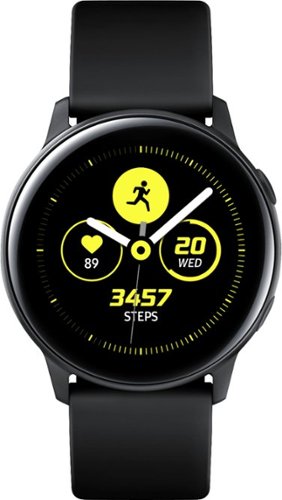
Reach fitness goals with this Samsung Galaxy Watch Active smart watch. Featuring advanced workout tracking, this smart watch helps optimize workouts and monitors your progress by tracking up to 40 exercises. This Samsung Galaxy Watch Active smart watch monitors your heart and sends real-time alerts in the event of irregular activity.
Dose this watch have the SOS mode where if you are in trouble you hit one of the buttons three times and it sends up to four phone calls, and one to the police?
Reach fitness goals with this Samsung Galaxy Watch Active smart watch. Featuring advanced workout tracking, this smart watch helps optimize workouts and monitors your progress by tracking up to 40 exercises. This Samsung Galaxy Watch Active smart watch monitors your heart and sends real-time alerts in the event of irregular activity.
Are the watch bands interchangeable on the Samsung active?
yes, they are standard 20mm watch bands, that are easily swappable.
7 years, 4 months ago
by
blah
Reach fitness goals with this Samsung Galaxy Watch Active smart watch. Featuring advanced workout tracking, this smart watch helps optimize workouts and monitors your progress by tracking up to 40 exercises. This Samsung Galaxy Watch Active smart watch monitors your heart and sends real-time alerts in the event of irregular activity.
Can u make calls from it
Yes.. you can. You can start calls from it, and speak into the microphone. Also you will get texts and emails to it.
7 years, 4 months ago
by
blah
Reach fitness goals with this Samsung Galaxy Watch Active smart watch. Featuring advanced workout tracking, this smart watch helps optimize workouts and monitors your progress by tracking up to 40 exercises. This Samsung Galaxy Watch Active smart watch monitors your heart and sends real-time alerts in the event of irregular activity.
Can you store music on the watch
yes.. you can. Though it will not hold much. It does also come with Spotify app, though you will need either your phone or a wifi connection to use that.
7 years, 4 months ago
by
blah