


blah's stats
- Review count106
- Helpfulness votes723
- First reviewFebruary 27, 2015
- Last reviewJuly 21, 2026
- Featured reviews0
- Average rating4.4
Reviews comments
- Review comment count0
- Helpfulness votes0
- First review commentNone
- Last review commentNone
- Featured review comments0
Questions
- Question count0
- Helpfulness votes0
- First questionNone
- Last questionNone
- Featured questions0
- Answer count4
- Helpfulness votes0
- First answerMarch 21, 2019
- Last answerMarch 21, 2019
- Featured answers0
- Best answers0
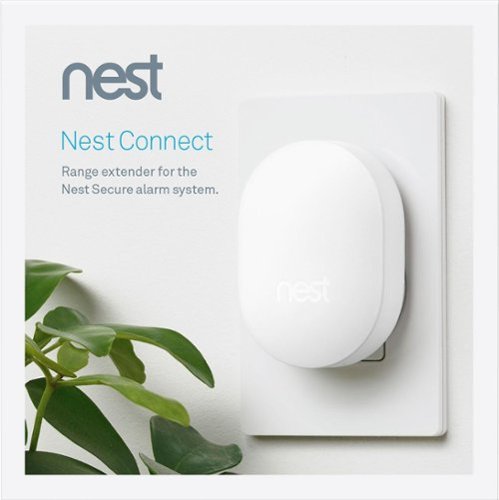
Nest Connect extends your home network for the Nest Secure alarm system. It will make sure motion sensors and alarms are connected and operational, even for larger homes.
Customer Rating

4
buy if you have issues keeping connected
on January 8, 2018
Posted by: blah
from New York, NY
This is basically a range extender that works with the Nest Secure alarm system, and all of the add-ons you have connected to your wifi network.
I found I did need this, as there were a couple spots in my home that didn’t quite reach my Nest Secure, or would disconnect from time to time. You would only really need this if you have a pretty large property. My advice would be to get the Nest Secure system first, and see if you have an area where it does not reach a sensor, as the price of the Nest Connect is pretty high, as is the entire Nest Secure system. However, I think it is worth every penny! Both the Connect - and the Secure itself as well. It is a very well thought out alarm system.
My Best Buy number: 2960219775
Mobile Submission: False
I would recommend this to a friend!
Share this review:


+2points
2of 2voted this as helpful.
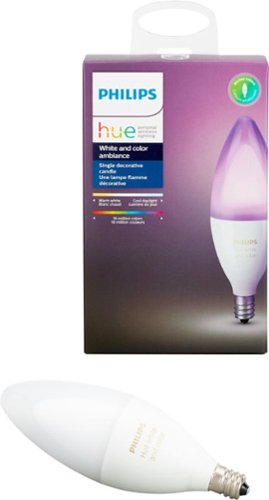
Add color to your decorative lighting with this Philips Hue LED candelabra bulb. Its E12 profile fits chandeliers and accent lamps, and it pairs with a Hue Bridge device for integrated wireless control with your smart home system. Set a desired white light brightness or color ambience on this Philips Hue LED candelabra bulb via the Philips Hue app.
Customer Rating

5
While the bulbs are pricey, this is really COOL
on January 8, 2018
Posted by: blah
from New York, NY
These are great candle color LED lamp bulbs.. Espececially the blues!
These work with amazon alexa, apple homekit, and even google assistant. These are not for everyone however, as they are pretty expensive, especially for just one. But wow are they cool once you are in the Philips Hue ecosystem. They even will work with your Hue Dimmer Switch, Hue Tap, and Hue Motion Sensor. I was suprised to find out it also will work with a Nest or SmartThings setup too.
I love being able to change the light colors from my smartphone and tablet, and changing the actual “HUE” of the colors too. It is like being able to change the color of the paint on a room at your will!!
The bulbs themselves are there brightest on the middle brightness settings. While the bulbs are pricey, I can see getting even more of these down the line.
For those new to the Phlips HUE ecosystem, you must have a Hue Bridge to use these as intended to control your lights for virtually anywhere you have an internet connection!
My Best Buy number: 2960219775
Mobile Submission: False
I would recommend this to a friend!
Share this review:


0points
0of 0voted this as helpful.
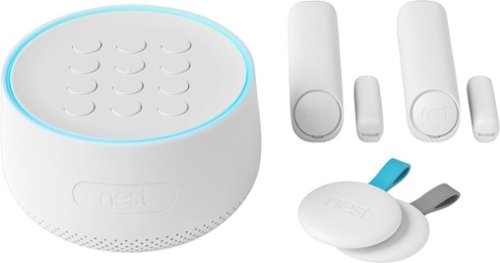
Tough on bad guys. Easy on you.The Nest Secure alarm system is easy to live with every day. Just tap Nest Tag on Nest Guard to arm and disarm the alarm - no passcode needed. Nest Detect sensors look out for doors, windows and rooms. And with the Nest app, you can keep an eye on what matters.
Customer Rating
5
The future of securing your home is here
on December 24, 2017
Posted by: blah
from New York, NY
The future of securing your home is here… but it is not cheap.
The one thing the Nest Secure does right is setup. They make it very easy to set thig thing up… and the design of it is very low-key, and white/greyish color, which is great since it will look great with just about every enviornment it could be in. Setup of the app is very quick - all you do is make a nest account, and then, scan the QR code from each device you are adding.
Installation of the actual hardware is also pretty easy, via adhesive they include, and also instructions they provide via the app.
In my case I got the tags and the Secure unit itself to work with my router very quickly, but have read there can be issues with more obscure routers, but Nest publishes a list of known routers it does have issues with, and work arounds if you do have issues.
Professional monitoring is coming very soon by a company calle Moni, but there is no pricing info yet. If you have a NEST cam, what is very cool is you can have the Nest Cam record as soon as it detects motion.
Nest secure assigns you a six character PIN, for arming and disarming, but really you just use the tags that they give you, and keep them either on your keys or your wallet. The alarm is really loud at 85 decibels. The PIN is if you loose or don’t have your tags.
You can also add Nest “Detect sensors” and they will light up the way thru your home when it dark and someone walks by.
All this is very cool, but once you are in, it becomes very expensive to add in all the other features you can use.
All in all, being able to monitor you home, and be alerted when something is going on at home.. Very cool.
My Best Buy number: 2960219775
Mobile Submission: False
I would recommend this to a friend!
Share this review:


+3points
3of 3voted this as helpful.
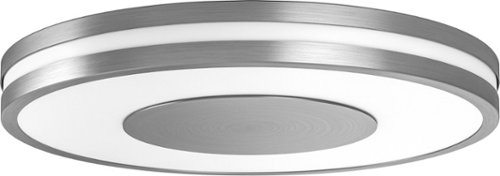
Brighten your day and night with this Philips Being Hue ceiling light. The dimming function lets you set an ambience for different moods, and it works with the Philips Hue dimmer switch and mobile app for versatile control. The ZigBee technology of this 32W Philips Being Hue ceiling lamp provides smooth, efficient interoperability with multiple Hue lighting units.
Customer Rating
4
Fantasic, lighting effects, but very pricey
on December 11, 2017
Posted by: blah
from New York, NY
Fantasic, lighting effects, motion control (sold separately), but very pricey, especially since you will still need to buy the Philips Hue Bridge which isn’t exactly cheap either. That being said, it is really cool overall, once you have this flushmount installed, and you have it all setup on your home network and apps on your devices to control not only turning the lights on, but their color hue, brightness, and can be voice controlled via Amazon Alexa.
The design is very nice too. Simple yet not too modern.
My Best Buy number: 2960219775
Mobile Submission: False
I would recommend this to a friend!
Share this review:


-1point
0of 1voted this as helpful.

Keep files and passwords safe with Bitdefender Total Security 2018 software. It offers increased privacy with web browsing, so your information is protected from potential hackers, and it delivers multilayered ransomware defense for sensitive documents. Bitdefender Total Security 2018 software has game, movie and work modes, so it won~t interrupt you during an entertainment session.
Customer Rating
5
Fantasic, low impact security suite, across Window
on December 10, 2017
Posted by: blah
from New York, NY
I am coming from being a loyal user of Kaspersky Internet Security of many years. After recent news reports, in the United States, and also in the United Kingdom, I decided to move away from Kaspersky, and moved on to try Bitdefender.
As much as I liked Kaspersky, I like Bitdefender Total Security even more. Bitdefender seems to run on Windows 10 at least, as less of a system resource. I love how bitdefender works across not just your PC, but also forces you to make an online account, keeps track of your 5 licences, up to 5 total in my package, for Windows, Mac, Android, or iOS. As of date, I have it installed on both two PCs, and 1 android phone. The Android version runs really well too. Much better than the Android AVAST Security which also slowed my phone down.
Bitdefender updated virus and threats on a daily basis. I also find that it blocks malicious website all the time. The one thing I wish it did in regards to malicious websites, which I have not seen, is be able to allow certain websites, or IP addresses that it flags as malicious, on an individual basis. The website defense is either “ON” or “OFF” and I have not yet found a way to allow certain URLs, or IP addresses to an “allow” list like MalwareBytes Anti-Malware, and Kaspersky Internet Security allow you to. If they added this, it would be even better!
You can whitelist certain kinds of programs, like games, on the Windows portion, so you are not bogging your system down while playing games. Many other security suites do this, and I am very happy they do it as well.
There is also a “SafeFile” feature which is great, for cordon off files from potential ransomware attacks. It protects your main documents folders in windows, but you can add more. Not sure if this would work or not in a real world scenario, but hey it is great to know it is there!
There are so many features I could be here for days writing about them, but one really useful one, was it will scan your system, and even home network, for potential security issues, advise you what to do about them as well. For example, I always keep my Windows 10 system up to date, but BitDefender recently advised me I somehow missed a Windows Malicious software update from several months ago, told me about it, and had an option to update it.
If you have kids, they also have a Parental Advisor which can block objectionable material and also how much time they spend on the internet. It cannot however block specific programs from running.
Getting started you need to first make an online web account. You can then track all your installations thru their web interface, and do certain kinds of actions remotely too. The Windows and Android versions also, if you set it up, will track your missing laptop or android phone. I have yet to try this feature, but for me, the anrdoid version of this would be most valuable. Once you designate a secondary phone # in your account, you can do things like wipe your phone if you think someone has gotten your phone and you are afraid of them accessing your phone, and apps, etc.
Overall, this is incredibly well thought out software!! Big THUMBS UP!!
My Best Buy number: 2960219775
Mobile Submission: False
I would recommend this to a friend!
Share this review:


+15points
15of 15voted this as helpful.
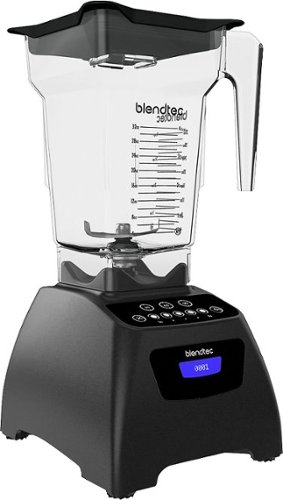
Create delectable drinks and meals using this Blendtec Classic 575 5-Speed blender, which features preprogrammed cycles for smoothies, cleaning and 60- and 90-second blending for simple operation. The LCD timer shows the blend time remaining at a glance.
Customer Rating
5
If you make alot of smoothies, this is a great!
on December 3, 2017
Posted by: blah
from New York, NY
Great high powered blender. You can blend drinks and meals with this 5-speed, high powered blender. I has already programmed cycles for smoothies, 60 and 90 second timer blending, and cleaning. It has a very cool LCD timer that shows you the time left on your blend cycles.
The absolute best thing about this blender, compared to other blenders is how easily it can blend. This is because it is very high powered. You can load it up with frozen fruits, ice, etc, and it will blend thru it with ease. I didn’t get any groups or clumps of unblended ingredients.
My model came with the “FourSide” 32 ounce jar. The WildSide jar can be purchased separately if you want a larger (that one also has a larger blade). For my uses, smoothies mostly, the FourSide 32 ounce jar does just fine. Also works great for making almond butter!
Overall, if you make alot of smoothies, this is a great blender!
My Best Buy number: 2960219775
Mobile Submission: False
I would recommend this to a friend!
Share this review:


0points
0of 0voted this as helpful.

Video editing doesn't have to be daunting or take tons of time. Go from hundreds of mystery folders to a visual view of your videos automatically sorted by date. Use automated editing options and step-by-step guidance to create and share everything from animated GIFs and video collages to new dynamic slideshows and full-length movies.
Customer Rating
5
Pretty cool stuff. You will not go wrong with this
on November 18, 2017
Posted by: blah
from New York, NY
If you have alot of family video, or even video you want to cut together to put up on YouTube, you can’t do much better than Adobe Premiere Elements. It is quite similar to Apple iMovie (which is only available on Mac computers) in terms of functionality and ease of use for novices. This is really very easy software to use. You can set up the software to work in a “guided” mode basically shows you how to do things like arranging video clips, how to cut, trim, split, add in graphic titles, transtions (fades, wipes from one shot to the next).
For most people that mode would be enough, but if you are an aspiring pro, you can jump into more pro-like features from Adobe Premiere Pro (what many Pro users use - and FAR, FAR more complicated), to give your videos a bit more polish.
Similar to things like google photos app for android and desktops, it has a feature called “Instant Mvoie” and can create video automatically for you based on what kind of action Premiere Elements thinks is happening thru it’s AI. I would imagine the software is analyzing the video clips for moving content and sound, and trimming things away. Another feature it has is called smart trim, and will take a bunch of video files you have, and also scan thru them, and seemingly create really short social media like posts from them you could share.
Pretty cool stuff. If you are not a pro, or want to dabble in what it could be like, you will not go wrong with this software. Very fun to use too.
My Best Buy number: 2960219775
Mobile Submission: False
I would recommend this to a friend!
Share this review:


0points
0of 0voted this as helpful.
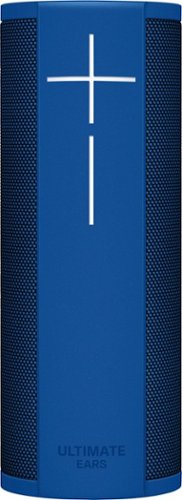
Request songs and initiate searches from Alexa with this Ultimate Ears BLAST wireless speaker. Its Wi-Fi and Bluetooth connectivity let you access the internet, make voice commands and take calls without stopping the music you~re streaming. The 360-degree profile and full-range drivers of this Ultimate Ears BLAST wireless speaker produce big, dynamic sound for your music.
Customer Rating
4
Very cool speakers overall for smaller rooms!
on November 18, 2017
Posted by: blah
from New York, NY
This is my first kind of wireless speaker, and the first for any kind of Amazon Alexa device. Speaker connects to your home network via wi-fi network. Sound quality is pretty good for such a small speaker, but these will not replace true higher powered stereo speakers powered thru a dedicated receiver. It is however a great thing to have in a smaller room, and the sound is impressive in those situations - like a bedroom. With Alexa you can say voice commands to the speakers, and on command it will raise the volume, change podcasts, specific genres, artists, etc. The alexa commands work on most the services it currently supports, but more are coming in a future updated, and will include Pandora control. Alexa commands will also do other things not specifically music related too, like buying items, controlling smart devices in your residence that are on your home wifi network, news, weather, etc.
Setup of the speaker basically requires you to pair the speakers with your smartphone, then installing the ultimate ears app, register speaker with alexa app on your phone, and then it will be paired to your wifi network. Any future updates to Alexa, or the system firmware on the speakers should come directly and automatically. If you are not thrilled of Alexa listening all the time, you can still use the speaker as bluetooth speakers, but if you are getting these the main selling point, is that they are not only bluetooth speakers, but ones with Alexa artificial intelligence control ability.
Very cool speakers overall for smaller rooms!
Very cool speakers overall for smaller rooms!
My Best Buy number: 2960219775
Mobile Submission: False
I would recommend this to a friend!
Share this review:


0points
0of 0voted this as helpful.
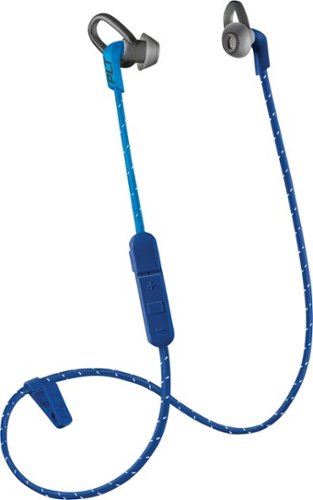
Enjoy clear audio without distraction while wearing these Plantronics BackBeat FIT wireless earbuds. They have a sweat-resistant coating and lightweight design that's comfortable to wear and stays in place as you exercise or lounge. These Plantronics BackBeat FIT wireless earbuds come with interchangeable tips in different sizes, providing a secure, noise-blocking fit.
Customer Rating
4
recommend these if you are working out indoors
on November 16, 2017
Posted by: blah
from New York, NY
I workout alot, and these fit the bill with some caveats.. First, if you are running, the small ruber loop that holds them in place on your ear opening, it gets wind in it, and you get a bit of a sound thru it. I found if I wore a light hat to cover my ears I pretty much got rid of it. If you are not an outdoor runner or a biker however, I usually workout indoors, these are great. They don’t come out, and I was really surprised about the sound quality over bluetooth. Usually, in the few bluetooth headsets I have actually tried, the sound is not great. The bass is actually pretty decent.
If you are using these outdoors, you probably want to be careful, as they do block out quite a bit of sound. As for my use, I will be using these at home when I workout lifting weights, even spinning. They are great for that. Even with some sweating the earpieces stay in place for me because of that small rubber loop design. The wire connecting the left and right pieces, goes behind your neck, works pretty well. Cord is not too long, and not too short. Well done on that end. I got about 30 feet from my android phone, and the audio held up just fine. I was worried I would loose a connection. For me this is great, as I can walk around my place without having my phone on me.
Overall, I would recommend these if you are working out indoors primarily.
My Best Buy number: 2960219775
Mobile Submission: False
I would recommend this to a friend!
Share this review:


0points
0of 0voted this as helpful.
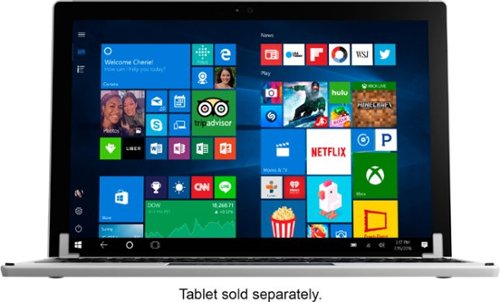
Replace the keyboard of your Microsoft Surface Pro 7, 6, 5 or 4 with this silver Brydge keyboard. It conveniently lets you open the screen at your preferred viewing angle without a kickstand, and its backlit keys increase visibility in low light working environments. This Brydge keyboard is lightweight, so it doesn't add extra bulk to your device.
Customer Rating
5
better than the Microsoft branded keyboard
on November 16, 2017
Posted by: blah
from New York, NY
Have had a Surface Pro 4 a very short amount of time, and at the time did not have a keyboard. This Bridge 12.3 made for the Surface Pro, the Surface Pro 3, and the Surface Pro 4, has been great so far. The build quality is great aluminum body, and is pretty much identical to my Surface Pro 4’s aluminium to my eyes. I did not buy Microsoft’s keyboard for the Surface Pro 4, but this one feels better from the one I did feel at a Microsoft store. This Brydge Keyboard has all the keys you would want including ones for shortcuts. A huge plus is that not only are the keys backlit, but there are three levels of brightness, so you could be in bed with a significant other and not bother them if they were sleeping. The 160 degree hinge works pretty well too. The keyboard basically “grips” the Surface in place. I like the feel of the keyboard, though some might not. It feels similar to me to an alienware laptop keyboard I have, which I like. I prefer this personally to a very smooth keyboard feel, though others might feel differently. Overall, I think this is probably a better option than the Microsoft branded keyboard. Recomended!
My Best Buy number: 2960219775
Mobile Submission: False
I would recommend this to a friend!
Share this review:


+1point
1of 1voted this as helpful.
blah's Review Comments
blah has not submitted comments on any reviews.
blah's Questions
blah has not submitted any questions.
blah's Answers
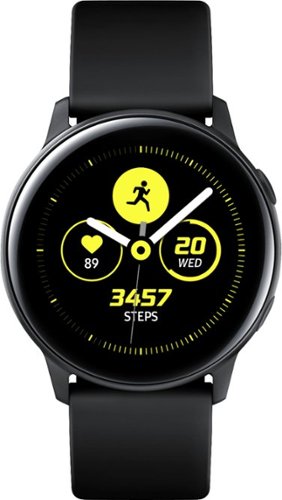
Reach fitness goals with this Samsung Galaxy Watch Active smart watch. Featuring advanced workout tracking, this smart watch helps optimize workouts and monitors your progress by tracking up to 40 exercises. This Samsung Galaxy Watch Active smart watch monitors your heart and sends real-time alerts in the event of irregular activity.
Dose this watch have the SOS mode where if you are in trouble you hit one of the buttons three times and it sends up to four phone calls, and one to the police?
Reach fitness goals with this Samsung Galaxy Watch Active smart watch. Featuring advanced workout tracking, this smart watch helps optimize workouts and monitors your progress by tracking up to 40 exercises. This Samsung Galaxy Watch Active smart watch monitors your heart and sends real-time alerts in the event of irregular activity.
Are the watch bands interchangeable on the Samsung active?
yes, they are standard 20mm watch bands, that are easily swappable.
7 years, 4 months ago
by
blah
Reach fitness goals with this Samsung Galaxy Watch Active smart watch. Featuring advanced workout tracking, this smart watch helps optimize workouts and monitors your progress by tracking up to 40 exercises. This Samsung Galaxy Watch Active smart watch monitors your heart and sends real-time alerts in the event of irregular activity.
Can u make calls from it
Yes.. you can. You can start calls from it, and speak into the microphone. Also you will get texts and emails to it.
7 years, 4 months ago
by
blah
Reach fitness goals with this Samsung Galaxy Watch Active smart watch. Featuring advanced workout tracking, this smart watch helps optimize workouts and monitors your progress by tracking up to 40 exercises. This Samsung Galaxy Watch Active smart watch monitors your heart and sends real-time alerts in the event of irregular activity.
Can you store music on the watch
yes.. you can. Though it will not hold much. It does also come with Spotify app, though you will need either your phone or a wifi connection to use that.
7 years, 4 months ago
by
blah