


TravisJ's stats
- Review count179
- Helpfulness votes263
- First reviewNovember 6, 2016
- Last reviewJune 8, 2026
- Featured reviews0
- Average rating4.8
Reviews comments
- Review comment count0
- Helpfulness votes0
- First review commentNone
- Last review commentNone
- Featured review comments0
Questions
- Question count0
- Helpfulness votes0
- First questionNone
- Last questionNone
- Featured questions0
- Answer count2
- Helpfulness votes0
- First answerOctober 28, 2017
- Last answerNovember 20, 2018
- Featured answers0
- Best answers0
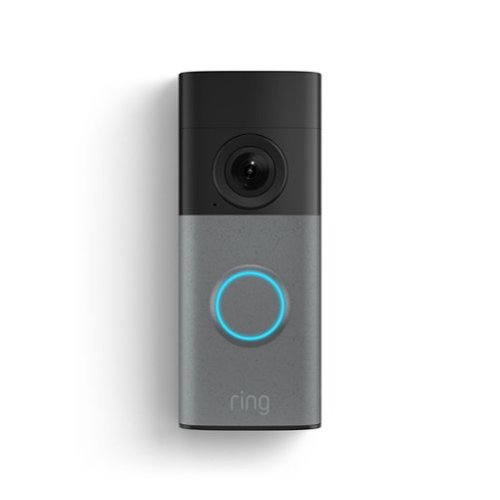
Wired Doorbell (2nd Gen) keeps you plugged in to to your front door through constant hardwired power. Never miss a moment and see everyone who stops by through Retinal 2K with up to 6x Enhanced Zoom. With Motion Detection, Color Night Vision, and more, peace of mind is just a tap away.
Customer Rating

5
A Worthy Update to the Original
on June 8, 2026
Posted by: TravisJ
I’ve been using Ring home security for several years now. The doorbell camera is a staple for home security and it’s been a convenient and must have tool. I was excited to see a 2k version along with all the features that come with the newer version.
Jumping straight into why I love Ring and excited about the new 2nd generation doorbell. First is the 2K upgraded camera. Ring already does great with detecting activity in front of my home, but with the enhanced 2k camera, you get additional smart notifications such as vehicle color and descriptive footnotes about what the clip is describing. For example, you may get “A blue vehicle is in the driveway” and for me that would indicate my wife is probably home. Alternatively, if you’re expecting someone, these descriptions would be helpful to let you know someone has arrived.
I love how you can adjust the type of notifications you get, including package detection zone, which will detect packages and deliver special notifications to alert you. Because I live in an active neighborhood, I do get a lot of notifications about random cars or people walking down the sidewalk. You can turn on smart features such as only get notified if there’s unusual activity. This will get the doorbell to monitor normal activity and reduce your notifications to only unusual motion, such as someone in your yard or porch vs just walking down the sidewalk.
As for the app, you can adjust a ton of settings and customizations to ensure it works the way you want it to. I don’t usually entertain uninvited guests, so as soon as the doorbell button is pressed, it plays a quick reply. You can choose to delay this several seconds, or turn off all together. You can also choose what kind of reply, whether it’s a leave a message reply, or a “We’ll be right there” message. You can also choose the length of time to grab snapshots or how long after a detection you want to record. There’s also a device health screen where you get feedback on wifi signal strength, change network, or check power output.
If you already have a wired doorbell camera, or doorbell, installation will be easy. Ring has descriptive and helpful tutorial videos and includes needed mounting hardware and jumper wire. Since I already had a wired ring camera, my installation was a bit more streamlined. I did have a corner mount with my old Ring Doorbell that does not fit the newer generation doorbell. I did go ahead and order one and it fits perfectly. I did try with the older one and it was not happening.
I almost forgot to mention the two way chat feature. I’ve used this several times to talk with a delivery person or someone stopping by the house looking for me. It’s very helpful if you want to see what the person at the door wants before opening, screen solicitors, let delivery people know where you would like your packages placed. I’ve even had FedEx sign for me as long as I allowed them to leave in the garage, all coordinated through the two-way communication on the ring doorbell.
Ring has been a great product for me, I’ve even convinced my sister to get into the Ring ecosystem and she’s been very satisfied as well. For me knowing what’s going on outside my home provides peace of mind that is hard to quantify. I even have a few videos of my mother hanging out with me on the front porch I was able to save as she is no longer with us. A memory that is precious and priceless.
I would recommend this to a friend!
Share this review:


0points
0of 0voted this as helpful.
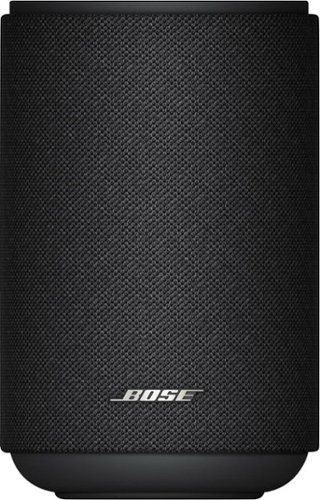
Meet Bose Lifestyle Ultra Speaker, a small but versatile wireless home speaker with sound so powerful it feels like you~re living in it. With three speakers ~ two front-facing, one up-firing ~ this compact speaker delivers deep, punchy bass and crystal-clear highs. The perfect surround speaker for home theater, sound is projected and reflected toward you, making the music feel much larger than it is. And CleanBass Technology provides thunderous bass with stunning depth and clarity, no matter the volume. So you can drench any space in lush, astonishingly clear audio ~ from one space, or an entire floor.
Customer Rating
5
Great Sound, Utility, and Features
on May 10, 2026
Posted by: TravisJ
This speaker set is fantastic product if you want to add rear speakers to your soundbar, setup as stand-alone stereo speakers, or add as part of a whole home audio system.
I wanted to see how these speakers worked in stereo and if I could use them when I wanted to grill out outside with the family and friends or just jam out in the living room. No problem. They’re small enough that you pick up and move around and can easily find room for them on a table, but large enough to fill a room with quality music and sound.
I was able to connect them via Bluetooth and used the app to set them up in stereo. The cables are long enough you don’t have a hard time finding an outlet. I thoroughly enjoyed jamming out to my favorite tunes, and it gets loud enough, that my wife asked me to turn them down some when jamming out nearly full volume. They’re not going to blow your windows out, but they work well to bring mood to any room or activity. You can also airplay or google cast from your phone which makes forgetting the aux cable easy and makes me want to use them more often from my phone.
If you have the Bose Lifestyle Ultra sound bar, I recommend setting them up as part of your home audio, all wirelessly of course. Having the speakers behind us on the left and right add a level of immersion that has you looking over your shoulder. Using the app, you can combine them with your soundbar, creating a home theatre configuration to enhance your movie/show watching experience.
As for the design, they’re oval shaped and can easily nestle in the back of the room if you want to integrate them with your homes aesthetic. They can easily blend in or can stand on their own with a neutral but modern design that easily fits into any home. I do like how you can get stands for the speakers or wall mounts if you prefer that type of integration, there is a threaded opening on the bottom for mounting. Controls are on the top and use haptic buttons for Bluetooth and an action button, along with physical pause and play buttons, volume up and down. You can also control the volume haptically by rotating clockwise or counter clockwise on the light ring to quickly adjust volume.
I love the versatility of these speakers and options you have, whether you want a single one for each room, multiple for whole home sound, or use in a pair for stereo or as part of your soundbar home theatre.
I would recommend this to a friend!
Share this review:


+2points
2of 2voted this as helpful.

The Bose Lifestyle Ultra Soundbar delivers sound so immersive, you~ll feel like you~re living in it. With Dolby Atmos decoding, SpeechClarity plus other proprietary technologies, and the ability to expand into a full home theater setup with rear surrounds and subwoofer, this premium soundbar fills any space with lush, dynamic audio ~ letting you turn every party, movie night, or low-key evening into an unforgettable event.
Customer Rating
5
Wireless Home Theatre with Signature Bose Sound
on May 10, 2026
Posted by: TravisJ
Bose is a household name synonymous with great sounding speakers. My own vehicle has a Bose sound system from factory that I love, so I was excited to finally have a sound bar that shares the name and quality.
><><>Pros<><><
- Bose signature sound. Forward, center, and upward firing speakers on the Bose Lifestyle Ultra Soundbar create an immersive experience. We love watching our favorite shows and movies to feel like we’re right in the scene, especially when you pick up on background sounds you don’t normally pick out.
- You can use the EQ in the Bose app to dial in the sound. Although the EQ is limited, you can still adjust for bass, mids, and treble. Other adjustments are center, height, and surround, along with subwoofer volume (if you have one, I highly recommend to get one). The app will also use your smartphone to optimize the sound by calibrating the speakers to your sitting position. The Custom Tune process takes a few minutes and a quiet room, but will further customize the sound to your place in the room.
- Multiple options for connectivity are a must as homes become smart homes. You can use airplay, google cast, or just connect Bluetooth for multiple wireless options. The best way to connect to your TV however is the included HDMI cable into your eARC HDMI port on your TV. This allows the device to come on with your TV (in most cases) and pass thru audio from other HDMI connected devices.
- I like how there’s a glass top for the soundbar. It adds a bit of elegance to it that departs from the standard “nice plastic”. There are haptic touch buttons on the top to use Bluetooth, mute the microphone, or power the device. Since this will likely be front and center of your living room along with your TV, it’s nice to see a bit extra was done for design. This currently looks great on my TV stand but if you want to buy the mount kit, you have the option to mount the soundbar to the wall as well.
- Small thing to celebrate, but the power cable was long enough as to not restrict placement. The included HDMI had plenty of room to reach my wall mounted TV from my short entertainment stand below.
><><>Cons<><><
- One thing I would have liked to have in the app is a description for the EQ settings Center, Height, and Surround. It’s not immediately obvious what these do if this is your first surround sound system. Descriptions in the menu in general would be useful.
- I didn’t see a manual or online documentation that explains what the buttons do on the soundbar. While the app does a good job walking you through setup, some documentation either within the app or in the box would be helpful.
- I would have loved to see the wall mount kit included for the sound bar. Bose does sell a kit so you can bundle that if you’re interested, but it’s sold separately. Not a deal breaker and likely not included to prevent waste, but I personally prefer to mount my sound bars.
- One thing I would have liked to have in the app is a description for the EQ settings Center, Height, and Surround. It’s not immediately obvious what these do if this is your first surround sound system. Descriptions in the menu in general would be useful.
- I didn’t see a manual or online documentation that explains what the buttons do on the soundbar. While the app does a good job walking you through setup, some documentation either within the app or in the box would be helpful.
- I would have loved to see the wall mount kit included for the sound bar. Bose does sell a kit so you can bundle that if you’re interested, but it’s sold separately. Not a deal breaker and likely not included to prevent waste, but I personally prefer to mount my sound bars.
This sound bar is an easy recommend. It has elegance, great sound, full featured with wifi, Bluetooth, and wireless connectivity. No noticeable delay in the sound, and if there was, you can adjust it within the app. Bose has been around for a long time and is a trusted brand.
I would recommend this to a friend!
Share this review:


0points
0of 0voted this as helpful.
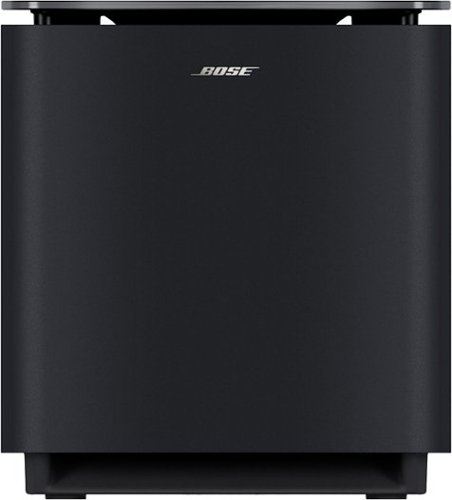
This wireless home audio subwoofer brings bass you can feel in your bones. From the first beat to the final boom, the Bose Lifestyle Ultra Subwoofer makes every moment bigger. Our most powerful wireless subwoofer to date, this bass module pumps out deep bass and thunderous lows. It is most immersive, delivering full wall-to-wall sound, when paired with compatible Bose speakers or soundbars. And CleanBass Technology eliminates resonance issues for clear, impactful bass at any volume.
Customer Rating
5
Deep Bass and Elegant Design and Integration
on May 10, 2026
Posted by: TravisJ
The Bose Lifestyle Ultra subwoofer offers deep bass in an elegant design that is powerful without taking up too much floor space. Setup using the Bose app after plugging in the power to add it to your Bose Lifestyle Ultra Sound Bar.
Once connected, you get a whole new layer with music with the subwoofer which really brings the bass forward. You can adjust settings in the app to increase the sub volume as well as use the EQ to increase the bass. I find it very relaxing to find videos that play thunderstorm and rain sounds. The subwoofer really allows you to feel the rumble of the thunder and can be very relaxing.
It also adds to the immersion if you have surround sound. While extra speakers can give you an immersive experience, the addition of the subwoofer makes it more like a home theater, with deep rumbling bass that you normally get at the movies, in your home. For TV and movies, I tend to keep it more on the subtle side. You sort of get lost in the moment with it there, but without it, you immediately notice the difference.
I love that it’s wireless and doesn’t require direct connection to the sound bar, although if that is the preference, you certainly can do so. The top appears to be glass so it looks and feels like a premium product that isn’t just high-quality plastic. It has beefy rubber feet that keep it from “dancing” around on the floor from the vibration of the bass, and connectors on the bottom that allow you to easily run the cables along the floor to the wall to execute a very clean setup.
I love the deep bass sound, how easy it is to connect, and the convenience of wireless connectivity. The Lifestyle Ultra Subwoofer echos the premium reputation that Bose is known for.
I would recommend this to a friend!
Share this review:


+2points
2of 2voted this as helpful.

Power through your busiest days with Galaxy Book6 Pro. This PC is engineered for perfection and works together with your Galaxy devices as an unmatched force with features like Storage Share~, Phone Link~ and more. Perform your best with the latest Intel Core Ultra 7 Processor (PTL) with the latest ARC GPU that brings exceptional speed and responsiveness. Whatever you~re working on, the immersive 16~ Dynamic AMOLED 2X touch display helps put your work in the best light. And, get more hands on with your projects thanks to its light design, seamless haptic touchpad and long lasting battery.
Customer Rating
5
Thin and Powerful with a Great Display and Battery
on April 23, 2026
Posted by: TravisJ
I’ve been a fan of the Samsung Book line for a few years now. Samsung is well known for a wide variety of eletronics, so I wouldn’t sleep on their laptops either. With a simple and sleek design, and versatile processor, you get big bang in a large 16” laptop.
**Performance**
I think the most compelling feature to note is this uses intels new Core Ultra 7 365H. I’ve ran several benchmarks to measure the quantative values but just from user experience, I can see this being a laptop that you want to take with you to the office, on vacation, or sit down at a cafe. Aside from having a bunch of tabs open, I’m still able to play a video while also scrubbing the timeline around in Samsung’s Studio app, using the balanced power setting on battery.
There’s also the NPU for AI workflows. With a dedicated Co-Pilot button, you can launch windows AI and create quick visuals, summarize data, or provide general assistance with gathering information or helping with a problem. It took about a minute and a half to get my favorite AI image, a “Crab Raccoon”! If you lean on AI to help with workflows or every day tasks, I can see this working to your advantage. One of my favorite things to do with AI is to summarize articles.
It’s also worth mentioning that this CPU has integrated graphics. I wasn’t going to spend any time testing games because I didn’t think it was that kind of computer until I entertained launching Battlefield 6 and found that it launched into the game and let me play around in a match. It was not good, around 22-30 FPS at best on the lowest settings. What it did inspire me to do was launch Tribes 3 Rivals which played wonderfuly at 50-60 FPS at 1080p resolution and low settings. Gaming is definately doable on this laptop as long as you’re not playing very demanding titles and don’t mind lower settings.
**Design**
Samsung makes all kinds of products for the home and every day life and stick to a similar design language. Well built with a clean, minimalistic design while not cheaping out on quality of build materials. The laptop looks sharp, everything just flows and blends well. There’s a very large palm rest for typing. In fact, my wrist and the top of my forearm wrests on this laptop. This leads me to my first critique. I feel like the keyboard sits very high on the chasis and could have came down about half an inch or so. Also, the speakers hugh either side of the keyboard, I would have liked to see the keyboard get a bit of extra room by shrinking the speaker mesh. These are small improvements that would result in the shrinking of the mouse pad which is huge. Some people love their giant track pads, I am not one of them, but I can live with it.
Samsung makes all kinds of products for the home and every day life and stick to a similar design language. Well built with a clean, minimalistic design while not cheaping out on quality of build materials. The laptop looks sharp, everything just flows and blends well. There’s a very large palm rest for typing. In fact, my wrist and the top of my forearm wrests on this laptop. This leads me to my first critique. I feel like the keyboard sits very high on the chasis and could have came down about half an inch or so. Also, the speakers hugh either side of the keyboard, I would have liked to see the keyboard get a bit of extra room by shrinking the speaker mesh. These are small improvements that would result in the shrinking of the mouse pad which is huge. Some people love their giant track pads, I am not one of them, but I can live with it.
There is just a small logo on top of the lid and some intake vents on the bottom. Aside from a few ports on the sides that’s pretty much it. If you have a lot of perephials to attach, be prepared ot maybe pack a hub or small dock with you. There are 2 Thunderbolt 4 ports on the left along with an HDMI 2.1 port. You only get a single USB A and headphone jack on the right.
Keyboard, webcam, and speakers are all about average. I find the keyboard works well enough but can be a bit spongy. Trackpad is very large and has good palm rejection, the clicks feel tactile and responsive. Speakers I thought got as loud as you’ll ever need in a laptop and without getting mushy at the higher volumes, but didn’t really stand out as being special, however, I can appreciate them being decent. Webcam is falls into a similar category as being okay and acceptable, but as more interaction is handled remotely, it’d be nice to see the standard webcam get a bit of an improvement.
**Display**
Samsung is a world leader in display manufacturing, I have several monitors from them, and they’re all fantastic. This 3k AMOLED display outputs vibrant and engaging colors. Buttery smooth at 120Hz refresh rate, you can easily get lost in 4k HDR content. There are 6 different dispay profiles under windows settings that you can choose from. You can also find these same profiles under the Samsung settings app. I like that the refresh rate is variable to help save battery life. I also love that it’s touch screen.
Samsung is a world leader in display manufacturing, I have several monitors from them, and they’re all fantastic. This 3k AMOLED display outputs vibrant and engaging colors. Buttery smooth at 120Hz refresh rate, you can easily get lost in 4k HDR content. There are 6 different dispay profiles under windows settings that you can choose from. You can also find these same profiles under the Samsung settings app. I like that the refresh rate is variable to help save battery life. I also love that it’s touch screen.
**Battery Life**
Battery life is advertised as being around 30 hours. You can read the fine print and get the exact testing parameters which doesn’t really reflect how most people will use this laptop. However, if you don’t mind using around 40% brightness and low power mode when browsing the web or checking emails, I can see someone easily getting two or three afternoons of use out of this without needing to charge. If you do need to juice up, this laptop juices back up at 65 watts which I think is very convenient for use with modern power bricks and battery banks.
Battery life is advertised as being around 30 hours. You can read the fine print and get the exact testing parameters which doesn’t really reflect how most people will use this laptop. However, if you don’t mind using around 40% brightness and low power mode when browsing the web or checking emails, I can see someone easily getting two or three afternoons of use out of this without needing to charge. If you do need to juice up, this laptop juices back up at 65 watts which I think is very convenient for use with modern power bricks and battery banks.
**Other Thoughts**
WiFi is blazing fast. I found that connected and fairly close to my wifi 7 AP I was getting 2.8 Gbps connection speeds. This is great if you’re working off a network drive and you have these types of speeds setup.
WiFi is blazing fast. I found that connected and fairly close to my wifi 7 AP I was getting 2.8 Gbps connection speeds. This is great if you’re working off a network drive and you have these types of speeds setup.
Unfortunately I do not have other samsung devices to test with but there are several apps that integrate use across your devices. From using a tablet as a second screen to seamslessly transferring pictures and files from your Samsung mobile devices, you can fire up apss such as Samsung Flow that assists with some of these features. One thing that would have been nice is if Samsung offered a “Hub” of their different apps and nestled them in a central location to easily find and know what each of them do.
I think 1TB is a good starting point for almost every laptop and should be the starting point, along with 16GB of RAM. However, with AI becoming a larger selling point, you have to bundle it with more RAM. It’s the case here that they instead decided to go with faster RAM. I saw it clocked in at 8,533 MT/s which I believe helps them get away with less RAM. It’s also likely a large part of why this computer feels snappy.
I think this is the perfect buy if you have other Samsung mobile devices or tables and you’re setup within the Samsung ecosystem. I think this goes down to a great buy if you’re not a Samsung user but are looking for a large beautiful screen in which to consume media, do work, maybe do some light gaming and video editing, and use some AI tools. It’s very well rounded while having a great battery life, build quality, and backed by a trusted brand.
Share this review:


+1point
1of 1voted this as helpful.
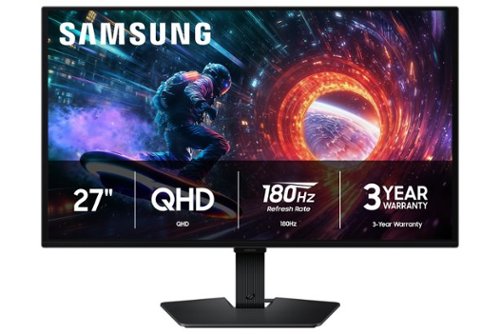
Samsung~s 27" Odyssey OLED G5 QHD Gaming Monitor delivers hyper-real visuals and lightning-fast action for exhilarating gameplay, and QD-OLED with QHD resolution provides unmatched picture quality and produces the highest levels of color accuracy and brightness. OLED Safeguard keeps the screen cool by actively helping to prevent burn-in with a Thermal Modulation System, Logo and Taskbar Detection, and Screen Saver while 3-year warranty protects the monitor for the long haul. Glare Free technology enables uninterrupted gaming as it keeps the screen clear of reflections from external light sources. The Pantone Validated screen accurately reproduces 2100+ colors for more immersive gameplay, while HDR10 provides brighter highlights and nuanced shadows for added depth. 180Hz Refresh Rate and 0.03ms (GtG) response time enables fast reactions for ultra-smooth gaming, plus G-Sync compatibility along with AMD FreeSync~ reduces choppiness, screen lag, and image tearing. Black Equalizer improves visibility in shadows, and Virtual Aim Point increases accuracy. Auto Source Switch+ allows instantaneous switching between connected devices.
Customer Rating
5
Stunning Display for Gaming and Content
on April 20, 2026
Posted by: TravisJ
This is a stunning display that isn’t just QD-OLED but comes with features that takes a step up from your gaming monitor.
First thing out of the box, I just plugged it in and fired up Battlefield 6. The 180Hz refresh rate made gameplay butter smooth and the QHD graphics rounded out the perfect balance for performance and quality. I do recommend turning on HDR which feel pulled the most out of this monitor.
Colors are vibrant and rich, typical of your OLED displays, especially when contrasted against true black backgrounds. OLED monitors are both engaging and immersive because you really do get lost in the colors and contrast of the screen. However, I would caution that this may not be best if your setup is also your work desk. I prefer brighter screens for daytime work and this is a bit on the dim side for me.
One thing I noticed is the excellent anti-glare on the screen. This can create a bit of a matte look but overhead light glare or sunlight through the window has very little affect on this screen. I don’t think this feature gets enough attention on gaming monitors because there’s nothing more annoying than a glare you can’t quite get rid of.
The I/O is straightforward, offering the basics. You get one display port 1.2 and one HDMI 2.0. It’s not the latest and greatest standard, but given the QHD and 180hz, it’s enough. There’s a USB A for upgrading firmware, and somewhat unique, a headphone jack. This means this does not come with speakers, which bums me out a bit, but geared towards gamers, it’s likely you’re using headphones anyways.
Build quality seems okay enough. I like the pancake stands much more than the V shaped ones that seem like they take up more space than they need to. It does have some adjustment to it, but it’s very limited to tilt. No height adjustment included. Bezels are a bit on the thick side. I don’t think it takes anything away from the monitor, but when they’re thinner, it’s nicer to run a dual monitor setup. VESA mounting holes on the back very easily accessible. What is incredibly refreshing is the power and navigation buttons. They’re front and center with a center action button surrounded by directional buttons. It’s so much more intuitive than a row of buttons I’m constantly guessing at.
Some of the other notable features is a large amount of customization to the color and tone of the screen. You can cycle through the different preset modes and it will display the value of settings below so you can tweak from there. It does keep your changes saved so when you switch back to the preset, it’ll be to your preference. You can also do color filters if you’re doing creative work to help color match.
One thing to keep in mind is you won’t get the full 180Hz refresh rate unless you’re using display port. If you use a gaming laptop like I do, you may want to use your thunderbolt port to DP instead of the built in HDMI. This caught me off guard some but Samsung does note this on their website. The other thing to note is there isn’t a USB hub or KVM switch, no RGB to note. This is basically entry level into OLED gaming and entertainment. Not that it takes away from the display, but if you’re looking for those features, you may have to go with a higher-class monitor.
Some final thoughts, I appreciate Samsung giving us a very long power cable. Often you end up making compromises to your setup because certain cables just won’t reach, not a problem with this one. I also like they include a 3-year manufacturer’s warranty which also includes burn in. There are some smart features such as logo detection and pixel refresh that helps keep things working smoothly if burn in is a concern.
I think if all you’re looking for in a monitor is just an excellent panel with gaming features such as Nvidia G-Sync, 180Hz refresh rate, and vibrant HDR colors, at 2k resolution, this is it. If you are looking for something with more design or need more robust connectivity, you may want to take a look at other monitors by Samsung, specifically the G8 which is a significant step up but still OLED and built for gamers.
I would recommend this to a friend!
Share this review:


0points
0of 0voted this as helpful.
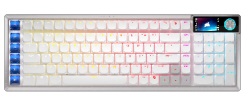
The sleek, low-profile VANGUARD AIR 99 WIRELESS keyboard delivers exceptional performance across all aspects
of your life, making controlling everything seamless. Enhance productivity using Stream Deck integration and SD-keys
to streamline your daily tasks. Unleash serious gaming performance with ultra-responsive OPX low-profile optical
switches and 8,000Hz hyper-polling. With its elegant aluminum frame and brilliant LCD screen, it’ll be your stunning
new desktop centerpiece. Enjoy exceptional typing feel and acoustics with premium gasket mounting and 5-layer sound dampening. Connect how you want, where you want. Get tri-mode connectivity (2.4GHz, Bluetooth, and USB-C) and multiplatform compatibility with PC, Mac, console, and more.
Customer Rating
5
Premium Build and Highly Customizable
on April 5, 2026
Posted by: TravisJ
There’s so much to love about this keyboard. Not only does it have a very premium look and feel, but the keys are very easy to type on and there’s a ton of customization.
If you already have an Elgato stream deck then you’re already familiar with how this helps streamers and gamers. Originally designed to help streamers quickly switch between different screen layouts, different audio and video sources for a dynamic stream, the stream deck was a dedicated set of customizable keys that you can now get a taste of using this keyboard.
First thing to note is the premium design. You’re getting your money’s worth with the satisfying feel of the keys, premium looking aluminum, and included extra key caps that are easily replaceable. The keys use Corsair’s PX low profile switches. Advertised at 80 million keystroke lifespan, so you know they’ll last, they’re also super satisfying to type on. I’m also averaging around another 10 wpm with this keyboard, compared to my other keyboard. I was also pleased to know it passed the wife test, who gets annoyed by my clicky mechanical keyboards. I can appreciate how they decided not to do chicklet style key caps that are common with these thin designed keyboards which I think made a difference in how the keys feel.
The huge selling point I believe is the sheer number of features and customization you can pull out of this keyboard. Using the stream deck software, you can fully customize the 6 keys along the left to do almost anything you need them to. Whether you want to launch a program, install plugins that allow you to control windows or apps, keystroke macro’s to quickly fill in data. Along with customization of keys, RGB, and hot keys, you can also connect this keyboard to 4 different devices wirelessly using the wireless dongle and Bluetooth. If you need the super high polling rate of 8,000, you can connect wired as well.
I recommend taking a few moments to get the keyboard setup and customizations created for the keys. I was a bit disappointed to see this wasn’t done within the iCUE software that corsair has been developing for years. If the intent is to move all customizations into webapp, that’s okay too, but I don’t like having several different programs for the same brand of products. Once your setup you can launch your game and or stream and easily use the custom keys to navigate different setups, screens, and applications.
The one thing I’d say I wanted more out of and what will likely grab the attention the most is the small LCD screen. I think it’s really neat how you can upload your own image to the screen, whether you want to grab your streaming channel’s logo, or your favorite wallpaper, you can do so. Most of what I can tell is it’s more for information. It can tell you what mode you’re in, your polling rate, battery life, and other status information. I would have loved to have had a built-in menu that could be controlled by the knob that allows you to adjust settings or select options, but it seems to be more informational. I would also like to see a battery percentage instead of bar.
One thing I’m trying to give a chance is the new web-based Corsair Web Hub to customize your keys, lighting, and features for your keyboard. Historically this was taken care of by the iCUE software which has been getting better over time and I had become quite accustomed to. This new browser-based interface can be slow to initialize, especially on wireless, and hasn’t worked seamlessly. I’m also not sure how I should use this alongside the stream deck app. Does one overwrite the other? At one point after messing around with the stream deck app, all of my web hub customizations were erased, or at least, I couldn’t find them and had to re-create them.
I believe the intent of the web based interface is to increase compatibility so that all you need is a browser, which most PC’s have, to update your keyboard settings, this I can appreciate, but I’d like to see one integrated app, other than the separate web hub and the Stream Deck apps.
In conclusion, I very much like this keyboard. It’s consistent with other wireless offerings from Corsair that offer innovative technology and integration while also allowing the consumer to have options, whether it’s connectivity or customizations, it’s all there and packaged in premium materials and design.
I would recommend this to a friend!
Share this review:


0points
0of 0voted this as helpful.
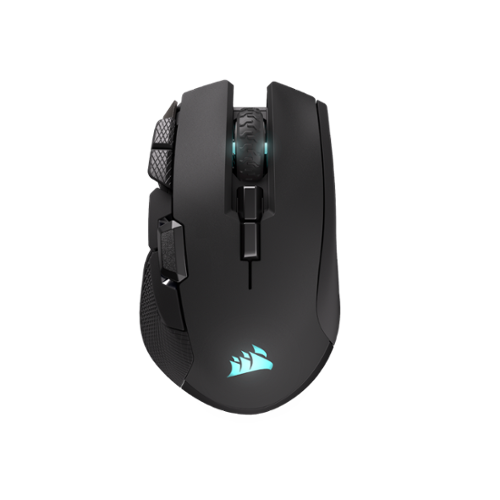
The CORSAIR IRONCLAW WIRELESS SE Gaming Mouse was designed to deliver comfortable control for right-handed players that prefer palm grips. Its uniquely-sculpted shape and textured grips are built to give players secure, comfortable control. The precise 26k DPI sensor provides amazing accuracy for MOBA, FPS, and MMO gameplay. IRONCLAW WIRELESS SE is all about longevity with up to 285 hours over 2.4GHz, 532 hours over BT, and switches rated for up to 100 million clicks. Versatile tri-mode connectivity connects via robust 2.4GHz wireless, convenient Bluetooth~, or USB-C cable. CORSAIR IRONCLAW WIRELESS SE Gaming Mouse ~ Comfortable Control in the Palm of Your Hand.
Customer Rating
5
Highly Customizable with Excellent Battery Life
on March 1, 2026
Posted by: TravisJ
While it has a large arching design profile, you’ll find that it’s comfortable and easy to reach the many extra buttons strategically placed.
Design, Ergonomics, and Buttons
Corsair has a consistent design which I’ve grown to love. The mouse is made of plastic that doesn’t feel cheap or fragile. It’s sturdy and giving the mouse a squeeze offers up little flex. The buttons have a nice tactile feedback. There is also stippling on the sides to offer up some additional grip. What was odd is that the stippling on the left is smoother and more comfortable while the right side is a bit more aggressive and noticeable. Not sure why they decided to do two different types of grip but I’m more of a fan of the smoother style where the thumb rests.
It wouldn’t be corsair without some RGB lighting. The sails on the palm rest of the mouse is customizable and is diffused very nicely through the plastic. You can also find on the front of the mouse RGB in what is designed to look like vent fins on the front (their not, but designed to look like), but it adds some flair and a bit more color customization to the mouse.
This mouse has a few extra buttons, but some of the more important ones. The thumb buttons are easy enough to get to, most would refer to these at the forward and back buttons, which are the first two to likely get remapped for gaming. There is a third button centered and above these two which can be best pressed using the first “pad” of your index finger. For me, these were quickly remapped in Battlefield 6 to use my gadgets. Any chance to keep my fingers on the movement buttons is going to be an advantage for me.
If you like to be able to switch your sensitivity or DPI settings on the fly, depending on if you’re running around close range or trying to line up a sniper shot across the map, you can do that as well with the two buttons just to the left of the left click button. Obviously these can be remapped as well, but I’ve been leaving mine as I frequently swap classes based upon what will be more strategic and having a sensitive response to movement is very important in close quarters, you might want something more precise and steady when aiming across the map.
Finally, you can swap between 3 different profiles, using the two buttons just below the scroll wheel. There are 3 status indicator lights on the left hand side to let you know what you have selected (also used for DPI setting). You may have different button mappings for different games or applications. If you include the scroll wheel but not the profile or left and right mouse buttons, this leaves you with 6 customizable buttons you can switch between, which means you could potentially map those 6 across 3 profiles, giving you 18 different commands you could cycle between. Wild.
Software – iCUE
Peripheral software, you either love it or you hate it, and I have done both for almost all that have existed for the last 10-15 years. However, iCUE I believe has a more refined product than most, with a focus on deep integration with RGB lighting, system monitoring, as well as compatibility with other lighting companies to create a whole room theme. They also offer a lot of device customization which is where the Iron Claw comes in.
Each button, with the exception of the left click, can be customized to perform a multitude of tasks. You can remap the buttons to imitate a keystroke, a keystroke combination (think opening Xbox Gamebar or Steam overlay), a series of keystrokes, text, media control, or disable it altogether if you don’t need it. What is also neat is how you can have these customizations take over when you’re connected to a PC running iCUE or you can save these profiles to the mouse and you can keep these customizations when running on a PC without iCUE.
Just keep in mind that you may have to connect the mouse to your PC with the included cable (along with the dongle) the first time you use it just so iCUE can properly detect the wireless adapter and mouse pairing.
Connectivity and Other Thoughts
I love that this comes with both a USB and Bluetooth connectivity. The long battery life benefits come from the 2.4ghz USB adapter without backlighting, touting up to 285 hours of uptime, just under 12 days. Also, if you use across multiple devices, just being able to swap from one to another using Bluetooth is handy as well. Getting it back into Bluetooth pairing mode after you’ve paired once isn’t very obvious, I had to look it up, but hold the profile up button when powering on the mouse into Bluetooth mode gets it done, however, there is plenty of room on the bottom for a dedicated button.
I do wish the dongle was a flush type C instead of the typical Type A nubbin. The cable is a Type A to Type C as well, but I can appreciate how nicely built corsair’s included cables are with their products, I have many of them and they’re still holding up well.
I didn’t talk much about how well it glides across the surface, sensor responsiveness, or how you can calibrate the sensor for the surface you’re using. It wasn’t standout for me compared to other modern gaming mice I’ve used and I didn’t notice a discernable difference after calibrating to my mouse pad. However, a more trained eye or pro gamer might be able to tell these differences.
This will probably become my go to mouse for gaming, and since I game on a laptop, it becomes my travel mouse. While it’s a little bit large for travel, the versatility and customization is hard to ignore and having such awesome battery life keeps me playing longer without having to charge every other day.
I would recommend this to a friend!




Share this review:


+1point
1of 1voted this as helpful.
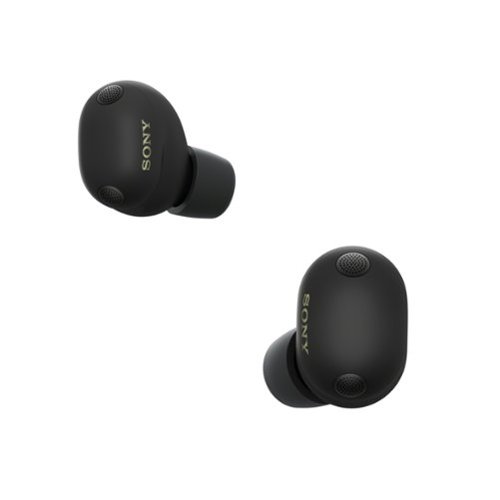
Experience next-generation noise cancellation and studio-level sound, co-created with mastering audio engineers. WF-1000XM6 earbuds deliver our best call-quality, a secure and comfortable fit, and long battery life. Powered by advanced QN3e and V2 processors, you~ll enjoy pure, uninterrupted listening and crystal-clear conversations all day, wherever you go.
Customer Rating
5
Best in Noise Canceling, also, They Sound Amazing
on February 22, 2026
Posted by: TravisJ
You’re likely buying these either because you’re looking for the best noise canceling ear buds or you’re looking for the best sounding earbuds. Luckily you can check both boxes with the WF-1000XM6’s.
Noise Canceling
The noise canceling on these are fantastic. When working in a noisy environment or you just want to cancel out distracting noises when trying to focus, I’d hesitate to say there’s any other earbuds that would do better. While I didn’t get the chance to fly with these, I literally have a construction zone outside of my home where they’re building new houses. I took the opportunity to open my window while working while using noise canceling and I couldn’t tell they were making noise.
While impressive, and likely the peak of consumer noise canceling technology, you can still very loud sounds and at very low volume, certain sounds. I found that if not listening to any music, you can still pick up on voices and louder sounds, but you really have to be looking for it. With music, they’re almost non-existant.
Music Quality
I love the sound quality and especially how far along deep bass has come in earbuds. I will preface that I’m not an audiophile, so I cannot articulate sound profiles the way a more trained ear could, but what I can say is how clear and clean the sound is, especially if you do some tuning to the EQ included with the Sound Connect app. Earbuds have gone a long way to delivering deep bass while not muddling out the treble or creating distortion.
Within the app you can also prioritize sound quality over connection, along with Sony’s DSEE Extreme which enhances compressed audio sources to improve sound quality. Calibrating spatial audio can create a surround sound experience that makes videos and movies more immersive. Also unique within the app is an option to set your music to “Background Music” which adjusts the audio to sound more like ambient music in a café or walking through a mall.
Within the app you can also prioritize sound quality over connection, along with Sony’s DSEE Extreme which enhances compressed audio sources to improve sound quality. Calibrating spatial audio can create a surround sound experience that makes videos and movies more immersive. Also unique within the app is an option to set your music to “Background Music” which adjusts the audio to sound more like ambient music in a café or walking through a mall.
Transparency Mode
One thing that is hard to get right is transparency mode and there’s only a few earbuds and headphones I’ve used that do this well. It easily picks up on the environment, voices, and really any sound as if you weren’t wearing them at all. You can also adjust different levels of transparency. At about 12 I found it’s enough to still be aware of my surroundings but still keep surrounding noise from being a distraction. Good if you don’t want to miss someone talking to you or catch an overhead announcement. The only thing I wish it did better is when you talk it does sound a bit like your voice is in your head. It’s hard to describe but it can be a bit distracting in a conversation.
Design
The headphones are comfortable and have a very modern and sleek design. They’re not too heavy in the ear and the foam tips fit comfortably. There are a total of 4 different ear tips to swap between and you can do a fit test within the app to help find the one that’s best for you. They’re fairly easy to pop off and back on if you need to swap them out. They stayed in my ears nicely and I haven’t had any issues with fit or falling out from my ears.
I find that the case fits nicely in my pocket. I don’t really find the edges to be harsh and the lid has a satisfying snap when it closes. The earbuds fit nicely inside the case and are easy to pull out. No issues with battery life for my use case. I wear them off and on throughout the day, placing them back in the case to grab a quick charge. I like that wireless charging is included and charges from the bottom.
The capacitive controls are easy to use and responsive. It took me a few tries to get used to where to find the touch zone but they can be used to answer the phone, skip tracks, or adjust the volume.
The headphones are comfortable and have a very modern and sleek design. They’re not too heavy in the ear and the foam tips fit comfortably. There are a total of 4 different ear tips to swap between and you can do a fit test within the app to help find the one that’s best for you. They’re fairly easy to pop off and back on if you need to swap them out. They stayed in my ears nicely and I haven’t had any issues with fit or falling out from my ears.
I find that the case fits nicely in my pocket. I don’t really find the edges to be harsh and the lid has a satisfying snap when it closes. The earbuds fit nicely inside the case and are easy to pull out. No issues with battery life for my use case. I wear them off and on throughout the day, placing them back in the case to grab a quick charge. I like that wireless charging is included and charges from the bottom.
The capacitive controls are easy to use and responsive. It took me a few tries to get used to where to find the touch zone but they can be used to answer the phone, skip tracks, or adjust the volume.
Other Thoughts
I found that call quality is great. People who I’ve talked to reported very clear phone calls, even in a noisy environment. I really like that the app includes an EQ that extends beyond 3 sliders and the app allows 2 custom presets. The ability to connect to two devices and switch between the two is very convenient. To go from one device to another seamlessly, especially for work when you’re switching between music on your phone and calls on teams, is a nice to have. I love the texture of the case and earbuds, they feel premium and look great. The gray color goes with almost any color you wear.
Sony is a top player in ANC so I’m not surprised when they say they’re the best ANC as of the release of this product. It certainly seems from my experience that they can make that claim. Along with an app that allows customization of sound, features, how much ANC you actually want, and Sony’s great sounding speakers, it’s easy to love these and even easier to recommend.
Sony is a top player in ANC so I’m not surprised when they say they’re the best ANC as of the release of this product. It certainly seems from my experience that they can make that claim. Along with an app that allows customization of sound, features, how much ANC you actually want, and Sony’s great sounding speakers, it’s easy to love these and even easier to recommend.
I would recommend this to a friend!





Share this review:


+1point
1of 1voted this as helpful.
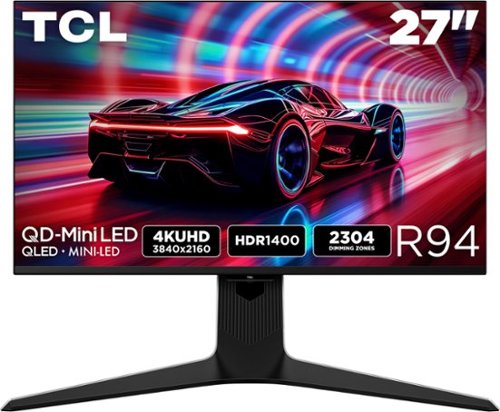
The TCL 27R94 QD-Mini LED Gaming Monitor is ideal for next level gaming with TCL~s Halo Control System that includes the Powerful Light-emitting Microchip, Condensed Micro Lens, Micro OD Reduced Optical Distance, High Contrast HVA Panel, QLED, and Dynamic Light Algorithm for Stunning ~Halo-Free~ Images. Get sharp, 4K UHD resolution and see all the details. The LD2304 Precise Dimming Series, HDR1400 Brightness, 165Hz native panel refresh rate, and 1ms GTG provides deep contrast, vibrant highlights, and smooth, responsive gameplay. Stutter-free gaming and ultra-smooth frame transitions with AMD FreeSync Premium and NVIDIA G-SYNC. The built-in Crosshair Aim Guide provides enhanced targeting precision in any game. On-board USB-C Power Delivery provides charging and video, all with one cable. T~V Low Blue Light certification ensures reduced eye strain and more comfortable viewing.
Customer Rating
5
In Love With The Brightness, Contrast, and Color
on January 1, 2026
Posted by: TravisJ
TCL has put out a bright and capable 165Hz 4K UHD. With 2,304 dimming zones you get a very capable HDR 1400 rated display with QD-MiniLED technology, that gets up to 1,600 nits of peak brightness.
You can run through the spec sheet and see the details, I’ll fill you in on what it’s like and how it compares to an OLED. My first observation was just how much brighter it was than the other monitors I use today. I use my setup for both office and gaming. I really prefer to have brighter monitors during the day. Placing this next to my other two made me realize what I’m missing out on during the day by using an OLED.
At night however, when directly comparing it, you can see the difference between the two technologies, OLED, with the ability to power down the pixel, just has deeper blacks. Now, what I will say, is I’m splitting hairs comparing the two. I have to look hard to see the difference. A more trained eye might be bothered, but honestly, the TCL 27R94 has a fantastic picture. Honestly, I just find that the vibrant colors and contrast distracts me from caring that it isn’t “perfect black”.
At night however, when directly comparing it, you can see the difference between the two technologies, OLED, with the ability to power down the pixel, just has deeper blacks. Now, what I will say, is I’m splitting hairs comparing the two. I have to look hard to see the difference. A more trained eye might be bothered, but honestly, the TCL 27R94 has a fantastic picture. Honestly, I just find that the vibrant colors and contrast distracts me from caring that it isn’t “perfect black”.
As for gaming, I fired up battlefield 6, made sure everything was turned up on the graphics, and went to town on putting my medics to work. Response time was great and I didn’t notice any lag or delay. The 4k resolution made everything sharp and detailed and visually it was a great experience. I did try the built in speakers and they’re nothing special. Flat sound with just ok volume levels. I think if you didn’t have desktop speakers or a headset, it checks the box of just having sound, but you’re going to want to get something better for gaming.
There are several built in features for gaming. The OSD can show frame rate, there’s AMD’s FreeSync Premium, crosshair for FPS games, and of course for gaming: RGB lighting on the back side of the monitor. I almost forgot to mention the 165Hz refresh rate. Once you move past 120Hz, it’s hard to go back to anything less. At 165Hz motion is silky smooth. I didn’t notice any tearing or stuttering while playing.
There are several built in features for gaming. The OSD can show frame rate, there’s AMD’s FreeSync Premium, crosshair for FPS games, and of course for gaming: RGB lighting on the back side of the monitor. I almost forgot to mention the 165Hz refresh rate. Once you move past 120Hz, it’s hard to go back to anything less. At 165Hz motion is silky smooth. I didn’t notice any tearing or stuttering while playing.
Physically I found that the monitor was built well. It comes with a stand that has RGB built into the neck, thanks to a few contacts on the base and pins in the monitor. The stand uses a wide “V” shape for stability. I like these as they allow for some room on the desk. The neck also had a channel for cable management. I did also use the VESA mount on the back. The one issue I found was because the mounting screws are recessed into the back of the monitor, I did have to loosen the bracket quite a bit to get the bracket to slide down in on the mount. It wasn’t difficult, but something to be mindful of depending on what type of VESA bracket you have.
As for the KVM features, it seemed to work well. I initially had 2 wireless dongles for my mouse and keyboard attached, but only my keyboard responded well to being nestled behind the monitor. My mouse struggled to keep good signal but keyboard is going strong. It’s also worth noting, I am patched from my gaming laptop, to a thunderbolt dock, to the USB-B KVM. Everything is working well.
As for the KVM features, it seemed to work well. I initially had 2 wireless dongles for my mouse and keyboard attached, but only my keyboard responded well to being nestled behind the monitor. My mouse struggled to keep good signal but keyboard is going strong. It’s also worth noting, I am patched from my gaming laptop, to a thunderbolt dock, to the USB-B KVM. Everything is working well.
Just a few final thoughts. I was helping a friend troubleshoot a PC and couldn’t tell if it was POSTing or not. Tried to hit the menu button on the monitor and it seems as if you need to have a display signal to see the menu. I really wish more manufactures would not do this. I struggled to see why you wouldn’t allow access to the menu’s to be able to adjust brightness, input, or other features that may aid in troubleshooting display output.
The power brick is another area where I’d love to see manufacturers improve. I don’t mind of the wall to brick cable is a bit shorter, chances are, this is easily replaceable if you want a longer one, BUT, make the cable from the brick to the monitor stupid long. I’d much rather have a tray or caddy with my monitors power adapters and manage the cable to the monitor than having to string the brick up because the cable was too short. TCL could improve here as well, or simply build the PSU into the monitor.
The power brick is another area where I’d love to see manufacturers improve. I don’t mind of the wall to brick cable is a bit shorter, chances are, this is easily replaceable if you want a longer one, BUT, make the cable from the brick to the monitor stupid long. I’d much rather have a tray or caddy with my monitors power adapters and manage the cable to the monitor than having to string the brick up because the cable was too short. TCL could improve here as well, or simply build the PSU into the monitor.
I would recommend this to a friend!
Share this review:


0points
0of 0voted this as helpful.
TravisJ's Review Comments
TravisJ has not submitted comments on any reviews.
TravisJ's Questions
TravisJ has not submitted any questions.
TravisJ's Answers
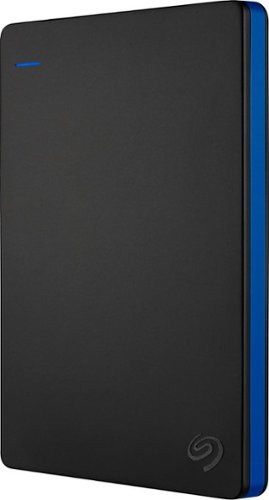
Store more than 50 PlayStation 4 game titles on this 2TB Seagate game drive. Its USB 3.0 port provides fast loading of full-size games so you can play smoothly, and its tough aluminum enclosure protects the drive from damage. This plug-and-play Seagate game drive is automatically recognized by any PS4, PS4 Slim or PS4 Pro console.
I've gotten quite tired of always uninstalling and reinstalling my games to make room and I was thinking about buying one of these. So, since all my games are hard copy, does that matter? For example, with this, will I be able to reinstall hard copy games
According to Sony’s website you can use from 250GB to 8TB in external storage to install games.
7 years, 6 months ago
by
TravisJ

Listen to your playlist in peace with these Sony headphones. They have a 40mm dome driver to deliver the full depth of audio, and the noise cancelling feature minimizes outside disturbances for a better listening experience. These Sony headphones have a battery life of up to 30 hours for extended jam sessions.
Would you be able to use these headphones to workout at the gym? Is the clamping of the headphones to your ears tight enough so it doesn't slip out as i do certain lifts? Are replaceable ear pads available for this model that are more comfortable?
These will work fine at the gym. They come with 4 different sized wing tips and ear tips so that you can customize the fit to your ear. Since these are new, It's unlikely to have 3rd party ear tips or wings at the moment.
8 years, 7 months ago
by
TravisJ