


TravisJ's stats
- Review count179
- Helpfulness votes263
- First reviewNovember 6, 2016
- Last reviewJune 8, 2026
- Featured reviews0
- Average rating4.8
Reviews comments
- Review comment count0
- Helpfulness votes0
- First review commentNone
- Last review commentNone
- Featured review comments0
Questions
- Question count0
- Helpfulness votes0
- First questionNone
- Last questionNone
- Featured questions0
- Answer count2
- Helpfulness votes0
- First answerOctober 28, 2017
- Last answerNovember 20, 2018
- Featured answers0
- Best answers0
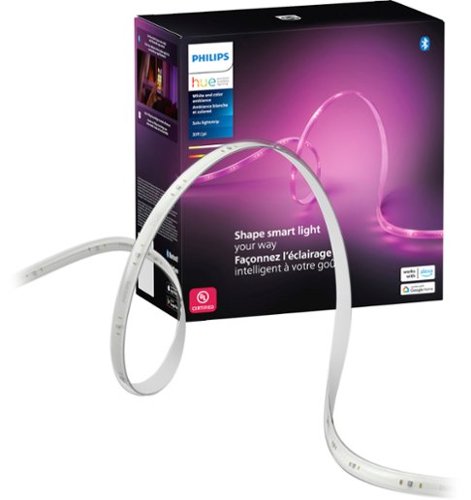
Enjoy a seamless blend of multiple colors of light at the same time in a single LED strip. The colors flow naturally together while casting a diffused rainbow of light to enhance your ambiance and room decor.
Customer Rating

5
Easily Installed, Adjustable Ambiance Lighting
on August 8, 2024
Posted by: TravisJ
I’ve been using Phillips Hue lights for a long time. They’ve been great products that have easily integrated with my smart home, work seamlessly with different voice assistants, and remain some of the longest lasting bulbs I’ve tried. This is my first LED light strip and I’m excited to add additional ambiance to my room.
The first thing I noticed was how well built the LED strips were. There’s a silicone type covering that encases the LED strip adding a layer of protection and diffusion. The strip itself has some heft to it and feels very premium, but not to be concerned, as the pre applied adhesive on the back is of good quality. The cut points on the strip were clearly marked for measuring with each side indicated with an A or a B, presumably to help with extending the lights if needed.
Installation was easy. The kit comes with a single roll of light strip. You can run the full length of the light strip or cut to size. As far as I can tell you can only cut once and that’s it, although Phillips does sell extension clips but I cannot verify if they’re compatible or not. I recommend planning out your light run and cleaning the surface you plan on adhering the adhesive to. You don’t have to peel back every adhesive section if you want to save some for a future run, but if mounting upside down or you don’t want to see sagging, it’s probably a good idea. There’s an included power adapter with a cable that plugs into the end of the light strip and the adapter. You’ve got a bit of length on the cable. I wouldn’t have minded if it was a tad bit longer though and you could’ve just bundled up the excess.
Where this product shines (pun intended) is the Phillips Hue app. There’s a lot you can do here. One of the first things you might want to do is assign the lights to a room where you may have a group of lights. Afterwards you can do things such as automations or even select a scene or create your own. Automations allow for timers, sunrise or sunset on and off, geofencing so when someone arrives or leaves. If you’re familiar with shortcuts on Apple devices, you can setup automations that way which offers all kinds of triggers to activating your lights.
So how do they look? I’ve always enjoyed the Phillips Hue lights for their brightness, vast amount of color selection, and a large selection of premade scenes in their scene library. One of our favorite is the “candle” scene which gives that soothing candle flicker effect. Since Hue is so popular, there’s a wide array of compatible apps that work with Hue if you wanted additional integration with an existing smart home lighting ecosystem. Currently we have them set to come on at sunset and turn off at sunrise.
There’s a few call outs tho. I already have the Hue Bridge, so setup and features may be a bit different if you don’t own one. Since this works with bluetooth and zigbee, you still have plenty of options. If you’re looking for a long, continuous run, this is probably the product you want. There’s not a lot in the included kit documentation on how to utilize the cut off excess. I had to do some online searching to find that there’s solutions out there. I wish the included manuals were more informative. I also wish more of the lights sections were individually addressable. If there’s a way it wasn’t obvious in the app.
So how do they look? I’ve always enjoyed the Phillips Hue lights for their brightness, vast amount of color selection, and a large selection of premade scenes in their scene library. One of our favorite is the “candle” scene which gives that soothing candle flicker effect. Since Hue is so popular, there’s a wide array of compatible apps that work with Hue if you wanted additional integration with an existing smart home lighting ecosystem. Currently we have them set to come on at sunset and turn off at sunrise.
There’s a few call outs tho. I already have the Hue Bridge, so setup and features may be a bit different if you don’t own one. Since this works with bluetooth and zigbee, you still have plenty of options. If you’re looking for a long, continuous run, this is probably the product you want. There’s not a lot in the included kit documentation on how to utilize the cut off excess. I had to do some online searching to find that there’s solutions out there. I wish the included manuals were more informative. I also wish more of the lights sections were individually addressable. If there’s a way it wasn’t obvious in the app.
These lights are great, it’s an easy recommend for how well they’re made, the ease of application, and a seemingly limitless amount of colors to choose from. I love how easily it integrates into other smart home devices and different automations so you always get the right mood no matter the time of day.
I would recommend this to a friend!



Share this review:


0points
0of 0voted this as helpful.

Transform all you do and how you do it with Galaxy Book4 Edge, the first Galaxy PC built for AI, now with Copilot+ PC. With an innovative Snapdragon X Elite processor powering industry leading intelligence, it~s designed to help you unlock higher levels of productivity, communication, creativity and more. Galaxy Book4 Edge revolutionizes your PC experience with intuitive AI-powered features right at your fingertips. Searching for a document, email, or web page on your PC? Now you can just describe how you remember something, and Recall* will find it, instantly. Just provide a short description of what you remember and let your PC do the rest. Controlling your Galaxy AI phone is now easier too ~ call, text, set reminders and more from the convenience of your PC.~ From international webinars to chatting with others overseas, get accurate subtitles in real time with automatic Live Captions~ that translate 44 languages into English. And when you~re feeling creative, light your spark with Cocreator~ and amplify your artwork on the stunning 3K AMOLED touchscreen display. Embrace the power and unlimited possibilities of AI with Galaxy Book4 Edge.
Customer Rating
5
Snapdragon is as Good as They Say
on July 21, 2024
Posted by: TravisJ
|||| Performance ||||
At the time of writing, this laptop had the best available offerings from Qualcomm on the Snap Dragon Elite CPU. The X1E84100 SKU is a 12 core processor based on the ARM architecture. This new offering from Qualcomm is lifted by Microsoft’s renewed focus on Windows ARM version of the operating system.
Normal day to day operations like checking emails, watching videos, excel spreadsheets, word documents, managing my NAS, running multiple applications, all work without issue. I’ve tested both Office 365 and Office Libre and the applications have worked without issue. The snapdragon handles multiple browser tabs, with several programs open, switching between them smoothly. I was actually pretty impressed when opening over 30 tabs to test this and noticed that all tabs were fully loaded in about 15 seconds.
Lets talk benchmarks. They’re a great way to compare PCs and different work loads. Cinebench 2024 is designed to push modern CPUs. The single core score came in at 129 with multi core scoring 905. Geekbench compares a wide range of devices. Single core scores for me came in at 2,937 while multi core scores were 15,308. Speedometer 3.0 seems to be a popular browser benchmark, so I threw that one in and got a 26.3 on Edge browser. There’s a few call outs though. All tests were done plugged in, using highest power plan possible. I did see lower results with it unplugged, which is a bit disappointing considering other manufacturers can offer the same level of performance plugged or unplugged.
As for gaming, I also was not able to get TimeSpy benchmark to make it past the second test. I doubt you’ll be doing AAA gaming on this PC, but I was able to play some Portal 2 without any issues. Tribes 3 Revivals had some frame drops and the fans got pretty loud. Then I remembered I was unplugged and running it at high settings. I was able to get much better frame rates going to low settings on wall power.
|||| Co-Pilot & AI ||||
The Galaxy Book 4 Edge is a Copilot+PC. This means there are AI features built into Windows that the NPU on the Snapdragon can take advantage of. You can invoke Copilot by using the new key on the keyboard. From there you can ask just about anything. If you want to know the weather, exchange rates, looking for a quick summary on a youtube channel, or just want to know more about quasars, you can ask, and it’ll provide very decent responses with sources so you can read more or validate the source of information.
The other neat feature made possible by the snapdragon processor is live captions. With this, you can play a video that may be in a different language and it will translate and caption in what language you choose. I tried this with some Twitch streams and it worked ok. The speaker needs to be clear with their words for it to work well, but I was getting translations from both Japanese and Russian languages. I think it’s a good start, but it needs some work as it frequently reinterpreted words which can make the flow a bit hard to follow.
Also built into the camera app is Window’s studio effects. I feel like the camera itself has much better quality than most of your HD cameras as it is. Studio effects allows for things like background blur, which works great. Portrait light adds some additional contrast to the subject of the picture to help illuminate features. Automatic framing adds more to the AI suite by keeping you in the frame, whether your close or you step away from the laptop.
Co-creator in paint is also really neat. I can see this being very useful for anyone into graphic design or making marketing material. You can use Microsoft paint to make a bad sketch of what you’re looking for and then have the co-creator fill in the blanks for you. I very poorly drew a grasshopper on a blade of grass and co-creator was able to add in details with a brief description of what I was looking for and generated an AI image matching my description.
Aside from the co-pilot, all of the features feel like the first version of the product. It all works well enough to be interesting but needs refinement. I think Microsoft is trying to see what sticks, what people care about, and I hope they continue to develop these features as I think they have a lot of potential.
The other neat feature made possible by the snapdragon processor is live captions. With this, you can play a video that may be in a different language and it will translate and caption in what language you choose. I tried this with some Twitch streams and it worked ok. The speaker needs to be clear with their words for it to work well, but I was getting translations from both Japanese and Russian languages. I think it’s a good start, but it needs some work as it frequently reinterpreted words which can make the flow a bit hard to follow.
Also built into the camera app is Window’s studio effects. I feel like the camera itself has much better quality than most of your HD cameras as it is. Studio effects allows for things like background blur, which works great. Portrait light adds some additional contrast to the subject of the picture to help illuminate features. Automatic framing adds more to the AI suite by keeping you in the frame, whether your close or you step away from the laptop.
Co-creator in paint is also really neat. I can see this being very useful for anyone into graphic design or making marketing material. You can use Microsoft paint to make a bad sketch of what you’re looking for and then have the co-creator fill in the blanks for you. I very poorly drew a grasshopper on a blade of grass and co-creator was able to add in details with a brief description of what I was looking for and generated an AI image matching my description.
Aside from the co-pilot, all of the features feel like the first version of the product. It all works well enough to be interesting but needs refinement. I think Microsoft is trying to see what sticks, what people care about, and I hope they continue to develop these features as I think they have a lot of potential.
|||| Display & Design ||||
Samsung makes great looking phones and they are taking a stab at great looking PCs as well. The light blue color is subtle yet different from your typical aluminum silver. The chassis feels sturdy and well built. The lid passes the one finger open test. Vents on the bottom, sides, and between the hinge and bottom half to blow air out the back, helps keep the laptop cool.
The screen is amazing. Samsung makes great displays across the industry and they’re calling this one their Dynamic AMOLED2X. The resolution is 2880 x 1800, running at 120hz refresh rate. The AMOLED technology helps get the deep blacks and vibrant colors which makes viewing photos, videos, and movies pleasing to the eye. The touch screen is responsive too, but I would have liked S-Pen support and a 360 hinge design. This would have been a great way to take advantage of co-creator.
The screen is amazing. Samsung makes great displays across the industry and they’re calling this one their Dynamic AMOLED2X. The resolution is 2880 x 1800, running at 120hz refresh rate. The AMOLED technology helps get the deep blacks and vibrant colors which makes viewing photos, videos, and movies pleasing to the eye. The touch screen is responsive too, but I would have liked S-Pen support and a 360 hinge design. This would have been a great way to take advantage of co-creator.
There’s also a good amount of ports for the thin design. You’ll get two USB 4.0 Type C ports on the left with a single USB 3.2 Type A on the right. If you’re using this for photo and video editing, you’ll be pleased to see a Micro SD card reader as well as HDMI connectivity for an extra monitor. The keyboard isn’t bad for typing. I love a laptop with a number pad, and they did their best to include one, but the key layout is a bit unconventional so I’m finding it difficult to type on it as quickly as I do on my full size keyboard. There’s also a massive track pad. I don’t typically enjoy using a track pad so giving me a large one to accidentally click on doesn’t help. My high standards for track pads are probably not typical and I’d say most will probably enjoy it.
|||| Battery Life ||||
One of the unique features of ARM architecture is it’s performance per watt gains. More and more people are looking for all day power out of their laptops so they can do whatever they want to do on the go without knowing where all the power outlets are. I charged the laptop, unplugged, and closed the lid all night. When I came back it had only lost 3% power. I then used it all day for browsing, taking Teams calls, watching videos. I left the power mode at balanced and by the end of my work day, I was down to about 30% when the power saver kicked on. I then used it for a while longer, about another hour before plugging it in around 26%. Now I wouldn’t say this is heavy usage, but I do think it’s close to “all day” usage with a typical workflow.
|||| Final Thoughts |||||
I’m excited for the future. With plenty of competition in the CPU space, this will have a huge benefit for the consumer. Samsung has done a great job creating a portable sleek design and integrating the Snapdragon X Elite processor. Samsung does include a LOT of their own suite of programs for notes, file sharing, video editor, screen sharing, password management, and a lot more. If you’re in the Samsung ecosystem, you’ll likely find this all to be very useful. If you’re not, you may find it enticing to get into or you may not find it not useful at all. What I can appreciate is it isn’t locked behind a paywall or a prerequisite of having a Samsung phone. At minimum, some apps just require a Samsung account to get the most out of it.
Great laptop to show off the future of Windows on ARM and Qualcomm’s entry into the PC space with their Snapdragon X Elite processor.
I would recommend this to a friend!





Share this review:


+3points
3of 3voted this as helpful.

See all around your home and enjoy 360~ coverage with the versatile Pan-Tilt Indoor Cam. Get a better view of what~s up and what~s down right from your phone with pan-tilt controllable via the Ring App, HD Video and Color Night Vision. Or see less with a manual Privacy Cover that turns off your cam until you need it next.
Customer Rating
5
Good Indoor Camera, Pan and Tilt Excellent
on July 14, 2024
Posted by: TravisJ
I’ve been tinkering with this indoor security camera for a few days. I think Ring did a good job with a functional pan and tilt wired security camera. I already use the Ring Doorbell which has become a household name. The indoor camera offers a very similar experience but with the added functionality of being able to adjust the angle as needed to see what’s happening in your home.
-*/_-Setup-_\*-
Setup was very easy for me but I already have a ring security system, so I knew it would be simple. The device comes with a QR code on it as well as a sticker which you can scan using the Ring app to add to your Ring account. The ring uses a USB type C cable for power and the included cable is long enough to put the camera on top of my cabinets, plug into an outlet, and I still had to find a place for the excess cable to stash away. I wouldn’t expect any problems mounting on a ceiling as long as it was somewhat above an outlet.
Once setup there was a quick calibration and setup process. This involved naming the camera, setting a “home position” that the camera can return to when it has been used to tilt and pan, as well as detection zones. Once you’ve completed the setup process you can adjust any of the settings just set as well as when you receive notifications of motion, even setting up time ranges when you’d like to receive pop-ups on your phone for motion.
-*/_-Setup-_\*-
Setup was very easy for me but I already have a ring security system, so I knew it would be simple. The device comes with a QR code on it as well as a sticker which you can scan using the Ring app to add to your Ring account. The ring uses a USB type C cable for power and the included cable is long enough to put the camera on top of my cabinets, plug into an outlet, and I still had to find a place for the excess cable to stash away. I wouldn’t expect any problems mounting on a ceiling as long as it was somewhat above an outlet.
Once setup there was a quick calibration and setup process. This involved naming the camera, setting a “home position” that the camera can return to when it has been used to tilt and pan, as well as detection zones. Once you’ve completed the setup process you can adjust any of the settings just set as well as when you receive notifications of motion, even setting up time ranges when you’d like to receive pop-ups on your phone for motion.
-*/_-Video/Quality-_\*-
Video quality is good enough. It’s 1080p I think is the minimum standard for any security camera if you want to be able to see what’s happening with any sort of clarity. I can clearly see and hear everything that’s happening in my kitchen 6-8 feet away from the camera device. As the camera looks a bit further out, 12-18 feet, you see a bit less detail. The motion detection works great. I get a small clip of footage every time myself or my wife walks into the kitchen.
Night vision is impressive. While it’s not color, you get quite a bit of detail in a dark room. We have no issues making out which cat has worked it’s way in the kitchen after we’ve gone to bed. It does lose a bit more detail at a distance than when the lights are on, but I would think this is expected given the lack of light.
I would have liked to see a bit higher resolution given most smart phones can record in 4k. However, higher resolutions also come with more headroom needed for video processing, live feeds, and storage. I would think this would significantly increase the cost. Hopefully we’ll see a higher resolution product available in the future.
Video quality is good enough. It’s 1080p I think is the minimum standard for any security camera if you want to be able to see what’s happening with any sort of clarity. I can clearly see and hear everything that’s happening in my kitchen 6-8 feet away from the camera device. As the camera looks a bit further out, 12-18 feet, you see a bit less detail. The motion detection works great. I get a small clip of footage every time myself or my wife walks into the kitchen.
Night vision is impressive. While it’s not color, you get quite a bit of detail in a dark room. We have no issues making out which cat has worked it’s way in the kitchen after we’ve gone to bed. It does lose a bit more detail at a distance than when the lights are on, but I would think this is expected given the lack of light.
I would have liked to see a bit higher resolution given most smart phones can record in 4k. However, higher resolutions also come with more headroom needed for video processing, live feeds, and storage. I would think this would significantly increase the cost. Hopefully we’ll see a higher resolution product available in the future.
-*/_-Other Thoughts-_\*-
The pan and tilt work excellently. I do not have the camera permanently mounted. It sits on top of a pantry and moves around without wobbling or any risk of falling over. I would caution about sitting it on an uneven surface without it being mounted. I do like that there’s included mounting hardware if you want to place it on a wall or ceiling, I recommend once you find where you want to place it, use the mounting hardware to secure it.
The 2-way audio works well. You can hold a conversation if needed through the built in microphone and speaker. The microphones picks up sound and voice well.
I did notice there are several filter options in the app for scrubbing through video clips. The one thing I couldn’t find was the ability to sort or filter by day. If you know something happened on a certain day, it would be nice to look at all the events for that day only. Should be an easily implemented improvement.
The pan and tilt work excellently. I do not have the camera permanently mounted. It sits on top of a pantry and moves around without wobbling or any risk of falling over. I would caution about sitting it on an uneven surface without it being mounted. I do like that there’s included mounting hardware if you want to place it on a wall or ceiling, I recommend once you find where you want to place it, use the mounting hardware to secure it.
The 2-way audio works well. You can hold a conversation if needed through the built in microphone and speaker. The microphones picks up sound and voice well.
I did notice there are several filter options in the app for scrubbing through video clips. The one thing I couldn’t find was the ability to sort or filter by day. If you know something happened on a certain day, it would be nice to look at all the events for that day only. Should be an easily implemented improvement.
I would recommend this to a friend!
Share this review:


0points
0of 0voted this as helpful.

Pursue your passions with the incredible power of Galaxy Book4 Pro 360, complete with a brilliant display and the ability to easily connect to the rest of your Galaxy devices all in a 2-in-1 design ideal for your fast paced lifestyle. Equipped with the latest Intel Core Ultra processor , this laptop delivers the power you need to effortlessly update your online storefront, keep tabs on financials or edit photos and video. It~s thin and light too, making it the perfect device to let you work where and when you want, from the office to the coffee shop and anywhere in between. The 2-in-1 design also lets you work how you want. Flex from working on illustrations in tablet mode with the included S-Pen to working on the pitch deck for a new client then unwind in the evening by streaming your new favorite series. Do it all on the stunningly clear 16" Dynamic AMOLED 2X display with anti reflective technology that allows you to see your latest designs from any angle without a distracting glare. Never miss a beat when you pair it with your other Galaxy devices you can even expand your workspace by using your Tab S9 as a second screen for your laptop and easily transfer files in a snap with Quick Share. Plus, have peace of mind knowing this laptop is armed with Secured Core PC and Samsung Knox to help keep your files and info protected. Power to pursue your passions that~s Galaxy Book4 Pro 360.
Customer Rating
5
Great Build Quality, Screen, and Performance
on July 9, 2024
Posted by: TravisJ
-=|=-Design-=|=-
I like the thinness of this laptop. It’s a bit thinner than a MacBook Pro, but maybe thicker than the air. It uses a very nice presumably aluminum chassis. There are vent holes on the bottom and rubber feet that elevate it slightly above the desk. It’s contoured so it’s a bit thicker at the back and thinner at the front. The 360 design allows the screen to fold all the way back of the device so it can be used in tablet mode. This disables the keyboard and you can use the excellent stylus to interact and draw on the screen.
I like the thinness of this laptop. It’s a bit thinner than a MacBook Pro, but maybe thicker than the air. It uses a very nice presumably aluminum chassis. There are vent holes on the bottom and rubber feet that elevate it slightly above the desk. It’s contoured so it’s a bit thicker at the back and thinner at the front. The 360 design allows the screen to fold all the way back of the device so it can be used in tablet mode. This disables the keyboard and you can use the excellent stylus to interact and draw on the screen.
Samsung went with a large track pad. I’m not sure how I feel about it, it works just fine and so far no real issues as the palm detection works fine. I think I would have preferred a smaller trackpad with the keyboard brought closer to the front but it does allow for plenty of palm rest. The keyboard is nothing special although I do find myself typing fairly quickly and accurately on it right off the bat. Although I do like a number pad, especially on laptops 15” and larger, it does seem very condensed. The layout is just different enough that I have to look at it to use it until I can get used to it.
-=|=-Display-=|=-
The display on this is beautiful. It uses what Samsung calls dynamic AMOLED2X. Samsung is well known for making vibrant crisp displays and this is no exception. It uses a 2880 x 1800 resolution but at a smooth 120hz refresh rate. The screen gets up to 400 nits which is on the low end of acceptable brightness. I personally think 600 nits should be the new standard but you won’t be disappointed. The screen looks good at 400 nits. The touch screen is nice and responsive. I really like they include a stylus and the tip is fantastic for writing on the screen. Whether you want to peck the screen as you browse the web or take handwritten notes, it works well, and it magnetically attaches to the lid so you can keep track of it.
The display on this is beautiful. It uses what Samsung calls dynamic AMOLED2X. Samsung is well known for making vibrant crisp displays and this is no exception. It uses a 2880 x 1800 resolution but at a smooth 120hz refresh rate. The screen gets up to 400 nits which is on the low end of acceptable brightness. I personally think 600 nits should be the new standard but you won’t be disappointed. The screen looks good at 400 nits. The touch screen is nice and responsive. I really like they include a stylus and the tip is fantastic for writing on the screen. Whether you want to peck the screen as you browse the web or take handwritten notes, it works well, and it magnetically attaches to the lid so you can keep track of it.
-=|=-CPU/GPU/RAM-=|=-
This laptop comes packed with the Intel Core Ultra 7 155H variant. This is intel’s newest high efficiency CPUs. Getting more power out of lower wattages, you get more performance per watt compared to previous generations. As far as everyday use, I don’t have any issues loading apps, quickly switching between open apps. 16GB of DDR5 RAM allows for simultaneous open apps and multiple browser tabs open without lag or stutter.
This laptop comes packed with the Intel Core Ultra 7 155H variant. This is intel’s newest high efficiency CPUs. Getting more power out of lower wattages, you get more performance per watt compared to previous generations. As far as everyday use, I don’t have any issues loading apps, quickly switching between open apps. 16GB of DDR5 RAM allows for simultaneous open apps and multiple browser tabs open without lag or stutter.
Using common benchmarks to measure relative performance, I was getting 8,042 score from 3Dmark’s TimeSpy on the CPU, 749 Multicore score out of Cinebench 2024, and Geekbench multicore score of 12,619. This is decent performance for intel at this CPU wattage. This should be fine for light photo and video editing or touch ups, however, I wouldn’t recommend this PC for heavy video editing or sound production. As for games, it’s a mixed bag.
If you’re seeing intel Arc for integrated GPU and you’re hoping to play AAA title games, don’t get too excited. I struggled to play usual rotation of games. New World is an open world RPG and it had issues loading the game world and struggled to hit 30 FPS. Tribes 3: Rivals had noticeable stuttering, presumably from CPU or GPU throttling. I did get Apex to play on training grounds and was able to run around and shoot targets but it was choppy at best. I do recommend gaming on this machine, but stick to low demand games. E-Sports titles and 2d games should work fine, provided that intel has optimized drivers.
-=|=-Other Thoughts-=|=-
Battery life is impressive. I’m spending hours just using it without seeing it get below 50%. I started a YouTube video and just left it playing for hours. After about 6 hours it was still going and still had around 33% battery life. If you’re looking to get away from plugging in your laptop every time you need to use it, I’m impressed with the optimization in this laptop. I found that it pulled 65w from the wall and Samsung included a 65w charger and a lengthy cable.
Battery life is impressive. I’m spending hours just using it without seeing it get below 50%. I started a YouTube video and just left it playing for hours. After about 6 hours it was still going and still had around 33% battery life. If you’re looking to get away from plugging in your laptop every time you need to use it, I’m impressed with the optimization in this laptop. I found that it pulled 65w from the wall and Samsung included a 65w charger and a lengthy cable.
There is some software bloat that comes with this PC. I don’t always mind if it provides some functionality. Samsung has a suite of apps such as settings and updates which seem to be lightweight and provide some features specific to Samsung. There are other apps such as notes, second screen, quick share, and galaxy experience which are either Samsung versions of apps you can find alternatives of or provides functionality with other Samsung products. It also comes with MacAfee antivirus pre-installed which I’m not a fan of.
Sound is pretty good. It gets loud without being distorted. It’s a laptop so I’m not expecting deep bass or room filling audio. I do expect clarity and volume, which this has. The camera is okay, should work fine for video calls. The microphone however, leaves much to be desired. In room with the TV on, it picked up all noise in the room and the audio quality was not super great.
It’s nice to see WiFi 6e. WiFi 7 is out there and it would have been even better to see that implemented, but 6e is nothing to snuff at. Easily handles large downloads. Speed tests were giving me 820Mbps down on a 1Gig internet speed. No ethernet but you can always use an adapter with one of the two thunderbolt ports which also serve as charge ports. There’s a micro SD slot, headphone jack, HDMI, and a single USB-A. For a thin and light 16”, I think they did well with ports. Thunderbolt 4 will let you expand if needed.
I would recommend this to a friend!
Share this review:


0points
0of 0voted this as helpful.

The ultimate guided experience that makes espresso uncomplicated. The Ninja Luxe Caf~ Premier Series is an intelligent espresso & coffee system with unmatched 3-in-1 versatility (no guesswork espresso, well balanced drip coffee and rapid cold brew), that helps you elevate your coffee routine and create caf~-quality drinks at home. Barista Assist Technology guides you to the perfect cup from grind size recommendations to automated brew adjustments, while the Dual Froth System effortlessly creates perfectly textured microfoam hands-free.
Customer Rating
5
I’m Easily Making Espressos and Lattes Now
on July 7, 2024
Posted by: TravisJ
Easy to use after following the directions and scanning the QR codes for videos. Intimidating at first but a few brews in and I’m trying all kinds of different drinks.
Setup and Use
The pieces and parts were intimidating at first because you’re not sure what everything is and how to use it. My wife and I spent about 30 minutes cleaning the parts and reading through some of the instructions. I like the QR codes you can scan for instructional videos. There’s an instruction manual as well if that’s your preference. Each part has a place on the machine and there’s some included cleaning supplies in a small box that I stashed away for future use.
After running a rinse, I was ready for the first use. There are included test strips to test your water hardness. You then use the results from the test to adjust the water hardness setting on your Café Premier Espresso machine. The Espresso function needs a few cycles of whatever bean you’re using to learn your bean, find the perfect grind for the perfect espresso. After making the adjustments, you can just drink the test brews or dump it and make a third “optimized” espresso.
After running a rinse, I was ready for the first use. There are included test strips to test your water hardness. You then use the results from the test to adjust the water hardness setting on your Café Premier Espresso machine. The Espresso function needs a few cycles of whatever bean you’re using to learn your bean, find the perfect grind for the perfect espresso. After making the adjustments, you can just drink the test brews or dump it and make a third “optimized” espresso.
Modes and Results
Like it says in the description, you can do Espresso, Coffee, and Cold Brew. We started off with the espresso, double shot. You simply load in the correct basket (it can sense which one is loaded in and provide the correct options). You put the filter attachment onto the portafilter that helps with keeping the coffee grounds from going everywhere. With your favorite coffee beans loaded, select the recommended ground size for your espresso and press grind. I was happy to hear the grinder isn’t obnoxiously loud like my previous stand-alone grinder. Remove the grinder filter and use the tamper to press the grounds. There’s a built-in spring to let you know when you’ve applied the perfect amount of pressure. Load the portafilter into the machine and turn the handle. It carries some resistance so twist hard. As long as it’s moving, you’re likely doing it right. Press start brewing and you’ll watch the espresso pour out of the portafilter into your cup.
If you like drip coffee, it can do that too. Much of the process is the same except you use the larger filter basket and avoid the tamper after grinding. Select normal, rich, over ice, or cold brew, depending on your preference, and the cup size. It goes up to 18oz from 6oz. It’ll grind the appropriate amount of beans based on your cup size setting. Load it in like you would the espresso and press brew. If you’re brewing cold coffee, it may take a bit longer, but it doesn’t take long for hot to brew.
Finally, if you want to make delicious drinks such as lattes, cappuccinos, cold foams, there’s a frother and steam wand to help you do that. Simply remove the cup and pull out the wand. Use the included book with recipe recommendations to pour the amount of cream or milk needed for the drink. Place the cup back into the machine with the wand inserted into the milk. Select the froth level and start the process. Through the wand, steam will be injected into the milk to get it to the correct temperature and consistency while the whisk in the bottom does the frothing. It’ll let you know when it’s done, just remove the cup (the wand will extend out with it) and pour your desired amount. Simply use a damp cloth to clean the outside of the wand and push it back into place (without the cup). The automatic purge system will clean out the wand into the drip tray.
If you like drip coffee, it can do that too. Much of the process is the same except you use the larger filter basket and avoid the tamper after grinding. Select normal, rich, over ice, or cold brew, depending on your preference, and the cup size. It goes up to 18oz from 6oz. It’ll grind the appropriate amount of beans based on your cup size setting. Load it in like you would the espresso and press brew. If you’re brewing cold coffee, it may take a bit longer, but it doesn’t take long for hot to brew.
Finally, if you want to make delicious drinks such as lattes, cappuccinos, cold foams, there’s a frother and steam wand to help you do that. Simply remove the cup and pull out the wand. Use the included book with recipe recommendations to pour the amount of cream or milk needed for the drink. Place the cup back into the machine with the wand inserted into the milk. Select the froth level and start the process. Through the wand, steam will be injected into the milk to get it to the correct temperature and consistency while the whisk in the bottom does the frothing. It’ll let you know when it’s done, just remove the cup (the wand will extend out with it) and pour your desired amount. Simply use a damp cloth to clean the outside of the wand and push it back into place (without the cup). The automatic purge system will clean out the wand into the drip tray.
Cleaning and Storage
Cleaning is easy. There are built in cleaning functions like simply running a cycle with a empty cup underneath and the auto purge for the frother steam wand. Many of the parts are high quality stainless and dish washer safe. Refer to the manual for which parts can be washed. The espresso machine will also let you know when it’s time to run a clean cycle by flashing “clean” on the display. It uses water and a drip tray to flush out the system. I have yet to run a cleaning cycle, but there are instructions on how to do so in the manual.
As far as where you keep all the accessories? Well, they have storage places for every item (outside of descaler and cleaning tablets). There’s a place for the filter baskets, cleaning disk, and brush on the right and you can store the tamper and grinder filter on the left. This way you don’t lose any parts, and everything is conveniently right there for use.
As far as where you keep all the accessories? Well, they have storage places for every item (outside of descaler and cleaning tablets). There’s a place for the filter baskets, cleaning disk, and brush on the right and you can store the tamper and grinder filter on the left. This way you don’t lose any parts, and everything is conveniently right there for use.
Taste and Final Thoughts
Taste is going to be subjective, depending on what kind of beans you use and the drinks you make. I find the espresso’s made from my medium roast beans to be very tasty and rich. I’m not huge on non-flavored lattes or cappuccinos. I prefer a touch of vanilla, caramel, or chocolate. Mochas are my favorite, and I can’t wait to find the perfect recipe. If you prefer a guided hand, there’s an included guided barista manual that will help you make all different types of flavored drinks. The recipes are easy to follow and being able to make your own espresso shots opens the door for a ton of different drink types I couldn’t make before.
This is a large machine but compared to other espresso machine’s I’ve seen available for purchase; Ninja did a great job condensing all these functions into a compact design. A lot of the machine and its parts are stainless. It does a lot for the curb appeal for my kitchen which I can appreciate.
I am a bit disappointed there’s no functionality for brewing teas. With the increased popularity of a different variety of tea, I would like to rid myself of my other brewer that does handle both the bean and the leaf. I may eventually try and get away with testing some teas in this machine, but I don’t want to do anything that may damage or ruin the integrity of the machine, so for now, I’ll be hanging on to my old combo unit.
If you’re looking to expand your home barista arsenal to something more than flavored creamers in your drip coffee, and maybe save some money from hitting your local coffee shop every day, you should be interested in this product. If you’ve collected a few different devices and are looking to condense it all into one package, this will check that box too.
This is a large machine but compared to other espresso machine’s I’ve seen available for purchase; Ninja did a great job condensing all these functions into a compact design. A lot of the machine and its parts are stainless. It does a lot for the curb appeal for my kitchen which I can appreciate.
I am a bit disappointed there’s no functionality for brewing teas. With the increased popularity of a different variety of tea, I would like to rid myself of my other brewer that does handle both the bean and the leaf. I may eventually try and get away with testing some teas in this machine, but I don’t want to do anything that may damage or ruin the integrity of the machine, so for now, I’ll be hanging on to my old combo unit.
If you’re looking to expand your home barista arsenal to something more than flavored creamers in your drip coffee, and maybe save some money from hitting your local coffee shop every day, you should be interested in this product. If you’ve collected a few different devices and are looking to condense it all into one package, this will check that box too.
I would recommend this to a friend!
Share this review:


0points
0of 0voted this as helpful.
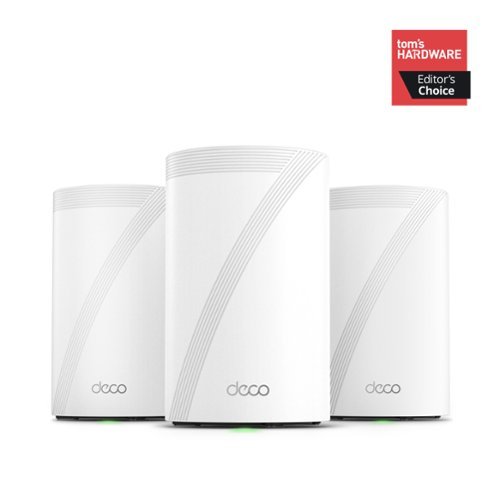
Supercharged by the latest Wi-Fi 7 technology, the Deco BE65 Pro mesh system takes the power and efficiency of your Wi-Fi network to new heights. Delivering combined speeds of up to 11 Gbps on three bands, this powerhouse is an ideal solution for future-proofing your home network, all thanks to Wi-Fi 7 features such as MLO, 320 MHz channel, and 4K-QAM.1,4 Two 5 Gig ports and one USB 2.0 port allow for maximum expandability. With built-in AI-Roaming technology, it creates the ideal Wi-Fi solution with its advanced algorithms and self-learning. Walk through your home and enjoy seamless streaming at the fastest possible speeds~. TP-Link HomeShield keeps your home network safe with cutting-edge network and IoT protection.5
Customer Rating
5
Fast Whole Home Wi-Fi 7
on May 24, 2024
Posted by: TravisJ
Amazingly fast Wi-Fi packed with all kinds of features and technology. In the box is 3 mesh Wi-Fi nodes with power cables and a single ethernet. Connecting them was easy. You can download the intuitive Deco app which will help you get each one setup. It was as simple as unplugging my old router and plugging up my new one to the modem and powering on. You can setup multiple Wi-Fi networks. Currently I’m using an IoT (internet of things) network for my smart home devices, a 6ghz network for my laptop and desktop (both have Wi-Fi 7 cards installed), and a 3rd for all other things on 2.4ghz and 5ghz network.
The design is nice, they’re small but packed with features. Each one has 3 ethernet ports and a USB. You can easily use a wired backhaul to each node, or they can use a dedicated wireless band for internet connection. This limits some of the Wi-Fi bandwidth that can go to your devices but can allow strong Wi-Fi connection where cables may be difficult to run. Of the 3 ethernet, there are two 5Gbps and one 2.5Gbps ethernet ports, so very much setting up the new standard of high bandwidth connectivity.
On performance, I was able to transfer a large video file at around 111 MB/s. At these speeds it’s easy enough to just shared folders across my network instead of using a flash drive. Not that a flash drive would be slower, but it’s just more convenient and the Deco routers have a steady connection so it remained consistent during the whole transfer. Signal is strong too. I have one of the units in my garage. My apple TV in my bedroom connects to it through a few walls and I haven’t had any issues streaming or downloading a recent update. Also no issues with connectivity when scrolling through social media on our phones.
The Deco app is easy to navigate and packed with all kinds of settings and features. One of the first things I do with a new router is see if it has QoS and set up my more demanding devices. Very easy to do through the app. Also, you can see your client list, do port forwarding, set static routes, turn on and off Wi-Fi networks, and much more. I will say the only downside is while the app will let you navigate through all the features, I found that accessing the web app through my PC was lackluster. It didn’t seem as if it has the same options as the app and I felt quite limited as to what I could do. This is a bit of a small complaint, but I do like having all the same options.
Also, if you want to connect to a new device, each node has a WPS button to make connections easy. You can also do this from the app which is convenient. Connecting to a USB drive is simple as well. You get a shared name and access it just like you would any other network drive. The speeds are not stellar but are within the USB 3.0 speeds. If you need to share data in a pinch, this works out great, but transferring over Ethernet and Wi-Fi will be much faster.
Just to round this up in one paragraph, Wi-Fi 7 is the newest standard and offers some of the biggest leaps in speed in a while. It’ll take some time for other devices to catch up, but the router is the starting point, and Wi-Fi 7 allows the network to be smarter and more reliable compared to other networks and also allows the 6ghz band which is a quieter network for the time being. This mesh system is fantastic and easily recommended.
I would recommend this to a friend!
Share this review:


-1point
0of 1voted this as helpful.
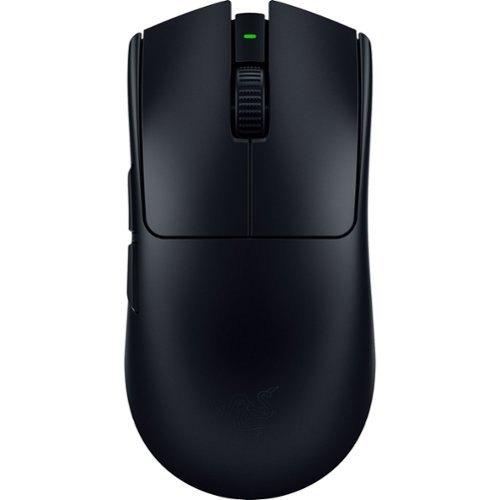
The GOAT of wireless esports mice returns to reshape the competitive scene. Featuring a 54 g ultra-lightweight design and best-in-class technologies, the Razer Viper V3 Pro is the undisputed choice for peak performance and handling~the perfect weapon designed with and trusted by pros.
Customer Rating

4
Very Lightweight Mouse for Desktop
on May 10, 2024
Posted by: TravisJ
-\o-=Design=-o/-
I would say this mouse is on the larger size. I don’t have very large hands but I feel like a larger mouse is more of a one size fits all than a smaller mouse so no complaints. The mouse is VERY lightweight. It’s a matter of preference as there are weighted mice out there if you prefer a heavier mouse. If you do like a mouse that’s light in the hand, which I do, you’ll like the Viper V3 Pro. I prefer the lighter mouse as it feels like I have less fatigue after a few hours of game play as well as lowering the DPI sensitivity and making wider movements if I need to move quickly while having the precision of a lower DPI. It’s all preference but I recommend a lighter mouse vs a heavier one.
The mouse has a “stealth” look to it on top, with a matt black finish and the only gloss being the razer logo. The PTFE mouse feet on the bottom allow for a very smooth movement across my cloth. With a single DPI button and the sensor on bottom. The buttons feel great, they’re clicky without being too sensitive to attenuation. I have a habit of resting my hand on my old mouse and accidently clicking. I’m not sure if it’s just the higher arch shape of the mouse or just added stiffness to the left/right click buttons, but that issue seems to not be present with this mouse.
I will also say the mouse, although lightweight, doesn’t feel cheap or of poor quality. You can squeeze and press on the mouse and it doesn’t feel like it’s going to crumble beneath you hand, very little flex in the housing. I would, however, be hesitant to drop it on a hard surface. While it feels very well made, I imagine the plastic is thin but very well reinforced, which gives it it’s sturdiness without adding too much to the heftiness. I also like the included USB A to C cable. Personally, I would love to see the world just transition to USB C, but I get it, lots of existing cables out there still sport the USB A standard. I’m very glad to see this mouse use USB C.
I would say this mouse is on the larger size. I don’t have very large hands but I feel like a larger mouse is more of a one size fits all than a smaller mouse so no complaints. The mouse is VERY lightweight. It’s a matter of preference as there are weighted mice out there if you prefer a heavier mouse. If you do like a mouse that’s light in the hand, which I do, you’ll like the Viper V3 Pro. I prefer the lighter mouse as it feels like I have less fatigue after a few hours of game play as well as lowering the DPI sensitivity and making wider movements if I need to move quickly while having the precision of a lower DPI. It’s all preference but I recommend a lighter mouse vs a heavier one.
The mouse has a “stealth” look to it on top, with a matt black finish and the only gloss being the razer logo. The PTFE mouse feet on the bottom allow for a very smooth movement across my cloth. With a single DPI button and the sensor on bottom. The buttons feel great, they’re clicky without being too sensitive to attenuation. I have a habit of resting my hand on my old mouse and accidently clicking. I’m not sure if it’s just the higher arch shape of the mouse or just added stiffness to the left/right click buttons, but that issue seems to not be present with this mouse.
I will also say the mouse, although lightweight, doesn’t feel cheap or of poor quality. You can squeeze and press on the mouse and it doesn’t feel like it’s going to crumble beneath you hand, very little flex in the housing. I would, however, be hesitant to drop it on a hard surface. While it feels very well made, I imagine the plastic is thin but very well reinforced, which gives it it’s sturdiness without adding too much to the heftiness. I also like the included USB A to C cable. Personally, I would love to see the world just transition to USB C, but I get it, lots of existing cables out there still sport the USB A standard. I’m very glad to see this mouse use USB C.
-\o-= Software =-o/-
There’s no good peripheral without good software to manage it. I’ve not used Synapse heavily but Razer seems focused on making sure their software is functional, customizable, and helpful. Under the main Synapse menu, clicking the Viper V3 Pro takes you to the customization screen where you can change how the buttons function (including a hypershift mode for extra functionality), DPI performance, polling rate, sensitivity matcher if you had settings saved from a previous mouse, power settings, and finally, calibration.
The menus are easy enough to navigate. The calibration screen will let you adjust the distance from the mouse pad it detects movement. I’ve not seen this as an adjustable setting in other mice software so I found that pretty neat. You can switch between the DPI settings using the button on the bottom of the mouse, I would have liked to see this on the top of the mouse for easier access, but if you prefer one setting for one game and another setting for normal windows navigation, they got you covered on that too. Just create different profiles and you can link them to the games listed.
There’s no good peripheral without good software to manage it. I’ve not used Synapse heavily but Razer seems focused on making sure their software is functional, customizable, and helpful. Under the main Synapse menu, clicking the Viper V3 Pro takes you to the customization screen where you can change how the buttons function (including a hypershift mode for extra functionality), DPI performance, polling rate, sensitivity matcher if you had settings saved from a previous mouse, power settings, and finally, calibration.
The menus are easy enough to navigate. The calibration screen will let you adjust the distance from the mouse pad it detects movement. I’ve not seen this as an adjustable setting in other mice software so I found that pretty neat. You can switch between the DPI settings using the button on the bottom of the mouse, I would have liked to see this on the top of the mouse for easier access, but if you prefer one setting for one game and another setting for normal windows navigation, they got you covered on that too. Just create different profiles and you can link them to the games listed.
-\o-= Performance =-o/-
Performance is hard to measure. I do not notice any difference between it being wired or wireless. The dongle is designed to sit on the desktop and have line of sight, but it seems to work well enough plugged into a short cable on the backside of my computer. I’m not a good enough gamer to tell you whether or not I get a gaming advantage. What I will say is that having the lighter mouse, for me, gives me a bit faster reaction time and accuracy. I’m not fighting with any friction from the mouse on the pad as it glides across the pad and latency and polling rate are very responsive. The design and weight allows for easy lift and return if you’re flicking it to the side to get turned around or shoot an angle. You can increase the lift sensitivity so if you go off pad you don’t loose the travel which is kind of cool.
Performance is hard to measure. I do not notice any difference between it being wired or wireless. The dongle is designed to sit on the desktop and have line of sight, but it seems to work well enough plugged into a short cable on the backside of my computer. I’m not a good enough gamer to tell you whether or not I get a gaming advantage. What I will say is that having the lighter mouse, for me, gives me a bit faster reaction time and accuracy. I’m not fighting with any friction from the mouse on the pad as it glides across the pad and latency and polling rate are very responsive. The design and weight allows for easy lift and return if you’re flicking it to the side to get turned around or shoot an angle. You can increase the lift sensitivity so if you go off pad you don’t loose the travel which is kind of cool.
-\o-= Battery Life =-o/-
Razer advertises up to 95 hours of battery. I’ve not needed to charge it since the initial charge after opening. You can adjust power settings such as sleep timers and power save mode to get the most out of battery life. If you have a mostly wireless desktop, you’ll enjoy not having to constantly plug in your mouse to keep it charged and can enjoy a clean wireless setup for longer.
Razer advertises up to 95 hours of battery. I’ve not needed to charge it since the initial charge after opening. You can adjust power settings such as sleep timers and power save mode to get the most out of battery life. If you have a mostly wireless desktop, you’ll enjoy not having to constantly plug in your mouse to keep it charged and can enjoy a clean wireless setup for longer.
-\o-= Connectivity =-o/-
The mouse is easy enough to connect. You can use the included cable and plug the USB-C end into the dongle, plug the side, a USB type A, into your PC and you’re connected. This is where I have huge problems with this product. First, when you connect the dongle you get a pop-up to install the software. Personally, I do not enjoy “auto-run” type pop-ups when I connect devices. This may not be an issue for some, but it was for me. The bigger problem is the design of the dongle. If you want to plug this into a laptop and have it just hanging out of the side or back, forget it. You have to instead deal with a 4’ cable hanging out the back or side of your laptop attached to a dongle, that you may or may not have a place to put on a surface around you. The housing to plug in the USB-C type cable is only accommodating to slim USB-C cables. This annoyance could have been avoided if they had included additional connectivity such as Bluetooth or just designed the dongle in a way it could plug into a PC without the need of an additional cable. On top of that, it’s just a large dongle. I’m not sure if it needed to be as big as it is, but if you’re main gaming apparatus is a laptop, this is something you have to consider and contend with unless you have a shorter cable hanging around that you can fit into the housing.
-\o-= Summary =-o/-
I love the lightweight and sturdy design with the all black color scheme, software that just works and gives you the ability to customize DPI, buttons, sensor and more, and the feel of the mouse is great too. I think I actually hate the dongle. I can only recommend this to someone who plans to use this with a desktop, and it feels like that is who this is made for. I’m not sure if this is Razer trying to be different with their design or if it’s an engineering choice for the dongle, but I don’t like it and I don’t have to like it. Buy this mouse for your desktop, it’s actually great. Avoid this for your laptop if you’re expecting the dongle to neatly plug into the side of your laptop.
The mouse is easy enough to connect. You can use the included cable and plug the USB-C end into the dongle, plug the side, a USB type A, into your PC and you’re connected. This is where I have huge problems with this product. First, when you connect the dongle you get a pop-up to install the software. Personally, I do not enjoy “auto-run” type pop-ups when I connect devices. This may not be an issue for some, but it was for me. The bigger problem is the design of the dongle. If you want to plug this into a laptop and have it just hanging out of the side or back, forget it. You have to instead deal with a 4’ cable hanging out the back or side of your laptop attached to a dongle, that you may or may not have a place to put on a surface around you. The housing to plug in the USB-C type cable is only accommodating to slim USB-C cables. This annoyance could have been avoided if they had included additional connectivity such as Bluetooth or just designed the dongle in a way it could plug into a PC without the need of an additional cable. On top of that, it’s just a large dongle. I’m not sure if it needed to be as big as it is, but if you’re main gaming apparatus is a laptop, this is something you have to consider and contend with unless you have a shorter cable hanging around that you can fit into the housing.
-\o-= Summary =-o/-
I love the lightweight and sturdy design with the all black color scheme, software that just works and gives you the ability to customize DPI, buttons, sensor and more, and the feel of the mouse is great too. I think I actually hate the dongle. I can only recommend this to someone who plans to use this with a desktop, and it feels like that is who this is made for. I’m not sure if this is Razer trying to be different with their design or if it’s an engineering choice for the dongle, but I don’t like it and I don’t have to like it. Buy this mouse for your desktop, it’s actually great. Avoid this for your laptop if you’re expecting the dongle to neatly plug into the side of your laptop.
I would recommend this to a friend!
Share this review:


+2points
2of 2voted this as helpful.

Press ULT and feel the incredible power of sound and bass. ULT1 delivers deep low frequency, and ULT2 brings ultra-bass. Set the vibe with 360 Reality Audio, personalized EQs, and premium noise Cancelling sound-technologies for the ultimate audio experience. Find yourself at the center of your music wherever you are.
Customer Rating
5
Best Bass I’ve Heard in Headphones
on April 20, 2024
Posted by: TravisJ
Probably the best sounding wireless headphones I’ve used. Sony has abandoned audiophile critique and catered to the average person in the gym, on the bus, or even the office worker focused on the task at hand – Bass.
The ULT wear headphones seem to be a bass focused listening experience. Any time I’m given an equalizer to customize a sound system, I’m boosting the bass while trying to make sure lyrics and higher frequency tones are still heard. The ULT out of the box just gives you clean bass that doesn’t muddle or distort at higher volumes. The bass is there, and you’ll notice it, but if you try to hear the other tones and notes, you’ll find them too, which is a pleasant break away from the artificial boosting other headphones try to deliver.
Keeping focused on the unique offering from this product, there are two different Bass settings you can quickly activate using the dedicated ULT button on the left earcup. I find myself gravitating to the ULT1 setting which elevates the bass frequencies. ULT2 setting really comes in strong with the Bass. While I find that ULT2 delivers on it’s promise, I find that while boosting bass can enhance the experience if that’s your preference, the ULT2 setting is just too distracting for me. You can also turn this off and manually adjust the EQ as well, but I found it doesn’t quite have the same oomf as the ULT setting being on.
I highly recommend you download the headphones app so you can access all the features and customizations. The ULT Wear adopted several features I liked about the WH-1000xm5. The multi device connection allows me to listen to music on my phone then easily switch to my PC for teams calls. Sony’s noise cancellation is as good as the competition. A co-worker knocked on my office door, came in, and said my name, and I didn’t notice them until I just happened to look up which I think is a testament to how well it works. I also thoroughly enjoy the ambient sound mode which works very well. I’m able to easily watch TV or hold conversations without having to take the headphones off. You can hold your palm over the right ear cup and go full ambient sound from noise canceling and pull your hand away to go right back.
Also, within the app you can create your own custom EQ or choose from one of the presets. You can also use the “Find your Equalizer” feature to select between several different sound profiles to create a custom EQ that saves under the Custom 2 for later use. Another useful setting is the adaptive noise cancellation where the headphones will detect your activity and surrounding sound and automatically apply noise cancelling or ambient sound depending on the type and intensity of the sound around you or if you’re walking down the street or just sitting at your desk.
As far as wearing for long periods of time I’ve had no issue. The ear cushions are very comfortable and while after several hours, my ears are maybe just a bit warm but just a short break after a couple hours is enough to reset the clock. The cushion on the head band is made out of the same soft foam material and wears comfortably as well. I would say the one downside is, possibly in an effort to keep these light and affordable, there’s a lot of plastic to the build. Considering the quality of the sound and the features loaded into this, I feel like it was a design choice to keep these functional and accessible.
Finally, a few notable pro’s and con’s. The headset came with a nice rigid case with an audio cable and a USB type a to C charging cable. The headphones fold to fit inside the case making for a very small footprint for travel. The battery life is killer, and I’ve only had to charge it once for a short time in the past week with daily use. Sony advertises quick charging with 10 minutes providing 5 hours of playback and up to 50 hours of total use if you don’t care about noise cancellation. I don’t like the notifications I would get when the noise canceling would switch in and out of ambient sound. Some may find the capacitive touch a bit extra compared to physical buttons or a volume roller, not an issue for me. I would have liked a way to mute the microphone when on a call, but again, minor complaint. Also, I was not able to find an IPX rating so may want to take notice that it may not be sweat or water resistant if you listen while exercising.
I would recommend this to a friend!
Share this review:


0points
0of 0voted this as helpful.
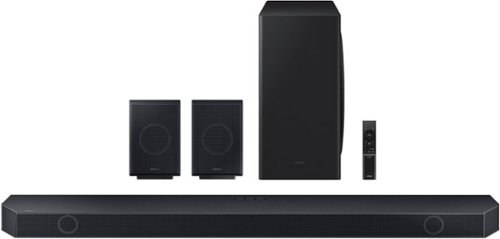
This smart soundbar features booming speakers, wireless surround sound and crystal clear audio that is synchronized with your TV~s speakers* to amplify your favorite content. *Q-Symphony requires a compatible 2020-2024 Samsung TV. Please refer to samsung.com for more information. **Compatible with select 2022-2024 Samsung TVs.
Customer Rating
5
Phenomenal Wireless Sound
on April 19, 2024
Posted by: TravisJ
I’ve used a lot of different Samsung products around the house, and they’ve made themselves a competing force not to be ignored in the sound department.
There’s something to be said for actual surround sound instead of speakers systems that try to emulate the same. This is the full package. You get the sound bar and wall mounting equipment for optional wall mounting. The two stylish rear speakers that provide up firing sound, and a hefty, yet slim subwoofer that generates impressive bass. What’s great is a mostly wireless home theatre. You just plug them into a power source and for me they connected automatically.
Wireless Atmos sounds fantastic. You’d think being wireless, there would be a lot of interference, or mild delay that has everything ever so slightly out of sync. That’s not the case. When I got everything placed and plugged in, wireless syncing just happened. I did have to swap the left and right rear speakers but that was just me not figuring out which one was which beforehand. There are buttons on the back which I presume is for pairing if needed but I didn’t have to mess with those.
Wireless aside, you do get Dolby Atmos sound which offers crisp clear sound, the rear speakers are upward firing as well as some of the speakers in the soundbar, and there’s no substitute for a subwoofer that delivers deep, felt bass, that shakes the room at it’s highest settings. When watching movies you get sounds all around you which is really neat. It has a neat way of making sounds that are supposed to be far away sound far away and sounds up close are loud and punchy.
The remote is sleek and easy to use. The sound bar has a LED screen imbedded behind the mesh which provides a read out of which input your using, volume setting, or what setting your adjusting. Using the remote to change settings or input is intuitive and easy to do. There are also 4 buttons on the sound bar itself but the remote opens more options. You can go a step further and use the SmartThings app from Samsung and get a nice app interface to even further customize.
You can use SmartThings app to change modes, control volume, adjust the equalizer, turn on and off different sound enhancements, depending on your preferences. After initial setup in the app, you get the soundbar connected to your wi-fi which allows features like voice assistant, air play, and Chromecast. I’ve not been a huge fan of the SmartThings app when using for other devices, but what I will say, it works well accessing and changing the soundbar’s settings.
Outside of the easy wireless setup, mounting the hardware was simple too. There are brackets that attach to the sound bar to allow them to slot into the spacers on the drywall anchors. I would have liked to have seen included wall anchors, but luckily I had some laying around. I did like the included wall diagram to help with the proper spacing of the wall screws.
In conclusion, this is a fantastic soundbar and there’s not much to critique here. I would have liked wider compatibility for the Q-Symphony and the wireless Atmos. Pairing the Samsung soundbar with a Samsung TV would have unlocked all the features, but my TV was not of the same brand. While I was able to get great sound over Bluetooth, I had to direct my TV to re-establish connection when it powered on and off.
These minor marks are by no means a deal breaker, as it works fantastically over HDMI eARC, which I imagine is how most people will connect these. Overall, people should pick this for it’s excellent sound, easy setup, and amazing value for premium ear candy.
I would recommend this to a friend!
Share this review:


0points
0of 0voted this as helpful.
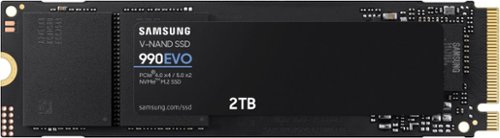
Fast speeds. Power efficiency. Temperature control. It~s everything you want in a storage device. It's compatible with the latest PCIe 4.0 x4 and PCIe 5.0 x2 interfaces, and boasts improved performance compared to 970 EVO Plus.
Customer Rating
5
Fast Affordable Storage
on April 10, 2024
Posted by: TravisJ
Samsung has been a mainstay in the storage industry for quite some time. With a 5 year warranty and gold standard reliability and performance, the only thing that will steer me away is a good deal. Luckily Samsung has the EVO series to help with that.
Don’t think this is a slouch because it carries the EVO moniker. You’re still looking at an advertised 5,000 MB/s read speeds and 4,200 MB/s write speeds. Real life speeds are actually right on the money. CrystalDiskMark gave me 5,072 MB/s reads on a 1GiB test and clocked in a bit lower on the reads at 3,714 MB/s. The reads do fall a bit short of advertised speed, but synthetic loads are just that, synthetic. Real world is a bit different.
Before running this through the PCIe slot on my desktop PC, I wanted to export the data off my old drive into my new one. Using high speed USB 3.2 port and an external enclosure, I was easily maxing out the 10Gbps that my enclosure can handle, with speeds tapping out just below 1 GB/s on both read and write. If you plan to use this as an external drive for your PC or mac to handle video footage or move around your media library from one PC to another, you likely won’t be held back by the drive.
It's also worth checking out Samsung Magician software that you can use to update, monitor, and manage your drive. From the dashboard you get feedback such as drive health (TBW or terabytes written), temperature, and the latest updates from your most recent scans. If you’ve setup your drive with an NTFS or RAW partition, you can also setup over provisioning which helps with performance and drive health. Most people may end up using the built in data migration that comes with the software to move data from an older drive to their new 990 EVO drive. It would be nice to see companies provide compatibility with other drives and more advance disk management tools with their software, but it’s easy enough to use for the every day person to monitor drive health and transfer from their old drive to the new one.
All in, this is a great drive if you don’t need bleeding edge speed out of your SSD, but still want the reliability and warranty that comes with buying Samsung. Also support for PCIe 5.0 provides some future proofing as well as the industry will inevitably move towards this newer standard over the years.
I would recommend this to a friend!


Share this review:


+1point
1of 1voted this as helpful.
TravisJ's Review Comments
TravisJ has not submitted comments on any reviews.
TravisJ's Questions
TravisJ has not submitted any questions.
TravisJ's Answers
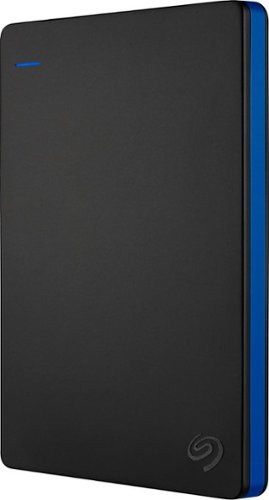
Store more than 50 PlayStation 4 game titles on this 2TB Seagate game drive. Its USB 3.0 port provides fast loading of full-size games so you can play smoothly, and its tough aluminum enclosure protects the drive from damage. This plug-and-play Seagate game drive is automatically recognized by any PS4, PS4 Slim or PS4 Pro console.
I've gotten quite tired of always uninstalling and reinstalling my games to make room and I was thinking about buying one of these. So, since all my games are hard copy, does that matter? For example, with this, will I be able to reinstall hard copy games
According to Sony’s website you can use from 250GB to 8TB in external storage to install games.
7 years, 6 months ago
by
TravisJ

Listen to your playlist in peace with these Sony headphones. They have a 40mm dome driver to deliver the full depth of audio, and the noise cancelling feature minimizes outside disturbances for a better listening experience. These Sony headphones have a battery life of up to 30 hours for extended jam sessions.
Would you be able to use these headphones to workout at the gym? Is the clamping of the headphones to your ears tight enough so it doesn't slip out as i do certain lifts? Are replaceable ear pads available for this model that are more comfortable?
These will work fine at the gym. They come with 4 different sized wing tips and ear tips so that you can customize the fit to your ear. Since these are new, It's unlikely to have 3rd party ear tips or wings at the moment.
8 years, 7 months ago
by
TravisJ