


TravisJ's stats
- Review count179
- Helpfulness votes263
- First reviewNovember 6, 2016
- Last reviewJune 8, 2026
- Featured reviews0
- Average rating4.8
Reviews comments
- Review comment count0
- Helpfulness votes0
- First review commentNone
- Last review commentNone
- Featured review comments0
Questions
- Question count0
- Helpfulness votes0
- First questionNone
- Last questionNone
- Featured questions0
- Answer count2
- Helpfulness votes0
- First answerOctober 28, 2017
- Last answerNovember 20, 2018
- Featured answers0
- Best answers0

Built to go where other e-bikes can't. Even when you aren't riding this e-bike you can take it where others can't go thanks to its easy foldability. Durable, shock absorbing off-road fat-tires can take on any sort of bike path or trail you can think of. Be sure to make use of the rear storage rack so you can take more than what's in your backpack.
Customer Rating

5
Fun Ride, Easy to Take with You
on August 13, 2023
Posted by: TravisJ
If you’re looking for an outdoor activity, biking in general is a lot of fun, but the addition of an ebike makes the level of entry a bit easier, adds a new element of fun, and it’s great exercise . This bike has wide tires, 500w motor that accelerates up to 20mph, and a foldable frame that I was able to get into my chevy malibu believe it or not.
This bicycle was easy to put together out of the box. It came with all the tools needed and only the front wheel, fender, light, pedals, and handlebar needed to be assembled. All the bolts were pre-installed where they were supposed to go so no annoying blister packs with labeled parts. I can’t compliment the packaging enough, there was plenty of effort put into making sure the bike ships without scratches or damage. Each area of the bike had a zip tied foam covering which kept it in great shape from shipping.
The bike is a bit tall for me, luckily the seat and handle bars are easily adjustable with a quick release lever that lets them slide up or down and easily locks back in place. The handle bars are comfortable to use, no issues reaching any of the controls. The throttle is a thumb throttle, not a grip twist type. I don’t know if I have a preference, but the thumb throttle was easy to use. It’s installed on the left side which is the side you should be using for hand signals which means you can’t signal to turn while still using the throttle. Probably fine in most cases but if your using the throttle uphill, you’ll lose speed unless you pedal through it. It also worth mentioning that it does come with a kickstand that was already installed with a rubber tip to keep your floor from getting scratched up.
I’m new to ebikes so there was a bit of a learning curve for me. There’s a nice “transmission” lever/button on the right that helps with getting up to speed. Just like a car, work your way from the lower gears to the higher gears. The “E” part of this is the pedal assist. Besides off, there are 5 levels of assist. I describe pedal assist as help up to a certain speed, then beyond that speed you’re on your own. After about one rotation of the pedal, the motor kicks in and will help you up to a certain point, on pedal assist 1 I find that I’m doing most of the work, but it does help me get going up to speed from a stop. On pedal assist 5, it’s 0 to 19ish mph in a few moments without much effort at all, which can be a bit daunting at first if you’re not used to it. The quick forward acceleration wouldn’t be ideal on a trail where you may have a turn coming up, so plenty of practice with pedal assist is recommended before you go trail blazing for the first time on an e-bike.
A large appeal for me is the folding part of this bike. Two quick release levers and you’re folding. Handlebars fold down next to the tire and the frame folds in the middle so that tire meets tire. The frame has a little stand on the bottom to help support the bike upright in a folded state. You can then put the bike in the rear of your SUV or, in my case, a 4 door sedan. It is a full size bike with 16” tires so it does take some strategic guidance in the back of my car, but it can be done. I do, however, recommend getting some help in that scenario, as to not damage anything. In the back of an SUV or truck, no problem getting it loaded in.
As for other features, there is a front headlight which can be turned on by holding down the + button, it adds some visibility but I’m not sure if it’s more for other drivers than your own. The display screen provides battery level, distance traveled, which gear assist mode you’re using, speed you’re traveling. You can hold the “-“ button and there’s a walk mode which propels you around 2-3mph. The disk brakes are a nice add and work great, reflectors are on both the front and back for additional night visibility. Finally, a small bike rack area on the back where you can affix you’re choice of accessory. The user manual was in color and has all the relevant information you could need from use, assembly, maintenance, and troubleshooting.
As for the things that could be better. The fenders seem fairly flimsy and cheap. I don’t like how the front one attaches to the bike, in fact, I’ve already lost one of the bolts that hold it in the wire support that runs along the back of the front fender. The key ignition placement, on the bottom of the frame, is a bit inconvenient to find with the key. On the top or side would make it a bit easier to find.
I would recommend this to a friend!
Share this review:


0points
0of 0voted this as helpful.
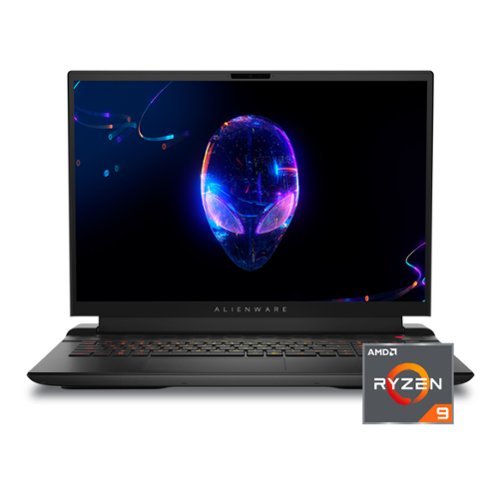
Alienware m18 Gaming Laptop - Play like a boss with a high-powered, 18-inch gaming laptop that features advanced Alienware Cryo-techcooling, 7000 Series AMD Ryzen 9 processors and NVIDIA GeForce RTX 40 Series graphics.
Customer Rating
5
Desktop Power in a Laptop
on July 29, 2023
Posted by: TravisJ
Alienware makes big, beautiful laptops with a unique design language that sets it apart from anything else, and they’re powerful too.
Performance – Who is this for? If you want desktop performance on the go, would like to have a large screen, and want to play at max settings using 480 refresh rate at FHD resolution, you’ve found an option. You can do this with considerably less noise than a thinner laptop, mostly due to increased airflow from the bigger chassis. If you’re looking for the desktop equivalent, you can say this is like having a 5950x in your laptop, although you'll see higher single core scores than even that CPU. On the GPU side, with advance optimus (mux switch), you get power saving integrated GPU, but the 4070 kicks in when you need it, such as gaming or GPU heavy tasks. With the refresh rate set to the max of 480mhz, I averaged around 103 fps when playing New World on max settings, 94 FPS average with Spider-Man Remastered, and just over 100fps when playing Call of Duty Modern Warfare II.
Cooling performance is also impressive. You do get some fan noise when playing, the processor dances around 90 when playing new world, which is warm, but not throttling according to AMD’s specs (100C max). GPU is putting in some work too, but keeps temperatures below 70c, hugging closer to the 60 to 65 degree range. Fan noise is manageable but if you throw it on overdrive mode (max fan speeds), it does get a bit loud and could be distracting. It does, however, manage noise much quieter than a smaller gaming laptop.
Cooling performance is also impressive. You do get some fan noise when playing, the processor dances around 90 when playing new world, which is warm, but not throttling according to AMD’s specs (100C max). GPU is putting in some work too, but keeps temperatures below 70c, hugging closer to the 60 to 65 degree range. Fan noise is manageable but if you throw it on overdrive mode (max fan speeds), it does get a bit loud and could be distracting. It does, however, manage noise much quieter than a smaller gaming laptop.
Display – The 18” display, love or hate the size, it looks great. It doesn’t get super bright at only 300 nits, it does support 480hz refresh rate which enhances how smooth everything looks on the computer. It has 100% DCI-P3 color gamut. You do have some bezel action going on, which I don’t mind at the top because of the camera, but they could have shrank it a bit on the sides and bottom. This could be a design or durability choice as constantly pushing on the screen instead of a bezel could be a problem over time.
Design/Keyboard/Mouse – This is a large laptop. I just want to make that clear. This comes with some benefits. A spacious, easy to use keyboard with a number pad, which I’m in the minority of people who love to have them. The typing experience is pretty good. Because of the number pad, I find myself reaching slightly left. The whole keyboard could be one more key to the right and it would have solved that problem. I/O doesn’t leave you wanting either. The left has a few USB type A ports, headphone jack, ethernet, while the right hosts a USB-C. The back has another USB type A, two type C, HDMI, Mini Display port, SD card reader and the barrel type power port. The track pad isn’t bad. It isn’t great but it isn’t bad. I like the glossy, glass like feel that some have, this doesn’t have that.
As for the chassis, you have plenty of air inlet and outlet ports, with honeycomb shaped vents along the top of the keyboard and the bottom of the laptop. Just below the monitor is more vents as well as along each side and the back. The hinge design sits about an inch and a quarter from the back and the laptop which leaves a small protrusion from behind the screen where the rear I/O lives. I personally don’t mind this but it does make the laptop slightly bigger than the screen size which can be misleading when shopping for accessories or bags. The lid itself is a gunmetal color with a “18” recessed into the likely magnesium alloy lid. The rest of the chassis is black and the two compliment each other. Quality is on par with what I would expect from Alienware. It feels solid and well built, also, it’s a bit heavy, be prepared to carry some extra weight when traveling, especially with the power brick, which is also large, not adopting the GaN style slim chargers of some other laptops.
Getting into RGB, this borrows from the other laptops in this generations design. You get full control over the keyboard, alien logo on the lid, and the “stadium”, which is the ring in the back. The updated Alienware Command Center application allows customization with a few presets you can select from.
As for the chassis, you have plenty of air inlet and outlet ports, with honeycomb shaped vents along the top of the keyboard and the bottom of the laptop. Just below the monitor is more vents as well as along each side and the back. The hinge design sits about an inch and a quarter from the back and the laptop which leaves a small protrusion from behind the screen where the rear I/O lives. I personally don’t mind this but it does make the laptop slightly bigger than the screen size which can be misleading when shopping for accessories or bags. The lid itself is a gunmetal color with a “18” recessed into the likely magnesium alloy lid. The rest of the chassis is black and the two compliment each other. Quality is on par with what I would expect from Alienware. It feels solid and well built, also, it’s a bit heavy, be prepared to carry some extra weight when traveling, especially with the power brick, which is also large, not adopting the GaN style slim chargers of some other laptops.
Getting into RGB, this borrows from the other laptops in this generations design. You get full control over the keyboard, alien logo on the lid, and the “stadium”, which is the ring in the back. The updated Alienware Command Center application allows customization with a few presets you can select from.
Sound/Webcam/Microphone – Actually, most of the time, I’m left wanting, but the speakers didn’t disappoint. I’m not saying they’re the best I’ve heard but I would rate them better than most. They get loud, and at that volume, sound comes through clear. It lacks base and it’s a hair muddled, but overall, I can’t complain too much. I typically use headphones anyways, but it’s nice to know I could get by without them. Webcam and microphone are just OK. In good lighting the camera comes through clear, there’s a bit of grain, but it’s at least 1080p which is all I’ve asked for on laptops for the past few years so no complaints. Microphone comes through clear, but you’re not hiding the fact you’re using a laptop microphone. Also very happy to see windows hello included with the camera array which, in my opinion, is the most natural way to sign into a PC.
Battery Life – I did a short battery life test where I browsed the internet with a youtube tab open in the background under balanced power setting. After about an hour I was at 45% and was getting low battery warnings about 35 minutes later. If you want to prolong the uptime while on battery, you’re going to need to adjust some settings, luckily the Alienware Command Center has a battery saver mode, which should help with this.
Other Thoughts – It’s nice to see Wi-Fi 6e, I’m holding a 2.8gbps link to my network, also getting great latency when gaming. Alienware Command Center has been updated and works better but still needs optimization on moving between screens and settings. I do like how they’ve laid out the settings, provided additional details on performance statics, and included per game statistics. Everything is easier to navigate as well as adjust performance profiles on compared to previous versions. I wish they would have included the smaller GaN brick, which is available for purchase at this wattage on the dell website. Ethernet is 2.5ghz is a happy addition with faster speeds showing up on routers and from ISPs. I also noticed it was much faster to desktop then my old laptop, from power button to desktop, about 23 seconds from shutdown state. It’s a bit quicker from sleep mode.
In summary, know what you’re getting. This is a desktop replacement, which is a category of laptop that prioritizes power and features over portability and battery life. Gaming is pleasant, multitasking is pleasant, everything is fast and convenient. You’re not going to spend a ton of time away from an outlet and it’s going to be a bit cumbersome to haul around. If those aren’t issues for you, then this is a fantastic laptop. It’s not top of the line, but in terms of both processor and GPU, it’s the next step down. If the best of the best is S-tier, then this would be A-. In summary, I’m enjoying it very much and would recommend to anyone who uses it like I do, a mobile desktop performance experience that I can plug in and play almost anywhere I go.
I would recommend this to a friend!



Share this review:


+3points
3of 3voted this as helpful.
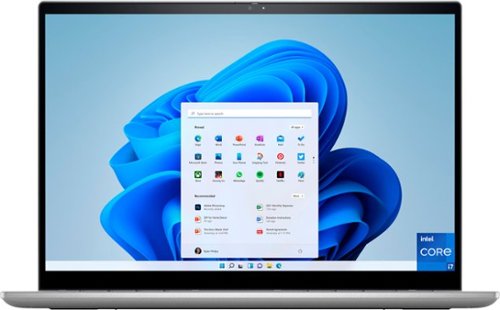
Optimized with technology that simplifies your life, Inspiron 2-in-1 laptops offer a range of easy-to-use features all packaged in a minimalist and modern design. You won~t have to sacrifice screen size for a mobile design, and with multiple technologies that help your eyes work or play in comfort, the new Inspiron 14 2-in-1~s display is made to please. With a 16:10 FHD+ display and 360 lift hinge, the new Inspiron 14 2-in-1 lets you experience amazing visuals in any mode. Your world is closer with powerful 12th Generation Intel Core processors. It also has a 360 degree hinge that allows you to work in 4 different modes - laptop, tablet, tent and stand. And if that~s not all, your Inspiron features environmentally-conscious designs that complement not just your style but also your values.
Customer Rating

4
Versatile Convertible Laptop
on July 1, 2023
Posted by: TravisJ
Dell has done a good job delivering a solid mid-range PC and sweetened the deal by making it a convertible with a comfortable keyboard, 16:10 FHD touch screen, and the essential bells and whistles to keep the laptop affordable yet usable.
Specs are important at this price point, so you understand exactly what you’re getting and why you’re not getting something else. 3 USB ports, one type – A and two type – C. No thunderbolt. The usb C ports are fast (20gbps) and support display port for an extra monitor. There’s also a full-size HDMI port and the I/O wraps up with a SD card reader and a headphone jack. The i7 in this machine is the low power, efficient variant of the if denoted by the “U” suffix. It doesn’t mean it is slow. At 10 cores, two “P” (performance) cores and 8 “E” (efficient) cores, it doesn’t stutter at normal everyday tasks. The two P cores also come with two logical cores, so all in all you have 12 cores of computing. 16gb of ram in my opinion is the lowest any modern machine should come with so this one meets the standard, they’re also upgradable which is more than what I can say for some higher end laptops.
Performance caught me by surprise. I don’t intend on gaming on this PC, but I was able to actually game with the integrated graphics. More out of curiosity, I downloaded Destiny 2 and Apex Legends. There was some lagging in each game and I had to turn down every graphic setting I could find, but they were playable. After some game assets were loaded into memory, some of the frame drops went away and I was able to run a strike on Destiny 2 and did some running around in training on Apex. I wouldn’t really recommend this PC for gaming, but you could get away with some lower demand games such as rocket league.
Microsoft office, browsing, emails, multiple chrome tabs, things of that sort is light work. Applications load very quickly and if you need a new laptop just to shop, browse, pay bills, send emails, this will last you several years.
Microsoft office, browsing, emails, multiple chrome tabs, things of that sort is light work. Applications load very quickly and if you need a new laptop just to shop, browse, pay bills, send emails, this will last you several years.
Build quality is solid. It seems to be an aluminum and plastic mix to keep the structure solid but the laptop light. There’s not a lot of flex in the chassis or the lid. The touch screen works like you would expect it to. The display isn’t anything special but its bright enough and the full HD is enough for most applications. I do like having the 16:10 aspect ratio. It’s picking up in popularity as scrolling through content becomes a bit more of a vertical endeavor instead of a widescreen approach. The real feature here is the convertible hinge. You can flip the screen a full 180 and use it as a tablet. The motion sensor knows when the screen is flipped, disables the keyboard and flips the screen upright for normal use. My favorite thing to do is use it this way when I’m looking at a recipe for easy scrolling or flipping it all the way around to use as a table. The hinge seems well made and when in laptop mode, it raises the base of the computer up to allow for ventilation.
Battery life seems acceptable. There’s a 54wh battery inside. I used it for several hours without the battery falling under 50%. If you need to charge it up, you can use either of the usb type C charge ports. The included charger is easily portable and would fit nicely in a small backpack pocket or zipper.
The keyboard is easy to type on. Keys are spaced appropriately. They did use half keys for the up/down which I’m not a fan of but with a touch screen, it’s less important to navigate around with the keyboard. I however am not a fan of the touchpad. Just below the keyboard there’s a small plastic feeling cover that goes to the bottom of the chassis. I’m not sure what the design choice was here but a slight recessed touchpad built into the chassis would have been a better choice than the raised, seemingly glued on plastic layover. I keep picking at it as if it’s supposed to come off but it’s on there solid. As for the trackpad itself, it’s not a great texture compared to a glass material. It has more friction than I care for it to have, and the edges are a bit harsh to the touch when you go beyond the boundaries of the trackpad. Finally, the sound and webcam are just OK. The webcam does ok in normal lighting but is pretty awful in low light. Sound is just there. I feel like in the shift to work from home, more effort would go into improving the A/V qualities of PC’s.
I look forward to years of use out of this laptop. It’s portable yet powerful. It has the flexibility of being a laptop or a tablet when you need it, and it shouldn’t have any problems being relevant for years to come with the latest of what intel has to offer. There’s room for improvement for sure but the tradeoffs aren’t deal breakers and anyone who is buying this PC will enjoy years of the powerful mobility and flexibility this laptop provides.
I would recommend this to a friend!
Share this review:


0points
0of 0voted this as helpful.
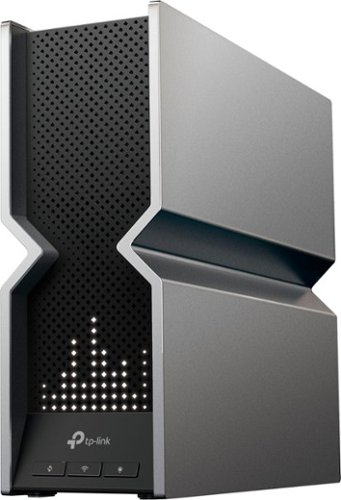
Tri-band Wi-Fi 7 router with blazing-fast Wi-Fi speeds up to 19 Gbps. Every device in your home network runs at top performance. The brand new 6 GHz band provides exceptional bandwidth and congestion-free channels exclusive to your devices.
Customer Rating
5
Fast Wi-Fi, Very Fast Ethernet
on June 2, 2023
Posted by: TravisJ
TP Link seems to be the wireless router brand that is first to get the newest technologies out on the market. This is one of the first available Wi-Fi 7 standard routers I’ve seen available and so far I’m impressed!
My incoming connection is fiber and I have a 1 gig plan. I also have a connected PC that is used as a windows based NAS which is connected via ethernet. I have both Wi-Fi 6 and 6E devices. The 6E devices are the only ones capable of connecting to the 6ghz band, but note that the Wi-Fi 6 devices get very similar link speeds to the router. 2.4Gbps seems to be the common max speed which is over double the ethernet speed on a wired connection. I did a transfer test from my PC to my NAS and consistently held transfer rates around 93-98 Gbps which is the throughput max of 1gbps ethernet on my NAS but all over Wi-Fi from my desktop.
Connecting the router to the network was very easy. You download the tether app and follow the instructions for connecting your router. The process is fairly simple and you get very clear onscreen instructions. The power adapter isn’t too large but the plug for the outlet is of the “brick” layout which covers up other outlets in a power strip which I despise. Outside of that peeve, the router is a bit large. I don’t mind it but compared to more petite mesh type routers, this may be a bit large for you. I’d say given the antennae are internal, this is likely the reason for the size.
I recommend creating a TP Link account. This will give you remote access to the router and its features when you’re not on the network. The app is intuitive and easy to navigate. More basic users will find what they would need or use on the home page such as client list, parental settings, network status. There is also security options and you can upgrade to HomeShield Pro to get additional protections such as IoT (internet of things, connected home smart devices), web and intrusion protection. These types of things may be of interest if you have younger people in your home who could be prone to clicking malicious links or routinely connect to public networks. There’s also parental settings where you can setup users and control their access.
As for more advance users you get a suite of router capabilities some of which I could only find by logging in through a web interface. If you need features such as port forwarding, VLAN, static routing, or even setting up a mesh network using EasyMesh or OneMesh devices. The menu responds quickly and is easy to navigate. In keeping with the theme of features, you’ll also see a 10gbps ethernet and SFP combo port on the back. With increasing home internet speeds, home networks and small business networks are becoming capable of supporting faster speeds. You’ll need service that can provide those speeds but it’s also good to know that you have the capacity to do so. There is also a 10Gbps LAN port and all of the additional RJ45 ports are 2.5Gbps, which are appearing more often on newer devices.
All things said I think this is a great device. It’s super-fast and loaded with features. My Wi-Fi 6 and 6e devices work great and I’m excited to see adoption in the future as Wi-Fi 7 devices take full advantage of this router.
All things said I think this is a great device. It’s super-fast and loaded with features. My Wi-Fi 6 and 6e devices work great and I’m excited to see adoption in the future as Wi-Fi 7 devices take full advantage of this router.
Share this review:


0points
0of 0voted this as helpful.

The PRO X 2 LIGHTSPEED Gaming Headset was designed with the world~s best pro players to remove any barrier between you and the win. Engineered for comfort and confidence with award-winning PRO design, 50mm Graphene drivers for advanced sound quality, LIGHTSPEED wireless with up to 50-hour on a single charge, multiple connection options, clear communications with a 6mm cardioid microphone on a detachable boom arm, DTS Headphone:X 2.0 Surround Sound, improved comfortable design, and durable aluminum and steel frame.
Customer Rating
5
Comfortable, Clean Sound, Can Hear the Footsteps
on May 31, 2023
Posted by: TravisJ
I’ve been testing this headset for the past several days and I have to say it’s replaced my daily driver for gaming and It’ll probably be my main headset for work from home as well. Logitech seems like they really strived to make the best sounding headphones while also being appealing to pro gamers who are willing to use this product while having great quality and comfort that you need with hours of use on the daily.
Sound is probably the first thing to dive into the details on. I don’t have the ear to tell the difference between a graphene driver and a neodymium driver, but what I will say is that these sound clean. I don’t hear any distortion or static at louder volumes. I can tell the difference whether it’s connect to my KVM switch or directly to the computer I’m using it on. I recommend plugging the wireless adapter directly into the PC as I got some static when using a hub. Also sounds really good when connected via headphone jack.
As for sound profile, I prefer music without surround sound activated. I feel like there is unintentional volume leveling happening and I don’t get a consistent sound. Once I turned it off, I played with the EQ until I got the sound mix I like for music. I do wish there was a few extra sliders in the EQ for a finer level of control but this seems to be the standard for gaming headphones. Speaking of gaming, you want to flip that surround sound back on, because buddy, you can hear those footsteps running up behind you. Talk about anxiety. I tested this in Call of Duty MWII. I just played a few small maps where I knew I would have people frequently running around the map. You can hear the footsteps coming but I’m not trained well enough to pinpoint exactly where the enemy was popping up at. It was a lot of fun to experience the game in a different way than I had before.
The next shining feature is the sound quality of the microphone and your ability to customize how you sound. Blue microphone is a technology owned by Logitech which specializes in making great sounding broadcasting microphones to try and pick up the most natural sound and detailed sound from your surroundings. These very sensitive instruments also allow for a detailed level of customization and playback features where you can make changes to how you sound in real time. It can be very important in competitive gaming to have a clear and heard voice because missing a call-out could be the difference between winning and losing. When it comes to streaming, you want your viewers to have a great listening experience as well. I’m not sure it replaces a dedicated microphone but if you’re looking to get great sound input and sound output all in the same product, I’d say these checks both boxes.
Design and build quality are what I would consider in the premium category. The ear cuffs are comfortable use a leather cushion. The leather ones are swappable with a plush like material, not sure what to call it, but if you prefer that type of material, you can swap them out. I love this because if they get damaged or worn, you can just replace them. They’re USB type C rechargeable like all things should be, there’s a volume wheel and dedicated buttons for mute and modes. There is a slight swivel forward and full 90 degree swing back to allow contouring to your head as well as laying around your neck on the collar bone. It’s a mixed bag, but I like headphones that swivel with the ear cups facing down, which these do. The ear cuffs mount to a metal bracket that connects to the metal head band. The same leather cushion covers the headband and I’ve not had any fatigue at all on the top of my head with it. No issues with design or comfort.
There is a few preferences I would have liked to have seen with the controls. The dedicated mute button makes a tone to indicate mute or unmuted, but I think it’s too subtle of a difference between on and off. I would have liked to have something less subtle, so I know for sure when I hit the button, which way It’s going. For now I just remember, button in, it’s on, button out, it’s off. Also, there’s no simultaneous Bluetooth/lightspeed mode. It’s one or the other. I’d say most people are probably buying this for gaming and will use the dongle on their gaming computer, but I also use my peripherals for work, so it would have been nice to have dual use. Switching, however, isn’t hard and it connects very quickly to your Bluetooth device and back to the lightspeed adapter. Again, a more aggressive indicator to which your using would be nice. A voiceover being the preference.
Overall, I really like these headphones. I’ve adjusted to using these all day for work (music and podcasts when not using for meetings). Then I transition to gaming for a few hours before I take them off. Battery life is superb at 50 hours and I can use 3 or 4 days before it needs a charge. I really need Logitech to make a hard case for them so I can pack them with me without fear of banging around in my laptop bag.
Share this review:


0points
0of 0voted this as helpful.

The Insignia 14-Bottle Wine Cooler allows you to store your wine and other drinks at an ideal temperature, so they are always ready to drink. Perfect for any gathering, store up to 14 bottles of wine in an organized layout. With a reversable door and adjustable legs, the cooler doesn~t have to stay just in the kitchen. Finally, this appliance adds a modern look to any space with its stainless-steel finish and tempered glass door.
Customer Rating
4
Keeps Wine Cold, Great if You Drink Wine Often
on May 31, 2023
Posted by: TravisJ
We wasn’t sure if this was something we wanted but after using it for the past few days we like the idea of having several wine options already chilled. Normally we would have one or two bottles of wine in the fridge but with this, we can store up to 14.
We set the temperature so that the wine was a little cooler than it would have been in our refrigerator. There’s a small knob in the back where you can adjust. Mine fell off during shipping but it pushes on only one way. We get wine from a mail in service about once every other month with different types of wine from different wineries. We didn’t have any issues fitting them on the racks inside the cooler. The racks are shaped specifically to hold the “typical” wine bottle shape.
The cooler is kind of small for the floor but a little large for the counter. We’re looking for a small table we can put it on but if you have the counter space it should work fine. It uses a standard 3 port prong and the cable has good length so placement shouldn’t be too much of an issue. The door has a brushed stainless steel border. The rest of the unit is powder coated black with the back side housing all of the cooling mechanisms. I would have liked to have seen this area covered a bit better with maybe a removable panel. I’m not sure if there’s an engineering reason for this but I’m a bit concerned with it all being open. If you don’t like the direction the door opens, the hinge appears to also be swappable.
The only other thing is the compressor makes an audible click when it switches on and off. The cooler itself isn’t any louder than the fridge running but the click is quite a bit louder than the low hum of the unit. If you think this would bother you, the great thing is, it’s small enough and portable enough you can place it just about anywhere you want.
I would recommend this to a friend!
Share this review:


0points
0of 0voted this as helpful.
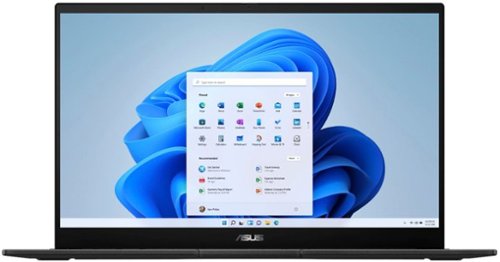
The versatile and powerful ASUS Pro 15 OLED is an Intel certified laptop that~s designed for those who want to do more. Its 13th Gen Intel Core processor deliver outstanding multitasking and creative power, with ASUS IceCool Plus thermal technology for maximum performance. The 60 Hz OLED NanoEdge Dolby Vision has a cinema-grade 100% DCI-P3 gamut, and is PANTONE Validated with DisplayHDR True Black 500 certification. It~s also T~V Rheinland-certified for eye care. The Harman Kardon-certified quad-speaker Dolby Atmos audio system adds to the cinematic experience with ultra-realistic multi-dimensional sound. For fast face login there~s an FHD camera, and a color sensor allows automatic control of screen brightness and color temperature.
Customer Rating
5
Gorgeous Display for Creators and Light Gaming
on May 19, 2023
Posted by: TravisJ
If you’re looking for a laptop to do photo editing, touch ups, video editing, media consumption, or just want a beautiful display to do a little bit of gaming, I think this is a great choice. The screen is bright, sharp and the colors look bright and vibrant. It uses an Nvidia RTX studio drivers which are optimized for creative tasks such as photo and video editing, graphic design, livestreaming and animation. If you’re still into doing that and some light gaming, it’ll work with that too.
In my opinion the focal point of this laptop is the creative aspects especially in regards to the display quality and accuracy. It uses a 60hzt OLED display which is pantone validated along with other features such as low blue light hardware certification. The cherry on top for an already fantastic sundae is HDR True Black 600 certification as well. You can switch between different color gamuts including sRGB, Display-P3, and DCI-P3 and the native display.
On the physical aspects of the machine, it has as low profile design. The whole machine is black with the exception of a silver ASUS logo at the bottom of the display and a glossy black logo on top. The bottom bevels to the edges a bit sharply leaving somewhat of a gamer design language, but I wouldn’t hesitate at all to take this to conference room or meeting. I/O is great. All ports are full size and there’s plenty of USB ports to go around, 2 type A and 2 type C, one of which is a thunderbolt 4 port. My only gripe is most of the I/O is located on the right side of the laptop which could get in the way if you’re setup with a mouse and are right handed. Everything seems to be very well built and comfortable in the lap. The trackpad is large but nothing special. The keyboard is easy to type on. I like that they managed to fit a number pad without adjusting spacing on number and letter keys. It does however create a very busy area with some keys such as end and home now require the function key to be used to get their use.
Sound is another feature they got right. You’ll be hard pressed to get great sound out of a laptop that compares to a dedicated speaker, there’s just not a ton of space for speakers while keeping portability and features in mind. They did however manage to make loud speakers. You can turn the volume up without distortion and walk away from it while still clearly hearing what you’re listening to. It has it’s limits but I was happy with it. One area that could have used some improvement though was the webcam. It’s a standard, run of the mill, webcam.
Performance wise the 13th Gen i7 does a great job switching between apps, starting up, opening programs and even playing some games. It has a Nvidia RTX 3050 with 6GB of RAM. This is the entry level of dedicated graphics processing but it doesn’t lag behind. Launched a couple of games that I enjoy because of the graphics, Stray and New World, where you’re in different types of environments and there’s a lot going on. I didn’t have any issues with Stray and but did lose some frames in New World with a zerg rush on some strongholds where you can have 20-30 players all on the screen at a time.
I was happy to see the ASUS’ management app MyASUS was clean, quick to load and easy to navigate. You can adjust settings such as color gamut, fan profile, and OLED optimizations that can help with screen care and battery life. Also included was the ProArt Creator Hub. A feature I thought was neat was task groups which can launch a group of apps for different work streams. If you want to work on a thumbnail then switch over to editing a video, you can choose up to 8 apps to launch with a single click.
One thing I noticed that affects the looks of the machine is it’s a fingerprint magnet. I’m not sure if it’s related to the antibacterial coating on the laptop or just the material, but you’ll want to keep a microfiber cloth in your laptop bag.
All being said, I’m very happy with this laptop. The amazing OLED panel is just pleasing to look at. I love consuming content and playing rich games. There’s a ton of versatility: Creating, Gaming, Consuming, Producing, Listening, Modeling, Communicating. There’s a lot to love about this laptop.
I would recommend this to a friend!






Share this review:


+2points
2of 2voted this as helpful.

Outclass the competition with ultra-smooth frames and crisp details, this AMD FreeSync Premium compatible display has what it takes to keep up with you. Speed meets looks with a fun, yet refined design unlike any other so you can enjoy it in and out of the game.
Customer Rating
5
Rich Colors, Smooth 240hz Refresh Rate
on May 8, 2023
Posted by: TravisJ
This monitor is great for 2k gaming with very fast refresh rate. With the OMEN gaming hub you can adjust monitor settings without fighting with buttons on the back, and I love the color depth and smooth performance.
Features I like:
For me, HDR is one of the best innovations to display technology. While I enjoy color accuracy and getting bright colors to pop, they stun the eyes when it’s against a pitch-black background. This isn’t the best HDR you can get, as it’s HDR 400 specification and on the lowest end of the spectrum, it’s still hard for me to recommend a modern monitor without at least that. This is especially true for any game that supports HDR or watching movies or videos.
The 2k IPS panel supports 99% sRGB and 95% DCI-P3. When you’re talking about a 2k monitor that also does 240hz, you get a buttery smooth, rich color view. I’ve tinkered with two different settings which I feel like you get the most out of. The first is windows native HDR setting which is supposed to use system settings to control the picture quality of the monitor. The other is the native picture setting, which I feel like gives a richer color profile. Personally, I’ve turned off the windows HDR setting for most use cases as it can sometimes mess with games. For example, I was getting very high contrast out of Destiny 2 while games such as New World, looked just fine.
The sound is a bit different than what you’re probably used to in a monitor. It’s actually loud and gets uncomfortably loud before it begins to get distorted. Probably not what most are used to in a monitor. I don’t think it replaces a good set of desk speakers or headphones, but if you’re looking for a sound solution without taking up any extra space or spending any more money, these will work. You get to choose from a few sound profiles (Music, Voice, Video) but I would have liked to see a bit more customization on this feature.
Plenty of I/O including a USB hub. This is a nice to have, but being VESA mount compatible is nice. I use a desk mounting system to free up desk space so it’s a must for me. Two HDMI 2.0 and a 1.4 Display port makes sure you get throughput whether you’re using one or the other. I use both a gaming desktop and a thunderbolt dock for a work PC so having multiple inputs is a must.
Using the HP OMEN gaming hub allows you to go in control all the customizations. Volume customizations, picture mode, settings including response time, adaptive sync and brightness, FPS and crosshair overlay, and finally some basic control over the monitor backlight are all included. Unfortunately, you also get all the other features of the gaming hub, which I wont use and just becomes bloat. I usually start up the software, make my changes, then close it out when I’m done. This isn’t a stab at HP as theirs is cleaner than most with a decent “System Vitals” system monitor which I did like, but I didn’t need it with the monitor.
Needs Improvement:
Just being a picky, but I would have liked for it to be a little bit brighter. It does well in a dark room, but I usually game in the afternoons when it’s still light out, so the extra bit helps. USB C would have been a nice additional to the hub or as an additional input. More and more peripherals are moving to USB C and it’s an easier input to find and plug in the bottom of a monitor. Additional control over the sound profile (proper Equalizer) would have been a plus. On the topic of sound, I did use the recommended way to play audio (through the USB cable) and while you could notice a small improvement, it wasn’t vastly different in my opinion.
I would recommend this to a friend!
Share this review:


+1point
3of 5voted this as helpful.
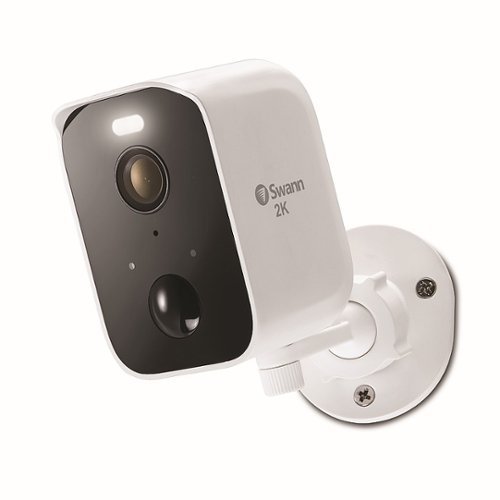
CoreCam Pro Spotlight Camera offers easy-to-install completely wireless security. Featuring amazing 2K HD video in a modern design, it~s the perfect solution offering smart, convenient, and affordable surveillance. Secure it with the included screw-in mount to watch over any area from any angle. Mount the camera indoors or outdoors as the weatherproof design is built to withstand rain, snow and heat. CoreCam Pro has a powerful spotlight so you can see in the dark up to 26ft (8m), with impressive infrared night vision that kicks in automatically! There~s even Night2Day Color Night Vision. Sleep comfortably knowing the CoreCam Pro Spotlight Camera is looking out for you. Have a presence at your home with 2-way audio, giving you peace of mind while you~re away. You can check in on loved ones in need of care, communicate with delivery people remotely, even scare off intruders from your phone. Equipped with Swann~s True Detect, warm objects such as people, cars, and large animals trigger videorecording and push notifications straight to you. The sensor spotlight illuminates activity and alerts intruders. Use voice commands via Alexa and Hey Google to see what~s happening hands-free! CoreCam Pro has free storage allowing you to store thousands of clips onto the included 32GB MicroSD card, with greater storage available in Secure+ Member Plans. Expand your security by adding more Wi-Fi cameras and multi-camera Swann surveillance systems and manage them all using the Swann Security App! Secure to the core with long battery life for extra convenience, let the CoreCam Pro Spotlight Camera look out for your family and property. It~s security made smarter, from Swann.
Customer Rating
4
Security Where Wires Can’t Go
on December 18, 2022
Posted by: TravisJ
If you want to monitor an area where wiring isn’t practical or just want the freedom to monitor any area without the hassle of wiring, the Swann CoreCam Pro checks the boxes.
Out of the box you get a manual, Swann security stickers, the camera, charging cable, and mounting hardware. The camera attaches to the mount using a thumb screw and the mount includes 3 anchors and screws so that you can attach just about anywhere. On the bottom of the camera you can fold back a weather resistant silicone flap to access the SD card, on/off switch, and charging port, which is unfortunately USB type micro B.
Setup was easy. I used the smartphone app, scanned the QR code on the back of the camera and followed the instructions. Once the camera connected, I was able to access it’s features from the app. For testing and orientation purposes, I first set the camera in my kitchen, mostly to see if I could catch which cat likes to jump up on my countertop when we’re not home. The first thing I noticed was the camera catches motion. Each time it began recording a clip I would get a notification on my phone and watch. I could be in the kitchen making dinner or grabbing a glass of water and would receive constant pings that motion was detected. This is good if you want to get notified of motion, not so good to specifically monitor people in a busy people area. I turned on do not disturb feature within the app to temporarily stop the notifications.
As for camera function and quality it works pretty well. The camera has good quality and records decent videos. I wouldn’t say you’re getting iPhone/Samsung quality video, but it does well enough that I can clearly make out people and objects. Night vision uses infrared imaging to record night videos and it does a good job of capturing motion in the dark. The LED light is bright enough that it illuminates 15-20ft of my yard which I think is reasonable since it isn’t a flood light. The speaker is loud enough that you can hear it outside the home. It’s not louder than a car alarm but it’s loud enough to deter someone who doesn’t want to bring attention to themselves.
The app is probably the weak point of this device. From the app you’ll be able to change the camera settings, how long the light or siren stays on, go to live view, or change detection settings. Under detection settings the text for motion detections instructs changing settings from low to high for detection sensitivity, but the actual setting reads close, medium, far, and max. I’m making some educated guesses that close=low but it was confusing at first and still unclear. It has the same verbiage for person detection.
If you close and open the app back up, you sometimes see that the camera is “Authenticating” which sometimes gets hung up. Sometimes you can click the camera while it’s authenticating and you get all the settings, sometimes you don’t. I’ve been able to skirt around this by closing and relaunching the app. Also live view sometimes gets hung up when saving settings and navigating back to live view. It will show the thumbnail but clicking on the picture doesn’t always take you to the camera and you’ll sometimes just get a spinning wheel as it “thinks” about showing you live feed. Since the app is how you directly interact with the camera and view its footage in real time, it does play a large part in user experience.
If you close and open the app back up, you sometimes see that the camera is “Authenticating” which sometimes gets hung up. Sometimes you can click the camera while it’s authenticating and you get all the settings, sometimes you don’t. I’ve been able to skirt around this by closing and relaunching the app. Also live view sometimes gets hung up when saving settings and navigating back to live view. It will show the thumbnail but clicking on the picture doesn’t always take you to the camera and you’ll sometimes just get a spinning wheel as it “thinks” about showing you live feed. Since the app is how you directly interact with the camera and view its footage in real time, it does play a large part in user experience.
In my opinion, the good outweighs the bad if you’re already in the Swann ecosystem or need a high-quality wireless security camera. You can quickly setup and deploy these cameras with included hardware since they’re wireless providing quick surveillance. Hopefully the software can be improved overtime and owners can enjoy a seamless experience and a newer model with USB-C would be welcomed.
I would recommend this to a friend!
Share this review:


0points
0of 0voted this as helpful.
![Bitdefender - Premium Security (10-Device) (1-Year Subscription) - Windows, Mac OS, Android, Apple iOS, Linux [Digital]](https://pisces.bbystatic.com/prescaled/500/500/image2/BestBuy_US/images/products/6519/6519144_sd.jpg)
Detect and block web attacks, ransomware and other cyber threats with this digital edition of BitDefender Premium Security software. A 1-year subscription with VPN support for up to 10 devices helps secure network traffic. Compatibility with most Windows, Mac and Android operating systems makes this BitDefender Premium Security software ideal for multi-device protection.
Customer Rating
5
Fully Featured End to End Security
on December 17, 2022
Posted by: TravisJ
There is a lot to choose from when it comes to PC security. The choices have gotten smaller over the years as some key players have improved their toolset and optimized the software to be less of a security anchor and more of a security sail. Bitdefender, which I’m using for the first time, has been a pleasant surprise in it’s lower resource use and security recommendations on what I felt was a fairly secure laptop.
Pros:
- Application is fast and intuitive to navigate.
- Checks for insecure windows settings and automatically corrects them.
- Has compatible password manager for many browsers/devices.
- System scanner is lightweight on resources and runs in the background without being intrusive.
- Autopilot feature gives recommendations on being more secure.
- VPN is decently fast for everyday tasks such as browsing, shopping, email, video.
- Includes other tools such as system optimizer, safepay browser, parental controls
- Profiles settings depending on what tasks are being performed (work, gaming, battery saver, etc.)
- Application is fast and intuitive to navigate.
- Checks for insecure windows settings and automatically corrects them.
- Has compatible password manager for many browsers/devices.
- System scanner is lightweight on resources and runs in the background without being intrusive.
- Autopilot feature gives recommendations on being more secure.
- VPN is decently fast for everyday tasks such as browsing, shopping, email, video.
- Includes other tools such as system optimizer, safepay browser, parental controls
- Profiles settings depending on what tasks are being performed (work, gaming, battery saver, etc.)
Cons:
- Password manager was a bit hard to find at first, requires master password too often.
- Have to use web UI to manage computers/subscription instead of the installed app.
- Password manager was a bit hard to find at first, requires master password too often.
- Have to use web UI to manage computers/subscription instead of the installed app.
I’ve been a big fan of paid antivirus software for a while. The difficulty is finding software that doesn’t completely overrun your PC, provides great protection with minimum amount of resources, works without being annoying. Bitdefender so far seems to do all of this while living quietly in the corner of my taskbar. After installation you run a “Device Assessment” which checks the security of your device. Right away it found a few security recommendations, mostly due to windows settings. One involved turning off where the PC would automatically log back in after a windows update. The other was website risk assessment adjuster was enabled so that you could change a websites risk assessment, therefore making protections for a more risky site less effective. Both were quickly fixed.
During my full system scan it found an issue with an email attachment. This one was a bit annoying since it was discovered in an Outlook Data file but it couldn’t delete the affected email. Which is understandable, I wouldn’t want it to just delete emails without me looking first anyways, but it failed to give me any details on what attachment to look for so I could manually find and delete it from my inbox. I would assume it’s likely in spam or junk, but I’d like to clear it anyways.
Bitdefender is also loaded with side tools I normally expect with security software to battle the most common issues users face. Privacy, ransomware, firewall, VPN, password manager, safe browser, parental controls, optimizer, and several others. All work pretty well. The VPN was fast enough for day to day browsing, shopping, reading news. It offers split tunneling, internet killswitch, and download speeds around 120-130 mbps with upload speeds around 30-40 mbps. Latency is also a little high on the VPN but most folks won’t notice it.
I also played around with the password manager which I had mixed feelings about. First setting I found that hinted at password management was the Wallet feature. Along with saving bank information, autofill information, and notes, it also acted as a password manager. Later I was able to find the stand-alone password manager which is much more intuitive. I was able to easily import my passwords from my other password manager as well as install on a supported browser. I was glad to see FireFox support. Autofill, saving and updating of password changes all happen intuitively, I did find it annoying how often I had to use my master password to get back into the manager when browsing. I thought I had adjusted some settings that would reduce this, but alas, I found myself logging back in. This is probably the safest way to use a password manager, but I’d like to have at least more options on when it times out.
There’s not really much to not like about Bitdefender. It has a high level of security and the few cons are really personal quirks about the level of security they take their applications rather than actual issues with the app. I wouldn’t hesitate at all to recommend this to a friend or family member.
I also played around with the password manager which I had mixed feelings about. First setting I found that hinted at password management was the Wallet feature. Along with saving bank information, autofill information, and notes, it also acted as a password manager. Later I was able to find the stand-alone password manager which is much more intuitive. I was able to easily import my passwords from my other password manager as well as install on a supported browser. I was glad to see FireFox support. Autofill, saving and updating of password changes all happen intuitively, I did find it annoying how often I had to use my master password to get back into the manager when browsing. I thought I had adjusted some settings that would reduce this, but alas, I found myself logging back in. This is probably the safest way to use a password manager, but I’d like to have at least more options on when it times out.
There’s not really much to not like about Bitdefender. It has a high level of security and the few cons are really personal quirks about the level of security they take their applications rather than actual issues with the app. I wouldn’t hesitate at all to recommend this to a friend or family member.
I would recommend this to a friend!
Share this review:


0points
0of 0voted this as helpful.
TravisJ's Review Comments
TravisJ has not submitted comments on any reviews.
TravisJ's Questions
TravisJ has not submitted any questions.
TravisJ's Answers
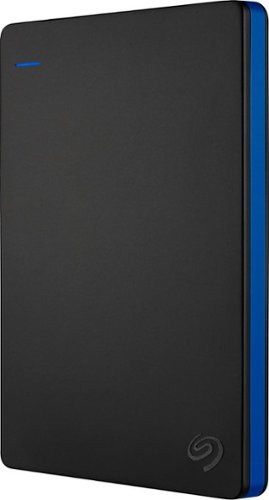
Store more than 50 PlayStation 4 game titles on this 2TB Seagate game drive. Its USB 3.0 port provides fast loading of full-size games so you can play smoothly, and its tough aluminum enclosure protects the drive from damage. This plug-and-play Seagate game drive is automatically recognized by any PS4, PS4 Slim or PS4 Pro console.
I've gotten quite tired of always uninstalling and reinstalling my games to make room and I was thinking about buying one of these. So, since all my games are hard copy, does that matter? For example, with this, will I be able to reinstall hard copy games
According to Sony’s website you can use from 250GB to 8TB in external storage to install games.
7 years, 6 months ago
by
TravisJ

Listen to your playlist in peace with these Sony headphones. They have a 40mm dome driver to deliver the full depth of audio, and the noise cancelling feature minimizes outside disturbances for a better listening experience. These Sony headphones have a battery life of up to 30 hours for extended jam sessions.
Would you be able to use these headphones to workout at the gym? Is the clamping of the headphones to your ears tight enough so it doesn't slip out as i do certain lifts? Are replaceable ear pads available for this model that are more comfortable?
These will work fine at the gym. They come with 4 different sized wing tips and ear tips so that you can customize the fit to your ear. Since these are new, It's unlikely to have 3rd party ear tips or wings at the moment.
8 years, 7 months ago
by
TravisJ