


TravisJ's stats
- Review count179
- Helpfulness votes263
- First reviewNovember 6, 2016
- Last reviewJune 8, 2026
- Featured reviews0
- Average rating4.8
Reviews comments
- Review comment count0
- Helpfulness votes0
- First review commentNone
- Last review commentNone
- Featured review comments0
Questions
- Question count0
- Helpfulness votes0
- First questionNone
- Last questionNone
- Featured questions0
- Answer count2
- Helpfulness votes0
- First answerOctober 28, 2017
- Last answerNovember 20, 2018
- Featured answers0
- Best answers0
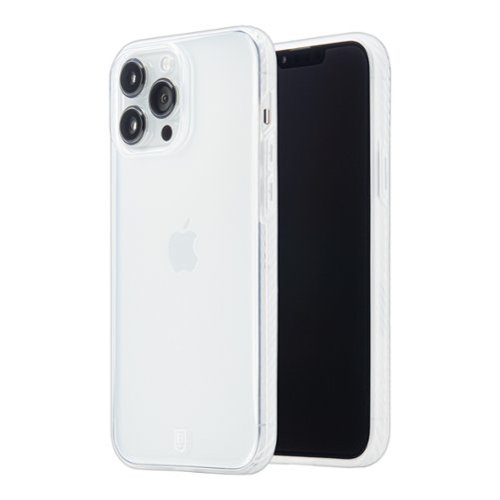
BodyGuardz Carve combines eye-catching aesthetics with practical function. The sculpted edge provides no-slip grip and is made of bioplastic. The easy-press buttons are not only user friendly, but also eco-friendly. They are made with Tritan Renew~, a 50% certified recycled content. Carve also includes antimicrobial product protection, and a raised bumper to protect both the camera and screen. Carve accentuates the design of your iPhone while offering dynamic drop protection. CCF0P-APH67-9HG
Customer Rating

5
Eco Friendly, Great Design
on June 26, 2022
Posted by: TravisJ
This is probably one of the more protective clear cases I’ve seen in a while. The edges are the right kind of thick without being bulky but still offering protection. The sides have ridges that offer a good amount of grip without being too aggressive. There’s also a bit of a frosted look to the sides which I think gives it some character instead of just being clear. There’s a raised edge around the camera to keep the ever-growing camera bump protected when you set it down on the table. You can easily see the phone through the back of the case. The speaker cut outs are very precise and the mute and charger cut outs aren’t just oval cut outs but have angled design elements that give them a bit of character. I really like the overall design.
The material has a unique feel to it. The packaging indicates it’s made of 50% recycled product. If you’re environmentally conscious, they’re also using eco packaging which is free of plastic and recyclable. BodyGuardz also advertises the PureGuard feature which is supposed to reduce 99% of bacteria growth on the surface. I like how it doesn’t feel plasticky but also not rubbery. It’s hard to describe the texture but I like it. It’s grippy enough without feeling like rubber.
The buttons on this case feel really clicky and effortless. This is another thing I look for in cases. Sometimes the clear plastic ones tend to be very stiff and hard to push in, but not the case here. One nice thing I noticed is the raised edge above the screen tapers down towards the bottom of the phone. I feel like this is done to make swiping up a bit easier. It does offer a bit less protection at the bottom which may be a bother for some.
The case is capable of mag safe charging but it’s not built into the case. If you use mag safe mounts in your car or at your desk, your milage may vary. I didn’t have a strong enough magnet in my car to hold it in place but my apple mag safe charger worked just fine as well as other wireless charging devices I have laying around.
This is a great case. I like the eco friendly packaging, the well thought out look and design. Easy to get on and off for the occasional phone cleaning. Highly recommended!
I would recommend this to a friend!
Share this review:


0points
0of 0voted this as helpful.
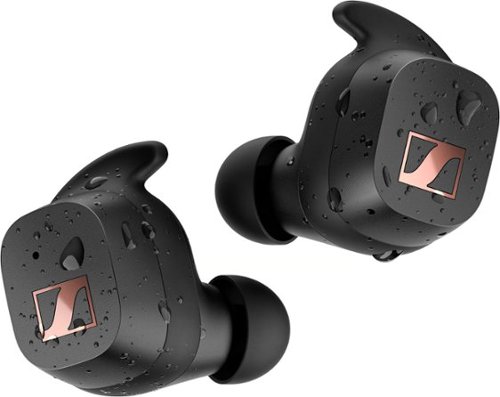
Sound Driven Performance. Faster - Higher ~ Stronger ~ Sennheiser~s new SPORT True Wireless drives your performance with our most premium sound, Adaptable Acoustics that lets you tailor the sound for the level of focus or awareness you prefer and an outstanding secure fit. Powered by Sennheiser~s dynamic TrueResponse transducer, the SPORT True Wireless energizes with optimal clarity and full bass. Its unique Adaptable Acoustics feature let you choose an open ear adapter style when you want to minimize body-borne noise and require more situational awareness or an insulating Closed ear adapter that blocks background noise for a focused audio experience. The SPORT True Wireless~s sleek ergonomic design offers brilliant comfort with a choice of fins and ear adapters to ensure a secure customized fit. Its IP54 rating means it can take on the elements, withstand splashes and easily handle sweat or rain. And with up to 27 hours battery life with on-the-go charging ~ it~s ready for anything you are.
Customer Rating

4
Decent Sounding Not Going to Fall Out
on June 20, 2022
Posted by: TravisJ
If you’re looking for a pair of sport headphones that are great during workouts, aren’t going to fall out, and are easy to carry around, these will probably work. If you’re also looking for comprehensive EQ tuning, loud sound and unchallenged comfort, may want to keep looking.
To be fair, these aren’t bad headphones. They do sound good. I’m not an audiophile but bass was present, but at it’s max, left a little wanting. Vocals came through clearly, but I felt like to get the sound I wanted, I had to sacrifice mids or highs. I know earbuds aren’t supposed to be as good as over the ear headphones that I’m used to, so these may work for just fine for the frequent gym goer or morning jogger.
Let’s get into the things I like. The headphones come in a matt black with just the Sennheiser logo. The case snaps open and close and is easy to get the headphones out. It also comes with usb c charging (everything should at this point) and has a nice rubber cover to keep any dirt or dust out of it which is something I’ve had a problem with on other pocket charging cases. It comes with several tips, 3 different sizes for both the passive noise canceling and the open ear “ambient” noise tips. Each ear bud comes with 4 “wings” to help hold it in your ear, including a “wingless” one that uses the friction of the rubber to hold it in place. I found that the small wing worked fine for me and, although slightly uncomfortable, would not come out. I could use the “wingless” band but found that with enough force, they would eventually shake out. The touch controls are very easy to use and are remappable if you don’t like the way the default ones are setup.
I’m OK with the comfort. Earbuds that are designed to stick in your ears during work outs and exercises aren’t supposed to come out. I would expect with a certain level of retention there to be some “grabbyness” to the wing tips and the way it fits in your ear. They’re actually fine for a 30-40 minute period. After that though, I start to get some fatigue where the wing tip grabs the fold of my ear. These do look good in the ear and I actually enjoy the sporty look.
The passive noise canceling works well enough. With music playing most quieter sounds go unnoticed, while louder sounds are going to be noticed. I’m just not sure how much harder it would have been to add active noise canceling to these headphones. There is a tuning option depending on which ear tips you have on. It does change the sound but I’m not sure how much adjusting the noise profile helps with the passive noise canceling. I know the headphones sound a lot better on the open ear setting.
The most disappointing feature is the sound. I’ve not owned Sennheiser headphones or earbuds, but I know the name as one of the industry's leading manufacturers of quality sound products. Not only are they not loud enough for me, but the default sound EQ also doesn’t have the bass I like to have when listening to music. Increasing the bass seems like it muddles out some of the mids and highs and when you only have 3 sliders to tune with, customization is just limited.
I don’t think these are bad earbuds, they’re just not for me. I think if we had more control over the max volume and a bit more flexibility in the equalizer, I would have enjoyed them a lot more. They’re super easy to workout in and the design and build quality are on par with other top earbuds.
I would recommend this to a friend!
Share this review:


+1point
1of 1voted this as helpful.
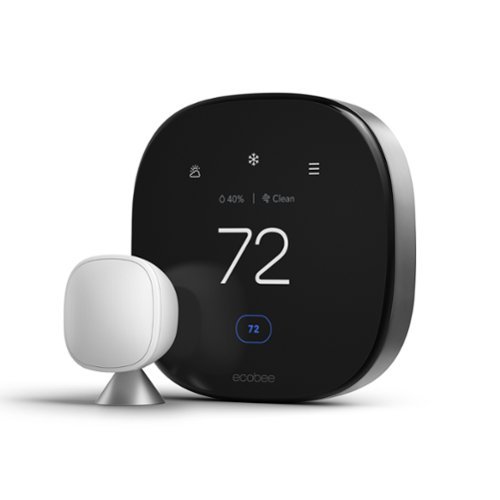
ecobee Smart Thermostat Premium optimizes comfort while saving energy through superior intelligence and technology. It has a built-in air quality monitor, doorbell Live View, smoke alarm detection, and geofencing technology to understand occupancy. Included SmartSensor eliminates hot and cold spots and adjusts the temperature in the rooms that matter most. Works with Siri*, Alexa, Google Assistant, HomeKit, and SmartThings. *Apple home hub required to enable Siri.
Customer Rating
5
Widely Compatible Smart Thermostat
on June 10, 2022
Posted by: TravisJ
Ecobee’s Smart thermostat is an elegantly modern device that makes your home smart where it can actually pay for itself in the long haul. Equipped with compatibility, you don’t have to pick and choose between voice assistants or smart home management apps. Like many smart thermostats, you can schedule temperature settings, use voice assistant to adjust the temperature, as well as some unique features such as air quality monitoring.
Compatibility and installation will vary depending on your heating/cooling system. I had a few jumper wires that I had to get rid of from my old system as well as some uncommon wiring. I used the compatibility checker from Ecobee’s website as well as their installation app to do the install. They include almost all you need to install. A drill and drill bits were all I needed to grab from the garage. I felt confident using the app to do the install as instructions were clear and thorough.
Setup was easy too. A few questions regarding my HVAC system, thermostat location, and naming the Ecobee was all straight forward. I liked having the touch screen to do the setup, especially for WiFi for when Apple Homekit was having issues auto-magically connecting to wifi, I simply just did it manually using the onscreen keyboard. One tip for Ecobee on future updates, make the shift key a shift and not a caps lock.
One of the luxuries of having a smart thermostat is having an app and integration so you don’t have to physically interact with the wall unit. No different here. It took me a few minutes to pick up on the navigation but the app does all the things I would think you’d want it to do. From the main screen you can do the basics: Adjust mode, temperature, run the fan, or change to a “Comfort” setting (more on that later). You also get a quick look at in home humidity and air quality as well as a weather button for local forecast and the typical weather metrics.
As for features, I’ll list them out. Eco+ settings help you save money by setting “Comfort” modes. By default Home, Away, and Sleep are setup and you can adjust what temperature range those are set to and to what schedule. Away uses device sensors to detect whether your home or not and will adjust the temperature accordingly. You can add comfort settings for different scenarios. For example, I added a “BlanketTime” for winter to keep heat settings to 65 degrees when we might be relaxing under a blanket, and I applied it between the hours of 6pm and 10pm. You can setup voice assistant to work from the thermostat as well as controlling it with your smart phone. Connecting your account is straight forward, initiate on the thermostat and finish on your device.
One of the things that pulled me in to this device compared to my old one is the smart sensor and it’s ability to help balance the home temperature. My bedroom is usually a few degrees off from the rest of the house due to two large windows. I set the smart sensor in the room and when it’s occupied, the thermostat tries to keep the room the correct temperature. This is pretty handy and I look forward to getting more time with it especially as it warms up in my area.
Finally, the materials and design feel premium. The metallic housing looks and feels modern while the screen is clear and easy to read. The screen is responsive and navigating to and through menus is snappy. Not much not to like.
If you’re looking for a new thermostat that has all the features and more of most other modern smart thermostats, you’re not going to go wrong with the Ecobee. I’ve been really happy with it so far, from ease of installation to wide compatibility with other smart home devices. It’s hard not to recommend.
I would recommend this to a friend!
Share this review:


0points
0of 0voted this as helpful.
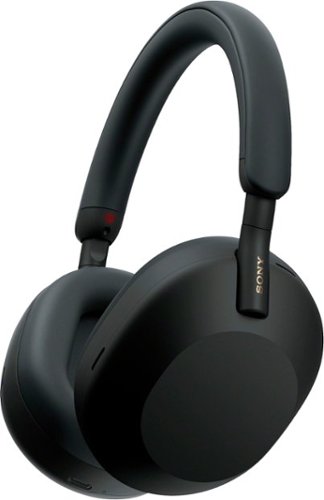
The WH-1000XM5 headphones rewrite the rules for distraction-free listening. Two processors control 8 microphones for unprecedented noise Cancelling and exceptional call quality.
Customer Rating
5
Best All Around Noise Canceling Headphones
on May 25, 2022
Posted by: TravisJ
The Sony WH-1000XM5 is probably the most well rounded noise canceling headphones on the market. It makes top marks in noise canceling, sound quality, call quality, and comfort. All top marks for me when deciding what to buy.
Noise Canceling – The specs will tell you about the 8 microphones and the two noise canceling processors. What it really means is that it works really well. I don’t travel often but I do work almost all day with headphones on. I recently wore them on a 2-hour road trip (legal in my state) and tested the noise canceling for a few miles just to see how well it drowned out the roar of the road and hum of the air conditioning. It was shocking at how quiet things got when I turned on the noise canceling. It really helps you dial in on whatever you’re listening to, whether it’s music or a podcast. I did still hear a slight hum from the road but it was buried in the background of the music and I barely noticed it. I’ve used several different noise canceling headphones and earbuds and these are as good or better than the ones I’ve used.
Sound Quality – Sony seems like they continue to refine and improve their sound profile on the WH-1000XM series of headphones. The XM3’s had good bass but sometimes it could sound a bit muddled when there was a lot of highs and lows mixed together. I didn’t get a chance to listen to the XM4’s but everything comes through loud and clear on the XM5’s. I appreciate being given the ability to customize the sound with the EQ in the Sony headphones app and adapt the sound to my personal taste. I like to have clear vocals with prominent bass but the bass isn’t obtrusive to the rest of the instruments and vocals. With the best in class noise canceling coupled with the crisp sound from the headphones it becomes a premium listening experience. It’s also worth noting that call quality comes in clear. I made a call to my mother and she said it sounded like I was standing next to her.
Comfort – I can easily go a few hours with these headphones without having to make any adjustments for comfort. The only discomfort I’ve felt is after a few hours it gets a bit uncomfortable on the headband. I think this is mostly due to Sony’s decision to thin the headband, concentrating the weight distribution a bit more on the top of my head. Usually, I just adjust it forward or back a little to alleviate the pressure point without any detrimental effect to the sound or comfort. The ear muff material is a soft leather material and like anything that sits against your skin for a prolonged period of time, it will get warm. Usually after wearing them a few hours non-stop, a 20-30 minute break is enough to alleviate the building sweat forming under the leather. I think a slightly wider headband would have increased the time until discomfort threshold but making a small adjustment after hours of wearing them isn’t such an inconvenience that would deter me from these headphones. As for those with small narrow head shapes, you may want to try these first before buying. My wife found that on the smallest adjustment, it still set low on her ears and she wished they were a bit higher on her head, but just couldn’t get there because of the default smallest size.
Design – I’m perfectly content with the design change for this generation of headphones. They’ve opted to abandon the folding design of the previous XM models, which in my opinion, only introduced two additional failure points being the hinges on the headband. Folding did make it, ever so slightly, more portable, but I think the slim case included with the XM5’s fits perfectly in my backpack. The headphones have a straight band design and the ear cups slide up and down for adjustment. I do like how the headphones fit around the neck and can fold out so the speakers face outwards. The Headphones themselves are very light and have a slight rubberized texture to the feel of them. The sliding motion to adjust the headphones feel smooth and easy to adjust. I do wonder if they will stay this smooth in the long haul. I’m curious to see if they’ll get too loose after a year of adjusting them. Time will tell. The right ear muff is all about charging and touch controls while the left is all about physical buttons and headphone jack. The controls are pretty intuitive and doesn’t take too long to get used to. Swipe forward or back to change tracks, up or down for volume. Double tap to pause or answer a call, tap and hold for voice assistant. On the left, you get ambient sound toggle and a power button. I do also like the obvious left and right indicators located on the headband just above the ear cups so you’re not guessing at which is which.
I love how the case included with the headphones perfectly fits the outline of the headphones, it feels sturdy and premium and includes a small compartment for a headphone cable and charging cable. I think an industry leading product should come with or at least offer a custom fit case for protection.
Features – The XM5’s come with several noise canceling features that you may find useful. First is adaptive noise canceling. This feature will listen and detect your environment and determine the perfect amount of noise canceling. For example, if there’s a lot of traffic noise, it will assume you’re a pedestrian and having your wits about you will likely help you react to any distracted drivers coming up on a red light. It’ll do this by adjusting the ambient sound so that it enhances the sound around you as if you weren’t wearing headphones. On the other hand, if you’re riding home on the bus, it may max out the noise canceling so you can focus on what you’re listening to and drown out the ambient noise. There’s also speech detection which will turn on ambient sound and pause what you’re listening to so you can engage in conversation. After a few moments, noise canceling will re-engage and your music will resume. I did find the ambient sound mode to not work quite as well as other’s I’ve tried. Not that it's bad, but I wouldn’t it’s the best. Hopefully Sony can improve this with a software update.
Multi-device connection will allow you to connect to two devices and can switch between the two depending on the audio demand. The most likely scenario for this is being connected to your phone as well as your laptop so you can stream music or video from your laptop while being connected to your phone for calls. I used mine for Teams calls on my work laptop while listening to music on my phone. I was impressed at how as soon as my Teams call started, it paused my music and when the call was over, without doing any switching or pushing buttons, it started playing my music again.
Other features include preset EQ settings as well as two custom profiles you can adjust to your choosing. Having the ability to fine tune your sound preferences should come standard with high end headphones and Sony delivers. Sony also has 360 audio which is their answer to Dolby Atmos surround sound. Unfortunately, I’ve not heard of most of the supported apps. Also featured is DSEE Extreme which uses AI to help restore some of the sound quality lost with audio compression. Finally, cupping the right ear muff will turn down the volume and turn on ambient sound so you can hear your surrounds. This is nice if you need to hear an announcement or want to listen to something happening around you.
Last, I’ll mention this one tidbit. I found a noticeable bump on the left earpiece and I thought this to be an issue with the manufacturing process. I reached out to Sony to see if my unit was defective or if this was on all their headsets. Come to find out, this is for those visually impaired to easily and quickly identify the correct orientation of the headphones. I love it!
Multi-device connection will allow you to connect to two devices and can switch between the two depending on the audio demand. The most likely scenario for this is being connected to your phone as well as your laptop so you can stream music or video from your laptop while being connected to your phone for calls. I used mine for Teams calls on my work laptop while listening to music on my phone. I was impressed at how as soon as my Teams call started, it paused my music and when the call was over, without doing any switching or pushing buttons, it started playing my music again.
Other features include preset EQ settings as well as two custom profiles you can adjust to your choosing. Having the ability to fine tune your sound preferences should come standard with high end headphones and Sony delivers. Sony also has 360 audio which is their answer to Dolby Atmos surround sound. Unfortunately, I’ve not heard of most of the supported apps. Also featured is DSEE Extreme which uses AI to help restore some of the sound quality lost with audio compression. Finally, cupping the right ear muff will turn down the volume and turn on ambient sound so you can hear your surrounds. This is nice if you need to hear an announcement or want to listen to something happening around you.
Last, I’ll mention this one tidbit. I found a noticeable bump on the left earpiece and I thought this to be an issue with the manufacturing process. I reached out to Sony to see if my unit was defective or if this was on all their headsets. Come to find out, this is for those visually impaired to easily and quickly identify the correct orientation of the headphones. I love it!
Sony has demonstrated the ability to make excellent noise canceling headphones and they continue to be the medium in which everything else is compared to. it’s a no brainer to recommend the WH-1000XM5’s. With industry leading noise canceling, fantastic sound, lightweight design, premium materials, and a highly customizable feature set, these set the bar.
I would recommend this to a friend!


Share this review:


0points
1of 2voted this as helpful.
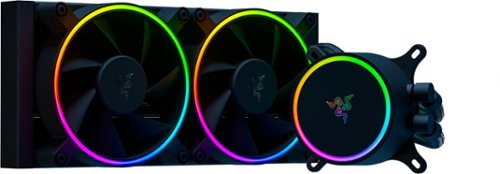
Keep your CPU temperatures cooler at any load with Razer Hanbo, an All-In-One Liquid Cooler designed for maximum thermal performance. Available in an addressable RGB Pump Cap version, you can personalize your cooler further with Razer Chroma~ software.
Customer Rating
5
High Quality AIO CPU Cooler
on May 9, 2022
Posted by: TravisJ
from Louisville, KY
Build or modify your own PC:Yes
Level of Expertise:Average
Primary reason for building/modifying PC:Gaming
There’s an ongoing debate about the difference between air coolers and AIO water coolers, some would say it’s settled and there’s no discernible difference. After installing the Razr Hambo Chroma, I’m not so sure I’m convinced.
You can look further in the review if you want to see the TL;DR. I’ve not owned any Razr products until this one so I wasn’t really sure what to expect. I know they make premium gaming laptops and peripherals so I was looking forward to this AIO cooler. When I first opened the box I was pleasantly surprised at the quality of packaging and unboxing design. The mounting hardware, fans, and the cooler was all nestled into foam cut outs. The parts and fan were nestled and protected inside cardboard box while the AIO radiator and pump have a near perfect cut out to protect it from shipping and transportation. Also included is a quick start manual, Allen wrench, and
The build quality is in line with the unboxing experience. The fans feel sturdy and the plastic doesn’t feel thin or cheap. The mounting holes for the fans have included rubber dampeners to prevent vibration noise. The fan cables have braided tubing and enough length which I think is the standard for premium fans anymore. The tubing from the pump to the radiator is also braided. The mounting hardware and brackets were well packaged and some were labeled for Intel or AMD.
Mounting wasn’t too difficult. I struggled more getting my old cooler off than I did mounting the new one. If you’ve not mounted a cooler onto a CPU before, you may want to watch a few videos just to get the feel for it. It can be frustrating if you have to take the AIO off to make any adjustments and put it back on. The only thing I I’d like to see done better in AIO coolers is the mess of cables that come off the block that plug into the fan controller, fans, usb connector, RGB controller. It’d be nice if we could get to where there’s just a plug on the board that do all that is needed for these coolers. I had everything I needed to get it mounted in my kit for my AMD processor. Had I messed up the mount though, there wasn’t any additional thermal paste in the kit to take a 2nd try at mounting.
Once I was able to get some cables managed and put the panels back on, I booted into windows and got a pop up for downloading the Razer software which I think was a nice touch so I didn’t have to go find it. I spent a little bit of time in the Razer Synapse tinkering with fan curve and RGB before putting it through it’s paces. Before I installed the AIO cooler, I grabbed a few benchmarks with my old cooler and then ran the same benchmarks with the Razer Hanbo. I was getting a 3DMark Time Spy score of 12,594 on a well reputable air cooler, and 15,763 on Cinebench, all while cooling an AMD 5800X. Once I got the Razer Hanbo installed, I was getting 12,633 on Time Spy score but my Cinebench was scratching at 16k with a 15,944 Cinebench score. I forgot to grab the before temperatures, but the after temperatures are pretty normal given the testing. The CPU is slightly overclocked to 4.7 GHZ and with core voltage set at 1.35 and temperatures on the CPU die held steady at 83.1*C while testing. I can tell you my
The cooler is quiet when not under load which was a little different with my air cooler. I think just the flow of the liquid is enough to keep idle temperatures cool. Once it goes under load, the custom fan curve applied doesn't ramp up the fans until around 60*C with them full throttle at 80*C to keep temperatures from running away and thermal throttling. I like being able to browse the internet or work on documents without having to hear any background noise from the CPU fans. At full throttle, like most good fans, you're going to hear them and the fans surprised me a bit at how much air they were pushing through the radiator. I think the good seal they have around the radiator and the speed and blade design play a part in this.
Finally the RGB and software. I wasn't as impressed with the software as I was the hardware. The software is functional but a little crowded. In the Synapse app, you can control the functions of your AIO pump. There's 3 preset control types for fan and pump and a manual mode. Quiet, Standard, and Performance adopt a fan and pump speed curve for there respective descriptions but you wouldn't know what they are because they're not displayed. Instead, you get the option to see a curve graph once you click manual and set your own. The lighting presets left a bit to be desired but I'm glad they're there because, like most RGB software, I feel like for a truly custom RGB experience I need to spend hours setting up lighting patterns and color shifts. There are 3rd party software out there that does this well too, unfortunately, the Razer Hanbo isn't compatible, so I'm left doing a static or preset RGB and making my other RGB devices work around it.
You can look further in the review if you want to see the TL;DR. I’ve not owned any Razr products until this one so I wasn’t really sure what to expect. I know they make premium gaming laptops and peripherals so I was looking forward to this AIO cooler. When I first opened the box I was pleasantly surprised at the quality of packaging and unboxing design. The mounting hardware, fans, and the cooler was all nestled into foam cut outs. The parts and fan were nestled and protected inside cardboard box while the AIO radiator and pump have a near perfect cut out to protect it from shipping and transportation. Also included is a quick start manual, Allen wrench, and
The build quality is in line with the unboxing experience. The fans feel sturdy and the plastic doesn’t feel thin or cheap. The mounting holes for the fans have included rubber dampeners to prevent vibration noise. The fan cables have braided tubing and enough length which I think is the standard for premium fans anymore. The tubing from the pump to the radiator is also braided. The mounting hardware and brackets were well packaged and some were labeled for Intel or AMD.
Mounting wasn’t too difficult. I struggled more getting my old cooler off than I did mounting the new one. If you’ve not mounted a cooler onto a CPU before, you may want to watch a few videos just to get the feel for it. It can be frustrating if you have to take the AIO off to make any adjustments and put it back on. The only thing I I’d like to see done better in AIO coolers is the mess of cables that come off the block that plug into the fan controller, fans, usb connector, RGB controller. It’d be nice if we could get to where there’s just a plug on the board that do all that is needed for these coolers. I had everything I needed to get it mounted in my kit for my AMD processor. Had I messed up the mount though, there wasn’t any additional thermal paste in the kit to take a 2nd try at mounting.
Once I was able to get some cables managed and put the panels back on, I booted into windows and got a pop up for downloading the Razer software which I think was a nice touch so I didn’t have to go find it. I spent a little bit of time in the Razer Synapse tinkering with fan curve and RGB before putting it through it’s paces. Before I installed the AIO cooler, I grabbed a few benchmarks with my old cooler and then ran the same benchmarks with the Razer Hanbo. I was getting a 3DMark Time Spy score of 12,594 on a well reputable air cooler, and 15,763 on Cinebench, all while cooling an AMD 5800X. Once I got the Razer Hanbo installed, I was getting 12,633 on Time Spy score but my Cinebench was scratching at 16k with a 15,944 Cinebench score. I forgot to grab the before temperatures, but the after temperatures are pretty normal given the testing. The CPU is slightly overclocked to 4.7 GHZ and with core voltage set at 1.35 and temperatures on the CPU die held steady at 83.1*C while testing. I can tell you my
The cooler is quiet when not under load which was a little different with my air cooler. I think just the flow of the liquid is enough to keep idle temperatures cool. Once it goes under load, the custom fan curve applied doesn't ramp up the fans until around 60*C with them full throttle at 80*C to keep temperatures from running away and thermal throttling. I like being able to browse the internet or work on documents without having to hear any background noise from the CPU fans. At full throttle, like most good fans, you're going to hear them and the fans surprised me a bit at how much air they were pushing through the radiator. I think the good seal they have around the radiator and the speed and blade design play a part in this.
Finally the RGB and software. I wasn't as impressed with the software as I was the hardware. The software is functional but a little crowded. In the Synapse app, you can control the functions of your AIO pump. There's 3 preset control types for fan and pump and a manual mode. Quiet, Standard, and Performance adopt a fan and pump speed curve for there respective descriptions but you wouldn't know what they are because they're not displayed. Instead, you get the option to see a curve graph once you click manual and set your own. The lighting presets left a bit to be desired but I'm glad they're there because, like most RGB software, I feel like for a truly custom RGB experience I need to spend hours setting up lighting patterns and color shifts. There are 3rd party software out there that does this well too, unfortunately, the Razer Hanbo isn't compatible, so I'm left doing a static or preset RGB and making my other RGB devices work around it.
TL;DR
Pros:
- Sleek Design and quality hardware
- High performance, cool temps vs air cooling
- Quiet when only pump is running
- Had all necessary hardware
- Premium unboxing experience
Pros:
- Sleek Design and quality hardware
- High performance, cool temps vs air cooling
- Quiet when only pump is running
- Had all necessary hardware
- Premium unboxing experience
Cons:
- Limited RGB presets, low compatibility with RGB control software
- Lots of cables coming from AIO pump, looks "busy"
- Instructions may be a bit vague for beginners
- Limited RGB presets, low compatibility with RGB control software
- Lots of cables coming from AIO pump, looks "busy"
- Instructions may be a bit vague for beginners
Final Thoughts:
You don't have to be in the Razer ecosystem to appreciate this AIO cooler. It's up there in performance and quality of build with the rest of them. I felt like a lot of thought went into the design of the product and they wasn't going to put something out until they were happy with it. I do like presets with my RGB software and I wanted a bit more from the Synapse software and would have liked less cabling coming off the AIO pump but I understand certain features may require it. Hard not to recommend this cooler.
You don't have to be in the Razer ecosystem to appreciate this AIO cooler. It's up there in performance and quality of build with the rest of them. I felt like a lot of thought went into the design of the product and they wasn't going to put something out until they were happy with it. I do like presets with my RGB software and I wanted a bit more from the Synapse software and would have liked less cabling coming off the AIO pump but I understand certain features may require it. Hard not to recommend this cooler.
I would recommend this to a friend!
Features

5
Quality
5
Value
5
Ease of Use

4





Share this review:


0points
0of 0voted this as helpful.

Discover the power of X! The new Philips Sonicare Power Flosser creates an X-shaped stream of water that reaches deep between teeth for a gentle, thorough clean. This X-shaped water stream, known as Quad-Stream technology, covers more surface area for a faster, deeper clean versus manual floss. Because of Quad-Stream technology, Philips Sonicare Power Flosser enables you to improve your gum health by 50% in just 1 minute per day!
Customer Rating
5
Awesome Oral Healthcare System
on April 28, 2022
Posted by: TravisJ
from Louisville, KY
I’ve been using Phillips toothbrushes for several years now. Their electric toothbrushes are modernly stylish, easy to use, travel easy, and most importantly, make my mouth feel clean. With the addition of the power flosser I’m more inclined to floss after I brush instead of using my normal disposable single use floss picks.
The toothbrush has 3 different cleaning modes. Clean, deep clean+, and gum health. Each brush mode has gyrates at a different pace and length of time to clean your teeth and gums. The brush head that came with the brush along with the different modes, do a really good job at leaving your mouth feeling clean and refreshed. You can also adjust the intensity but based on your brush and cleaning mode, it will automatically select the best mode for you. I brushed mostly on the high intensity for the best clean. As for the brush head it did a really good job at making my mouth and teeth feel clean when I was done brushing. No complaints with the brush or the function.
While we’re on the topic of the brush, in the box you get a stand alone charger as well as a travel case. The case and charger color match your brush color and the white brush looks very “crisp” and modern. The power flosser also includes a spot for the brush to sit so you can keep it all together. I just threw my standalone charger in my travel bag just in case, but using a previous version of Sonicare, I’ve spent 3-4 days without needing to charge my brush. I would expect the same from this one.
Finally you can use the Sonicare app and connect to the toothbrush to give feedback on statistics such as how often you brush, how long you brush and you can connect it to your apple health app if your into that stuff. I’m don’t expect myself to use this information that often but It’s good to know I have it.
The power flosser is the real selling point of this kit. I admittingly do not floss as much as I know I should, and my dentist knows that too. The power flosser makes me want to floss right after brushing. Setup is easy. Place the water reservoir on the base, fill the reservoir up with warm water. If your teeth are sensitive, keep in mind that you’ll be blasting them with whatever temperature water you put in the reservoir. Next select the floss head you want to use. The Philips website speaks highly of the “+” pattern head but the regular floss head was my preference. The head snaps in one way. Hit the power button on the base unit and use the switch on the wand to start/stop the flow of water.
Upon first use you want to start with low intensity and work your way up. If your gums are sensitive or you haven’t flossed in a while, higher intensities will likely make your gums bleed. I have pretty sensitive gums so I started low and worked my way up. Working the pick around and between my teeth, I found that getting too close stalls the pump so it took a bit of trial and error to find the perfect distance. I can also tell you accidently taking it out of your mouth without turning it off first will blast water at high speeds everywhere! I didn’t have any issues running out of water. In fact, I usually empty mine and use fresh warm water every time because my teeth are a bit sensitive to temperature. The hose is plenty long enough for my setup and the magnetic holder is a nice touch. I felt like the power flosser did a good job at removing debris and cleaning between my teeth. I do have my wisdom teeth and it is a bit harder to get between them but then again, so is food. I know that I’m going to floss more often just because of the convenience and ease of use and how available it is right next to my toothbrush.
If I could throw a few recommendations at the next version it would be to increase the height a bit and reduce the length. I find that for my sink real estate, it takes up just a bit too much room. This may not be an issue for most but I had to make room. Small price to pay for healthy oral hygiene.
I would recommend this to a friend!
Quality
5
Performance
5
Durability
5
Value
5
Ease of Use
5
Share this review:


0points
0of 0voted this as helpful.
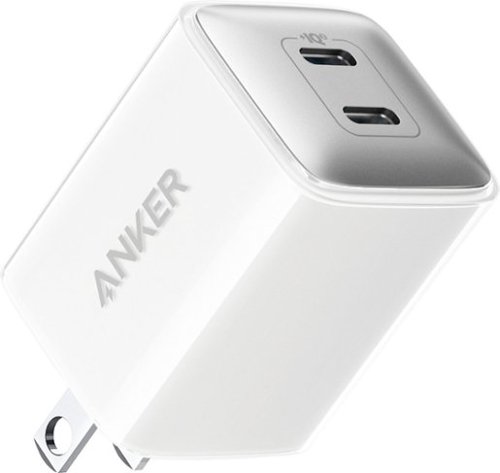
Powerport III Nano Pro Duo 40W Fast Wall Charger. Safely and quickly charge a single device at 40W or two devices at up to 20W speeds. Compatible with virtually any USB-C device, this includes USB-C laptops, phones, tablets, and more.
Customer Rating
5
Fast Dual Charging, Faster Single Charging
on November 24, 2021
Posted by: TravisJ
from La Grange, KY
Anker is my favorite brands for charging needs. About 85% of all my chargers and charging cables are
from Anker. Their products look and feel premium and just work and hold up longer than your generic
charging accessories. Power banks, wall warts, cables, adapters, usb hubs; I own at least one of each, all
from Anker.
from Anker. Their products look and feel premium and just work and hold up longer than your generic
charging accessories. Power banks, wall warts, cables, adapters, usb hubs; I own at least one of each, all
from Anker.
The Powerport III nano pro duo is a dual port USB type C charger with each port pushing out 20 watts of
power to your devices, or one port at 40 watts. Most modern phones and tables will support up to at
least 20 watts, with only a few going beyond that, those that do, will take advantage of the single port at
40 watts.
power to your devices, or one port at 40 watts. Most modern phones and tables will support up to at
least 20 watts, with only a few going beyond that, those that do, will take advantage of the single port at
40 watts.
Build quality is what you would expect. The charger looks well built without too much heft. The usb
cables I have “snap” in and pull out just fine without too much effort. I did not feel at any time my cable
would fall out or was plugged in forever. I didn’t notice too much heat coming off of it while I charged
my ipad. Anker advertises Active Shield which uses an internal thermal sensor to throttle power
delivery when it starts getting warm which will both protect the power adapter as well as the device it’s
charging.
cables I have “snap” in and pull out just fine without too much effort. I did not feel at any time my cable
would fall out or was plugged in forever. I didn’t notice too much heat coming off of it while I charged
my ipad. Anker advertises Active Shield which uses an internal thermal sensor to throttle power
delivery when it starts getting warm which will both protect the power adapter as well as the device it’s
charging.
I did a very rough charging test just to see how well it would perform charging my M1 iPad pro. I
plugged the iPad in at 32% battery, as many users likely would, and set a timer. At around the ~11 min
mark, I had reach 40% charge. In 15 minutes, I had reached a full 10% charge at 42% battery. It took
another 9 minutes to reach 50% and after about an hour of charging I was at the trickle charge bar of
80% which I imagine charging was throttled by the iPad to preserve battery health. At 1h and 26m I was
at 95% and I lost track of time, so I did not get to see when it turned over to 100%, but I imagine it was
before the 2h mark.
plugged the iPad in at 32% battery, as many users likely would, and set a timer. At around the ~11 min
mark, I had reach 40% charge. In 15 minutes, I had reached a full 10% charge at 42% battery. It took
another 9 minutes to reach 50% and after about an hour of charging I was at the trickle charge bar of
80% which I imagine charging was throttled by the iPad to preserve battery health. At 1h and 26m I was
at 95% and I lost track of time, so I did not get to see when it turned over to 100%, but I imagine it was
before the 2h mark.
I was satisfied with the charge speed. I have other high speed chargers and this charger did as good as
the rest. The main benefit is being able to take your two chargers and combine them into one.
Whether it’s to free up an outlet next to the bedside or have a convenient travel charger to charge up all
your devices. I’ll likely pair this with my Magsafe Duo charger to charge my phone, watch, as well as an
iPad for when I travel without needing to take multiple wall warts. If I could change one thing, and
Anker did this with their 65 Nano II chargers, is to make the outlet prongs foldable so they wont risk
bending when traveling. By no means does it make it a deal killer and I would expect to see this in a
future product.
the rest. The main benefit is being able to take your two chargers and combine them into one.
Whether it’s to free up an outlet next to the bedside or have a convenient travel charger to charge up all
your devices. I’ll likely pair this with my Magsafe Duo charger to charge my phone, watch, as well as an
iPad for when I travel without needing to take multiple wall warts. If I could change one thing, and
Anker did this with their 65 Nano II chargers, is to make the outlet prongs foldable so they wont risk
bending when traveling. By no means does it make it a deal killer and I would expect to see this in a
future product.
Mobile Submission: False
I would recommend this to a friend!
Share this review:


0points
0of 0voted this as helpful.
![Adobe - Photoshop Elements 2022 & Premiere Elements 2022 - Windows [Digital]](https://pisces.bbystatic.com/prescaled/500/500/image2/BestBuy_US/images/products/6475/6475053_sd.jpg)
Discover the fun of creative editing and storytelling. Adobe Sensei AI technology* and automated options do the heavy lifting so you can instantly turn photos into art, warp photos to fit any shape, reframe your video subjects, and more. Add moving overlays or 3D camera motion to take your photos to a whole new level, and save them as MP4s for easy sharing on social. Grow your skills with 87 Guided Edits that step you through how to create perfect pet pics; extend, remove, or replace photo backgrounds; add fun animated overlays to your videos; bring out details in video shadows and highlights; and more. Edit and export videos in social-friendly vertical and square aspect ratios, and compress videos for easy sharing. Effortlessly organize your photos and videos, and craft personalized creations like dynamic photoand video slideshows with all-new styles, inspirational quote graphics, and animated social posts. Transform your favorite photos into gallery-quality wall art, beautiful prints, and unique keepsakes with the built-in prints and gifts service .~And enjoy an updated look that makes the software even easier to use and navigate. *Adobe Sensei is the technology that powers intelligent features across all Adobe products to dramatically improve the design and delivery of digital experiences, using artificial intelligence and machine learning in a common framework. ~FUJIFILM Prints & Gifts service is available in the U.S. only.
Customer Rating
5
Extremely User-Friendly Editing
on November 6, 2021
Posted by: TravisJ
from La Grange, KY
If you’re not the kind of person to sign up for a subscription service but want powerful editing tools at an affordable price, that’s where the Elements product line comes into play. Adobe has been providing Photoshop and Premiere Elements software for a few years now and it aims to make photo and video editing simple and fast.
Installation/Setup
Installation is easy. Adobe does require an account to use these products, which many companies are these days. Once you download and launch your met with, what I call, a launcher where you will select Photoshop or Premiere. Getting started in either of these apps will involve you importing media of some sort. This comes with Adobe Elements Organizer which will help keep all your photos and videos collected and organized. It also gives options to sort by data, location, etc. It’s easy to misplace your media so I recommend some sort of organization system.
Installation is easy. Adobe does require an account to use these products, which many companies are these days. Once you download and launch your met with, what I call, a launcher where you will select Photoshop or Premiere. Getting started in either of these apps will involve you importing media of some sort. This comes with Adobe Elements Organizer which will help keep all your photos and videos collected and organized. It also gives options to sort by data, location, etc. It’s easy to misplace your media so I recommend some sort of organization system.
Quick / Guided / Expert Modes – These are the three modes you can use for editing. The quick mode is your express lane to making videos or touching up photos. It has a variety of quick tools for setting up transitions, touching up photos, adjusting color or sound. This mode is intuitive enough to drag and drop in videos, make transitions, add titles, or make quick color adjustments on the photoshop side.
Guided is where Adobe goes above and beyond to really help you learn how to make the right edits and make the perfect picture or video. When you click guided for video trimming for example, it will walk you through the different ways you can trim a video clip. A dialog box with steps you can click through comes up and walks you through step by step on how to perform the task. This removes the intimidation factor of getting into video or photo editing.
Finally there’s the expert mode that allows for fine tuning of video and photo editing. This adds the ability to add multiple tracks, videos, titles, music, and effects to videos as well as manual tuning of color, balance, and other touch up options as well as photo layers, lasso tool, and effects. Since I’m familiar with video editing, I tend to use the expert mode for premiere but actually prefer the quick mode for photoshop for quicker edits, but plan on using the guided mode so I can switch to expert and get proficient with video editing.
The thing that Elements excels at is quickly making photo or video edits. Although I’m comfortable with expert mode, I found myself taking the quick mode and stringing together shorter video clips of a day at the zoo or our recent vacation and noticing how quickly I could make quick cuts, transitions, and touchups. You just drag and drop from your media new clips. Same action for transitions and there’s several “auto” functions such as shake reduction which helps with shaky videos.
There’s not really anything not to like. You get a great Video/Photo editor that is easy to learn, includes a guided editor that makes learning easy, and once you get all the tricks down, you can move on to expert and really dial in great looking photos and videos.
Mobile Submission: False
I would recommend this to a friend!
Share this review:


+1point
1of 1voted this as helpful.
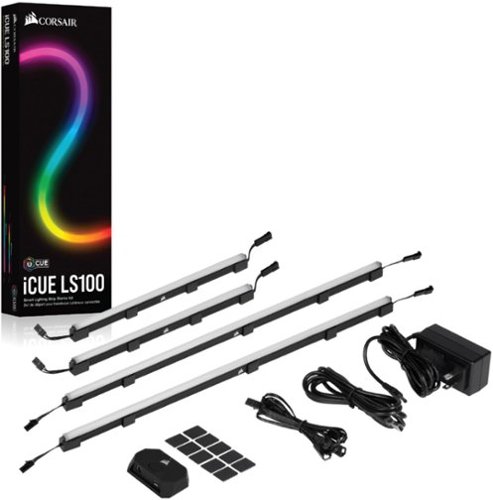
Style up your home studio or gaming station with this CORSAIR iCUE smart lighting strip starter kit. The four strips include individually addressed LEDs for customizing the illumination, while the light-diffusing casing softens the brightness for balanced ambiance. This CORSAIR iCUE smart lighting strip starter kit features magnetic clips and adhesive backing for easy installation.
Customer Rating
5
Great RGB Lighting
on October 26, 2021
Posted by: TravisJ
from La Grange, KY
This is the way to go if you’re looking for a unified RGB look to your desktop setup. In the box you get two longer and two shorter strips, ideally for placing around a monitor or monitors. I chose instead to place the strips along the framing of my desk. I was pleasantly surprised to see magnetic blocks on the back of the strips that made mounting it to the metal frame of my desk a walk in the park.
Outside of the light strips you get cable management clips and metal mounting tabs (both with adhesive backing), extension cables, controller, power brick and USB cable. You’re given everything you need in the box to mount the strips and keep the cables tidy. Once I had everything connected, since I already had the iCue software installed, it picked up the LED strips right away. You can do hardware lighting which “saves” the chosen setting even when the iCUE software isn’t running or the PC is in a low power state.
You can also run custom software lighting and setting up the LED strips is straight forward. You can change the individual LEDs to give the lighting aesthetic you want by selecting them and changing their color or behavior. You can also link all your devices together and have all your RGB lights to act as one. The iCUE software is intuitive and easy to one click all your iCUE compatible hardware to a preset theme. You can also go in and control each individual LED light so if you want a gradient or two tone look, you can customize to your heart’s desire.
If I had one recommendation it would be slightly stronger magnets. I was mounting my lights, one set fell off, and took all the other lights with it. I actually found it comical. It was only a minor inconvenience.
I have several Corsair products and I love how the work seamlessly together. The LS100 Smart Lighting strips are no different. Easy to install, easy to use, and expanding your desktop experience is as easy as plug and glow.
Mobile Submission: False
I would recommend this to a friend!
Share this review:


0points
0of 0voted this as helpful.

The Farenheit Flame is great for the backyard or for your outdoor adventures. This easy to transport fire pit will add warmth and atmosphere. Designed to reduce smoke so you can cozy up and enjoy yourself.
Customer Rating
5
Portable, Easily Manageable
on September 25, 2021
Posted by: TravisJ
from La Grange, KY
Having a portable, easily movable fire pit is great for setting up a space for small gathering or a larger group. In just a few minutes I was able to unpack the fire place and have it set up. Setup is easy and as simple as placing the larger bowl on the smaller support. Both have plenty of vents which allows ample air flow. Once set into position, remove the carrying handle which is spring loaded and just comes out and your ready to start a fire.
My fire starting skills aren’t pro but once I was able to get one rolling we really enjoyed ourselves. I kept our fires small because of our neighborhood but I think the deep barrel helps direct the smoker up and away from everyone. I sat about 2-3 foot away from the pit and could feel the heat without getting smoke blown in my eyes. Keep in mind the wind was calm so didn’t have to worry about changing winds
Simplicity and ease of use kept on coming with cleanup. We allowed the fire to burn out and completely cool down before dumping the ash in a bucket. I sprayed out the bucket a bit just to be sure nothing remained and disposed of the rest of the ash in our trash bin. Some may skip the bucket step but I wanted to take the extra precaution.
To pack up, remove the top, place the bottom inside of the top, insert the carrying handle and place it back into the carrying bag. Now your ready to take it to a friends place or store it for the next weekend.
If I was going to nitpick and give one small suggestion, I did have some kindling fall through the bottom when trying to start the fire. Maybe a larger area without vent holes would help.
Mobile Submission: True
I would recommend this to a friend!
Share this review:


0points
0of 0voted this as helpful.
TravisJ's Review Comments
TravisJ has not submitted comments on any reviews.
TravisJ's Questions
TravisJ has not submitted any questions.
TravisJ's Answers
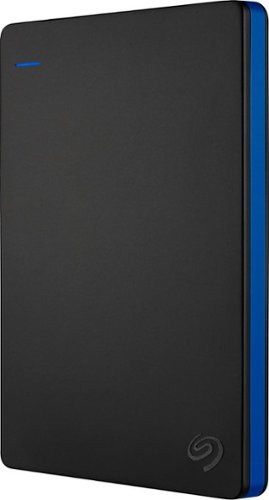
Store more than 50 PlayStation 4 game titles on this 2TB Seagate game drive. Its USB 3.0 port provides fast loading of full-size games so you can play smoothly, and its tough aluminum enclosure protects the drive from damage. This plug-and-play Seagate game drive is automatically recognized by any PS4, PS4 Slim or PS4 Pro console.
I've gotten quite tired of always uninstalling and reinstalling my games to make room and I was thinking about buying one of these. So, since all my games are hard copy, does that matter? For example, with this, will I be able to reinstall hard copy games
According to Sony’s website you can use from 250GB to 8TB in external storage to install games.
7 years, 6 months ago
by
TravisJ

Listen to your playlist in peace with these Sony headphones. They have a 40mm dome driver to deliver the full depth of audio, and the noise cancelling feature minimizes outside disturbances for a better listening experience. These Sony headphones have a battery life of up to 30 hours for extended jam sessions.
Would you be able to use these headphones to workout at the gym? Is the clamping of the headphones to your ears tight enough so it doesn't slip out as i do certain lifts? Are replaceable ear pads available for this model that are more comfortable?
These will work fine at the gym. They come with 4 different sized wing tips and ear tips so that you can customize the fit to your ear. Since these are new, It's unlikely to have 3rd party ear tips or wings at the moment.
8 years, 7 months ago
by
TravisJ