


TravisJ's stats
- Review count179
- Helpfulness votes263
- First reviewNovember 6, 2016
- Last reviewJune 8, 2026
- Featured reviews0
- Average rating4.8
Reviews comments
- Review comment count0
- Helpfulness votes0
- First review commentNone
- Last review commentNone
- Featured review comments0
Questions
- Question count0
- Helpfulness votes0
- First questionNone
- Last questionNone
- Featured questions0
- Answer count2
- Helpfulness votes0
- First answerOctober 28, 2017
- Last answerNovember 20, 2018
- Featured answers0
- Best answers0
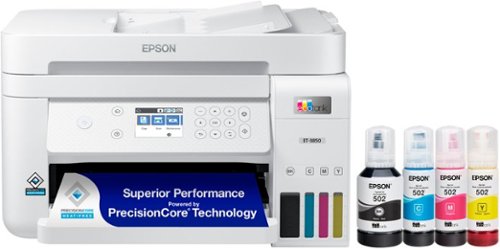
Your busy office needs a printer that~s fast, affordable, easy to use, and has great features. That~s why we developed the EcoTank ET-3850 ~ an innovative cartridge-free solution that uses high-capacity, easily refillable ink tanks. So you~ll worry less about running out of ink, and save a lot on replacement ink (1). The ET-3850 features an auto document feeder, fast printing with outstanding print quality, productive paper handling, a high-resolution flatbed scanner, and a large color display ~ making it the perfect printer for your home office.
Customer Rating

5
Small Footprint, Easy to Fill Ink
on September 15, 2021
Posted by: TravisJ
from La Grange, KY
The 3850 Eco Tank has a small form factor but still offers all the features of a large printer suite. I enjoyed how they did the setup process. I downloaded the Epson Smart Panel app and followed the instructions on the app. It’s set up like a txt conversation which is kind of different and familiar for most.
Filling the eco tank was an easier process than I anticipated. Each bottle appears to be keyed for the appropriate color so you don’t accidently fill the wrong reservoir. You simply access the filling ports, flip up the cover, and place the bottle on the fill port and it begins filling until its empty or the eco tank is full. Once you’ve filled Magenta, Cyan, Yellow, and Black, and finish the setup process, the printer is ready to use.
It didn’t take long to get to printing. Printing from my phone is really easy, I use an iPhone so the phone picked the printer up quickly on the network. I like that it prints front to back to save paper. It does front to back printing quickly too so you’re not waiting a long time to print documents. The only thing I wish it did was front and back printing from the document feeder. The way I got around this was scanning documents to my computer using the Epson Smartscan app on my PC and which gives you the option to upload the scan to a cloud service, send in email, save on your PC or print. So I was able to print and select front and back. The extra step is a little frustrating but I’m glad the capability is there and the work around isn’t too hard to get around.
You can also download apps for the PC which gives you options such as saving scans, printing from the cloud, you can snip parts of a photo to print, as well as making edits such as turning and cropping as needed.
I would say my overall favorite thing about this printer is how it can print, scan, document feed, do two sided printing in such a small footprint and do it all with their eco tank system. This replaced my other multipurpose printer and left me with a lot more desktop space than what I had before. I’m really excited to see how much more printing I get out of the eco tank as well. I’ve not had one before and it was very easy to setup and use.
Mobile Submission: False
I would recommend this to a friend!
Share this review:


0points
0of 0voted this as helpful.
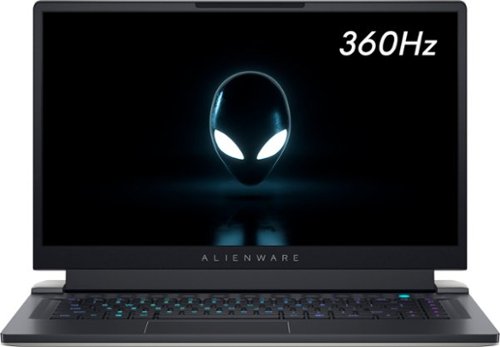
The new Alienware x15 is a super thin, extremely light laptop. Now~s your chance to game with gear that knows no boundaries. The Alienware x15 gaming laptops with advanced Alienware Cryo-Tech~ cooling defy boundaries. Introducing Element 31 thermal interface material and a Quad-Fan Design. We are incorporating more fan blades, more copper materials, and vapor chambers to deliver ample power while dissipating the heat more efficiently and allowing the fans to run less resulting in reduced noise. The x15 features five tailored power states, and grants access to thousands of games with Windows. Alienware laptops will bring your favorite games into hyper-reality with Windows DirectX 12 Ultimate. Constructed with magnesium alloy and aluminum parts gamers can experience the evolved Legend Industrial Design that reimagines the way you game. The Alienware x15 is equipped with 11th Gen Intel processors, has more storage options with dual drives featuring SSD and includes powerful NVIDIA~ GeForce~ RTX 30-series discrete graphics.
Customer Rating
5
Powerful Laptop, Unique Design
on August 19, 2021
Posted by: TravisJ
from La Grange, KY
Very thin 15.6” laptop packing a lot of power in an Alienware design. I’m pleasantly surprised at how well it handles heat for as thin and powerful as it is.
Things I like:
Performance – I was surprised at how powerful this laptop is. Rocking an Intel i7 11800H, coupled with an RTX 3070 GPU, they managed to cram both in a small form factor. Even though it is very thin it still manages to dissipate heat well and without being obnoxious. In Cinebench I was hovering around 13,900’s with a high of 14,005 which I was really impressed with. Got great scores too with 3DMark. Got steady marks at around 10,000 with a high of 10,039. Gaming wasn’t a problem. Hovered around 100 FPS with Destiny 2. GTA V Online did well too with averages around 74 fps. Everything runs butter smooth with 360hz refresh rate coming from the display. You can also use the function button to turn on high performance mode which kicks the fans in at max speed allowing the processor to turbo boost for longer. Temperatures did get up in the 90’s but modern chips can handle the hotter temperatures.
Windows Hello – ‘Nuff said. More laptops should have this as it’s an effortless way to sign in and just requires your gaze.
Design – If you get an Alienware part of the allure is the design. The pale white on the back and the midnight black on the inside creates nice contrast. The base extends out just beyond the hinge which is a little different than most designs giving it a unique look. The screen, which comes in at the aforementioned 360hz, disappears into the black bezels, especially in a darker environment. It wouldn’t be a gaming PC without RGB either. Per key lighting, a ring around the I/O on the back, power button and alien logo on the lid are all individually controllable. They even rethought the power brick by making it smaller and more portable without sacrificing power. Most of the I/O is in the back with the power and headphone jack being on the sides.
I/O – Thunderbolt 4, USB C 3.2 Gen 2, USB A 3.2 Gen 1, HDMI, SD Card Slot. With power delivery, power share, support of 2 4k monitors or 1 8k monitor, you’re left with options.
Heat Management – The fans do a really good job of keeping thermals under control. While running in performance mode through Alienware Command Center (AWCC), the fans will start to ramp up as the system gets hotter. There are 4 fans which move air out of the system. During normal, non-gaming use, you can comfortably browse the internet, watch videos, listen to music and don’t really even notice the fans or heat. It’s only when you’re gaming when the heat and fans become noticeable. I don’t recommend putting the laptop in your lap when gaming as it does get warm. As far as the keyboard goes, you don’t really ever notice the heat. Alienware does a great job of directing temperature away from the keys. They use a thermal compound called Element 31 which I’m assuming is some of the magic behind thermal control.
Middle of the Road:
Going to quickfire off a few things that are just average. Nothing special about the trackpad, keyboard, camera, or speakers. Seems like they’re off the shelf hardware. Keys are a little stiff, but I do like the layout and everything seems easy to use. Sound profiles are adjustable and I found the music setting in AWCC to be the better sounding EQ setting. The “OC” setting in AWCC limits how much you can OC the GPU. This makes sense in a thin gaming laptop but kind of makes me wonder why it’s there in the first place. I would have liked to see just one more USB type A port. The world hasn’t quite moved to purely USB C (although I wish they would) and I found myself wanting one more. I use a USB dongle for my mouse and had to unplug it to use a flash drive.
What to Watch Out For:
512 GB of storage isn’t a lot for a gaming laptop. Although I haven’t filled it up yet, I can see how over time you’ll find yourself wanting more. The RAM is soldered on the motherboard so you’ll want to get what RAM you want from the get go. This is likely done as a space saver. Finally, it’s a tad bit heavy, which some may have a problem with, but considering the 4 internal fans and chunky heat pipes/sinks, it’s a necessary tradeoff for heat management.
Final Thoughts:
Alienware has clearly been pulling out all the stops and making some new ones, to try and get the most performance out of a thin form factor while keeping the Alienware style and finesse. With innovation in thermal performance with their Element 31 thermal compound and 4 fan design, you check all the boxes of power, design, and build quality that gamers look for in a portable gaming machine.
Mobile Submission: False
I would recommend this to a friend!
Share this review:


+2points
3of 4voted this as helpful.
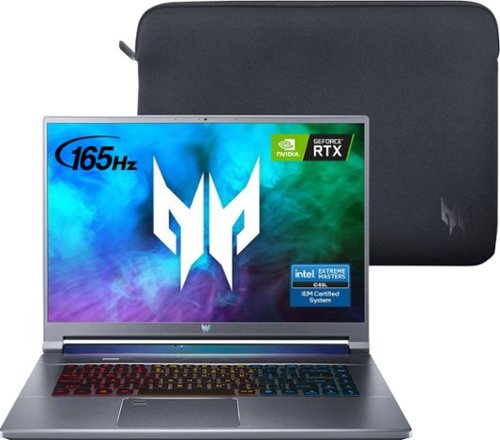
Forged to obliterate games, empower creativity and inspire envy from anyone who makes eye contact with it, the Triton 500 SE has all the tools to tackle any task in today~s performance-hungry world. Slim, stylish and infused with the latest 11th Gen Intel~ Core~ i7 processor and cutting-edge GeForce RTX~ 3060 laptop graphics, this awesome machine serves up what you demand in a cutting-edge PC. Fast, realistic and with AI-enhanced technology, it features a CPU that ensures epic streaming, photo editing and 3D rendering capabilities, while its powerful GPU revolutionizes the immersive gaming experience via high frame rates that drive incredible realism! Get smooth gameplay at refresh rates up to 165Hz on the 16" WQXGA IPS Display ~ while a 3-Zone RGB backlit keyboard and stellar audio round out a gaming experience that~s second to none
Customer Rating
5
Powerful, Modern, I/O You’ll Love
on August 9, 2021
Posted by: TravisJ
from La Grange, KY
Acer has managed to package an affordable gaming powerhouse into, let’s say, a medium body. Laptops come in all shapes and sizes. Netbooks, thin and lights are on one end of the spectrum while desktop replacement big boys are at the other. At 16” it’s hard for me to squeeze this into the thin and light category, but Acer did a great job making just a laptop and using what they’ve learned from thin and light chassis to cram it full of IO and Battery.
What I like:
- Design – If you’re going to appeal to a wider audience, make a design that might draw a glance in the conference table, but doesn’t distract from the conversation, while still giving edges and design cues of a modern gamer. The Triton SE does that. When closed, you can see the aluminum lid with two different textures, one being a diagonal, brushed styled texture, with the other being a flat matte with the logo centered at the top. Where the lid mounts to the chassis, there’s an iridescent bar that is either purple or green, depending on the position, which is a nice look. Build quality is pretty solid and the aluminum likely helps with heat dissipation.
- Performance – Depending on your daily use and gaming preferences, your mileage may vary. CINEBENCH R23 is my go-to for processor performance. With all things being equal, I hover around the 13,300 mark, depending on running applications. Time Spy came in at 8308, which is around the average for 11800H and a 3060 RTX. My go to games however, Destiny 2 and Apex, didn’t sweat at all. I hover around 80 fps in Destiny 2, max settings. I can get higher frames if I optimize through GeForce Experience but it drops quality down a bit here and there to achieve this. Apex doesn’t have any issues, running around 100 fps. I would imagine most games would run smoothly on high settings and with some older titles, you may get away with ultra-settings.
- Features – So there’s a few bells and whistles that come with this laptop and they ring and whistle well.
o Windows hello through the fingerprint scanner built into the track pad works well. I thought at first, it’d stall the mouse as I moved my finger across it, but it will still track your finger without issues.
o Turbo Mode – There’s a dedicated button on the chassis that will allow maximum power draw as well as turning the fans up to 100% constantly. This does make a performance difference as the PC is less likely to thermal throttle at the cost of fan noise.
o Dedicated Predator Sense button for getting into the application to change power settings, fan speeds, sound settings, etc.
o Windows hello through the fingerprint scanner built into the track pad works well. I thought at first, it’d stall the mouse as I moved my finger across it, but it will still track your finger without issues.
o Turbo Mode – There’s a dedicated button on the chassis that will allow maximum power draw as well as turning the fans up to 100% constantly. This does make a performance difference as the PC is less likely to thermal throttle at the cost of fan noise.
o Dedicated Predator Sense button for getting into the application to change power settings, fan speeds, sound settings, etc.
- I/O – I love the options and flexibility you’re given on this laptop. Two type A USB 3.2 Ports, TWO Thunderbolt 4 ports, Headphone, Ethernet, HDMI, and SD reader. If you’re gaming on the move, you have the juicer 230 watt charger, if you’re packing light and have one to spare, a 65 watt and above wall adapter will allow you to charge via USB C, albeit at slower speeds.
- Screen – The screen size and 165hz refresh rate allow gaming real-estate you don’t see on smaller form factors. At 2k resolution, games look crisp and smooth. The 16:10 ratio is a bit different than the 16:9 that I’m used to, but It’s close enough that I don’t seem to notice that much.
- Largest battery you can fit and still get on a plane. In flight Skyrim? Sure.
What could be better:
- In this day and age of working from home and social distancing, it would have been nice to have something more than a 720p webcam. It’s better than nothing, and I’m glad it’s there, but wouldn’t complain if it was 1080p.
- Speaker quality isn’t about to blow your socks off. Along with the webcam, I can only assume it’s a cost saver. You can adjust the profile in Predator Sense, and I’ve found that movie mode works best.
- Upgrade access is not for the faint at heart. I would like to upgrade the storage and it appears the motherboard is installed “upside down”, meaning, you have to remove the bottom panel, then remove enough screws and cables to get the underside of the motherboard to get to the ram and M.2 slots.
Final Thoughts TLDR:
You’re getting close to a desktop experience with this laptop. You can play popular games at high settings at 165hz 2k resolution. I/O is a dream. The design affords some luxury you can’t get with thin and lights, at the cost of being a bit larger and a bit heavier while remaining portable. I love this laptop and look forward to using it years to come.
Mobile Submission: False
I would recommend this to a friend!


Share this review:


+7points
9of 11voted this as helpful.
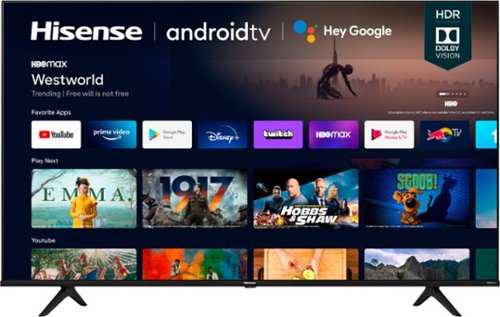
The A6G series. Proving that good things come in big packages too. Take your pick from 75~, 70~, 65~, 60~, 55~, 50~ and 43~ screens. For 4K UHD picture quality, in the perfect size for your space. With Android TV, you can discover 700,000+ movies and shows in one place. Ask Google to control your TV with your voice. And cast your photos, videos, and music from devices to your TV easily with Chromecast built-in~. Add to that Dolby Vision HDR and Auto Low Latency Game Mode. Or as we call it, a great looking TV.
Customer Rating
5
Puts the Easy Button on Entertainment.
on August 4, 2021
Posted by: TravisJ
from La Grange, KY
Pros:
- 4K/HDR – Picture looks fantastic. You get deep dark blacks and sharp contrast. Colors are vibrant. Dolby Vision HDR10 is what they’ve coined this. The branding name aside, you’ll never go back to any tv without it. I find myself specifically looking for HDR content because it’s just visually pleasing to look at. The TV is also rated for 120hz motion rate which I wish more TV’s came with.
- Sound – This TV gets loud. Not the muffled, distorted loud that you get from built in TV speakers of days past, but actual thoughtful sound. This is the first TV that I feel like I don’t need a soundbar to hear the details in the movie or show I’m watching.
- Fast and Smooth – Navigating menus is quick and snappy. No long loading times or waiting for menus or apps to load. The TV moves from screen to screen with relative ease. Having built in WiFi means less wires to the TV (although an Ethernet port is available on the back for a more reliable connection). We almost exclusively stream and haven’t had any issues getting shows to play on the TV.
- Plenty of I/O – 4 HDMI ports, Ethernet, Digital Audio, headphone jack, coaxle, two USB.
- 4K/HDR – Picture looks fantastic. You get deep dark blacks and sharp contrast. Colors are vibrant. Dolby Vision HDR10 is what they’ve coined this. The branding name aside, you’ll never go back to any tv without it. I find myself specifically looking for HDR content because it’s just visually pleasing to look at. The TV is also rated for 120hz motion rate which I wish more TV’s came with.
- Sound – This TV gets loud. Not the muffled, distorted loud that you get from built in TV speakers of days past, but actual thoughtful sound. This is the first TV that I feel like I don’t need a soundbar to hear the details in the movie or show I’m watching.
- Fast and Smooth – Navigating menus is quick and snappy. No long loading times or waiting for menus or apps to load. The TV moves from screen to screen with relative ease. Having built in WiFi means less wires to the TV (although an Ethernet port is available on the back for a more reliable connection). We almost exclusively stream and haven’t had any issues getting shows to play on the TV.
- Plenty of I/O – 4 HDMI ports, Ethernet, Digital Audio, headphone jack, coaxle, two USB.
Features: This TV is loaded with features. I’ll list a few below that I find myself using most.
- Voice control – The remote has Google assistant button built in. When you press the button you’ll get google assistant prompt on the screen and just tell it what you want it to do. Want to change sources? Yup. Want to watch Hulu? Does that too. Not having this before it’s definitely the easier way to navigate. You can also use voice to search for shows instead of having to navigate an onscreen keyboard to find what you’re looking for.
- Android App Store – YouTube, Crunchy Roll, Hulu, Pandora, Discovery+, Disney+ just to name a few are all available.
- Smart remote – Comes with the TV. After pairing it as a Bluetooth device it has, so far, controlled every device I’ve got connected to it, including my 4k apple tv and my PlayStation 4.
- Built in Chromecast – Sharing a video, picture, or just walking into a room and transferring a movie from a phone to the TV screen, having Chromecast built in makes this pretty simple and convenient.
- Android App Store – YouTube, Crunchy Roll, Hulu, Pandora, Discovery+, Disney+ just to name a few are all available.
- Smart remote – Comes with the TV. After pairing it as a Bluetooth device it has, so far, controlled every device I’ve got connected to it, including my 4k apple tv and my PlayStation 4.
- Built in Chromecast – Sharing a video, picture, or just walking into a room and transferring a movie from a phone to the TV screen, having Chromecast built in makes this pretty simple and convenient.
Cons/Other Thoughts:
- Not really finding any cons. If I could nitpick, the remote has dedicated “app” buttons which could have been omitted to make the remote a bit smaller, but I’m splitting hairs here.
- Not really finding any cons. If I could nitpick, the remote has dedicated “app” buttons which could have been omitted to make the remote a bit smaller, but I’m splitting hairs here.
Mobile Submission: False
I would recommend this to a friend!
Share this review:


0points
0of 0voted this as helpful.
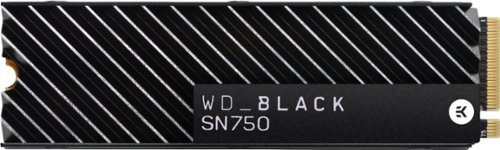
The WD_Black SN750 NVMe SSD delivers top-tier performance for gaming and hardware enthusiasts who are looking to build or upgrade their PC. This SSD rivals some of the best performing drives on the market to help give gamers that competitive edge. An integrated heatsink feature helps push consistent sustained performance. Read and write speeds of 3,470MB/s and 3,000MB/s enable fast loading of large applications. The SSD has an M.2 2280 form factor for minimal footprint in complex systems.
Customer Rating
5
NVMe w/ Heatsink Built for Enthusiasts
on July 27, 2021
Posted by: TravisJ
from La Grange, KY
This NVMe drive will make a noticeable difference when you install games or apps on it. After moving my Destiny 2 game folder from a mechanical drive to this drive, I noticed immediately that load times into the game had quickened. Sequential reads of 3248 MB/s and writes at 2567 MB/s, this drive moves data blazing fast.
Installation was easy. The heatsink comes already attached. Just slot the drive into the M.2 slot and screw in the hold down screw that came with your motherboard. If your motherboard came with a cover with heat pads, it likely wont fit back on. I just placed mine back in my motherboard box.
Once installed, I created a steam library and transferred my most played games over. I was easily able to fit Destiny 2, Apex Legends, and a newer game, New World onto the drive with room to spare. By comparison, screen load times and going from planet to planet was noticeably faster. Updates installed a bit quicker as files had quicker read times. If your motherboard supports it, you’re wasting seconds of your life by not getting one.
Mobile Submission: False
I would recommend this to a friend!
Share this review:


0points
0of 0voted this as helpful.
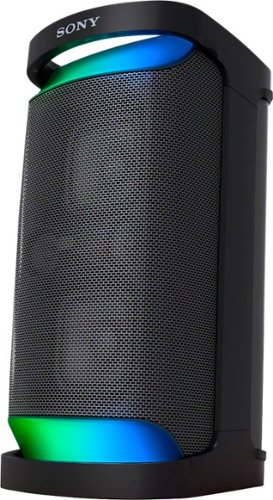
Bring clear, powerful sound to the party with the SRS-XP500 Portable Wireless Speaker. Add extra juice to the hits with MEGA BASS and Sony~s unique X-Balanced Speaker units, and keep the energy going with up to 20 hours of battery life1 plus USB-C quick charging. Actual performance varies based on settings, environmental conditions, and usage. Battery capacity decreases over time and use.
Customer Rating
5
Power Portable Sound
on June 19, 2021
Posted by: TravisJ
from La Grange, KY
This speaker is the perfect size to be portable enough that you don’t mind taking it with you, but large enough that you can fill a room full of music in a flash.
Out of the box, you just plug in a power cable and hold down the bluetooth button and it’s as simple as that. The sound is great! You get punchy bass, vocals come through loud and clear, which is one of my biggest pet peeve with speakers that tout big bass but have muddled everything else.
Controls are easy and intuitive. The buttons on the top have a tactile feedback, feels like quality, and looks to be durable. On the back behind the rubberized cover, you get two USB ports, microphone and guitar hookups, audio in aux port, power connection port, and 3 buttons to party connect, turn on or off lights, and a battery care button that keeps the battery in top shape. There’s a place to store the power cable so you can pick up and carry it out in one go without having to search for clutter.
You get tons of options when using the Sony Music app. I’m won’t go through all of them but custom EQ for Bass, Middles, and Treble is a nice addition, although I would have liked an expanded EQ. There’s also plenty of presets which will be good enough for most. You can also change power options. You can adjust bluetooth to prioritize quality or connection. And you can adjust how the lights on the speaker illuminate.
One of the neater features, which deserve it’s own paragraph is an isolator and flanger options. Through the Fiesta app you can use your finger on your smart phone to control the isolator and flanger to emphasize parts of the song. I’m sure someone with with DJ experience would be able to do it justice, but I had a lot of fun with it with different songs.
If you have multiple speakers you can also use party mode to connect, according to the website, up to 100 compatible speakers. With how portable these speakers are, I can see how easily and how quickly someone can set up surround audio very quickly and get amazing sound in a pinch.
If you want a poolside speaker it’s also IPX4 rated so you won’t have to worry too much about splashes or a surprise rain shower.
I love this speaker. I continuously move it from my house to my garage when I don’t feel like wearing headphones. It was also super easy to toss in my trunk and take to a cook out where having ambient music enhanced the mood. With 20 hours of charge, even if there’s no where to plug it in, you can be sure the party will continue on.
Mobile Submission: False
I would recommend this to a friend!
Share this review:


0points
0of 0voted this as helpful.
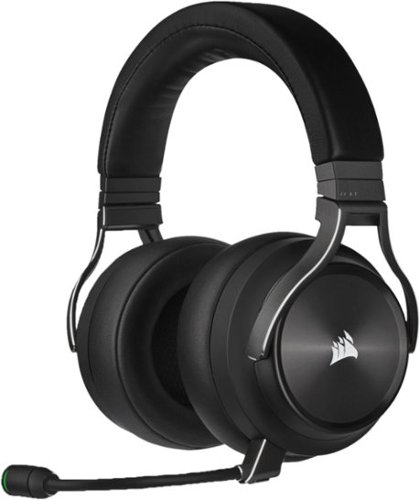
The CORSAIR VIRTUOSO RGB Wireless XT delivers a high-fidelity audio experience for the most discerning players, combining uncompromising sound quality with all-day, all-night comfort from its premium memory foam earpads and headband. Connect wirelessly to virtually any device with simultaneous SLIPSTREAM WIRELESS and Qualcomm aptX HD Bluetooth, or wired via 3.5mm or USB. Make yourself heard with superb vocal clarity thanks to a broadcast-grade, omnidirectional detachable microphone with wide dynamic range. Lightweight aluminum construction ensures long-term durability, while up to 15 hours of wireless battery life and 60ft of range give you absolute listening freedom. Micro-perforated aluminum on each ear cup allows RGB lighting to shine through for visual flair. With immersive Dolby Atmos and CORSAIR iCUE software to enable custom audio equalizer settings, RGB lighting control, and more, you can be the maestro of your gaming experience.
Customer Rating
5
Amazingly Versatile, Top of the Line Headphones
on May 16, 2021
Posted by: TravisJ
from La Grange, KY
Pros:
Build Quality and Design - The build quality of this headset is very sturdy. The frame is aluminum where it matters. The hinges, the band, where the frame connects to the ear piece are all aluminum. The soft leather cushion connects to the only plastic piece I can see, other than the buttons and microphone.
Build Quality and Design - The build quality of this headset is very sturdy. The frame is aluminum where it matters. The hinges, the band, where the frame connects to the ear piece are all aluminum. The soft leather cushion connects to the only plastic piece I can see, other than the buttons and microphone.
Sound - The sound on these is crisp and clear and very high quality. I had no issues hearing in all directions, enhancing my ability to pinpoint where enemy fire was coming from. If you download the Dolby Atmos app for your PC, windows will recognize the device for Dolby Atmos and enhance the surround sound experience. You will have to toggle it off or on in windows, depending on what you’re doing to get the full experience of Dolby, or custom presets of your iCUE software EQ. The volume adjust wheel is very satisfying to adjust and easy to reach.
Mic quality - Everyone I talked to had no issues hearing me, voice quality was very reliable. Even when connected to my phone, I had no issues making phone calls.
Versatility - The ability to use wired, wireless, blue tooth, as well as corsairs slip stream means you can take these with you and use on whatever device you have whether it’s a game console, PC, tablet, or mobile device. The switch on the right ear cuff lets you easily switch between wired and wireless. Holding down the multi function button lets you connect to bluetooth and use both the slipstream connection as well as your bluetooth connection. I can watch / listen to a video on my phone while still getting volume from my PC. Get a phone call? Mute your pc, take the call on your phone. It’s pretty slick.
Comfort - The leather ear muffs are soft and comfortable. The head band also has a soft leather cushion that helps with the weight of the headphones. After several hours of gaming there was hardly any notice the weight of the headphones on my head, only a little warm around the ears.
Features - bluetooth, slip stream (multiple wireless devices, 1 adapter). Through the completely redesigned iCUE app, you can adjust the RGB lighting, presets for EQ as well as create your own presets. You can adjust the volume of your mic in your headset so you can make sure your own audio is coming through as intended, as well as mic volume.
Other thoughts:
It would be nice to have interchangeable earmuffs. I prefer a cloth since it allows the skin to breathe a bit better. The leather is still very comfortable, just a personal preference.
It would be nice to have interchangeable earmuffs. I prefer a cloth since it allows the skin to breathe a bit better. The leather is still very comfortable, just a personal preference.
Battery Life is a little shorter than most other headphones. My guess is due to the high bandwidth audio its transmitting. When you plug it in while in wireless mode, it seems to still work over wireless, and it only charges the headphones. I have yet to have an issue with them dying on me as I just plug them up when I’m done after longer gaming sessions.
The headphones fit a bit loose on my head. As long as I’m sitting upright, I don’t have any issues, but leaning forward I feel like the headphones will fall off my head.
Mobile Submission: False
I would recommend this to a friend!
Share this review:


+1point
2of 3voted this as helpful.
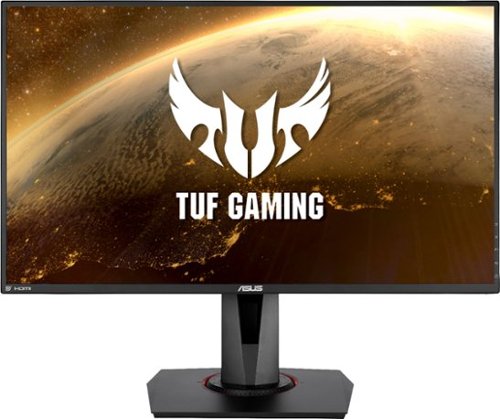
Enjoy a smooth gaming experience with this 27-inch ASUS Full HD monitor. The Shadow Boost feature increases clarity in dark scenes, and the ultrafast response times minimize blurring and streaking for seamless gameplay. This ASUS Full HD monitor has an ergonomic design that allows tilting, swiveling and pivoting as needed.
Customer Rating
5
280Hz is the real deal
on May 7, 2021
Posted by: TravisJ
from La Grange, KY
Overview: 280hz refresh rate with a 1ms response time makes this the ideal monitor for competitive gaming. With a ton of I/O, customization and features, you won’t be disappointed you went with Asus.
Pros:
- 280 OC refresh rate. You notice this before you even start gaming. If you have dual monitors, you’ll see the difference between 280 and 60 as the mouse tracks from one to the next. When it comes to gaming, moving and tracking just “feels” better, and definitely looks better. I’m not good enough at any game to say it gives me a “competitive edge”, but I can see where it may be advantageous to someone more skilled than myself.
- 280 OC refresh rate. You notice this before you even start gaming. If you have dual monitors, you’ll see the difference between 280 and 60 as the mouse tracks from one to the next. When it comes to gaming, moving and tracking just “feels” better, and definitely looks better. I’m not good enough at any game to say it gives me a “competitive edge”, but I can see where it may be advantageous to someone more skilled than myself.
- Feature Rich - With adaptive sync, overclocking (240hz to 280hz), shadow boost, ELMB Sync, HDR, GamePlus (crosshair, fps, game timer, sniper mode), Game Visual Presets as well as look customization and profile saving
- Great design - The Asus TUF has a milder design than the ROG series of gaming peripherals. Has great adjustability with raise, lower, rotate and turn axis, you get pretty good angle adjustment. The bezels are there, but they’re thin.
- Accessories. The stand is expected, but you have to appreciate the included HDMI and Display Port cable that came in the box. This is something I wish more manufactures did.
Cons:
- Buttons on the back can be a bit hard to find. There is a “zig-zag” pattern with a notch to let you know it’s a button, but it would have been easier for me, just to have them to be more prominent against the frame .
- Buttons on the back can be a bit hard to find. There is a “zig-zag” pattern with a notch to let you know it’s a button, but it would have been easier for me, just to have them to be more prominent against the frame .
- Some features only work under certain hz settings and with other features turned on or off. If you don’t have the manual handy to see what does or doesn’t work with what, you can get a bit confused as to why something is grayed out as an option.
I’m not sure what kind of card you need to push a monitor like this, but I’m using a 2080 super, which is likely more than enough. Setup was a breeze. Everything snaps or finger screws into place. And like most, plug and play took it away. I’ve not used a high refresh rate monitor before so I was pleasantly surprised at how butter smooth the mouse tracked across the screen. I mostly play FPS games so I jumped into Titan Fall 2 which is seeing it’s 2nd wave and was surprised at how different the game felt. Tracking seemed smoother, animations seemed to flow and the game all over seemed fluent. I got the same experience playing Destiny 2. The screen is plenty bright and makes my other monitors seem dull and ancient. I didn’t see any improvement in my games with the additional game features, but it could be useful in other games or with a different play style.
If you’re in the market for a feature rich super high refresh rate gaming monitor, this will check most, if not all the boxes you’ll have on the list of “required” features.
Mobile Submission: False
I would recommend this to a friend!
Share this review:


0points
0of 0voted this as helpful.
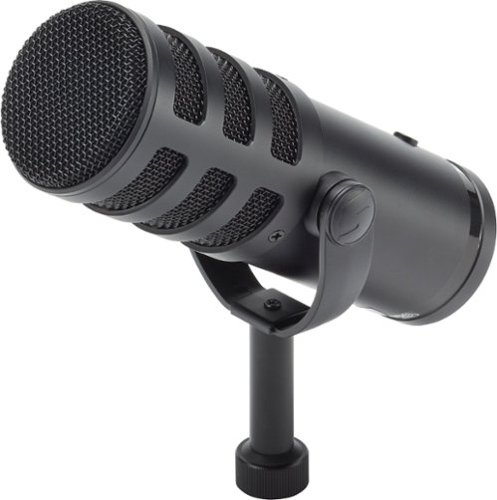
Achieve studio-quality audio for broadcasting, podcasting, streaming and recordings with the Samson Q9U XLR/USB Dynamic Broadcast Microphone. Easily integrated into any professional or home recording studio, the Q9U features both an XLR output and USB-C connection with stunning 24-bit/96kHz resolution. The cardioid polar pattern rejects off-axis sound, focusing the pickup in front of the microphone. A wide frequency response and large dynamic range ensures the detail and nuance of the voice are captured for a natural sounding performance. A pneumatic capsule shockmount and dual-layer windscreen minimizes popping, plosives and mechanical noise. The Q9U also includes zero-latency headphone monitoring, onboard mute switch, and seamless plug-and-play connection with Mac and Windows computers.
Customer Rating
5
Take Your Stream/Podcast to the Next Level
on March 6, 2021
Posted by: TravisJ
from La Grange, KY
The Q9U is an awesome microphone if you are looking to enhance your streaming or podcast setup. It includes a cardioid pattern which is great for spoken voice, a headset output for monitoring your sound, custom EQ settings built into the microphone as well as a XLR connection to enhance customization and flexibility.
My Setup: I occasionally stream on Twitch, and often talk in chat or discord, so I wanted to upgrade my audio to sound a bit more professional, or if nothing else, just sound good compared to a headset microphone. I have a microphone boom placing the microphone about 12” away from my face which is the maximum recommended distance. I am using OBS/Streamlabs to customize the audio to reduce the overall sensitivity by adding filters, as this microphone is very sensitive and picks up everything.
There are two switches on the bottom which can help with EQ settings. The low-cut feature will help with a heavier bass sound. There is also a mid-slider which will boost the midrange sound. The manual says this is better for spoken voice and I would agree and have mine turned on. The USB cables are long and come with interference reducers to help with a cleaner sound. You will get both a USB-C to USB-C and USB-C to USB-A.
For podcasting and a multiple mic setup, you will want to use a mixer. This is where you get a lot of flexibility with the Q9U. The mixer will give you a lot of customization, depending on the mixer, as well as a multiple microphone setup that can be easily managed for recording/streaming with, usually, a single interface to your PC for overall audio input. With the headphone input on the Samson, you will get feedback on your own volume levels as well as adjusting the audio levels of other microphones in the mix. This is great if you are part of a podcast where you might take your home streaming setup to a studio with XLR for podcasting.
So how does it compare? The quality of sound you get from a professional microphone really makes a difference if you are looking at streaming, podcasting, or recording music. I notice my voice comes across clearer, crisper. You do not get a “compressed” or over processed sound like you do with some headset microphones. Samson has been in the audio industry for over 40 years so I feel confident that I am getting a great product, that I know sounds great, and will last me several years to come.
Mobile Submission: False
I would recommend this to a friend!
Share this review:


0points
0of 0voted this as helpful.

Give your movies, TV shows and games the great sound they deserve. This ultra-slim SR-B20 sound bar fits discreetly in front of your TV or on a shelf or can be rotated for a low-profile wall mount. Setup is a breeze with a simple connection to your TV while Bluetooth lets you wirelessly stream from your mobile devices.
Customer Rating
5
Great sounding soundbar with Bluetooth and Subwoof
on January 20, 2021
Posted by: TravisJ
from La Grange, KY
I have the sound bar connected to my PC, which I consume most of my media from, via optical cable. When I’m not gaming or watching a movie or video, I Bluetooth music to the soundbar from my phone while doing things around the house.
The sound coming from the sound bar is loud and clear when you have clear voice and 3d sound turned on. I found that the Bass extension was a little distorted and not really necessary. For me the best setting for the subwoofer was at 2. Music and action scenes become immersive, and for me, are miles above any built in speaker in a modern tv.
The accompanying app allows you to adjust input, turn on or off sound settings, select preset sound profiles, as well as adjust subwoofer and device volume. One of the neat things I didn’t expect is the app works while connected to via optic cable. Once you connect your phone via Bluetooth and use the app, the app still works even if you’re not using audio through your phone. This eliminates annoying back and forward pairing.
This is a great sounding sound bar. It will enhance any home setup and if you never thought about getting a sound bar for your computer or gaming setup, I would recommend it as it changes from a “computer setup” to more of a media center.
Mobile Submission: False
I would recommend this to a friend!
Share this review:


0points
0of 0voted this as helpful.
TravisJ's Review Comments
TravisJ has not submitted comments on any reviews.
TravisJ's Questions
TravisJ has not submitted any questions.
TravisJ's Answers
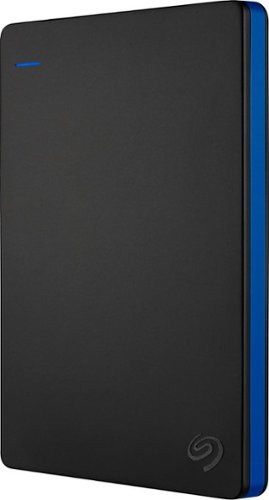
Store more than 50 PlayStation 4 game titles on this 2TB Seagate game drive. Its USB 3.0 port provides fast loading of full-size games so you can play smoothly, and its tough aluminum enclosure protects the drive from damage. This plug-and-play Seagate game drive is automatically recognized by any PS4, PS4 Slim or PS4 Pro console.
I've gotten quite tired of always uninstalling and reinstalling my games to make room and I was thinking about buying one of these. So, since all my games are hard copy, does that matter? For example, with this, will I be able to reinstall hard copy games
According to Sony’s website you can use from 250GB to 8TB in external storage to install games.
7 years, 6 months ago
by
TravisJ

Listen to your playlist in peace with these Sony headphones. They have a 40mm dome driver to deliver the full depth of audio, and the noise cancelling feature minimizes outside disturbances for a better listening experience. These Sony headphones have a battery life of up to 30 hours for extended jam sessions.
Would you be able to use these headphones to workout at the gym? Is the clamping of the headphones to your ears tight enough so it doesn't slip out as i do certain lifts? Are replaceable ear pads available for this model that are more comfortable?
These will work fine at the gym. They come with 4 different sized wing tips and ear tips so that you can customize the fit to your ear. Since these are new, It's unlikely to have 3rd party ear tips or wings at the moment.
8 years, 7 months ago
by
TravisJ