


TravisJ's stats
- Review count179
- Helpfulness votes263
- First reviewNovember 6, 2016
- Last reviewJune 8, 2026
- Featured reviews0
- Average rating4.8
Reviews comments
- Review comment count0
- Helpfulness votes0
- First review commentNone
- Last review commentNone
- Featured review comments0
Questions
- Question count0
- Helpfulness votes0
- First questionNone
- Last questionNone
- Featured questions0
- Answer count2
- Helpfulness votes0
- First answerOctober 28, 2017
- Last answerNovember 20, 2018
- Featured answers0
- Best answers0
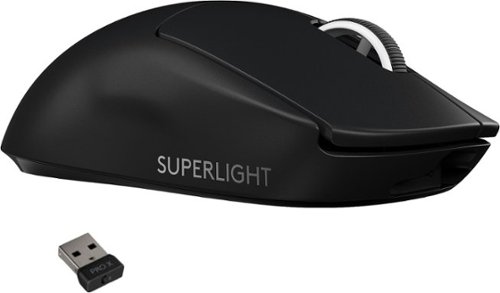
Introducing PRO X SUPERLIGHT~one of our lightest, fastest PRO mouse ever. Powered by LIGHTSPEED, it~s here to help you remove all obstacles, so you can focus on nothing but winning. Get insanely precise, fast, and consistent control with HERO Sensor. Take first faster with zero-additive PTFE feet that deliver a dramatically smoother glide. Developed in collaboration with a large group of the world~s best esports pros, PRO X SUPERLIGHT features hyper-minimal design, but is packed with our latest technologies and advancements. PRO X SUPERLIGHT Wireless Gaming Mouse is available in black and white.
Customer Rating

5
Lightweight No Nonsense Gaming Mouse
on December 28, 2020
Posted by: TravisJ
from La Grange, KY
Most of my entertainment time is spent gaming on my PC. I’ve seen reviews talk about how lightweight this mouse was but you don’t really get an idea for it until you nudge it across the mousepad. I use a hard plastic top mousepad and I can literally blow the mouse across the top without the mouse feeling cheap or working cheap.
Pros:
Lightweight - If you’re looking for one of the lightest, full sized gaming mice on the market, this is it. You found it. It’s not a feather, lets be real for a moment, but when moving it around on a mouse pad, a plastic one, the low friction pads on the bottom assist in making it the lowest effort I’ve ever put in moving a mouse around.
Simplistic FPS Design – Two clickers, scroll wheel with built in button, and two side buttons on the left I map to grenades and melee, check the most simplistic but necessary of boxes for FPS players. Logitech had to likely make some structural compromises to get it as lightweight as they did, but you couldn’t tell it unless you were looking for it.
Top-Tier Performance – The hero sensor and lightspeed technology make this one of the best wireless mice you can buy for gaming performance. I have experience zero lag, latency, or connection issues. I’m connected using the powerplay mouse pad which keeps the mouse charged and connected. I’m not a “pro” gamer but I do feel like not dealing with cables and having the best in wireless performance give me an edge over an average wired mouse.
The pads on the bottom are made from a low friction PTFE material which helps the mouse glide across the pad. This helps with fatigue from constantly moving the mouse around as well as very accurate mouse positioning as you don’t get drag from the pad below.
G-Hub Customization – I have a hard time listing G-Hub as a pro as a software in general based on my own usage, but the amount of customization you can do with all of Logitech’s products is impressive. When you can get the software to detect all your peripherals, you can adjust what each button does based on what you need it to, as well as adjust the DPI all the way to 25.6k. There is a DPI shift mode as well where you can set a key to “shift” and it will change what the buttons do or even the DPI setting while the button is held. I just wish Logitech would dedicate more time and resources to eliminating bugs within their software. When it works, it works well.
Cons:
Dongles Everywhere – Logitech has a pretty nice wireless lineup that aims to please the gaming community, each with it’s own dongle to populate your usb ports. What would really help improve this product line is if they could design one adapter that could connect multiple devices such as their unifying lineup on regular consumer product. I’m not an engineer so I’m sure with how well lightspeed works, there’s some magic to be had, but it would be a nice to have some USB ports freed up.
USB Micro B Charger – Really? If you’re saving weight by including a micro B charger, ok, I can let it slide. But not having USB type C charging port in a premium product just boggles my mind.
Final thoughts:
This mouse swings heavyweight punches in a featherweight class. Fitting the technology that makes it the best wireless mouse for gaming while keeping the overall design lightweight and coming at an advertised 70h of run time makes this one of the best mice out there.
Mobile Submission: False
I would recommend this to a friend!
Share this review:


+1point
1of 1voted this as helpful.
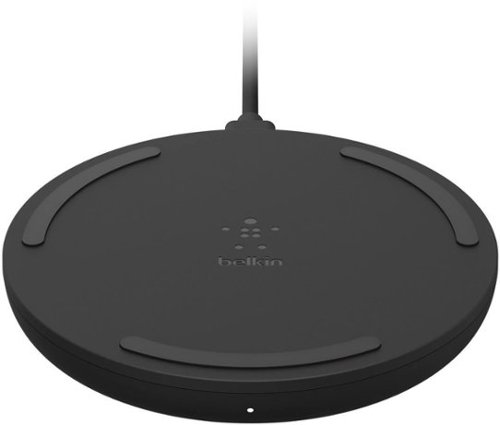
Safe and convenient fast wireless charging up to 15W.* Our fastest wireless charging pad unclutters your bedroom, office, or living room while simplifying charging~just lay your phone onto the pad and go. Qi certification ensures standard compatibility and provides peace of mind.
Customer Rating

4
Fast Charging for 15 Watt Capable Devices
on November 15, 2020
Posted by: TravisJ
from La Grange, KY
Wireless charging seems to be the way the industry is going and the higher wattage chargers are becoming the norm. In the box you get a wall adapter with USB Type A, USB-A to USB-C cable, and the charging puck itself, takes USB-C input. I wish they would have went USB-C on both the puck and the wall outlet.
The puck has rubber grommets on both the top and the bottom. This helps keep the phone from sliding around once you have it on the charger. The design is great for a night stand charger. Many manufacturers will put a LED on the charger but Belkin went without one on this model which reduces night time ambient light. The build quality on all components seems well made and would survive a drop if it fell off a table or desk.
Charging time seemed to be quite a bit faster than my 7 watt wireless charger, which is why I would imagine most people would buy this. Like most wireless chargers, the phone will throttle based on heat and battery level. I didn’t notice it getting that much warmer than my other charger.
This is a good all around wireless charger, but nothing special and would have been nice to have a USB Type C on the wall dongle.
Mobile Submission: False
I would recommend this to a friend!
Share this review:


0points
0of 0voted this as helpful.
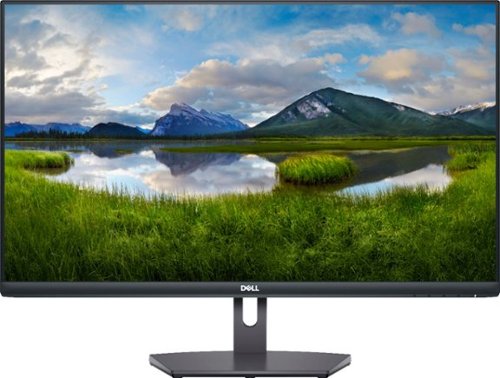
The Dell27~ FHD monitor is beautifully designed to sit easily into any space ready for your everyday lifestyle. Built-in dual HDMI ports keep your devices always plugged in. The three-sided ultrathin bezel design lets you enjoy superb screen clarity in 1920 x 1080 Full HD resolution. Smooth, tear-free experience with AMD FreeSync~ technology, featuring up to 75Hz refresh rate. This T~V-certified monitor has a flicker-free screen with ComfortView, a feature that reduces harmful blue light emissions.
Customer Rating
4
Entry level gaming monitor at an affordable price
on November 15, 2020
Posted by: TravisJ
from La Grange, KY
I was really impressed with how everything was packaged inside the box. It gave instructions to best remove it from the box without putting any stress on the screen and didn’t require any tools to attach the stand.
The monitor is thin and doesn’t take up much space other than the screen real estate. The controls are intuitive and unlike some monitors, are easy to find and easy to press. The OSD will tell you what each button does so there’s no guessing. The screen has several presets that will allow you to choose different color schemes. I found that gaming was a good all-around screen color and close in profile to what I use on my other monitor. I’m able to run this at 75hz at 1080p using Nvidia settings.
I had no issues gaming on this whatsoever. It’s not a super high refresh rate monitor but it handles 75hz no problem. Games look good at 1080 and run smoothly. I don’t experience any frame drops using a RTX 2080 and it runs very quiet and cool. The brightness on the monitor is acceptable but I would like it to a bit brighter for my taste. The colors look ok you’re not getting something you would expect on a high end monitor. I didn’t see any tearing, stuttering, and the response time seemed fine.
If you’re looking for a gaming monitor to get you started with a budget system or you plan on upgrading later, I would recommend this to get you going. One of the upsides is it’s light enough you can move it around if you want to move it from room to room depending on how you use your monitor, and with the VESA standard mounts, it would be easy to mount to a desk mount or a wall mount.
Mobile Submission: False
I would recommend this to a friend!
Share this review:


0points
0of 0voted this as helpful.
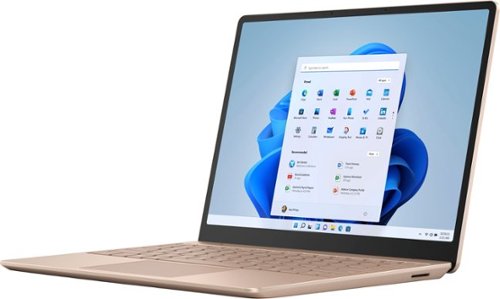
Make the most of every day with the sleek style, performance, and all-day battery life~ you need in the lightest Surface Laptop, all at an exceptional value. Ultra-light and portable profile, the apps* you use every day, premium materials, and a choice of must-have colors will make this your go-to laptop. ~Up to 13 hours of battery life based on typical Surface device usage. Testing conducted by Microsoft in September 2020 using preproduction software and preproduction configurations of Surface Laptop Go Testing consisted of full battery discharge with a mixture of active use and modern standby. The active use portion consists of (1) a web browsing test accessing 8 popular websites over multiple open tabs, (2) a productivity test utilizing Microsoft Word, PowerPoint, Excel and Outlook, and (3) a portion of time with the device in use with idle applications. All settings were default except screen brightness was set to 150nits with Auto-Brightness disabled. Wi-Fi was connected to a network. Battery life varies significantly with settings, usage and other factors.
Customer Rating
4
Super Portable with a Minimalistic Design
on October 25, 2020
Posted by: TravisJ
from La Grange, KY
I was provided this product through Best Buy’s Tech Insider Network for the purpose of providing honest and unbiased reviews based on my real usage. The surface laptop go is snappy, portable, and built for on the go use. The slim design and 10th Gen Intel processor, and all day battery makes it perfect for those who are on the go.
The small form factor provides a lot of flexibility. You can easily pick up and carry the laptop with one hand, even opening the lid can be done one handed. The laptop quickly wakes up from sleep so picking up and going from place to place isn’t an issue. The fingerprint sensor on the power button gets you back to your desktop in a snap. The minimalistic design is clean and functional and I think most people shopping for a portable laptop will enjoy it.
The 10th Gen i5 provides plenty of power. With boost clocks up to 3.6 ghz, it has no issues navigating programs, opening documents, emails, or web pages. This has perfect application for school, work, or if sitting around watching movies is your thing, it does that too. When it’s not turbo boosting, this low power chip is saving you power. I’ve used this laptop on and off all day without having to put it on charge.
I love the super smooth trackpad and the keyboard isn’t bad either. The keys are little spongy for my taste but the trackpad is like A `dragging your finger across silk. It has a very smooth feeling with very little resistance. The touch screen is very responsive although not the best looking monitor, but I feel it’s a warranted compromise to keep the price down.
Finally, the things I don’t love about this device. It does get a bit warm when using it while charging in your lap. The laptop is passively cooled so it makes sense this would happen, but may want to use a book or pillow to use as a buffer when charging. The display isn’t anything special but the touch screen is a nice to have. This laptop comes in windows “S” mode which I don’t particularly care for.
Final Thoughts: This ultra portable laptop makes few compromises to offer all day battery, snappy response, and a sleek design all while being affordable. It’s the perfect size to take on the go, and light enough to sit in your lap for hours.
Mobile Submission: False
I would recommend this to a friend!
Share this review:


0points
0of 0voted this as helpful.

Elevate your everyday coffee experience to delicious new heights with the Keurig~ K-Supreme Plus~ Single Serve coffee maker. The K-Supreme Plus~ coffee maker is the first series of Keurig~ brewer to feature MultiStream Technology~, an innovative new way to more evenly saturate the coffee grounds* in every K-Cup~ pod. This technique extracts full flavor and aroma, so you can enjoy an exceptionally flavorful experience every time you brew. The K-Supreme Plus~ brewer brings customization to a whole new level, making it easier than ever to enjoy your perfect cup every time. Choose from 3 strength and 3 temperature settings, so you can have a stronger, hotter cup, or brew hot over ice for a refreshing iced coffee. This coffee maker also features programmable favorites, so up to 3 users can save their own individual brewing preferences. No matter how you brew, you can always enjoy 4, 6, 8, 10, or 12 oz. cups of your favorite coffee, tea, cocoa, and more ~ all freshly brewed in minutes. Choose from hundreds of delicious varieties of K-Cup~ pods or brew your own ground coffee with the My K-Cup~ Universal Reusable Coffee Filter (sold separately). The K-Supreme Plus~ coffee maker is travel mug friendly, and the large 78 oz. removable reservoir makes refilling a snap. And with a modern digital display screen and a sleek stainless-steel metal wrap, it~s a striking standout in any kitchen. *vs. Keurig~ leading K-Classic~ brewer
Customer Rating
5
Most convenient Keurig I’ve used
on September 27, 2020
Posted by: TravisJ
from La Grange, KY
If you’re like me and usually have a cup of coffee before work and maybe an occasional cup of hot chocolate or tea in the afternoon, this is the most convenient Keurig I’ve own for just making a hot beverage quickly and with little hassle.
The design is pretty basic but very functional. The reservoir isn’t shaped to be unique but more functional. I can easily fit this under my fridge water dispenser, which dispenses filtered water. This means I could go sans Keurig filter, but it’s easy enough to install, so I figured why not. This takes up less space than my older model Keurig and the stainless design is also more modern looking and less “plasticy” and cheap looking.
The functions are basic but not without options. You can set the strength, heat, and cup size based on your preference. Once you’re happy with your brew, you can save it to one of the 3 profiles. If you like a 12oz coffee in the morning and a 8oz cup of tea in the afternoon, you can set a profile with your preferred settings. When you’re ready to brew, open the lid, place in your cup, press the profile and hit brew. No fumbling through menus or settings to get it going.
This is the first Keurig I’ve used that use the multi stream technology. This is just a fancy way of saying it pokes more holes for the water to pass through. However, it does have a richer taste compared to my old Keurig, which may have something to do with the new feature. I would recommend they keep with this in future models as I think it makes a difference.
As someone who owns both a single cup drip coffeemaker and a Keurig, I find myself going back to my Keurig every morning. Honestly, the biggest difference for me, is how quickly I can fill the reservoir and have a cup of coffee before I head out the door.
Mobile Submission: False
I would recommend this to a friend!
Share this review:


+1point
1of 1voted this as helpful.
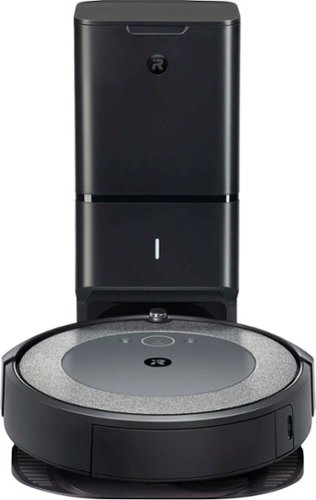
Now the Roomba i3+ EVO robot vacuum is smarter than ever, learning and mapping your home room-by-room so it can clean the room you want, when you want~with 10x the Power-Lifting Suction* and Premium 3-Stage Cleaning System. Powered by iRobot OS, it stays one step ahead of everyday messes, by learning your life and suggesting cleaning schedules~to clean when you~re out enjoying life. On-demand cleaning is only a command away, with Google Assistant and Alexa compatibility** that let you direct your robot to messes right when they happen. With Clean Base Automatic Dirt Disposal, Roomba will return itself to the base when the bin is full, automatically empty and resume cleaning, so you don~t have to think about emptying the bin for months at a time. (*Compared to the Roomba~ 600 series cleaning system)
Customer Rating
5
Smart, Powerful, and Effortless
on September 19, 2020
Posted by: TravisJ
from La Grange, KY
Really enjoying this powerful robot vacuum. I use the app to set up automatic cleaning when I leave for work and it goes to work while I go to work. I don’t have to worry about the bin getting full because the self-emptying bin does all of that for me. Does great on hardwood floors but also does carpet too. The house gets a daily vacuum and I don’t have to lift a finger.
Setup was easy enough if you’ve connected any smart device to Wi-Fi. Plug in the base station and place the vacuum on the charging connectors. After a few moments it will power on. Follow the directions in the very intuitive app on your smart phone. After about 10 minutes, the vacuum was set up, updated, and ready to do it’s first vacuum.
You have a few options for how to vacuum. You can set the schedule to start vacuuming at a certain time. If you connect a location app such as Life360 to your Roomba app, you can set the vacuum to start when you leave your home. You can also do it manually if you want to make sure you’re home when it vacuums.
The Roomba itself does a great job navigating around my home. I have a lot of odd placement of furniture and obstructions which it does a great job of navigating. It’s bumpers on the front and side are used to navigate around walls, edges, and obstacles. It gives furniture and walls a light bump then adjusts to work around the edge. Once it gets a feel for the edges it then makes passes across the floor in stripes to get full coverage of the room.
When it’s time to recharge or empty the bin, the vacuum makes its way back to the base station automatically and empties its contents. The process of emptying the contents lasts about 5 seconds, and this may be the only downside, sounds like it’s sending a tube over to the bank teller. It’s very loud as it seems to blow over the contents of it’s bin before returning to clean.
I really like how clean and stylish the vacuum looks since most of the time it’s sitting at its base station it blends in with the rest of the décor instead of looking like an expensive kid’s toy. The vacuum is a bit bigger than I expected but It doesn’t take up anymore floor space than a laundry basket.
As far for how well it vacuums it does a fantastic job. It did my whole house, making just a few trips back to the home base to empty the bin. I noticed right away how much better my hardwood floors looked and it compares to regular vacuuming. It doesn’t seem to have an issue with larger particulates either. Now I only drag out my other vacuum to do my couches and ceiling fans.
If you want to keep your floors looking nice without having to drag out the vacuums, cords, or take the time it takes to do the job, Roomba upholds its reputation by being a great product that is easy to set up, use, and keeps making life easier by eliminating steps with the self-emptying bins.
Mobile Submission: False
I would recommend this to a friend!
Share this review:


0points
0of 0voted this as helpful.
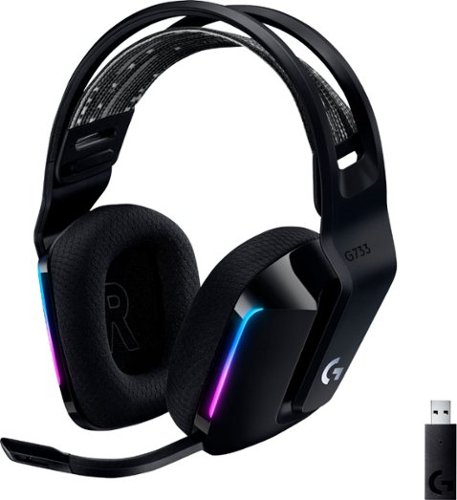
Meet G733, a gaming headset designed to suit your style. Embrace total wireless with 2.4 GHZ LIGHTSPEED wireless, featuring up to 33 ft of range and up to 29 hours of battery life. Customize how you look and sound in G HUB with dual-zone, front-facing LIGHTSYNC RGB and Blue VO!CE real-time voice filters. G733 features advanced audio technologies, including 40 mm PRO-G audio drivers, internal acoustic chambers, and DTS Headphone:X 2.0. Play your way with four colorways to choose from and play with comfort with a comfortable, reversible headband, dual-layer memory foam earcups, and a lightweight headset that weighs just 9.8 oz.
Customer Rating
4
Good Headphones with a Great Microphone
on August 30, 2020
Posted by: TravisJ
from La Grange, KY
Great sounding, light weight, and comfortable. I’ve worn these for 4 to 5 hours at a time and barely notice any ear/head fatigue when I take them off. The sound is absolutely amazing, and the Blue voice technology microphone picks up my voice without any of the background noise and sounds fantastic using the built in presets for noise isolation and compression.
Pros:
- Minimalistic lightweight design with a touch of RGB. Very clean.
- Audio sounds very good at this price point. The Blue Voice technology really makes a difference compared to my old headset. The DTS surround sound is immersive and crisp.
- Long battery life at 29 hours and uses USB-C standard to charge.
- Lots of customization with Logitech GHub software with sound and audio.
- Easy setup with user friendly UI in the GHub app.
- Good range at 20 meters (about 65ft.)
Cons:
- Another light speed dongle to add to the collection.
- Detachable mice boom instead of being able to rotate out of the way.
- RGB only has 2 zones per strip.
- No foam cover included for mic.
- Minimalistic lightweight design with a touch of RGB. Very clean.
- Audio sounds very good at this price point. The Blue Voice technology really makes a difference compared to my old headset. The DTS surround sound is immersive and crisp.
- Long battery life at 29 hours and uses USB-C standard to charge.
- Lots of customization with Logitech GHub software with sound and audio.
- Easy setup with user friendly UI in the GHub app.
- Good range at 20 meters (about 65ft.)
Cons:
- Another light speed dongle to add to the collection.
- Detachable mice boom instead of being able to rotate out of the way.
- RGB only has 2 zones per strip.
- No foam cover included for mic.
Out of the box setup was quick and easy. Connected the lightspeed wireless dongle, which for some reason was a bit larger than the ones they make for the mice or keyboards. After launching GHub and it detecting the device, it was ready to go. There are presets for both the headphones and microphone which was good enough for me. I always go bass boost for music and FPS shooter for gaming. I’m currently using broadcaster 2 preset for the Blue Voice microphone, which gives you options for compression, noise reduction, etc.
Using these have been fantastic. I love to listen to music on these when I’m browsing the internet, or doing things around the house. I don’t drop connection like I do with my Bluetooth headsets. Gaming with the DTS 2.0 surround really puts you in the game. The design is so lightweight and comfortable you forget about them shortly after putting them on. I like how they went with the elastic strap instead of the static cushion that most other headphones have, which give you the ability to adjust it to one of the two settings. It has easy to reach mute, power, and volume buttons on the left earpiece. I’m not excited about the design choice for the headband bridge. I wish the headphones didn’t wing out going down to the earpieces as much as they do. I also don’t know how I feel about the decision of the LED lighting. The LED is almost too subtle. I wish there were something a bit more creative than a single strip along the front. This is easy to ignore if you’re not concerned with RGB as you can just turn it off all together.
Final thoughts:
At mid-range price point, you’re getting a good pair of headphones that are light weight and easy to wear for hours. The sound is good, and the microphone is better than most. If you’re looking for a sweet RGB setup, you may want to skip these. But if you just want to change the accent from time to time, they’re ok for that. I’m not a huge fan of how the top band flares out just before the earpiece. It looks like I have a little hat on and I can’t unsee it.
At mid-range price point, you’re getting a good pair of headphones that are light weight and easy to wear for hours. The sound is good, and the microphone is better than most. If you’re looking for a sweet RGB setup, you may want to skip these. But if you just want to change the accent from time to time, they’re ok for that. I’m not a huge fan of how the top band flares out just before the earpiece. It looks like I have a little hat on and I can’t unsee it.
Mobile Submission: False
I would recommend this to a friend!
Share this review:


+1point
1of 1voted this as helpful.
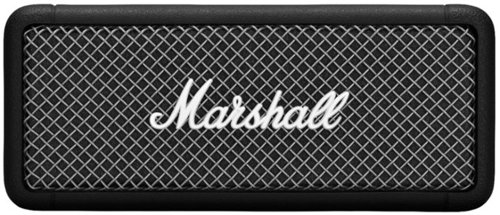
Emberton is a compact portable speaker with the loud and vibrant sound only Marshall can deliver. Emberton utilizes True Stereophonic, a unique form of multi-directional sound from Marshall. Experience absolute 360~ sound where every spot is a sweet spot. With 20+ hours of playtime, you can enjoy the superior sound of Marshall for hours on end. It's IPX 7 water-resistance rating means you can submerge Emberton in 1 m of water for a period of up to 30 minutes. A solid metal grille and the iconic Marshall script adorn the front of the speaker, echoing the legacy of rock 'n' roll that you know and love.
Customer Rating
5
Praise for the Small Formfactor and Crisp Sounds
on August 3, 2020
Posted by: TravisJ
from La Grange, KY
Checking all the boxes for portable personal speakers. Durable, water resistant design. Ultra-portable without sacrificing clean crisp sound. Still sounds good at max volume.
Pros:
- Small portable form factor. No problem throwing this in a bag, carrying around in your hand. Sit it on the pool ledge, garage bench, shelf in the living room. Music anywhere you go.
- Powerful sound in a small box. I really enjoyed how clean the sound was with no distortion, even at louder volumes.
- Durable design. The outside is a tough rubberized housing with the iconic Marshall mesh grill on the front. It has an IPX7 rating meaning a splash or a dip in the water isn’t likely to create any issues.
- Ease of use. Pairing was easy using the small dedicated button. Powering on and powering off is done by holding the button in the middle which also serves as volume, pause/play, and track navigation.
- USB – C. Thank you for helping the world adapt to this superior connector.
- 5 Hours of playtime with 20 minutes of charging.
- Powering on and off plays a little guitar riff sound which I thought was a nice touch.
- Small portable form factor. No problem throwing this in a bag, carrying around in your hand. Sit it on the pool ledge, garage bench, shelf in the living room. Music anywhere you go.
- Powerful sound in a small box. I really enjoyed how clean the sound was with no distortion, even at louder volumes.
- Durable design. The outside is a tough rubberized housing with the iconic Marshall mesh grill on the front. It has an IPX7 rating meaning a splash or a dip in the water isn’t likely to create any issues.
- Ease of use. Pairing was easy using the small dedicated button. Powering on and powering off is done by holding the button in the middle which also serves as volume, pause/play, and track navigation.
- USB – C. Thank you for helping the world adapt to this superior connector.
- 5 Hours of playtime with 20 minutes of charging.
- Powering on and off plays a little guitar riff sound which I thought was a nice touch.
Cons:
- None to speak of. You’re getting what’s advertised.
- None to speak of. You’re getting what’s advertised.
Other Thoughts:
- I would have liked to have seen an auxiliary outlet, or at least the capability through the USB C port to connect to my computer or other devices. Not a deal killer, just a personal preference.
- I would have liked to have seen an auxiliary outlet, or at least the capability through the USB C port to connect to my computer or other devices. Not a deal killer, just a personal preference.
Mobile Submission: False
I would recommend this to a friend!
Share this review:


0points
0of 0voted this as helpful.

G915 TKL is a new class of wireless mechanical gaming keyboard with three selections of low-profile GL switches and pro-grade 1 ms LIGHTSPEED wireless. Capable of delivering up to 40 hours of non-stop gaming on a full charge. Fully customizable per-key and advanced LIGHTSYNC RGB technology to synchronize lighting with any content.
Customer Rating
5
Beautiful Slim Design, Portable and Comfortable
on June 24, 2020
Posted by: TravisJ
from La Grange, KY
Pros
- Size: Removing the number pad on the side makes this keyboard much easier and comfortable to use. If you wanted to use it in your lap, you can, or leave plenty of room to the right for mouse movement when gaming, you can do that too. I’ve been keeping it in my lap when browsing the web and consuming media. I can lean the chair back a bit and just be comfortable.
- Typing: Typing on this keyboard is very comfortable. The body itself is low profile. If you type like I do, I usually rest my palms on my desk. I’ve been typing from my lap since I’ve gotten this and notice the strain is not as bad on my wrists as I can wrest my arms on my arm rests and hold my hands above the keys. The GL Tactile switches are very responsive. If you don’t like the loud clicky sound you get from mechanical switches, the tactile switches are a bit more muffled.
- Customization: If you like having custom keys, macros, or RGB, you got it. I used the G-Hub app on windows and tinkered with the RGB. I have a alternating rainbow scheme for my ram and water block. I just grabbed the preset rainbow, tweaked the speed, and that worked for me. I did see where you can adjust keys individually. I didn’t dig any deeper than static colors on single key customization.
Still on the topic of customization, the custom M1-M3 keys use the function keys to run macros. I almost always have a macro for my email, discord, and steam and whatever game I’m playing at the time, just a quick way to get started.
- Gaming: No issues here. Gaming mode (also customizable) will disable keys you don’t want to accidently press. I didn’t think having the extra room for the mouse would make a difference but giving myself a wider range to work with lets me turn down the DPI some for more precise tracking. I even angle the keyboard a bit just so some keys are more ergonomic to hit. I’m not playing competitive or traying to snag a leaderboard, but it doesn’t seem like there’s any noticeable lag that would affect that level of gameplay.
- Rapid Fire: The brushed aluminum is very nice and I really enjoy this look. The RGB is very bright and you get 4 different brightness levels, not including off. The volume wheel has a very smooth attenuation. The essential media control keys are there, including a dedicated mute button. Battery life seems to be very good. After a full charge I had over 100 hours of use time. You have two different height settings on the fold out feet. Storage space for the USB dongle on the bottom of the keyboard (surprising for the very slim profile). Finally, the box includes a nice braided cable, usb adapter for the light speed dongle, and a quick start guide.
- Size: Removing the number pad on the side makes this keyboard much easier and comfortable to use. If you wanted to use it in your lap, you can, or leave plenty of room to the right for mouse movement when gaming, you can do that too. I’ve been keeping it in my lap when browsing the web and consuming media. I can lean the chair back a bit and just be comfortable.
- Typing: Typing on this keyboard is very comfortable. The body itself is low profile. If you type like I do, I usually rest my palms on my desk. I’ve been typing from my lap since I’ve gotten this and notice the strain is not as bad on my wrists as I can wrest my arms on my arm rests and hold my hands above the keys. The GL Tactile switches are very responsive. If you don’t like the loud clicky sound you get from mechanical switches, the tactile switches are a bit more muffled.
- Customization: If you like having custom keys, macros, or RGB, you got it. I used the G-Hub app on windows and tinkered with the RGB. I have a alternating rainbow scheme for my ram and water block. I just grabbed the preset rainbow, tweaked the speed, and that worked for me. I did see where you can adjust keys individually. I didn’t dig any deeper than static colors on single key customization.
Still on the topic of customization, the custom M1-M3 keys use the function keys to run macros. I almost always have a macro for my email, discord, and steam and whatever game I’m playing at the time, just a quick way to get started.
- Gaming: No issues here. Gaming mode (also customizable) will disable keys you don’t want to accidently press. I didn’t think having the extra room for the mouse would make a difference but giving myself a wider range to work with lets me turn down the DPI some for more precise tracking. I even angle the keyboard a bit just so some keys are more ergonomic to hit. I’m not playing competitive or traying to snag a leaderboard, but it doesn’t seem like there’s any noticeable lag that would affect that level of gameplay.
- Rapid Fire: The brushed aluminum is very nice and I really enjoy this look. The RGB is very bright and you get 4 different brightness levels, not including off. The volume wheel has a very smooth attenuation. The essential media control keys are there, including a dedicated mute button. Battery life seems to be very good. After a full charge I had over 100 hours of use time. You have two different height settings on the fold out feet. Storage space for the USB dongle on the bottom of the keyboard (surprising for the very slim profile). Finally, the box includes a nice braided cable, usb adapter for the light speed dongle, and a quick start guide.
Cons
- Wish it would have included USB Type C charge port instead of micro b.
- I would have liked to use my power play mouse pad to connect the keyboard as well (free up usb port), instead of the included dongle.
- Wish it would have included USB Type C charge port instead of micro b.
- I would have liked to use my power play mouse pad to connect the keyboard as well (free up usb port), instead of the included dongle.
Final Thoughts
Having the wireless mouse and keyboard makes for a very clean looking desk. I’m really happy with the G915 and look forward to the years of gaming ahead with it.
Having the wireless mouse and keyboard makes for a very clean looking desk. I’m really happy with the G915 and look forward to the years of gaming ahead with it.
Mobile Submission: False
I would recommend this to a friend!
Share this review:


0points
0of 0voted this as helpful.
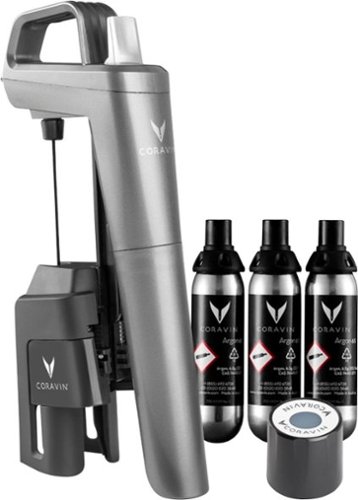
With the Coravin Model Five Wine Preservation System, choose the wines you desire, without compromise. Model Five is the Coravin standard, featuring a classic design and innovative SmartClamps~, making it sturdy and easy to go on/off from bottle to bottle. Simply insert, tip, and pour as much wine as you desire~then save the rest of the bottle for weeks, months, or even years! Includes 3 Coravin Pure Capsules and 1 Coravin Screw Cap.
Customer Rating
4
Wine Stays Fresh for a Small Price
on June 1, 2020
Posted by: TravisJ
from La Grange, KY
As soon as you open the box you’re greeted with a QR code. I recommend you scan this with your phone and watch the “how-to” video which walked me through getting started. Inside the box you have the Coravin, Coravin screw top, and 3 air cartridge used to help keep wine fresh.
The way this appears to work is by using a needle to pierce through the cork, minimizing the exposure of the wine. The air cartridge pumps a non-reactive gas into the bottle to force the wine out of the spout. When you’re done pouring, you remove the needle from the cork and the air exposure is minimized.
From start to finish, pouring is a breeze. Load the cartridge, pull down the bottom part of the device, place it over the top of the bottle (cork still in), and push down all the way in a smooth motion. Tilt the bottle and pump the trigger to push air into the bottle. The pressurized bottle pushes out the wine. When done pouring, tilt the bottle back up and you’re all good.
The Coravin doesn’t have to stay on top of the bottle either. Simply pull straight up and the pourer releases from the cork and you’re free to move onto the next bottle.
As for keeping the wine fresh? Seems to work out ok. I haven’t noticed any change in flavor or scent. I’m not a wine enthusiast but I can appreciate a fresh bottle staying fresh longer. Seems to work ok in this aspect. I opened a bottle and made sure it lasted a few weeks before pouring again. I didn’t really notice any discernible difference in taste or smell.
The only downside of this product is the cost of the canisters. My wife and I typically drink a local wines that aren’t “cheap” but don’t hurt the wallet. When you must also pay for argon canisters that pressurize the bottle without affecting the flavor, you add to the cost of the glass of wine. This is probably a necessary evil to preserve the wine, but it’s still something to consider if your wine doesn’t last you but a few weekends anyways.
To sum it all up, this product is for you if you enjoy an occasional glass of wine and your willing to pay the few extra dollars to make sure none of it goes to waste. On the other hand, if your having a glass or two with dinner every night, this product probably wont make a huge difference in your day to day.
Mobile Submission: False
I would recommend this to a friend!
Share this review:


0points
0of 0voted this as helpful.
TravisJ's Review Comments
TravisJ has not submitted comments on any reviews.
TravisJ's Questions
TravisJ has not submitted any questions.
TravisJ's Answers
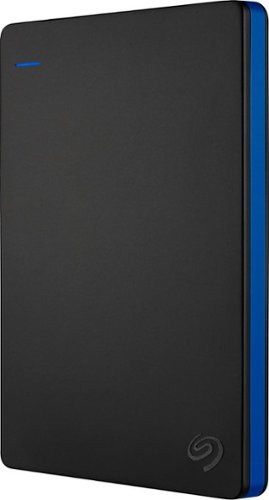
Store more than 50 PlayStation 4 game titles on this 2TB Seagate game drive. Its USB 3.0 port provides fast loading of full-size games so you can play smoothly, and its tough aluminum enclosure protects the drive from damage. This plug-and-play Seagate game drive is automatically recognized by any PS4, PS4 Slim or PS4 Pro console.
I've gotten quite tired of always uninstalling and reinstalling my games to make room and I was thinking about buying one of these. So, since all my games are hard copy, does that matter? For example, with this, will I be able to reinstall hard copy games
According to Sony’s website you can use from 250GB to 8TB in external storage to install games.
7 years, 6 months ago
by
TravisJ
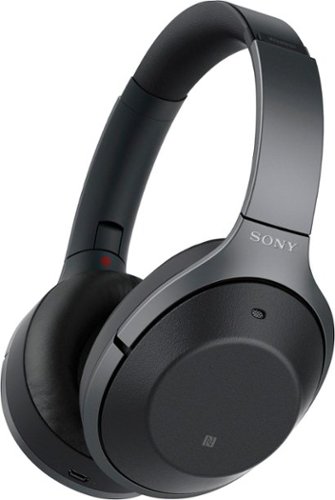
Listen to your playlist in peace with these Sony headphones. They have a 40mm dome driver to deliver the full depth of audio, and the noise cancelling feature minimizes outside disturbances for a better listening experience. These Sony headphones have a battery life of up to 30 hours for extended jam sessions.
Would you be able to use these headphones to workout at the gym? Is the clamping of the headphones to your ears tight enough so it doesn't slip out as i do certain lifts? Are replaceable ear pads available for this model that are more comfortable?
These will work fine at the gym. They come with 4 different sized wing tips and ear tips so that you can customize the fit to your ear. Since these are new, It's unlikely to have 3rd party ear tips or wings at the moment.
8 years, 7 months ago
by
TravisJ