


TravisJ's stats
- Review count179
- Helpfulness votes263
- First reviewNovember 6, 2016
- Last reviewJune 8, 2026
- Featured reviews0
- Average rating4.8
Reviews comments
- Review comment count0
- Helpfulness votes0
- First review commentNone
- Last review commentNone
- Featured review comments0
Questions
- Question count0
- Helpfulness votes0
- First questionNone
- Last questionNone
- Featured questions0
- Answer count2
- Helpfulness votes0
- First answerOctober 28, 2017
- Last answerNovember 20, 2018
- Featured answers0
- Best answers0

The new GIGABYTE G6 establishes a groundbreaking standard through its seamless integration of AI and premium-grade hardware. Featuring a 13th Gen Intel Core processor and AI-accelerated NVIDIA GeForce RTX 40 Series Laptop GPUs, this laptop sets the benchmark for unparalleled gaming prowess. Immerse yourself in unmatched efficiency and durability.
Customer Rating

4
Strong Performance, Gigabyte is One to Consider
on February 25, 2024
Posted by: TravisJ
If you’ve built a PC or at least shopped for an upgrade on your GPU, you’ve probably seen Gigabyte listed among the brands. Where you think of these companies doing PC parts first and laptops and peripherals second, we may be starting to see a shift where companies like MSI and Gigabyte. With MSI Titan leading the charge on desktop replacement, I’m curious to see where Gigabyte aims to land in the market. There’s a lot of good to talk about.
Right out of the box without even opening the lid, I noticed the build quality was up to standard. There’s almost no flex to the chassis. Ventilation on the bottom shows the beefy copper heat sink through the openings and the two fans that cool it. On the back there’s vents to the left and right with some well-placed I/O in the middle. The hinge is light and easy to open one handed but maybe a bit too loose. There’s a bit of wobble when moving around. Although it lacks stiffness, there isn’t any flex to the lid or panel.
This laptop was built for 1080p gaming. I’ve been playing New World, Remnant II, and the very early alpha testing for Tribes 3 Rivals. No issues with lag, frame drop, or stuttering. I’m either at high or medium graphics. You can access Gigabyte Control Center in the windows system tray and adjust your mode. From here you can adjust the performance mode from Entertainment, Power Saving, Quiet, and Performance. The fans do get loud when gaming, but this is par for the course with gaming laptops. You can set your own custom fan curve if that’s your preference. I ran 3DMark Timespy and came up with a 9,535. For graphics we got 9,205 and scored a bit higher with the CPU at 11,971. Cinebench 2024, which now benchmarks GPU, came in at 10,084 pts for the GPU and 819 pts for the multi-threaded score. This is respectable middle ground for a gaming laptop. I like that this came with 32GB of memory. It seems that 16GB is just enough and Gigabyte recognized this and added more. The display leaves a bit to be desired. It’s a decent FHD panel but the brightness could be better and the color accuracy isn’t quite up to par with other FHD panels I’ve seen.
As far as the essentials go, they’re all acceptable. The keyboard feels like your typical membrane keyboard. It’s not a bad typing experience but I’m spoiled by a more clicky type keycaps. It does, however, come with a number pad which I’m a number pad fan so that’s nice to see. The layout is fairly standard with no surprises. I would have liked to seen an app launcher or mode switcher for the Gigabyte control center. The keyboard backlight RGB leaves a lot to be desired. While the lighting is bright and I LOVE they made both primary and secondary functions transparent, you just don’t have a lot of customization of the colors and it appears to just be only one zone.
Sound seems to be getting a bit better on laptops. Although the sound stage is very flat, they get loud, and that’s nice. You don’t get the static or distortion you get at higher volumes like you would with some older laptops. I wish I could say laptop camera’s were getting better too but they’re not. The one in this one is just okay. I wish I could tell you this wasn’t the norm, but it is. Trackpad is nice and large but if you want to right click, you have to either to finger tap, or very specifically click the bottom right of the trackpad. A bit of a strange choice but I would imagine it would make accidently right clicking a bit of a challenge, but also intentionally right clicking a bit of a challenge.
Gigabyte does ship this laptop with an extra M.2 hold down screw and getting to the extra slot isn’t too difficult. There are 13 screws, all the same size, to remove from the bottom. They put a small sticker of the two in the front. Wedge a thin piece of plastic between the bottom cover and the chassis and work your way around and both the RAM, M.2 storage, and WiFi card are all easily accessible when the bottom panel is removed. While WiFi is on the brain, it’s worth mentioning it connects at 2.4 gbps indicating it’s the 6E standard. While the RAM appears to be two 16GB sticks from Samsung at 4800 MHZ DDR5. I also noticed while I had the bottom off that the battery watt hour is only 54Wh. This explained why my battery life was very poor, although, one shouldn’t expect great battery life on a gaming PC, I hope some day manufacturers break away from accepting this fact.
To summarize, this is a good gaming laptop. They put thought into I/O placement, tried to balance cost vs performance without skipping on build quality. While RGB doesn’t hold a lot of weight, the display quality and battery life does and there was room for improvement here. Improvements here would have made this a great gaming laptop. I wouldn’t let that deter you if you have your eyes set on this. It handled the games I threw at it wonderfully and I expect it will do well for years to come.
I would recommend this to a friend!





Share this review:


+4points
4of 4voted this as helpful.
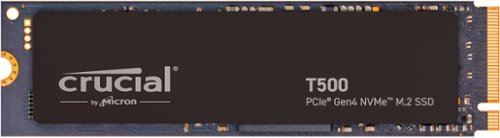
Fuel your system performance with the Crucial T500 Gen4 NVMe SSD. Experience faster gaming and amp up your creative potential with an SSD that moves as fast as you need it to. Heavy tasks are no problem with better performance to power efficiency, and the T500 works with your laptop or desktop.
Customer Rating

5
Very Fast, Great for Gaming
on January 11, 2024
Posted by: TravisJ
The T500 is a great choice for a top of the line SSD. With synthetic read speeds around 7,000 MB/s and write speeds around 6,700 MB/s. I was able to move all of my steam games very quickly from a 2TB HDD to the SSD. Immediately I noticed faster load times in my games. Even the few games I had on a slower 5,500 MB/s loaded noticeably faster. I wouldn’t say it’s leaps and bounds vs the other SSD, but it dominated the HDD.
Outside of gaming it’s easy to recommend this for anyone who moves a lot of large files such as creators who do a lot of video editing or could even be used as a cache drive for a NAS storage solution. The fast transfer speeds can allow for quick loading of videos from a micro SD card as well as let video editing software quickly load files.
Installation can be a bit intimidating if you’re not comfortable with PC components, but most modern PCs and Laptops will take this drive. Installation is as simple as finding a free M.2 slot on your motherboard and slotting the drive and securing it with a screw. It may be a bit more daunting to open your laptop but many manufacturers make upgrading or adding a 2nd drive as easy as popping off the bottom panel. I would have liked to see an included screw for mounting the drive. While most PCs come with an included screw in the slot, I’ve found that some don’t. I wouldn’t recommend installing without one.
It’s also nice knowing that this comes with a 5 year warranty. TRIM support, garbage collection, and other features ensure the drive lasts long and remains reliable for that time frame. I would be surprised if you didn’t get a few more years after the warranty period without any issue. Crucial also has software you can download to upgrade firmware, check drive status and health. It’s intuitive, light weight, and easy to use.
I would recommend this to a friend!


Share this review:


0points
0of 0voted this as helpful.

Experience absolute power and precision that blows you away with the Razer Nommo V2 Pro~a fully-loaded, full-range speaker system and wireless subwoofer combo. Amplified by THX Spatial Audio and Razer Chroma RGB, set the stage for a cinematic audio-visual experience primed for your battlestation.
Customer Rating
5
Premium Sound That Put a Smile on My Face
on January 10, 2024
Posted by: TravisJ
If I could give a one-word review, clean describes this product best, but this is so much more than one word. From the packaging, design of the product, quality of the sound, choices of connectivity and control, quality of lighting, clean had to have been a design element that made every checklist in developing this product.
Let’s state the obvious, these speakers are amazing. As mentioned, the sound is clean. There’s a balance to the desktop speakers that compliment crisp bass that comes from the subwoofer. I’m not an audiophile, so I’m not going to describe it in that way, but you can hear the full range of the music you’re listening to. The 3” speakers on the desk deliver amazing sound. You get most of your sound stage from these. I’m assuming the aluminum phase plugs that they advertise help with sound reflections in the speakers are likely the driving factor (pun intended) on the clean sound you get. What’s really impressive is switching live from stereo to spatial audio and instantly hearing how the sound changes to be more immersive. It’s like the sound is hugging you instead of just being present.
As a complement to the excellent 3” speakers is a 5.5” subwoofer. The downward firing design gives deep bass that fills the room but isn’t obnoxious or overpowering. You can balance the bass in the synapse app by lowering the bass if you want to be present but not the forefront, or max it out for deep bass you can feel. Being wireless, you move it to where it needs to be to get the best sound. I don’t notice any delay to the connectivity, and you get enough power cable you don’t feel tether to the wall.
I don’t usually mention packaging, but Razer does an amazing job making sure their products are packaged securely and using appropriate materials. The subwoofer came in a protective covering that prevented scratches while the 3” speakers had cardboard folded around them with foam coverings on the front of the speakers to protect the delicate driver membrane and also preventing unnecessary scratches. I think these details emphasize how much they care about the products they make and ship.
As for look and design, you’ll need to make some room on your desk for these. They’re a bit large, bordering on too big, but I think most people will find a spot for these. A compliment to the size is the fact the back has very bright diffused RGB dome on the back that project color on whatever is behind it. You can control how the RGB behaves using the Synapse app. Razer has a fairly robust RGB customization and there’s not much you can’t do with it, so no walls for customization of the color and effect you like. There’s not a ton to talk about in regards of the subwoofer. Once in place, it’s a black box under your desk. I believe it was somewhat intentional for it to blend into the background and do what it does by providing bass.
Connectivity and controlling the speakers are as easy as turning a dial. The remote control is a wireless dial that you can use to power on the speakers, control volume, and switch between devices. You can use it to connect to your other devices via Bluetooth. I love this because when I’m working off my laptop, I can switch to Bluetooth and play music off of my phone and press the multi-function button on the front to swap back to the PC mode. You can control media but pressing down on the dial to mute, double pressing to pause, and triple pressing to skip songs. You can double press the multi-function button and switch between audio EQs as well. There are several preset for movie or music but you can create your own as well. I have to give huge props to Razer for giving us a 10 point EQ slider with labels. There are so many products that have custom apps that if you get a slider at all, it’s bass, mid, and treble which is frustrating. Razer knows what’s up.
I would say if I was going to get picky about anything the dial itself could be a tad heavier so it’s less likely to move if it’s placed on a mouse pad which has a bit less friction. Also it being completely wireless is neat but there’s no option to connect it via USB if you didn’t want to replace batteries. I’m grasping at straws here to find room for improvement.
If you’re considering buying these, I think you’ll be impressed with the sound quality and features of these speakers, build quality, and how well it will complement your gaming setup. Being as they’re Bluetooth as well, you have versatility that other products may not offer. For me anyways, the sound quality really did make me smile.
I would recommend this to a friend!
Share this review:


0points
0of 0voted this as helpful.
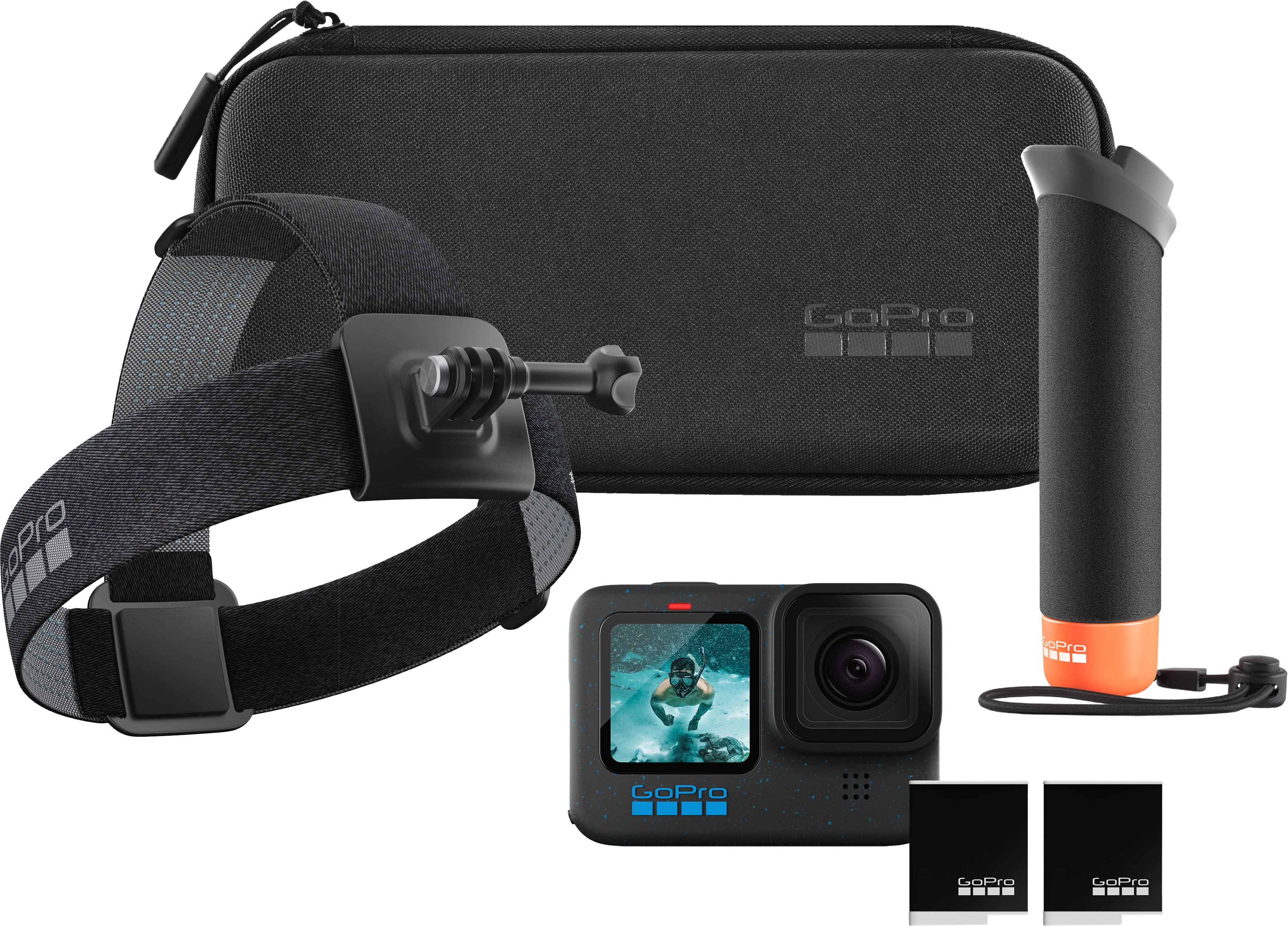
This awesome bundle comes with everything you need to capture and share amazing GoPro footage. It includes the GoPro HERO12 Black~a tough, lightweight camera with incredible image quality, even better HyperSmooth video stabilization and a huge boost in battery life. Thanks to its improved power management, it delivers 2x longer continuous recording at 5.3K60 (70 minutes). After recording, simply charge your GoPro and your footage will auto-upload to the cloud and a highlight video will be automatically sent to you. This bundle also includes The Handler (Floating Hand Grip), Head Strap 2.0, an extra Enduro battery and a case.
Customer Rating
5
Compact High Quality 5k Action Camera
on November 28, 2023
Posted by: TravisJ
Go pro has figured out how to create a highly portable high-quality camera built tough for the elements. Whether you like to vlog or use it out in the elements, its amazing quality is perfect for on the go and it’s highly versatile utility is what sets it apart from most other cameras.
The build quality is excellent. You have a hard plastic encloser with rubberized edges around the front and screen on the back. The back screen looks great, is responsive, and the screen is big enough you can see what you’re recording and can easily thumb through the options. The front screen is quite a bit smaller but it’s enough to provide limited information, but more importantly, there’s enough screen to make sure you’re in frame. The power button and action buttons are a bit stiff but easy to press but not easy to accidentally press. The door hinge to access the memory and battery compartment is very stiff. I imagine this is to help with the water resistance, but it takes quite a bit of finger strength to work it loose for the first few times.
The picture quality is fantastic. I took some indoor shots in a darker environment which had very good low light capture. But outdoor photos is where this shines. There is an excellent balance between warm and cool colors that look very natural. I did most of my recording in 5k 60fps, because why not? You can adjust the framing for a very wide capture albeit with a bit of fish eye effect, but I used the linear framing which worked just fine. With all the settings I’ve tinkered with, my videos have come out as MP4 which has a high level of compatibility. There are settings you can adjust which provides more flexibility in editing software, but so far, I’ve only seen MP4.
The orientation lock ensures you get a stable video that stays level with the horizon. You can rotate the camera a full 360 on the z-axis and keep your picture upright. For example, if you’re using the selfie stick and walking, you have increased stabilization from bounce but also if you adjust your arm or if you need to rotate to avoid an obstacle, your shot is always in the right orientation.
Setup using the GoPro Quick app was seamless and provided a quick way to get the GoPro connected to the WiFi and provide updates. You can also manage cloud storage and downloads from the app as well as controlling the functions of the camera including starting a recording or a capture, live streaming, downloading media to your phone or cloud (must subscribe to GoPro service).
The screen controls are intuitive and easy to use. Options are accessed by either selecting from options on the screen on swiping from the edges of the screen. You can change modes, by swiping right or left from the edges of the screen. Swipe down for additional options and preferences, and swipe up to replay videos and view photos. Additionally there are onscreen options that allow you to change resolution, aspect ratio, frame rate, orientation, and much more. What’s great is the amount of customization if you like your videos to have a certain look or if you prefer to capture lower quality but higher frame rate for great slow-motion shots or in a quality that can be quickly uploaded to the internet. There’s a pro settings option that opens some more fine tune settings if you want to customize even further with savable profiles if you have certain settings you prefer for different environments which make switching super easy to do.
The action camera bundle comes with great accessories that help make sure you can get some of the best possible footage. GoPro has a great mounting system which allows you to mount it on pretty much anything. There’s an included floating grip (selfie stick is how I would explain this to most people) and headband mount as well as a singular mount you can stick to almost any surface using the 3M sticky pad already placed on the underside. The headband is fairly comfortable. I have a bit of a large head but it fit well. My only complaint is the side adjustment sat right above my ear so it was a little uncomfortable, but not a deal breaker. The best part is they give you two batteries and two mounting screws so you can quickly switch between mounting gear and you have enough batteries included for hours of video and capture. Luckily, if you find yourself needing more batteries, I was happy to see that they do not charge overly expensive prices for their official batteries.
There’s a reason a GoPro is a household name at this point. They’re fantastic camera’s that you know by name. This isn’t any exception. With a ton of features, ease of use, fantastic video quality and stability, it’s not hard to choose this as your camera on the go. This bundle comes with accessories to get you started on your action camera journey.
I would recommend this to a friend!
Share this review:


0points
0of 0voted this as helpful.
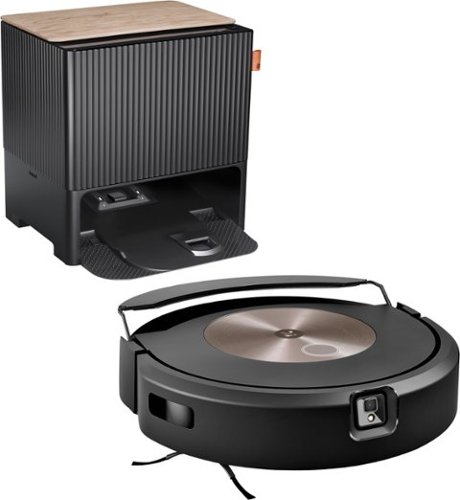
The Roomba Combo j9+ robot is the ultimate in vacuuming and mopping with 100% more powerful suction* and an Auto-Retract Mopping System that lifts its mop pad up onto the robot to keep carpets fresh and dry. Dirt Detective, powered by iRobot OS, will automatically clean the dirtiest rooms first. While the new Clean Base Auto-Fill Dock delivers up to 60 days of debris-emptying and 30 days of refilling water or solution for totally independent cleaning. All in a premium design that you won't want to hide away.
Customer Rating
5
Bleeding Edge of Robot Vacuum Technology
on November 15, 2023
Posted by: TravisJ
I’ll start by saying I love this thing. 75% of my home is hardwood floors with the bedrooms being carpeted. My floors look fantastic and that says a lot. I have four cats, two long hair and two short hair, and you can hardly tell they live here by looking at my floors. The only thing that would make it better is if it could crawl up my couches and vacuum those too.
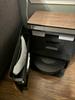
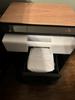
The hardware is well built, convenient, and easy to use. The base station has a water reservoir you can fill with tap water or mix with Roomba specialized cleaner. The self-emptying function of the base station contains a dust bag as well. They even thought of putting shelves on the access door to put extra bags or fold up your clean mop head. The base station also has some design language to make it look more decorative and less like an appliance in the corner. I also liked that it came with an extra filter, mop, dust bag, and brush.
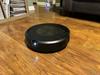
As for the vacuum itself, it seems very well made, only a single button on top, but different that my previous models, it has what appears to be a camera system on the front that aids in cleaning and navigation. This model tout’s obstacle avoidance which I’ll talk more about a bit later as well as a retractable mop that stows away when on carpet and automatically moves into position when it comes back to the hardwood floor. Once you fill up the reservoir in the base station, the vacuum will automatically fill up its water tank when it docks, empty its dust bin, and it’s ready to slay the dirt on your floor.
The app and software is where the iRobot shines. With the app you’ll be able to set up and connect your vacuum to Wi-Fi. Once connected, I had a software download which took only a few minutes. After a reboot I was able to send it out in discovery mode. I actually did my best to leave everything as it is, only picking up some cat toys and moving a few cables up off the floor. After a few initial discovery runs I was ready to set up custom jobs which you can tailor to clean specific rooms. After some mapping runs you can customize your map and start looking at the dirt detective feature which identifies which rooms may need more frequent cleaning.
With custom cleaning jobs you can set up a multitude of different cleaning preferences from vacuuming only, vacuuming and mopping, suction power, amount of water to use for mopping, which rooms to clean, how many passes to make. The customization is really amazing and allows you to get very specific to how you want to clean your home or space depending on foot traffic and convenience. For example, I work from home during the day and take a lot of calls. I’ve set up cleaning that avoids my home office and does a quicker job with fewer passes during a time of day where I’m not on many calls.
The cleaning itself is fun to watch. The way it discovers new rooms and makes passes to known rooms to get the floors clean. It does a decent job of avoiding pets, feet, and other larger objects. It gently bumps new items so no concerns for dents or dings in the furniture or walls. I did have it give my foot a little bump when it wasn’t directly in its path as well as have the brushes tickle my feet. I think is mostly due to them not being in the direct path of the front camera. Also, during one of the cleanings, I found an envelope on the floor that got a thorough cleaning from the Roomba. The lighting in both scenarios was in dim lit rooms, so that is likely a factor. On the other hand, when we were feeding the cats, it was sure to avoid where they were sitting and eating. I don’t expect perfection, and this is much better than the bump and test methods of older models.
Also, I want to make sure I mention that iRobot’s YouTube channel is what all manufacturers should strive to provide to their customers. There are detailed how-to videos which guide you through replacing just about every user replaceable item on your vacuum. There are several troubleshooting videos with helpful tips on clearing errors and maintaining proper function. This gives me confidence as a consumer that if I buy this product, that I have help as an owner directly from the manufacturer on how to properly care for my product as well as recommended troubleshooting.
Our floors are noticeably cleaner. Because of the animals we probably vacuum more than the average non pet home. I no longer see the gatherings of pet hair that would prompt me to grab the stick vacuum and do spot cleans. Now I have confidence that my floors are cleaner and mopped more frequently which creates a cleaner environment, cleaner air, and confidence that my home is cleaner because of this top-of-the-line vacuum.
I would recommend this to a friend!



Share this review:


+3points
3of 3voted this as helpful.
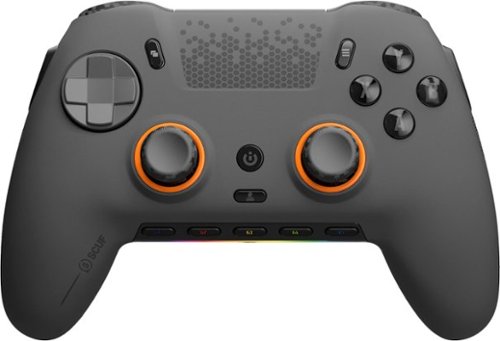
SCUF Envision was designed to deliver the best controller experience for PC gamers. Equipped with 11 additional remappable inputs, ultra-fast wired/wireless connectivity, and advanced software for macros and endless customization options. Our new OMRON mechanical ABXY and D-Pad buttons offer crisp and responsive clicks. Adjustable Instant Triggers allow you to switch between mouse-like clicks and full trigger range. Unlock the full power of Envision by .mapping the fully configurable inputs to any PC shortcut, customizing your RGB Lighting Strip, and tailoring your thumbstick and trigger response curves. More control, more finesse, and more performance to once again, change your game.
Customer Rating
5
The Right Tool for Pro Gaming with Controller
on October 21, 2023
Posted by: TravisJ
If you’re serious about gaming, and you want to give yourself a range of customization that you don’t really get with typical PC gaming controllers, you’ll find the Scuf Envision is second to none. Scuf, known for it’s physical customization, is now paired with Corsair’s iCue software to add software customization that really lets you dial in a profile combination that works for you.
Getting it setup was easy. I started by downloading the iCue software from Corsair’s site, connected the wireless dongle as well as the controller to my PC using the very nice included braided cable (comes with USB A to C adapter as well). There was a firmware update. Once that was out of the way and all the needed software was installed, it was basically ready to go without doing any additional setup using the preset profiles.
I’m a new user of customized controllers, I’ve been using either an official Microsoft or Sony controller for years. It has taken some time getting used to using some of the custom buttons. First impressions seemed as if a lot of time was put into how your fingers fall onto the controller. The back buttons are easily attenuated using your middle fingers by either pushing up or clicking down. I do prefer off center thumb sticks like the Xbox controller, but I get along with the centered thumb sticks just fine. I also find the G keys on the bottom easy to reach as well. The only buttons that I found were very easy to accidently press it’s the bumpers on the sides. I mostly kept these turned off.
There’s a ton of customization you can do both physically and with software. Physically you can swap out thumb sticks, the back buttons, side buttons, and the face plate. The kit comes with a few extras but you can get off the scuff website but I found the taller thumb stick useful for aiming. Also I found that being able to switch the triggers to a “mouse click” style just by flipping a switch is very nice. I found that I just reacted quicker to situations without having to long pull the triggers.
The software customization is where I think you get an edge that you’ll be hard pressed to find in the competition. With the iCue software, you can remap your buttons, adjust dead zones and sensitivity of your thumb sticks and triggers, as well as set macros and media functions to the G1-G5 keys such as keystrokes, launching apps, or muting your microphone. I found assigning keys were pretty easy to do, but I have some experience with the iCue app already. I flipped the preset AX and BY on the back triggers around from the preset. I disabled the side buttons because I found myself accidently hitting those. Finally I adjusted the media keys around so that the microphone toggle was on left and the volume mute was on the right.
Another point to make is the build quality and how well everything just works. The ABXY buttons are very clicky and well made. The face plate is held on magnetically making switching them out easily done. The stippling on the controller is good for grip and over all, the plastic seems to be of very good quality. Having the headphone was nice. Whether you just want to wear some headphones or, in my case, I had a aux cable with built in mic, all worked seamlessly through the controller. Everything just works and it feels very premium.
The only other thing that would have been nice to see included is a case to carry it in. When I travel I game on a laptop, and just throwing it in a bag doesn’t seem like the best idea. I also find that the USB dongle is a bit large for a laptop, just fine if you plug it in the back of your PC though, so not a huge gripe.
I would recommend this to a friend!
Share this review:


+2points
2of 2voted this as helpful.
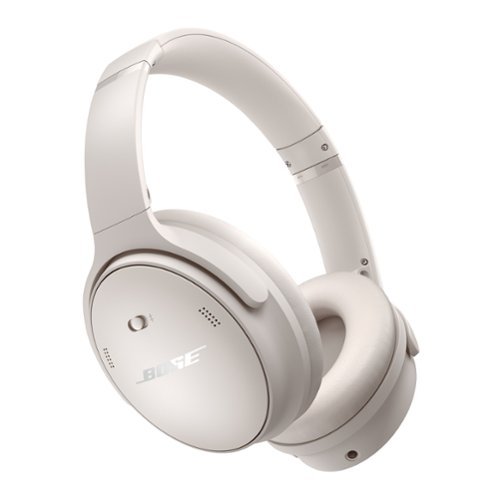
Take charge of your music with Bose QuietComfort Bluetooth headphones. These noise cancelling headphones come equipped with Quiet and Aware Modes that let you toggle between full noise cancelling or full awareness of your surroundings. Or create a custom mode on these Bluetooth headphones to adjust noise cancellation and add Wind Block to tune out breezy environments. Just press play on these over ear headphones for high-fidelity sound that~s also customizable with adjustable EQ. Use the Bose app to crank the bass, tweak the treble, and personalize your experience. Plus, these headphones with built in microphone are crafted with all-day wear and multi-taskers in mind. Available in striking colors, the premium materials and bold, iconic design combine comfort and style. On-ear toggles make switching from music to calls easy and the powerful battery means it~s ready for the long haul. Enjoy up to 24 hours of play time on a single charge with the Bose QC wireless headphones and up to 2.5 hours of play time with a quick 15-minute boost.
Customer Rating
5
Intuitive Controls, Sounds Great!
on September 23, 2023
Posted by: TravisJ
I was pleasantly surprised by the Bose Quiet Comfort Noise Cancelling headphones. Maybe not for the reasons you think, but let’s talk about that. I work from home and spend a majority of my working hours on calls or in meetings. I wear over the ear headphones most of the day to facilitate those calls. What’s important is that when I’m off the call, I also listen to music to do actual work. This is where Bose comes in with their offerings of this noise cancelling over the ear headphones.
These headphones are folding headphones which fit very compactly in it’s rigid carrying case. The soft leather and plushy makeup of the headphone cushions help seal around your ears while also being breathable to the skin for longer wear sessions. The clamp pressure on my head I find is reasonable and keeps them from moving around with normal use. The same material and plush is also on the head rest and go mostly unnoticed, although I currently have a lot of hair helping it out, still very comfortable.
I’m surprised at how much I actually missed having buttons that are easily identifiable and placed intuitively so you can quickly find and do the thing you want to do. On the right earcup is where you’ll find most of the action. Volume up, volume down, and a center button that does the play, pause, back, skip functions with single, double, and triple presses. You can push and hold to get your phones voice assistant as well. There’s a power switch on the outside of the cup which also acts as a pairing switch. On the left is your noise canceling toggle and a long press will give you battery life via a voice feedback. All of these are very easy to find as your finger naturally falls into the ridge that runs from front to back where the headband connects to the ear cuffs. It’s also comforting not to be overwhelmed with similar feel buttons that you have to memorize or through trial and error, hit the ones a few times before you find the right one.
The sound is fantastic. I like to preface that I’m not an audiophile but do enjoy music while I’m working, exercising, or doing house work. I prefer headphones that favor a heavier bass sound while still coming in crisp at higher volumes. I was not disappointed in the volume or quality of sound. At higher volumes the sound stage comes across loud and clear, you get the deep rumble of the bass while other instrumentals are balanced behind it. It helps me to find my sound preference by having an EQ on the Bose Music app. While you’re not spoiled for choice, there are a few presets you can select to increase or decrease Bass and Treble. The only downside is you’re only given 3 sliders to adjust the sound. This is probably good for most but I’d at least like to have the option to do more fine tuning.
Noise Canceling works well. I’ve compared them to a few other noise canceling devices and it seems to be on-par with those. Over the ear headphones, because of things like glasses, hair, head shape and size, can be very subjective because those things affect the amount of ambient sound that make it to the ear. The soft plushy ear cushions help but they’re not perfect and that’s ok. The headphones work great to drown out the cat’s water fountain, the hum of the refrigerator, and other noises your home makes without you knowing it to provide nearly perfect silence. You do get some of the pressure that is felt from noise canceling, I did notice that it seemed a bit more prominent in that department but not uncomfortable. What it does well is the aware setting which allows sound around you to feel more natural and not muffled as if you’re wearing headphones. The ear cuffs each have two grill cutouts which I would assume house the microphones that make all of this possible and blend in nicely with the headphone design.
The Bose Music app aside from an EQ also allows control of all kinds of other features. You can use the app to change from quiet to aware modes. Also, because these support multi-point connection, you can toggle between your paired devices manually (they do this automatically, depending on which device is playing music). You can also toggle the shortcut button to use functions of Spotify instead of switching noise canceling modes. Then there’s other settings which allow you to control auto-power off timer, firmware update, toggling voice prompts, how much of your self you can hear in a call, as well as other options and support.
As for build quality, there’s a lot of plastic on these which is necessary to provide lightweight comfort, but there’s metal where it counts. The headband appears to be reinforced with metal and the main hinges for folding the headphones are metal as well. The plastic doesn’t feel cheap or flimsy and I would imagine it would live up to some abuse.
My final thoughts: The included case is small enough to easily throw into a carry on bag or backpack. It has an inside pocket for storing cables and the inner lining is soft. The included headphone cable matches the color of the headphones which is a nice touch. I did find that I couldn’t charge and play music at the same time which seems like an easy enough thing to do but a lot of headphones, for what I can only assume is technical reasons, don’t do this. These headphones look great, sound great, offer good noise canceling, intuitive controls. Easy to recommend.
I would recommend this to a friend!
Share this review:


+3points
3of 3voted this as helpful.
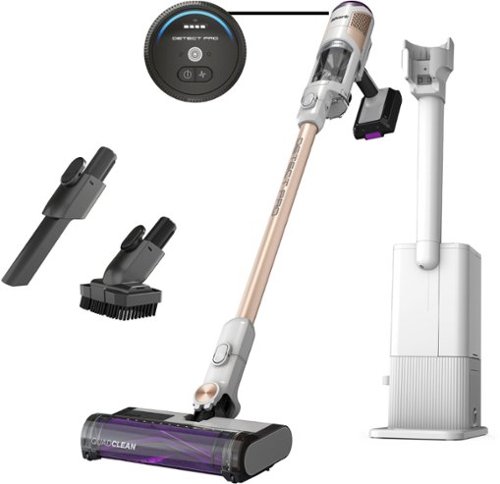
Meet the new Shark Cordless Detect Clean & Empty Auto-Empty System Vacuum. It features an ultra-intelligent Detect performance suite~4 deep-cleaning technologies that detect & react to your home to capture hidden dirt on every surface, corner, edge, and crevice. DirtDetect senses the hidden dirt that hides in your home, and automatically boosts power to pull it in. EdgeDetect senses edges and corners and doubles suction* power for more powerful cleaning* (vs. ECO mode). Floor Detect senses carpets and hard floors around your home, and optimizes your vacuum~s performance based on the floor type. Lastly, LightDetect automatically illuminates dark spaces, so you can easily track down hidden dirt. All four of these technologies combine to increase cleaning up to 50%* when carpet and dirt is detected (*Eco vs. Detect Boost (with both Carpet and Dirt), based on ASTM F608). Plus, the QuadClean Multi-Surface brushroll tackles four cleaning targets: fine dust, pet hair, large debris, and dust along edges. After every clean, Detect Clean & Empty Auto-Empty System brings you the ultimate convenience~it empties on its own. Return it to its base, and it charges and empties automatically, sealing in up to 30 days worth of dust & debris, so you can forget about emptying for up to a month, and leave behind the trips to the trash can after every use. Inside the base, Odor Neutralizer Technology guards against bad odors, for a fresh-smelling home. Change the way you clean with the Shark Cordless Detect Pro Auto-Empty System~the dirt-detecting cordless that empties itself.
Customer Rating
5
Lightweight and Easy Cleanup
on September 23, 2023
Posted by: TravisJ
Very easy to setup out of the box and very easy to use. The vacuum motor and dirt bin snap into the stick that snaps into the floor brush. You should probably charge the battery when you first open it but I was anxious to see how it worked, luckily it had enough battery. The automatic emptying station was easy to setup as well. Once it’s plugged in, there’s an odor eliminating air freshener that sits on top of the unit and that’s basically all of the setup.
The vacuum itself is very light weight. There’s a power button that turns it on and it’s just on until you turn it off, no triggers to hold. In automatic mode, it adjusts power level based on the amount of dirt detected and the surfaces you’re on. If you just want a specific power mode, there’s a button for switching between the modes. There’s a low power eco mode, a high power mode, and then the automatic mode that uses the intelligent features that accompany this vacuum.
The automatic mode mostly seems as if it runs in eco mode. If it detects that it’s over a high soil area, whether it’s kitchen crumbs or cat dander, it picks up power and add extra suction. It also adds a boost when running along the edge of a wall. What’s neat is the LED lights will illuminate along the side that’s along the wall, helping illuminate any dirt along the edges. It does a great job of picking up, even the lower powered eco mode picks up litter pellets with ease. It does pick up a bit of power when it hits carpet which is expected.
There’s a few filters in the unit that help keep the air clean. It didn’t come with any extra filters so when it’s time to replace them, you’ll need to buy them. The collection bin is fairly large. It says it holds 30 days of dirt but I imagine that depends on how dirty your floors stay. It lifts up easily and has a handle for easy carrying to the bin. The vacuum sits in a cradle that both charges and empties it when you sit it on there. The emptying process worked every time I used it but sometimes there’s still a bit of hair hanging out from the trap door. I also like how easily the brush assembly comes off so you can clean it.
There are 2 accessories that come with the vacuum, a brush, and a narrow attachment for getting into small spaces. I would have liked to seen a smaller, powered, upholstery roller to help with pet dander but I’ll keep an eye out for one on their page or 3rd party. Also the stick is required for the self cleaning base and charging to work as the contacts for charging is on the stick. Not a huge deal but It’s a bit strange that the main unit is very dependent on the stick.
Overall the weight to power ratio on this vacuum is great. The intelligent cleaning features help get all the tough places clean and the auto emptying base station makes it all so convenient as well.
I would recommend this to a friend!
Share this review:


0points
0of 0voted this as helpful.
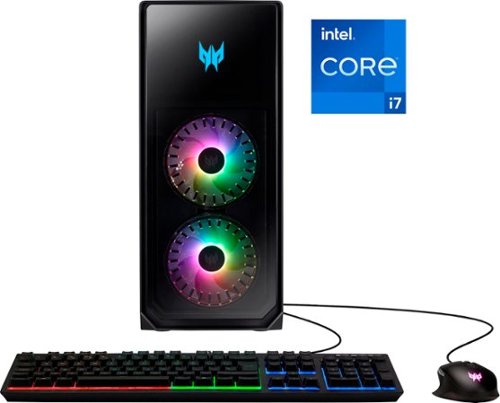
Show off that new powerful gaming PC and illuminate your room in the multi-hued ambience of ARGB as fiery FrostBlade fans hum in an endless high-speed harmony and giving constant cool to the Herculean hardware hidden away within. Powered by a 12th Gen Intel Core processor and high-performance NVIDIA GeForce RTX 3080 graphics, the Predator Orion 5000 delivers an awe-inspiring gaming experience that's second to none! Get ready for an unforgettable gaming experience that ignites the senses and takes your passion to new heights!
Customer Rating
5
Neat Design, Great Specs for Gaming
on September 13, 2023
Posted by: TravisJ
The first thing I noticed when opening this out of the box was the design of the PC. The front and side panels are glass with the standard powder coated metal for the rest of the chassis. There’s a funnel design element for the fans in the front that give it a nice aesthetic. The fan on the CPU cooler is also RGB to illuminate from behind the glass panel, as well as the exhaust. The case front I/O has 3 USB type A ports and 1 USB type C port which is nice to quickly plug and unplug any accessories. There’s a recessed vent at the top which promotes throwing things like flash drives in but I wouldn’t recommend covering this up as it helps exhaust some of the heat.
As for performance, I’ve been playing COD, Apex, and New World, all at max settings. COD averaged around 72 FPS at 4K on max settings. Although I was getting closer to 112 FPS at 2k max settings which is more ideal with a higher refresh rate monitor. New World, a game in my opinion you want the higher resolution for better visuals, averaged around 65-75 FPS at max settings at 4k resolution. I only saw frames drop when I was in town and there were a lot of other players on screen. You could probably tone down some of the settings and prevent this. Otherwise, out in the open world, it played great. I’m not a great Apex player but the story is the same, max settings, averaged around 110FPS.
The 3080 in this system is where you’re going to see all of the gaming advantages. The card in this system has 3 fans which seems to carry the best cooling. I didn’t see temps above 73 degrees when playing games. There is a bit of headroom for overclocking if you’re into that, but I didn’t feel the need to. As for CPU performance, the 12700f checks the box. It’s not super powerful like the enthusiast grade CPUs that are out there, but the 1st generation E core and P core design outputs some impressive performance and remained cool the whole time doing it. I think this is a great balance if you’re main goal is gaming and don’t plan on doing any type of heavy video editing or CAD design. Although, I do think it’ll still handle those tasks, but you’ll have to be patient with it. Also worth noting it comes with the stock intel air cooler from what I can tell. Since there’s no overclocking this type of cooler is plenty enough.
The system comes with 3 RGB case fans and a CPU fan. All of these can be controlled in the predator sense app. The main menu of the app offers a quick glance at temperatures, profile settings, and quick fan selection. You can then use the menu on the left to set custom profiles to lighting, cooling, as well as a system monitor to see system voltage, usage, as well as temperatures.
Storage has a great balance of 1TB SDD and 2 TB HDD. You can put your steam library on the 2TB HDD and move you’re commonly played games onto the 1TB NVMe drive for a bit faster load times. RAM is 2 8 TB DDR5 sticks. The CAS latency comes in at 36 which is pretty good for DDR5 but 16GB is the bare minimum in my opinion for gaming, but it doesn’t diminish the experience. There’s a really neat hard drive dock that plugs the drives into a stationary SATA and molex so hot swapping the drives should be very easy to do. What makes it easy is you can quick release the glass side panel with a lever on the back to go in swap hard drives and upgrade components. Also I noticed a slot for another M.2 SSD if you have one to slot in. However, I didn’t see a hold down screw included, hopefully you’re drive came with one. It's easy to get to as well, located just off the side of the motherboard.
I/O for the motherboard is pretty good. You get a 2.5 GB ethernet which is nice to see along with 5 type A and a type C USB ports. Also if you prefer to use Wi-Fi or in a part of your house where you can wire it to a router, it connects at 2.5gb if you’re router supports it. All together that’s 8 USB type A and 2 type C you can connect. Beyond that there’s not much else. I would have liked to have seen an optical audio out but by no means a deal breaker.
There’s also a keyboard and mouse that comes with this system. They’re both wired and RGB. The mouse has two extra buttons on the left that can be used and a center button behind the scroll wheel that switches RGB color. I wouldn’t say there’s anything special about either but it’s nice to see them included. Really just a TV or monitor would be all that’s needed to get you gaming out of the box. I would say most people have a TV and an HDMI cable to get started, Acer will include the mouse and keyboard on their end.
Overall I think this is a great gaming machine. It’s a nice replacement for what I had before and there’s a path of upgradability if you want a better processor, add RAM, or need to hot swap out hard drives. I’m happy to see it’s taken everything I’ve thrown at it and I look forward to using it as my daily driver for years to come.
I would recommend this to a friend!






Share this review:


0points
0of 0voted this as helpful.

Defy Boring with the Pebble 2 Combo made with recycled plastic. Its minimalist, slim design makes it as iconic as you and super portable. Pair up to 3 wireless devices across OS and switch between devices with a press of a button (Logi Bolt receiver also included). With Logi Options+ app, you can customize your Pebble Mouse 2 M350s~ middle button with shortcuts that shuffle your Spotify playlist, send emojis on WhatsApp, and more. Personalize the 10 keyboard Fn shortcut keys to work how you want and save time.
Customer Rating
4
Very Portable, Great Battery, a Bit Small for me
on September 13, 2023
Posted by: TravisJ
I mostly work from home but occasionally I will travel to my local site or other sites to have in person meetings or participate in projects within my company. Also I use mainly a company laptop, but also tote my personal laptop and an iPad for quick notes, entertainment, and taking calls. What’s great is having a portable keyboard that works with them all just by pushing a button on the mouse and keyboard.
What’s great about each of these is the size. You can throw these into a backpack or bag. They’re very slender and portable. They keyboard is tapered and without a number pad or any other non-necessary keys, it doesn’t take up much room lengthwise either. The keys being rounded doesn’t really change how I type and they still managed to get some additional functionality out of the keyboard by including secondary functions such as screenshots, volume control, and a search button.
Also, I don’t have to mess with adapters or cables. Each device can connect up to 2 devices blue tooth and one device with an adapter. The adapter uses Logitech’s newer Bolt technology which advertises lower latency and higher compatibility. Based on the Bluetooth standard, the connection is encrypted so no chance someone is going to snag your keystrokes over the Bluetooth connection. The adapter can be kept under the mouse cover which is also used to access the battery.
Each device does operate on disposable batteries. The keyboard uses two AAA batteries while the mouse uses a single AA battery. Even though there’s not a way to recharge them through the device, I recommend getting rechargeable AA and AAA batteries. I’m not sure how long you’ll have to wait to need them as it advertises 3 years of life on the keyboard and 2 years on the mouse. I think that pairs well with the portability of the device in that you don’t need to worry about taking additional cables with you and it’s not hard to find a battery when you need it as most hotels and gas stations carry them.
The mouse has a slim design as well and is mostly flat, tapering from larger to smaller starting at the palm. It’s quite a bit small for my hands. I find that my fingers drag on the mouse pad and if I want my fingers on the clicker, I have to make a claw shape with my hand. It has nice drag with an on/off switch and mode button on the bottom that are both easy to get to and use. The cover pops off easily and is held in place magnetically. The cover also serves as the finger rests for the left and right click so don’t lose it, or you won’t be able to use the mouse properly.
Overall this will be handy for travel and using with multiple devices. I would say that it is a bit subjective as whether or not you’ll find it comfortable to use. The keyboard being a bit smaller and the mouse being on the flat side, ergonomically it gets uncomfortable using after a while. I would have reservations about using this as my daily driver for that reason, but if you have smaller hands, you may find this is a non issue for you.
I would recommend this to a friend!
Share this review:


0points
0of 0voted this as helpful.
TravisJ's Review Comments
TravisJ has not submitted comments on any reviews.
TravisJ's Questions
TravisJ has not submitted any questions.
TravisJ's Answers
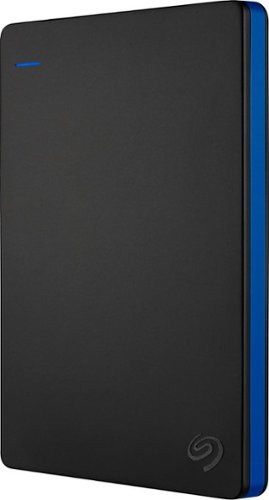
Store more than 50 PlayStation 4 game titles on this 2TB Seagate game drive. Its USB 3.0 port provides fast loading of full-size games so you can play smoothly, and its tough aluminum enclosure protects the drive from damage. This plug-and-play Seagate game drive is automatically recognized by any PS4, PS4 Slim or PS4 Pro console.
I've gotten quite tired of always uninstalling and reinstalling my games to make room and I was thinking about buying one of these. So, since all my games are hard copy, does that matter? For example, with this, will I be able to reinstall hard copy games
According to Sony’s website you can use from 250GB to 8TB in external storage to install games.
7 years, 6 months ago
by
TravisJ

Listen to your playlist in peace with these Sony headphones. They have a 40mm dome driver to deliver the full depth of audio, and the noise cancelling feature minimizes outside disturbances for a better listening experience. These Sony headphones have a battery life of up to 30 hours for extended jam sessions.
Would you be able to use these headphones to workout at the gym? Is the clamping of the headphones to your ears tight enough so it doesn't slip out as i do certain lifts? Are replaceable ear pads available for this model that are more comfortable?
These will work fine at the gym. They come with 4 different sized wing tips and ear tips so that you can customize the fit to your ear. Since these are new, It's unlikely to have 3rd party ear tips or wings at the moment.
8 years, 7 months ago
by
TravisJ