
Share Kerey's profile


Kerey
Kerey's stats
- Review count1
- Helpfulness votes7
- First reviewNovember 17, 2010
- Last reviewNovember 17, 2010
- Featured reviews0
- Average rating4
- Review comment count1
- Helpfulness votes0
- First review commentOctober 8, 2010
- Last review commentOctober 8, 2010
- Featured review comments0
Questions
- Question count0
- Helpfulness votes0
- First questionNone
- Last questionNone
- Featured questions0
- Answer count72
- Helpfulness votes11
- First answerNovember 30, 2009
- Last answerNovember 17, 2010
- Featured answers0
- Best answers1
Kerey's Reviews
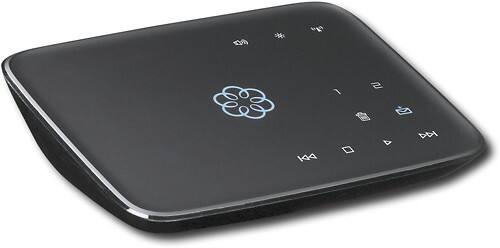
This hub works with your high-speed Internet and your home phones to deliver VoIP phone services and supports up to 4 Ooma Telo handsets. With easy setup, you can enjoy unlimited U.S. calling and low international rates.*

Posted by: Kerey
from AZ
I bought the OOMA over a month ago and just got my old phone ported. I have the device on the router and not in front of the router. This set up for me is preferred since if the OOMA goes out, the entire home network goes out. I have found no delays or problems using it this way.
The calls are clear and I have had just one network issue where the call had a slight delay-echo. This went away after a few seconds.
I also opted-in to the OOMA Premiere for a year which is an additional $120 (more or less) per year. That is the total cost to run the OOMA. I figured out that in 8 months I will have paid for the OOMA and then start saving about $40 a month on phone service.
I also went to cable network since DSL here is just plain lousy. It did feel good to get rid of our substandard phone company who really could care less about any issues you have. Not that cable is some queen of the highway.
Setup is easy and there were no real issues. There are a lot of tweaks you can do with Voicemail including linking it to Google Voice or just having the message sent to you via email. Or just letting your OOMA get it. You can also put your own answering machine on, but that makes calls NOT go to your voice mail.. at least that is what happened to me.
Check out the forums at OOMA and see what is going on. The customer service is MUCH better, too.
What's great about it: No expensive phone bill, free long distance to USA/Canada
What's not so great: Can be confusing to configure if you have limited tech knowledge.
I would recommend this to a friend!
Ease of Use

4
Features

5
Performance
4
Share this review:


+5points
7of 9voted this as helpful.
Kerey's Review Comments
This hub works with your high-speed Internet and your home phones to deliver VoIP phone services and supports up to 4 Ooma Telo handsets. With easy setup, you can enjoy unlimited U.S. calling and low international rates.*
Overall 5 out of 5
5 out of 5WORKS FOR ME!!
By SeattleZach
from Seattle, WA
This is a great little device. I had this plugged in to my DSL router in 5 minutes and started receiving calls about 10 minutes after opening the box. That is fast and easy. Honestly .. this reminds me on an Apple product ... simple - straighforward - easy.
For the folks who say, "Ir doesnt' work for me" you may wish to check your broadband connectivity. Just because you have DSL or Cable doesn't mean this will work for you.
With my non-scientifific research, I'm guessing you'll need AT LEAST 1.5 Mpbs downstream and 512 kpbs per second upstream to get a realible connection. I have 7Mmps downstream, so Im OK.
Works great .. I would recommend this to all my friends and family! Good bye phone bill!

Kerey
AZ
QOS is more important than raw speed
October 8, 2010
If you have good QOS at 1.5Mbps, this VOIP device works well. I did upgrade to 3 Mbps and didn't notice any difference. I can, however, download a movie much faster.
0points
0of 0voted this comment as helpful.
Kerey's Questions
Kerey has not submitted any questions.
Difference between a router & a switch?
I have 2 computers, 4 laptops and a wireless printer. I have a 4 port Netgear now, I was looking at a Netgear 8-port switch, does a switch work like a router to get everything connected or do I need a router? and is there a router that has enough ports to connect everything? Please help me.
Well, that depends on what kind of switch. Managed switches control traffic on your internal LAN and are usually managed by port. You can turn ports on/off to increase security. A router goes out to the outside (internet) to get an IP from the cloud.
Most home use would just require a router and NOT a switch, if you want internet. You could put a switch on the back end of the router to the LAN for more security. Also most routers are at least 4 ports but you can get them with 32-64 for $$$$.
www.practicallynetworked.com
for a good tutorial.
Most home use would just require a router and NOT a switch, if you want internet. You could put a switch on the back end of the router to the LAN for more security. Also most routers are at least 4 ports but you can get them with 32-64 for $$$$.
www.practicallynetworked.com
for a good tutorial.
16 years, 3 months ago
by
Kerey
AZ
can I make my non-wireless modem wireless?
I assume you mean either your cable modem or DSL? Yes, you can. You can hook the wireless to the DSL or Cable modem. There are 10 or so videos on YouTube on how to do it. However, even the Linksys Wireless routers have instructions on how to do it. Good luck! It is NOT HARD to do.
16 years, 3 months ago
by
Kerey
AZ
WHich wirekess N routers have a port to fit a USB storage device
Linksys WRT160NL. Did you try to Google this question because I got like 50 hits just on routers with USB storage.
16 years, 3 months ago
by
Kerey
AZ
which is the best router for gaming
i have a ps3 and xbox and need to know router to buy for the best connection and for wirless laptops too
Linksys WT 54GS. It is bullet-proof and can be flashed with Tomato or DD-WRT, which enhances it quite a bit. They are still available online. Google it.
16 years, 3 months ago
by
Kerey
AZ
Which router do i need?
I just got an Apple macbook and my roommate also has one. I think the network that we have streams 100.0mb or something :) i don't want to spend more than $100 so which router should i get?
I highly doubt your internet is 100 Mbps. I would suspect that it is more like 10-20 at the highest. If you have FIOS, even that is not 100 Mbps to a residential area.
Any router will do but I like Linksys and I like the WT54-GS and it will be fine. If you want a 802.11N, then get the WRT320N. Other brands are good, but I like Cisco/Linksys. I don't work for them, btw.
Any router will do but I like Linksys and I like the WT54-GS and it will be fine. If you want a 802.11N, then get the WRT320N. Other brands are good, but I like Cisco/Linksys. I don't work for them, btw.
16 years, 3 months ago
by
Kerey
AZ
What router should I buy?
I am looking to upgrade by wireless router. I need one that can connect 2 xbox's and allow them to play in the same game at the same time. What router allows me to do this?
Any wireless router can broadcast several addresses provided it has NOT been modified. Each Xbox will be given an address via DHCP, which is the default setting. Be sure to set WEP2 to strong AKIP password.
16 years, 3 months ago
by
Kerey
AZ
Routers
what router do i need for an aircard
Any router with 802.11g
16 years, 3 months ago
by
Kerey
AZ
i have a dell inspiron b130 I need a new hard drive what model will replace it . 80 g or greater
Any ATA-6 notebook drive will work. They are becoming increasingly rare. You can NOT use a SATA drive, so do not get one. You have to use a PATA drive also called ATA-100.
Western Digital Scorpio Blue WD1600BEVE 160GB - About $70-80. Google it.
Western Digital Scorpio Blue WD1600BEVE 160GB - About $70-80. Google it.
16 years, 3 months ago
by
Kerey
AZ
motherboard for hp s362f?
I need to replace the mobo for a hp s3620f. Does best buy have anything that will accommodate the "slimline" pc?
Best Buy does not carry any mobos. Try Pell Technlogy (google it). It can be expensive, almost more than the computer is worth. Are you sure you are not under warranty for a replacement?
16 years, 5 months ago
by
Kerey
AZ
How do I pick up all the Comcast channels with my new Insignia TV
I can only get the channels up to 78, then the regular channels disappear and there are a lot of channels with decimals. For instance, Peachtree TV is on 80.204, but I can't find the Science Channel which is supposed to be on 110. Any suggestions?
Make sure that your TV menu is set to CABLE and not AIR for input. Then, hit the SCAN menu and you should get over 200 channels. If you go back to Best Buy, they can show you how to set that menu. Also, if you ask a question here, it is a very good idea to include the model number because the menus are different depending on the model.
16 years, 6 months ago
by
Kerey
AZ