
Share internetuser's profile


internetuser
internetuser's stats
- Review count109
- Helpfulness votes149
- First reviewJune 30, 2015
- Last reviewMay 17, 2026
- Featured reviews0
- Average rating4.7
Reviews comments
- Review comment count0
- Helpfulness votes0
- First review commentNone
- Last review commentNone
- Featured review comments0
Questions
- Question count0
- Helpfulness votes0
- First questionNone
- Last questionNone
- Featured questions0
Answers
- Answer count0
- Helpfulness votes0
- First answerNone
- Last answerNone
- Featured answers0
- Best answers0
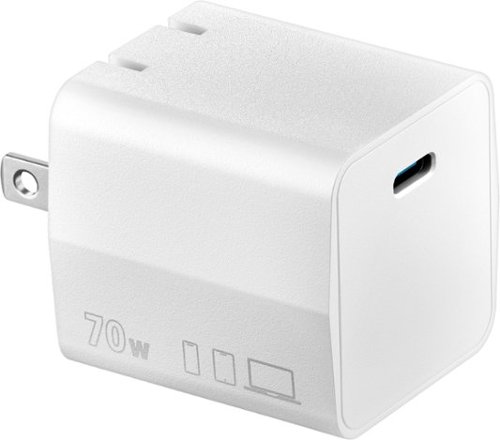
Upgrade your charging brick with the Insignia 70W USB-C Port Wall Charger for Smartphones, Tablets, Laptops and More. Featuring an ultra-compact size, the wall charger utilizes high-performance GaN charging to quickly and efficiently deliver up to 70W of power to your USB-C device.
Posted by: internetuser
I bought a new Samsung watch which of course did not come with a block for charging, just a cable. I bought this Insignia - 70W USB-C Port Wall Charger to plug in next to my bed to use it's versatile charging powers for all my electronics.
Although the Insignia - 70W USB-C Port Wall Charger will be overkill for my new watch, only drawing about 10-15 watts to charge, it will be suitable to charge my Samsung S26 too. Also when I bring my tablet to bed to watch a movie or play games, I can plug in the charger and know I'm not going to drain my battery during use.
I thought it would be best to buy a Samsung charger since most of my electronics are Samsung but when I saw this Insignia - 70W USB-C Port Wall Charger I decided to give it a try since it produced more watts for 1/2 the price. When I plugged my s26 in it immediately went into super fast charging mode. I was at 73% and it charged to full in about 15 minutes.
Also this will be great to take on vacation. It's compact to begin with but the prongs fold into the unit to make a 1.5" x 1.5" square that will take up no room at all in your luggage or electronics bag.
I would recommend this to a friend!
Share this review:


0points
0of 0voted this as helpful.
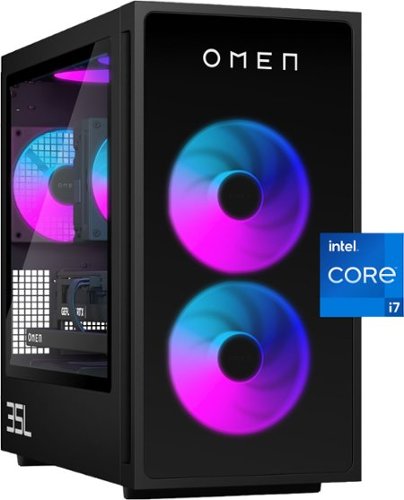
Rev up with OMEN Components. Get game-changing performance with an Intel Core i7-14700F processor and NVIDIA GeForce RTX 5060 graphics. Experience faster gameplay with AI-enhanced features, including AI-powered DLSS, real-time ray tracing, and ultra-responsive gameplay. Stand out with full aRGB control and more inside OMEN Gaming Hub, and choose from various aesthetic options to add your personal flair. Plus, with DTS: X Ultra technology, experience authentic, spatially accurate 3D sound to enjoy the best entertainment experience. Make your choice with OMEN Components inside, and when it comes time to upgrade, it's easy with an industry-standard form factor and toolless access.
Posted by: internetuser
I decided to upgrade since my previous "gaming" computer with cooling issues led to corrupting the GPU and a total loss. This HP OMEN- 35L Gaming Desktop is a definite upgrade right out of the box with possible upgrades in the future. As a casual gamer and not looking to go pro any time soon, this is the perfect computer for me.
Some of the things I like..
-- First of all, The case is a stunning sleek black, with glass in front and 1 side to give you a great look into the RGB lights and the ominous "OMEN" logo on the front. It's a great looking machine. This HP OMEN- 35L is air cooled and all the vents, fans and air holes seem to keep it running with low heat and super quiet.
-- The Intel Core i7-14700F is a very powerful processor that can handle most gaming, streaming movies, music or TV. You will have no problem using word processor software for school or work, or exploring Chrome tabs. This HP OMEN- 35L is a multi-tasking dream.
--As far as gaming is concerned, the RTX 5060 graphics card is solid for modern gaming at 1080p ultra settings and decent for 1440p gaming with DLSS enabled. The 16GB DDR5 RAM is enough for casual gaming today, although my kids, who are devoted gamers, are telling me upgrading to 32GB RAM to play newer AAA games with them. Maybe in the future.
--For me, the 1TB SSD is plenty. This SSD has really fast boot and loading times and plenty of storage for work and gaming files.
-- This machine comes with plenty of ports to install all your peripherals with ease.
The top has...
3 USB Ports,( 1 type C and 2 type A) which will continue to charge phones or tablets while sleeping or powered off. It also has a headphone/ microphone port.
The back has....
4 USB type A ( 2 5Gbps and 2 10Gbps)
2 USB type C ( 1 5Gbps and 1 10Gbps)
2 USB 2.0 type A
I RJ-45 Ethernet plug
HDMI and 3 display port
and 3.55 audio jacks
-- The HP OMEN- 35L Gaming Desktop is perfect for people like me. Work computer by day, catching a movie or game on streaming services in the evening, and an hour or 2 of gaming at night.
-- The Intel Core i7-14700F is a very powerful processor that can handle most gaming, streaming movies, music or TV. You will have no problem using word processor software for school or work, or exploring Chrome tabs. This HP OMEN- 35L is a multi-tasking dream.
--As far as gaming is concerned, the RTX 5060 graphics card is solid for modern gaming at 1080p ultra settings and decent for 1440p gaming with DLSS enabled. The 16GB DDR5 RAM is enough for casual gaming today, although my kids, who are devoted gamers, are telling me upgrading to 32GB RAM to play newer AAA games with them. Maybe in the future.
--For me, the 1TB SSD is plenty. This SSD has really fast boot and loading times and plenty of storage for work and gaming files.
-- This machine comes with plenty of ports to install all your peripherals with ease.
The top has...
3 USB Ports,( 1 type C and 2 type A) which will continue to charge phones or tablets while sleeping or powered off. It also has a headphone/ microphone port.
The back has....
4 USB type A ( 2 5Gbps and 2 10Gbps)
2 USB type C ( 1 5Gbps and 1 10Gbps)
2 USB 2.0 type A
I RJ-45 Ethernet plug
HDMI and 3 display port
and 3.55 audio jacks
-- The HP OMEN- 35L Gaming Desktop is perfect for people like me. Work computer by day, catching a movie or game on streaming services in the evening, and an hour or 2 of gaming at night.
I would recommend this to a friend!

Share this review:


0points
0of 0voted this as helpful.

Bring premium entertainment outdoors with the Furrion Aurora 4K LED outdoor smart TV. Designed to perform in partially-shaded and fully-shaded environments like patios, decks, and sunrooms, this outdoor television is built for life beyond the living room. Its rugged, IP55-rated housing defends against rain, dust, snow, humidity, and bugs, while the XtremeShield IK09-rated tempered glass adds impact protection from the unexpected. With a 750-nit brightness ~ up to four times that of standard indoor TVs ~ this outdoor waterproof TV provides a sharp, vibrant picture even in glare-prone areas. HDR10 enhances contrast and depth, and the included weather-resistant remote sleeve is ready for the elements too.
Customer Rating

5
Heavy solid build with a great outdoor picture
on November 17, 2025
Posted by: internetuser
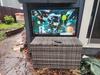
We love our outdoor living during the summer time. Floating in the pool and watching our favorite sports and shows is a daily occurrence. We already had a TV mounted inside a Storm Shell to keep it outside year round. The only problem was the horrible glare you would get with the normal indoor TV as the sun moved across the backyard. You would constantly have to adjust the angle of the TV to see it clearly.
I decided to try this Furrion Aurora 55" Partial-Sun 2 Outdoor Smart 4K TV to get a clear picture in sunlight. This TV delivers exactly what you’d hope for in an outdoor television: durability, clarity, and reliable performance even in challenging lighting conditions. The TV has a clean, modern look that fits well in your favorite outdoor setup. It’s heavier than an indoor unit due to the rugged build, so wall mounting is definitely a two-person job. Mounting it now (winter time) doesn't give the true sun location of what it will be in summertime, but I already notice a definite improvement.
The 750-nit brightness hits a sweet spot for partial-sun environments. It’s bright enough to stay visible during afternoons on the patio without washing out the image, yet not so bright that nighttime viewing becomes uncomfortable. The 4K LED panel is crisp, colors are vibrant, and motion handling is smooth—perfect for sports, movies, or streaming.
The impact-resistant screen is a must have feature with my family. Whether it’s the occasional wayward corn hole bag or a wind blown loose umbrella, the display feels solid and built to handle our backyard life. Combined with outdoor-ready weatherproof housing, this TV figures to be in our backyard for many years to come.
WiFi performance is not really a problem for our outdoor electronics as the router is only about 20 feet from the patio, but the wifi boosting antennas noticeably do improve signal strength. Streaming apps load quickly, and buffering is minimal. The built-in WEb OS platform is simple and very responsive, just load your favorite apps and streaming services to enhance your viewing experience.
The onboard speakers are serviceable but not spectacular—pretty typical for any TVs these days. For the best experience, pairing it with an outdoor soundbar is ideal. We just use a portable speaker and connect via Bluetooth to get a great sound. The TV also comes with 2 remotes. One has a cover to use in case you leave the remote out overnight to keep dew, sprinkler spray or critters from negatively affecting the remote.
I can't wait for summer now to get full use of the Furrion - Aurora 55" Partial-Sun 2 Outdoor Smart 4k LED TV.
I would recommend this to a friend!


Share this review:


0points
0of 0voted this as helpful.

Power up your party anywhere with the JBuds Party Speaker, where intense next-level sound meets portability. This portable Bluetooth speaker unleashes 30 watts of incredible sound and delivers 12+ hours of playtime, enough for all day fun. Personalize your sound with customizable EQ settings and set the mood with dynamic RGB lighting effects all in the JLab App. Take control with the intuitive JLab Media Knob and four quick access buttons or go big by connecting up to 100 JLab Party speakers with LabSync for a truly massive sound experience. With IPX6 waterproofing and a convenient loop strap, this speaker is ready to bring the party anywhere, anytime.
Posted by: internetuser
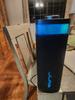
The first thing I noticed when unpacking was the heft this JLab - JBuds Party Speaker has. It's no cheap plastic speaker that will break if dropped from just a couple feet. This thing could break a toe if dropped from a couple feet. I'm not saying it's ridiculously heavy or cumbersome just well made. It's nice that it come with a stretchy elastic band to easily carry the speaker while at the lake, camping, or moving around the house. Just attach a carabiner and you can hang it anywhere.
The JLab - JBuds Party Speaker comes with a USB-C charging cable so you just need a block or computer to charge it up. The battery boasts a 12 hour battery life but I'm sure putting the EQ on EQ #3 setting with bass boost and the party lights running you will get less than 12 hours, but who parties or listens to music close to 12 hours at a time anyhow.
As I said you can change the EQ and party light setting by downloading the JLab app. You can also turn off voice prompts, and sync to other JLAB speaker by enabling LabSync. This sound like a real cool feature as you can connect up to 100 speakers and also separate 2 speakers in a room to left and right channels to get a true stereo sound. I will definitely get more JLab speakers in the future to use these cool features. To control the volume and playback features there are push buttons and a volume dial on the top of the speaker. of course you can also control volume from your phone and skip feature on the streaming music app you use.
The sound quality is very good except at full volume with the EQ set at #3(bass boost). The two 2.5" full range speakers produce great sound even at a high volume but the 2 woofers struggle to hit real deep lows without a little distortion but I wouldn't expect anything less from a compact speaker like this. My expectations are actually exceeded from the sound this JLab - JBuds Party Speaker can put out. I found the best sound experience can from setting the EQ to #1, the JLab signature sound experience.
I love that this is element proof because this will be perfect for camping, going to the lake or splashing around in the pool. It's made to withstand a little water, dirt and dust and keep on playing. It's definitely a solid speaker and I can't wait to expand my listening experience by connecting a few more JLab speakers for a great sound experience.
I would recommend this to a friend!

Share this review:


+1point
1of 1voted this as helpful.
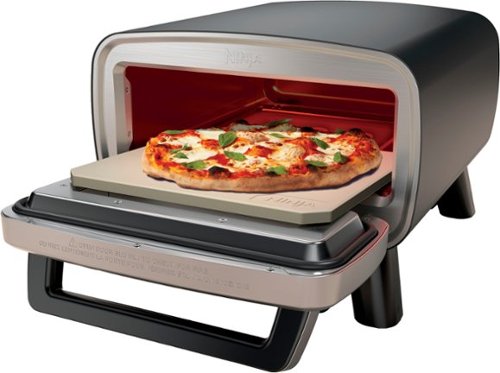
Create an Artisan Pizzeria in your own backyard, campsite, tailgate and beyond with the Ninja Artisan Outdoor Pizza Oven. Electric heat brings you Complete Temperature Control and even baking at the push of a button. Choose from 5 pizza settings of Neapolitan, Thin Crust, Pan, New York, and Custom and watch your creations come to life in 3 minutes.
Posted by: internetuser
When I ordered the Ninja - Artisan Outdoor Pizza Oven I decided to watch some videos on it and how to make pizza dough before it came. I thought I was ready so when I unboxed I was shocked when it didn't come with a pizza peel. A peel is just as important as the stone, if not more. DO NOT try to use this pizza over without one. I have big BBQ spatulas and all that did was leave half the pizza in the oven and make a disgusting mess. A 12" pizza peel is a must have. Fortunately that is the only bad thing I have to say about the Ninja - Artisan Outdoor Pizza Oven
Set up is easy. Just plug it in. Making the dough and toppings is the most time consuming part of the process. We decided to try the pre-made ready to use dough that you can find in supermarket deli's. It was fine but make sure to leave it out at least an hour before using. load up your cheese and toppings and now you are only 3 minutes from a great pizza.
The setting for pizza are Neapolitan, Thin Crust, Pan, New York, and Custom. The Neapolitan will get your pizza done the fastest, setting the temp at 700 degrees. I did try the thin crust setting and it took the pizza about 6 minutes to cook. The preheat time takes a good 10-15 minutes to get the oven to temperature.
The 2nd time we tried the oven we decided to use the proof function to get the dough pliable and easier to shape. It took about 20 minutes and the dough came out perfect and easy to form a great pizza dough. I am new to pizza making but the 1 tip I have is use lots of flour. Use floor on your prep board, lots of flour on your peel and even some on the stone. Your pizza will slide in and out of the oven easily.
The oven after preheating will give you a verbal beep and tell you on the screen to add the food. Then you just hit start and the timer will start counting down. There's a light in the oven that can be turned on so you can watch your pizza cooking. It's actually real cool. You start to see the cheese melting then the topping start to cook and finally you can see your crust getting brown. I like that it's electric so you can put the oven anywhere, not worrying about open flames. It's very portable and even though the specs say 30 pounds, it seems very light. Clean up was easy too. most of cheese and toppings that fall off just burn up after you take the pizza out. When it finally cools down you can remove the stone and scrape all the baked on scraps. It says don't use water as it could crack the stone. I just used a plastic spatula and it worked fine. Your stone will never look new again. After every use it get a little more brown and stained but that is normal.
The Ninja - Artisan Outdoor Pizza Oven comes with a baking tray. We used it on the bake setting a put some some stuffed chicken breast that came out delicious. You really can use this oven to bake just about anything that will fit in the pan.I can't wait to use the pan for a deep dish pizza.
The only other thing I wish they added that I have on my Ninja smoker is the ability to connect the oven to your phone through the ninja app. That way you could keep an eye on your preheat and cook time on your phone. I definitely recommend this Ninja - Artisan Outdoor Pizza Oven, just buy a pizza peel before first use.
I would recommend this to a friend!





Share this review:


0points
0of 0voted this as helpful.

The Hisense QD6 Series gets you in on all the action. Hi-QLED Color displays vivid and authentic color on your screen, making your favorite games, shows and movies feel even more real. Dolby Vision HDR and Dolby Atmos immerse you in a world of dynamic images and all-encompassing sound, so you can see every blade of grass and hear every call of the ref.
Posted by: internetuser
I decided to get this Hisense QD6 QLED 65"4K UHD Fire TV to replace a Hisense U6G that was starting to get a little buggy on start up and switching between apps. The picture is still beautiful on the old one so I decided to stay with Hisense. This QD6 QLED is an amazing improvement over the 4K TV I had. There are a lot of great things about this TV I will tell you about, but first off, this is my first TV with Alexa voice commands, and it is awesome! Just tell it what app you want to open or switch too and BAM, just like that it's taking you to that app. No more exiting to the home screen, scrolling to find an app, finding the show you want, etc etc. I know voice command remotes have been around a while but this is my fist and I love it.
Now for the TV. Setup is business as usual. It uses Amazon Fire TV which is similar to Roku or Google if you have set up one of those TV's. Find your favorite apps in the store and add them to your home screen. Connect to WIFI, and plug in your peripherals into the HDMI ports. I only used a soundbar for now in the eARC port, but there are 2 other ports for your gaming system, cable box, etc. (tip, plug in the HDMi cords you plan to use before putting the TV in its place. The ports are on the back of the TV and hard to get to if in place. Then plug your HDMI cords into your other units).
The picture on the Hisense QD6 QLED 65" is very vivid and multidimensional. You see images or people in the background as clearly as you see what's front and center. The colors are bright, sharp and vibrant. The compatible HDR formats are Dolby Vision, HDR 10, Hybrid Log-Gamma (HLG), HDR 10+. These formats bring the picture to life while the Quantum Dots create beautiful colors, bright whites and deep blacks. Just an amazing upgrade from LED TV's.
With a refresh rate of 60 Hz, movies, ball games and mild gaming can be enjoyed with seamless transitions with no lag. It does have Motion Enhancement Technology which speed up the refresh rate for intense high refresh rate gaming like first person shooter games, but seriously most high level gamers don't play those games on a 65" TV. To activate this, turn on game mode to get the variable refresh rate to eliminate screen tearing and lag.
With Dolby Vision you get Dolby Atmos too. Make sure to hook up a soundbar to get that immersive sound that makes you feel like you are in the movie or at the game. I didn't try the TV speakers alone but who does that anymore? Get a soundbar!
This is a great upgrade from regular LED TV's for a rather inexpensive price.
I would recommend this to a friend!





Share this review:


0points
0of 0voted this as helpful.
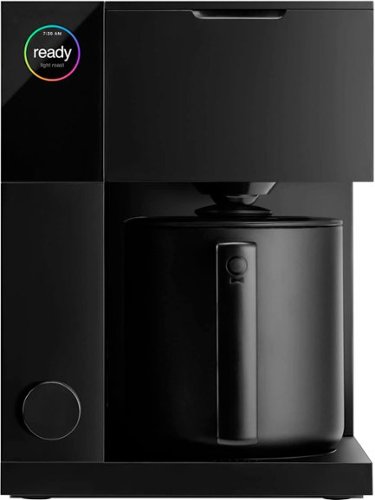
Great coffee is all about precision~the right temperature, timing, and technique. For pour-over lovers, the process is part of the joy, but if you~re after barista-quality results without the learning curve, Fellow~s Aiden Precision Coffee Maker has you covered. It combines the art of hand-brewing with the convenience of automation, so every cup is smooth, rich, and perfectly balanced~whether you're a purist or just starting your coffee journey.
Posted by: internetuser
As someone who previously never brewed their own coffee, the Aiden Precision Coffee Maker makes it incredibly easy to brew great coffee every time. The built-in guided mode made it easy for me to begin to understand how to brew coffee by giving me step-by-step instructions on how to make exactly what I wanted.
The Fellow app was also a great tool to help me begin customizing my coffee, giving full control over every brew with customizable profiles. Being someone who has never been a morning person, the ability to create custom schedules within the app is a necessity for me. This ensures the coffee will be ready every morning, even when I’m running late.
One of my other favorite features is the cold brew setting. I have never enjoyed hot coffee as much as iced coffee, so being able to have cold brew coffee ready to drink right away is much more enjoyable. The last feature that stood out to me is being able to brew any amount of coffee without sacrificing taste. Being the only coffee drinker in my house, there is no real point in brewing an entire pot every morning. Overall, the Aiden Precision Coffee Maker is the perfect balance of being user-friendly for new coffee drinkers and allowing in-depth customization for experienced coffee drinkers.
I would recommend this to a friend!
Share this review:


0points
0of 0voted this as helpful.

Lenovo's first AI tablet empowers you to create and turn ideas into reality. Experience the freedom to explore, create, and achieve with Lenovo Yoga Tab Plus. Powered by the Snapdragon 8 Gen 3 processor, it delivers personalized AI assistance tailored to your unique needs, giving you the independence to bring your ideas to life on your terms. Whether you~re enjoying the flexibility to operate offline, choosing to connect to the cloud, or simply unwinding with immersive Harman Kardon audio, this tablet adapts effortlessly to your lifestyle. Boost your productivity and creativity with AI assistance on the 12.7" 3K anti-reflection PureSight Pro display. With the included Lenovo Tab Pen Pro and ergonomic keyboard, you~re empowered to accomplish more, manage tasks with ease, and recharge when you need it. Discover more. Delight more.
Posted by: internetuser
When first unpacking the Lenovo Yoga Tab Plus you will find out immediately this is not a cheaply made tablet. Weighing in at about a pound and a half with kickstand attached, it feels unbelievable sturdy. In the box you will find the tablet, magnetic kickstand, tab pen, detachable keyboard, and charging cord and block. When first powering up you will see the clear 3K picture of the12.7" touchscreen. There are 3 options of security to unlock your tablet. Password, fingerprint or facial recognition. I setup all 3 and all work flawlessly.
As an android phone user, setup was super simple. I was able to connect my phone to the tablet and import all my apps, pics, docs, etc. In just a matter of minutes my tablet was ready to use. The Lenovo Yoga Tab Plus is an amazing combo of tablet, laptop and phone. I've used tablet mode to stream videos and watch movies on the vibrant 12.7" 3K, anti-reflection display. The easy to attach keyboard transforms this tablet into laptop mode. Here you can use the tablet as a laptop as it automatically turns into PC mode. Write emails, create documents, or browse the internet like you are using a PC. Jump between browsing windows, apps, work docs flawlessly with the Snapdragon 8 gen 3 processor with 256 gigs of storage, 16 gigs of RAM on Android version 14, even though specs say version 15. You can also send and receive texts on Google messages on the tablet.
As a Samsung phone user I love to use the stylus ( Lenovo Tab Pen on the tablet ) to jot down notes, circle or point at objects on photos and make handwritten notes that I can convert into print. This Lenovo Tab Pen is very responsive on the tablet screen. It does attach magnetically to the top of the screen, but I just wish it had a dedicated port to insert it to make it easier not to lose it.
The Harman Kardon speakers are a nice touch for this tablet. The sound quality coming out of the 4 sub and 2 tweeters is better than any tablet or laptop I have heard. When listening to music the sound was a little tinny, but seemed to get better as I turned it up. The Lenovo Yoga Tab Plus does have Bluetooth so if you plan on listening and want great stereo sound, just connect your favorite portable speaker for louder and clearer sound.
This Yoga Tab is also armed and ready for the multiple AI tasks you plan to throw at it. The Snapdragon 8 Gen 3 processor with Qualcomm's Hexagon NPU delivers 20 TOPS of performance. I tried out the included Lenovo AI Now but it was a little confusing. I was able to upload some files from Google Drive and get the AI assistant to locate them easily, but did not find organizing or summary processing to be very useful. Maybe some more exploring the app will produce better results. I do often use Googles assistant and Gemini which I found worked even faster on the Yoga than on my phone.
Battery life has been incredible for me. Using it the first day streaming, listening to music and just general exploring the new tablet for 5 or 6 hours, the battery life was still above 50%. I don't ever see myself using it more than that per day so I should be able to go 2 to 3 days without a charge. The nice thing is the included block has 45 watt rapid charging for a quick power up when the battery get low.
With all you get from this Lenovo Yoga Tab Plus at the price of $699 I don't se where you can go wrong buying it.
I would recommend this to a friend!
Share this review:


+2points
5of 8voted this as helpful.
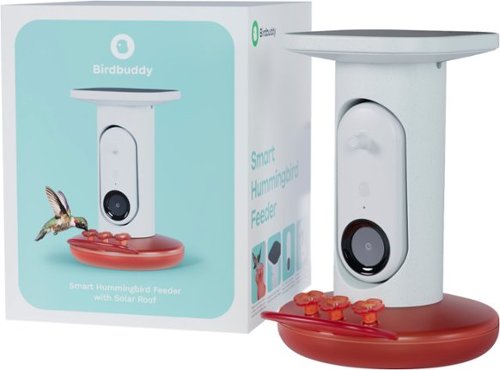
Witness the magic of hummingbirds in your backyard! Bird Buddy's Smart Feeder uses AI to recognize and capture stunning close-ups, while the specially designed feeder attracts these dazzling creatures.
Posted by: internetuser
During the pandemic my wife worked from home and set up bird seed and hummingbird feeders outside her window so she could watch all the birds in the area come to our backyard for a feast. Now that she is back to her office I decided to get her this Bird Buddy - Smart Hummingbird Feeder so she could watch her feathered friends again while at work.The concept is very simple. Put the feeder holes right in front of the camera and let the birds basically video record themselves getting a drink.
Setup is super simple. Charge the camera right out of the box. While doing that grab the user guide and you will first be directed to their app by following a QR code. Installation is a breeze and you will set up an account, after an update which takes about 15 minutes. The app is where you will see all the videos and pictures that are taken. The AI included in the app will also identify the type of hummingbird and give you that information. Make sure to enable notifications to get instant pop ups when a friend has come to visit your feeder.
To put the unit together just connect the solar panel plug into the camera to get continuous solar charging so you don't have to pull the camera out frequently and charge it. Then fill the feeder base with your favorite nectar recipe ( there is one included in the manual). Twist the camera body onto the base and attach the metal hanger.Then find a spot in your yard that will get sunlight, and has a nice background where the camera won't take pictures of people, pets or other houses for privacy sake.
Unfortunately getting this Bird Buddy - Smart Hummingbird Feeder in late November has been a fruitless endeavor. With the last 5 days of steady rain and many more to come, this Bird Buddy unfortunately won't be serving drinks to hummingbirds until the weather gets nicer. I can't wait for spring to see all of our friends come back and have a free drink on us.
I would recommend this to a friend!
Share this review:


0points
0of 0voted this as helpful.
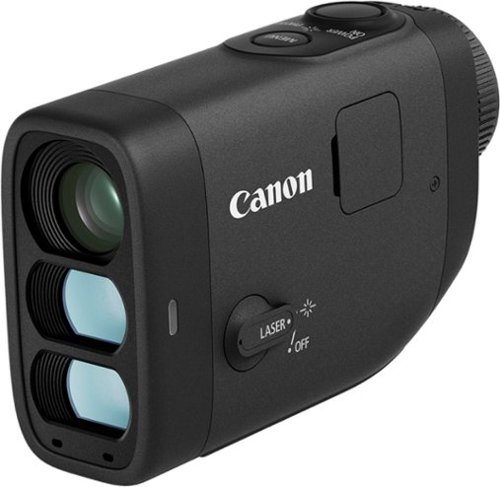
It~s time to lower your golf score! Introducing the PowerShot GOLF Digital Laser Rangefinder from Canon. Able to quickly measure distance and slope to the pin, you~ll now have the tools you need right in the palm of your hand to improve your game. The PowerShot GOLF is small, lightweight and water resistant, making it perfect to easily carry around the course, even in a little sprinkle. Plus, you can take photos and record video to review after the game to keep learning and improving even off the course.
Customer Rating
5
Highly accurate rangefinder with bonus camera
on October 31, 2024
Posted by: internetuser
As a previous GPS rangefinder user, i decided to give this Canon - PowerShot GOLF Digital Laser Rangefinder a shot to get better accuracy of the distance of my shots. With the GPS version you usually get 3 distances to the front, middle and back of the green. You have to guess where the flag is, and when your still 200 yards out, even if you can see the color of the flag you don't know exactly where it is.
With the Canon - PowerShot all the guesswork is taken out. Point the viewfinder at the flag, center the flag in the crosshairs, and the digital laser will not only give you exact distance to the flag but will take into consideration the slope of the shot. So if you are 150 yards out but the green sits 40 feet higher than the fairway, the viewfinder will give you the real distance and the distance you will need to hit the ball with the slope included into the measurement. That is awesome and very accurate. In the example of 150 yards out, that would mean I would pull out 7 iron if it was a flat shot. But when the viewfinder told me the shot to the flag with the slope was 165 yards,I grabbed a 6 iron and knocked it to about 8 feet of the pin. The Canon - PowerShot GOLF is a game changer. Golf is hard enough, but when you can get such accurate readings as this you will be able to take a few strokes off per round.
Using the Canon - PowerShot is very simple. At set up just charge it and insert the SD card. When you are at the course switch the laser on. When you get to where you need a distance, just simply push the power button to turn on then the press lightly again to get a lock on the flag. There you will see the real distance and distance with the slope included. It's that simple. There is also a zoom button to get a close up view of the green before your shot.
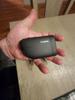
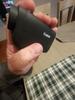
The Canon - PowerShot GOLF Rangefinder is very small. I was able to put it in my pocket until I needed it and it was not a bother. It's about half the length of my cell phone but double the thickness and not very heavy at all at about 5 ounces. It does come with a case you can put on your belt but I'm just not one of those guys who attaches carry cases to my belt. You will need your own USB-c to charge it as it doesn't include one.
This rangefinder does double as a camera and video recorder. This came in handy as I had my golf buddy take a video of a few of my shots to see if my form was correct. It's also nice to have a camera that fits in the palm of your hand to take some quick shots of all the golf course fun. My only issue is that I haven't owned a computer that has an SD card reader in about 10 years. If I want to get the pictures off the SD card and onto my computer I will have to buy an external card reader. For now I look at the pics and video on the playback feature in the unit.
In my opinion it's a little pricey but well worth the money.
I would recommend this to a friend!
Share this review:


0points
0of 0voted this as helpful.
internetuser's Review Comments
internetuser has not submitted comments on any reviews.
internetuser's Questions
internetuser has not submitted any questions.
internetuser's Answers
internetuser has not submitted any answers.