
Share internetuser's profile


internetuser
internetuser's stats
- Review count109
- Helpfulness votes149
- First reviewJune 30, 2015
- Last reviewMay 17, 2026
- Featured reviews0
- Average rating4.7
Reviews comments
- Review comment count0
- Helpfulness votes0
- First review commentNone
- Last review commentNone
- Featured review comments0
Questions
- Question count0
- Helpfulness votes0
- First questionNone
- Last questionNone
- Featured questions0
Answers
- Answer count0
- Helpfulness votes0
- First answerNone
- Last answerNone
- Featured answers0
- Best answers0

Give your movies, TV shows and games the great sound they deserve. This ultra-slim SR-B20 sound bar fits discreetly in front of your TV or on a shelf or can be rotated for a low-profile wall mount. Setup is a breeze with a simple connection to your TV while Bluetooth lets you wirelessly stream from your mobile devices.

Posted by: internetuser
from Placerville
Knowing that new TVs have horrible speakers we decided to get this Yamaha - SR-B20A Sound Bar for our recently purchased 4k Roku TV in our bedroom.
The first thing I noticed out of the box was the sleek design and low profile of the Yamaha sound bar. I also noticed when I picked it up that the mesh felt-like covering was very loose. I felt if it was to slip out of my hands the covering would just rip off.
Set up was very easy. Yamaha supplies an optical audio cable with the unit so you will have to buy or use your own HDMI cable if you want to use the ARC port on your TV. It also comes with a mounting template for attaching to a wall under your TV which even though I didn't do I would recommend because of the speaker configuration. That bring me to the sound performance.
When I first turned it on I thought I must have hooked it up wrong. I was standing 5 feet in front of the TV and sound bar and the sound was not much better then my TV. It felt as though the sound was coming from under my TV where the TV speakers are. Turns out when you don't wall mount the Yamaha - SR-B20A the 4 best speakers ( 2 bass and 2 midrange on each end) are facing upward and not towards you. The sound seemed to get lost. There are 2 small tweeters in the front but they are almost unrecognizable. I guess they do this to get that 3D surround feeling but in no way do I feel any immersive sound that Yamaha is shooting for. I tried turning the speaker upright to change the orientation but it is very unstable and blocks the bottom of the TV that way.
Once I turned the volume way I up I was able to get a good quality sound out of the sound bar. Because the speakers face upward in the non mounted orientation, it feels as if the whole room needs to fill up with sound before the quality starts to get decent which meant that I had to turn my TV volume up into the 30's level to get good sound. Without this sound bar even though the TV speakers weren't good I only had to turn the TV to the low 20's to get understandable sound. The last thing I want when watching TV in the bedroom is to have the whole room filled with sound.
The EQ presets are fine. There's 4 choices to choose from but I found out just choosing stereo output worked the best. There is also a port to hook up a powered subwoofer which I would recommend due to the lack of punch in bass from the included sub's.
We will continue to use this but I'm sure with some exploring you can find just as good or better sound bar for less.
Mobile Submission: False
No, I would not recommend this to a friend.
Share this review:


-1point
0of 1voted this as helpful.
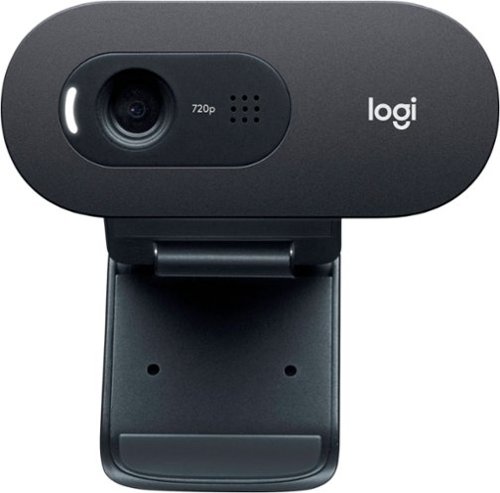
Step up from built-in laptop optics with a webcam that delivers crisp, smooth and colorful widescreen HD 720p video with a 60~ diagonal field of view, fixed focus and auto light correction that adjusts to the illumination of any meeting space. The single, omnidirectional mic features noise-reduction technology and is engineered to support clear, natural conversation up to 3 meters away, even in busy environments like open workspaces and classrooms. Plus, the extra-long USB-A cable and universal clip let you position the webcam on your computer or mount up to 7 ft away.

Posted by: internetuser
from Placerville
I am not a web cam professional but I don't understand why you would pay hundreds of dollars for a web cam. All I need is a clear picture that doesn't cut out and a good mic so people on the other end can hear me.
Thats' exactly what this Logitech - C505 HD Webcam does. The picture quality is great. The view I get of myself was very clear in any light. People on the other end of zoom calls and google hangouts said i was coming through perfectly, not washed out or to dark.
The mic pics up sound as I move around my desk. No fading in and out.
Setting up was a breeze. Find the spot you want to clip the webcam to, plug into a empty USB port and you are up and running.
The only problem I ran into is my monitor only has about a 1/8 inch bezel on top so the camera hung over the screen a little. I decided to attach it to a sub woofer box behind my monitor which also solved the extreme close up I was giving off during video chats.
overall a good webcam
Thats' exactly what this Logitech - C505 HD Webcam does. The picture quality is great. The view I get of myself was very clear in any light. People on the other end of zoom calls and google hangouts said i was coming through perfectly, not washed out or to dark.
The mic pics up sound as I move around my desk. No fading in and out.
Setting up was a breeze. Find the spot you want to clip the webcam to, plug into a empty USB port and you are up and running.
The only problem I ran into is my monitor only has about a 1/8 inch bezel on top so the camera hung over the screen a little. I decided to attach it to a sub woofer box behind my monitor which also solved the extreme close up I was giving off during video chats.
overall a good webcam
Mobile Submission: False
I would recommend this to a friend!
Share this review:


+1point
1of 1voted this as helpful.
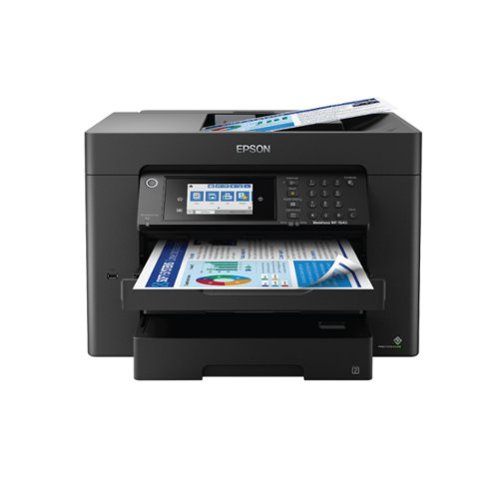
Supercharge workplace efficiency and productivity with the ultra fast WorkForce Pro WF-7840. Offering high-speed wide-format printing, this reliable all-in-one consistently delivers sharp, professional-quality, prints using innovative PrecisionCore Heat-Free Technology and vivid DURABrite Ultra inks. Built from the ground up to meet the demands of fast-paced businesses, the WF-7840 tackles a variety of tasks with wide-format printing up to 13" x 19", auto 2-sided print, copy, scan and fax, a 50-sheet rear tray, and a large, 500-sheet paper capacity. Convenient and easy-to-use, this complete duplex solution offers an abundance of features for simplified operation and navigation, including a 4.3" color touchscreen and wireless setup using mobile devices
Posted by: internetuser
from Placerville
The first thing you notice when looking at the Epson - WorkForce® Pro WF-7840 Wireless Wide-format All-in-One Printer is it's size. You may think "I don't need something that large and intimidating".
In short... YES YOU DO!
In short... YES YOU DO!
If you have room for this large machine in your house it's a must. I have 2 college students and a wife who works from home due to the pandemic. There is printing, scanning and copying going on constantly. And this printer is not intimidating at all. It walks you through every task you do on it.
Setting up is very easy. unbox it, put the CD installer in your computer and in minutes you printer is connected to your home WIFI network. A user guide is also downloaded that goes into depth on how to use the machine. There is also an on screen guide that will walk you through the various tasks it performs. Just hit the "?" on the front screen and get the help you need.
Now the touchscreen. It is awesome. The printer I am replacing had a screen with buttons that was impossible to see because it was on top of the printer and not backlit. The Epson - WorkForce® Pro touchscreen is backlit, with color, and easy to touch buttons. It's just like using your smartphone.
The ink cartridges are very easy to install and replace. The original cartridges that come with the printer are on the small side but through BestBuy or the Epson website you can purchase two larger size cartridges at very reasonable prices. Using this printer won't break the bank for ink.
The best thing in my opinion is the 2 sided printing option. No more having to turn your stack of printed papers over to print on the back side of the paper. Being able to load 500 sheet of blank paper is a great feature also. No having to find the paper feeder on the back and putting maybe 100 sheets at most. Nope, now you have 2 pull out drawers in the front of the printer that hold 250 sheets each. you also have the capability to change to larger size paper, photo paper, envelopes and more. Also the option to load huge pieces of paper up to 13:"x19" is a plus. My wife scrapbooks and often uses 12x12 paper stock and is happy now she can print on them.
Scanning is easy to use also. You can scan documents or pictures to your computer, email, or a USB memory device. You can scan or copy 1 page by opening the cover or do many pages at once using the automatic paper feeder on the top. The printed paper tray pops out automatically when photos or pages are printed. That's a great feature from having just a little plastic tray that flipped down and dispersed pages of paper all over my room on my old machine.
The quality of documents and pictures are amazing. Photo's printed on glossy photo paper look almost profession quality. Documents print up clean and clear.
This printer is well superior to the other name brands in the printer catergory.
This printer is well superior to the other name brands in the printer catergory.
Mobile Submission: False
I would recommend this to a friend!
Share this review:


0points
0of 0voted this as helpful.
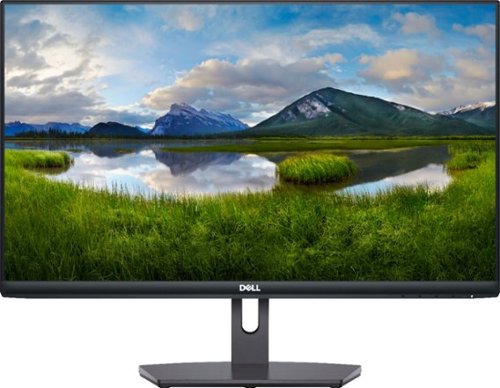
The Dell 24~ FHD monitor is beautifully designed to sit easily into any space ready for your everyday lifestyle. Built-in dual HDMI ports keep your devices always plugged in. The three-sided ultrathin bezel design lets you enjoy superb screen clarity in 1920 x 1080 Full HD resolution. Smooth, tear-free experience with AMD FreeSync~ technology, featuring up to 75Hz refresh rate. This T~V-certified monitor has a flicker-free screen with ComfortView, a feature that reduces harmful blue light emissions.
Posted by: internetuser
from Placerville
The Dell - S2421NX 24" IPS LED FHD Monitor looks awesome on my desk. The very thin dark black bezel is almost unnoticeable just leaving you with a bright clear picture on your desktop.
The setup was easy. Click the base into place and tighten it down. The screen doesn't move up or down but it's position is perfect for me. The bottom of the screen sits at about 5 inches off the desk and the center of the screen is at 11". Perfect for viewing the screen as a work display or watching a movie.
The full HD picture is very clear. You can adjust the appearance of the screen with an on screen pop window which allows you to choose options like movie, comfort view and warm and cool lighting.
There are 2 HDMI ports and the monitor does come with an 1 HDMI cord to hook up to your desktop or laptop.
There is no built in speaker but for me that's not a deal breaker as I just use a Bluetooth speaker for my desktop.
Overall it a great monitor.
The setup was easy. Click the base into place and tighten it down. The screen doesn't move up or down but it's position is perfect for me. The bottom of the screen sits at about 5 inches off the desk and the center of the screen is at 11". Perfect for viewing the screen as a work display or watching a movie.
The full HD picture is very clear. You can adjust the appearance of the screen with an on screen pop window which allows you to choose options like movie, comfort view and warm and cool lighting.
There are 2 HDMI ports and the monitor does come with an 1 HDMI cord to hook up to your desktop or laptop.
There is no built in speaker but for me that's not a deal breaker as I just use a Bluetooth speaker for my desktop.
Overall it a great monitor.
Mobile Submission: False
I would recommend this to a friend!
Share this review:


0points
0of 0voted this as helpful.
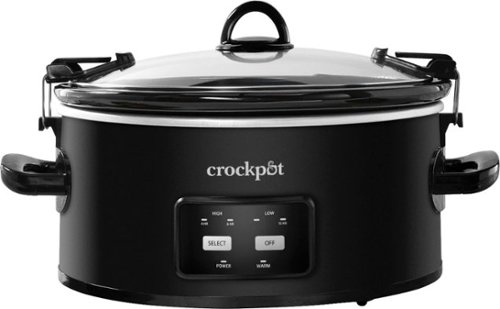
Crock-Pot 6-Quart Programmable Cook & Carry Slow Cooker is the perfect programmable slow cooker for those with a busy, on-the-go lifestyle. Its large capacity ensures that everyone gets enough to eat, and its portability makes it a great choice for travel. The secure-fitting lid and locking system create a tight seal between the stoneware and lid.

Posted by: internetuser
from Placerville
This Crock Pot is much different then any I have owned previously. It's not bad but different. It might take some trial and error to get used to.
On old Crock Pots I would throw in my meat or chicken, set it to high or low, and when I thought it was ready turn it off and serve dinner.
With this new Crock-Pot Cook & Carry Programmable 6-Quart Slow Cooker I now have to set a time that I think my food will be done and the Crock Pot will turn itself to warming at the end of that time.
Most of my recipes I use a crock for don't have specific times, (I.e. pork carnitas, chicken taco's and pot roast).
Your "programmable" options are High (4 or 6 hours) and low ( 8 or 10 hours). I wish they would have added just High (on) low (on) buttons too.
As I said it will just have to be a trial and error though. My first try was chicken taco's. I just set the Crock Pot to high and 6 hours. After 4 hours I checked it periodically and the chicken was ready to shred at about 5 hours. So now I know to set it for 6 hours and shut it off or switch to warm after 5.
The tight seal and being able to lock the lid kept it a 4 star for me. Other Crock Pots would rattle as the food inside got hot and started to simmer. But not this one., The lid remained tight all through the cooking time.
And since we do a lot of tailgating the thought of being able to lock the lid, throw it in the car and not worry about spillage is awesome.
The Black finish inside and out will ensure that we will be able to use this for years unlike our last beige colored one that was stained and kind of embarrassing to bring and use at parties. The clean up was easy too.
On old Crock Pots I would throw in my meat or chicken, set it to high or low, and when I thought it was ready turn it off and serve dinner.
With this new Crock-Pot Cook & Carry Programmable 6-Quart Slow Cooker I now have to set a time that I think my food will be done and the Crock Pot will turn itself to warming at the end of that time.
Most of my recipes I use a crock for don't have specific times, (I.e. pork carnitas, chicken taco's and pot roast).
Your "programmable" options are High (4 or 6 hours) and low ( 8 or 10 hours). I wish they would have added just High (on) low (on) buttons too.
As I said it will just have to be a trial and error though. My first try was chicken taco's. I just set the Crock Pot to high and 6 hours. After 4 hours I checked it periodically and the chicken was ready to shred at about 5 hours. So now I know to set it for 6 hours and shut it off or switch to warm after 5.
The tight seal and being able to lock the lid kept it a 4 star for me. Other Crock Pots would rattle as the food inside got hot and started to simmer. But not this one., The lid remained tight all through the cooking time.
And since we do a lot of tailgating the thought of being able to lock the lid, throw it in the car and not worry about spillage is awesome.
The Black finish inside and out will ensure that we will be able to use this for years unlike our last beige colored one that was stained and kind of embarrassing to bring and use at parties. The clean up was easy too.
Mobile Submission: False
I would recommend this to a friend!
Share this review:


0points
0of 0voted this as helpful.
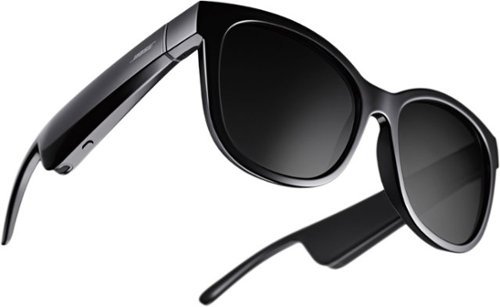
Without sound, they~re just sunglasses. Thoughtfully refined and strikingly elegant, Bose Frames Soprano style feature large lenses, delicately sloped browline and an elegant update to the cat eye, providing a dash of retro glamor with modern sheen. Bose Open Ear Audio technology produces clear, lifelike sound, leaving you free to engage with the world around you while discreetly listening to music. Bose Frames also feature an advanced mic system that lets you make crystal clear calls, scratch-and-shatter-resistant polarized lenses and a rechargeable battery that plays for up to 5.5 hours. All this housed in a lightweight frame crafted from ultramodern materials for a luxurious look and feel.
Posted by: internetuser
from Placerville
These Bose - Frames Soprano Audio Sunglasses are not only the best sunglasses i have ever owned but has the great sound of Bose audio built right in.
As someone who rarely spends more then $25 on sunglasses, I now know why people buy premium eye protection. Before even turning on the speakers I wore the sunglasses outside for a while. Everything became so much clearer as I didn't need to squint to block the brightness of the sunny day. I almost felt as if they were improving my vision and they are not prescription glass. The protection you will get from harmful UV rays will help in avoiding eye issues in the future.
Before buying these Bose - Frames Soprano Audio Sunglasses i thought the arms looked a little big and clunky. I did know that the speakers were stored here but I thought they would look strange. Once i put them on and looked in a mirror I was really surprised at how normal they actually looked. (see pic) I loved the fit. The part that rest on the ear was comfortable and there was no pinch on the bridge of my nose either.
Now the sound. It is everything you would expect from a Bose audio product. The sound is so awesome and clear you would think you had ear buds in. For someone like me who can't use noise canceling earbuds, (because they cause ringing in my ears) these are a perfect substitute. you get clear sound but can still hear surrounding outdoor sounds. I live in a rural town so I can't review how these would sound in a big city with lots of noise but to go out on a walk, run, or hike these are perfect.
Keeping the volume turned 1/2 way up ensures only you will be able to hear your music, podcast, phone call etc coming out of the speakers. I had to turn them almost all the way up before my wife (5ft away) could hear the music I was playing. I don't know how Bose accomplished this but almost all the sound coming out of the speakers goes right to your ears. Adjusting the volume level is pretty cool too. Just slide your finger along the right arm to lower or raise the volume. You can use the volume button on your phone too.
All the functions primarily come off 1 button on the frames right arm. Turn on and off, answer and end calls, skip forward and back songs all with the one button on the bottom of the arm. Very simple to use.
Calls came through clear and with no distortion even with the phone in my pocket. The voice assistant worked well too. I could just double tap the top of the right arm and give commands like "call Bill" "play Spotify" or ask for directions.
Charging is very easy. a magnetic strip attaches to a port on the right arm and in less then 2 hours you have a full charge. I have used them for at least 2 hours straight several times and never drained the battery. I believe Bose says they will last over 3 hours before needing a charge. They come with a nice carry case which I will be sure to use since these aren't my normal $20 sunglasses.
These glasses are absolutely amazing!!!!
These glasses are absolutely amazing!!!!
Mobile Submission: False
I would recommend this to a friend!

Share this review:


+7points
7of 7voted this as helpful.

Malwarebytes Premium Security (standard subscription) protects against malware, including viruses, ransomware, and spyware, without slowing you down. It removes any existing infections and proactively prevents future ones. It also defends against phishing scams, fake or malicious websites, infected ads, credit card skimmers and credential stealers. Expand your protection to your other devices- computers, smartphones, or tablets.
Posted by: internetuser
from Placerville
Malwarebytes - 4.0 Premium is so simple to install and use. Just sign up with your email and create a password, download the installer and follow the instructions to enter your activation code and you are protected from malware, adware and any threats that you could possibly download without your knowledge.
It runs so peacefully in the background without constant windows popping up telling you to "upgrade to this package", "buy this premium edition", etc, like a certain 3 letter antivirus I previously had.
I did a scan when I first installed it and it found PUP files that went undetected by my previous antivirus.
This is the best and least obtrusive device protection out there in my opinion.
It runs so peacefully in the background without constant windows popping up telling you to "upgrade to this package", "buy this premium edition", etc, like a certain 3 letter antivirus I previously had.
I did a scan when I first installed it and it found PUP files that went undetected by my previous antivirus.
This is the best and least obtrusive device protection out there in my opinion.
Mobile Submission: False
I would recommend this to a friend!
Share this review:


0points
0of 0voted this as helpful.
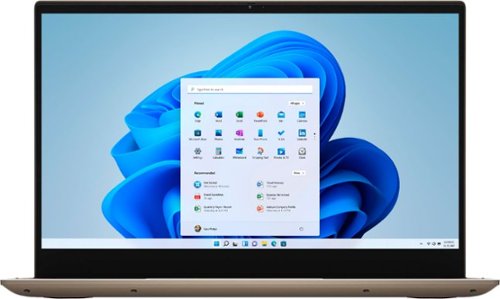
Dell Inspiron Convertible 2-in-1 Laptop: Optimize your productivity with this Dell Inspiron two-in-one laptop computer. Integrated AMD Radeon graphics produce crisp visuals on the 14-inch FHD touchscreen, while the AMD Ryzen 7 processor and 16GB of RAM support seamless multitasking. This Dell Inspiron two-in-one laptop computer has a 512GB SSD for rapid boot and load times. A unique Sandstorm color for this 2-in-1 provides aneutral and elegant expression that shows off hints of gold glints on reflective surfaces.
Posted by: internetuser
from Placerville
This is my 3rd Dell computer so I might be a bit biased. I have a Dell desktop, laptop and now this 2 in 1. What I love most is ease of use. Windows 10 is easy to learn and simple to navigate.
When setting up this new Dell - Inspiron 2-in-1 14" laptop, Cortana walks you through the easy setup. From there you set up your home page and default web browser. I prefer Chrome over Edge but to each his own.
The speed of this laptop is amazing.The AMD processor speeds through websites, email, and social media without lag time at all.
The graphics are clear and crisp. from looking at pics to watching Netflix the screen display was awesome. I'm not much of an intense gamer so I wouldn't be able to comment on game lag or graphics while gaming.
The graphics are clear and crisp. from looking at pics to watching Netflix the screen display was awesome. I'm not much of an intense gamer so I wouldn't be able to comment on game lag or graphics while gaming.
Having the option for a stand up tablet is great during these crazy times we are in. I can connect with friends and family on Zoom or Skype by setting the tablet side on a table or counter and chat away.It's so easy and lightweight so moving around with it is simple.
The sound is a little muffled when in laptop configuration but when standing up in tablet mode it sounded better.
I really like the fingerprint reader to unlock the computer and the touchscreen is very responsive.
All in all this is another great product out of Dell.
I really like the fingerprint reader to unlock the computer and the touchscreen is very responsive.
All in all this is another great product out of Dell.
Mobile Submission: False
I would recommend this to a friend!
Share this review:


+3points
3of 3voted this as helpful.
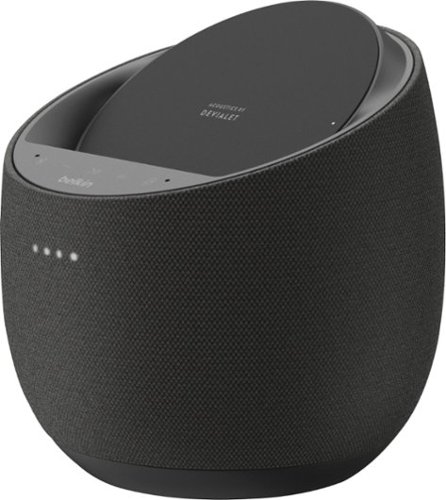
Improve your listening experience with this Belkin SoundForm Elite Hi-Fi smart speaker. The Push-Push dual woofer design delivers deep, distortion-free bass, and the Speaker Active Matching technology helps maximize sound quality. Google Assistant integration lets you control this Belkin SoundForm Elite Hi-Fi smart speaker and play songs from your library using voice commands.
Posted by: internetuser
from Placerville
The Belkin - SoundForm Elite produces great sound for a compact speaker. The bass was amazing and the even with the volume up high there was very little distortion. I have decided to use it as our desktop computer speaker because it needs to be plugged in to use and does not have a rechargeable battery. I can leave it on our desk and it doesn't take up much room, puts out great sound and any of us 4 in the family can put our phone on the charging pad for a quick charge.
The setup was super simple as I already had google home app on my phone so it connected with one click of a button in the app. Once I set my preferences as what services will connect it was ready to go.
Tell google to make a call or add to your calendar, ask about the weather or get driving directions sent to your phone. Almost anything can be done by saying "hey Google". (no texting ability yet).
I gave it a 4 star because of the buttons on the front. They are almost invisible and not raised for ease of use. I have the black colored Belkin - SoundForm Elite and on the desk about 2 feet away from me I can't even see the "buttons". They don't even light up when touched, all you get is some different colored lights on the front to let you know you actually touched a button. (which one? who knows!)
Also there is no skip button on the front to go to the next song. You either have to say "hey Google" which stops the music , then say "skip song' to go to the next song. A button to skip the song would have been better.
Overall a great little speaker but a little pricey for what you get.
The setup was super simple as I already had google home app on my phone so it connected with one click of a button in the app. Once I set my preferences as what services will connect it was ready to go.
Tell google to make a call or add to your calendar, ask about the weather or get driving directions sent to your phone. Almost anything can be done by saying "hey Google". (no texting ability yet).
I gave it a 4 star because of the buttons on the front. They are almost invisible and not raised for ease of use. I have the black colored Belkin - SoundForm Elite and on the desk about 2 feet away from me I can't even see the "buttons". They don't even light up when touched, all you get is some different colored lights on the front to let you know you actually touched a button. (which one? who knows!)
Also there is no skip button on the front to go to the next song. You either have to say "hey Google" which stops the music , then say "skip song' to go to the next song. A button to skip the song would have been better.
Overall a great little speaker but a little pricey for what you get.
Mobile Submission: False
I would recommend this to a friend!
Share this review:


0points
0of 0voted this as helpful.
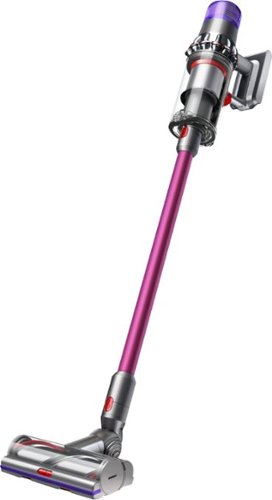
Dyson's intelligent and powerful cordless vacuum with twice the suction of any cord-free vacuum.*
Posted by: internetuser
from Placerville
The main thing I would want out of a new vacuum is great suction and power. This Dyson - V11 Origin Cord-Free Stick Vacuum does not disappoint in that category. The auto mode does a good job when vacuuming carpets and hardwood floors but switching to boost mode will just about suck the paint of your walls.
First of all the un-boxing...
When you first get it, plug it in right away to charge as it will take all of 3 to 4 hours to get a full charge which Dyson recommends before first use.
Then unpack the rest of the tools and read through the directions. It is very easy to assemble. I also installed the hanging vacuum holder/charger. That feature is nice so you can hang it on a wall and it doesn't have to take up closet space where our old vacuum was stored.
Having a battery powered cordless vacuum is awesome. No more cords to wind up, untwist, plug in and get in the way during vacuuming.
After the full charge I put it immediately to the test. We have a 120 pound black lab that sheds constantly. I first tackled the living room which is 75% area rug and 25% hardwood. Vacuuming was very easy with the Dyson - V11 Origin Cord-Free Stick Vacuum. The unit is very top heavy but shouldn't be any problem for an adult to maneuver. The suction on auto mode was good and I could go from carpet to hardwood with no problem. You can even hear and feel the unit change power level as it switches between surfaces. If you had an old vacuum like mine that "claimed" to work on hardwood floors you will know that when you switch from carpet to hardwood the rollers just shoot all the debris on the hardwood out the back of the vacuum head and doesn't suck it up. This Dyson - V11 Origin Cord-Free Stick Vacuum switches between surfaces smoothly and sucks up every last particle on the floor.
But this is where I ran into my first problem. The canister holding power. Within the first 4 to 5 minutes the canister filled up. I was shocked because I couldn't see that much dog hair and debris on the floor which means the Dyson was deep cleaning the floors. But just to vacuum the living room I had to empty the canister 3 timers.
Onto the dining room that is all hardwood and where dog hair builds up against the walls and under the furniture. This is where I tried out the wand and tool. Again it worked great but I did have to empty the canister another 2 times. To be fair we hadn't vacuumed or swept in a while since we wanted to put the Dyson - V11 Origin Cord-Free Stick Vacuum to the test. If we kept up on a daily or bi-daily vacuuming routine, the canister probably would fill so fast.
So after about an hour of testing, ( carpets, hardwood, furniture, cobwebs in the corner etc etc) I tackled the carpeted stairs where dog hair really builds up.
I detached the hand held unit and put on the wide nozzle tool to get deep in the carpet. On auto I wasn't getting enough suction so I tried boost mode and the power was amazing. There was not a single dog hair left on the carpet.
But this is where i ran into problem #2. Battery life. That whole first hour on auto used up only 1 of the 3 power lever indicator lights. 5 to 10 minutes of boost drained the battery completely. I only could finish 1 flight of stairs before having to charge the battery to finish the job.
One other thing on boost is the air that is getting forced out of the unit was blowing papers off tables and swishing ashes around when I was near the fireplace. Just the price you pay for such great suction I guess.
Overall this Dyson - V11 Origin Cord-Free Stick Vacuum is a great vacuum but I had to take 1 star away for the canister holding power and battery life.
First of all the un-boxing...
When you first get it, plug it in right away to charge as it will take all of 3 to 4 hours to get a full charge which Dyson recommends before first use.
Then unpack the rest of the tools and read through the directions. It is very easy to assemble. I also installed the hanging vacuum holder/charger. That feature is nice so you can hang it on a wall and it doesn't have to take up closet space where our old vacuum was stored.
Having a battery powered cordless vacuum is awesome. No more cords to wind up, untwist, plug in and get in the way during vacuuming.
After the full charge I put it immediately to the test. We have a 120 pound black lab that sheds constantly. I first tackled the living room which is 75% area rug and 25% hardwood. Vacuuming was very easy with the Dyson - V11 Origin Cord-Free Stick Vacuum. The unit is very top heavy but shouldn't be any problem for an adult to maneuver. The suction on auto mode was good and I could go from carpet to hardwood with no problem. You can even hear and feel the unit change power level as it switches between surfaces. If you had an old vacuum like mine that "claimed" to work on hardwood floors you will know that when you switch from carpet to hardwood the rollers just shoot all the debris on the hardwood out the back of the vacuum head and doesn't suck it up. This Dyson - V11 Origin Cord-Free Stick Vacuum switches between surfaces smoothly and sucks up every last particle on the floor.
But this is where I ran into my first problem. The canister holding power. Within the first 4 to 5 minutes the canister filled up. I was shocked because I couldn't see that much dog hair and debris on the floor which means the Dyson was deep cleaning the floors. But just to vacuum the living room I had to empty the canister 3 timers.
Onto the dining room that is all hardwood and where dog hair builds up against the walls and under the furniture. This is where I tried out the wand and tool. Again it worked great but I did have to empty the canister another 2 times. To be fair we hadn't vacuumed or swept in a while since we wanted to put the Dyson - V11 Origin Cord-Free Stick Vacuum to the test. If we kept up on a daily or bi-daily vacuuming routine, the canister probably would fill so fast.
So after about an hour of testing, ( carpets, hardwood, furniture, cobwebs in the corner etc etc) I tackled the carpeted stairs where dog hair really builds up.
I detached the hand held unit and put on the wide nozzle tool to get deep in the carpet. On auto I wasn't getting enough suction so I tried boost mode and the power was amazing. There was not a single dog hair left on the carpet.
But this is where i ran into problem #2. Battery life. That whole first hour on auto used up only 1 of the 3 power lever indicator lights. 5 to 10 minutes of boost drained the battery completely. I only could finish 1 flight of stairs before having to charge the battery to finish the job.
One other thing on boost is the air that is getting forced out of the unit was blowing papers off tables and swishing ashes around when I was near the fireplace. Just the price you pay for such great suction I guess.
Overall this Dyson - V11 Origin Cord-Free Stick Vacuum is a great vacuum but I had to take 1 star away for the canister holding power and battery life.
Mobile Submission: False
I would recommend this to a friend!


Share this review:


+12points
17of 22voted this as helpful.
internetuser's Review Comments
internetuser has not submitted comments on any reviews.
internetuser's Questions
internetuser has not submitted any questions.
internetuser's Answers
internetuser has not submitted any answers.