Samsung
Samsung's Stats
Reviews
- Review Count0
- Helpfulness Votes0
- First ReviewNone
- Last ReviewNone
- Featured Reviews0
- Average Rating0
Reviews Comments
- Review Comment Count0
- Helpfulness Votes0
- First Review CommentNone
- Last Review CommentNone
- Featured Review Comments0
Questions
- Question Count0
- Helpfulness Votes0
- First QuestionNone
- Last QuestionNone
- Featured Questions0
- Answer Count74341
- Helpfulness Votes37,977
- First AnswerApril 24, 2013
- Last AnswerSeptember 16, 2026
- Featured Answers0
- Best Answers3947
Samsung's Reviews
Samsung has not submitted any reviews.
Samsung's Questions
Samsung has not submitted any questions.
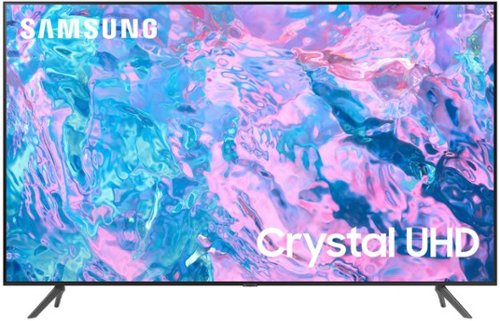
Samsung - 85 Class CU7000 Crystal UHD 4K Smart Tizen TV (2023)
True-to-life color. Effortless connectivity. Dazzling 4K value. Samsung Crystal UHD is worth a look (and more). Effortlessly access TV shows, movies and ambient content using the Samsung Smart Hub, or find a range of great games on the Samsung Gaming Hub.* Enjoy content even more clear than it was created as its upgraded to 4K resolution
Is the remote one that you don't have to point directly at set to operate? Dislike the infrared type remotes.

Ricky - The remote doesn't need to be directly in the TV's line of sight.
~ Samsung Specialist
~ Samsung Specialist
2 years, 8 months ago
by
Posted by:
Samsung
Samsung - 85 Class CU7000 Crystal UHD 4K Smart Tizen TV (2023)
True-to-life color. Effortless connectivity. Dazzling 4K value. Samsung Crystal UHD is worth a look (and more). Effortlessly access TV shows, movies and ambient content using the Samsung Smart Hub, or find a range of great games on the Samsung Gaming Hub.* Enjoy content even more clear than it was created as its upgraded to 4K resolution
how is the glare on this tv
Anti-Glare designed to minimize ambient light reflection is featured on our 55” QN90C series and higher.
~ Samsung Specialist
~ Samsung Specialist
2 years, 8 months ago
by
Posted by:
Samsung
Samsung - 85 Class CU7000 Crystal UHD 4K Smart Tizen TV (2023)
True-to-life color. Effortless connectivity. Dazzling 4K value. Samsung Crystal UHD is worth a look (and more). Effortlessly access TV shows, movies and ambient content using the Samsung Smart Hub, or find a range of great games on the Samsung Gaming Hub.* Enjoy content even more clear than it was created as its upgraded to 4K resolution
Okay, I saw another answer saying that there are two leg positions for the cu7000 series--I am hoping this includes the 85". It's 76 inches between the legs--that's crazy.
The leg width of the 85” CU7000F is adjustable between two positions: 67.1" or 55.2".
~ Samsung Specialist
~ Samsung Specialist
2 years, 8 months ago
by
Posted by:
Samsung
Samsung - 85 Class CU7000 Crystal UHD 4K Smart Tizen TV (2023)
True-to-life color. Effortless connectivity. Dazzling 4K value. Samsung Crystal UHD is worth a look (and more). Effortlessly access TV shows, movies and ambient content using the Samsung Smart Hub, or find a range of great games on the Samsung Gaming Hub.* Enjoy content even more clear than it was created as its upgraded to 4K resolution
what is the dif between direct and edge lit
Edge-lit: lights are on the edges of the display with ~10 zones of vertical LEDs. Direct-lit: lights are on the edges and behind the screen for more light uniformity than Edge-lit.
~ Samsung Specialist
~ Samsung Specialist
2 years, 8 months ago
by
Posted by:
Samsung
Samsung - 85 Class CU7000 Crystal UHD 4K Smart Tizen TV (2023)
True-to-life color. Effortless connectivity. Dazzling 4K value. Samsung Crystal UHD is worth a look (and more). Effortlessly access TV shows, movies and ambient content using the Samsung Smart Hub, or find a range of great games on the Samsung Gaming Hub.* Enjoy content even more clear than it was created as its upgraded to 4K resolution
I have a 70 inch tv mounted on the wall. Can I use this wall mount on the 85 inch model?
jackv - 70" Samsung TVs do not utilize the same VESA pattern as 85" sizes and will require a different mount.
~ Samsung Specialist
~ Samsung Specialist
2 years, 8 months ago
by
Posted by:
Samsung
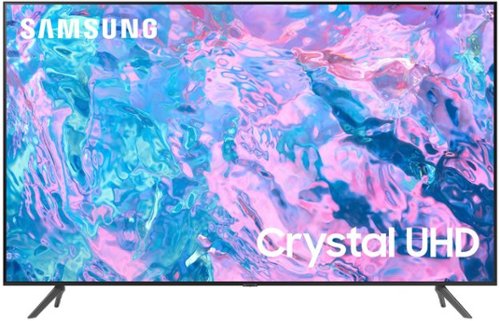
True-to-life color. Effortless connectivity. Dazzling 4K value. Samsung Crystal UHD is worth a look (and more). Effortlessly access TV shows, movies and ambient content using the Samsung Smart Hub, or find a range of great games on the Samsung Gaming Hub.* Enjoy content even more clear than it was created as its upgraded to 4K resolution
What is the size of the screws needed for the back of the tv for the wall mount?
You'll need 4x M8 screws with 20-22mm length and 1.25mm pitch.
~ Samsung Specialist
~ Samsung Specialist
2 years, 8 months ago
by
Posted by:
Samsung
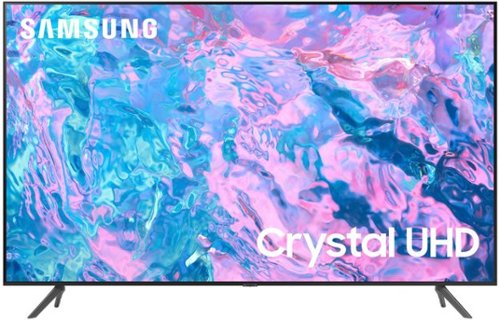
Samsung - 65 Class CU7000 Crystal UHD 4K Smart Tizen TV (2023)
True-to-life color. Effortless connectivity. Dazzling 4K value. Samsung Crystal UHD is worth a look (and more). Effortlessly access TV shows, movies and ambient content using the Samsung Smart Hub, or find a range of great games on the Samsung Gaming Hub.* Enjoy content even more clear than it was created as its upgraded to 4K resolution
are the legs adjustable width my tv stand is 37 inches
The distance between the legs on the 65" CU7000F is 46.7 inches.
~Samsung Specialist
~Samsung Specialist
2 years, 8 months ago
by
Posted by:
Samsung
Samsung - 65 Class CU7000 Crystal UHD 4K Smart Tizen TV (2023)
True-to-life color. Effortless connectivity. Dazzling 4K value. Samsung Crystal UHD is worth a look (and more). Effortlessly access TV shows, movies and ambient content using the Samsung Smart Hub, or find a range of great games on the Samsung Gaming Hub.* Enjoy content even more clear than it was created as its upgraded to 4K resolution
Would this TV identify the USB drive I have plugged into my WIFI router and allow me to play the movies and other media I have on that drive?
Please give us the opportunity to better assist with this by reaching Samsung Support at: 1-800-SAMSUNG, 8AM - 12AM EST, 7 days a week, or Chat with us on Samsung.com: https://www.samsung.com/us/support/contact/
~ Samsung Specialist
~ Samsung Specialist
2 years, 8 months ago
by
Posted by:
Samsung
Samsung - 65 Class CU7000 Crystal UHD 4K Smart Tizen TV (2023)
True-to-life color. Effortless connectivity. Dazzling 4K value. Samsung Crystal UHD is worth a look (and more). Effortlessly access TV shows, movies and ambient content using the Samsung Smart Hub, or find a range of great games on the Samsung Gaming Hub.* Enjoy content even more clear than it was created as its upgraded to 4K resolution
Will the TV play a video from the USB port and allow it to be looped?
BIll - For a list of supported file formats, please refer to pages 162-163 of this model's e-Manual: https://downloadcenter.samsung.com/content/UM/202302/20230223162049829/BN81-24055A-210_EM_OSPATSCC_NA_ENG_230215.0.pdf
~ Samsung Specialist
~ Samsung Specialist
2 years, 8 months ago
by
Posted by:
Samsung
Samsung - 85 Class CU7000 Crystal UHD 4K Smart Tizen TV (2023)
True-to-life color. Effortless connectivity. Dazzling 4K value. Samsung Crystal UHD is worth a look (and more). Effortlessly access TV shows, movies and ambient content using the Samsung Smart Hub, or find a range of great games on the Samsung Gaming Hub.* Enjoy content even more clear than it was created as its upgraded to 4K resolution
What is the distance between the 2 support legs? Trying to see if it will fit on my current TV stand. Thank you
The leg width of the 85” CU7000F is adjustable between two positions: 67.1" or 55.2".
~ Samsung Specialist
~ Samsung Specialist
2 years, 8 months ago
by
Posted by:
Samsung