Samsung
Samsung's Stats
Reviews
- Review Count0
- Helpfulness Votes0
- First ReviewNone
- Last ReviewNone
- Featured Reviews0
- Average Rating0
Reviews Comments
- Review Comment Count0
- Helpfulness Votes0
- First Review CommentNone
- Last Review CommentNone
- Featured Review Comments0
Questions
- Question Count0
- Helpfulness Votes0
- First QuestionNone
- Last QuestionNone
- Featured Questions0
- Answer Count74714
- Helpfulness Votes37,996
- First AnswerApril 24, 2013
- Last AnswerOctober 5, 2026
- Featured Answers0
- Best Answers3953
Samsung's Reviews
Samsung has not submitted any reviews.
Samsung's Questions
Samsung has not submitted any questions.
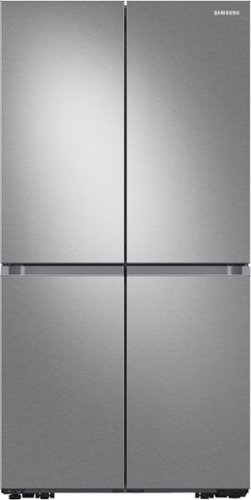
Samsung - 23 cu. ft. 4-Door Flex French Door Counter Depth Smart Refrigerator with Dual Ice Maker - Stainless Steel
Smart counter depth 4-Door Flex refrigerator features the AutoFill Water Pitcher, a built-in pitcher that automatically refills with fresh, filtered water and a Dual Ice Maker with Ice Bites.
I purchased the refrigerator based on the finger print resistance, sadly this thing is not finger print resistant at all. Am I the only one with this issue?

Hi there,
Thank you for sharing your feedback. Your satisfaction is our topmost priority. I understand you're having trouble cleaning the fingerprints on the refrigerator's surfaces. We apologize for the inconvenience on this matter. Don't worry will surely notate your feedback about this matter for a better product in the future.
For future reference, I highly recommend visiting these links for basic troubleshooting steps:
https://www.samsung.com/us/support/search/?query=refigerator&referrerPageUrl=https://www.samsung.com/us/support/
How to clean your Samsung refrigerator:
https://www.samsung.com/us/support/answer/ANS00079481/
You may check this link for future reference to reduce unnecessary repairs over the refrigerator's lifetime.
https://www.samsung.com/us/support/answer/ANS00079481/
If repair is needed, please take note of your warranty coverage:
https://www.samsung.com/us/support/service/warranty/RF23A9071SR/AA
If assistance is needed, please reach us with the following options to further assist you:
1. Facebook Messenger: http://m.me/samsungsupport
2. Twitter: https://twitter.com/messages/compose?recipient_id=18768513
3. Samsung Community: https://us.community.samsung.com/t5/Samsung-Community/ct-p/us
Reference Ticket number: 1144602462
Thank you for choosing Samsung. Have a great day.
-Trisha-
Thank you for sharing your feedback. Your satisfaction is our topmost priority. I understand you're having trouble cleaning the fingerprints on the refrigerator's surfaces. We apologize for the inconvenience on this matter. Don't worry will surely notate your feedback about this matter for a better product in the future.
For future reference, I highly recommend visiting these links for basic troubleshooting steps:
https://www.samsung.com/us/support/search/?query=refigerator&referrerPageUrl=https://www.samsung.com/us/support/
How to clean your Samsung refrigerator:
https://www.samsung.com/us/support/answer/ANS00079481/
You may check this link for future reference to reduce unnecessary repairs over the refrigerator's lifetime.
https://www.samsung.com/us/support/answer/ANS00079481/
If repair is needed, please take note of your warranty coverage:
https://www.samsung.com/us/support/service/warranty/RF23A9071SR/AA
If assistance is needed, please reach us with the following options to further assist you:
1. Facebook Messenger: http://m.me/samsungsupport
2. Twitter: https://twitter.com/messages/compose?recipient_id=18768513
3. Samsung Community: https://us.community.samsung.com/t5/Samsung-Community/ct-p/us
Reference Ticket number: 1144602462
Thank you for choosing Samsung. Have a great day.
-Trisha-
4 years, 3 months ago
by
Posted by:
Samsung
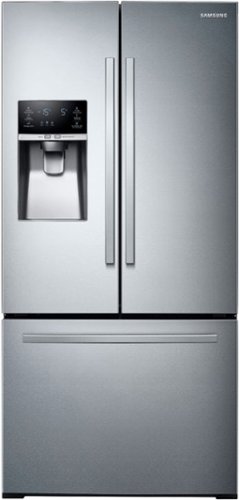
Samsung - 26 cu. ft. 3-Door French Door Refrigerator with External Water & Ice Dispenser - Stainless Steel
Samsung~s 26 cu. ft. large capacity 3-Door French Door refrigerator is beautifully designed, with SpaceMax~ Technology, EZ-Open Handle~ and a fingerprint resistant finish that withstands everyday smudges.
Is Samsung going to do anything about the Ice Maker Failure? The Fridge is a little over a year old and it's not working. How can you not get the ice maker right?
Hi Jay,
Thank you for sharing your feedback. Your satisfaction is our topmost priority and we are glad that you are using Samsung products. We apologize for the inconvenience of the refrigerator ice maker not working properly. We understand it is important to have a working ice maker to prevent us from having to stock up on ice for parties and special occasions you host at home. We will surely notate this feedback for better products and options in the future.
For future reference, I highly recommend visiting these links for basic troubleshooting steps:
https://www.samsung.com/us/support/search/?query=Ice+maker&referrerPageUrl=https://www.samsung.com/us/support/
The ice maker is not working:
https://www.samsung.com/us/support/troubleshooting/TSG01001012/
You may check this link for future reference to reduce unnecessary repairs over the refrigerator's lifetime.
https://www.samsung.com/us/support/answer/ANS00079481/
If repair is needed, please take note of your warranty coverage:
https://www.samsung.com/us/support/service/warranty/RF26J7510SR/AA
If assistance is needed, please reach us with the following options to further assist you:
1. Facebook Messenger: http://m.me/samsungsupport
2. Twitter: https://twitter.com/messages/compose?recipient_id=18768513
3. Samsung Community: https://us.community.samsung.com/t5/Samsung-Community/ct-p/us
Reference Ticket number: 1144602429
Thank you for choosing Samsung. Have a great day.
-Trisha-
Thank you for sharing your feedback. Your satisfaction is our topmost priority and we are glad that you are using Samsung products. We apologize for the inconvenience of the refrigerator ice maker not working properly. We understand it is important to have a working ice maker to prevent us from having to stock up on ice for parties and special occasions you host at home. We will surely notate this feedback for better products and options in the future.
For future reference, I highly recommend visiting these links for basic troubleshooting steps:
https://www.samsung.com/us/support/search/?query=Ice+maker&referrerPageUrl=https://www.samsung.com/us/support/
The ice maker is not working:
https://www.samsung.com/us/support/troubleshooting/TSG01001012/
You may check this link for future reference to reduce unnecessary repairs over the refrigerator's lifetime.
https://www.samsung.com/us/support/answer/ANS00079481/
If repair is needed, please take note of your warranty coverage:
https://www.samsung.com/us/support/service/warranty/RF26J7510SR/AA
If assistance is needed, please reach us with the following options to further assist you:
1. Facebook Messenger: http://m.me/samsungsupport
2. Twitter: https://twitter.com/messages/compose?recipient_id=18768513
3. Samsung Community: https://us.community.samsung.com/t5/Samsung-Community/ct-p/us
Reference Ticket number: 1144602429
Thank you for choosing Samsung. Have a great day.
-Trisha-
4 years, 3 months ago
by
Posted by:
Samsung
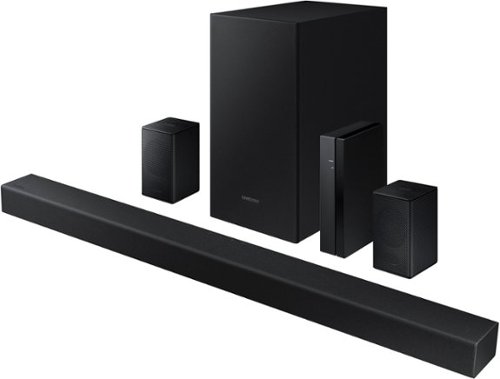
Samsung - 4.1-Channel Soundbar with Wireless Rear Speaker Kit and DOLBY AUDIO / DTS 2.0 - Black
Elevate your audio experience with high-quality optimized sound.
Can the volume be controlled with a Directv remote?
Hi William,
As long as your soundbar is connected to your TV via HDMI ARC, you will be able to control the volume and power of your soundbar using your TVs remote. If the feature is not working, or you are not connected via HDMI, you can adjust the remote settings of the soundbar.
This function can be used with IR remote controls only. Bluetooth remote controls (remote controls that require pairing) are not supported. Set the TV speaker to External Speaker to use this function.
1) Turn Off the Soundbar.
2) Push up and hold the WOOFER button for 5 seconds. Each time you push the WOOFER button up and hold it for 5 seconds, the mode switches in the following order: “Samsung-TV Remote” (Default mode), “Off-TV Remote”, “All-TV Remote”. The LED indicator status changes each time the mode is changed.
You will need to select All-TV Remote option.
Should you need further assistance, please contact Samsung Support at 1-800-SAMSUNG. ^Andrew
As long as your soundbar is connected to your TV via HDMI ARC, you will be able to control the volume and power of your soundbar using your TVs remote. If the feature is not working, or you are not connected via HDMI, you can adjust the remote settings of the soundbar.
This function can be used with IR remote controls only. Bluetooth remote controls (remote controls that require pairing) are not supported. Set the TV speaker to External Speaker to use this function.
1) Turn Off the Soundbar.
2) Push up and hold the WOOFER button for 5 seconds. Each time you push the WOOFER button up and hold it for 5 seconds, the mode switches in the following order: “Samsung-TV Remote” (Default mode), “Off-TV Remote”, “All-TV Remote”. The LED indicator status changes each time the mode is changed.
You will need to select All-TV Remote option.
Should you need further assistance, please contact Samsung Support at 1-800-SAMSUNG. ^Andrew
4 years, 3 months ago
by
Posted by:
Samsung
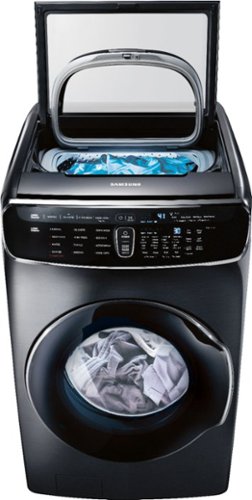
Samsung - 6.0 Cu. Ft. High-Efficiency Smart Front Load Washer with Steam and FlexWash - Black Stainless Steel
Samsung's FlexWash; Washer provides the ultimate washing flexibility, with two separately controlled washers in the same unit, so you can wash different types of laundry at the same time.
How many gallons of water does a cycle with this model use. Have septic system and trying to determine the number of loads I can safely do in 1 day.
Hi Robert,
Thank you for reaching out to us and we are glad to know that you are using Samsung products. We are happy to receive your question about this washer. Your washing machine will detect the weight of the load and automatically adjust the optimal water level, washing time, rinse counts, and spin counts based on the cycle that is selected.
I highly recommend visiting this link for the reference guide:
Cycles, settings, and features on your Samsung washing machine:
https://www.samsung.com/us/support/answer/ANS00061937/
The best laundry load size for your Samsung washing machine and dryer:
https://www.samsung.com/us/support/answer/ANS00080262/
You may check this link for future reference to reduce unnecessary repairs over the washer's lifetime.
https://www.samsung.com/us/support/answer/ANS00030150/
If repair is needed, please take note of your warranty coverage:
https://www.samsung.com/us/support/service/warranty/WV60M9900AV/A5
If assistance is needed, please reach us with the following options to further assist you:
1. Facebook Messenger: http://m.me/samsungsupport
2. Twitter: https://twitter.com/messages/compose?recipient_id=18768513
3. Samsung Community: https://us.community.samsung.com/t5/Samsung-Community/ct-p/us
Reference Ticket number: 1144602381
Thank you for choosing Samsung. Have a great day.
-Trisha-
Thank you for reaching out to us and we are glad to know that you are using Samsung products. We are happy to receive your question about this washer. Your washing machine will detect the weight of the load and automatically adjust the optimal water level, washing time, rinse counts, and spin counts based on the cycle that is selected.
I highly recommend visiting this link for the reference guide:
Cycles, settings, and features on your Samsung washing machine:
https://www.samsung.com/us/support/answer/ANS00061937/
The best laundry load size for your Samsung washing machine and dryer:
https://www.samsung.com/us/support/answer/ANS00080262/
You may check this link for future reference to reduce unnecessary repairs over the washer's lifetime.
https://www.samsung.com/us/support/answer/ANS00030150/
If repair is needed, please take note of your warranty coverage:
https://www.samsung.com/us/support/service/warranty/WV60M9900AV/A5
If assistance is needed, please reach us with the following options to further assist you:
1. Facebook Messenger: http://m.me/samsungsupport
2. Twitter: https://twitter.com/messages/compose?recipient_id=18768513
3. Samsung Community: https://us.community.samsung.com/t5/Samsung-Community/ct-p/us
Reference Ticket number: 1144602381
Thank you for choosing Samsung. Have a great day.
-Trisha-
4 years, 3 months ago
by
Posted by:
Samsung
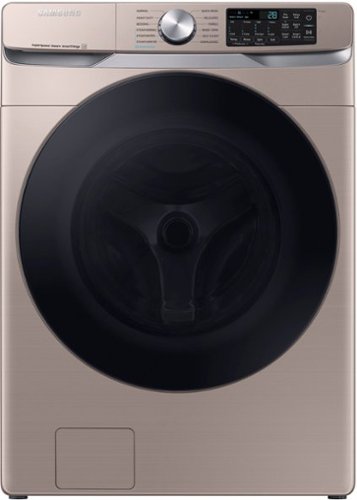
Samsung - 4.5 Cu. Ft. High-Efficiency Stackable Smart Front Load Washer with Steam and Super Speed Wash - Champagne
Samsung~s new 4.5 cu. ft. large capacity Front Load Washer features Super Speed Wash, so you can wash full loads with full performance in just 28 minutes, and has built-in Wi-Fi so you can receive end of cycle alerts and remotely start, stop, and schedule laundry right from your smartphone.
Does anyone know how much water is consumed for an average load? Thank you.
Hi richar73,
Thank you for reaching out to us and we are glad to know that you are using Samsung products. We are happy to receive your question about the fill line in this washer. Your washing machine will detect the weight of the load and automatically adjust the optimal water level, washing time, rinse counts, and spin counts based on the cycle that is selected.
I highly recommend visiting this link for the reference guide:
Cycles, settings, and features on your Samsung washing machine:
https://www.samsung.com/us/support/answer/ANS00061937/
The best laundry load size for your Samsung washing machine and dryer:
https://www.samsung.com/us/support/answer/ANS00080262/
You may check this link for future reference to reduce unnecessary repairs over the washer's lifetime.
https://www.samsung.com/us/support/answer/ANS00030150/
If repair is needed, please take note of your warranty coverage:
https://www.samsung.com/us/support/service/warranty/WF45B6300AC/US
If assistance is needed, please reach us with the following options to further assist you:
1. Facebook Messenger: http://m.me/samsungsupport
2. Twitter: https://twitter.com/messages/compose?recipient_id=18768513
3. Samsung Community: https://us.community.samsung.com/t5/Samsung-Community/ct-p/us
Reference Ticket number: 1144602331
Thank you for choosing Samsung. Have a great day.
-Trisha-
Thank you for reaching out to us and we are glad to know that you are using Samsung products. We are happy to receive your question about the fill line in this washer. Your washing machine will detect the weight of the load and automatically adjust the optimal water level, washing time, rinse counts, and spin counts based on the cycle that is selected.
I highly recommend visiting this link for the reference guide:
Cycles, settings, and features on your Samsung washing machine:
https://www.samsung.com/us/support/answer/ANS00061937/
The best laundry load size for your Samsung washing machine and dryer:
https://www.samsung.com/us/support/answer/ANS00080262/
You may check this link for future reference to reduce unnecessary repairs over the washer's lifetime.
https://www.samsung.com/us/support/answer/ANS00030150/
If repair is needed, please take note of your warranty coverage:
https://www.samsung.com/us/support/service/warranty/WF45B6300AC/US
If assistance is needed, please reach us with the following options to further assist you:
1. Facebook Messenger: http://m.me/samsungsupport
2. Twitter: https://twitter.com/messages/compose?recipient_id=18768513
3. Samsung Community: https://us.community.samsung.com/t5/Samsung-Community/ct-p/us
Reference Ticket number: 1144602331
Thank you for choosing Samsung. Have a great day.
-Trisha-
4 years, 3 months ago
by
Posted by:
Samsung
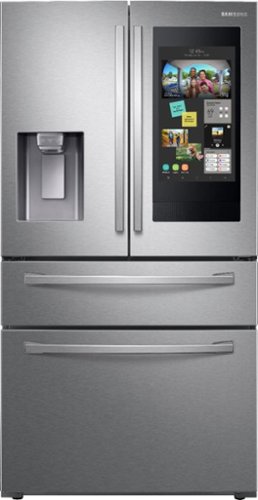
Samsung - Family Hub 22.2 Cu. Ft. 4-Door French Door Counter-Depth Fingerprint Resistant Refrigerator - Stainless Steel
This Samsung Family Hub refrigerator makes it easier to connect to what's most important to you: your family and home, whenever and wherever you want. Family Hub lets you manage your family's calendars, play music on Spotify, share pictures, and stay connected right on your refrigerator. With Family Board, a digital bulletin board, you can customize pictures, add stickers, and leave handwritten notes for your family.
Do you sell a pad for the water dispenser because it leaks?
Hello nicksname,
Thank you for showing interest in our product and raising your question
If we sell a pad for the water dispenser because it leaks?
We do suggest you follow the link below for your water leak concern.
Water leaks in a Samsung refrigerator
https://www.samsung.com/us/support/troubleshooting/TSG01001852/
I hope this is helpful. Please contact us via the following links for further questions and good luck with your purchase.
1. Facebook Messenger: http://m.me/samsungsupport
2. Twitter: https://twitter.com/messages/compose?recipient_id=18768513 3. Samsung Community: https://us.community.samsung.com/t5/Samsung-Community/ct-p/us
Reference number:
1144602313
^^Ross
Thank you for showing interest in our product and raising your question
If we sell a pad for the water dispenser because it leaks?
We do suggest you follow the link below for your water leak concern.
Water leaks in a Samsung refrigerator
https://www.samsung.com/us/support/troubleshooting/TSG01001852/
I hope this is helpful. Please contact us via the following links for further questions and good luck with your purchase.
1. Facebook Messenger: http://m.me/samsungsupport
2. Twitter: https://twitter.com/messages/compose?recipient_id=18768513 3. Samsung Community: https://us.community.samsung.com/t5/Samsung-Community/ct-p/us
Reference number:
1144602313
^^Ross
4 years, 3 months ago
by
Posted by:
Samsung
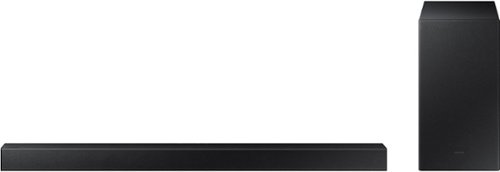
Samsung - 2.1-Channel Soundbar with Wireless Subwoofer and DOLBY AUDIO / DTS 2.0 - Black
Elevate your audio experience with high-quality optimized sound. The power of Samsung sound bar HW-A430/ZA makes surround soundbar comes to life with speakers that fire all around you.
Is this a tower style? According to the dimensions it is 33.9 inches tall and 2.1 inches wide. Or is this a case of the people who set up the web site not knowing how measurements work?
Hi nordaokda,
The correct measurements for the HW-A430 Soundbar are Width 33.9 x Height 2.1 x Depth 2.9 inches.
^Andrew
The correct measurements for the HW-A430 Soundbar are Width 33.9 x Height 2.1 x Depth 2.9 inches.
^Andrew
4 years, 3 months ago
by
Posted by:
Samsung
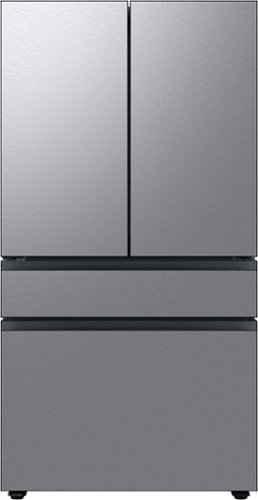
Counter Depth 4-Door French Door Refrigerator is a revolution in convenience and design, the concealed Beverage Center features both a water dispenser and AutoFill Water Pitcher. Plus a Dual Ice Maker with cubed ice and Ice Bites.
How good is the ice maker on this one? Does it produce lots of ice quickly? We have a counter depth LG and the biggest complaint is we are constantly running out of ice (Family or 5). thx!
Hello joelio,
Thank you for showing interest in our product and raising your question How good is the ice maker on this one? Does it produce lots of ice quickly?
The RF23BB8600QLAA refrigerator is pretty good with an Ice maker since it is Dual. and Yes it can produce ice quickly.
The RF23BB8600QLAA Dual Auto Ice Maker.
More ice with more choice
Be prepared for any occasion with two different types of ice. The Dual Auto Ice Maker makes both Cubed Ice and Ice Bites™,
which chill your drink faster. It can make 5.3lbs of ice a day and store up to 9.9lbs*. And, as it’s in the freezer, it frees up space in the fridge.
* Based on laboratory testing. Regular depth model only (Counter depth model = 7.3lbs).
https://www.samsung.com/ca/refrigerators/french-door/rf8000bc-4-door-french-door-beverage-center-23-cu-ft-silver-rf23bb8600qlaa/
I hope this is helpful. Please contact us via the following links for further questions and good luck with your purchase.
1. Facebook Messenger: http://m.me/samsungsupport
2. Twitter: https://twitter.com/messages/compose?recipient_id=18768513
3. Samsung Community: https://us.community.samsung.com/t5/Samsung-Community/ct-p/us
Reference number:1144602061
^^Ross
Thank you for showing interest in our product and raising your question How good is the ice maker on this one? Does it produce lots of ice quickly?
The RF23BB8600QLAA refrigerator is pretty good with an Ice maker since it is Dual. and Yes it can produce ice quickly.
The RF23BB8600QLAA Dual Auto Ice Maker.
More ice with more choice
Be prepared for any occasion with two different types of ice. The Dual Auto Ice Maker makes both Cubed Ice and Ice Bites™,
which chill your drink faster. It can make 5.3lbs of ice a day and store up to 9.9lbs*. And, as it’s in the freezer, it frees up space in the fridge.
* Based on laboratory testing. Regular depth model only (Counter depth model = 7.3lbs).
https://www.samsung.com/ca/refrigerators/french-door/rf8000bc-4-door-french-door-beverage-center-23-cu-ft-silver-rf23bb8600qlaa/
I hope this is helpful. Please contact us via the following links for further questions and good luck with your purchase.
1. Facebook Messenger: http://m.me/samsungsupport
2. Twitter: https://twitter.com/messages/compose?recipient_id=18768513
3. Samsung Community: https://us.community.samsung.com/t5/Samsung-Community/ct-p/us
Reference number:1144602061
^^Ross
4 years, 3 months ago
by
Posted by:
Samsung
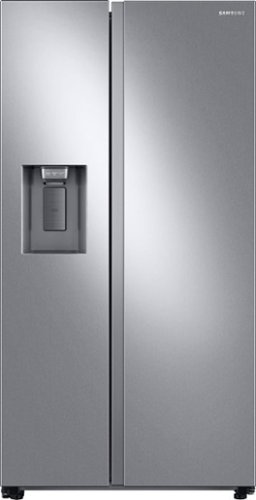
Samsung 27.4 cu. ft. large capacity Side-by-Side refrigerator that is beautifully designed with a minimal display dispenser, modern design that blends beautifully into your kitchen, and a finish that withstands everyday smudges.
is it quiet or noisy?
Hi there,
Thank you for reaching out. Your satisfaction is our topmost priority and we are glad that you are using Samsung products. We are happy to receive your question if the refrigerator is loud or not. We are happy to inform you Samsung refrigerators are generally very quiet. Many of the sounds are normal or can be fixed with little effort.
I highly recommend visiting this link for the reference guide:
Understand the noises coming from your refrigerator:
https://www.samsung.com/us/support/troubleshooting/TSG01001032/
You may check this link for future reference to reduce unnecessary repairs over the refrigerator's lifetime.
https://www.samsung.com/us/support/answer/ANS00079481/
If repair is needed, please take note of your warranty coverage:
https://www.samsung.com/us/support/service/warranty/RS27T5200SR/AA
If assistance is needed, please reach us with the following options to further assist you:
1. Facebook Messenger: http://m.me/samsungsupport
2. Twitter: https://twitter.com/messages/compose?recipient_id=18768513
3. Samsung Community: https://us.community.samsung.com/t5/Samsung-Community/ct-p/us
Reference Ticket number: 1144602076
Thank you for choosing Samsung. Have a great day.
-Trisha-
Thank you for reaching out. Your satisfaction is our topmost priority and we are glad that you are using Samsung products. We are happy to receive your question if the refrigerator is loud or not. We are happy to inform you Samsung refrigerators are generally very quiet. Many of the sounds are normal or can be fixed with little effort.
I highly recommend visiting this link for the reference guide:
Understand the noises coming from your refrigerator:
https://www.samsung.com/us/support/troubleshooting/TSG01001032/
You may check this link for future reference to reduce unnecessary repairs over the refrigerator's lifetime.
https://www.samsung.com/us/support/answer/ANS00079481/
If repair is needed, please take note of your warranty coverage:
https://www.samsung.com/us/support/service/warranty/RS27T5200SR/AA
If assistance is needed, please reach us with the following options to further assist you:
1. Facebook Messenger: http://m.me/samsungsupport
2. Twitter: https://twitter.com/messages/compose?recipient_id=18768513
3. Samsung Community: https://us.community.samsung.com/t5/Samsung-Community/ct-p/us
Reference Ticket number: 1144602076
Thank you for choosing Samsung. Have a great day.
-Trisha-
4 years, 3 months ago
by
Posted by:
Samsung
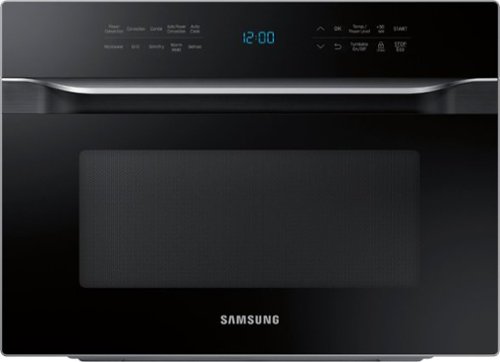
Samsung - 1.2 cu. ft. Countertop Convection Microwave with PowerGrill - Black
The Samsung Countertop Microwave makes preparing multiple dishes effortless with 1.2 cu. ft. capacity. The Power Convection quickly circulates heat, delivering oven like results. Additionally, PowerGrill functions like a grill, allowing you to brown and crisp your food on the outside while maintaining tenderness inside.
Is there a black stainless trim kit available not having any luck all of our appliances will be black stainless?
Hi Mikel.
Thank you for reaching out regarding your Samsung - 1.2 cu. ft. Countertop Convection Microwave with PowerGrill if there is any black stainless trim kit. Regarding your concern, it would be best to contact our Samsung Parts team. You can reach them at this number 800.627.4368 ( Mon - Fri 9:00 AM ~ 6:30 PM EST )
I suggest you check this link to assist you further.
http://www.samsungparts.com/CustomerService.aspx
Should you need more assistance, please feel free to get back to us via the following options:
1. Facebook Messenger: http://m.me/samsungsupport
2. Twitter: https://twitter.com/messages/compose?recipient_id 18768513
3. Samsung Community: https://us.community.samsung.com/t5/Samsung-Community/ct-p/us
Thank you for being a valued customer of Samsung. Have a great day.
Reference Ticket Number: 1144601917
^Camille
Thank you for reaching out regarding your Samsung - 1.2 cu. ft. Countertop Convection Microwave with PowerGrill if there is any black stainless trim kit. Regarding your concern, it would be best to contact our Samsung Parts team. You can reach them at this number 800.627.4368 ( Mon - Fri 9:00 AM ~ 6:30 PM EST )
I suggest you check this link to assist you further.
http://www.samsungparts.com/CustomerService.aspx
Should you need more assistance, please feel free to get back to us via the following options:
1. Facebook Messenger: http://m.me/samsungsupport
2. Twitter: https://twitter.com/messages/compose?recipient_id 18768513
3. Samsung Community: https://us.community.samsung.com/t5/Samsung-Community/ct-p/us
Thank you for being a valued customer of Samsung. Have a great day.
Reference Ticket Number: 1144601917
^Camille
4 years, 3 months ago
by
Posted by:
Samsung