Lenovo Product Expert
Lenovo Product Expert's Stats
Reviews
- Review Count0
- Helpfulness Votes0
- First ReviewNone
- Last ReviewNone
- Featured Reviews0
- Average Rating0
Reviews Comments
- Review Comment Count0
- Helpfulness Votes0
- First Review CommentNone
- Last Review CommentNone
- Featured Review Comments0
Questions
- Question Count0
- Helpfulness Votes0
- First QuestionNone
- Last QuestionNone
- Featured Questions0
- Answer Count37798
- Helpfulness Votes24,825
- First AnswerApril 21, 2014
- Last AnswerOctober 8, 2026
- Featured Answers0
- Best Answers2826
Lenovo Product Expert's Reviews
Lenovo Product Expert has not submitted any reviews.
Lenovo Product Expert's Questions
Lenovo Product Expert has not submitted any questions.
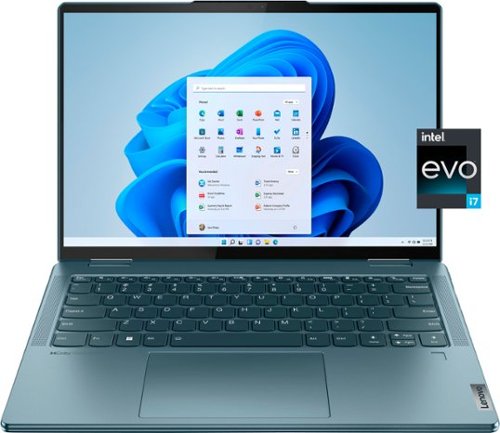
Lenovo - Yoga 7i 14" 2.2K Touch 2-in-1 Laptop - Intel Evo Platform - Core i7-1255U - 16GB Memory - 512GB SSD - Stone Blue
The Lenovo Yoga 7i combines versatile portability and enhanced productivity, thanks to the boundary-breaking performance and responsiveness of 12th generation Intel Core processors and vibrant 2.2K clarity with Intel Iris Xe graphics. Go anywhere with a sleek 2-in-1 metal chassis featuring thoughtful details including a webcam privacy shutter.
For this Lenovo Yoga 7i, do you have the 1TB internal memory variant?? Is any stylus pen provided?? Is the laptop original from the manufacturer or is it a renewed one, for the issues of warranty??

Here is a link to the Lenovo Yoga 7 14IAL7 model number 82QE001NUS, with a 1TB M.2 2242 PCIe 4.0x4 NVMe solid state hard drive installed. This Yoga 7i 14 model is compatible with a AES Protocol active/digital pen, which is sold separately, like this one: https://www.bestbuy.com/site/wacom-bamboo-ink-smart-stylus-for-windows-ink-2nd-generation-gray/6374981.p?skuId=6374981. This Lenovo Yoga 7i 14 model number 82QE001NUS, ships with a 1-year limited manufacturer's warranty, covering OEM hardware issues.
3 years, 11 months ago
by
Posted by:
Lenovo Product Expert

Lenovo - IdeaPad 3 15" HD Touch Screen Laptop - Intel Core i3-1115G4 - Intel UHD Graphics - 8GB Memory - 256GB SSD - Almond
Engineered for long-lasting performance, the Lenovo IdeaPad 3 is the perfect laptop for your everyday tasks with features that you can depend on.
Just got this laptop on Oct 11, 2022 and the battery will not recharge above 60 percent. I've gone through various steps of updating/deleting/reinstalling drivers, etc but haven't had any luck fixing the problem. Has anyone else had a similar problem?
Check to be sure the Battery Charge Threshold is turned off. This power management setting should only be used when the laptop is plugged in all the time. It will prolong overall battery life by only charging the battery to 60-percent of capacity. You can turn off Battery Charge Threshold within the Lenovo Vantage APP installed on this computer. In Vantage select Battery Settings and turn off Battery Charge Threshold, if turned on. If the problem persists, we recommend you contact Lenovo Tech Support for additional help at: 877-453-6686.
3 years, 11 months ago
by
Posted by:
Lenovo Product Expert
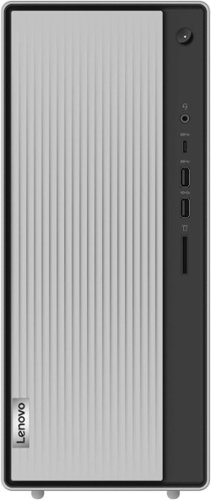
Lenovo - IdeaCentre 5i Desktop - Intel Core i5 - 12GB Memory - 512GB SSD - Mineral Grey
Lenovo IdeaCentre 5i is a powerful, contemporary desktop powered by the latest Intel Core processors. Featuring gaming-grade graphics, fast DDR4 memory, and plenty ofstorage, it~s up to the task of having fun and will immerse you in it~and looks great in your home.
Can you install a bigger power supply inside? I notice it only has 290Watt inside. Seems kind of small wattage. Thank you.
The maximum power supply that this model configuration can support is a 380W internal TFX model - PWR_SUPPLY 100-240Vac, TFX380W 92% POWER SUPPLIES INTERNAL, Lenovo Part Number - 5P51D77088. Here is a link to the complete Compatible Parts List for this model configuration: https://pcsupport.lenovo.com/us/en/products/desktops-and-all-in-ones/5-series/ideacentre-5-14iob6/90rj/90rj009gus/parts/display/compatible. We recommend you consult with your certified technician about your power upgrade options.
3 years, 11 months ago
by
Posted by:
Lenovo Product Expert
Lenovo - IdeaPad 3 15" HD Touch Screen Laptop - Intel Core i3-1115G4 - Intel UHD Graphics - 8GB Memory - 256GB SSD - Almond
Engineered for long-lasting performance, the Lenovo IdeaPad 3 is the perfect laptop for your everyday tasks with features that you can depend on.
Got this home and the keyboard does not have the numeric keypad as shown in the photos. How can this be?
This Lenovo IdeaPad 3 15 Laptop, model number 81X800KLUS, ships with a full-size, laptop Non-backlit, English Version, standard QWERTY keyboard with 10 Key Numeric Pad included. If your product does not have a 10 Key Numeric Key Pad included, check the outside of the original shipping box your product came in for the model number of the product you received to be sure you received the correct product.
3 years, 11 months ago
by
Posted by:
Lenovo Product Expert
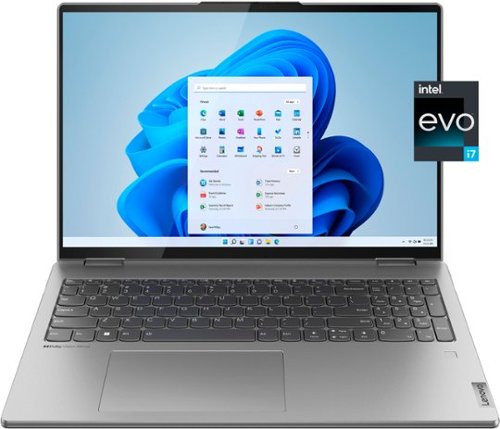
Lenovo - Yoga 7i 16" 2.5K Touch 2-in-1 Laptop - Intel Evo Platform - Core i7-12700H - 32GB Memory - Intel Arc A370M - 1TB SSD - Arctic Grey
The Lenovo Yoga 7i combines versatile portability and enhanced productivity, thanks to the boundary-breaking performance and responsiveness of 12th generation Intel Core processors and vibrant WQXGA clarity with Intel Arc A370M graphics. Go anywhere with a sleek 2-in-1 metal chassis featuring thoughtful details including an IR camera with privacy shutter.
I this laptop be delivered with Windows 11 PRO?
This Intel Evo-Certified, Lenovo Yoga 7i 16, model number 82UF0000US, ships with Windows 11 Home, 64-bit English Version Operating System installed. You can purchase the Windows 11 Pro upgrade and install it on this Yoga 7i 16: https://www.bestbuy.com/site/windows-11-pro-upgrade-from-windows-11-home-english-digital/6496033.p?skuId=6496033. We recommend you contact your local Best Buy Store location about purchasing the Windows 11 Pro upgrade software and having their Geek Squad install it for you on your purchase.
3 years, 11 months ago
by
Posted by:
Lenovo Product Expert
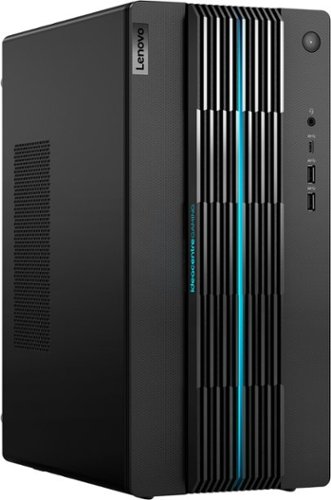
Lenovo - IdeaCentre Gaming 5i Gaming Desktop - Intel Core i7-12700 - 16GB Memory - NVIDIA GeForce RTX 3060 LHR - 512GB SSD - Raven Black
Fast-track your entry into gaming and esports with the Lenovo IdeaCentre Gaming 5i, powered by the latest 12th Generation Intel Core i7 processors, a seriously powerful, future-proof machine that keeps pace with top games for years to come, with the upgradeability to go even further. Complement your home office or elite battlestation with the functional aesthetics of the generous 17L chassis accented by blue lighting along the bezels and 2D/3D striped patterns across the front, enhancing ventilation and looking cool.
Can we purchase the system configured with 32GB RAM and pay for the upgrade?
This Lenovo IdeaCentre 5i Gaming Desktop Computer, model number 90T00007US, ships with 16GB DDR4-3200MHz RAM installed (2x 8GB UDIMM DDR4-3200MHz RAM). There are two DDR4 UDIMM slots, dual-channel capable. The maximum RAM that this model configuration can support is: Up to 32GB DDR4-3200MHz RAM. We recommend you consult with your local Best Buy Store location about ordering this Lenovo IdeaCentre 5i Gaming Desktop computer and having their Geek Squad Team perform the system upgrade for you upon your purchase.
3 years, 11 months ago
by
Posted by:
Lenovo Product Expert
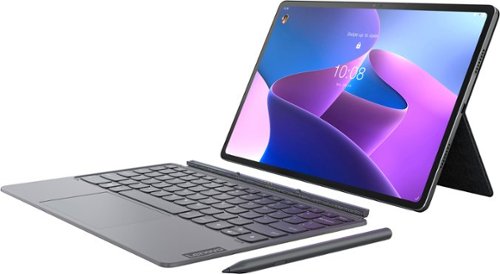
Lenovo - Tab P12 Pro - 12.6" - Tablet - 8GB - 256GB - with Keyboard - Storm Grey
The Lenovo Tab P12 Pro doubles as a wireless second screen for your laptop while also supporting touch and pen input, thanks to Lenovo Project Unity. A perfect entertainment, gaming, and productivity powerhouse that's built for use outdoors and indoors, with an all-day battery and bright 12.6" 2K AMOLED display.
Does it have a desktop mode?
This Lenovo Tab P12 Pro Tablet, model number ZA9D0000US, ships with both the Lenovo Keyboard Pack and the Lenovo Precision Pen 3 Included. This Tab P12 Pro tablet features an unparalleled capacity for laptop-level work, thanks to the ultrathin keyboard with built-in trackpad and shortcut keys, for tactile, fast, and accurate typing. Sketch, paint, or jot down notes whenever inspiration strikes with the Lenovo Precision Pen 3—featuring 4,096 pressure levels, tilt detection, and 200 hours of pen usage time on one charge.
3 years, 11 months ago
by
Posted by:
Lenovo Product Expert
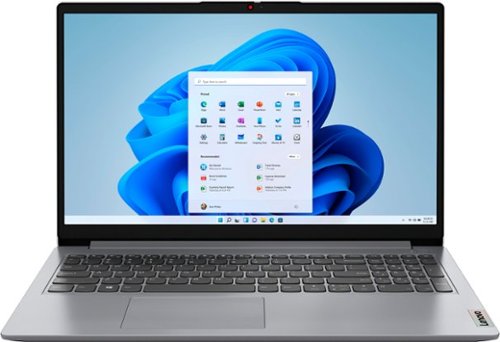
Lenovo - Ideapad 1 15.6" FHD Touch-Screen Laptop - Ryzen 7 5700U - 12GB Memory - 512GB SSD - Cloud Grey
Browse, explore and connect with confidence on the Lenovo IdeaPad 1 powered by ultra-fast AMD Ryzen~ 5000 U Series Mobile Processors on selected models. The IdeaPad 1 packs responsive performance in a thin and compact 17.9 mm chassis, making multitasking on-the-go a breeze. Get the most out of your device with a frameless display for more screen and Dolby Audio~ speakers, along with 10 hours of battery life and rapid charge. Great for video calls, the 1MP camera comes with a privacy shutter to keep out spying eyes, as well as Smart Noise Cancelling to eliminate background noise.
Is the display ratio 16:9 or 16:10?
This Lenovo IdeaPad 1 15 Laptop, model number 82R4002PUS, ships with a 16:9 aspect ratio screen, that is 15.6 Inches (screen size measured diagonally) IPS - FHD (1920x1080) 10-point Multi-touch screen, with a brightness level of 300 nits and has an Anti-glare Coating. This screen provides 67 Percent of the sRGB (45 Percent NTSC) color gamut.
3 years, 11 months ago
by
Posted by:
Lenovo Product Expert
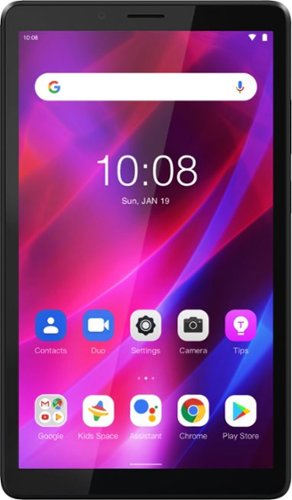
Lenovo - Tab M7 (3rd Gen) - 7" - Tablet - 32GB - Iron Grey
Fitted in a clean, compact and classic all-metal casing, the third generation Lenovo~ Tab M7 is now significantly faster and longer lasting than its predecessors, having inherited major performance boosts with the new quad-core processor and faster LPDDR4 RAM. Stream and play all day with a battery that enables up to 12 hours of video on a single charge and up to 30% faster charging speeds.
Is it like Samsung tablets in using Youtube? Meaning when you open Youtube, whether you can keep youtube page open and running when minimize it and still use your tablet for other stuff? I know the first Gen of Lenovo M7 did not have this feature. .
This entry-level Lenovo Tab M7 3rd Gen Tablet, model number ZA8C0027US, ships with the Android 11 (Go edition) Operating System installed, which will allow for multiple apps to be run in the background. Here is a link to more information about Android 11 Go Edition OS: https://blog.google/products/android/android-11-go-edition-new-features-coming-more-devices/
3 years, 11 months ago
by
Posted by:
Lenovo Product Expert
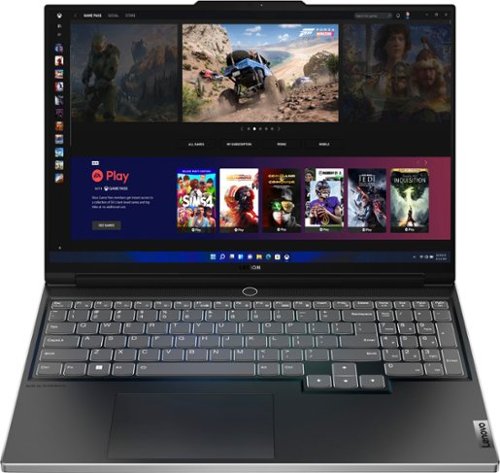
Lenovo - Legion Slim 7 AMD Advantage Edition 16" 2.5k Gaming Laptop - AMD Ryzen 9 6900HX-16GB Memory-AMD Radeon RX 6800S-1TB SSD - Onyx Grey
Engineered for those who know gaming is a way of life, the Lenovo Legion Slim 7, in Onyx Grey, is calibrated for next-gen creation and gaming alike. Redefine gaming experiences with the latest generation AMD Ryzen processor and AMD Radeon RX graphics that are AI-optimized via the Legion AI Engine, all the while cooled by the Legion Coldfront 3.0~s thermal system. The Legion Slim 7~s light and exhilarating design is further machined from an Aluminum and Magnesium blend that defies all basic laws of laptop engineering. Crush the competition in WQXGA for immersive gaming anywhere life takes you.
Can you add 32gb RAM and another 2TB ssd
This Lenovo Legion Slim 7 16 AMD Advantage Edition, Gaming Laptop model number 82UG0002US, ships with 16GB DDR5-4800MHz RAM installed (8GB Soldered DDR5-4800 + 8GB SO-DIMM DDR5-4800MHz RAM). One memory soldered to systemboard, one DDR4 SO-DIMM slot, dual-channel capable. The maximum supported RAM for this model configuration is: Up to 24GB (8GB soldered + 16GB SO-DIMM) DDR5-4800MHz RAM. There is also a 1TB M.2 2280 PCIe 4.0x4 NVMe solid state hard drive installed. The maximum storage capacity that this model configuration can support is: One drive, up to 2TB M.2 2280 SSD. The Storage Slot configuration is: One M.2 2280 PCIe Gen 4x4 slot, supports M.2 2280 SSD. We recommend you consult with your certified technician about your upgrade options.
3 years, 11 months ago
by
Posted by:
Lenovo Product Expert