Lenovo Product Expert
Lenovo Product Expert's Stats
Reviews
- Review Count0
- Helpfulness Votes0
- First ReviewNone
- Last ReviewNone
- Featured Reviews0
- Average Rating0
Reviews Comments
- Review Comment Count0
- Helpfulness Votes0
- First Review CommentNone
- Last Review CommentNone
- Featured Review Comments0
Questions
- Question Count0
- Helpfulness Votes0
- First QuestionNone
- Last QuestionNone
- Featured Questions0
- Answer Count37880
- Helpfulness Votes24,853
- First AnswerApril 21, 2014
- Last AnswerOctober 16, 2026
- Featured Answers0
- Best Answers2830
Lenovo Product Expert's Reviews
Lenovo Product Expert has not submitted any reviews.
Lenovo Product Expert's Questions
Lenovo Product Expert has not submitted any questions.
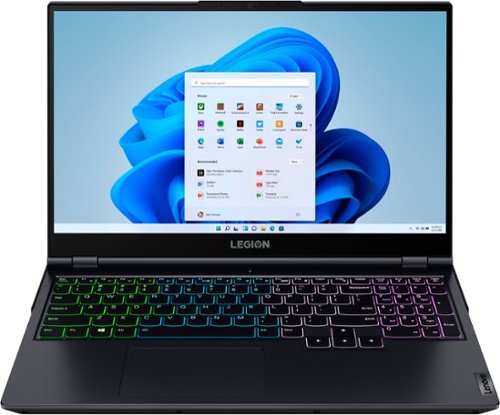
Lenovo - Legion 5 15" Gaming Laptop - AMD Ryzen 7 5800H - NVIDIA GeForce RTX 3050 Ti - 8GB Memory - 512GB SSD - Phantom Blue
Offering a plethora of performance options for any gamer in a clean, minimalist design, the Lenovo~ Legion 5 pairs the latest AMD Ryzen 5800 H-Series processor, NVIDIA GeForce RTX 3050 Ti Graphics, 3200 MHz DDR4 memory, and NVMe TLC SSD storage.
Are you able to upgrade/replace ram ?

The Lenovo Legion 5 15 Gaming Laptop, model number 82JW000XUS, ships with 8GB DDR4-3200MHz RAM (1x 8GB SO-DIMM DDR4-3200MHz RAM), there are two DDR4 SO-DIMM slots, dual-channel capable, within this configuration. The maximum RAM installed by the factory is 16GB DDR4-3200MHz RAM. This specific model configuration can support up to 32GB DDR4-3200MHz RAM via an after-market, 3rd party upgrade. We recommend you consult with your certified technician about RAM upgrade options.
5 years, 2 months ago
by
Posted by:
Lenovo Product Expert
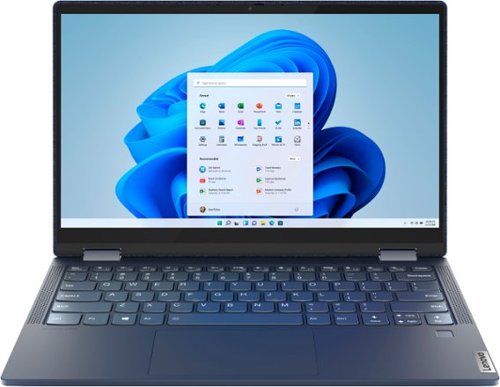
Lenovo - Yoga 6 13 2-in-1 13.3" Touch Screen Laptop - AMD Ryzen 7 - 16GB Memory - 512GB SSD - Abyss Blue with Fabric Cover
The Lenovo~ Yoga~ 6 is an ultra-portable 2-in-1 that combines unique style with the powerful responsiveness of an AMD Ryzen~ 5000 Series Mobile Processor, abundant memory and SSD storage. Enjoy a rich multimedia experience with the clarity of a 13.3" FHD touchscreen display, and enveloping sound with Dolby Atmos~-optimized stereo speakers.
Does this laptop come with a stylus/pen? If not where can I get one that can be used on this laptop
The Lenovo Yoga 6 13 model number 82ND0002US, is compatible with select, AES Protocol Active/Digital Pens. This Active/Digital Pen is sold separately. Here is a link to a compatible Active/Digital Pen for this Yoga 6 13 model: https://www.bestbuy.com/site/wacom-bamboo-ink-smart-stylus-for-windows-ink-2nd-generation-gray/6374981.p?skuId=6374981
5 years, 2 months ago
by
Posted by:
Lenovo Product Expert
Lenovo - Yoga 6 13 2-in-1 13.3" Touch Screen Laptop - AMD Ryzen 7 - 16GB Memory - 512GB SSD - Abyss Blue with Fabric Cover
The Lenovo~ Yoga~ 6 is an ultra-portable 2-in-1 that combines unique style with the powerful responsiveness of an AMD Ryzen~ 5000 Series Mobile Processor, abundant memory and SSD storage. Enjoy a rich multimedia experience with the clarity of a 13.3" FHD touchscreen display, and enveloping sound with Dolby Atmos~-optimized stereo speakers.
What is the battery Capacity in wh? Does it has Privacy shutter for camera ? How is the build quality ? Some one mentioned quality is very poor In the scale of 10 how much we can rate for this product
The Lenovo Yoga 6 13 model number 82ND0002US, ships with a 4CELL_60WH_INTERNAL, Lithium Polymer Battery. The Yoga 6 13 ships with a 720p (HD) webcam with manual Privacy Shutter. The overall reviewer rating of this model of the Yoga 6 13 on the Best Buy web site is currently 4.3 out of 5 Stars (8.6 out of 10).
5 years, 2 months ago
by
Posted by:
Lenovo Product Expert
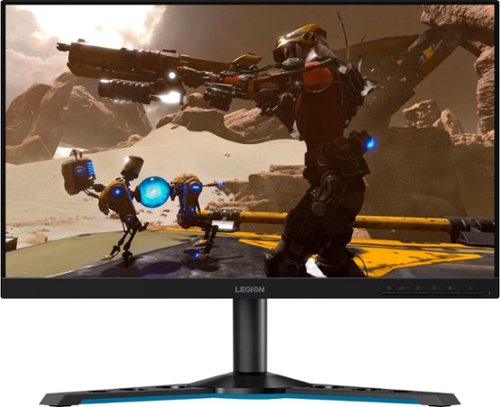
Lenovo - Legion Y25-25 24.5" IPS LED FHD FreeSync and G-SYNC Compatible Gaming Monitor (DisplayPort, HDMI, USB) - Raven Black
Professional Esport gaming is an extremely competitive space~where the difference between winning and losing comes down to the minutest of details. To stand out from the competition, you need equipment that matches the speed of your thought and actions. The Legion Y25-25 delivers wins in the toughest, most critical situations. NVIDIA~ G-SYNC~ Compatible technology takes motion blur out of the equation, improving visual clarity and making prolonged gaming sessions enjoyable. This monitor~s 24.5-inch In-Plane Switching (IPS) panel with a 240 Hz refresh rate and 1ms response time makes it possible to spot an opponent before they see you. When it comes down to a quickfire duel, that is the difference between firing first and getting shot.
Whenever i connect the hdmi cable to the monitor it says: Input not Supported can someone help?
You may see the 'Input Not Supported' error if there's something wrong with the monitor connection. So you should check the monitor cable to make sure it works properly. Or you can switch to a new monitor cable. Keep in mind that this Lenovo Legion Y25-25 Monitor uses an HDMI 2.0 version connection. Be sure you are using a compatible cable and that the device you are connecting the monitor to is compatible with HDMI 2.0. In addition, make sure the connection ports are working correctly. Here is a link to some troubleshooting tips for fixing the Input not Supported error message: https://www.drivereasy.com/knowledge/how-to-fix-input-not-supported-on-monitor/#:~:text=You%20may%20see%20the%20'Input,connection%20ports%20are%20working%20correctly. If the issue continues, we recommend you contact lenovo Tech Support at 866-426-0911.
5 years, 2 months ago
by
Posted by:
Lenovo Product Expert
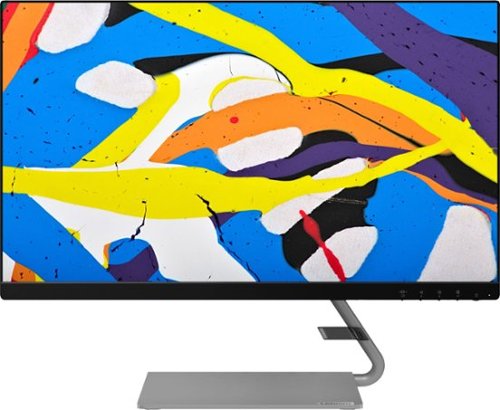
Lenovo - Q24i-10 24" IPS LED FHD FreeSync Monitor (HDMI, VGA) - Black
Modernize your workspace with this 23.8-inch Lenovo Q24i WLED monitor. With a tilting stand, NearEdgeless bezel and Full HD resolution, this graceful monitor offers sharp looks in both design and visual performance. Built-in dual speakers provide a rich audio experience for movies and games. This 23.8-inch Lenovo Q24i WLED monitor boasts in-plane switching technology, making it easy to see the screen from any viewing angle.
I want to use this as a second display/ screen when working at home with my laptop - do you think that this will work ?
As long as your laptop has either a VGA or HDMI connection for connecting an external monitor and the computer is running Windows 7 or newer operating system, this monitor will work.
5 years, 2 months ago
by
Posted by:
Lenovo Product Expert
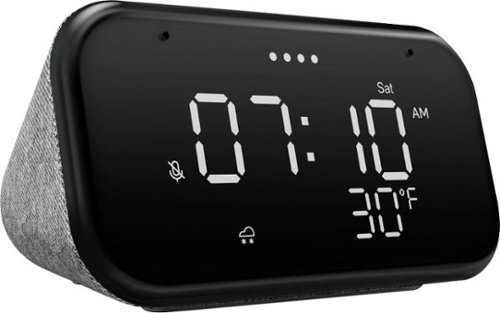
Lenovo - Smart Clock Essential 4" Smart Display with Google Assistant - Soft Touch Gray
The Lenovo Smart Clock Essential is the ultimate smart clock for any room. With a big & bold display you can check out the time from across the room, whether in the kitchen, in the living room or on a shelf. Talk to Google for hands-free help. From checking the time and weather, setting timers for cooking, adding items to your shopping list or making hands-free calls, the Lenovo Smart Clock Essential is here to help you be more productive and take back time. It~s also a great night-time companion with its built-in nightlight that provides a small source of light without waking up the whole family. No more stumbling around in the dark when searching for things. Listen to music, news, podcasts, and more with the clock~s quality speakers. Control over 40,000 compatible smart devices from over 5,000 brands. Ask Google to set the temperature, dim the lights, and more. Just say ~Hey Google.~
Can I add this to my existing Google Home speaker group?
Yes. The experience with the Google Assistant on your Lenovo Smart Clock Essential is the same as with other products that have the Google Assistant built in, like small speakers. As a result, they will operate together when connected to the same Google Account.
5 years, 2 months ago
by
Posted by:
Lenovo Product Expert
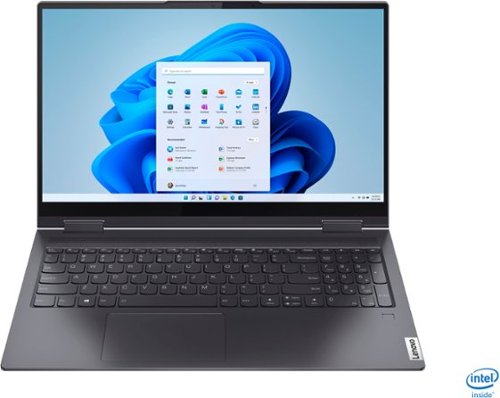
Lenovo - Yoga 7i 2-in-1 15.6" Touch Screen Laptop - Intel Core i5 - 8GB Memory - 256GB Solid State Drive - Slate Grey
The Lenovo Yoga 7i 15" combines versatile portability and enhanced productivity, thanks to the boundary-breaking performance and responsiveness of 11th generation Intel Core i5 processors and vibrant FHD clarity with Intel Iris Xe graphics. Go anywhere with a sleek 2-in-1 metal chassis featuring thoughtful details including a webcam privacy shutter..
I just purchased my new laptop and its very frustrating the battery drains when computer is fully shutdown. Fell asleep with 76% and turned on to see 34%. Would like to know how to fix it cause I would rather return than deal with this issue.
Check to see what your computer is set up to do when you close the lid on your computer. If it is not setup to go into Sleep Mode when you close the lid, your computer may actually remain on with the lid closed. Here is a link to instructions for changing what your Windows 10 laptop does when you close the lid: https://www.tenforums.com/tutorials/69762-how-change-default-lid-close-action-windows-10-a.html. If the issue continues, now check to be sure you have the latest version of Windows 10 on the computer. Then update all BIOS files and drivers up to that latest version of Windows 10. You can easily accomplish this by scanning the computer with the Lenovo Utility software available on this computer. This system has Lenovo utilities installed to help maintain the health of the device and keep the operating system software up to date. Type "Lenovo Vantage" in the Cortana Search window (if Lenovo Vantage is not installed on your device, you can download the APP and install it now). Select Lenovo Vantage from the list. In the window that opens, click on "Health and Support". In the expanded menu, select "Hardware Scan" In the window that opens, select "Run Quick Tests". This will scan your entire system for errors. Follow any directions that may pop up. If the problem continues after this scan, now click on "System Update". First select Windows update from the menu. Scan your system to be sure you have the latest version of Windows 10. Once that scan is complete, select "Additional Updates". This will scan your device to be sure there are no new BIOS/Driver updates needed. Follow any instructions that may pop up. If the issue still continues after these updates, we recommend you call Lenovo Tech Support at: 877-453-6686 for additional help.
5 years, 2 months ago
by
Posted by:
Lenovo Product Expert
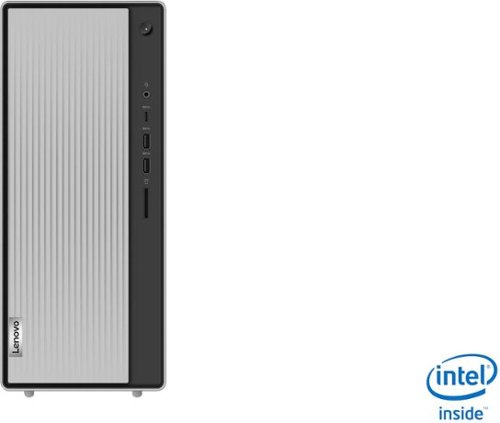
Lenovo - IdeaCentre 5i Desktop - Intel Core i3 - 8GB Memory - 1TB Hard Drive - Mineral Grey
Lenovo~ IdeaCentre~ 5i is a powerful, contemporary desktop powered by the latest Intel~ Core~ processors. Featuring gaming-grade graphics, fast DDR4 memory, and plenty ofstorage, it~s up to the task of having fun and will immerse you in it~and looks great in your home.
Can you upgrade windows 10 home to windows 10 pro? How much more will it cost
Yes. You can purchase the Windows 10 Pro 64-bit upgrade and install it on this computer. Here is a link to more information: https://www.bestbuy.com/site/windows-10-pro-upgrade-for-installation-on-devices-with-windows-10-home-english-windows-digital/6383106.p?skuId=6383106
5 years, 2 months ago
by
Posted by:
Lenovo Product Expert
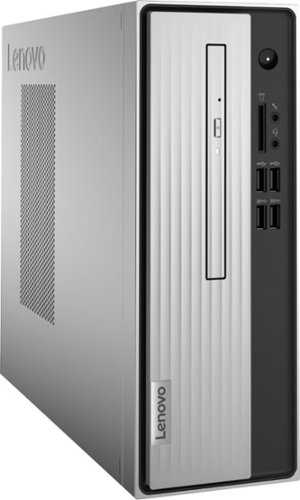
Lenovo - IdeaCentre 3 07ADA Desktop - AMD Athlon -Series - 4GB Memory - 1TB HDD - Silver
Lenovo IdeaCentre 3 07ADA Desktop: Get the job done with this silver Lenovo IdeaCentre 3 desktop computer. An AMD Athlon 3050U processor and 4GB of RAM run multiple programs simultaneously for increased productivity, while the 1TB HDD offers vast storage space for your files and applications. This Lenovo IdeaCentre 3 desktop computer includes a wired mouse and keyboard for easy operation.
Can this pc run fortnite
That really will depend on the requirements and compatibility of the specific game you want to run. We recommend you check with the specific game's software publisher's web site for their compatibility with Windows 10 Home 64-bit operating system and the minimum/recommended hardware requirements (Is a Graphics card required, the processor speed and the minimum required system RAM and the minimum available hard drive space) to run their program, then compare those requirements to this system's configuration.
5 years, 2 months ago
by
Posted by:
Lenovo Product Expert
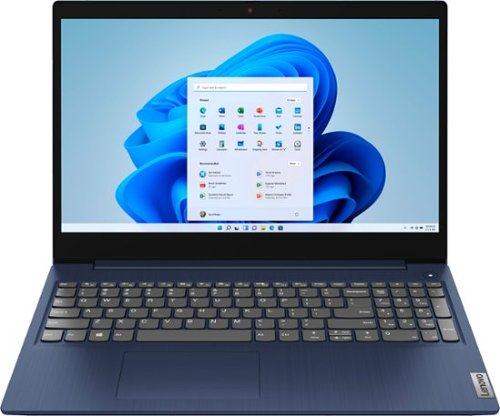
Lenovo - Ideapad 3 15 15.6" Touch-Screen Laptop - Intel Core i3 - 8GB Memory - 256GB SSD - Abyss Blue
Engineered for long-lasting performance, the Lenovo~ IdeaPad~ 3 15 delivers power in a laptop that's perfect for your everyday tasks, with features that you can depend on such as advanced mobile 10th Generation Intel Core processors and all day battery.
Is it touch screen or not?
The Lenovo IdeaPad 3 15 Laptop, model number 81WR000FUS, ships with a 10-point Multi-touch screen.
5 years, 2 months ago
by
Posted by:
Lenovo Product Expert