Lenovo Product Expert
Lenovo Product Expert's Stats
Reviews
- Review Count0
- Helpfulness Votes0
- First ReviewNone
- Last ReviewNone
- Featured Reviews0
- Average Rating0
Reviews Comments
- Review Comment Count0
- Helpfulness Votes0
- First Review CommentNone
- Last Review CommentNone
- Featured Review Comments0
Questions
- Question Count0
- Helpfulness Votes0
- First QuestionNone
- Last QuestionNone
- Featured Questions0
- Answer Count37880
- Helpfulness Votes24,853
- First AnswerApril 21, 2014
- Last AnswerOctober 16, 2026
- Featured Answers0
- Best Answers2830
Lenovo Product Expert's Reviews
Lenovo Product Expert has not submitted any reviews.
Lenovo Product Expert's Questions
Lenovo Product Expert has not submitted any questions.
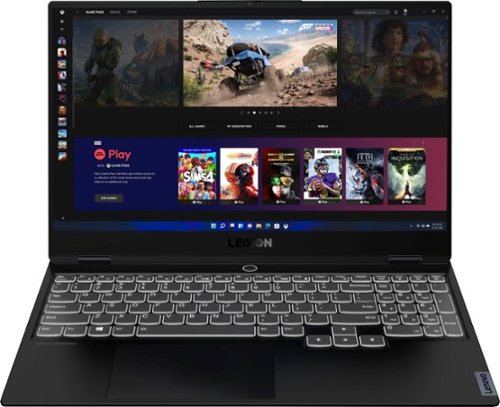
Lenovo - Legion Slim 7 15" 4K Ultra HD Gaming Laptop - AMD Ryzen 9 5900HX - 16GB Memory - NVIDIA GeForce RTX 3050 Ti - 1TB SSD - Shadow Black
The Lenovo~ Legion Slim 7 was engineered for gamers who demand mobility and performance for day and night. Sporting a finely crafted chassis machined from 100% aluminum that is shockingly thin and impressively light, the Legion Slim 7 was expertly crafted for gamers who demand more.
I just got a this Lenovo laptop but am unable to switch in the keyboard lights..how can I use the fn key ?

The Lenovo Legion Slim 7 15 Gaming Laptop, model number 82K8000RUS, ships with a backlit keyboard that is white in color only. You can turn on the backlighting by holding down the FN Key and tapping the Spacebar: Once to turn on the backlighting, twice to increase the intensity of the backlighting and three times to turn off the backlighting.
5 years, 2 months ago
by
Posted by:
Lenovo Product Expert
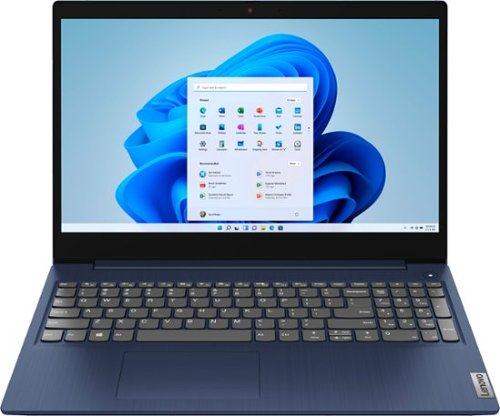
Lenovo - Ideapad 3 15 15.6" Touch-Screen Laptop - Intel Core i3 - 8GB Memory - 256GB SSD - Abyss Blue
Engineered for long-lasting performance, the Lenovo~ IdeaPad~ 3 15 delivers power in a laptop that's perfect for your everyday tasks, with features that you can depend on such as advanced mobile 10th Generation Intel Core processors and all day battery.
Does this laptop have gpu ?can it run fortnite?
The Lenovo IdeaPad 3 15 Laptop, model number 81WR000FUS, ships with integrated graphics processing on the Intel Core i3-10110U processor. It is the Integrated Intel UHD Graphics version. Whether this model can run a specific game will depend on that game's requirements and compatibility. This model of the IdeaPad 3 15 ships with Windows 10 S-Mode 64-bit Operating System. Windows 10 S-Mode provides added security by only allowing APPs available ( and therefore certified by Microsoft) at the Microsoft Store. If you don't need the added security or you need to install APPs not available at the Microsoft Store, you can switch to standard Windows 10 Home 64-bit Operating System, at no additional cost. We recommend you check with the specific game's software publisher's web site, of the game you want to play, for their compatibility with Windows 10 S-Mode 64-bit operating system and the minimum/recommended hardware requirements (Is a Graphics card required, the processor speed and the minimum required system RAM and the minimum available hard drive space) to run their program, then compare those requirements to this system's configuration. If you choose to switch out of S-Mode to Windows 10 Home, here is a link to instructions for switching from Windows 10 S-Mode to Windows 10 Home: https://support.microsoft.com/en-us/help/4456067/windows-10-switch-out-of-s-mode
5 years, 2 months ago
by
Posted by:
Lenovo Product Expert
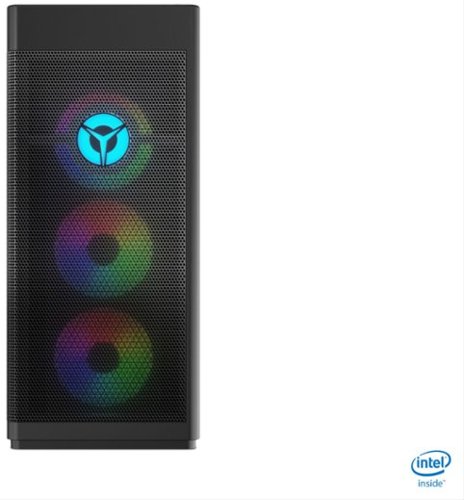
Lenovo - Legion Tower 7i Gaming Desktop - Intel Core i7-10700K - 16GB Memory - NVIDIA GeForce RTX 3060 -512GB SSD - Black
Engineered out of a passion for savage power and unmatched speed, the Lenovo~ Legion Tower 7i delivers overclocked performance, available with an Intel~ Core~ i7-10700K processor, and NVIDIA~ GeForce RTX~ 3060 graphics cards for blazing-fast frame rates at over 4K resolution. Smashing through ceilings in a robust 34 L chassis, accented by over 16 million colors via an ARGB lighting system with transparent side panel.
Does this come with sound settings?
The Lenovo Legion Tower 7i Gaming Desktop model number 90Q800CEUS, does not have internal speakers built in. It supports audio out to compatible computer speakers via 3.5mm audio line out with the High Definition (HD) Audio, Realtek® ALC892 codec, Audio Chip.
5 years, 2 months ago
by
Posted by:
Lenovo Product Expert
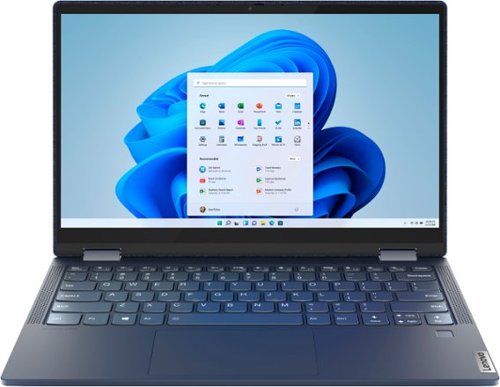
Lenovo - Yoga 6 13 2-in-1 13.3" Touch Screen Laptop - AMD Ryzen 7 - 16GB Memory - 512GB SSD - Abyss Blue with Fabric Cover
The Lenovo~ Yoga~ 6 is an ultra-portable 2-in-1 that combines unique style with the powerful responsiveness of an AMD Ryzen~ 5000 Series Mobile Processor, abundant memory and SSD storage. Enjoy a rich multimedia experience with the clarity of a 13.3" FHD touchscreen display, and enveloping sound with Dolby Atmos~-optimized stereo speakers.
what is the battery life and how long is a full charge
The Lenovo Yoga 6 13 model number 82ND0002US, ships with a 4CELL_60WH_INTERNAL, Lithium Polymer Battery, which within this configuration, has a battery life of up to 18 hours, depending on the work the device is performing.
5 years, 2 months ago
by
Posted by:
Lenovo Product Expert
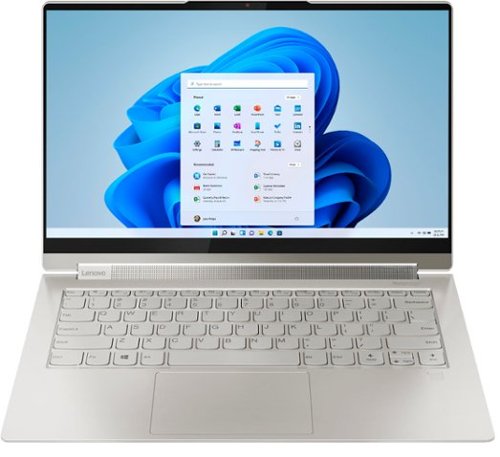
Lenovo - Yoga 9i 14 2-in-1 14" Touch-Screen Laptop - Intel Evo Platform Core i7 - 16GB Memory - 512GB SSD - Mica
Meet the Lenovo Yoga 9i, designed to put your experience first with the Intel Evo platform~s powerhouse combination of performance, responsiveness, battery life and stunning visuals. Innovative features are encased directly in a sleek 2-in-1 metal chassis, combined with the advanced mobile performance of 11th generation Intel Core processors and powerfully immersive entertainment.
Is there any reason that these models come with 16 Gb ram 3200Hz? On the official website of Lenovo, they have 8Gb memory with 4267MHz frequency.
The Intel Evo-Certified Yoga 9i 14, model number 82BG000CUS, is a unique high performance system especially configured for our retail partners.
5 years, 2 months ago
by
Posted by:
Lenovo Product Expert

Lenovo - Yoga 7i 2-in-1 15.6" HDR Touch Screen Laptop - Intel Evo Platform Core i7 - 12GB Memory - 512GB Solid State Drive - Dark Moss
The Lenovo~ Yoga~ 7i 15" combines versatile portability and enhanced productivity, thanks to the boundary-breaking performance and responsiveness of 11th generation Intel~ Core~ i7 processors and a vibrant VESA Dolby HDR 400 display in FHD clarity with Intel~ Iris~ Xe graphics. Go anywhere with a sleek 2-in-1 metal chassis featuring thoughtful details including a webcam privacy shutter.
I just received the Yoga 7i touchscreen. I am not able to get the microphone to work. I have followed all instructions, trouble shot, but still nothing. Have I missed something?
Check to be sure that the microphone is not muted. Tap the Hotkey in the F4 position on your keyboard to toggle the microphone on/off. Then be sure the microphone can be heard on your side by being sure the system audio is off mute. Tap the HotKey in the F1 position on your keyboard to unmute the system audio, then use the HotKey in the F3 position to increase system audio volume. You can test your microphone and system audio by using the Windows 10 Audio Recorder APP. Here is a link to instructions for accessing the Audio Recorder APP: https://support.microsoft.com/en-us/windows/how-to-use-voice-recorder-6fbb53d5-0539-abda-a9a4-0bcb84a778e7. If you are able to hear your audio recording in playback, your microphone and system audio are working fine. Be sure to check your microphone and audio settings within any video conferencing APP you use as well as on your computer. You must be off mute on both sides, the computer side and the APP side to be heard. If the Issue continues, here are some other Windows 10 troubleshooting tips to try: https://support.microsoft.com/en-us/windows/fix-microphone-problems-5f230348-106d-bfa4-1db5-336f35576011#:~:text=in%20Windows%2010%3A-,Select%20Start%20%2C%20then%20select%20Settings%20%3E%20System%20%3E%20Sound%20.,as%20needed%2C%20then%20select%20OK. Finally, if the issue continues, we recommend you contact Lenovo Tech Support for additional help at: 877-453-6686.
5 years, 2 months ago
by
Posted by:
Lenovo Product Expert
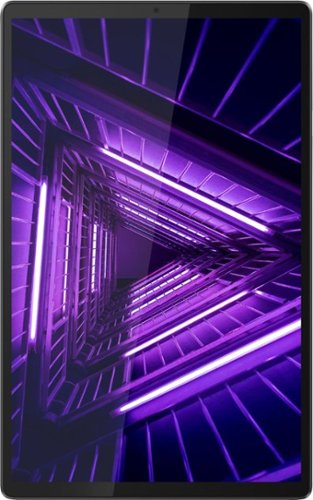
Lenovo - Tab M10 FHD Plus - 10.3" - Tablet - 128GB - Iron Gray
Lenovo~ Tab M10 Plus is one impressive media tablet from the 2nd generation tab family. Its standout metal design gives you a premium look and feel with modern simplicity. Inside lies a 10.3" FHD screen and dual speakers for truly immersive entertainment. This is one tablet you will want to use and pass around the house.
How many upgrades can you install ie: from 9 to 10 to 11?
The Lenovo Tab M10 Plus Tablet can be upgraded to Android 10 (Android Q).
5 years, 2 months ago
by
Posted by:
Lenovo Product Expert
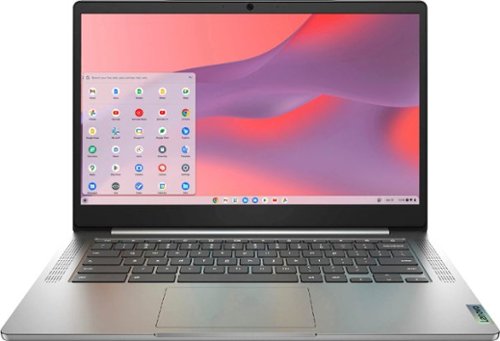
Fast, flexible, and fun, the Chromebook 3-14" brings everyone~s favorite Chromebook features, running on the lightning-fast Chrome OS that boots up in seconds, updates automatically, and is protected by built-in virus protection. Powered by a MediaTek processor and up to 10 hours of battery life, it~ll seamlessly run all of your favorite apps at the same time. Get Minecraft and 3 months of Realms Plus at no cost* with purchase of a new Chromebook. Terms Apply. *Offer valid for qualifying Chromebooks purchased on or after July 1st, 2023 through September 30th, 2023 while supplies last.
Is the screen frame glass or plastic around it
The case material of the Lenovo Chromebook 3 14 model number 82KN0001US, including the screen frame, is PC + ABS Plastic (Top), PC + ABS Plastic (Bottom).
5 years, 2 months ago
by
Posted by:
Lenovo Product Expert
Lenovo - Yoga 6 13 2-in-1 13.3" Touch Screen Laptop - AMD Ryzen 7 - 16GB Memory - 512GB SSD - Abyss Blue with Fabric Cover
The Lenovo~ Yoga~ 6 is an ultra-portable 2-in-1 that combines unique style with the powerful responsiveness of an AMD Ryzen~ 5000 Series Mobile Processor, abundant memory and SSD storage. Enjoy a rich multimedia experience with the clarity of a 13.3" FHD touchscreen display, and enveloping sound with Dolby Atmos~-optimized stereo speakers.
The specs indicate that their is an HDMI port. I keep looking but I don't see it. Am I blind? or are the specs wrong?
The Lenovo Yoga 6 13 model number 82ND0002US, does not have an HDMI port. This configuration uses 2x USB-C 3.2 Gen 1 (support data transfer and DisplayPort 1.4) ports with video out capability. The Yoga 6 13 supports up to 3 independent displays via native display and 2 external monitors; supports external monitors via USB-C (up to 3840x2160@60Hz). You can connect an HDMI monitor to this laptop by using a USB-c to HDMI adapter like this one: https://www.bestbuy.com/site/insignia-usb-type-c-to-4k-hdmi-adapter-white/4480802.p?skuId=4480802
5 years, 2 months ago
by
Posted by:
Lenovo Product Expert
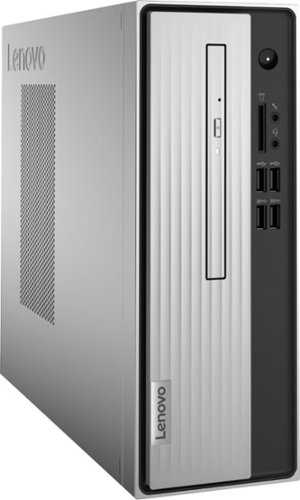
Lenovo - IdeaCentre 3 07ADA Desktop - AMD Athlon -Series - 4GB Memory - 1TB HDD - Silver
Lenovo IdeaCentre 3 07ADA Desktop: Get the job done with this silver Lenovo IdeaCentre 3 desktop computer. An AMD Athlon 3050U processor and 4GB of RAM run multiple programs simultaneously for increased productivity, while the 1TB HDD offers vast storage space for your files and applications. This Lenovo IdeaCentre 3 desktop computer includes a wired mouse and keyboard for easy operation.
Is this desktop windows 11 compatible?
Microsoft is still finalizing the requirements to upgrade from the latest version of Windows 10 to Windows 11 at this time. Here is a link to more information about upgrading to Windows 11: https://docs.microsoft.com/en-us/windows/whats-new/windows-11-requirements
5 years, 2 months ago
by
Posted by:
Lenovo Product Expert