Samsung
Samsung's Stats
Reviews
- Review Count0
- Helpfulness Votes0
- First ReviewNone
- Last ReviewNone
- Featured Reviews0
- Average Rating0
Reviews Comments
- Review Comment Count0
- Helpfulness Votes0
- First Review CommentNone
- Last Review CommentNone
- Featured Review Comments0
Questions
- Question Count0
- Helpfulness Votes0
- First QuestionNone
- Last QuestionNone
- Featured Questions0
- Answer Count74595
- Helpfulness Votes37,991
- First AnswerApril 24, 2013
- Last AnswerSeptember 29, 2026
- Featured Answers0
- Best Answers3951
Samsung's Reviews
Samsung has not submitted any reviews.
Samsung's Questions
Samsung has not submitted any questions.
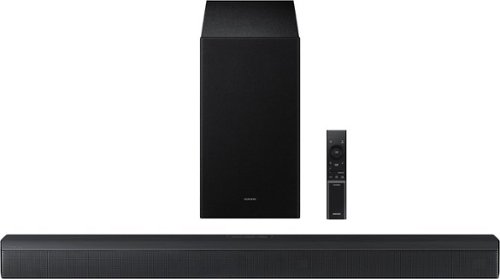
Upgrade your home theater setup with a 3.1 Channel sound system, featuring a built in center speaker to enhance voices and a wireless subwoofer for booming bass. Get rich and balanced sound in your movies and shows while voices are intelligently separated from background noise, delivering clear dialogue even at low volume. Plus, you won't have to hassle with pairing and unpairing your devices to play music - you can connect two simultaneously and switch between them seamlessly.
is this a 2026 model?

Hi there! The HW-B650F is a 2025 model. ~ Samsung Solutions
1 week ago
by
Posted by:
Samsung
Upgrade your home theater setup with a 3.1 Channel sound system, featuring a built in center speaker to enhance voices and a wireless subwoofer for booming bass. Get rich and balanced sound in your movies and shows while voices are intelligently separated from background noise, delivering clear dialogue even at low volume. Plus, you won't have to hassle with pairing and unpairing your devices to play music - you can connect two simultaneously and switch between them seamlessly.
What rear speakers to use with this
Hello Mrds1! The HW-B650F Soundbar is compatible with the SWA-9250S Wireless Rear Speaker Kit. ~ Samsung Solutions
1 week ago
by
Posted by:
Samsung
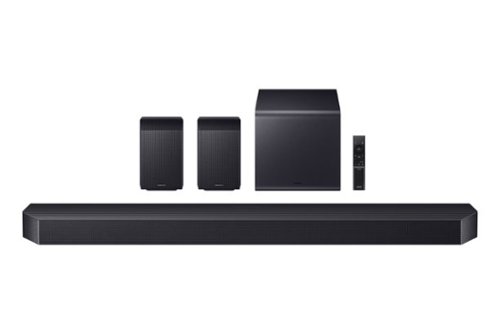
Elevate your home theater experience with cinema like immersion. Surround yourself with sound from every angle with 11.1.4 channels and wireless Dolby Atmos. Get stunning audio calibrated to your room that delivers clear, enveloping sound. Enjoy full, rich sound and deep bass from the included wireless subwoofer with Dynamic Bass Control.
Will this work with my Denon AVR 3800?
Hello Boss67! HW-Q990H is a self-powered soundbar. In a typical home theater setup, you would generally use either the Denon receiver with speakers or the Q990H soundbar, not both together. ~ Samsung Solutions
1 week ago
by
Posted by:
Samsung
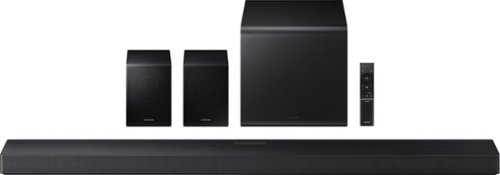
Enjoy a sleek, low profile design that fits into your space while delivering rich, multidimensional true surround sound with included rear speakers. Built in sensors detect whether the soundbar is placed flat on a table or is mounted flush against a wall and automatically recalibrates speaker direction for powerful Dolby Atmos audio, regardless of the setup. Enhance your home theater experience with crystal clear dialogue and booming bass, perfect for fast paced thrillers or action movies.
Does this come with brackets for the accessory speaker?
Hello there! No, the HW-QS750F Soundbar does not come with brackets to mount the rear speakers. ~ Samsung Solutions
1 week ago
by
Posted by:
Samsung
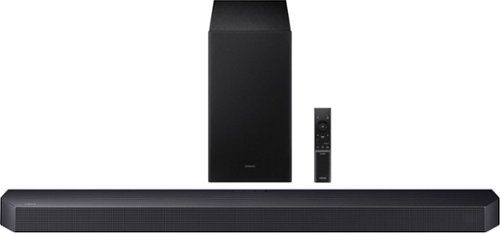
Get swept away into any film, concert or soundtrack with Dolby Atmos 3D sound that reveals rich depth and intricate details. Be surrounded by sound and feel at the center of it all with up-firing channels that project audio overhead, a dedicated center channel for clear dialogue and a wireless subwoofer that delivers room-shaking bass. Pair the soundbar with a Samsung TV to experience powerful, robust audio with Q-Symphony and level up your entertainment a notch or two or three.
What wireless rear speakers will work with this soundbar?
Hi Sportsfan! The HW-Q600F Soundbar is compatible with the SWA-9250S Wireless Rear Speaker Kit. ~ Samsung Solutions
1 week ago
by
Posted by:
Samsung

Enjoy Dolby Atmos sound from above and around without requiring HDMI cables. Perfectly synchronized TV and soundbar audio~ bring s a new level of immersion. This all in one soundbar delivers sharp and rich audio with a compact design. ~ Q Symphony requires a compatible 2020 2024 Samsung TV. Please refer to samsung.com for more information.
Does this just replace a center sound speaker ?
Hi there jim! The HW-S60D Soundbar has everything you need in a single soundbar. The 5.0ch system features 4 woofers and 3 tweeters built in, so you can enjoy powerful surround sound that fills the room. ~ Samsung Solutions
1 week ago
by
Posted by:
Samsung
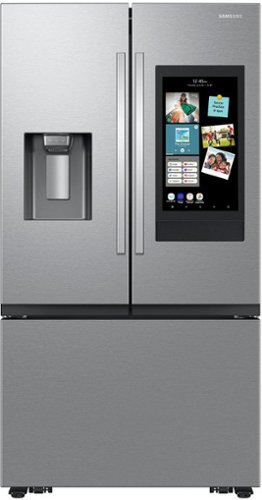
Samsung Mega Capacity 3-Door French Door refrigerator with 30 cu. ft. comes with four types of ice and a modern design. Store more groceries, including big and bulky items. The Dual Auto Ice Maker makes two types of ice ~ cubed, or Ice Bites while the external dispenser offers two additional ice options, curved and crushed.
We have a Samsung French Door refrigerator and it needed a $530 repair for a new evaporator cover assembly after less than 2-1/2 years. Is that common for Samsung French Door refrigerators to fail that way after less than 2-1/2 years of use?
Hi Dean, we appreciate you sharing your experience with your refrigerator's evaporator cover and repair fee. We'd like the opportunity to better understand the situation and review how we can best assist.
Please feel free to reach out through any of the contact options below and have your reference number 1153181458 available for faster assistance:
1. Samsung Community: https://us.community.samsung.com/t5/Samsung-Community/ct-p/us
2. Facebook Messenger: https://m.me/samsungsupport
3. X: https://x.com/messages/compose?recipient%20id=18768513
4. Samsung Customer Care: 1-800-726-7864 (1-800-SAMSUNG)
Jeffrey
Samsung Care
Please feel free to reach out through any of the contact options below and have your reference number 1153181458 available for faster assistance:
1. Samsung Community: https://us.community.samsung.com/t5/Samsung-Community/ct-p/us
2. Facebook Messenger: https://m.me/samsungsupport
3. X: https://x.com/messages/compose?recipient%20id=18768513
4. Samsung Customer Care: 1-800-726-7864 (1-800-SAMSUNG)
Jeffrey
Samsung Care
1 week ago
by
Posted by:
Samsung
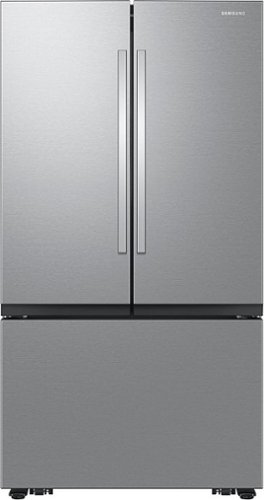
Samsung Mega Capacity 3-Door French Door refrigerator features 32 cu. ft. capacity, Dual Auto Ice Maker and a modern design. Store more groceries, including big and bulky items. The Dual Auto Ice Maker makes two types of ice ~ cubed, or Ice Bites that chill your drink faster.
Why can't I find a Refrigerator 66 inches high?
Hi there,
We understand how important it is to find a refrigerator that fits your space just right. If your space is around 66 inches high, you can use the link below to explore other refrigerators that may be a better fit.
https://www.bestbuy.com/site/searchpage.jsp?browsedCategory=pcmcat1496259045057&id=pcat17071&qp=heightwithhingerange_facet%3DHeight%20w%2F%20Hinge~64%22%20-%2068%22&st=pcmcat1496259045057_categoryid%24abcat0901000
If you have any other questions, we’re always happy to help.
Michael
Samsung Care Care
We understand how important it is to find a refrigerator that fits your space just right. If your space is around 66 inches high, you can use the link below to explore other refrigerators that may be a better fit.
https://www.bestbuy.com/site/searchpage.jsp?browsedCategory=pcmcat1496259045057&id=pcat17071&qp=heightwithhingerange_facet%3DHeight%20w%2F%20Hinge~64%22%20-%2068%22&st=pcmcat1496259045057_categoryid%24abcat0901000
If you have any other questions, we’re always happy to help.
Michael
Samsung Care Care
1 week ago
by
Posted by:
Samsung
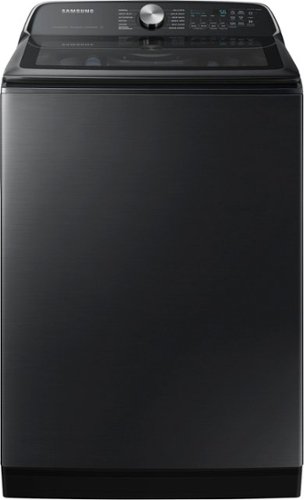
Samsung's 5.5 cu. ft. Extra-Large Capacity Top Load Washing Machine is equipped with Super Speed Wash, which powerfully cleans a full load of laundry in just 28 minutes without sacrificing cleaning performance. With Wi-Fi connectivity, you can remotely start, stop, or delay your smart washer from our simple-to use SmartThings App. Active Waterjet, a built-in water faucet, lets you easily pretreat heavily soiled and stained clothes.
does this unit comer with hot and cold hoses?
Hi Hoses,
Hot and cold water hoses are not included with this washer and will need to be purchased separately. For pricing and availability, please contact Samsung Parts at 1-800-627-4368.
For a complete list of the items included with the washer, please see pages 16-17 of the user manual:
https://downloadcenter.samsung.com/content/UM/202606/20260616083954598/OID67143_IB_WA7100C_EN_CFR_MES_260609.pdf
Thank you for your interest in Samsung.
Jeffrey
Samsung Care
Hot and cold water hoses are not included with this washer and will need to be purchased separately. For pricing and availability, please contact Samsung Parts at 1-800-627-4368.
For a complete list of the items included with the washer, please see pages 16-17 of the user manual:
https://downloadcenter.samsung.com/content/UM/202606/20260616083954598/OID67143_IB_WA7100C_EN_CFR_MES_260609.pdf
Thank you for your interest in Samsung.
Jeffrey
Samsung Care
1 week ago
by
Posted by:
Samsung
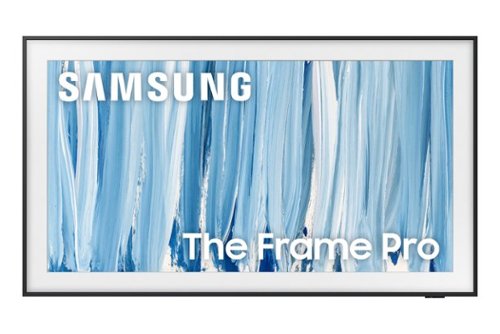
Our most advanced Art TV blurs the lines between showpiece and entertainment for art and movie lovers alike. The modern, slim-bezel frame, matte screen and wireless connection allow you to create a clutter-free gallery experience at home, featuring a selection of world-renowned artwork. Whether you're beholding a masterpiece or curling up to watch your favorite movie, enjoy spectacular, 4K Neo QLED picture and sound quality, along with personalized TV experiences powered by Samsung Vision AI.
Tv has a chip on the screen. This is a practically new tv. Please help
Hi, we appreciate you reaching out about your delivery experience and are sorry to hear that your TV arrived damaged. For issues related to shipping or delivery, we recommend reaching out to Best Buy directly so they can assist in resolving the situation.
Once your issue is resolved, if you have any questions about setup, usage, or features, please don’t hesitate to contact Samsung Support at 1-800-SAMSUNG (8AM – 9PM EST Mon – Fri, 8AM – 6PM Sat – Sun) or connect with a LiveChat agent via the ‘Support’ link on our website.
~ Samsung Ambassador
Once your issue is resolved, if you have any questions about setup, usage, or features, please don’t hesitate to contact Samsung Support at 1-800-SAMSUNG (8AM – 9PM EST Mon – Fri, 8AM – 6PM Sat – Sun) or connect with a LiveChat agent via the ‘Support’ link on our website.
~ Samsung Ambassador
1 week ago
by
Posted by:
Samsung